
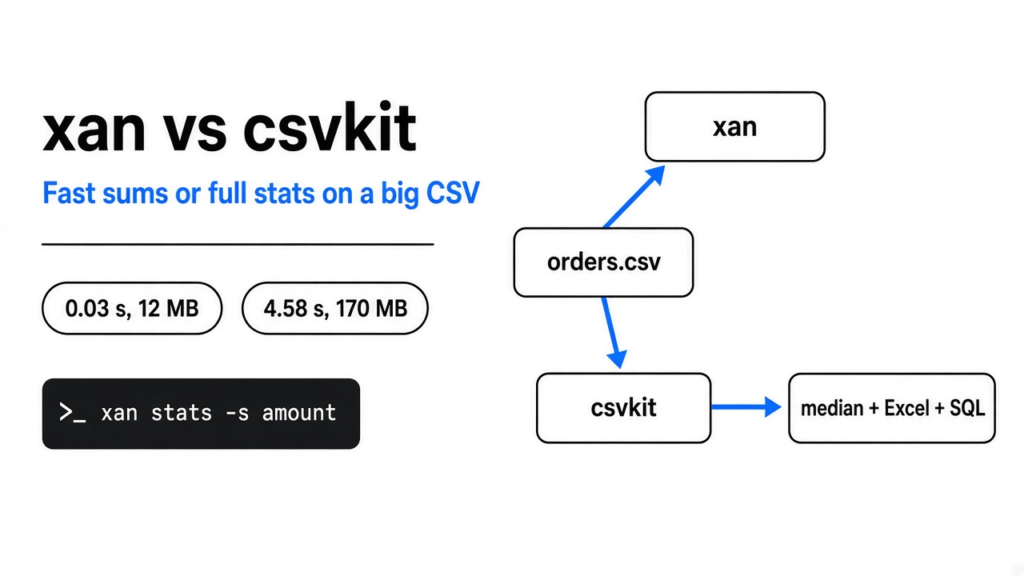
I had a table of orders sitting in a text file. Two hundred thousand rows. Four columns: an id, a region, an amount, and a status. The file was 5,058,594 bytes, a little over five megabytes. The next click most people make is a spreadsheet. I did not open one. I ran xan and csvkit on that same file.
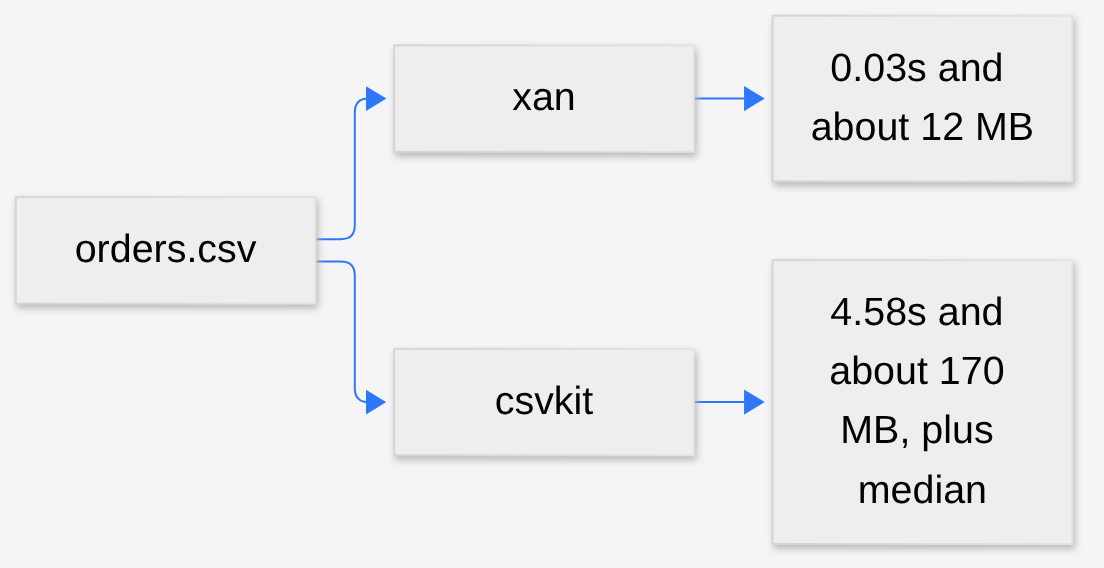
xan vs csvkit comes down to this: for a sum, a mean, and a filter, xan finished in a fraction of a second and stayed near 12 MB of memory. csvstat, the stats command in csvkit, took 4.58 seconds and about 170 MB, and it also computed the median and the most common values. Same file. Same sum. Not the same job.
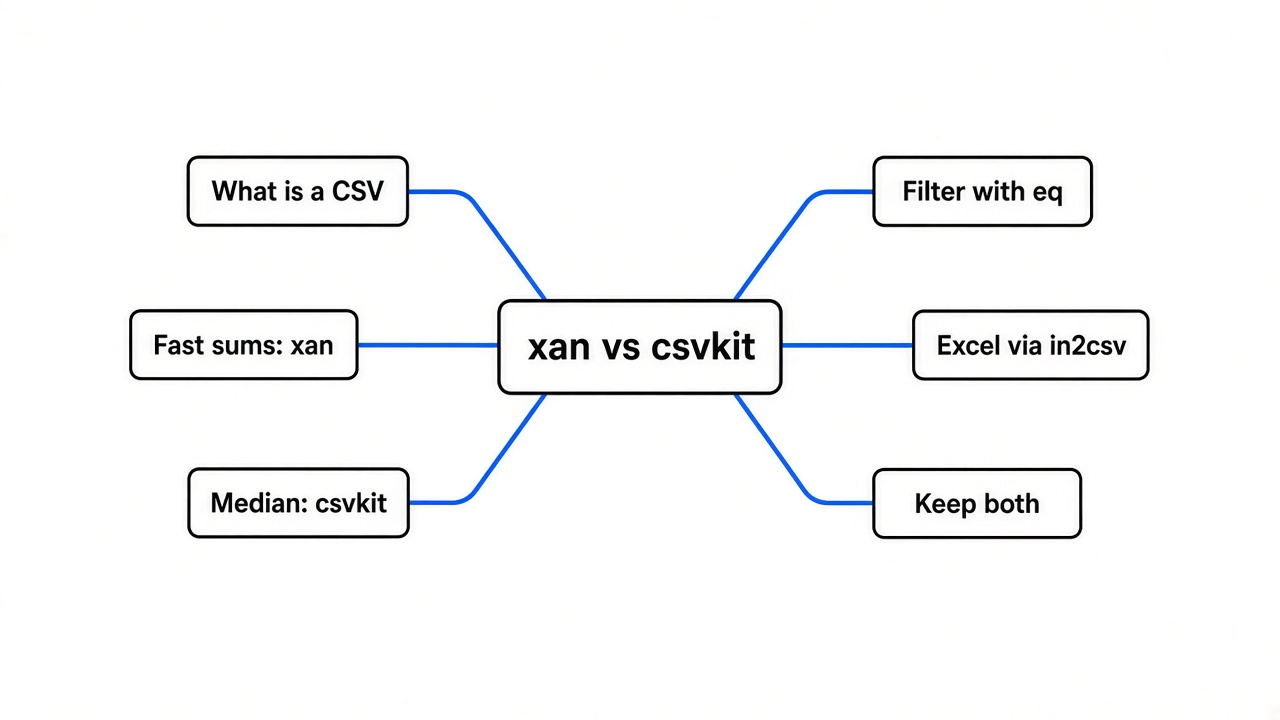
What is a CSV
Before either tool makes sense, the file itself has to. A CSV is a text table. CSV means comma-separated values (plain text where each line is one row and commas split the cells). A row is one record, like one order. A column is one fact about that record, like the amount. There is no grid until some program draws one.
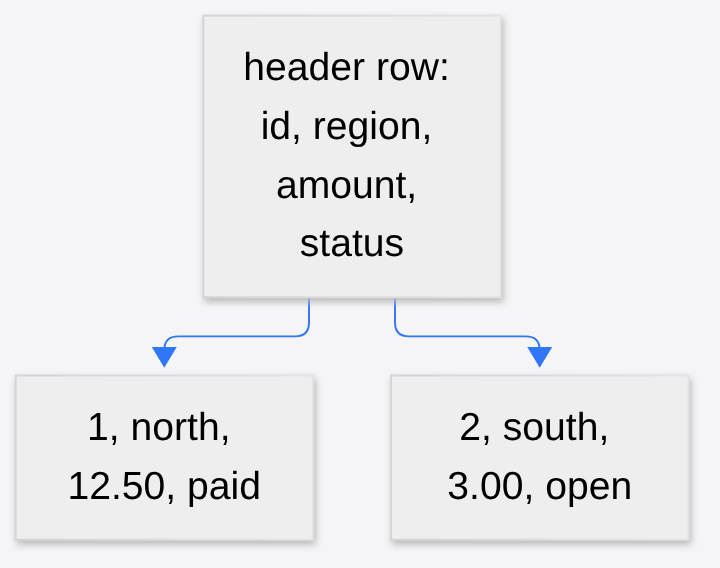
The first line of my file was id,region,amount,status. That line is the header (the names of the columns, not an order). Every line under it is one order. If a cell itself contains a comma, the file wraps that cell in quotes so the comma is not read as a new column. That quoting is why a quick split on commas in a homemade script eventually corrupts a real export. Both tools exist so you do not write that split yourself.
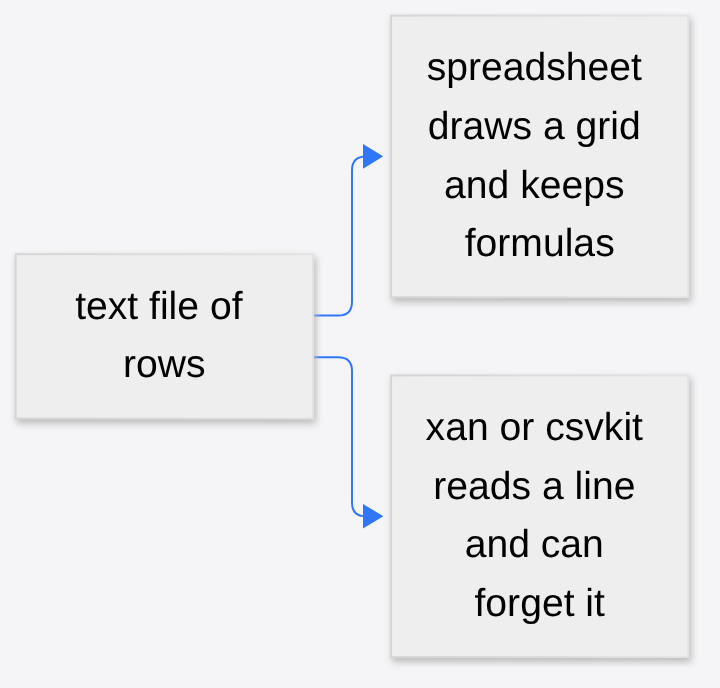
A spreadsheet draws those rows as a grid and also keeps formulas, colors, and several sheets inside one file. A CSV keeps none of that. It is the letters and the commas. The grid tries to hold the whole table where you can see it. A small program can read one line, update a total, and forget the line. That difference is the whole reason to leave the spreadsheet closed.
xan vs csvkit
xan vs csvkit is a choice between two command line tools for that text table. A command line tool, also called a CLI (a program you start by typing its name, not by clicking an icon), reads the file and prints an answer. xan is one program with many subcommands, such as count, filter, and stats. csvkit is a set of separate programs, such as csvstat and csvgrep, built for people who already use Python. Both can count rows, pick columns, and keep some rows. They do not both do that at the same cost, and they do not both accept an Excel file.
| Job | xan | csvkit |
|---|---|---|
| Count, sum, mean, min, max | xan stats -s amount file.csv | csvstat -c amount file.csv |
| Keep rows where status is exactly paid | xan filter 'status eq "paid"' file.csv | csvgrep -c status -m paid file.csv |
| Turn an Excel file into CSV | not this tool | in2csv budget.xlsx |
| Ask a SQL question | not the usual path | csvsql --query "..." |
| Median in the default stats run | off unless you add -q | included in csvstat |
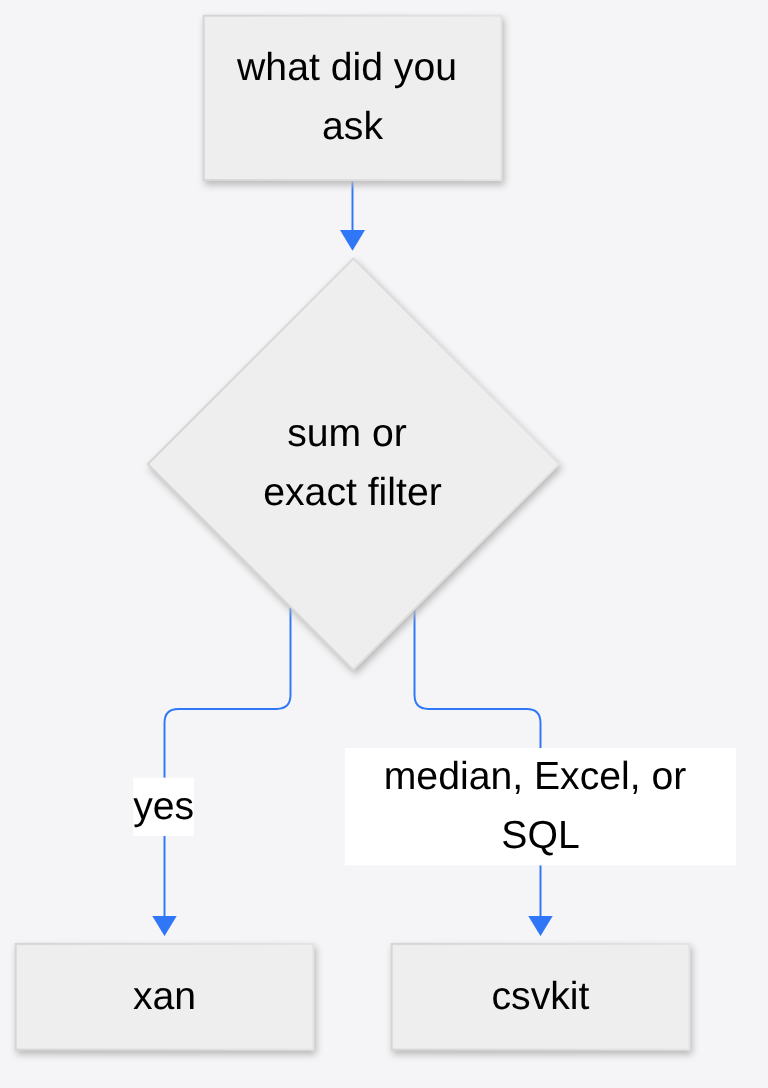
I expected xan to feel like a faster csvkit with the same buttons. What happened was narrower. The fast path is streaming math. A stream means the program reads a row, updates a running total, and moves on, instead of loading every row into a list first. csvstat does more work on purpose. It finds the median (the middle value once the numbers are ordered), how many distinct amounts exist, and which amounts show up most. That extra work is real. It is also why xan is not a hundred times faster at the same statistics. It was much faster at the shorter list.
How to install xan
Install xan from a package if your system already has one. On a Mac that is brew install xan. If you already have Rust’s installer, cargo install xan --locked builds it. csvkit is pip install csvkit. After that, xan --version should print a version and csvstat --help should print help. If the terminal says the command is not found, the install did not land on your PATH (the list of folders the terminal searches when you type a name).
xan --version
csvstat --help
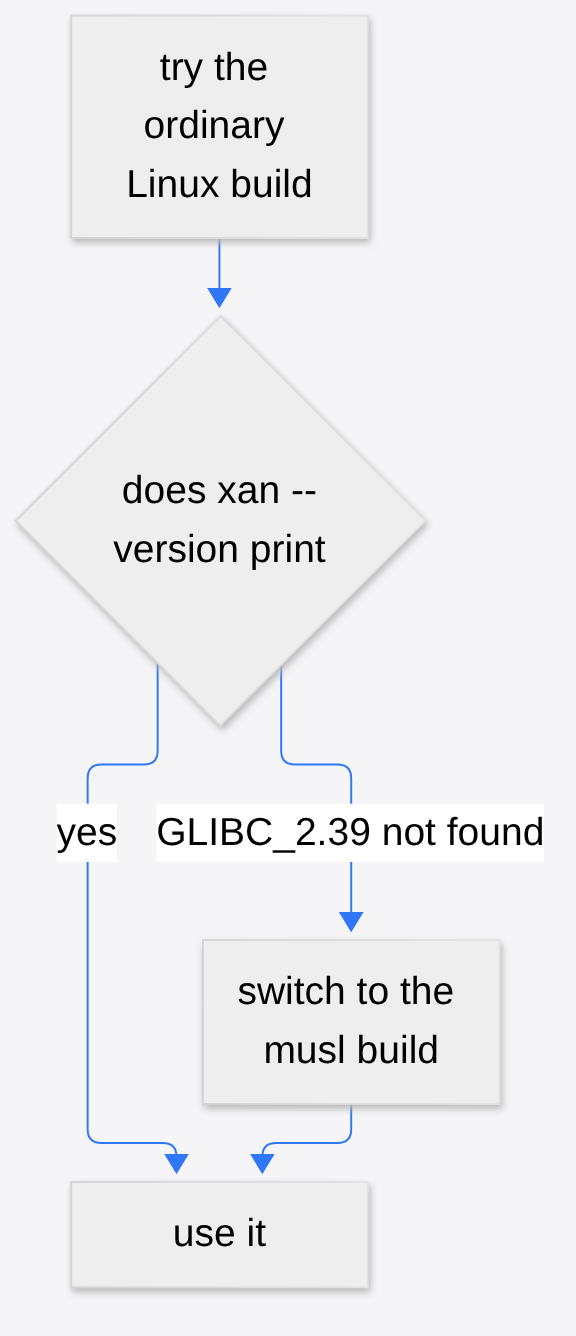
One caveat. The first Linux build I tried refused to start. The error was GLIBC_2.39 not found. GLIBC is the C library (the shared base almost every Linux program is built against). That build wanted a newer base than the machine had. The build marked musl (a different C library shipped inside the file, so it does not borrow the machine’s) started and printed 0.61.0. If you see that GLIBC line, switch to the musl file. Do not keep retrying the same download.
How do I filter a large CSV without Excel
You filter a large CSV without Excel by naming the rows you want and letting the rest fall on the floor. You do not load the grid. A filter here means a test each row must pass. Fail the test, and that row is not printed.
My status column held three words: paid, open, and refund. I wanted paid. This is the command that worked:
xan filter 'status eq "paid"' orders.csv | xan count
The vertical bar is a pipe (it hands the first program’s printed text to the next program as if that text were a file). xan count then counts the rows that survived. I got 66,712.
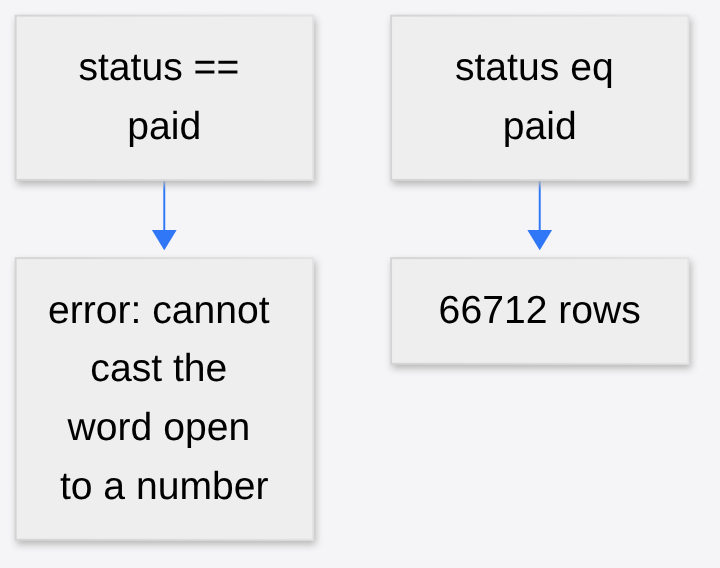
The obvious comparison operator did not work the first time. I first typed status == "paid", the way I would in Python. xan stopped. It said it could not safely cast the word “open” from bytes to a number. Bytes here just means the raw text of the cell. The == path was trying to do arithmetic, so a word like “open” had nowhere to go. The word eq compares the cell as text. That is the whole fix. If a filter errors on a word that is clearly text, try eq before you edit the file.
csvkit’s matching command is a different test:
csvgrep -c status -m paid orders.csv | wc -l
wc -l counts lines, and the header is a line too. I got 66,713 lines, which is the header plus the same 66,712 paid rows. -m is a pattern, not “the cell equals this word.” A cell that said prepaid would also match paid. eq does not do that. On this file the three statuses did not contain each other, so the counts agreed. On a messier export they might not. Read the values before you trust either count. xan freq -s status orders.csv prints how many rows hold each value, which is the check I now run first.

xan vs csvkit on a big file
On that same file, xan vs csvkit looked like this. Times are wall time from start to a printed answer. The memory number is the high water mark while the process ran.
| What I ran | Time | Memory | Answer |
|---|---|---|---|
xan count | 0.024 s | 200000 | |
xan freq -s status | 0.027 s | paid 66712, open 66685, refund 66603 | |
xan stats -s amount | 0.030 s | 12,484 KB, about 12 MB | sum 50002638.08, mean 250.013, min 0, max 500 |
xan filter 'status eq "paid"' then xan count | 0.057 s | 66712 | |
Python’s csv reader, mean of amount | 0.38 s | mean 250.0132 | |
Python’s csv reader, paid rows only | 0.295 s | 66712 rows, sum 16667378.72 | |
xan filter then xan stats -s amount | 0.054 s | same paid sum, 16667378.72 | |
csvstat -c amount | 4.580 s | 174,552 KB, about 170 MB | same sum and mean, plus median 249.98 and 49,132 unique amounts |
csvgrep -c status -m paid then wc -l | 0.429 s | 66713 lines |
Memory here is RAM (the scratch space a program uses while it runs, not the size of the file on disk). The file was about 5 MB. xan stats stayed near 12 MB. csvstat climbed to about 170 MB. Python’s reader, which is the script people write when they do not want a new tool, took 0.38 seconds for the mean and agreed with xan to the rounding I printed: 250.013. The paid sum agreed to the cent: 16,667,378.72.
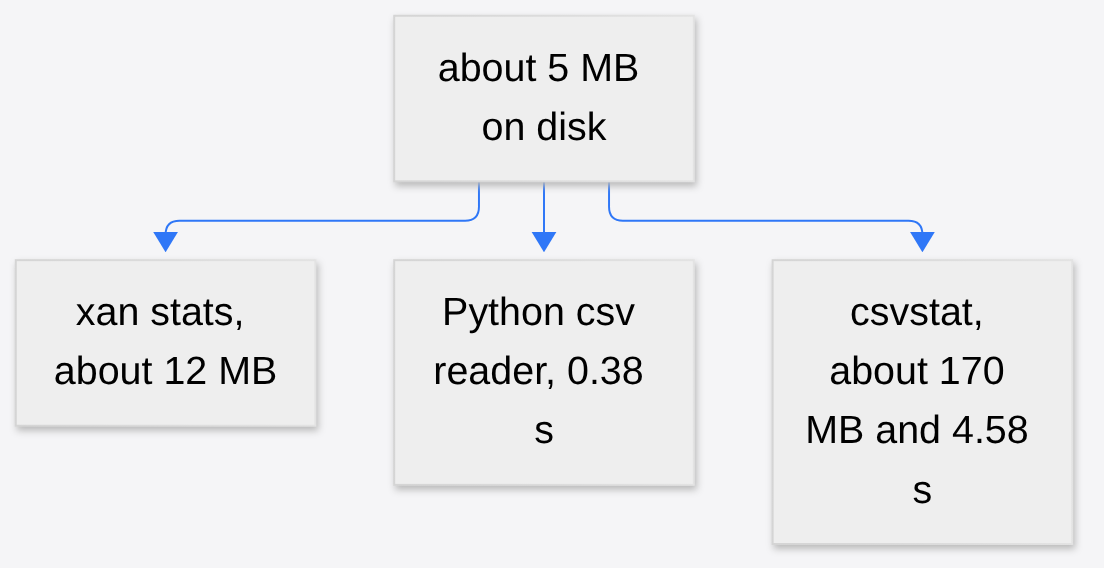
The result of all this is not “uninstall csvkit.” csvstat’s extra seconds bought a median of 249.98 and a count of distinct amounts. If that is the question, the wait is the work. If the question was the sum, xan had it before csvstat had finished reading.
When csvkit is the better tool
csvkit is the better tool when the file is not a CSV yet, or when the question is already a database question. in2csv budget.xlsx > budget.csv turns a spreadsheet into text. xan does not open xlsx (the Excel file format, a zip of sheets rather than lines of commas). If the sheet has formulas, those formulas are not in the CSV either. They have already been flattened to values, or they have been dropped, depending on the converter. For a real spreadsheet an agent can edit, OfficeCLI writes the xlsx. xan is for the text table after you have decided the formulas are not the point.
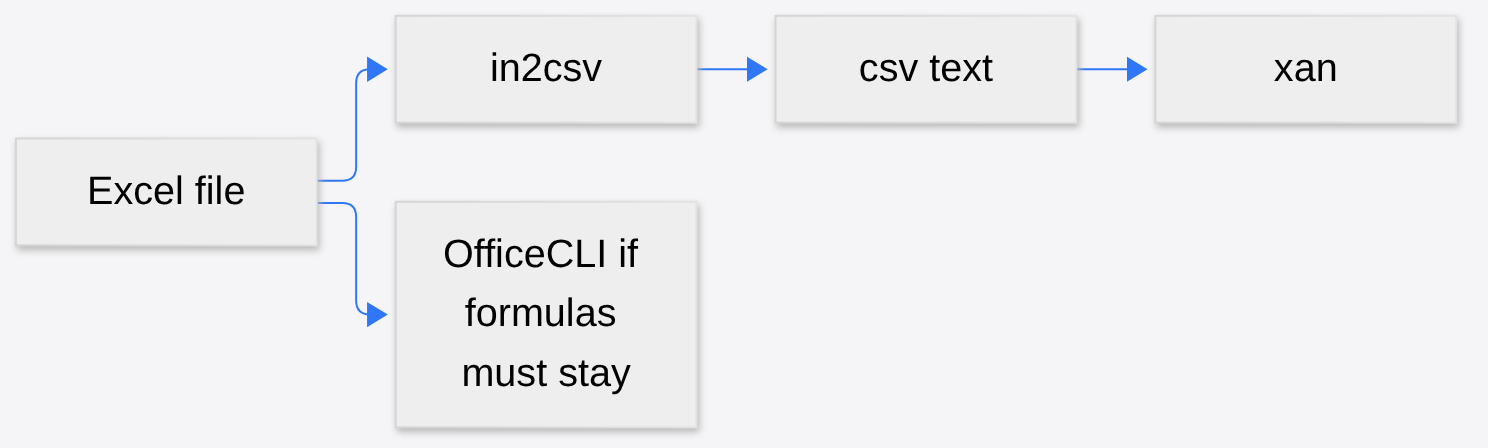
csvsql lets you type SQL against the file. SQL is the sentence people use on databases (“select the sum where the region is north”). If that sentence is how you already think, stay with csvkit. xan has its own small expression language. I paid a learning cost on the first filter, the == that was not eq. A language you already know beats a faster language you will mistype.
csvstat’s median was 249.98. xan can compute a median too, with xan stats -q, but that flag was not part of the timing above, so there is no speed number for it here. If the median is the number you came for, run csvstat and accept the wait, or add -q and time it on your file. The full command list is in the csvkit manual, and the xan commands are in the xan project on GitHub.
When not to use xan
Do not use xan when the table is small enough that opening it is the fastest way to see a typo. Fifty rows do not need a specialized tool. Do not use it when you need colors, a chart you can click, or a second sheet. That is a spreadsheet. A picture of a database is a different job again. An ER diagram from a Prisma schema starts from a schema file, not from orders.csv. A resume written as a text file is a different job too, which is what rendercv vs latex is about. The habit that transfers is “text in, a result out.” The tool does not transfer.
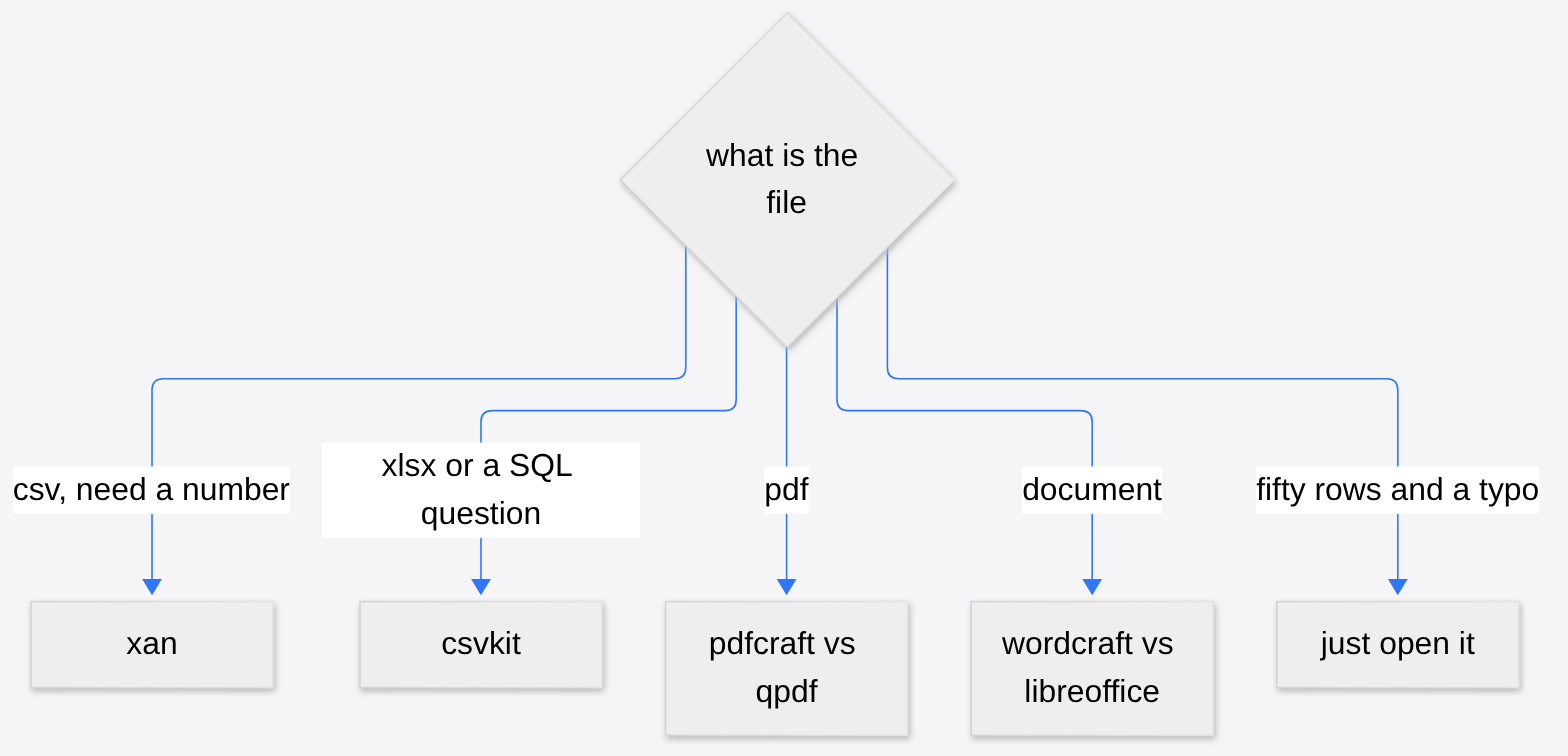
Do not point xan at a PDF or a Word file. Those are not rows and commas. pdfcraft vs qpdf is the page for changing a PDF. wordcraft vs libreoffice is the page for a document. And if the only reason you opened a huge app was one small edit, the same instinct that keeps you out of Excel is the one in CLI-Anything vs computer use.
Also skip xan if the install will not start and you do not want to swap builds. A tool you cannot run is slower than csvkit, no matter what the table says. A slow answer beats a binary that prints a library error and exits.
How do I query a huge CSV in the terminal
You query a huge CSV in the terminal by naming the column and the test, then sending the surviving rows into a count or a stat. Start with the headers so you are not guessing the spelling.
xan headers orders.csv
xan freq -s status orders.csv
xan filter 'status eq "paid"' orders.csv | xan stats -s amount
xan headers prints each column name with a number in front of it. If the column you care about is Status with a capital S, use that capital. These tools do not fix your case. xan freq then shows the real values. If the file contains both Paid and paid, eq "paid" keeps only one of them. I almost missed that class of bug because my file was already one case.

A huge file is still a text file. You can keep the filtered rows with a redirect, which is > sending the printout into a new file instead of onto the screen:
xan filter 'region eq "north"' orders.csv > north.csv
Open north.csv only if you need to see a few lines. xan head -l 5 north.csv prints the header and five rows. head here is xan’s command, and -l is the limit. I first tried a different flag and xan looked for a file named 3. The limit flag is -l, not the one other tools use. That is the second small trap, after eq.
Is xan worth it
Yes, if you already have CSV files that are clumsy to scroll, and the question is a count, a filter, a frequency, or a sum. The install is one command once the right build starts. The paid-row filter is one line. On this file the answer matched Python to the cent.
No, if your day is Excel in and SQL out. csvkit already speaks that day. Half a second to filter with csvgrep is not a problem on a file this size. Four and a half seconds for a median you actually wanted is not a problem either. xan would be a second habit on top of a tool that already finishes.
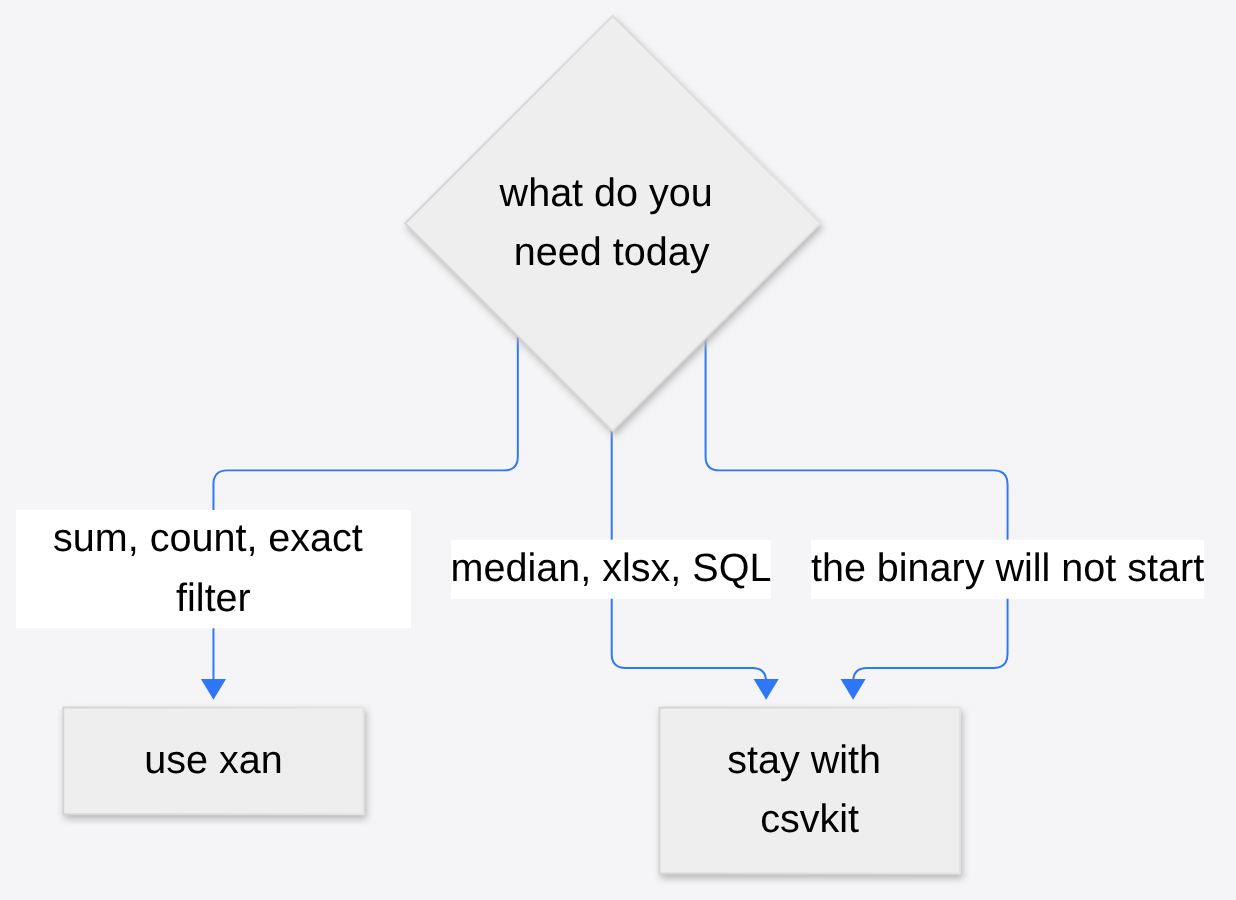
Send a coworker the filter line and the GLIBC note, not a speech about speed. The orders file did not care which tool I picked. It had the same sum either way. I am keeping both. xan is what I type when the file is already CSV and I want the number before I stand up. csvkit is what I type when the file is still a spreadsheet, or when the question is SQL.
Common questions about xan vs csvkit
How do I filter a large CSV without Excel?
Run xan filter 'status eq "paid"' file.csv, and replace the column and the word with yours. Pipe it to xan count if you only need how many rows survived. Use eq for text. == tried to treat my status words as numbers and stopped.
Is xan worth it over csvkit?
For a sum or an exact filter on a large text table, yes. On 200,000 rows, xan stats took 0.03 seconds and about 12 MB. csvstat took 4.58 seconds and about 170 MB because it also computed the median and the common values. If you need that median, or you need to convert an Excel file, keep csvkit.
Can xan open an Excel file?
No. xan reads CSV and formats that are already close to rows of text. Convert first with in2csv file.xlsx > file.csv, or edit the spreadsheet with a spreadsheet tool. Once the formulas matter, you have left CSV.
Why did xan filter fail on a word?
Because == was the wrong test for text. The error said xan could not cast a word to a number. status eq "paid" compared the cell as text and returned 66,712 rows, the same count Python got by reading the file.
1 comment