
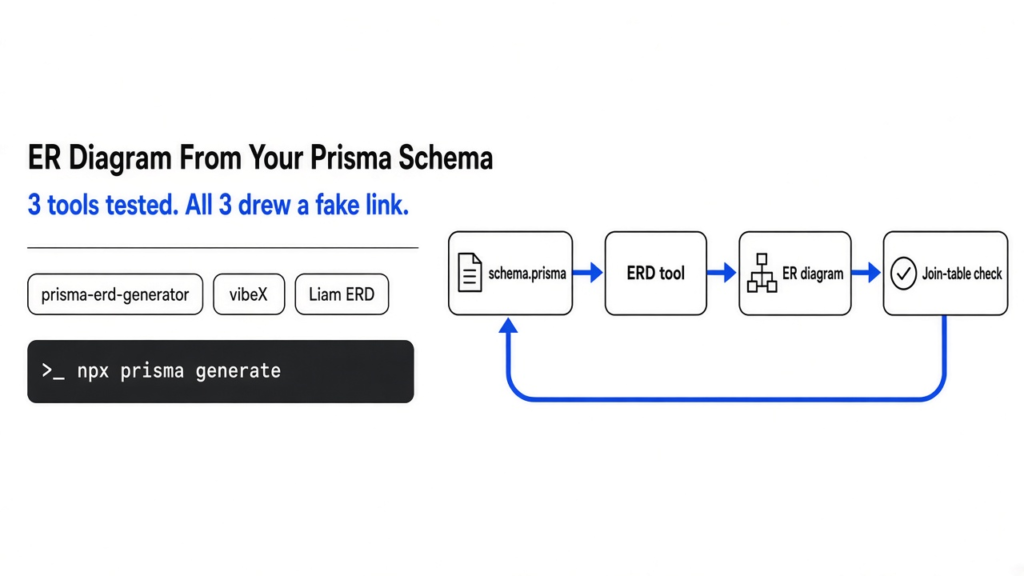
Short answer: to generate an ER diagram from your Prisma schema, install prisma-erd-generator and it redraws the diagram every time you run prisma generate. If you want one file you can open offline or hand to a teammate, use vibeX. If you want to click around a huge schema, use Liam ERD. I ran all three on the same schemas, and every one of them drew at least one relationship that does not exist in the real database.
You open a Prisma project you haven’t touched in months. Or a new teammate asks, “how do orders connect to users again?” You scroll through a 600-line schema.prisma file and try to hold it all in your head.
That scrolling is the problem. A picture would fix it in seconds. That’s what an ER diagram is for, and three open-source tools will draw one straight from your schema file.
But I found a catch while testing them. A diagram you can’t trust is worse than no diagram. You stop checking. So this post compares the three tools on speed, size and setup, and then on the thing nobody checks: did the picture tell the truth?
What is an ER diagram, and why make one from Prisma?
An ER diagram is a map of your database: boxes for tables, lines for how they connect.
So start with the base. A database stores data in tables, like sheets in a spreadsheet. A User table holds users, an Order table holds orders.
Tables point at each other with a foreign key (a column that stores the ID of a row in another table). An order has a userId column, so every order knows which user placed it.
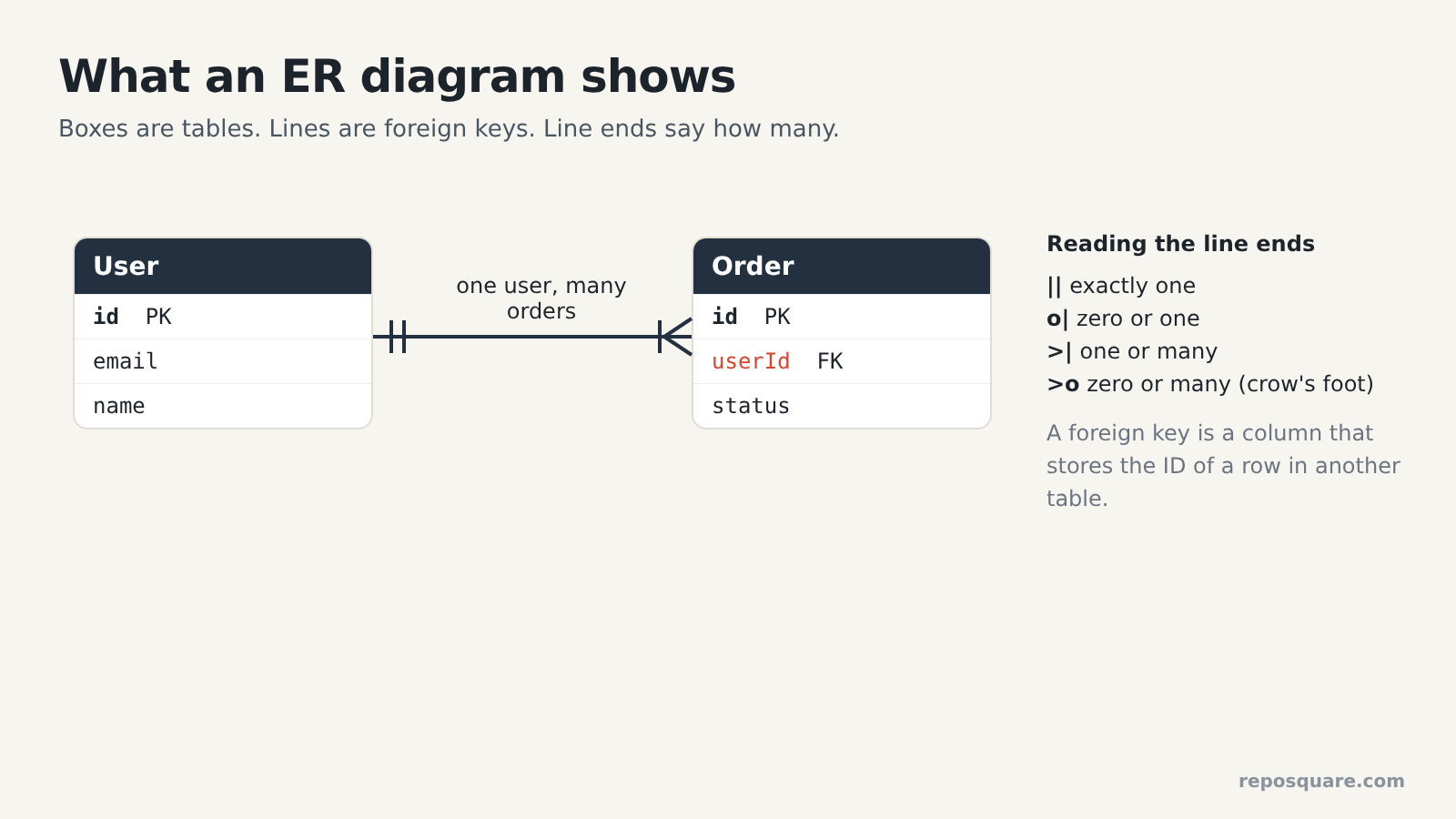
Now the new word. ER stands for entity-relationship. An ER diagram draws each table as a box and each foreign key as a line between boxes.
The line ends tell you how many. A fork at one end (called crow’s foot notation, because it looks like a bird’s foot) means “many”. A single bar means “exactly one”. So one user, many orders.
And that’s where Prisma comes in. Prisma is a popular database toolkit for Node.js and TypeScript. You describe your tables in one file, schema.prisma, and Prisma builds the real database from it. That file is already a complete description of your data, which is why tools can turn it into a diagram with no database connection at all.
Which tools generate an ER diagram from a Prisma schema?
Three open-source tools do it, and each one works in a different way.
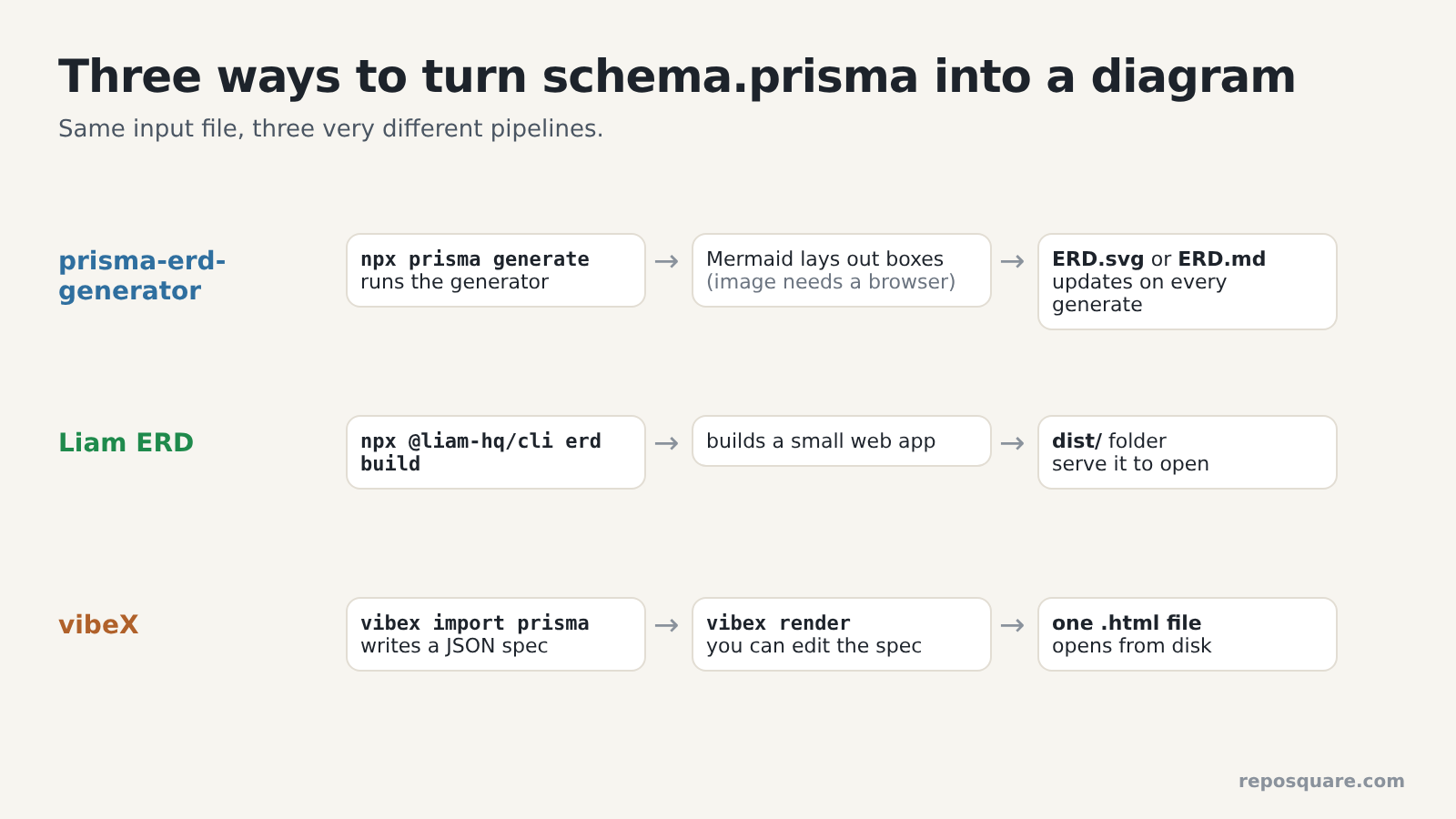
prisma-erd-generator plugs into Prisma itself. Prisma has generators (small add-ons that run every time you type npx prisma generate). This one draws an SVG image or writes a Mermaid file (Mermaid is a text format for diagrams that GitHub renders as a picture). Your diagram updates itself every time your schema changes.
Liam ERD is a command-line tool that builds a small web app from your schema. You get a folder with an interactive diagram you can pan, zoom and search. It also has a hosted version for public GitHub repos.
vibeX is the newest. It turns your schema into a JSON spec (a plain data file describing every box and line), then renders that spec into one HTML file. It has zero dependencies and also installs as a skill (a set of instructions an AI coding agent loads) for Claude Code and Codex, so you can just ask “show me the data model”.
And all three are free. prisma-erd-generator and vibeX use the MIT license, and Liam ERD uses Apache 2.0.
How I tested them
Same schemas, same machine, every output checked against the SQL Prisma would actually create.
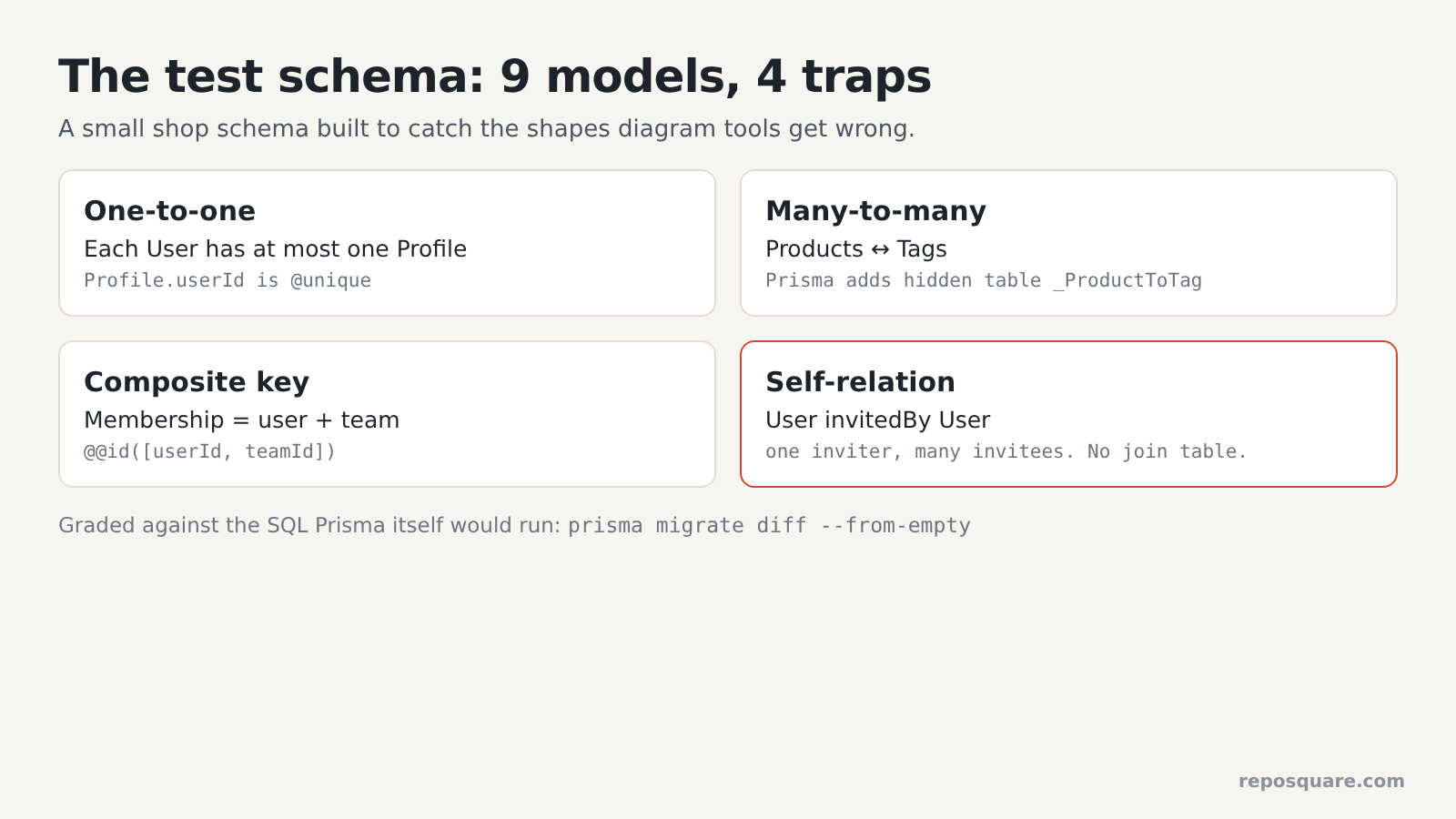
I wrote a small shop schema with nine models (Prisma’s word for tables) and two enums (fixed lists of allowed values, like PAID or SHIPPED). I packed it with the shapes that trip tools up.
So there is a one-to-one link (each user has at most one profile). There is a many-to-many link (products and tags), which Prisma stores in a hidden join table (an extra table that holds pairs of IDs). There is a composite key (a row identified by two columns together, here user plus team).
And there is a self-relation (a table that points at itself). Each user can have an invitedBy user, and each user can see the people they invited. That is one inviter to many invitees, a plain one-to-many link.
Then I needed the truth to grade against. Prisma can print the exact SQL it would run to create your database, without touching any database. That SQL is the real answer: which tables exist and which foreign keys exist.
After the small test, I ran all three on a real production schema: the open-source cal.com scheduling app, with 100 models, 2 views and 46 enums.
How fast is each tool, and how big is the setup?
vibeX is the lightest by far. prisma-erd-generator gets heavy the moment you want an image.
| vibeX | prisma-erd-generator | Liam ERD | |
|---|---|---|---|
| Install size | 2.2 MB, no dependencies | 75 MB for text output, about 550 MB for images (before a browser) | 158 MB download on first run |
| Small schema run | 0.25 s for all three steps | 2.4 s for the SVG | 19 s first run, about 2 s after |
| Output | one 134 KB HTML file | one 145 KB SVG image | a 3.2 MB folder |
| Opens from disk? | yes | yes | no, needs a local web server |
Updates on prisma generate? | no, you rerun it | yes | no, you rerun it |
That image size surprised me. Mermaid needs a real browser to measure text before it can lay out boxes, so the image route pulls in a headless browser (a browser that runs with no window) through Puppeteer.
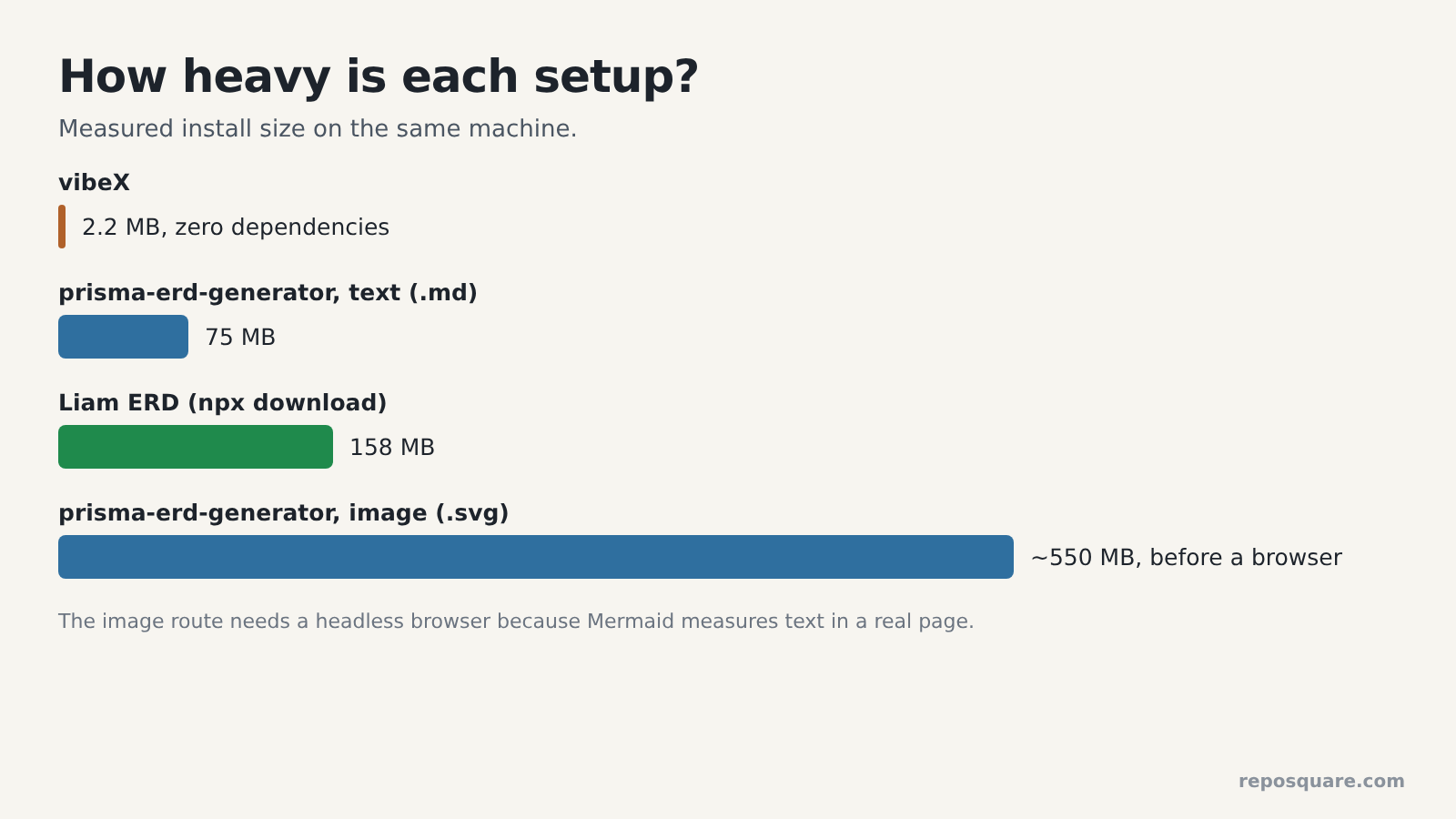
So if you only need the diagram on GitHub, ask the generator for a .md file instead of an .svg. It skips the browser entirely, and GitHub draws the Mermaid diagram for you. There is also a Graphviz renderer that makes SVGs without a browser (77 MB in my install), but it drops the crow’s feet and shows how-many in arrowheads and labels instead.
And Liam’s folder has its own catch. The page won’t load if you double-click index.html. The CLI tells you to serve the folder first, with npx serve dist/ or similar.
Did the diagrams match the real database?
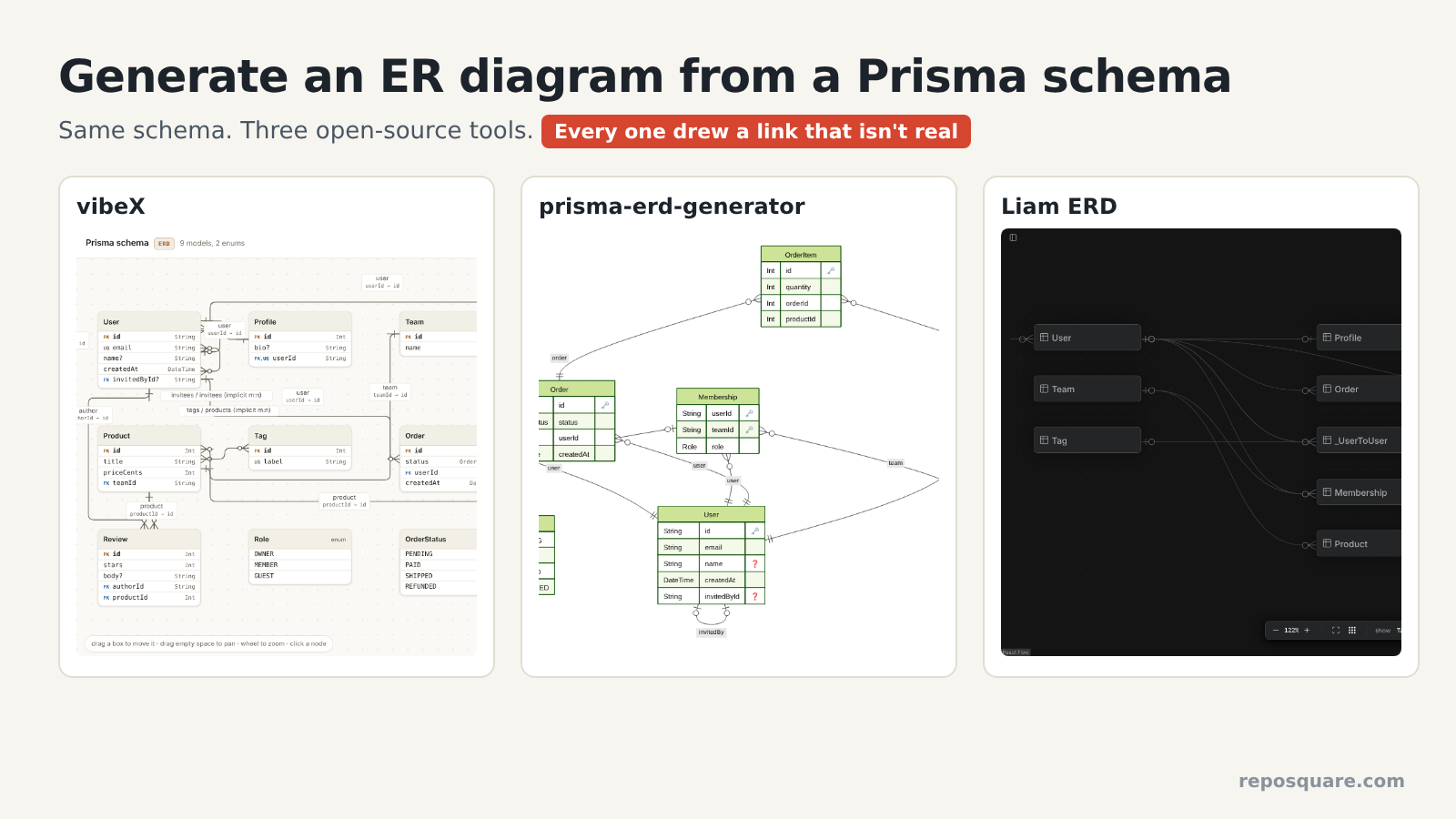
Every tool got the plain links right. Every tool got the self-relation wrong, in a different way.
Here is the small schema result, line by line against Prisma’s own SQL.
| Link in the schema | What really exists | vibeX | prisma-erd-generator | Liam ERD |
|---|---|---|---|---|
| Order to User (one-to-many) | 1 foreign key | correct | correct | correct |
| Product to Tag (many-to-many) | 1 join table | correct | correct | correct |
| Membership (two-column key) | 2 key columns | correct | correct after one setting | correct |
| User invited by User (one-to-many) | 1 foreign key, no join table | right line plus an extra many-to-many line | drawn as one-to-one | right key plus a fake join table |
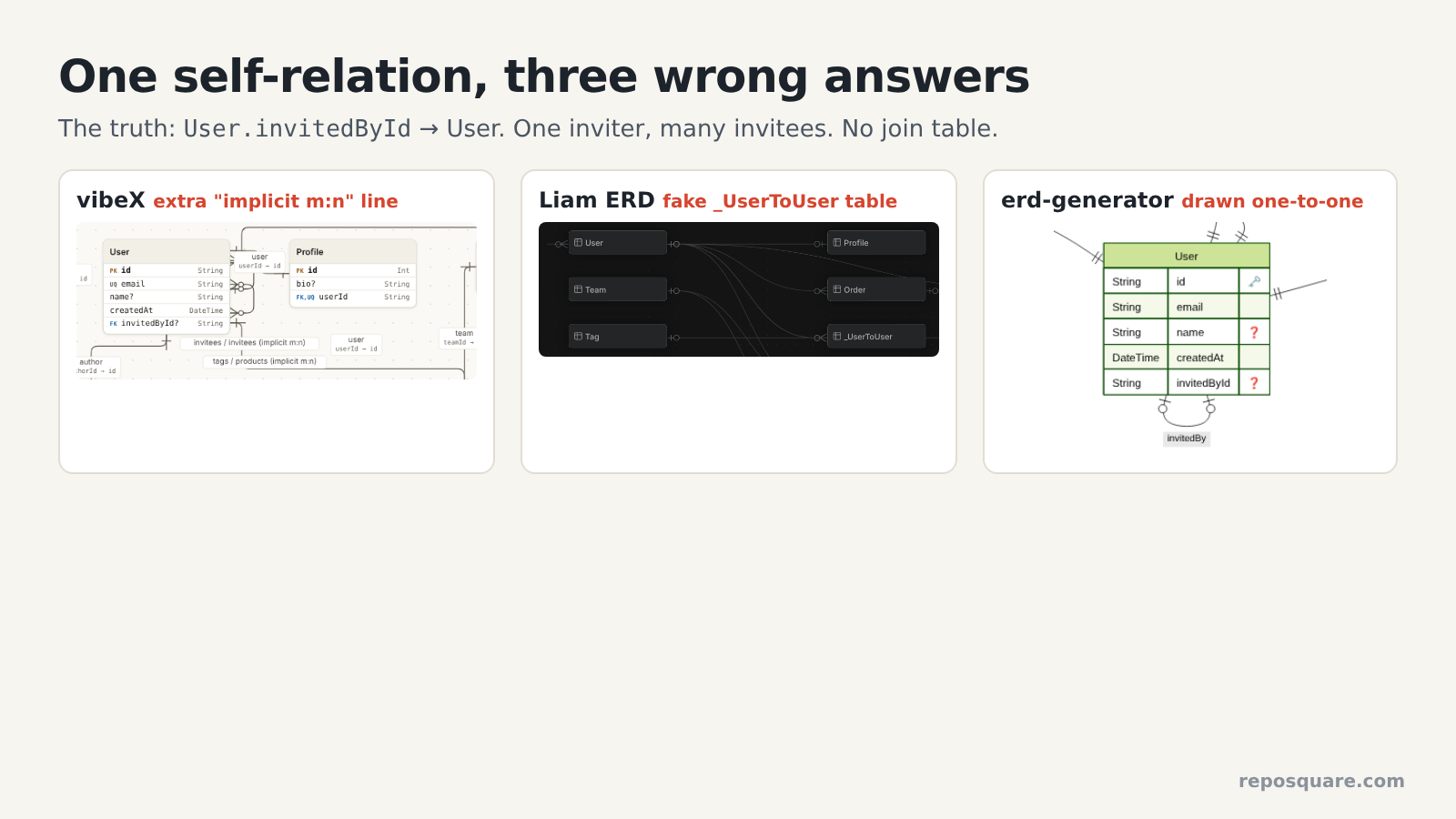
Look at that last row, because it is the one that would mislead you. Prisma’s SQL has no join table for invites. Just one invitedById column.
But vibeX drew a second line labeled “implicit m:n”, and Liam drew a whole table called _UserToUser that does not exist. Both read the invitees list (the back side of the same link) as a separate many-to-many link. prisma-erd-generator skipped the fake table, but drew the link as one-to-one, so it says each user can invite one person at most.
That wasn’t the only miss. There was one smaller one too. By default, prisma-erd-generator hides foreign key columns, so the Membership box showed only role and looked like a table with one column. Add includeRelationFromFields = true to the generator block and both key columns come back.
What happens on a big real schema?
On cal.com‘s 100 models, the same bugs showed up, plus one worse one.
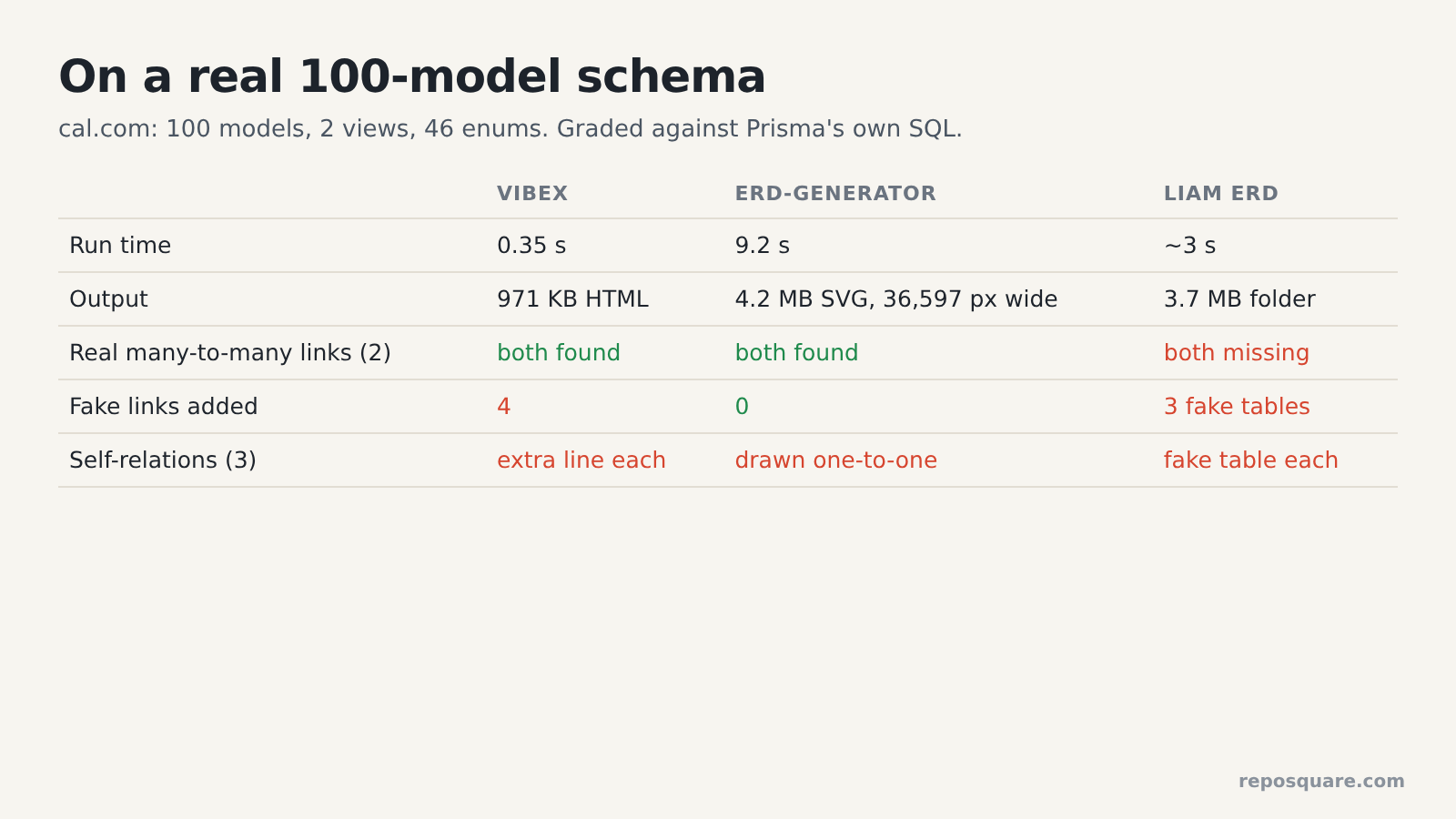
| vibeX | prisma-erd-generator | Liam ERD | |
|---|---|---|---|
| Run time | 0.35 s | 9.2 s | about 3 s |
| Output | 971 KB HTML | 4.2 MB SVG, 36,597 px wide | 3.7 MB folder |
| Real many-to-many links (2) | both found | both found | both missing |
| Fake links added | 4 | 0 | 3 fake join tables |
| Self-relations (3, all one-to-many) | extra fake line on each | all drawn one-to-one | fake join table on each |
That missing pair is the one that worries me most. An extra line makes you double-check. A missing table just quietly isn’t there, and you never think to look.
And vibeX added a fourth fake link on this schema. It paired two different relations between teams and OAuth clients into one many-to-many line. It also warned that it could not map one two-column foreign key, and it told me 146 boxes in one diagram is hard to read. That’s fair. It is.
And the generator’s 36,597-pixel image is technically correct and practically unusable. For a schema this size, an image you can’t search is a poster, not a tool.
How do you check any diagram in 10 seconds?
Ask Prisma for the SQL and look for the join tables. That’s where the tools get it wrong.
Every bug in my tests involved join tables or self-relations. So you don’t need to audit every line. You need one list: the join tables that really exist.
So on Prisma 6, run this from your project:
npx prisma migrate diff --from-empty --to-schema-datamodel prisma/schema.prisma --script | grep 'CREATE TABLE "_'On Prisma 7, the flag is --to-schema instead of --to-schema-datamodel. On Prisma 6 it ran with no database at all. It prints every hidden join table, and Prisma names those tables with a leading underscore.
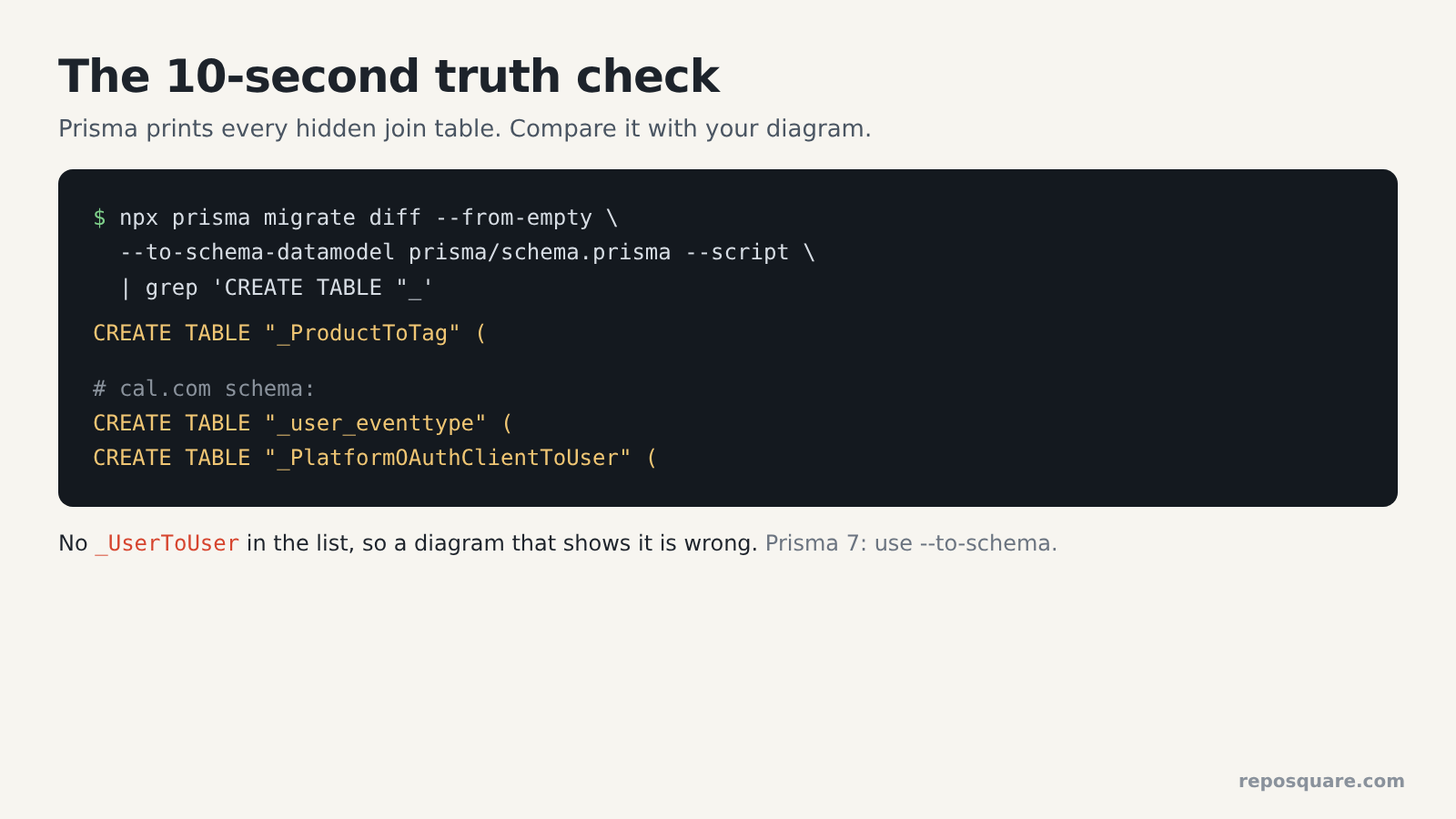
On my small schema, it printed exactly one: _ProductToTag. So any diagram showing a _UserToUser table is wrong. If you already use Prisma Migrate, you can skip the command and search your prisma/migrations folder for CREATE TABLE "_ instead.
Then look at each self-relation in your schema (a model with a field pointing at its own type) and check its line by eye. Those were the other weak spot, in every tool.
Which Prisma ERD generator should you use?
For most projects, prisma-erd-generator writing a Markdown file. It was the most accurate and never needs a browser.
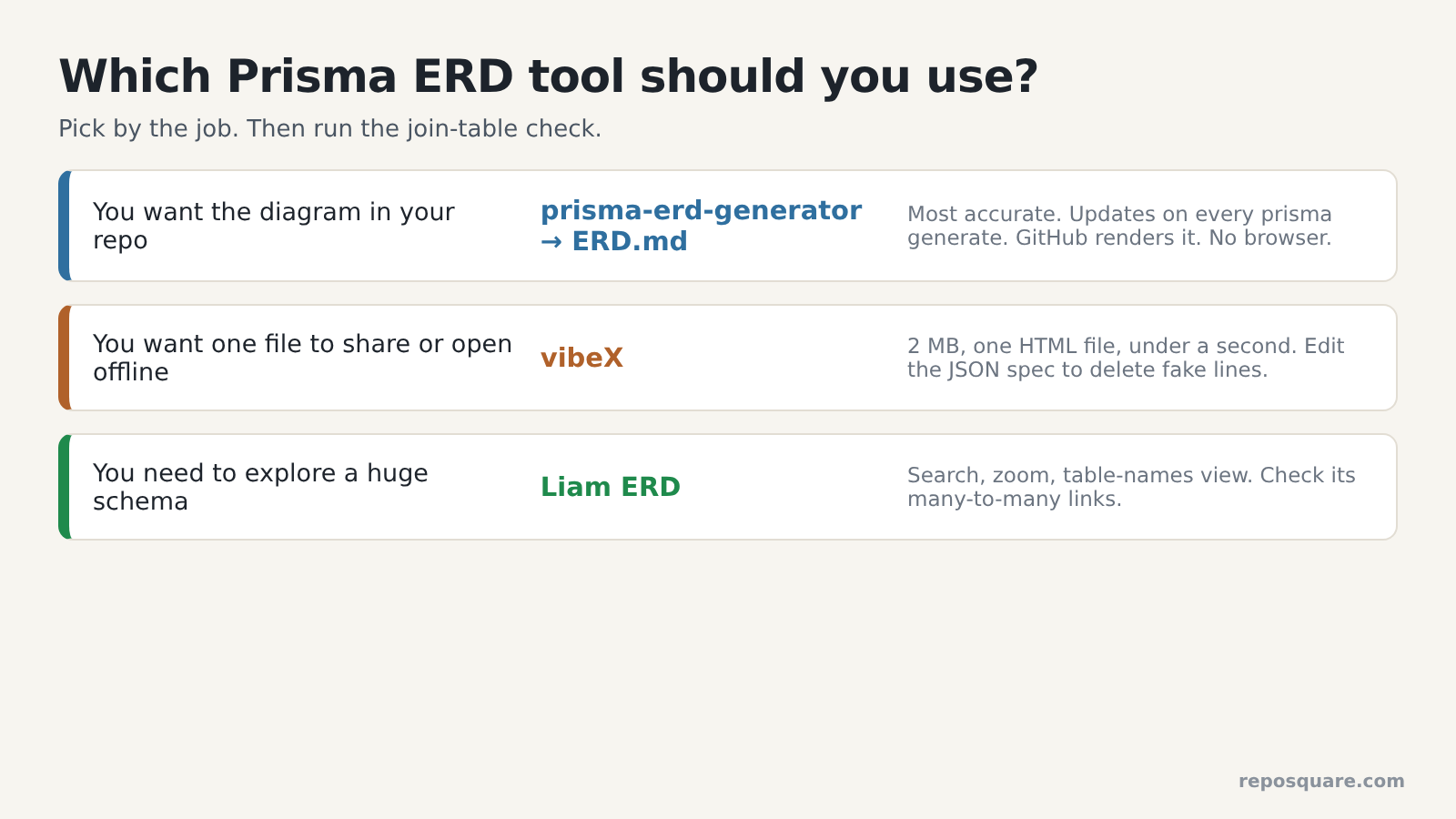
Still, to be fair to vibeX, it is the nicest to use. One 2 MB install, one HTML file in under a second, and it opens anywhere, even offline. Its spec is plain JSON, so I deleted the fake line from the file, re-rendered, and the diagram was correct. If you work in Claude Code, the skill lets you ask for the diagram in plain English.
And Liam ERD wins on one job: exploring a giant schema. Search, zoom and a table-names-only view make 100 models usable. Just don’t trust it to show every many-to-many link.
Here is the setup I’d use on a real Prisma project:
npm i -D prisma-erd-generator- Add a generator block with
provider = "prisma-erd-generator",output = "../ERD.md"andincludeRelationFromFields = true. - Run
npx prisma generateand commitERD.md. GitHub draws it. - Run the join-table check once, and fix any self-relation you care about by eye.
If you want a file to send a teammate, add vibeX: npx @vibex/vibex import prisma prisma/schema.prisma db.erd.json, then npx @vibex/vibex render db.erd.json.
But there is one honest limit to all this. I tested two schemas, not every shape Prisma allows. Views, multi-file schemas and MongoDB projects may break these tools in other ways. Run the check on yours.
So pick any of the three. Then spend ten seconds making sure the picture is true.
Common questions about Prisma ER diagrams
Can Prisma generate an ER diagram by itself?
No. The Prisma CLI has no command that draws an ER diagram. You add a generator like prisma-erd-generator, or run a separate tool like Liam ERD or vibeX on your schema.prisma file.
Do I need a running database to make the diagram?
No. All three tools read only the schema.prisma file. The 10-second check also ran without a database in my test.
Why does my ER diagram show a table that isn’t in my database?
It is usually a self-relation read as a many-to-many link, which makes the tool invent a join table. Run prisma migrate diff and compare the join tables it prints with the diagram.
Is there a free Prisma schema visualizer I can open offline?
Yes. vibeX writes a single HTML file that opens from disk with no server, and prisma-erd-generator writes an SVG or Markdown file you can keep in your repo.
2 comments