
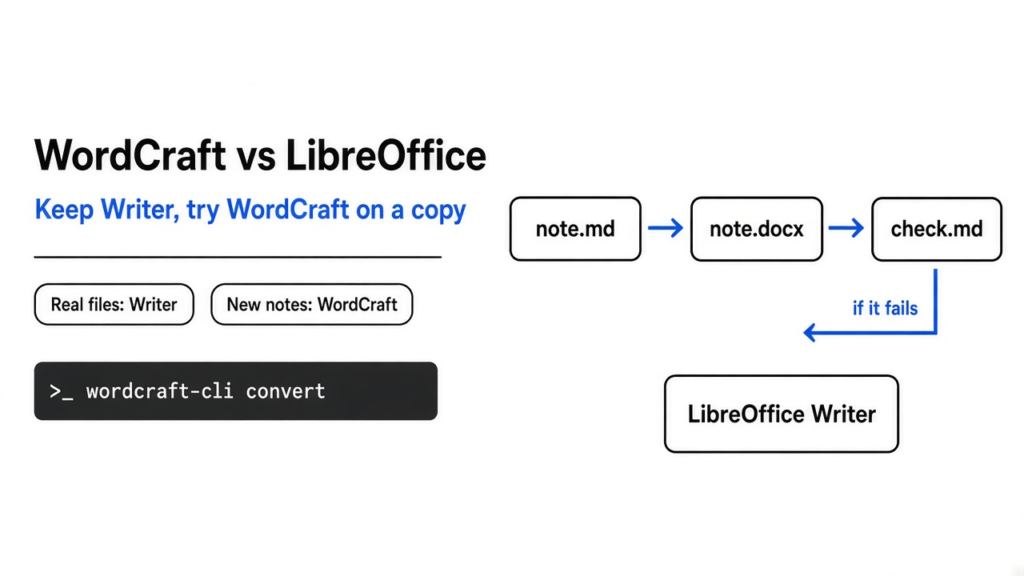
A short note that has to leave the machine as a Word file should not mean renting Word. LibreOffice Writer is the writing program people already use for that job. WordCraft is a free word processor that tries to feel like Word and writes the same kind of file. On wordcraft vs libreoffice: keep LibreOffice for any file a coworker already edits, and use WordCraft only for a new short note you can open again before you send it. One note went through WordCraft’s command line. The heading, the bold word, the italic word, the link, the list, the table, and the euro sign all came back.
A word processor is not a text file with a nicer font. A text file is only the letters. A word processor also stores which words are bold, where the table cells are, and where the page ends. Two programs can show the same letters and still disagree about the page. That is the whole fight behind wordcraft vs libreoffice.
WordCraft vs LibreOffice: which should you use?
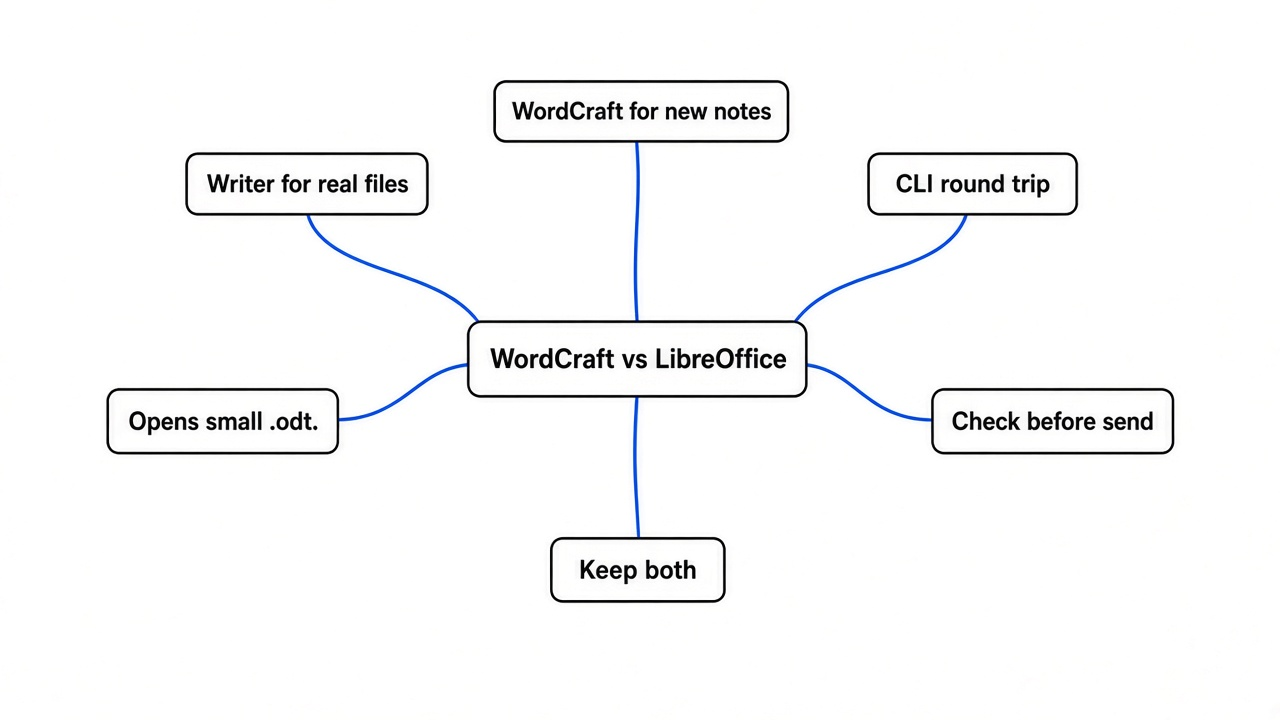
Keep LibreOffice Writer for files other people already edit, and try WordCraft on a new short note you can throw away. Writer is the writing half of LibreOffice. Its own save format is a file ending in .odt. A .docx file is the save format Word uses. Both are a zip of tagged text, so a second program can read the words without the first program being open. Writer has spent years learning the messy files offices actually send. WordCraft is a new program that aims at the same job and shows a row of tabs across the top, the way Word does.
The test here skipped those tabs. The same download includes a command-line tool, wordcraft-cli, and that is what got used. A command-line tool is a program you start by typing, with no window. The note was written in markdown, which is plain text with small marks for a heading, for bold, and for a table. WordCraft then turned that note into a .docx and read it back.
The note had one heading, a sentence with one bold word and one italic word, a link, a list with a nested item, a two-column table, the euro sign, and the word naïve. Nested means the third item sat under the second, not beside it. After the round trip, the markdown that came back still had the bold marks, the italic marks, the address on the link, the nested item, and every table cell. The tool then drew the page. The picture showed a blue heading, the word bold in bold, the word italic in italic, two bullets with a smaller bullet under the second, and a table with lines. The note fit on one page.
That is a real result, and it is a small one. A short note is not a contract, a thesis, or a file five people have already marked up. If those are your files, wordcraft vs libreoffice is not a close call. Stay in Writer.
Is WordCraft worth it?
Yes, if you are making a new short note and you will open the result before you send it. No, if the file already matters. Losing a sentence from a contract is a real loss. A scratch note that needs a second look is not. That is the line.
WordCraft is free, and so is LibreOffice. Free does not mean finished. The window in the project pictures has tabs for Home, Insert, Draw, Design, Layout, References, Mailings, Review, View, and Help. Mailings is the tab for mail merge, which means one letter plus a list of names, printed once per person. Review is the tab for comments and for track changes. Track changes means the file remembers who deleted a sentence, so someone else can accept it or put it back. Those buttons appear in the project’s own picture of the Review tab. Tracking and mail merge were not part of this test. A button on a sample file is not the same as your file surviving.
The same group also ships a photo editor. If the job is a picture rather than a page, that comparison is PhotoCraft vs GIMP. A resume is a different job again. A text file that becomes a tidy PDF is covered in RenderCV vs LaTeX.
How to use WordCraft
Install the download for your system from the project page, unpack it, and run the wordcraft-cli program that sits in the bin folder. On Linux that program is inside the archive next to the windowed app. The window is not needed for the test below. Do this on a copy of your note. Never on the only copy.
Write note.md like this:
# Quarterly note

The **bold** word must survive, and so must *italic*, naïve, €12.50, and this [link](https://example.com).

- first item
- second item
  - nested item

| Name | Amount |
| --- | --- |
| Ada | 12.50 |
| Grace | 3 |Then run:
wordcraft-cli convert note.md note.docx
wordcraft-cli text note.docx
wordcraft-cli convert note.docx check.md
wordcraft-cli render note.docx page.png --page 1
wordcraft-cli info note.docxtext prints the words only, so bold disappears there on purpose. check.md is the real check. It came back with the heading, the bold, the italic, the link address, the nested item, and the table. render writes a picture of page 1, and it showed the heading, the bold, the italic, the nested bullet, and the ruled table. info reported the file as one page. On an earlier plain version of the same note, before the link, info reported about 53 milliseconds to lay the page out. A millisecond is a thousandth of a second. That number is for one short page, not for a book.
WordCraft can also export a PDF and HTML. The PDF began with the mark of a real PDF, and the heading was stored as text, not only as a picture of letters. The HTML wrapped the bold word in a strong tag, the italic word in an emphasis tag, and the link in an address. HTML is a web page. If those three forms agree, the words are really in the file.
If the check file does not match your note, stop. Do not send the .docx. Fix the note, or open it in Writer and save from there.
Can WordCraft open a LibreOffice file?
It opened a small hand-made .odt, and a real Writer file should still be opened only as a copy. An .odt file is a zip of text with tags. Writer saves that zip. The test file was tiny: a heading that said From Writer, one sentence with an accented letter and a euro sign, and a list of two items. WordCraft printed the heading, the sentence, and both items. Nothing in that sentence was missing, and the euro sign was still a euro sign.
That does not mean your ten-year report will look the same. The test file had no header, no footnote, no chart, and no comments. A chart is a picture of numbers drawn from a table. A footnote is a note tied to one word at the bottom of the page. Neither was in the file, so there is no claim here that they survive. The safe test is the one you can do in ten minutes. Copy the .odt. Point wordcraft-cli text at the copy. Read the words. Then render page 1 and look at it. If a heading moved, or a table cell is empty, stay in Writer.
Writer can also save a .docx. If a coworker needs Word’s format and the file is already healthy in Writer, save a copy as .docx from Writer. You do not have to switch programs to produce the file.
WordCraft vs Microsoft Word
Word still wins when the file is a chart, a long review, or a merge from a spreadsheet. WordCraft is trying to be the program you already know: tabs, styles, tables, comments, tracked edits, and mail merge. This was not a side-by-side click test against Word. The check was the file WordCraft wrote and the page it drew.
For a new short note, that page had the parts that matter. The heading was a heading. The bold word was bold. The table had lines and the right numbers. The address of the link was in the file. That note is fine to send to yourself. A client file whose chart nobody has opened is not.
Word is also the program other people already have. If they send you a file, the question is not which program is nicer. The question is which program will show what they sent. Writer has been that program for a long time. WordCraft has to earn that, one file at a time. A diagram of a database is a different page again, and how to generate an ER diagram from a Prisma schema is the better path for that, not a word processor. If the picture is boxes and arrows rather than prose, diagram design vs Mermaid is the closer choice.
When not to use WordCraft
Do not use it on the only copy of a file you would hate to lose. That includes a contract, a grant, a paper with comments from reviewers, anything with a chart, and any file that already looks right in Writer. Do not use it when the page breaks have to match Word exactly. The test note was one page, so a bad break never had a chance to show up.
Use it when all of these are true:
- The note is new, or you are working on a copy.
- You can read the text back with
wordcraft-cli textandwordcraft-cli convert. - You look at
page.pngbefore you send the file. - The note has no chart and no pile of other people’s edits.
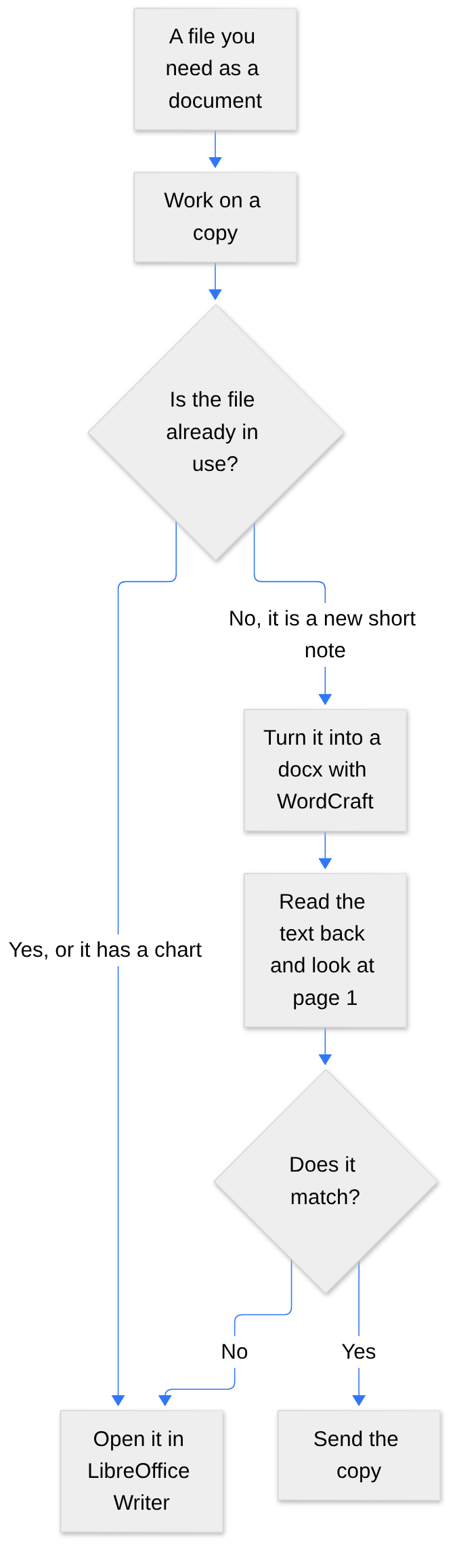
If the check fails, the arrow goes back to Writer. That is the whole decision. Keep Writer for the files you already trust. Use WordCraft when you want a new .docx from a markdown note and you have a minute to look at the page it drew.
Common questions about WordCraft vs LibreOffice
How do I open a docx without Microsoft Word?
Open it in LibreOffice Writer, or, if it is a short simple file, open it with WordCraft. Writer is the one to trust first. You can also read the words with no window at all:
wordcraft-cli text report.docxThat prints the words. It will not show you bold, and it will not show you whether a chart vanished. Use it to see if the sentences are there. Then open the same copy in Writer if the file is for anyone but you.
Does WordCraft keep bold and tables?
Yes, on the test note. The bold word was still bold in the file, in the web page it exported, and on the page it drew. The table still had two columns, a header row, and two names with their amounts. A nested list item stayed nested. The euro sign and the accented letter stayed themselves. Plain text output drops the bold on purpose, because plain text has no bold. Check the markdown or the picture, not only the plain text.
Does WordCraft run on Linux?
Yes. The Linux download includes both the windowed program and wordcraft-cli. The project also ships downloads for Windows and Mac; only the Linux command-line program was tested here.
Should I replace LibreOffice with WordCraft?
No. Keep Writer. Add WordCraft beside it for new short notes, and only after you have read one file back. Replacing the program that already opens your real files is the expensive mistake. A second program that you try on a copy is cheap. The project lives at github.com/storytold/wordcraft, and Writer lives at libreoffice.org.
Is WordCraft free?
Yes, and so is LibreOffice. Free does not mean finished: features like track changes and mail merge appear in WordCraft’s tabs, but a small note is the safe place to start.
1 comment