
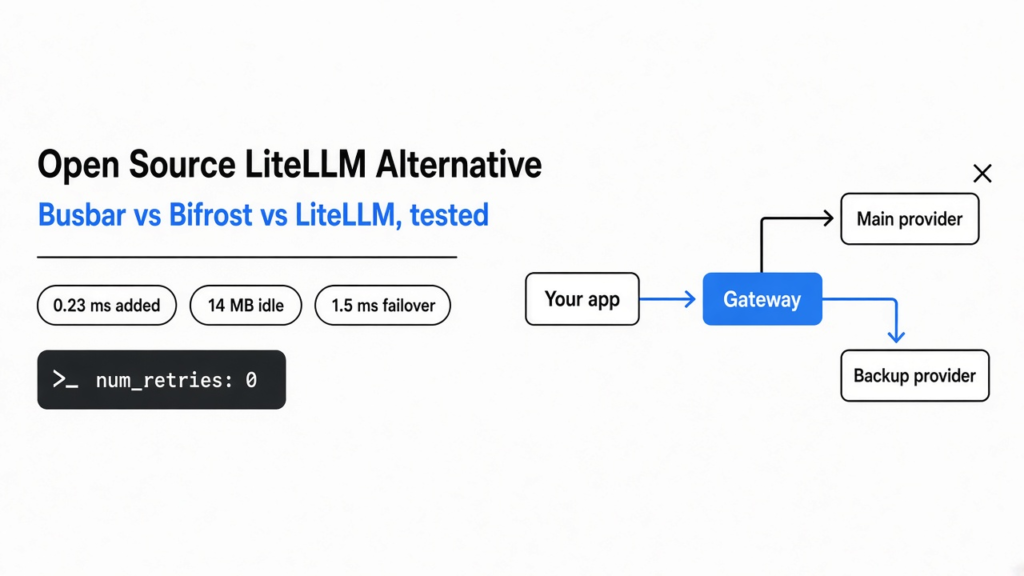
Short answer: for most small teams, Busbar. I ran Busbar, Bifrost and LiteLLM side by side on the same small server. Busbar added the least delay, used about 14 MB of memory and switched to the backup fastest when I broke the main provider. Bifrost is the better LiteLLM alternative if you want a dashboard. LiteLLM still has the biggest provider list, at more than 100.
Your app sends every request to one AI provider. One afternoon that provider starts returning errors, and your app shows those errors to your users. Nothing in your code is wrong. You had one road, and it closed.
That closed road is what an LLM gateway fixes. So I tested three open source gateways with the same fake providers, the same load and the same broken-provider test.
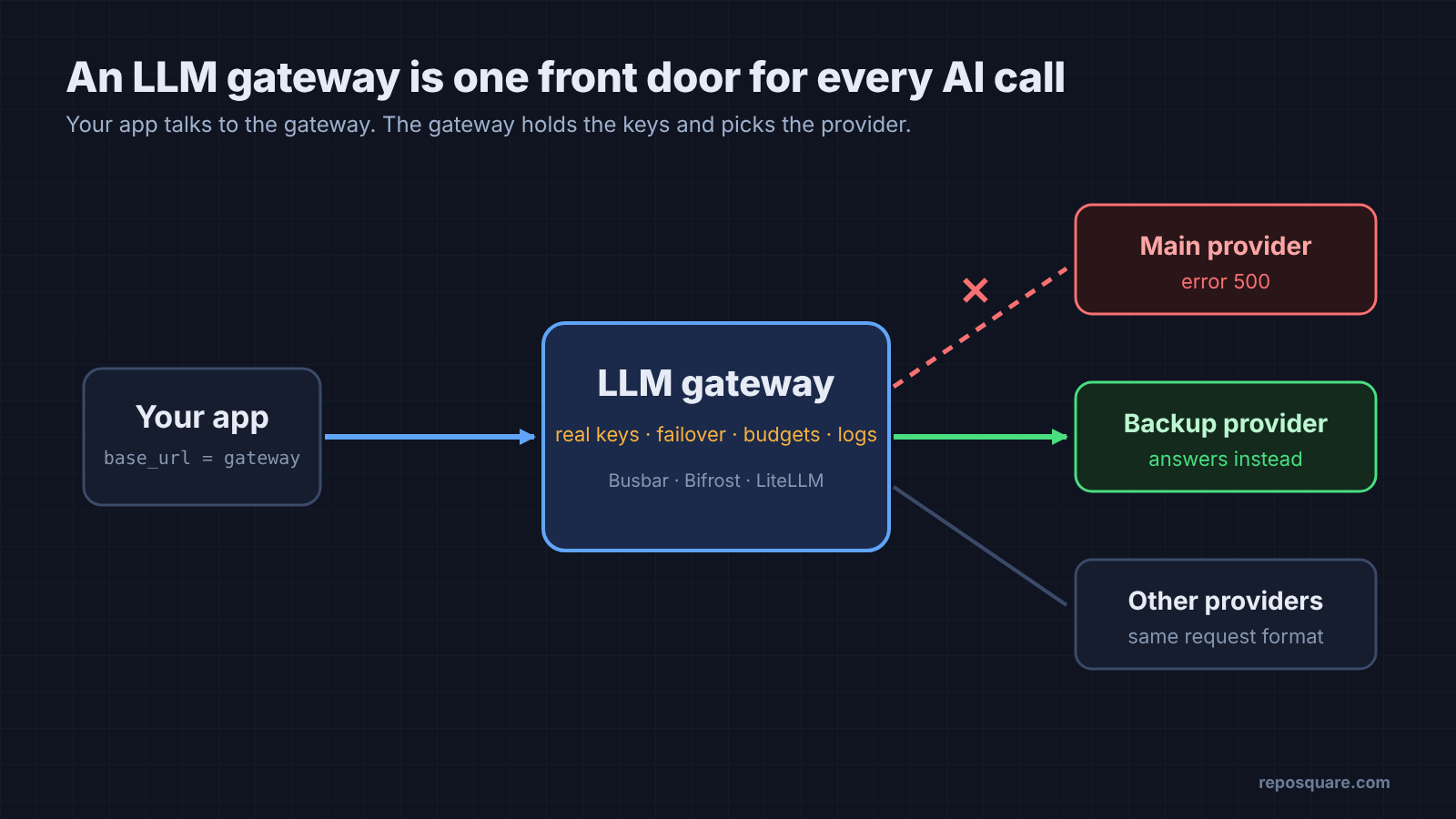
That test is the thread of this post. A gateway earns its place on the day a provider breaks, so judge it by that day, not by its speed chart.
What is an LLM gateway, and do you need one?
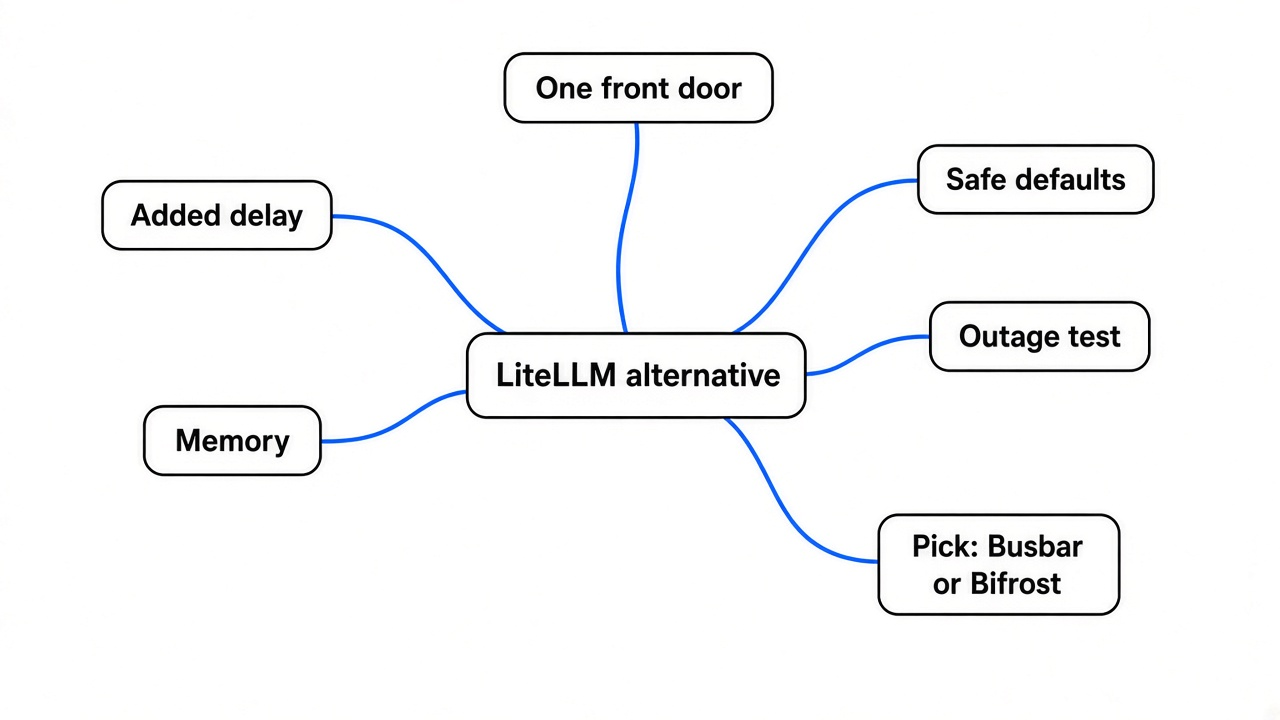
It’s one front door for all your AI calls, so you can switch, limit and reroute providers without touching app code.
Start with how an app talks to a model. It sends a web request to an API address (the base URL) with a key, and gets text back. Many providers accept the same request shape that OpenAI uses, called an OpenAI-compatible API (a shared request format many providers copy).
A gateway is a small server that sits between your app and those providers. Your app points its base URL at the gateway instead. The gateway holds the real provider keys and decides where each request goes.
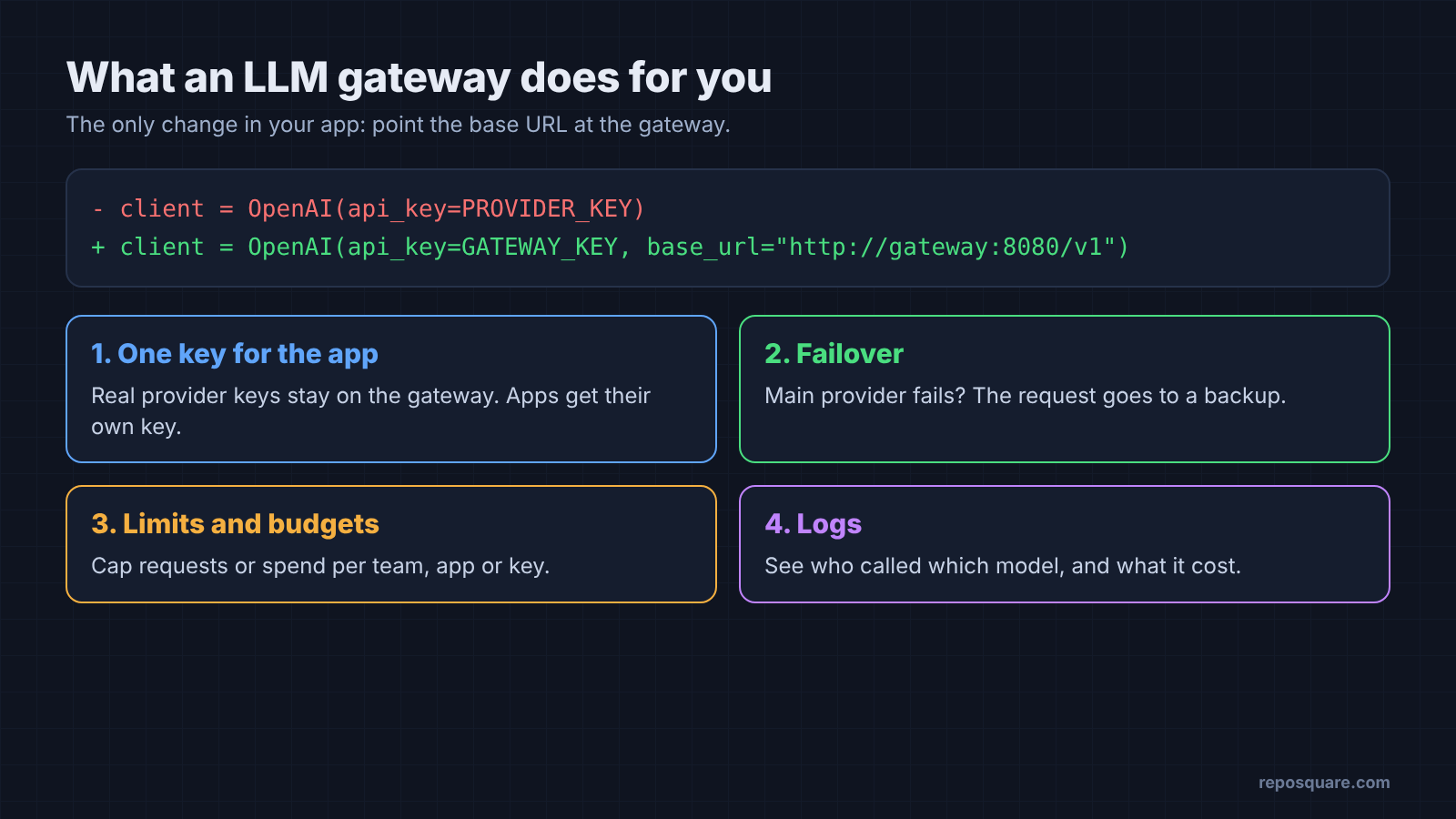
That one hop gives you four jobs in one place:
- One key for the app. Real provider keys stay on the gateway.
- Failover (sending a request to a backup when the main provider fails).
- Limits and budgets per team or per key. Budgets cap spending, but they don’t shrink it; for that, see how RTK and Caveman cut tokens in real Claude Code work.
- Logs of who called what, and what it cost.
So do you need one? If you call one provider from one small app, probably not yet. Once you have two providers, or real users who notice errors, it pays for itself.
How I tested Busbar, Bifrost and LiteLLM
Same box, same fake providers, same load, one gateway running at a time.
The box was a 2-core Linux server with 8 GB of RAM. Instead of paying a real AI company, I wrote two mock providers (small fake servers that answer like OpenAI). Each one replies in about 0.2 ms, so any extra time you see comes from the gateway itself.
Those mocks have a switch. I can flip the main one to return error 500 (the “server broke” code) and count how many requests still reach it.
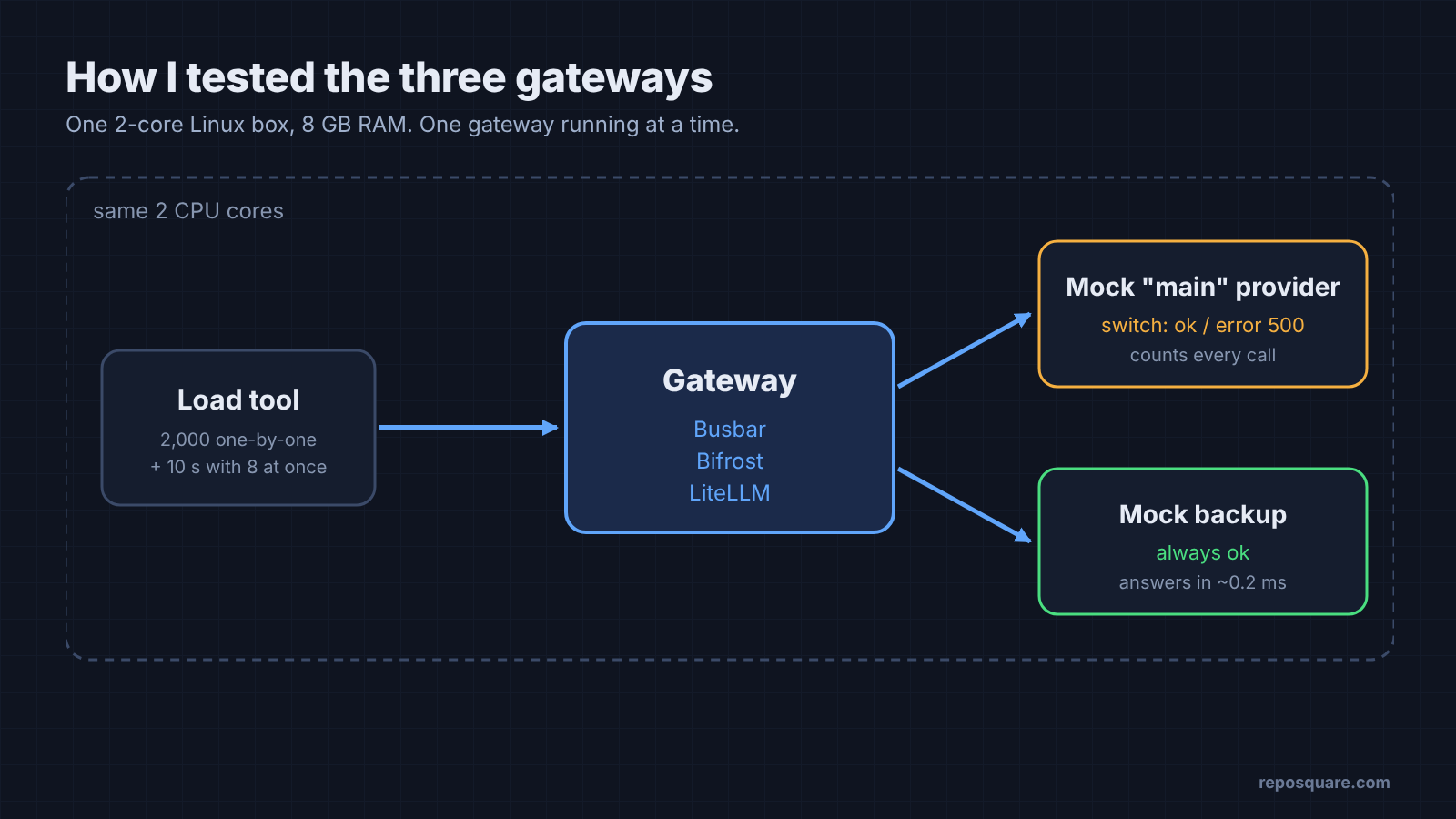
For each gateway I measured:
- time to start
- memory while idle
- delay added per request
- requests handled per second
- what happened during a fake outage
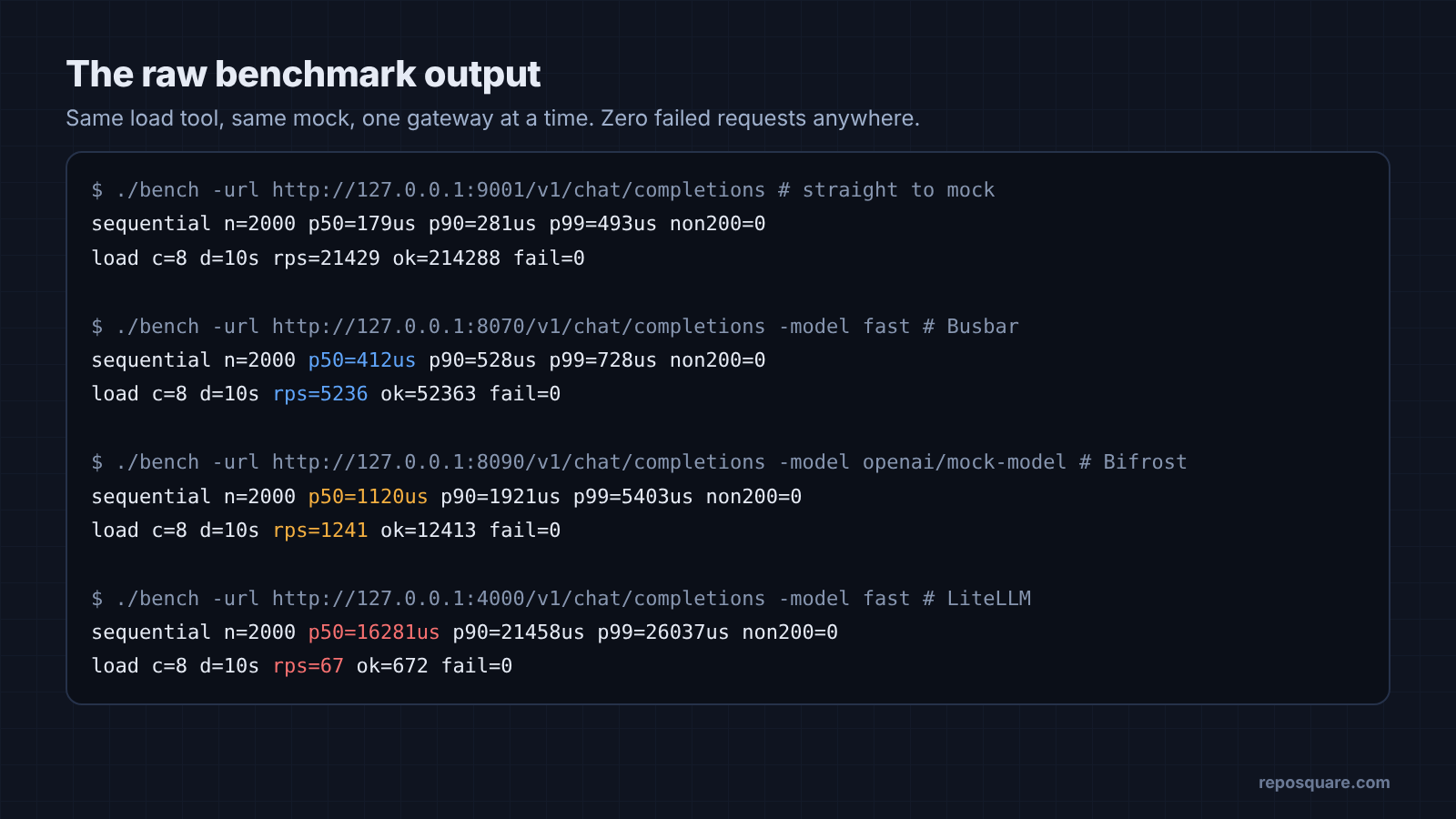
The load tool ran on the same two cores as the gateway. That’s harsh on everyone equally, and it’s why my numbers are slower than each project’s own benchmarks.
How much slower does an LLM gateway make each request?
Busbar added about 0.23 ms, Bifrost about 0.94 ms and LiteLLM about 16 ms per request.
Two quick terms first. p50 is the median: half of requests were faster than this. p99 is the slow tail: only 1 request in 100 was slower.
| Setup | p50 | p99 | Added at p50 |
|---|---|---|---|
| Straight to the mock | 0.18 ms | 0.49 ms | none |
| Busbar | 0.41 ms | 0.73 ms | 0.23 ms |
| Bifrost | 1.12 ms | 5.40 ms | 0.94 ms |
| LiteLLM | 16.3 ms | 26.0 ms | 16.1 ms |
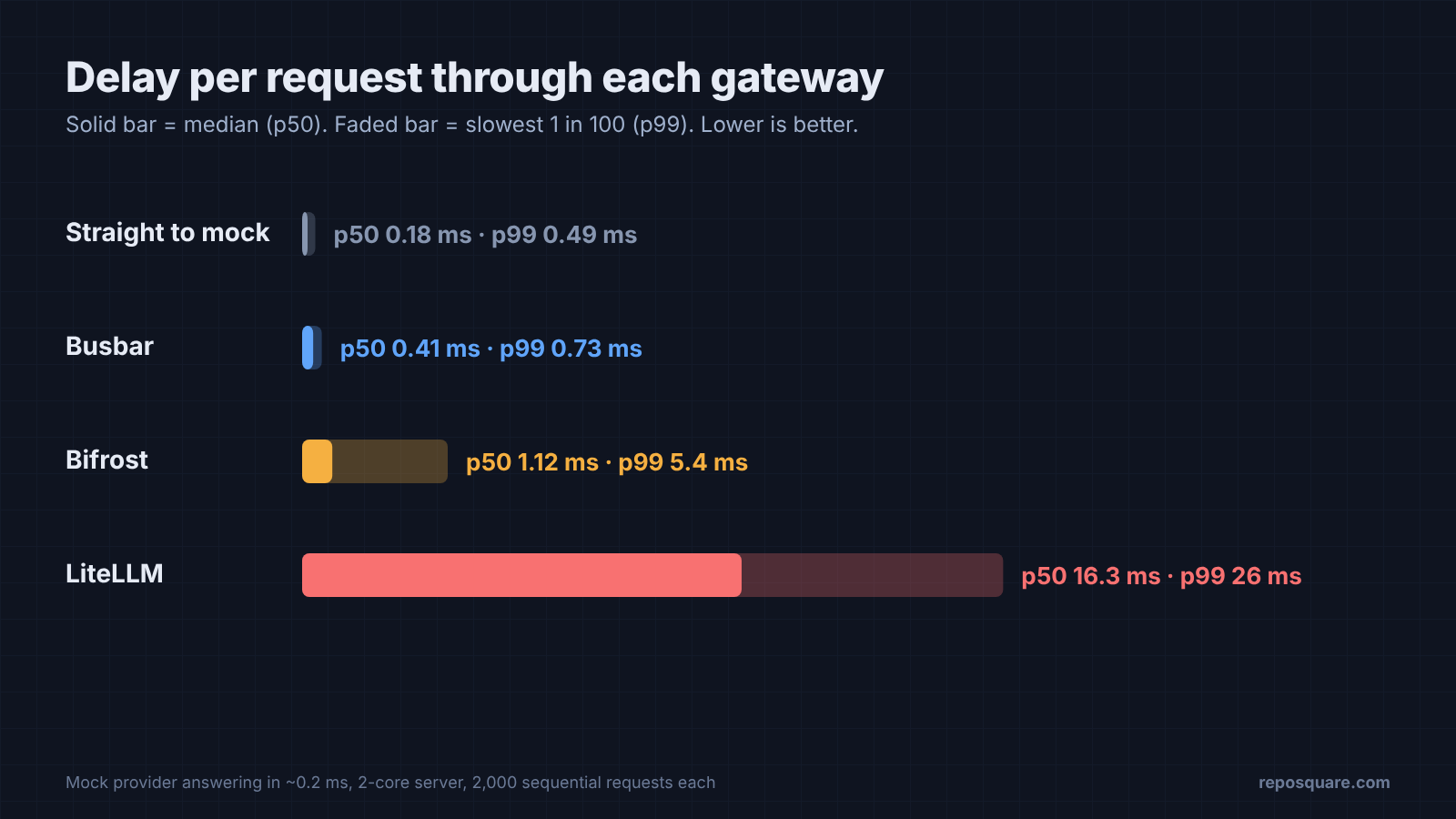
Bifrost’s own logs said its median overhead was 0.64 ms on this box. Its README quotes 11 µs on a larger cloud machine at 5,000 requests per second. Both can be true, because hardware and what you count change the number a lot.
So does 16 ms matter? For a chat reply that takes two seconds, no. Nobody feels 16 ms on top of two seconds. It starts to matter when an agent makes hundreds of small calls in a row, or when you pay for servers by the hour.
How much traffic and memory does each LLM gateway need?
Busbar did the most work on the least memory. LiteLLM needs the most of both.
Throughput here means requests per second with eight requests in flight at once. Memory is what the process held while idle (RSS, the RAM it actually occupies).
| Busbar | Bifrost | LiteLLM | |
|---|---|---|---|
| Requests per second | 5,236 | 1,241 | 67 |
| Idle memory | 14 MB | 299 MB | 331 MB |
| Ready after start | 0.015 s | about 11 s | about 8 s |
| What you install | one 15 MB program | one 128 MB download | 586 MB, 117 Python packages |
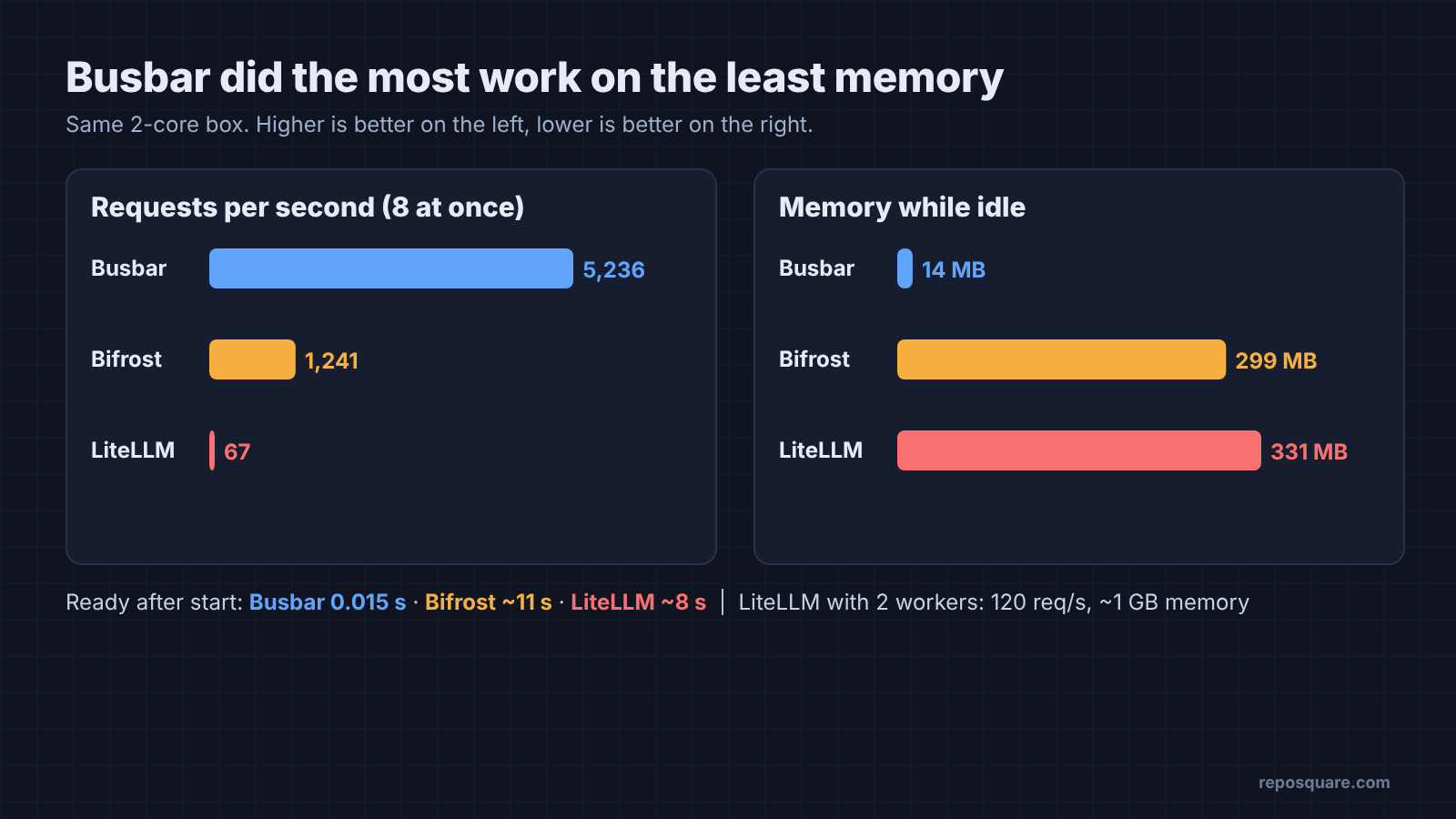
LiteLLM got better with two worker processes (copies of the server that share the load). It reached 120 requests per second, but memory climbed to about 1 GB in total.
Bifrost writes every request to a log database by default. Turning that off raised it to 1,884 requests per second, but the delay per request barely moved. So logging isn’t where Bifrost’s time goes.
What happens when your main AI provider goes down?
All three kept answering, but LiteLLM’s defaults made each request wait about 4.6 seconds, and Bifrost kept knocking on the broken door.
This is the closed-road test. I flipped the main mock to error 500, sent 20 requests through each gateway, and counted how often the broken provider was still called.
| During the outage | Answered | Typical wait | Calls to the broken provider |
|---|---|---|---|
| Busbar | 20 of 20 | 1.5 ms | 1 |
| Bifrost, with a fallback rule | 20 of 20 | 3.2 ms | 20 |
| LiteLLM, defaults | 20 of 20 | 4.6 s | 60 |
| LiteLLM, retries off + cooldown | 20 of 20 | 24 ms | 2 |
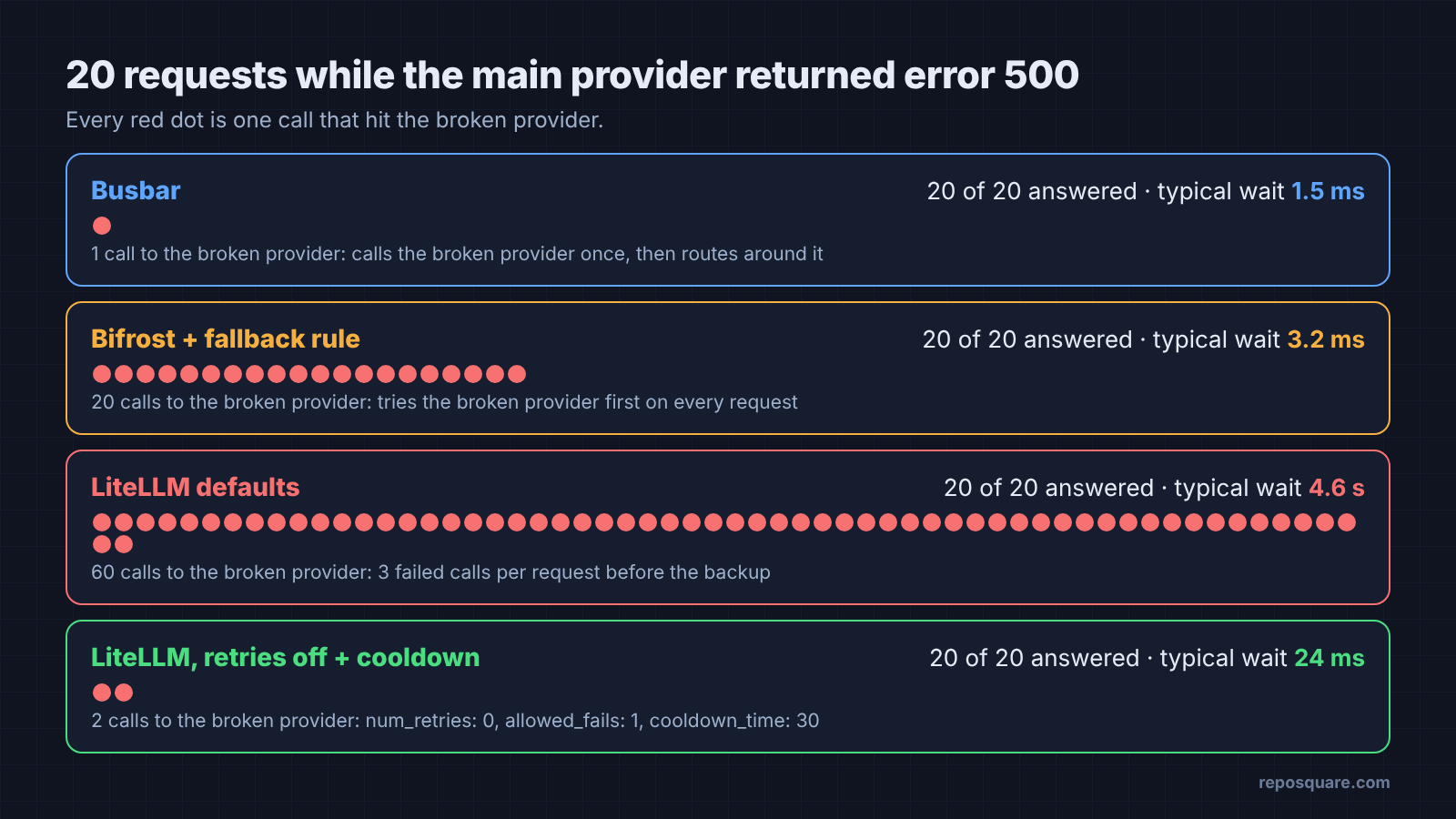
So why the big gap? It comes down to a circuit breaker (a switch that stops calling a provider after it fails). Think of a shop that’s closed. A smart customer checks once, sees the sign, and goes elsewhere for a while. That’s the breaker.
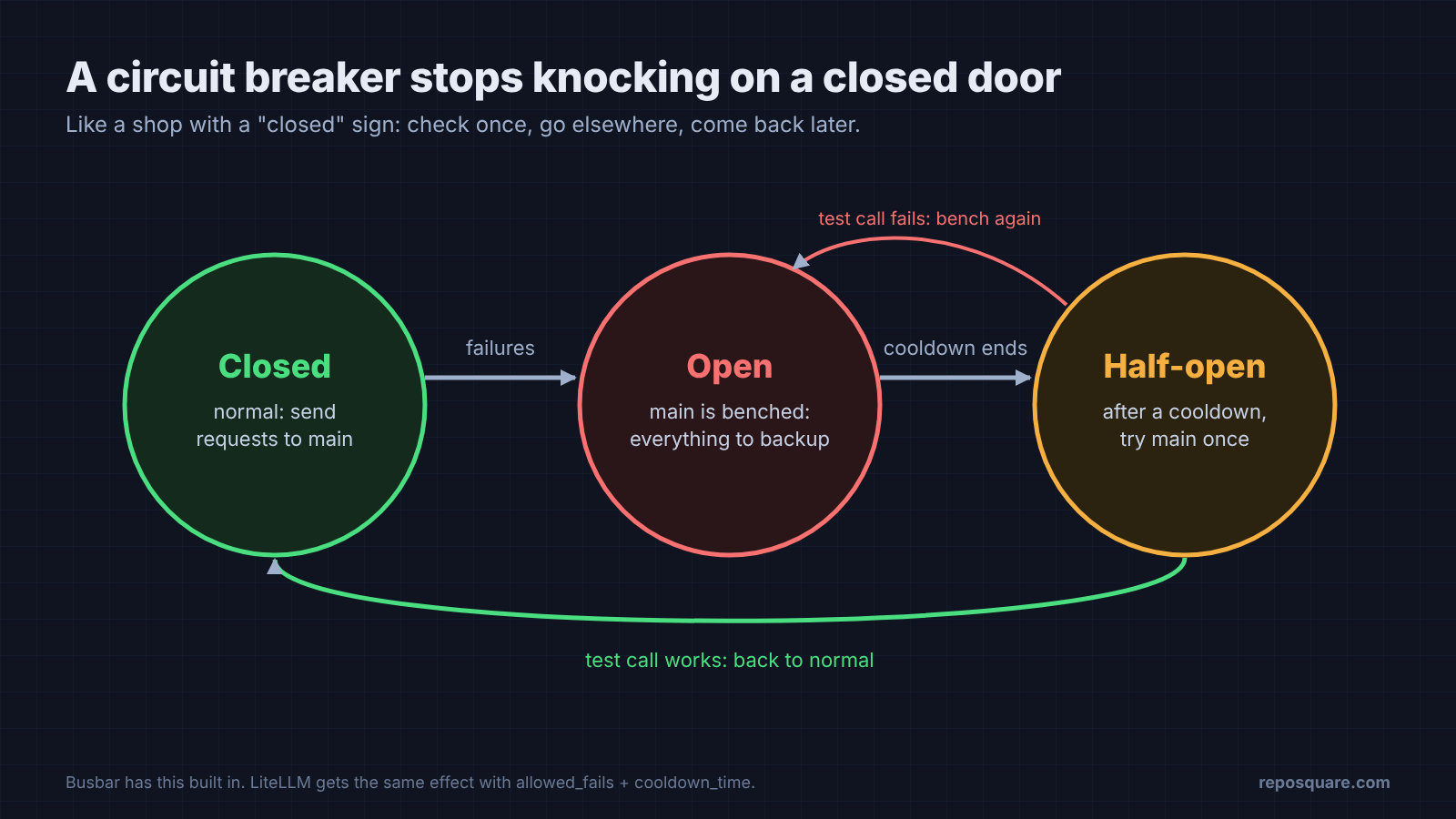
That breaker is built into Busbar. In my test it called the broken provider once, then sent everything to the backup. When the main one was healthy again, Busbar started using it about half a minute later (my config had a 15-second base cooldown).
LiteLLM retried the broken provider twice more on every request, with waits between tries, before falling back. That’s three failed calls and about four seconds per request. Setting num_retries: 0, allowed_fails: 1 and a cooldown_time fixed it: 24 ms typical, and only two calls to the broken provider.
Bifrost answered fast but tried the broken provider first on every single request. Its own log shows it: a red failed call, then a green answer from the backup, for the same prompt.
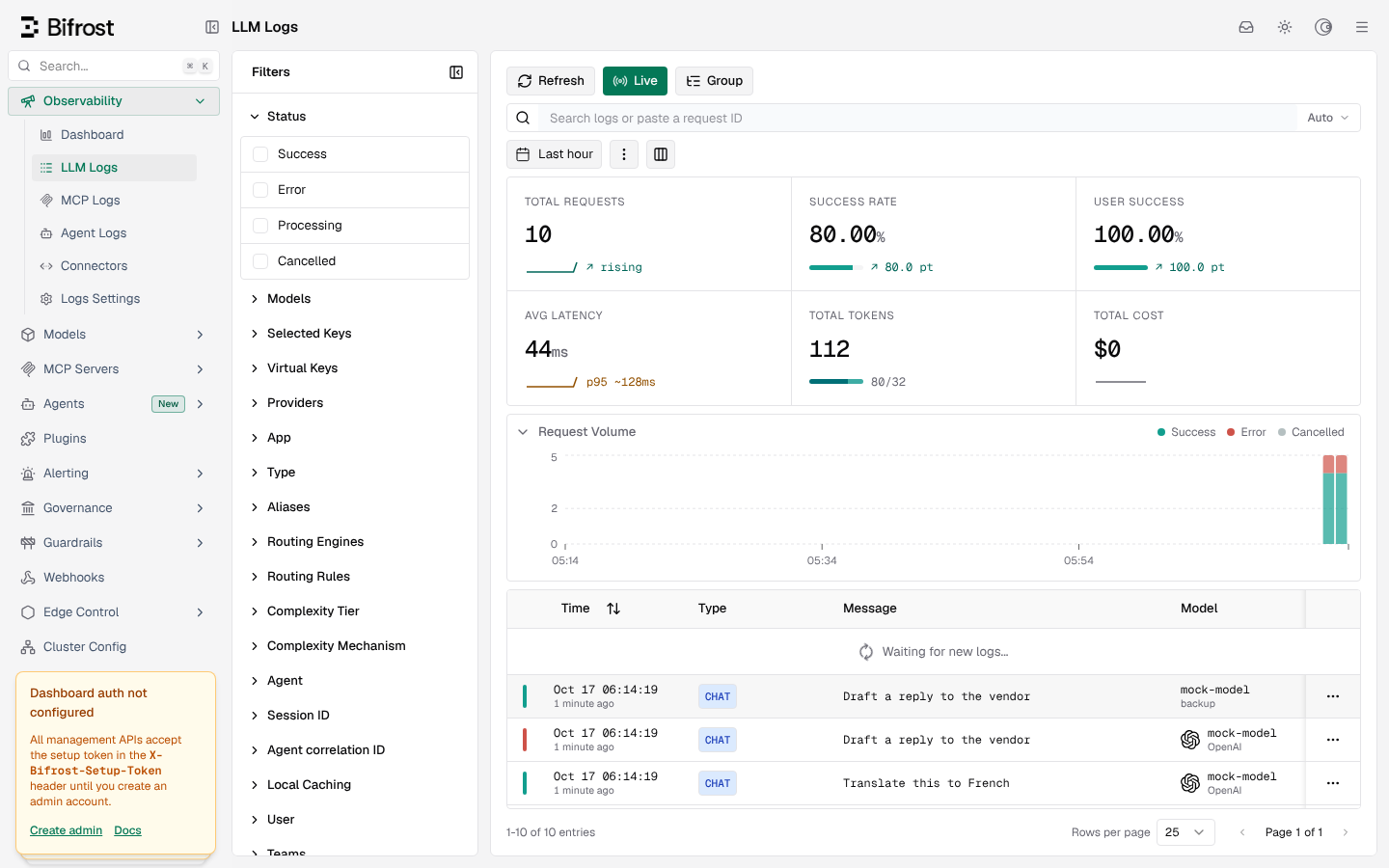
That’s fine for 20 requests. At real traffic it means a dead provider still gets hammered, and each request pays for a failed call first.
One more Bifrost catch. Without a fallback rule, it passed the 500 error straight to my app. You either send a fallbacks list in every request or add a routing rule (a server-side rule that picks where requests go) in the config.
Which LiteLLM alternative is safest out of the box?
None of the three runs wide open without warning you, which is good. But Bifrost saves every prompt unless you tell it not to.
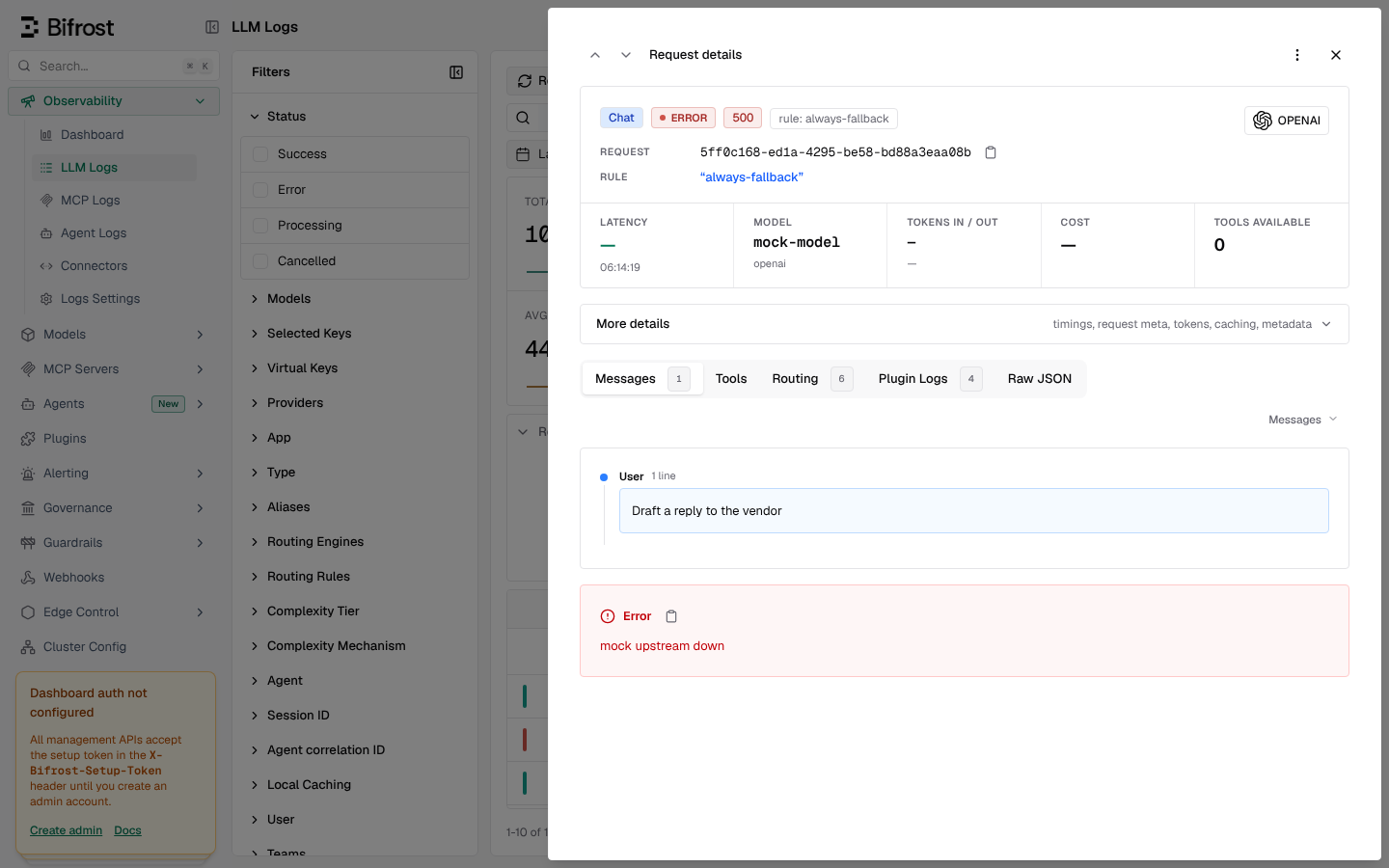
Bifrost answered my first request with error 401, “virtual key is required”. A virtual key is a gateway-made key you hand to apps instead of the real provider key. A fresh install requires one, even though its config docs list that setting as off by default. I turned it off for the test.
Bifrost also logs each request’s full prompt and answer to a local database. My test made 14,613 tiny requests, and the log grew to about 85 MB, roughly 5.8 KB each. That’s handy for debugging, but think twice if prompts hold customer data.
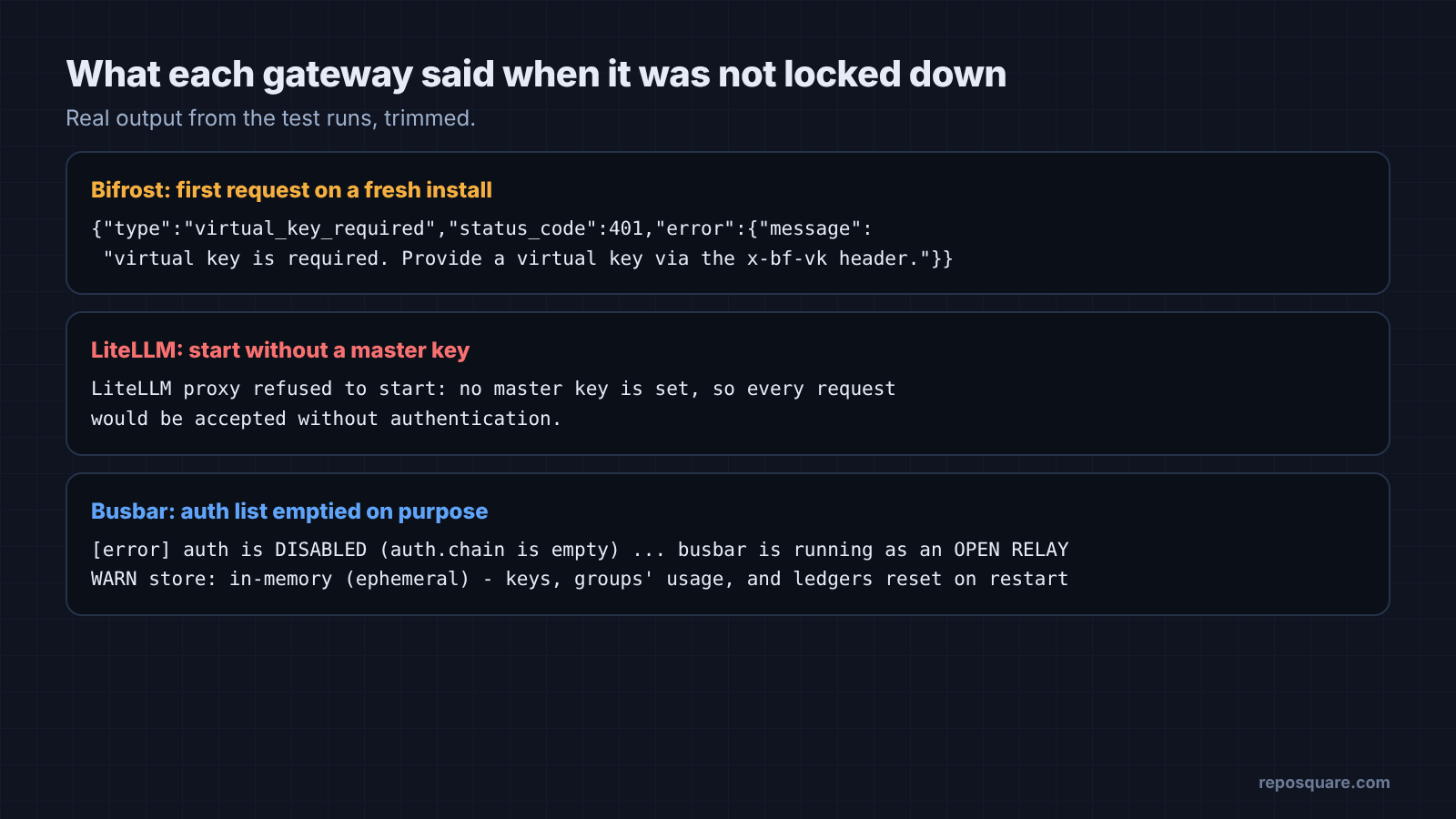
The other two lock things down too. LiteLLM refused to start at all without a master key (the admin password for the proxy). Good default. Busbar started with client checks turned off only because I emptied its auth list on purpose, and it printed an “OPEN RELAY” error at startup.
Busbar’s catch is memory of a different kind. By default it keeps keys, budgets and usage in memory, so a restart wipes them. For budgets that survive a restart, you need to add a durable store plugin.
Which LiteLLM alternative should you pick, Bifrost or Busbar?
Pick Busbar for speed and failover, Bifrost for a dashboard, and stay on LiteLLM if you need its provider list.
There are good reasons to stay on LiteLLM. It supports more than 100 providers, far more than Busbar, and Busbar’s own README says so. It’s Python, so it’s easy to extend if your team lives in Python. Fix its retry settings and the outage problem mostly goes away.
| If you want | Pick | The catch |
|---|---|---|
| Lowest delay and memory, fast failover | Busbar | Smaller provider list; budgets reset on restart without a storage plugin |
| A web dashboard with logs and governance | Bifrost | About 300 MB of memory; stores prompts; calls a dead provider every time |
| The widest provider support, Python | LiteLLM | Heaviest; set num_retries: 0 and a cooldown before production |
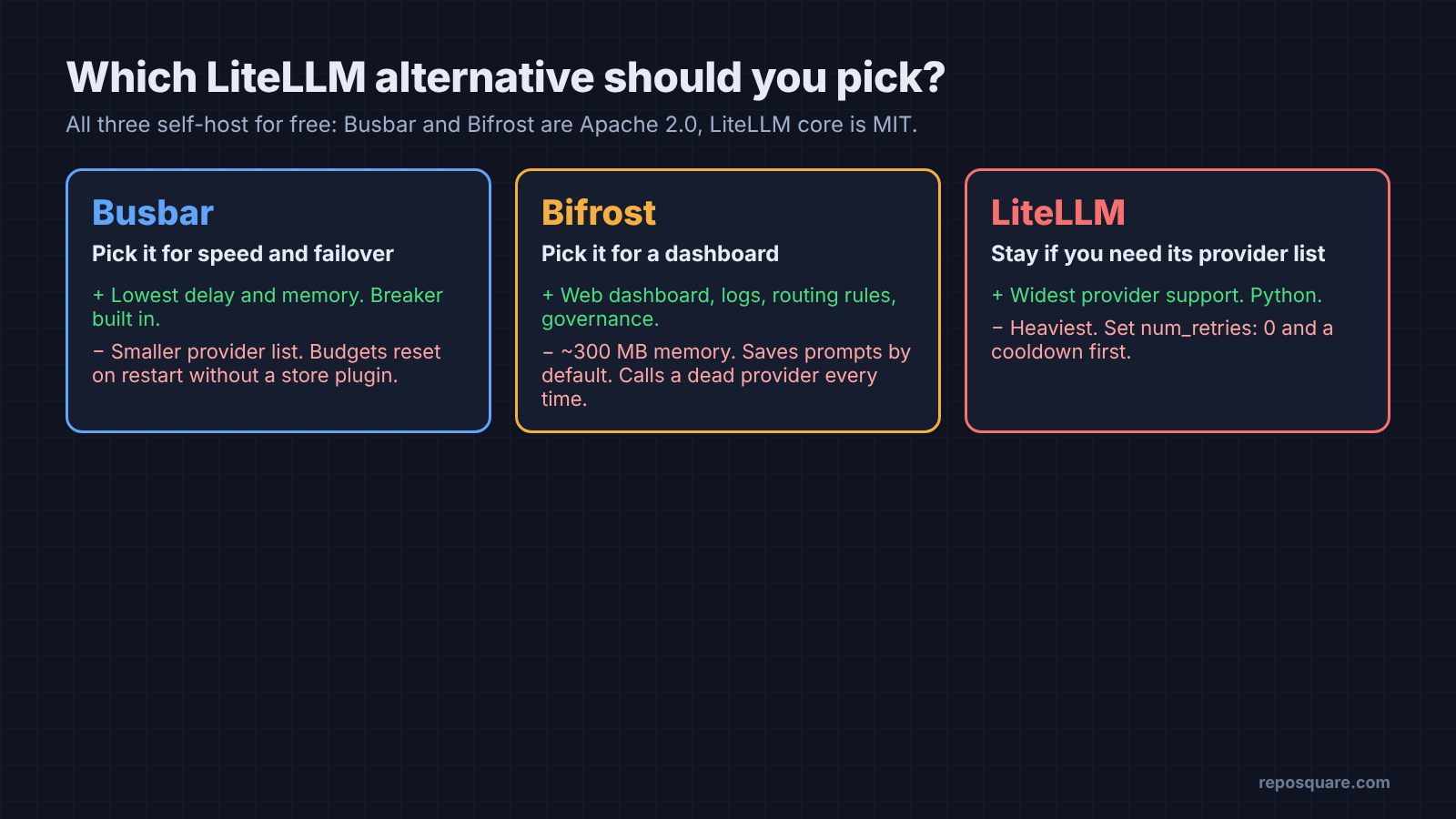
Still, for a small team that wants one front door and a safe backup, Busbar is the LiteLLM alternative that did the job with the least fuss. Bifrost vs LiteLLM is closer: Bifrost wins on speed and the dashboard, LiteLLM on provider count. Busbar and Bifrost are Apache 2.0 and LiteLLM’s core is MIT, so you can self-host any of them freely.
How do I set up failover in each LLM gateway?
Each one needs a few lines of config. Here is the part that matters.
Start with Busbar. It puts providers in a pool (a group the gateway picks from) with a breaker:
pools:
  fast:
    members:
      - { model: primary, weight: 9 }
      - { model: second,  weight: 1 }
    breaker:
      trip: { mode: consecutive, consecutive_n: 3 }
      base_cooldown_secs: 15
Bifrost, by contrast, needs a routing rule, or a fallbacks list in each request:
"routing_rules": [{
  "name": "always-fallback", "enabled": true,
  "cel_expression": "true",
  "targets": [{"provider": "openai", "model": "mock-model", "weight": 1}],
  "fallbacks": ["backup/mock-model"], "scope": "global"
}]
LiteLLM needs a fallback map, and the retry fix:
router_settings:
  fallbacks: [{"fast": ["backup"]}]
  num_retries: 0
  allowed_fails: 1
  cooldown_time: 30
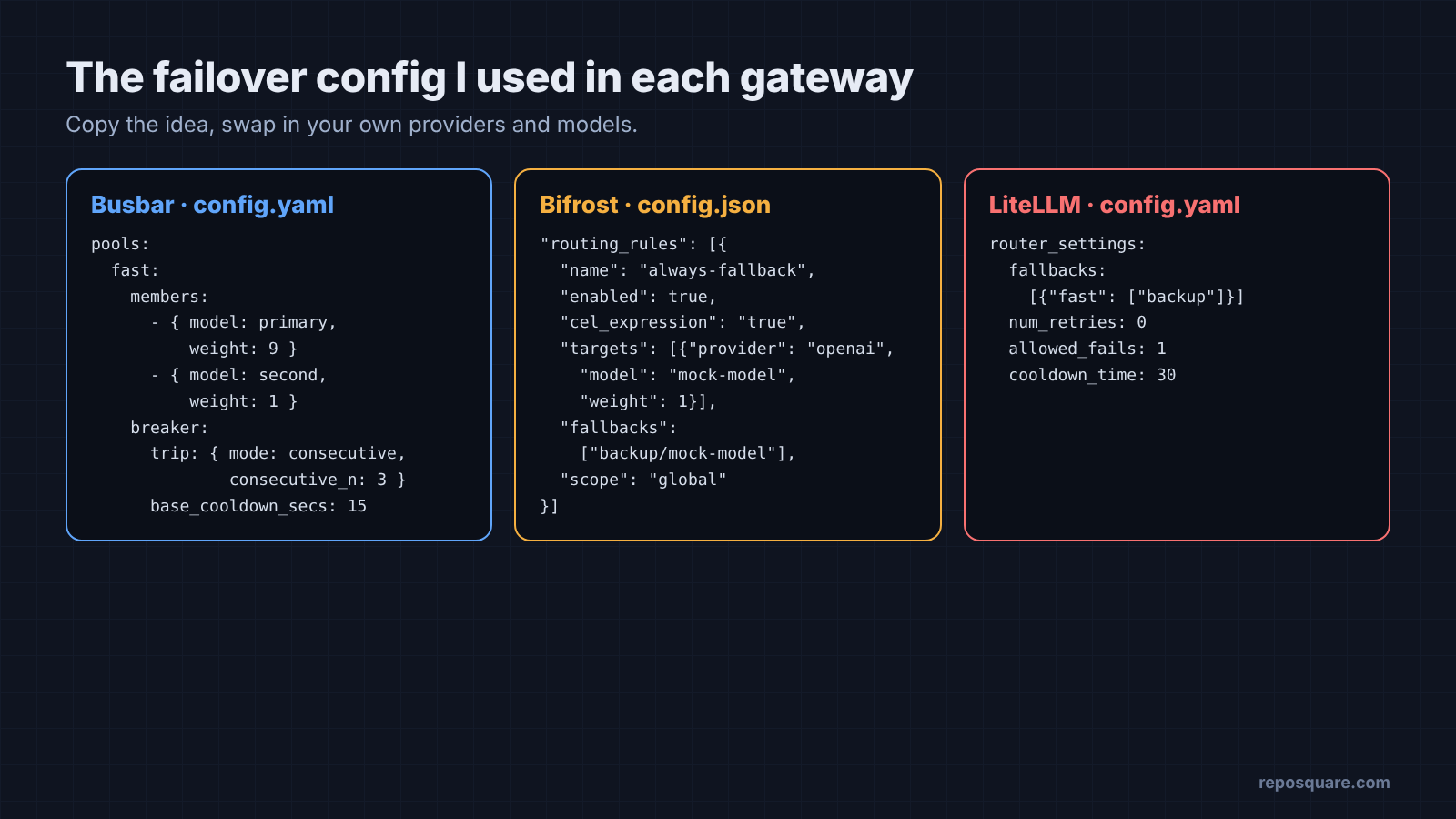
Then do the one test that matters. Point your app at the gateway, break the main provider on purpose, and watch what your users would have seen.
That test also catches setup mistakes. If you’re putting Claude Code behind a gateway, first read what changes when you set ANTHROPIC_BASE_URL. If it runs on a rented server, check that the server is locked down before you put provider keys on it.
The speed charts will tell you which gateway is fastest. Only the broken-provider test tells you which one you can trust. Pull the plug yourself, before a provider does it for you.
Common questions about LiteLLM alternatives
Is Bifrost better than LiteLLM?
In my test it added about 17 times less delay per request and used slightly less memory. LiteLLM supports more providers and handled outages fine once retries were turned off.
What is an LLM gateway used for?
It gives all your apps one address for AI calls. It holds the real keys, switches to a backup when a provider fails, and tracks spending.
Does an LLM gateway slow down requests?
A little. On a small 2-core server Busbar added about 0.23 ms and LiteLLM about 16 ms, both tiny next to a model reply that takes seconds.
Is LiteLLM free to self-host?
Yes, the proxy installs with pip and runs on your own server. It needs a master key before it will start.