
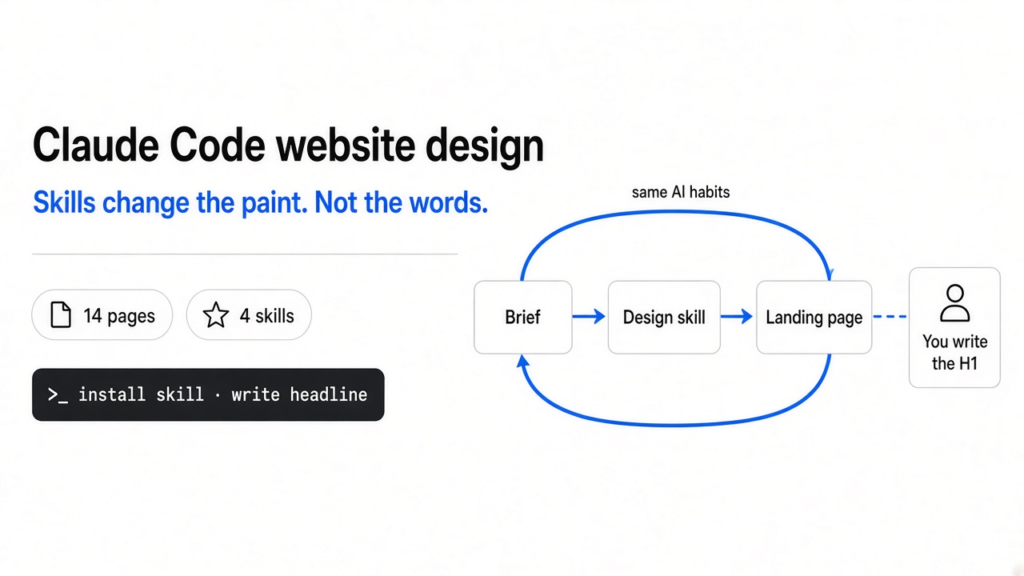
I built 14 Claude Code website pages to find the best Claude Code skill for website design. taste-skill moved furthest from the usual AI look. frontend-design was the cheapest solid upgrade. impeccable and hallmark mostly repainted the same layout. No skill fixed the words.
You ask Claude Code for a landing page. About a minute later it hands you one. Nothing is broken, and it looks exactly like the last ten AI-made pages you scrolled past.
That sameness costs you. Visitors notice, and a page that looks generated reads as a page nobody spent time on. So people install design skills to fix it.
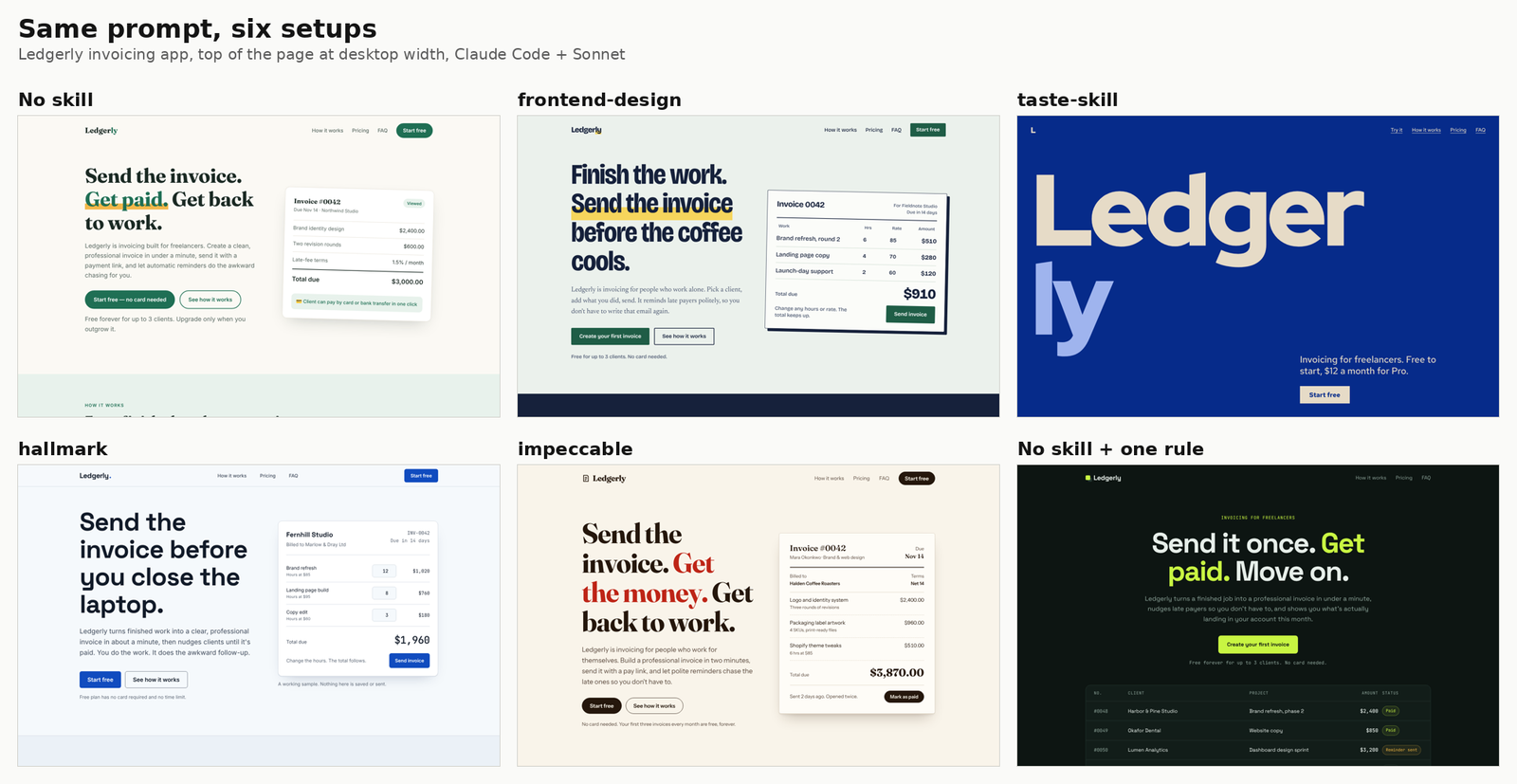
Which skill works best? I ran the same two briefs through five setups and compared what came out. One idea kept showing up: every fix pushes Claude to its next favourite habit, unless something hands it a real decision.
What is a Claude Code skill, and how can it change design?
A skill is a set of written instructions Claude reads before it starts, so it can only change the choices Claude makes.
Claude Code is Anthropic’s coding agent that runs in your terminal. It can load agent skills (folders holding a SKILL.md instruction file, plus optional scripts). Each skill has a one-line description. When your request matches it, Claude reads the full file and follows it.
Think of it as a style guide handed to a junior designer before the job. It can say “skip this font” or “pick a direction first”. It can’t add taste the model lacks, but it can block the easy defaults.
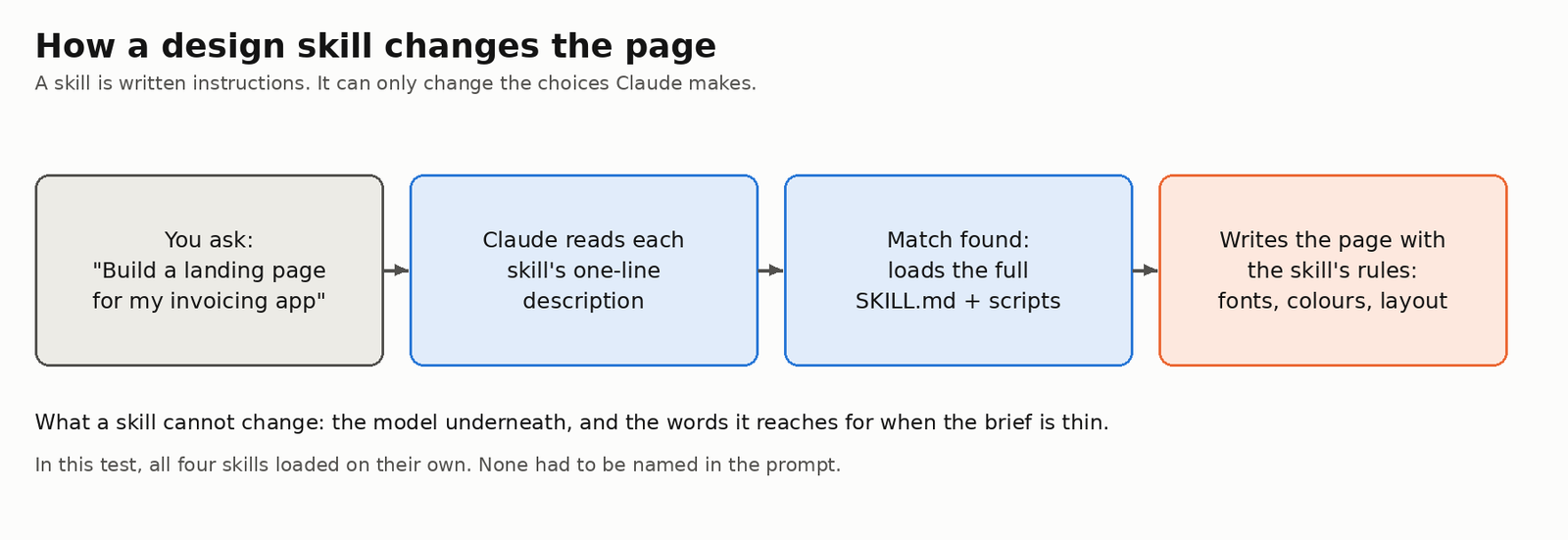
That matching worked every time here. I never named a skill in the prompt, and all four loaded on their own as soon as I asked for a landing page.
How I tested the four design skills
Same prompt, same model, one folder per setup, so the only difference was the skill.
I ran Claude Code with the Sonnet model in headless mode (claude -p, which runs one prompt and exits), the same way I tested PowerPoint skills for Claude Code. Each setup had its own folder with one skill installed for that project only:
- No skill, the baseline
- frontend-design, Anthropic’s own design skill
- taste-skill
- hallmark
- impeccable
There were two briefs. One was a landing page for “Ledgerly”, an invoicing app for freelancers. The other was a homepage for “Crumb & Co”, a small bakery in Bristol. Both asked for one HTML file, real copy and no stock images.
Then I took screenshots of every page at desktop and phone width with a headless browser (a browser with no window, driven by a script). I also recorded fonts, layout and cost.
One wrinkle. taste-skill has a screenshot checker that needs Chrome, and my first run had none on the path. So I ran taste-skill a second time with Chrome available, which is why it has four pages instead of two.
What does the AI look actually look like?
It isn’t purple gradients and emoji any more. It’s a cream page, a serif headline with one coloured word, and a card on the right.
The old list of AI tells never showed up. Across all 14 pages there was not one purple gradient and no gradient text. The no-skill Ledgerly page had a single emoji.
What did show up was a different kit. Six habits kept repeating in the top section of the page (the hero):
- text on the left, a product card or picture on the right
- a solid button next to an outline button
- a small grey reassurance line under the buttons
- one headline word coloured or in italics
- a cream or off-white background
- a three-beat slogan
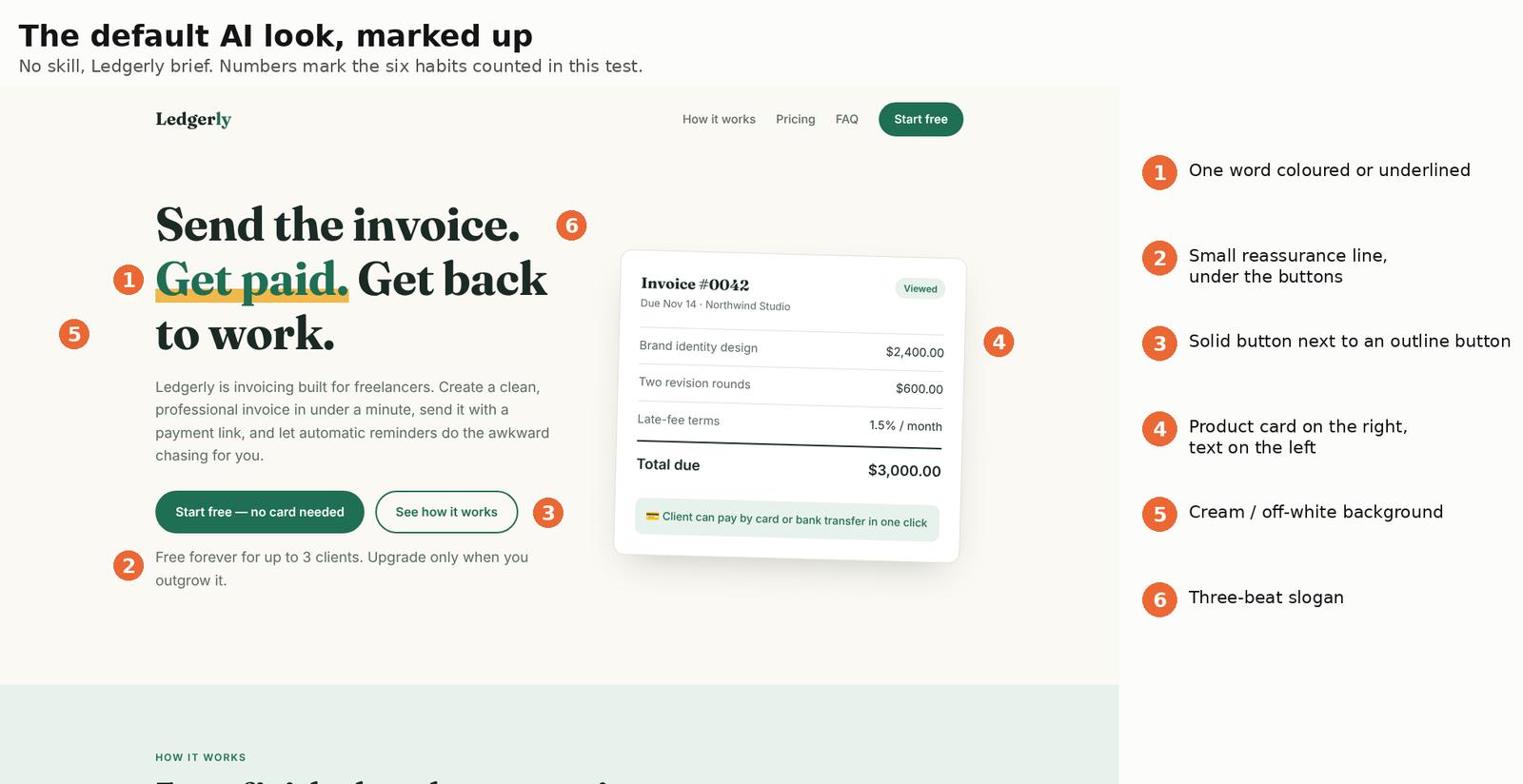
Anthropic’s frontend-design skill names the cream-and-serif look as one of the styles AI design clusters around. With no skill, Claude hit five of the six habits per page on average. That became the yardstick.
Which design skill made the least AI-looking page?
taste-skill, by a wide margin. It averaged just over one habit per page, against five with no skill.
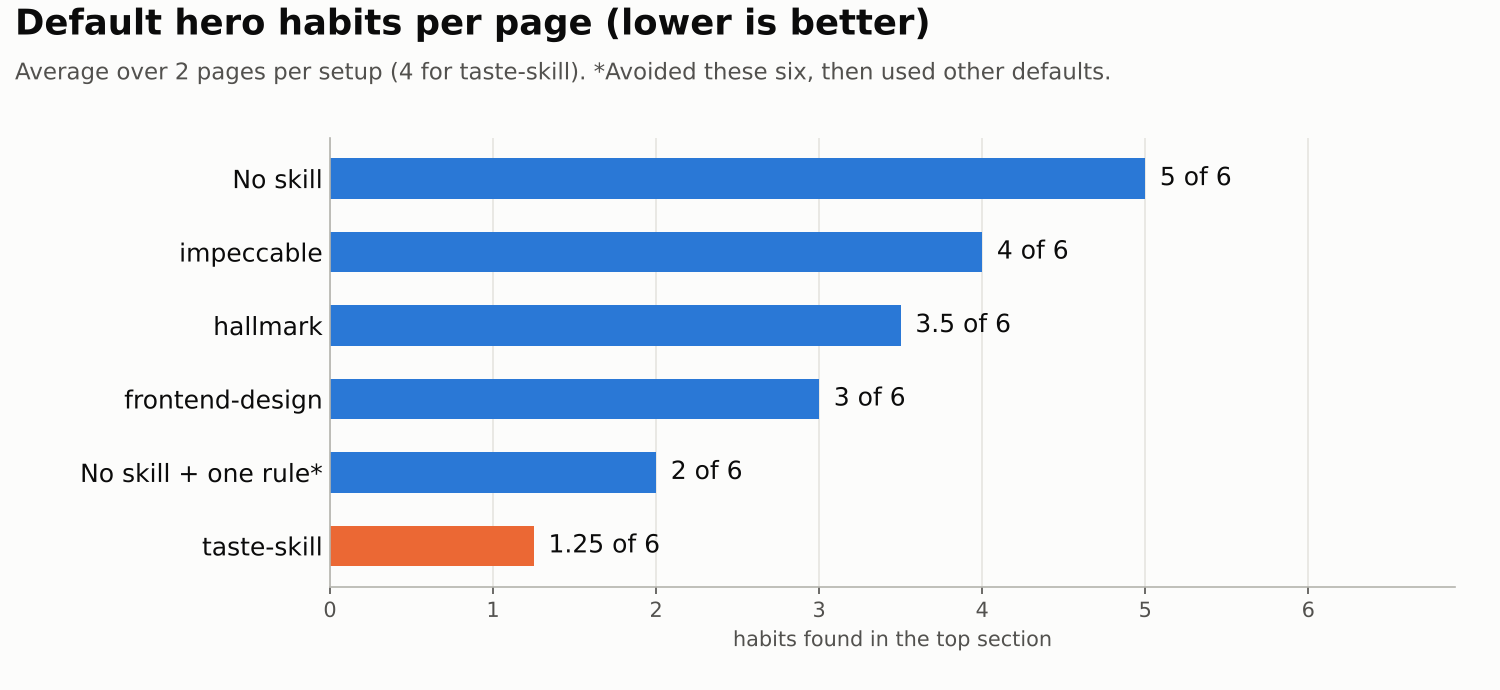
| Setup | Default habits per page (of 6) |
|---|---|
| No skill | 5 |
| impeccable | 4 |
| hallmark | 3.5 |
| frontend-design | 3 |
| taste-skill | 1.25 |
Why does taste-skill win? It doesn’t just ban things. A script deals Claude a design direction (an idea, palette, font pair and section plan) from a library built from a study of curated design-gallery sites. Claude builds that direction instead of the average page.
You can see it in its four pages: a giant cobalt wordmark, a mint split-colour hero, a bold orange loaf and a paper bake-slip card. No two look alike.
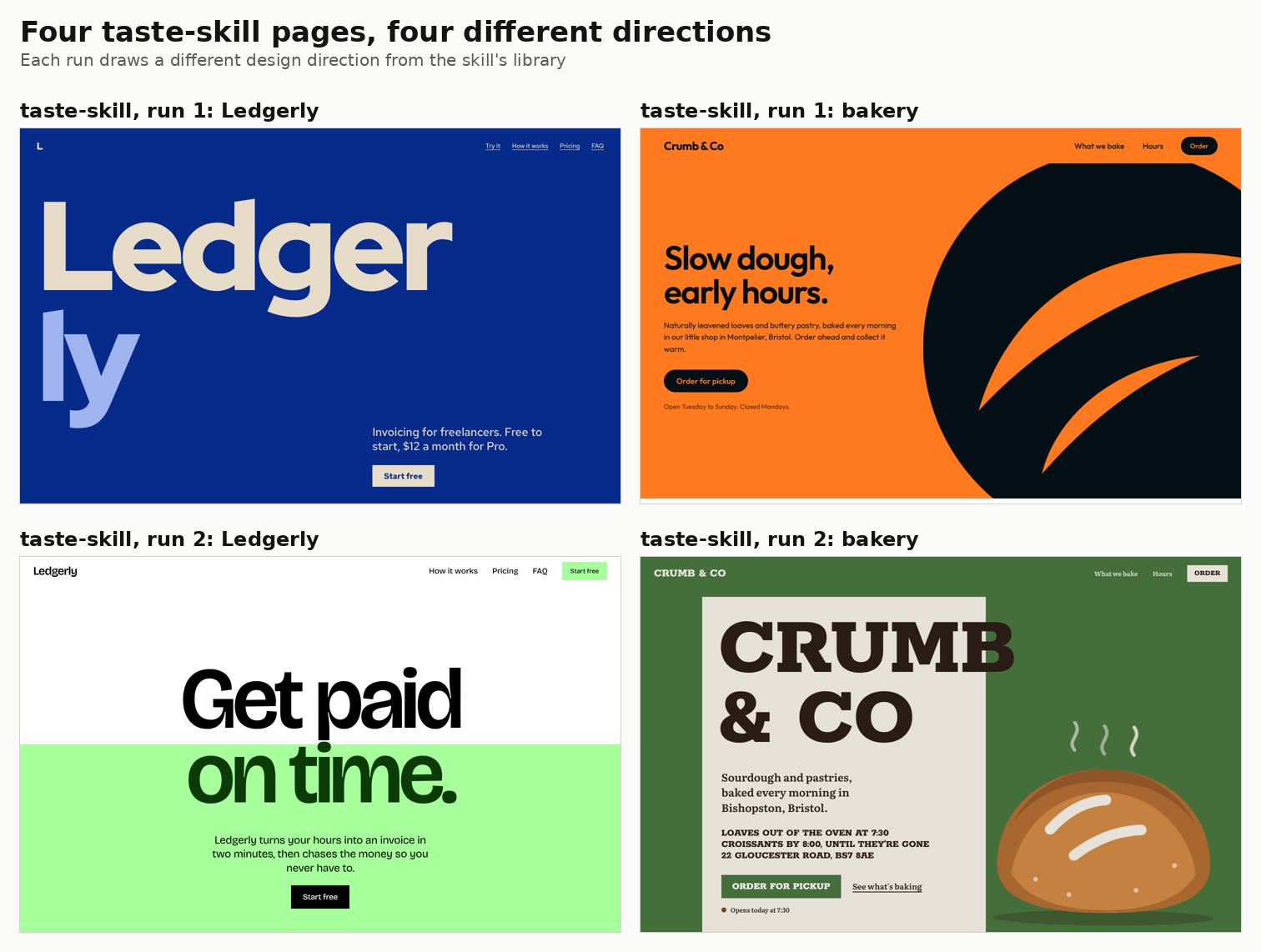
impeccable’s Ledgerly page went the other way. It kept the cream, the serif, the coloured phrase, the invoice card on the right and even the slogan, with one word changed. Its bakery page, a row of painted Bristol houses, was one of the best in the test.
Do design skills change the words, or only the look?
Only the look. Five of the seven Ledgerly pages opened with some version of “send the invoice”.
The no-skill page said “Send the invoice. Get paid. Get back to work.” impeccable said “Send the invoice. Get the money. Get back to work.” hallmark and frontend-design wrote their own spins on the same line.
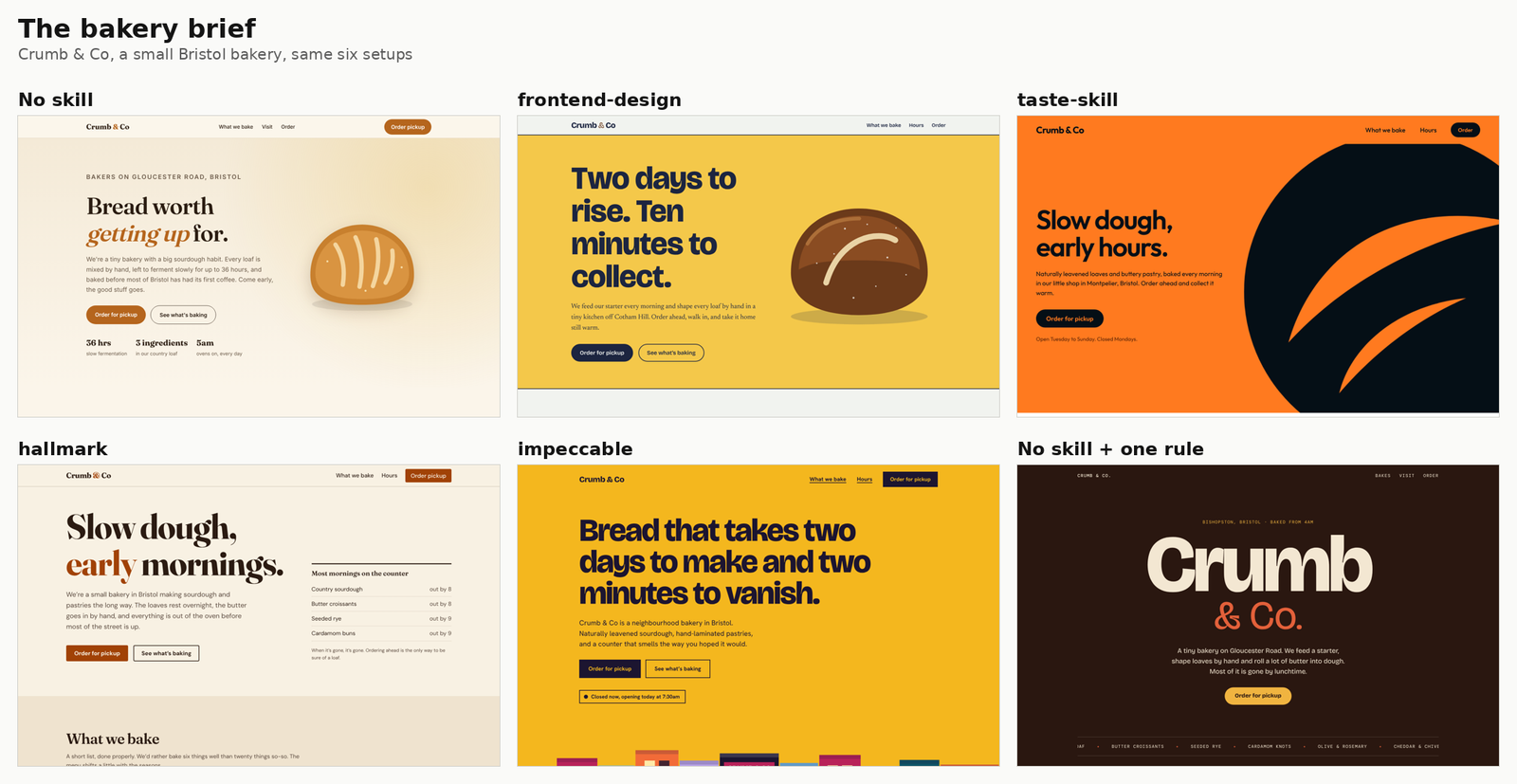
The bakery had the same echo. hallmark wrote “Slow dough, early mornings.” taste-skill wrote “Slow dough, early hours.”
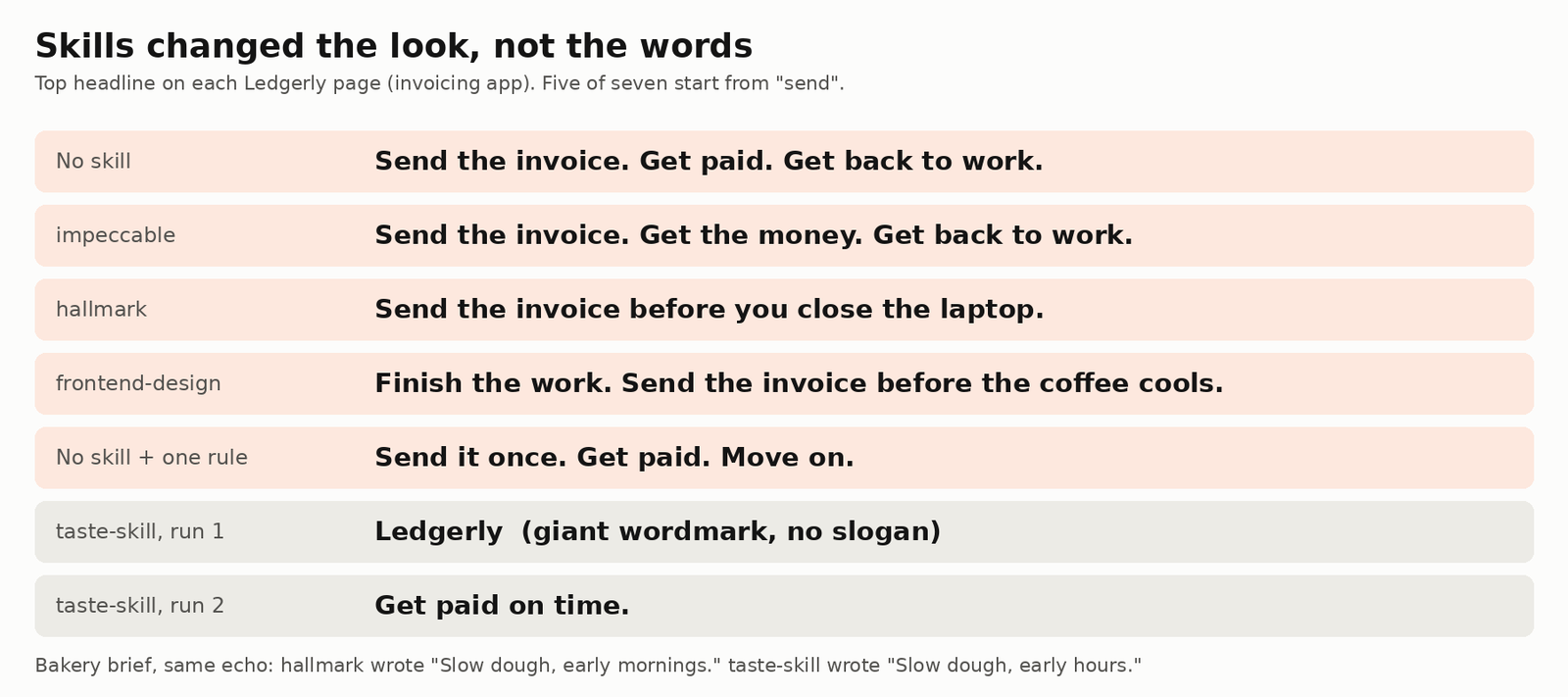
Here’s why. The brief only said “invoicing app for freelancers”, so Claude reached for the most likely sentence about invoicing. Every skill sits on the same model, so they all reached for the same sentence.
Do design skills just swap one AI font for another?
Partly. One font showed up on five of the 14 pages, and frontend-design used the same font pair for both briefs.
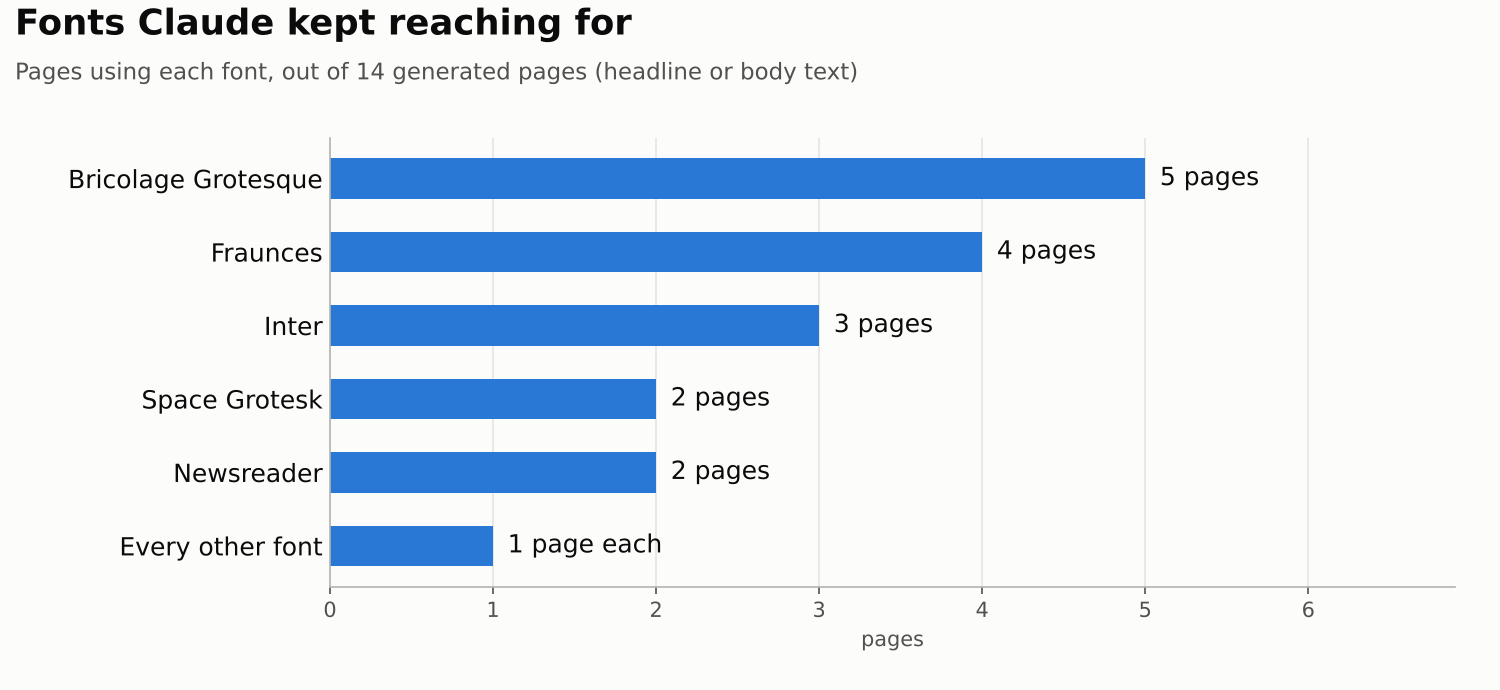
Google Fonts (Google’s free font library) offers a huge choice, yet Claude kept picking from a short list. Bricolage Grotesque appeared on five pages, Fraunces on four and Inter on three.
frontend-design chose Bricolage Grotesque with Newsreader for the invoicing app and again for the bakery. Build three sites with it and expect them to share a typeface. That’s still a default, just a nicer one, the same trap behind generic Claude Code logos.
What happens if you just tell Claude to avoid the defaults?
It’s the cheapest fix, and the page does change, but Claude jumps straight to its next favourite look.
I ran the no-skill setup again with one extra sentence: no cream background, no serif headline, no split hero, no solid-plus-outline button pair.
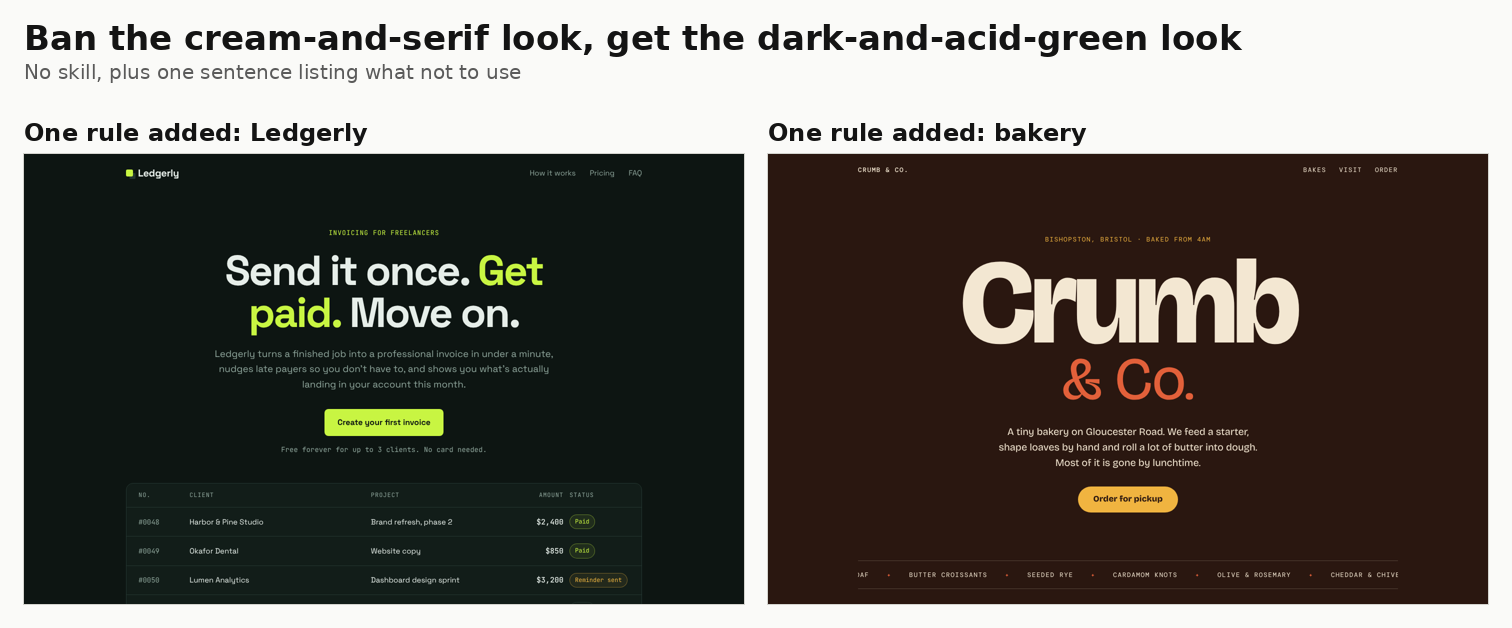
The pages changed. Ledgerly went near-black with an acid-green accent and a small monospace label above the headline. The bakery went dark brown with a giant centred wordmark and a scrolling strip of bakes.
Then I checked frontend-design’s list again. Its second AI style is “a near-black background with a single bright acid-green or vermilion accent”. Banning one default didn’t add taste. It moved Claude one step down its own list.
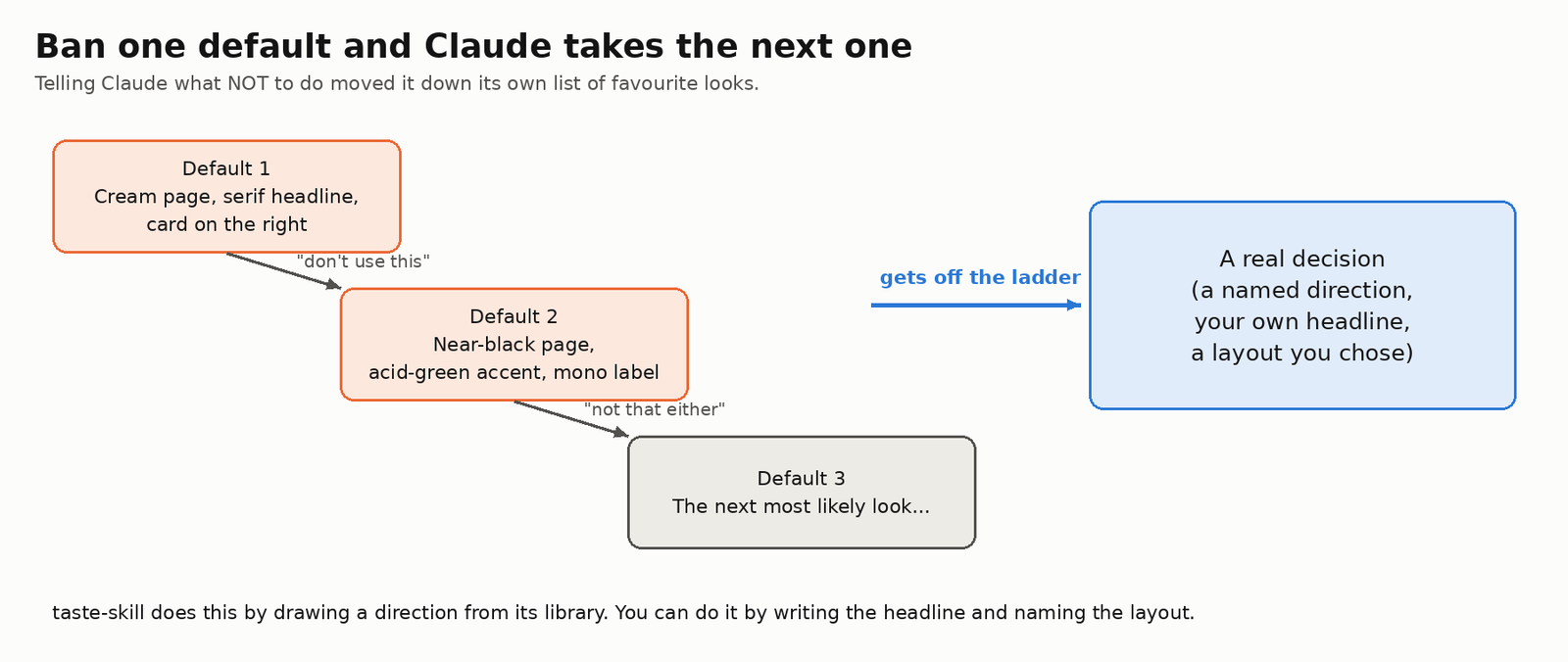
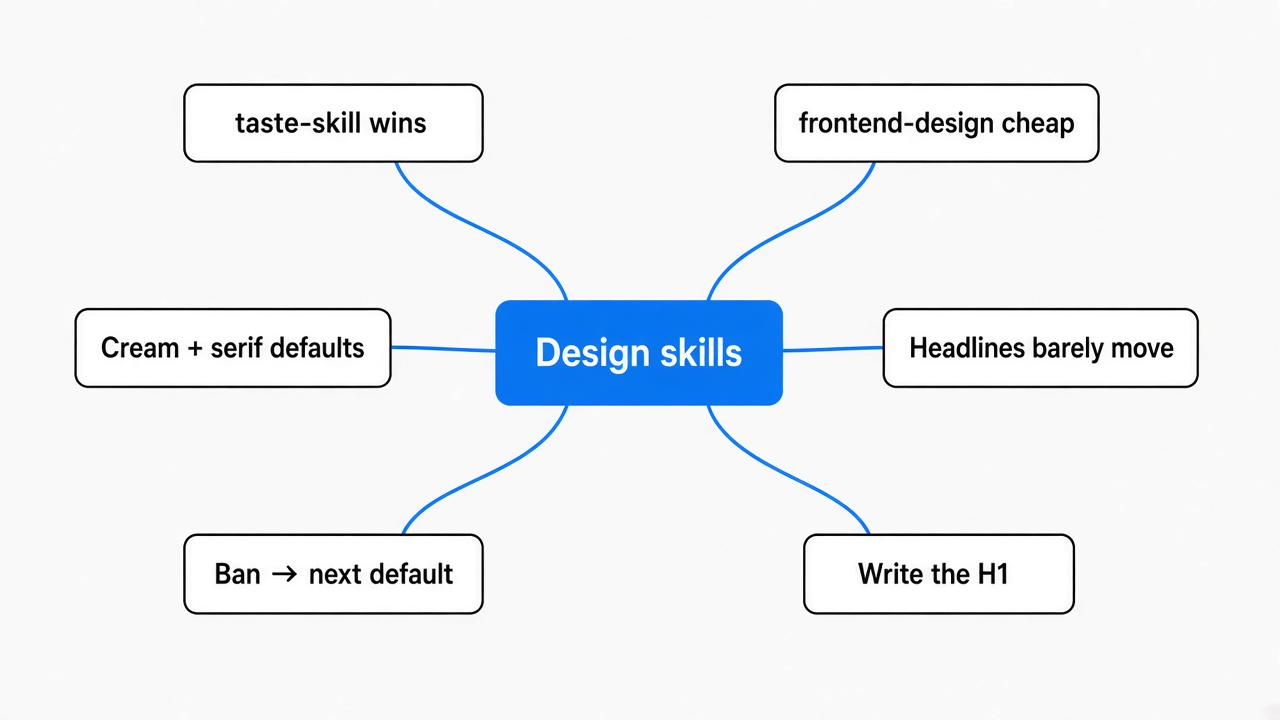
That’s the thread through the whole test. “Don’t do this” leaves Claude to pick its next most likely answer. A specific direction, like the one taste-skill deals or a layout you name yourself, is what gets it off the ladder.
How much slower and more expensive are design skills?
The heaviest skills cost about 2.3 to 2.4 times as much as no skill, and taste-skill took nearly four times as long.
| Setup | Cost per page | Time per page |
|---|---|---|
| No skill + one rule | $0.18 | 70 s |
| No skill | $0.27 | 60 s |
| frontend-design | $0.33 | 83 s |
| hallmark | $0.43 | 86 s |
| taste-skill | $0.60 | 224 s |
| impeccable | $0.62 | 173 s |
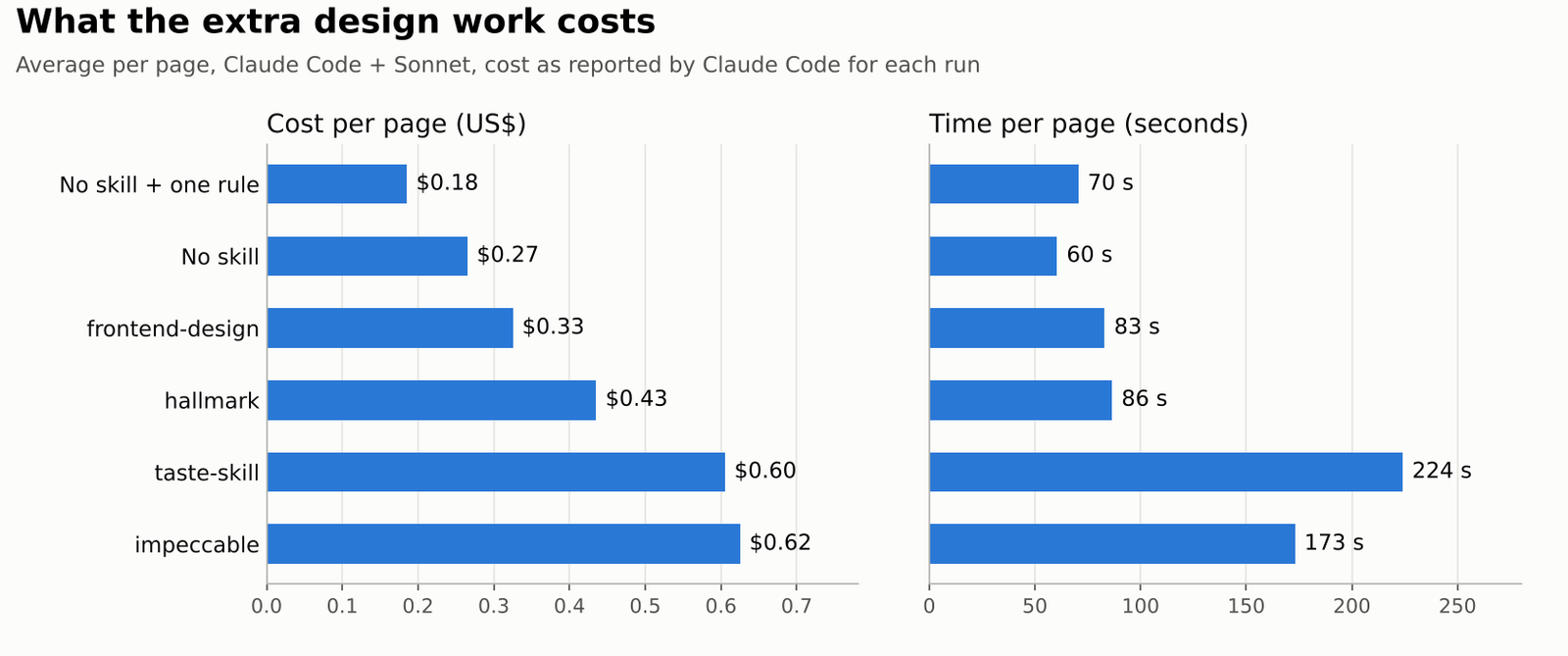
The two heavy skills do real extra work. impeccable wrote a product brief file, took its own screenshots at desktop and phone width on the bakery page, and fixed what it saw. taste-skill drew its direction, ran a lint (a script that scans code for banned patterns) and, with Chrome available, checked the page at three widths.
Cost here is the API cost Claude Code reported for each run. On a subscription plan the same work counts against your usage limits instead.
Did any skill break something?
A few small things, and two came from the skills’ own rules.
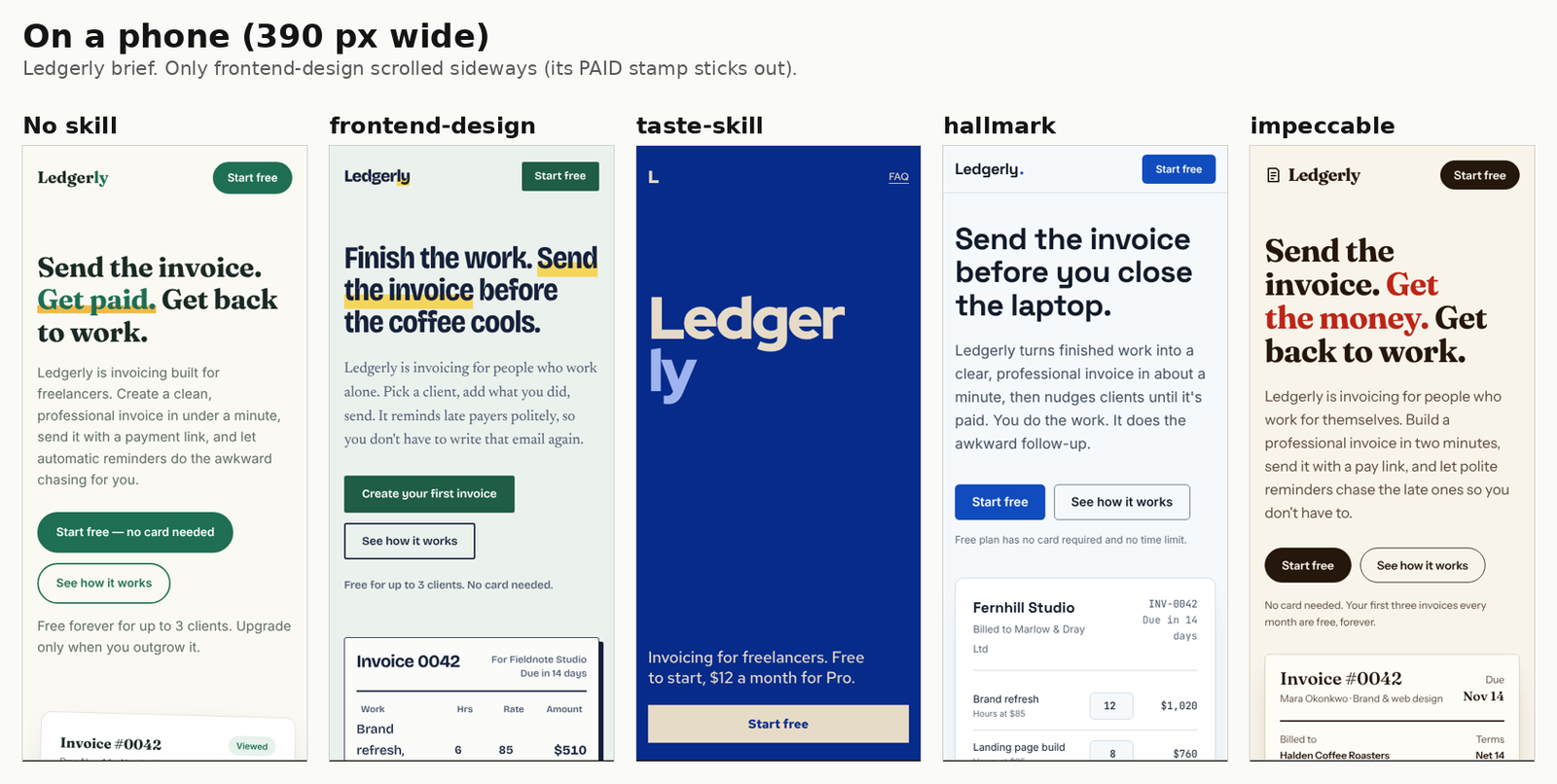
- frontend-design’s Ledgerly page had a “PAID” stamp poking past the edge of a phone screen, so the page scrolled sideways.
- The no-skill bakery put white text on orange buttons at a 4.3 to 1 contrast ratio (how readable text is against its background). The usual minimum for normal text is 4.5 to 1.
- taste-skill’s first Ledgerly page split the brand name across two giant lines (“Ledger” and “ly”). It also hides each section until you scroll to it, so a full-page screenshot shows blank space.
- taste-skill’s checker failed its own page for missing four real photographs, even though the brief banned images.
Each skill’s checker also mostly likes its own style. taste-skill’s lint gave its own pages zero failures and failed every page made by another setup, mostly for thin borders and soft shadows. impeccable’s detector flagged impeccable’s pages more than any other skill’s. Treat a skill’s score as its house style, not as proof.
Which design skill should you install?
Install taste-skill if you want a page that doesn’t look AI-made, or frontend-design if you want a cheap, safe upgrade.
hallmark and impeccable aren’t bad. Their pages were clean and well built, and impeccable’s bakery was a highlight. But on the invoicing brief both kept the default layout, so they don’t answer the question in the title.
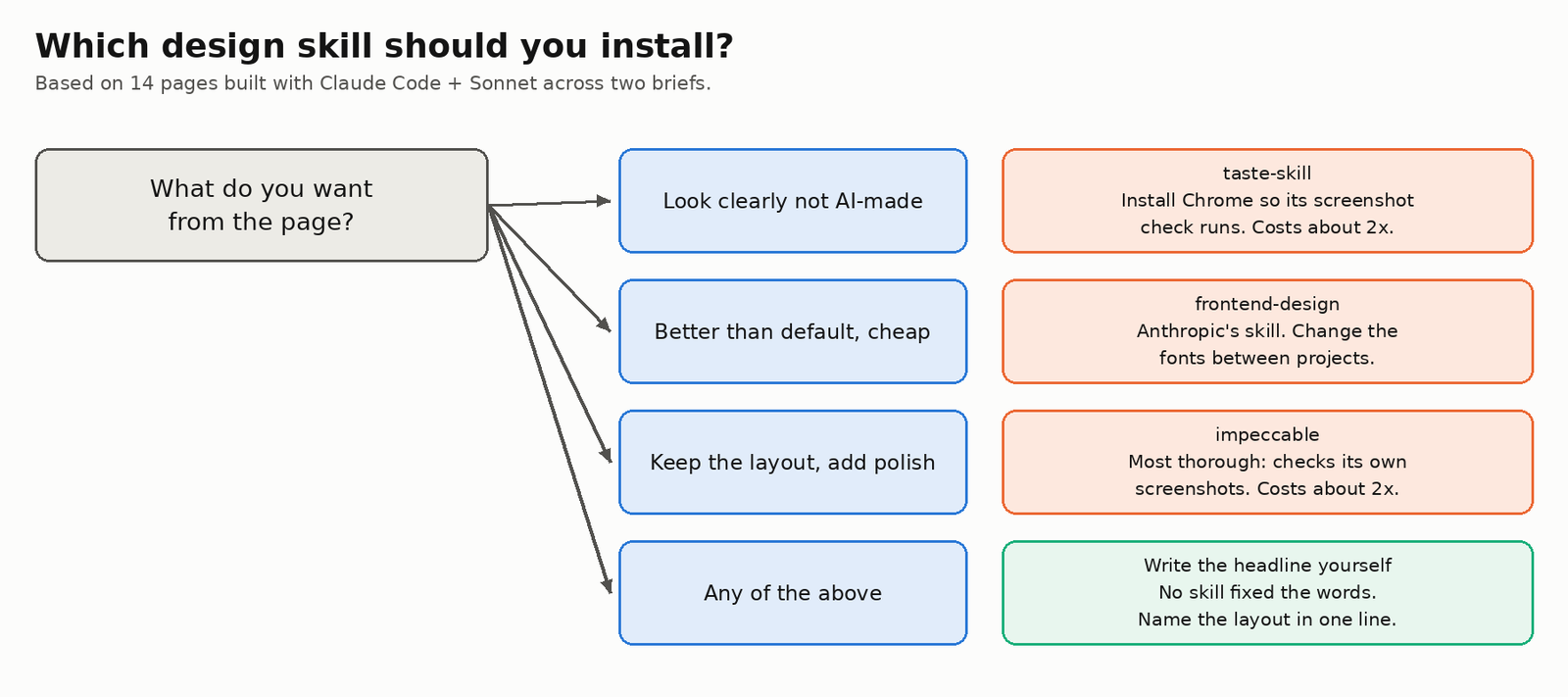
- A clearly designed look: taste-skill, with Chrome installed so its checker runs. Expect about twice the cost.
- Better than default, for pennies: frontend-design. Change the fonts between projects.
- You like the layout and want polish: impeccable. It checks its own screenshots.
- Whatever you pick: write the headline yourself and name the layout in one line.
How do I install a design skill in Claude Code?
Copy the skill folder into .claude/skills/ in your project, then ask for your page as usual.
- Clone the skill’s repo.
- Copy the folder that holds
SKILL.mdinto.claude/skills/in your project (or~/.claude/skills/for every project). - Start Claude Code in that folder and ask for the page. The skill loads when the request matches.
- For taste-skill, install Chrome or set
CHROME_PATHto a Chrome or Chromium program so its screenshot check can run.
taste-skill and impeccable ship scripts that run on your machine, so check a skill before you install it. And once you’ve picked one, clear out the skills you no longer use.
git clone https://github.com/Leonxlnx/taste-skill
mkdir -p .claude/skills
cp -r taste-skill/skills/taste-skill .claude/skills/
The repos: taste-skill (MIT), hallmark (MIT), impeccable (Apache 2.0) and frontend-design (Apache 2.0).
Every setup in this test could pick a font and a colour. None could pick what Ledgerly should say. Write that first sentence yourself.
Common questions about Claude Code design skills
Does Claude Code use a design skill automatically?
Yes, when your request matches the skill’s description. In this test all four skills loaded without being named in the prompt.
Is Anthropic’s frontend-design skill good enough?
It’s the cheapest upgrade here and dropped most of the cream-and-serif habits. It did reuse one font pair across both briefs, so vary fonts yourself.
Why do AI-generated websites all look the same?
The model picks the most likely choice for each part of a page. Everyone using the same model gets the same likely choices, from layout to headline.
Do these skills work in Cursor or Codex?
I only tested Claude Code. impeccable’s repo ships skill folders for several other tools, including Cursor and Gemini.