
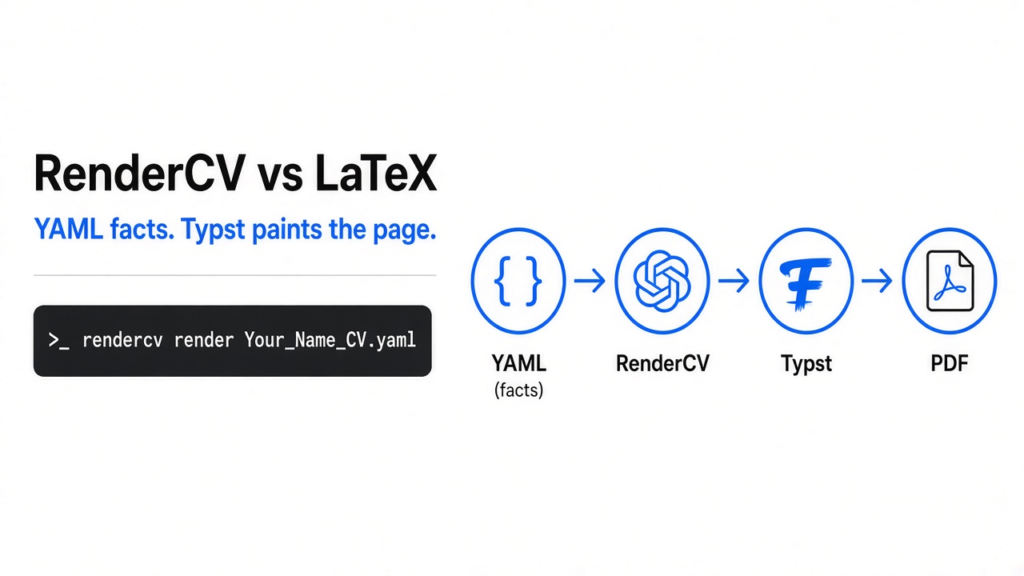
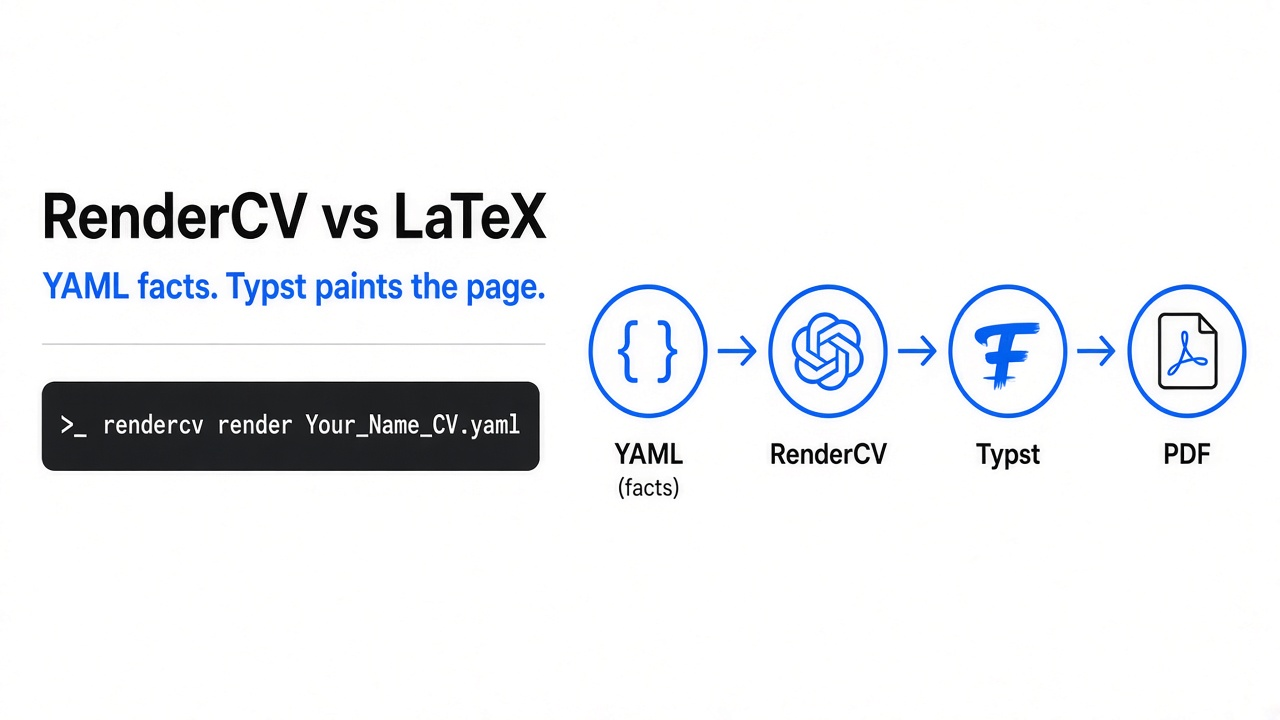
I had a resume that looked fine until I opened it a month later and the lines had shifted. The facts and the look were trapped in the same file, so I could not see which sentence I had changed. LaTeX (the older way to describe a page in a text file, then let a program place every line) fixes that drift, and then it asks you to keep a large install for one page. RenderCV is the short path. You write the facts in YAML (a text file of names and values, with the children indented underneath, the way an outline nests). RenderCV writes a Typst file (Typst is a small typesetting program: it reads markup and emits a PDF, the finished page file you actually send). Use RenderCV when you will edit the resume again and you want the change to show up as text. Keep LaTeX when a school or a journal already handed you a working file.
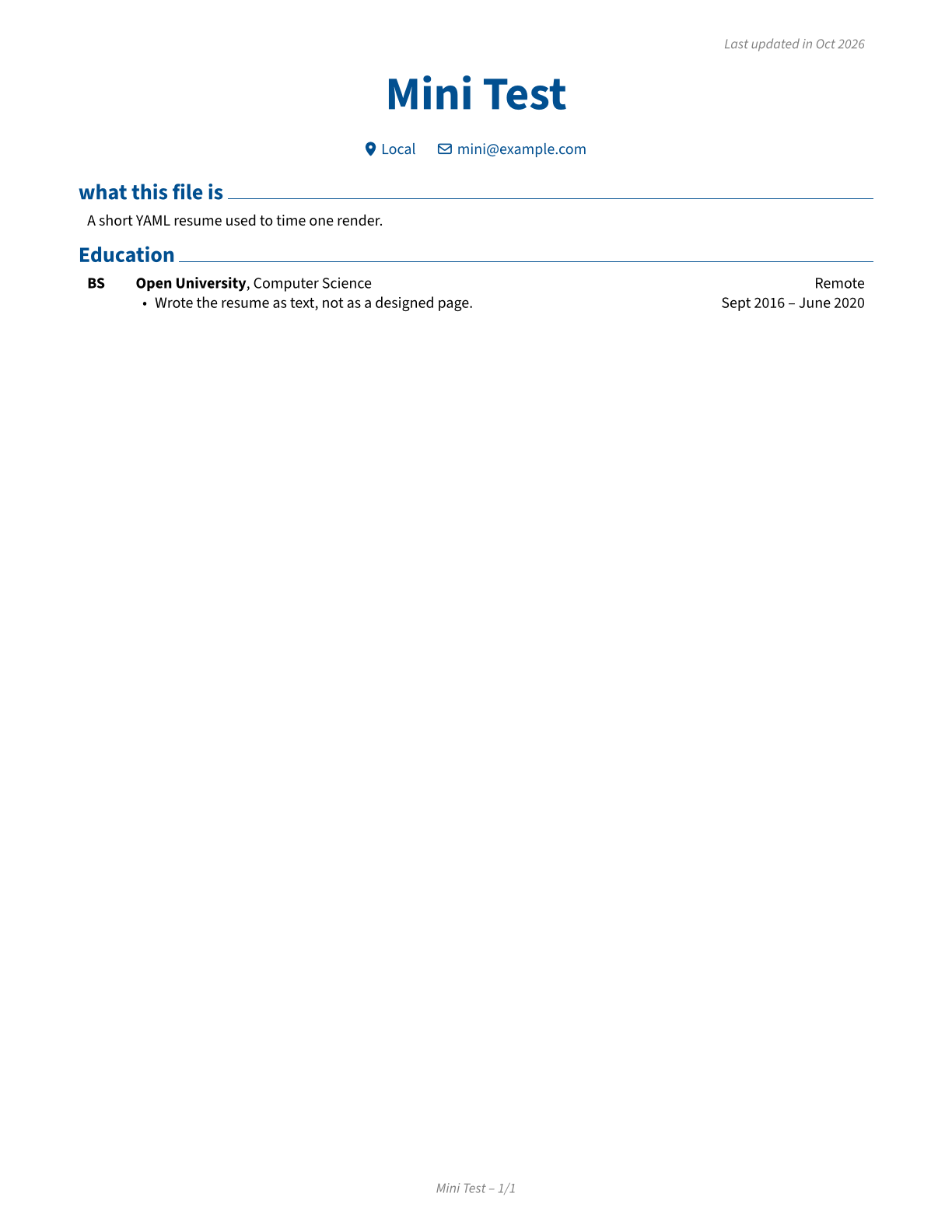
That page is the file I got from a short YAML resume. One page, the name at the top, contact facts on the next line, section titles, and the dates sitting on the right. Nothing about it is a poster. It is a clean page you can send.
rendercv vs latex
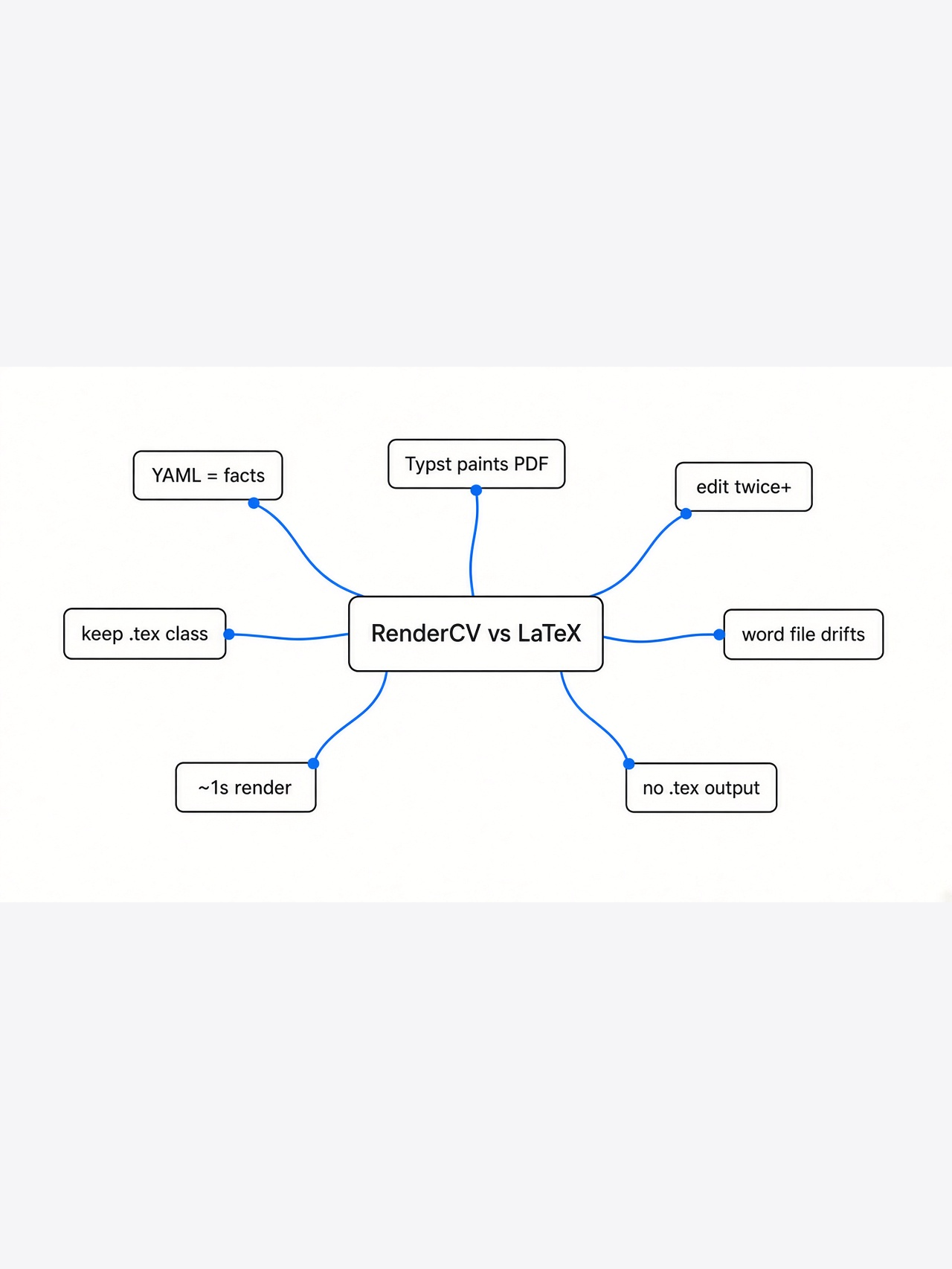
RenderCV wins when the resume is a list of facts you will edit. LaTeX wins when the page is already a paper, or someone requires their own class file.
Start from the page, not from the tool. A resume is boxes of text on a sheet. A name is a box. A job is a box. A date wants to sit in the same column as the other dates, or the page looks broken. There are two ways to make those boxes. You can drag them in a word processor, which stores the look and the words together. Or you can describe the words in a file and let a program place the boxes.
LaTeX is that second way, and it has been the academic default for a long time. You write commands. A compiler (the program that turns those commands into the page) builds the PDF. The result can look exact. The cost is the install, the error messages, and a file that is half content and half layout instructions. If you only have one page of jobs and a school, you spend the hour on the machinery.
RenderCV splits the job. The YAML file is only the facts. The theme is the look. Typst is the program that paints the page. You do not write the layout commands unless you want to. I would pick RenderCV for a working resume I expect to touch twice a year. I would pick LaTeX if I already had a .tex file that compiled, or if the page needed displayed math.
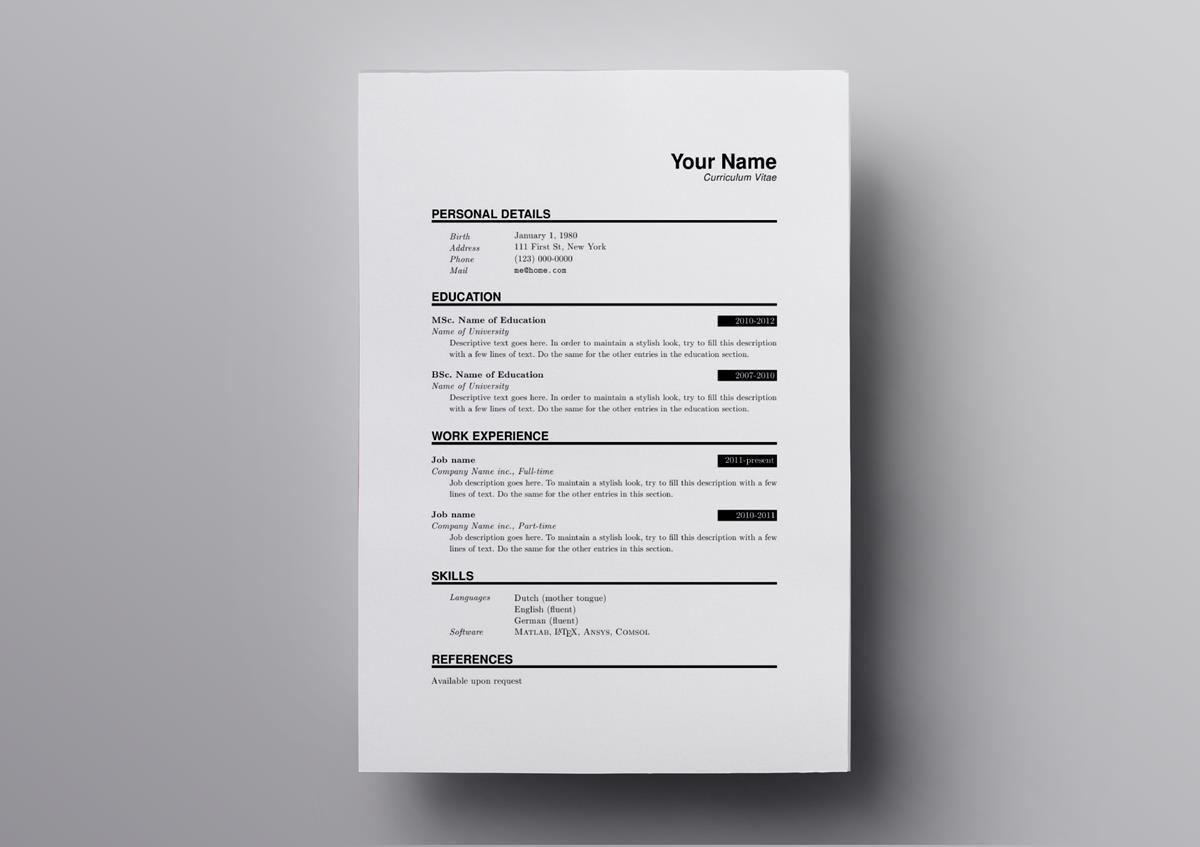
A LaTeX resume is chasing this kind of page: tight rules, a header, sections, dates pulled to the right. RenderCV’s default theme is in that family. It is not trying to be a magazine spread.
why a word file resume drifts
A word file stores the sentence and the spacing in one blob, so a small edit can move every line, and a diff (a line-by-line comparison of two versions of a text file) cannot show you the sentence that changed.
That is the mess. You fix a date. The next job title wraps. The column of dates no longer lines up. You nudge a margin. Next time you open the file on another computer, the font is missing and the nudge is gone. You cannot put that file in review and say “only the second bullet changed,” because the file is not text.
A text resume fixes the review, not the taste. Git (the tool that remembers each saved version of a text file) can show the one line you edited. A teammate can comment on a bullet the way they comment on code. You can keep the resume next to the projects it describes. The same habit shows up when a text file is asked to draw a picture of a database: the Prisma schema diagram post is that idea, a file in, a picture out, and then you still have to check that the picture told the truth.
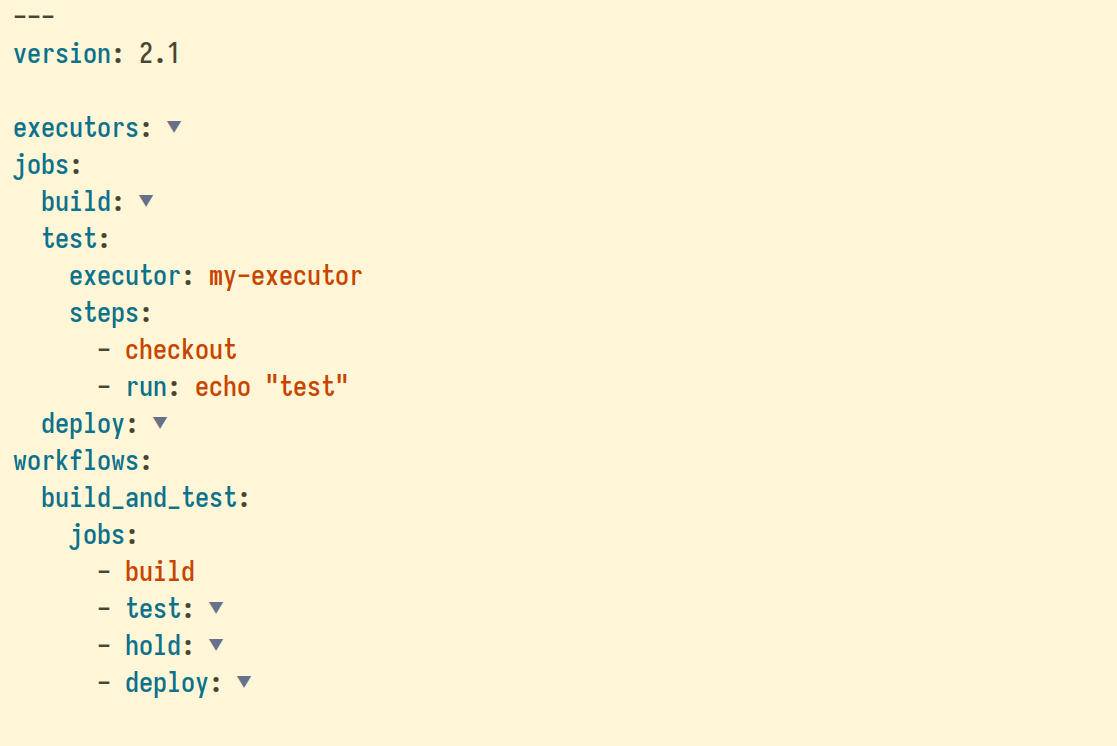
YAML looks like this, even when the file is not a resume. A name, a colon, a value. Children sit further to the right. A list starts with a dash. Your resume file is that shape, with name, education, and highlights instead of jobs and steps.
what yaml and typst are
YAML holds the facts, Typst holds the layout, and the PDF is only the result.
Read a YAML resume from the top. cv: is the whole document. Under it, name: is a single line. sections: is a group. Under a section, each job or school is one item in a list. The indentation is the structure. If you mix tabs and spaces, or you forget a child that the entry type requires, the file is wrong before any page is drawn. That is a feature. The failure is a named field, not a mysterious shifted line.
Typst is the next file, and you usually do not write it. RenderCV fills it in. In the file I generated, the theme set US Letter paper, margins of 0.7 inches, the body in black, the name and the section titles in a dark blue, and the date column aligned right. The body font was Source Sans 3. Bold in the YAML became a real bold span. A markdown link became a real link. I checked both the Typst file and the HTML file. The words bold did not survive as asterisks.
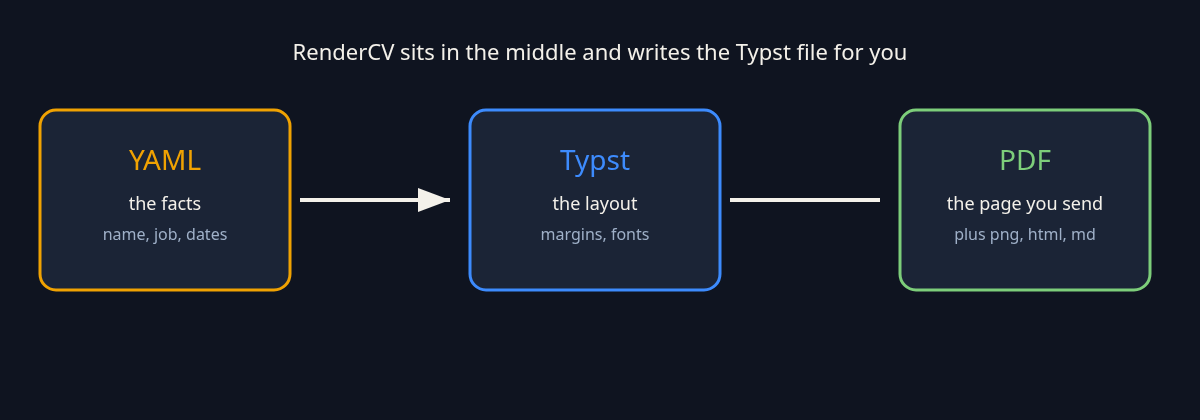
RenderCV sits between those boxes. You maintain the left one. It writes the middle one. Typst emits the right one, and also a PNG (a picture of the page), a Markdown file, and an HTML file.
how to use rendercv
Install it on Python 3.12 or newer, create a YAML file with your name, edit the facts, then render.
The three commands are the whole start:
pip install "rendercv[full]"
rendercv new "Your Name"
rendercv render "Your_Name_CV.yaml"The [full] extra matters. It downloads the typesetter and the fonts, so the first install is the slow part. On my run that was about 33 MB for Typst and about 32 MB of fonts. After that, rendering is the short step.
There is a trap on older Python. The install can look finished, and the rendercv command can exist, and then it dies on import before it writes a file. That is what happened to me on Python 3.10. I moved to Python 3.12 and the same commands worked. If rendercv new does not create a YAML file, check the Python version before you debug the resume.
rendercv new writes a starter file named from the name you passed, with spaces turned into underscores. The starter is longer than you need. Delete the sample jobs. Keep the shape. A school entry wants an institution, an area, a degree, and a date. A date is YYYY-MM-DD, YYYY-MM, or YYYY. The word present is allowed as an end date. The word someday is not.
Markdown works in the text fields. bold, italic, and a link are enough. You do not need a design block on the first run. The defaults already make a one-page academic resume.
what changed when i ran it
A short YAML file became a one-page PDF in about one second, and a bad date stopped the run with the field name in the error.
I used a small file on purpose: a name, an email, one school, one highlight. The first rendercv render took 1.09 seconds of wall clock. Inside that, writing the Typst file took 34 milliseconds, the PDF took 305 milliseconds, the PNG took 77 milliseconds, the Markdown took 8, and the HTML took 2. I ran it again. The whole command was 0.86 seconds, and the PDF step dropped to 143 milliseconds. The PDF was 25,055 bytes. The folder held five files: .typ, .pdf, .png, .md, and .html. There was no .tex file.
Then I broke it. I removed the area of study and set the start date to someday. RenderCV exited with an error and did not pretend to draw a page. It named cv.sections.education and said the entry type was an education entry. It named area as required. It named start_date, showed the bad value, and said to use YYYY-MM-DD, YYYY-MM, or YYYY. That is the part I would miss in a word processor. The failure points at the fact, not at a margin.
One default I did not ask for: the generated page includes a small last-updated note. The Typst file had the top note switched on. If you do not want a clock on the resume, turn that note off in the design section before you send the PDF. I left it on for the timing run.
I did not time a LaTeX compile beside it. I will not invent that number. The honest difference I measured is the shape of the output. RenderCV never asked me to write layout commands, and it never produced a LaTeX file.
when latex is still the better resume
Stay on LaTeX if you already have a working .tex resume, if the page is full of math, or if a program requires its own class file.
A class file is a school or journal’s private layout, shipped as LaTeX. RenderCV will not load it. Rewriting that layout in a theme is a second project, and the committee will still ask for their file. If the resume is really a paper, with displayed equations and citations, LaTeX is the tool those files already live in. Switching would mean translating, not saving time.
Stay in a layout tool if the page is a poster. A photo, a row of icons, two columns of slogans, a chart of hobbies: the default RenderCV theme will not do that, and forcing it would mean editing Typst templates until you have rebuilt the poster by hand. For a one-time designed page, the file you already know is faster.
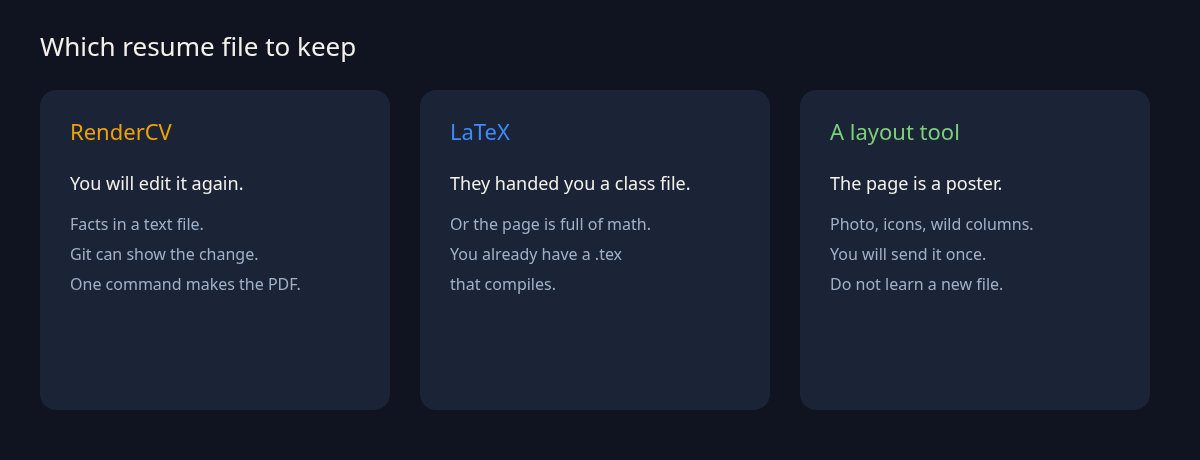
There is a third case, smaller than those. If you will send the resume once and never open it again, do not install anything. The win is the second edit, and the third, when the text diff is the whole review.
should i write my resume in yaml
Yes, if you will edit it more than twice and you want each edit to be a line you can read. No, if the page has to match a file someone else already owns.
The YAML is the file you commit. The PDF is the file you attach. That split is the whole product. When a bullet changes, the review shows the bullet. When you want a new color, that change lives in the design block, not inside the sentence. I would keep the YAML in the same repo as my other writing and generate the PDF when I need to send it.
I would not do it for a visual portfolio, and I would not do it to escape a required LaTeX class. The command is short. The judgment is which file you are allowed to own.
how do i try this on my own resume
Copy the three commands, replace the sample jobs, and render once before you redesign anything.
- Use Python 3.12 or newer.
pip install "rendercv[full]". rendercv new "Your Name".- Open the YAML. Delete the sample career. Leave one real school or one real job.
rendercv renderon that file.- Open the PDF in
rendercv_output. If the page looks like a normal resume, then edit the facts. Do not open the Typst file yet. - If it errors, read the field name. Fix that field. Dates are
YYYY-MMor a year, orpresenton the end.
Ten minutes is enough for that loop. The theme options can wait until the facts are true.
The project and the user guide are the two pages to keep open if a field name surprises you: rendercv on GitHub and the RenderCV docs. If you want the same “text file in, picture out” check on a database instead of a resume, the Prisma diagram comparison is the sibling. If you are deciding whether a new terminal tool is worth installing at all, the MiniMax Code CLI test is the same kind of timed run.
does rendercv need latex
No. The render I ran wrote a Typst file and a PDF, and it did not write a .tex file.
LaTeX can still be on your machine for other work. RenderCV does not call it. If a teammate asks you to send the LaTeX source, you do not have one. You have YAML, Typst, and the PDF.
can i version control my resume
Yes. Commit the YAML. Treat the PDF as output.
Put rendercv_output out of the way, or commit the PDF only when you send it, the way you would commit a built file. The review that matters is the YAML diff. A changed bullet should be one line. If the diff is a thousand lines, you edited the generated Typst file by mistake.
is rendercv worth it
It is worth it when spacing drift or a huge LaTeX install is the thing in your way. It is not worth it for a poster, or for a class file you are not allowed to replace.
The install is one command plus a current Python. The render of a one-page file was about a second on my machine. That is the whole bet. You trade a drag-and-drop page for a text file that cannot silently shove a date into the wrong column.
I would keep the next resume I actually maintain in YAML, and I would leave a required LaTeX file alone.
3 comments