
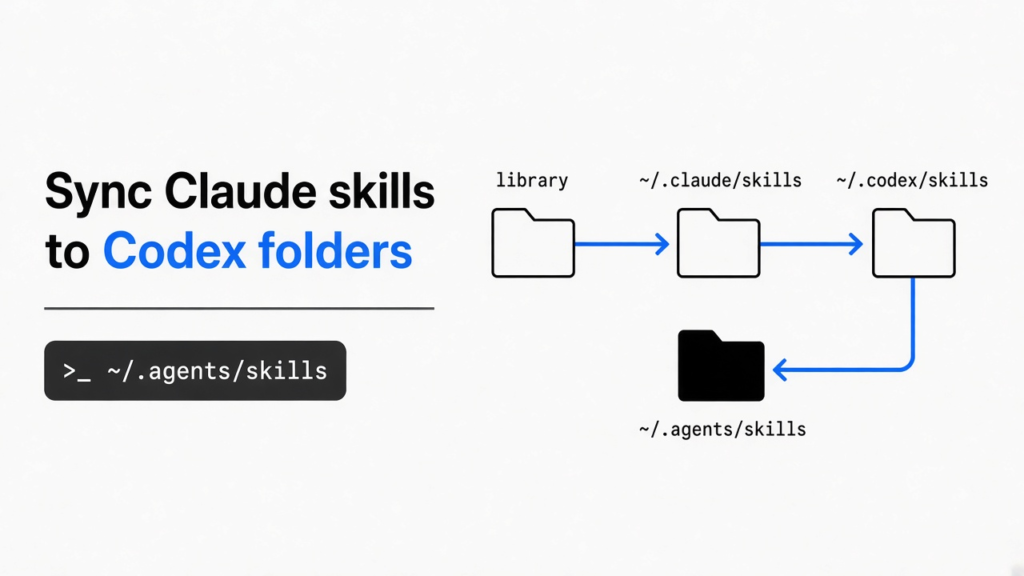
One skill folder only helps if each agent looks there.
You use two coding agents on the same repo. A coding agent is a program that edits your files with tools, not a chat box that only talks about code. Claude Code is Anthropic’s terminal agent. Codex is OpenAI’s coding agent. A skill is a folder with one instruction file, SKILL.md, that the agent loads when your task matches the description at the top.
You wrote that skill once, inside Claude Code. Codex acts like it does not exist. The files are fine. The folders are not the same.
A sync can report success and still miss Codex, because the tool I tested writes ~/.codex/skills while the current Codex skills page lists ~/.agents/skills.
Sync Claude skills to Codex by putting a symlink (a pointer to the real folder, not a second copy) in the folder Codex reads now. I deployed one skill with skills-manager (a CLI that keeps one library and points each agent at it). Claude got a pointer in ~/.claude/skills. Codex got a pointer in ~/.codex/skills. ~/.agents/skills stayed empty.
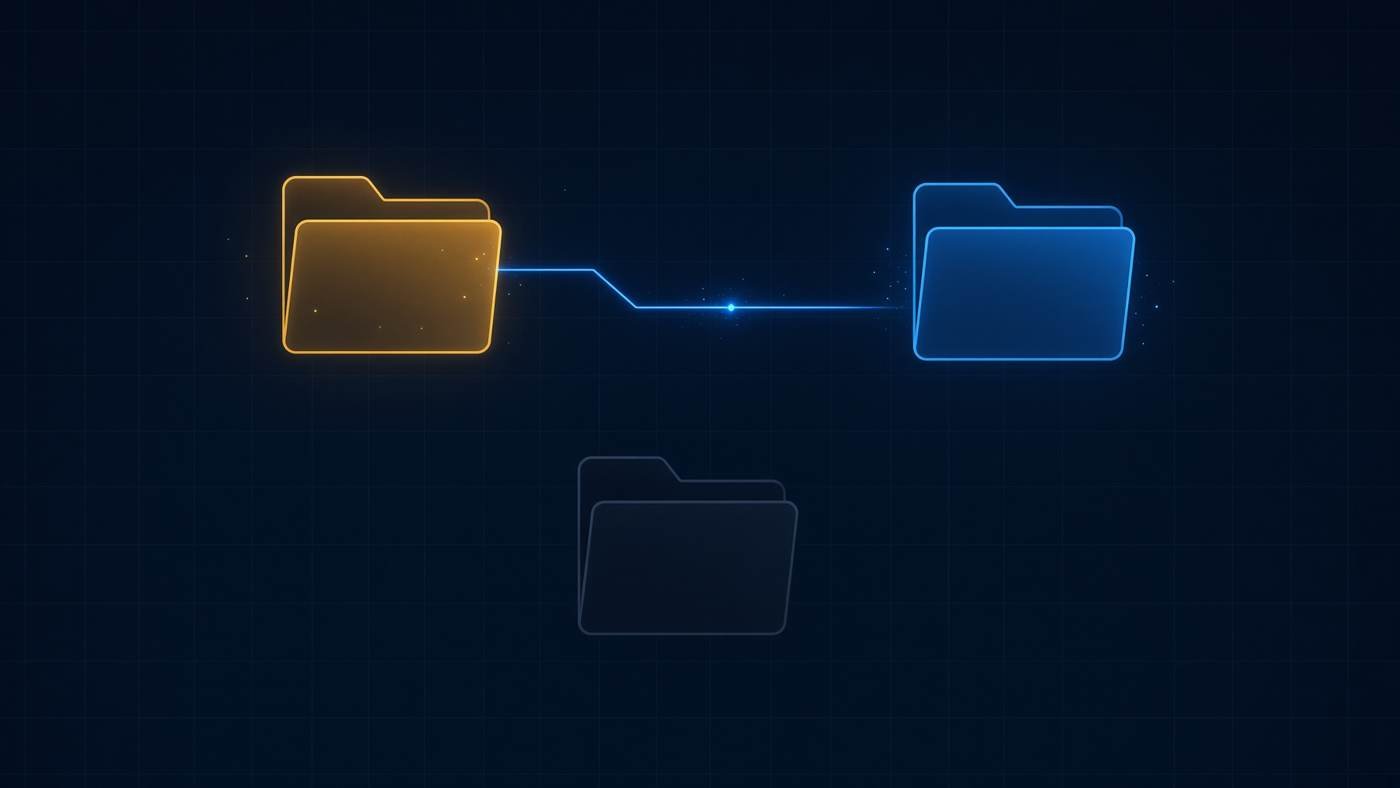
One library, two links, one folder left dark. That is the miss.
Why doesn’t Codex see my Claude skills?
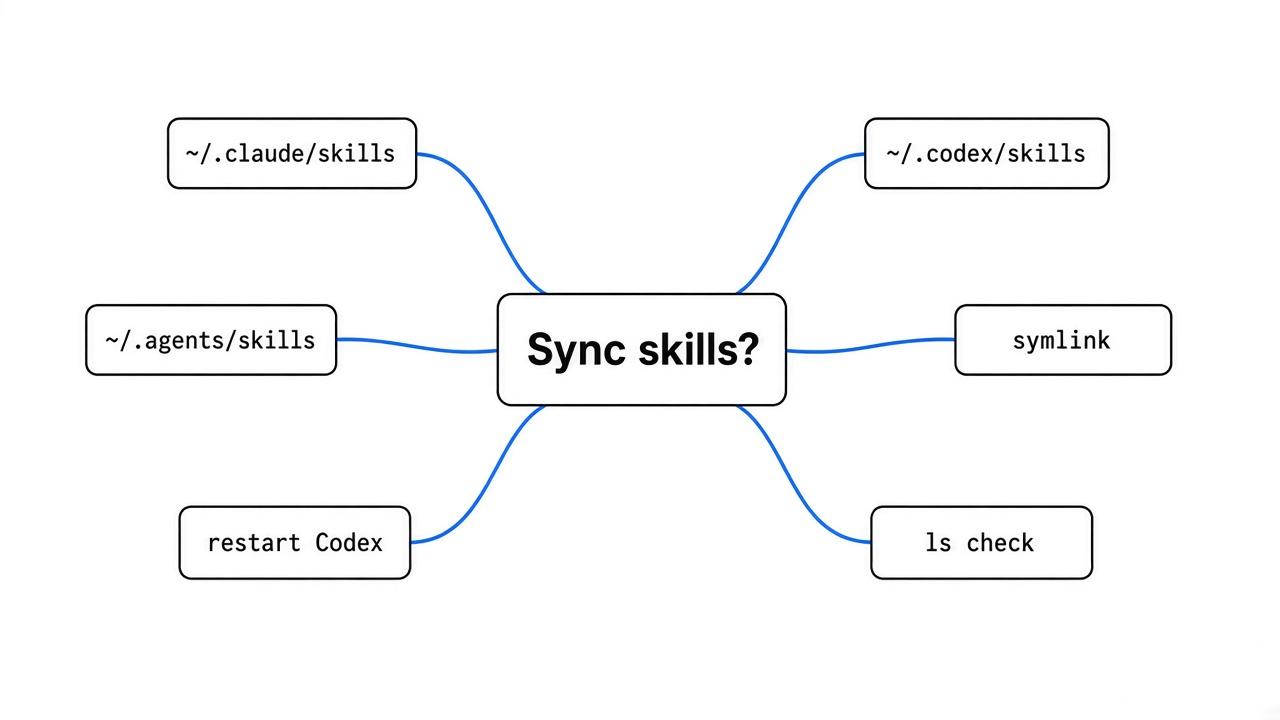
Codex does not read Claude’s skill folder. Each agent has its own path, so a file Claude loads on every project stays invisible to Codex until you place a pointer where Codex scans.
Claude Code loads personal skills from ~/.claude/skills and project skills from .claude/skills inside the repo. Personal means the skill is yours, on every project. Project means you commit it so a teammate gets it too. Codex’s current skills page lists a different pair: ~/.agents/skills for you, and .agents/skills in the repo. An older Codex page still names ~/.codex/skills and .codex/skills.
If your install follows the older page, a copy into ~/.codex/skills is enough. If it follows the current page, that copy never loads. The skill file itself is the same shape in both apps. The folder name is the part that breaks the sync.
The handoff reaches one agent and stops before the other.
How do I sync Claude skills to Codex?
Point Codex at the skill you already have, in both folders, until you know which one your install scans. Do not start by rewriting the skill.
A skill folder needs a file named exactly SKILL.md. The top of that file is front matter (a short header wrapped in lines of three hyphens). It needs a name and a description. The description is how the agent decides to load the full file. The name is what you can type after a slash. Claude’s docs put personal skills in ~/.claude/skills. Codex’s current docs put personal skills in ~/.agents/skills.
Check the folders in a terminal before you install anything.
ls ~/.claude/skills
ls ~/.codex/skills
ls ~/.agents/skills
The check is a terminal listing. A success line from a sync tool is not the check.
If the skill is in the first path and missing from the third, add the pointer. Swap commit-style for your folder name.
mkdir -p ~/.agents/skills
ln -s ~/.claude/skills/commit-style ~/.agents/skills/commit-styleFor a repo skill, do the same inside the project so the link is relative and still works for a teammate:
mkdir -p .agents/skills
ln -s ../.claude/skills/commit-style .agents/skills/commit-styleRestart Codex after the link. A session that already started will not pick up a new folder.
I deployed one skill. Here is where it landed.
The CLI reported success and wrote two pointers. It did not write the folder on the current Codex skills page.
I installed a tiny local skill named commit-style into a central library (the one folder that holds the real files). I then deployed it to Claude Code and Codex. The CLI I ran was skills-manager-cli, and it printed version 1.40.2. It only deploys to an agent it thinks is installed. It treated a program named claude and a program named codex on PATH as installed. That is a name check, not proof the app is signed in.
What the disk showed:
- ~/.claude/skills/commit-style was a symlink to the central library
- ~/.codex/skills/commit-style was a symlink to the same folder
- ~/.agents/skills did not exist after the deploy
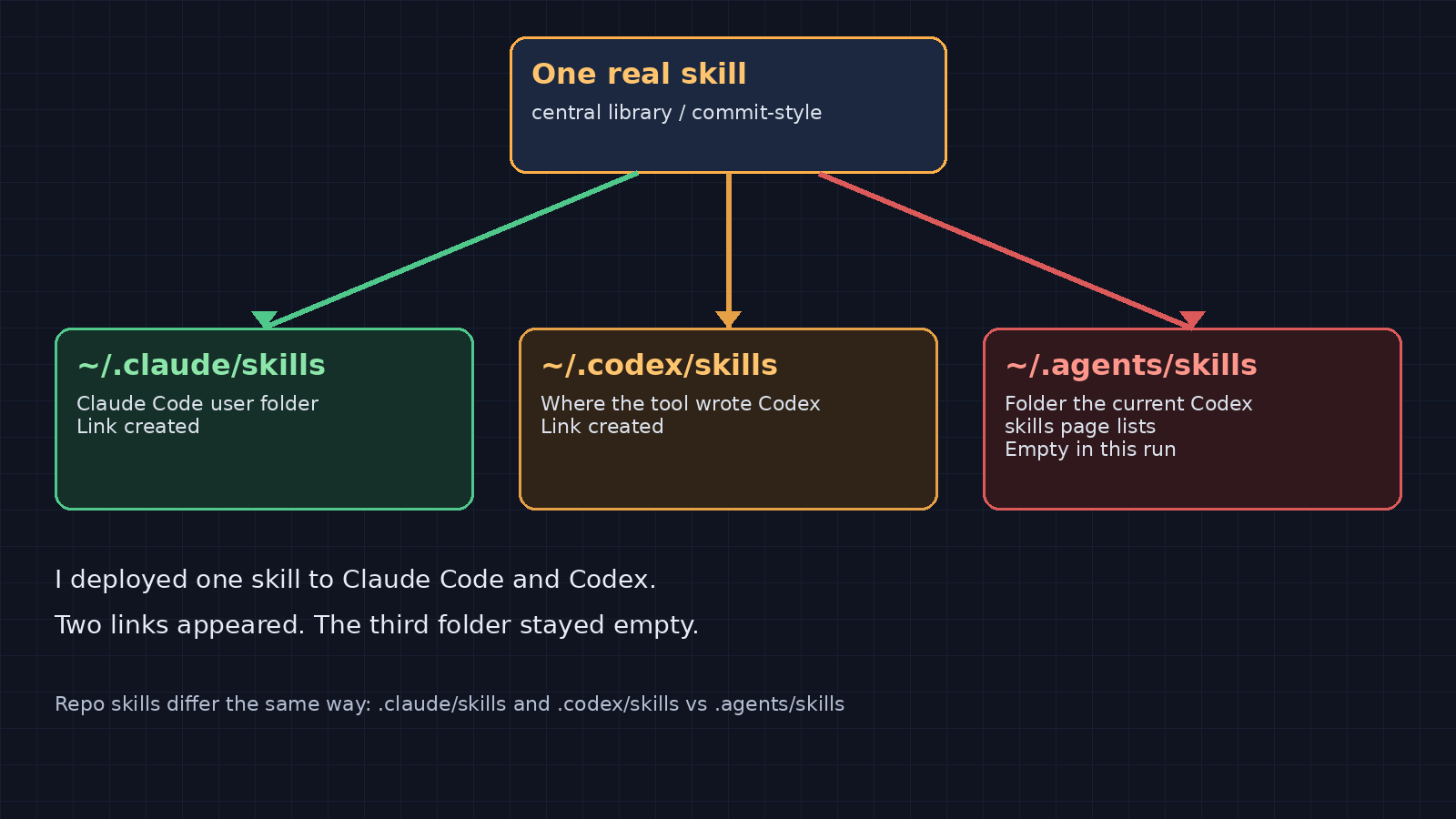
Green and amber got a link. The folder the current Codex page names stayed empty.
The project paths in that tool’s map split the same way. Claude’s project path was .claude/skills. Codex’s project path was .codex/skills. The current Codex page says repo skills live in .agents/skills. A line that says deployed can mean “I wrote the older Codex path.”
Which folder does Codex actually read?
Read the current Codex skills page, then confirm with a file listing. Two official pages do not name the same directory, so a memory of the old path will send the file to the wrong place.
| Who | Personal folder | Repo folder |
|---|---|---|
| Claude Code | ~/.claude/skills | .claude/skills |
| Codex, current skills page | ~/.agents/skills | .agents/skills |
| Codex, older page | ~/.codex/skills | .codex/skills |
| skills-manager Codex row | ~/.codex/skills | .codex/skills |
Satisfy the current page first: where Codex reads skills. Claude’s table is where Claude Code reads skills. If a skill already shows up from ~/.codex/skills on your machine, your install still reads the older path. Keep that pointer too. The safe setup is a pointer in both Codex folders, both aimed at the same real skill.
Do not point the whole ~/.agents/skills directory at ~/.claude/skills. In the tool’s agent list, Cline and Warp also use ~/.agents/skills. Replacing that folder would hide their skills. Link one skill folder at a time.
The same list put DeepSeek Harness at ~/.dsh/skills, not ~/.claude/skills. A skill that is missing there needs the other folder, not a rewrite of SKILL.md. How an agent loads a skill only after the description matches is the walk-through in how Claude Code loads a skill.
Symlink or copy when you sync Claude skills to Codex?
Use a symlink when you want one edit to show up in every agent. Use a copy only when that agent skips links.
A symlink is a name that points at the real folder. Edit SKILL.md once, in the central library, and every pointer sees the new text. A copy is a second file. It goes stale the next time you fix the skill in Claude only.
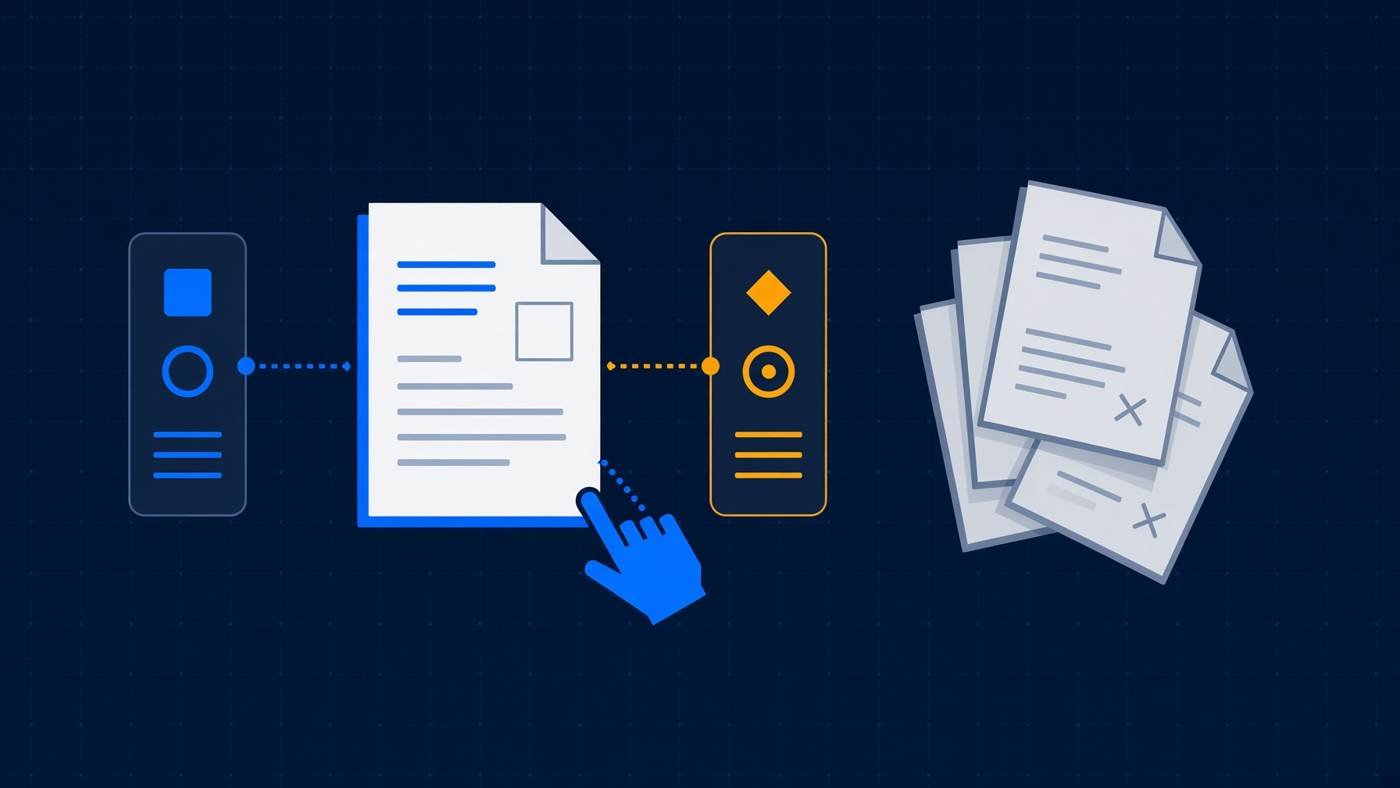
One real file with pointers stays in sync. A stack of copies drifts.
The deploy I ran created symlinks, not copies. The current Codex skills page says Codex follows a symlinked skill folder. An older create-skill page said Codex ignores symlinked directories. If your build skips links, the folder can be right and the skill still hidden.
ls -l ~/.agents/skills/commit-style
ls -l ~/.codex/skills/commit-styleIf you see an arrow and Codex still misses the skill, replace that one link with a real copy:
rm ~/.agents/skills/commit-style
cp -a ~/.claude/skills/commit-style ~/.agents/skills/commit-styleOn Windows, a link into WSL may become a copy. I only ran this on Linux. After a deploy, list the folder and see if the entry is a link or a full directory.
When a sync tool is not worth it
Skip the app when you have one or two skills and two agents. Use it when the same library has to land in many tools and you will forget a folder.

Two skills is a command. A wall of skills is a tool.
skills-manager is worth it when you already keep skills for Claude Code, Codex, Cursor, and a few more, and you want one library plus a status check. Status told me commit-style was deployed to Claude and Codex and not to the other agents. That check is the useful part. The Codex path is the part you still correct by hand until the row matches ~/.agents/skills.
Skip it when:
- You have one skill. The ln command above is the whole fix.
- You only use Claude Code. There is nothing to sync.
- The skill belongs to one repo. Commit .claude/skills and .agents/skills in git. A library on your laptop does not help a teammate.
- You also need both agents on the same model. Folder sync does not change the model. That setup is Claude Code and Codex on the same model.
- You switch models from a menu and assume skills follow the model. They follow folders. Model switching is a different job: Magpie vs CC Switch.
A project briefing file is also not a skill. CLAUDE.md (the file Claude reads at session start) is rules, not a folder the agent loads on demand. If the agent ignores the briefing, start with what that file actually changes.
Try this on your own machine
You can confirm the miss, or rule it out, in about ten minutes. No need to rewrite a skill.

The thing you are moving is a folder with SKILL.md inside, not a toggle in the chat.
- If the CLI says the agent is not installed, it did not find a program named claude or codex on PATH. That is a different problem from a wrong folder. I put fake programs on PATH only so deploy would run.
- Install the CLI from the skills-manager repo, or skip the app and use the ln commands.
- Run
skills-manager-cli agents listand read the codex skills_dir. - Deploy one skill you already trust. Do not install a random skill for this test. A skill can contain scripts your agent will run.
- Run
ls -l ~/.claude/skills ~/.codex/skills ~/.agents/skills. - Open a new Codex session and ask for the skill by the description you wrote. If it does not load, add the ~/.agents/skills pointer and start another new session.
I did not open the Codex app and watch the picker. I checked the folders the CLI writes against the folders the current skills page names. Step 6 is the part only you can see.
Common questions about syncing Claude skills to Codex
Can I use the same skill in Claude Code and Codex?
Yes. The SKILL.md format is the same. You need a pointer in each folder the agent scans. One file in ~/.claude/skills is not enough for Codex.
Why doesn’t Codex see my skill after I copied it?
The copy probably landed in ~/.codex/skills, or only in Claude’s folder. The current Codex skills page lists ~/.agents/skills for you and .agents/skills in the repo. Link or copy there, then start a new session.
Does Codex follow symlinks?
The current skills page says it follows a symlinked skill folder. An older page said it ignores them. Run ls -l on the skill path. If you see a pointer and the skill still does not load, make one real copy in ~/.agents/skills.
Where are Claude skills stored?
Personal skills live at ~/.claude/skills/<name>/SKILL.md. Project skills live at .claude/skills/<name>/SKILL.md in the repo. Codex does not read those paths.
One skill folder only helps if each agent looks there. List ~/.agents/skills before you trust a sync that only filled ~/.codex/skills.