
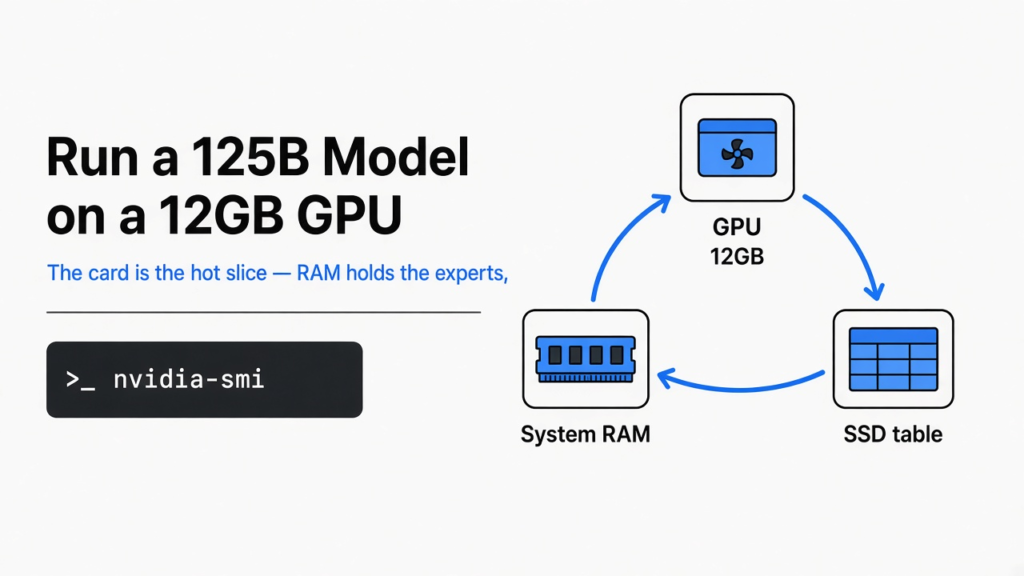
You want a large model on a normal gaming PC. A model is the system that writes the next word. A local model runs on your machine, not in a cloud chat. The line people repeat is that a 125B model (125 billion numbers inside it) fits a 12GB GPU (the memory on the graphics card). Strata is a free runner built for one model, Qwen3.8-Flash-Next. It is for a desktop that already has an NVIDIA card and a lot of system RAM (the memory sticks on the motherboard). It is not for a laptop with 16 GB of RAM.
You can run a 125B model on a 12GB GPU only when the rest of the PC holds the experts. The card is not the bill. The RAM is.
Can I run a 125B model on a 12GB GPU?
Yes, if the card is an NVIDIA RTX 20 series or newer and the PC has enough RAM for the size you pick. A 12GB card does not hold a 125B model. Strata splits the model on purpose.
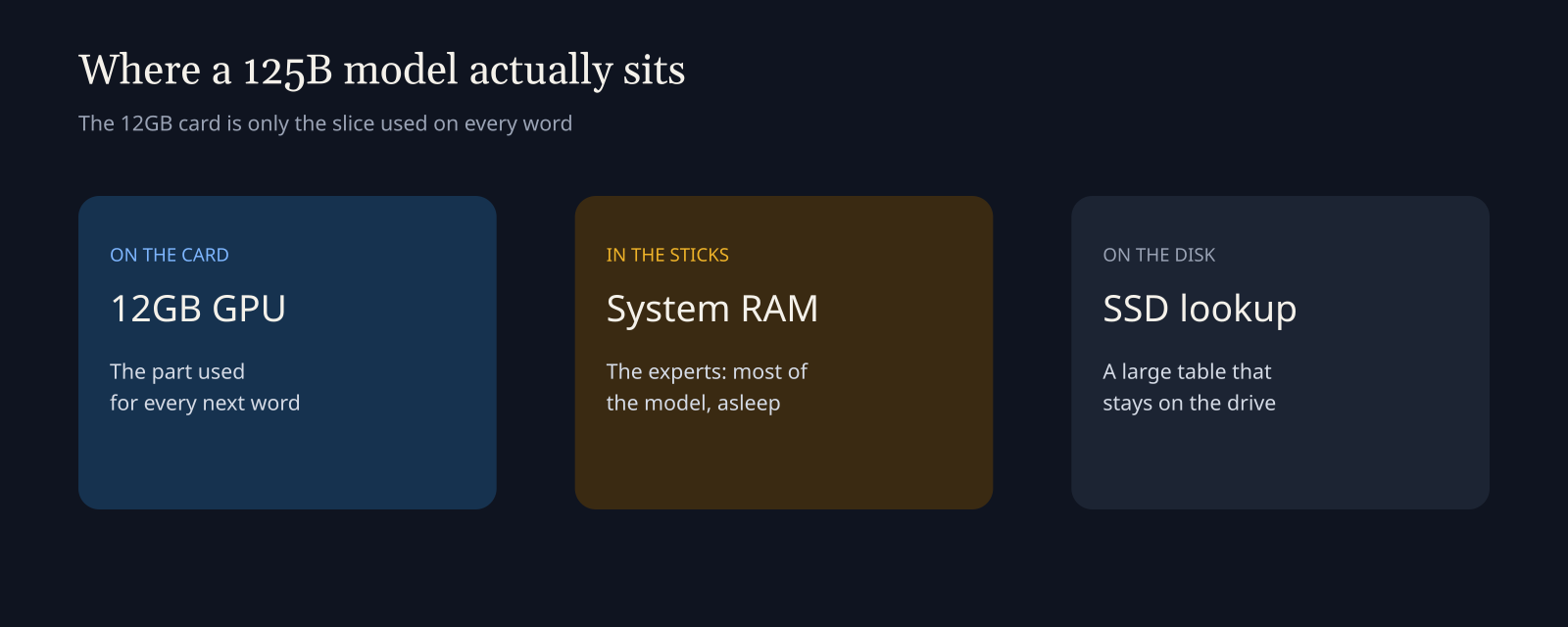
Qwen3.8-Flash-Next is a mixture of experts (most of the model sleeps, and a small slice works on each word). The awake slice can live on the graphics card. The sleeping experts live in system RAM. A large lookup table stays on the SSD (the fast drive, not the RAM). That is why a 12GB card can be enough and a 16GB laptop still cannot run it.
What does the 12GB card actually hold?
The card holds the part used on every word, plus a little room for the conversation. The experts, which are most of the file, go into RAM. The second file, a lookup table of about 29 GB in the project notes, stays on the SSD and is not copied into RAM.
A bigger card makes answers faster, because more experts can sit on the GPU. It does not lower the RAM the installer asks for. I read that rule in the setup script, and the fit function I ran agrees: extra graphics memory helps the slow path a little, and it does not turn 32 GB of RAM into a home for the biggest size.
If the card has under 12 GB, the checker does not stop you. It warns that most experts stay on the CPU and the model will be slow. The hard stop is the RAM, the missing driver, or the disk.
How much RAM do I need to run a 125B model on a 12GB GPU?
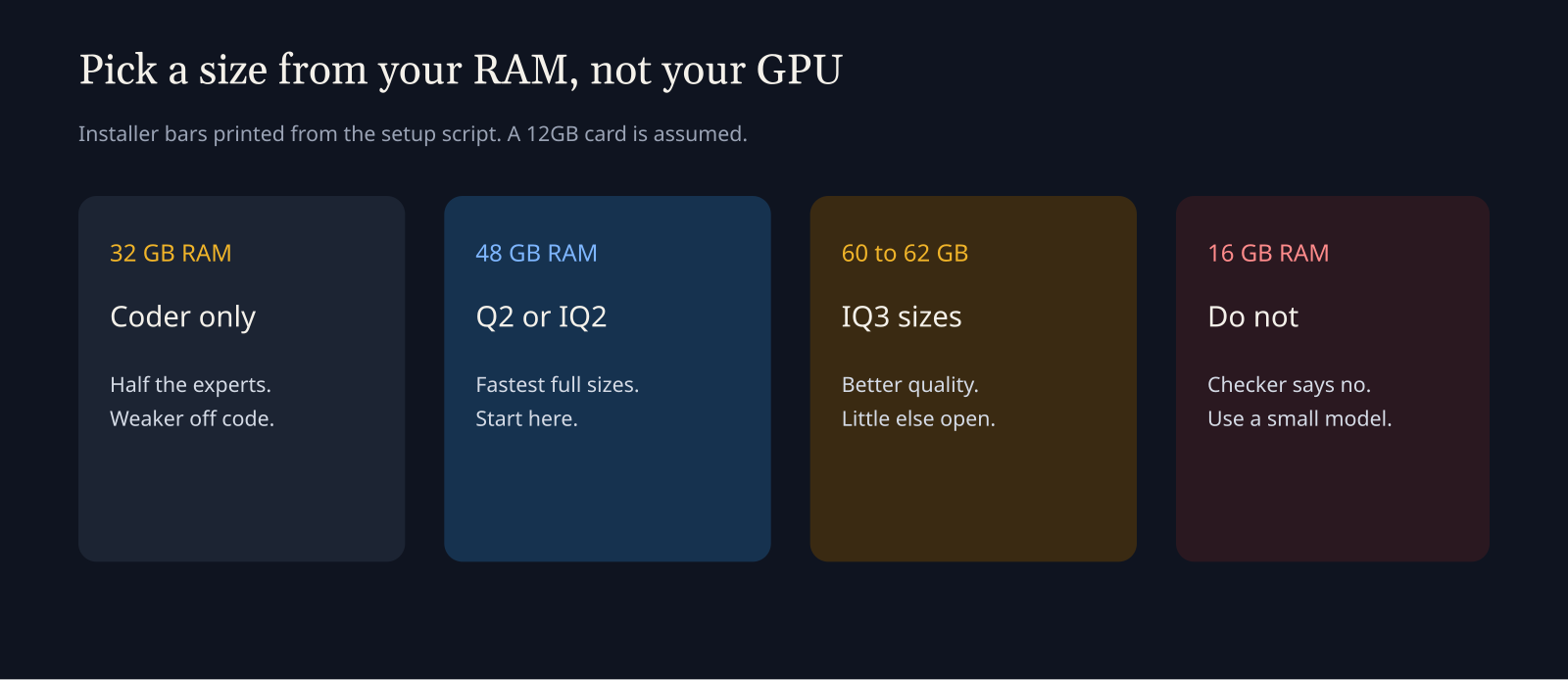
Use the installer’s own bars, not the headline. I printed them from the setup script. These numbers are gigabytes of system RAM, not graphics memory.
| Size | What you are picking | RAM the installer lists | Download |
|---|---|---|---|
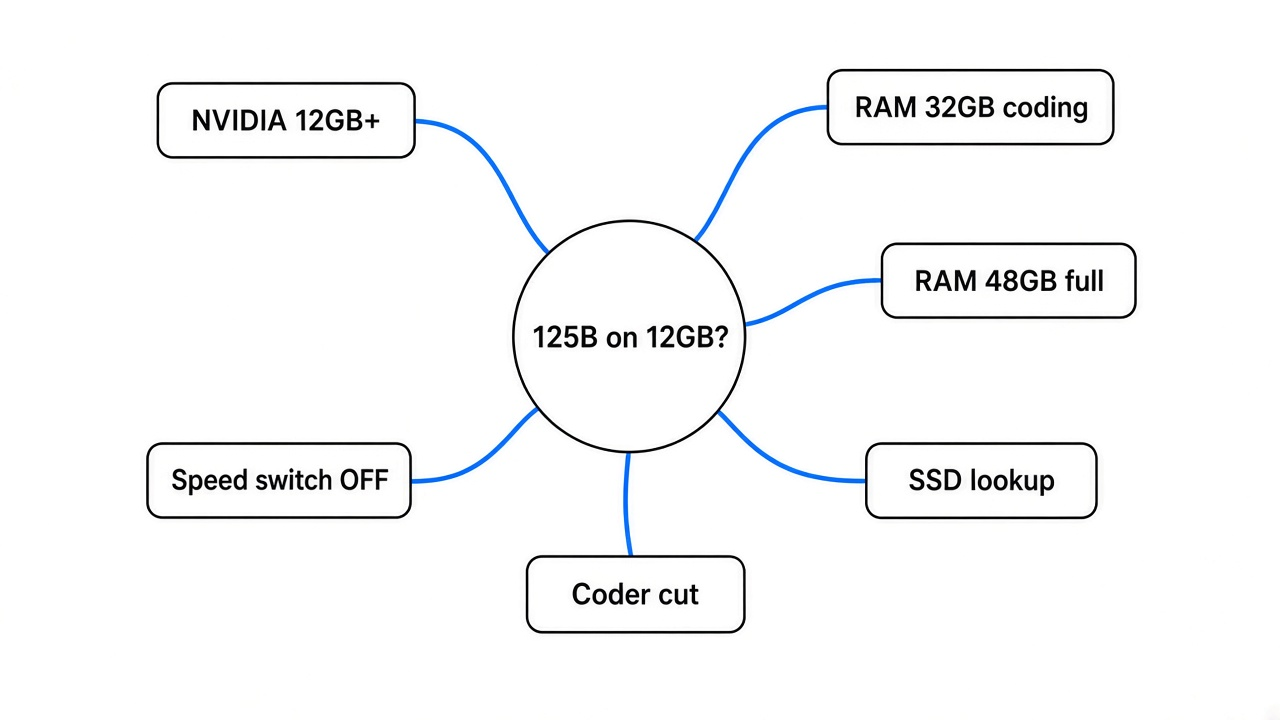
| Coder (IQ1_M) | Coding cut, half the experts | 32 GB | 58.4 GB |
| Q2_0 | Fastest full size | 48 GB | 66.4 GB |
| IQ2_XS | A bit better, still fast | 48 GB | 68.0 GB |
| IQ3_XXS | Better quality, slower | 60 GB | 75.8 GB |
| IQ3_S | Closest to the full weights | 62 GB | 83.6 GB |
A quant (a smaller copy of the same weights) is what those size names are. Smaller is faster and a little less exact. If you have 48 GB and you want the whole model, start with IQ2_XS.
The friendlier table in the readme talks about 37.6 GB to 54.8 GB of RAM and graphics memory added together. That is how big the loaded experts are, not the line the installer uses to say yes. If the two disagree, believe the installer. You are about to download 58 GB or more.
There is also a low-RAM mode (the experts stay in the file, and the PC reads them when it needs them). I ran that fit function with a 12GB card. The coding cut passes at 24 GB of RAM. The full sizes Q2_0 and IQ2_XS do not pass at 32 GB. IQ3_S does not pass at 48 GB. Treat 24 GB as a slow maybe for code only. If the disk light stays on, you are in that mode.
16 GB of RAM does not pass, even for the coding cut, on a 12GB card.
I ran the checker with no NVIDIA GPU
On this machine I ran python3 setup.py --check from a fresh copy of Strata. The script stopped at step 1.
[X] no NVIDIA GPU found (nvidia-smi did not answer)
install the NVIDIA driver and restart the PCExit code 1. It never asked which size I wanted. It never started a download.
I then called the same script’s memory check. This PC has 3.84 GB of RAM and 48.7 GB of free disk. The CPU does have AVX2 (a CPU feature the installer requires), so the processor would have passed. The smallest download in the table is 58.4 GB, so this disk would have failed later too. The first wall was the missing card.
That is the test you can rerun in a few minutes. You do not need the model file to learn if your PC is even a candidate.
python3 setup.py --checkOn Windows, do not double-click the start script until nvidia-smi prints a card. If that command is missing, stop. Fix the driver before you make an 80 GB folder.
The card also has to be RTX 20 series or newer. In the script that is compute capability 7.5 or higher (a generation label for the chip). Older cards are refused. The driver has to be branch 580 or newer, because the ready-made engine expects that CUDA line (the NVIDIA library the engine is built against). I could not hit the driver check here, because there was no card to ask.
AMD is a separate path, and only for a Radeon RX 7900 XT or XTX on Linux. The script compiles the engine, uses one card, and does not do images yet. This PC has no AMD card either, so the checker did not offer that path. I did not run it.
Which size should I pick?
If you write code and you have 32 GB of RAM, pick the Coder size. It keeps the experts used for code, tools, and pictures, and drops the rest. The project says that cut keeps most of the coding score and is weaker on other work. I did not re-score it. Use it when the full sizes do not fit, not because it is smarter.
If you have 48 GB, pick IQ2_XS of the original model. It is the recommended full size, and the installer lists 48 GB for it. Q2_0 is the faster neighbor if you care more about speed than the last bit of quality.
If you have about 64 GB and little else open, IQ3_XXS or IQ3_S is the quality step. IQ3_S is original-model only. Swift 1.5 is a fine-tune (a second training pass on the same model) that thinks for fewer words before it answers. It uses about the same RAM as the matching original size, and it has no IQ3_S. Its own license applies. Leave it until the original size already runs.
Leave the experimental speed projection off. The name sounds like a faster engine. The notes say it is not. It removes a direction the model uses when it declines a request, and it costs a fraction of a percent per word. You are responsible for what it writes with that switch on. The default is off. Keep it off.
Context (how much text the model can keep in mind) should start at 8K or 32K. A long context lives in RAM too. Raise it after the first chat works. The server answers one request at a time. The first long message is slow. Later messages in the same chat only read what is new.
Is Strata worth it versus llama.cpp?
Strata is worth it when you want this one model, on an NVIDIA card, and you meet the RAM bar. llama.cpp (the usual local runner for many different models) is worth it when you want many models, a Mac, or a PC that fails the RAM check.
I did not re-time tokens per second (how fast words appear). This machine has no NVIDIA GPU, so a speed test would be fiction. The project’s own table, on an RTX 5070 with 12 GB, a six-core desktop CPU, and 64 GB of RAM, lists about 79 tokens per second for IQ2_XS on a short chat, and about 62 for IQ3_XXS. They also say the same small quant was much slower in llama.cpp on that PC. Treat that as their bench, not mine. Your RAM speed matters as much as the card, because the experts are in RAM.
Use llama.cpp, or a smaller model that actually fits, if any of these are true:
- You have 16 GB of RAM.
- You need a model other than Qwen3.8-Flash-Next.
- You are on a Mac. The install path is Windows and Linux.
- You want several chats at once. Strata serves one request at a time.
How do I point Claude Code at it?
After the model is actually running, the page in the browser is http://127.0.0.1:8080. Coding tools do not use that page. They use http://127.0.0.1:8080/v1 with any API key and any model name. Tools that speak Anthropic’s API use http://127.0.0.1:8080/v1/messages.
Claude Code is a terminal coding agent (a program that edits your repo, not a chat box). Point it at that local address the same way you would point it at any other compatible server. If you already switch models from one screen, Magpie vs CC Switch is the page for that switch. A local URL is just another provider.
The loop around the model is a different job from the model. How Claude Code works is the short map of that loop. A sandbox is a different job again: coop walls the agent off from your machine. Strata does the opposite. It puts a huge model on your machine. Do not mix those up.
If the model still wanders, the file it reads at the start of a session matters more than a bigger quant. The short version of that habit is in the CLAUDE.md writeup.
When should I not use Strata?
Do not install it to try a 125B model on a 16 GB laptop. The checker will refuse you, or the PC will grind on disk if you force a path that barely fits.
Do not turn on the experimental switch to chase speed. It is not a speed switch.
Do not expect a second request to run beside the first. They wait in line.
Do not use the AMD path unless you have that one Radeon class on Linux and you are fine compiling. I did not test it.
Do not download the model onto a drive with under 80 GB free. The largest size in the installer is an 83.6 GB download, and the files want an SSD so the lookup table is not painful.
The first start can freeze the mouse for a few minutes while tens of gigabytes land in RAM. That is normal on a machine that qualifies. Close the browser first. Do not kill the window.
Can I run Qwen3.8 Flash Next on a 12GB GPU if I only have 32GB of RAM?
Only the coding cut. The installer lists 32 GB for that size and 48 GB for the fast full sizes. I ran the fit function: Q2_0 and IQ2_XS do not pass the low-RAM check at 32 GB on a 12GB card. Pick Coder, or add RAM.
Why is a 12GB GPU still slow on a big local model?
Because the experts are in system RAM, or worse, on the SSD. The card only speeds up the awake slice. Slow RAM, a nearly full PC, or the low-RAM disk path will feel nothing like a short chat on an empty 64 GB machine.
Does the experimental speed switch make Strata faster?
No. Leave it off. The notes describe a change to which requests the model refuses, with a tiny extra cost per word, not a faster engine.
Can I install Strata with no NVIDIA driver?
No. python3 setup.py --check exits on “nvidia-smi did not answer”, which is what I got. Install a current NVIDIA driver, confirm nvidia-smi prints the card, then check RAM and free disk before the download.
The project is Niko1221/Strata. The model card is Qwen3.8-Flash-Next.
Real tests. Plain words. No hype.