
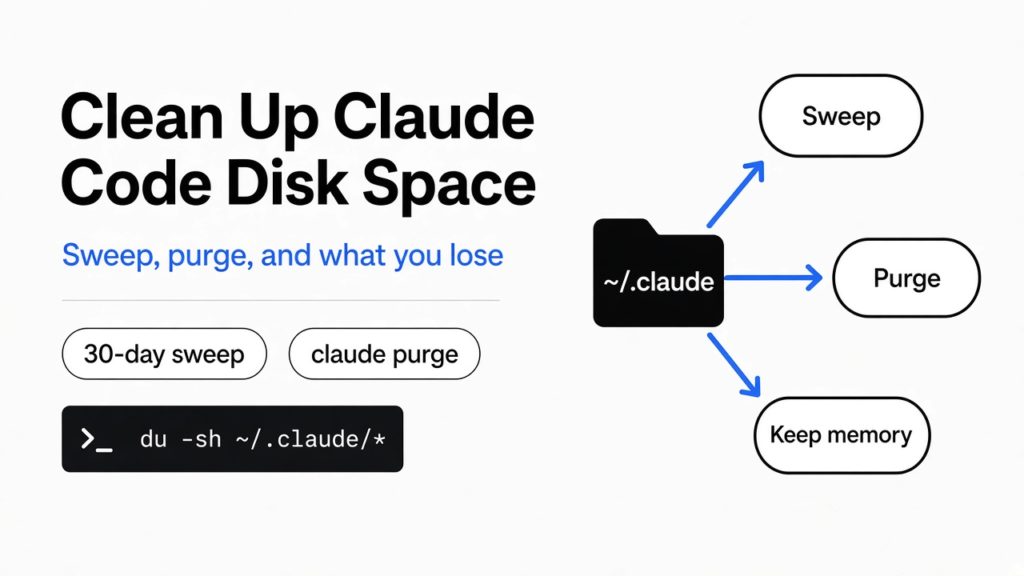
Short answer: You clean up Claude Code disk space in one hidden folder, ~/.claude, where it keeps its history. It already deletes most old files on its own after 30 days, and you can shorten that with one setting. To wipe one project, use the built-in claude purge command. Be careful with third-party cleaners: the one I checked deletes your installed plugins on its default settings.
Your laptop says the disk is almost full. You hunt for the culprit and find a hidden folder in your home directory called .claude, packed with thousands of files you never made.
Claude Code wrote them. Every chat, every file it read, every command it ran, saved as plain text.
So you want it gone. That part is easy. The hard part is knowing what each delete takes with it, because some of those files are the reason Claude remembers your project. Cleaning is easy. Knowing what you lose is the hard part.
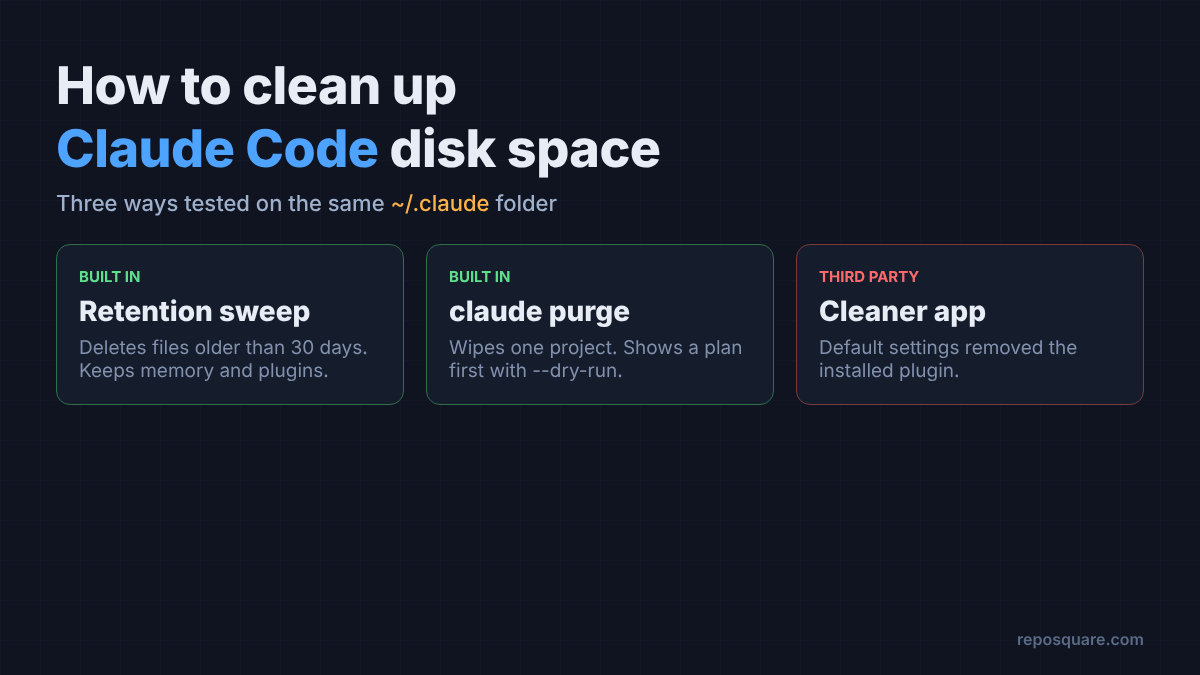
I built a test copy of that folder, with real Claude Code sessions plus aged copies of every other kind of file it writes. Then I cleaned it three ways and checked what survived each one.
Why does the .claude folder keep growing?
Because Claude Code saves a full written record of every session, and records only pile up.
So start with the simplest fact. When you chat with Claude Code, every message has to live somewhere so you can come back to it later. That “somewhere” is a transcript (a plain text log of one whole chat, saved as a .jsonl file).
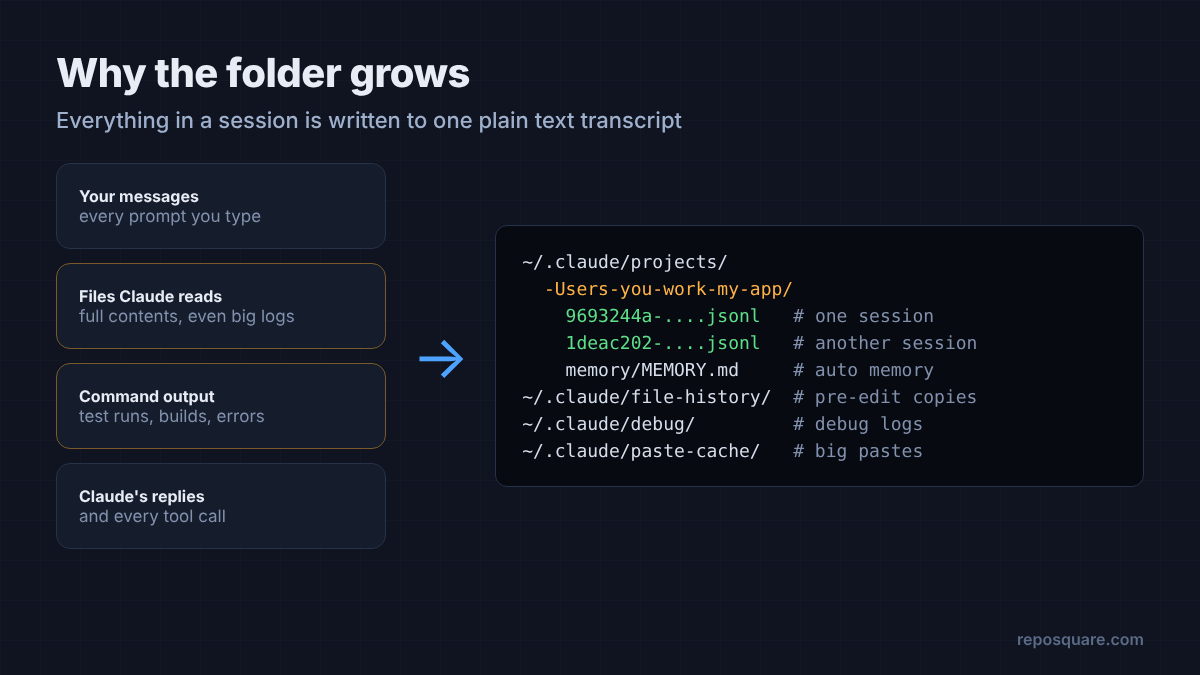
Now build one step up. A transcript is not just your words. It holds every file Claude opened and every command output it saw. One session that reads a big log file can write megabytes. Many sessions over months can write gigabytes.
The transcripts are only one pile. Claude Code also keeps file snapshots for checkpoints (saved copies of a file from before Claude edited it, so you can rewind), debug logs, pasted text, plan files and your typed prompt history. Each has its own folder under ~/.claude.
Think of it like a phone that saves every photo at full size forever. Nothing is broken. It just never throws anything away unless you tell it how.
How do I see what is taking up space?
Run one command and the biggest folders sort to the bottom.
On Mac or Linux, open a terminal and run this:
du -sh ~/.claude/* | sort -hThat du command measures disk usage, and sort -h puts the largest folders last. On most machines the winner is projects, because that is where the transcripts live. If debug is huge, you probably ran Claude Code with debug logging on at some point.
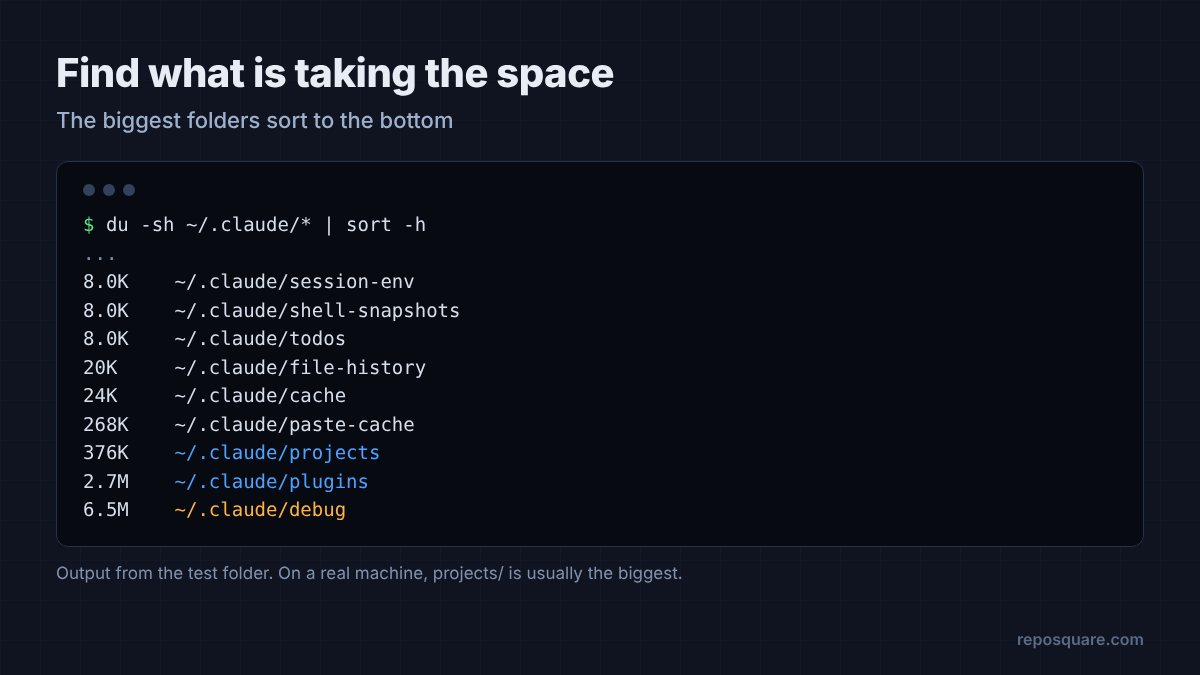
That list tells you where to aim. But which tool should you aim with?
Does Claude Code delete old files by itself?
Yes. A built-in cleanup removes most session files older than 30 days, and you can change that number.
Claude Code runs a retention sweep (an automatic cleanup that deletes files past a set age). The age limit comes from a setting called cleanupPeriodDays. The default is 30. The smallest allowed value is 1.
To keep only two weeks of history, add this to ~/.claude/settings.json:
{
  "cleanupPeriodDays": 14
}So I tested that sweep on my aged test folder. It removed the old transcripts, the old file snapshots, the debug log, the pasted text, the plan file, the leftover shell snapshot and an old to-do file. It kept the fresh session, the prompt history and the installed plugin.
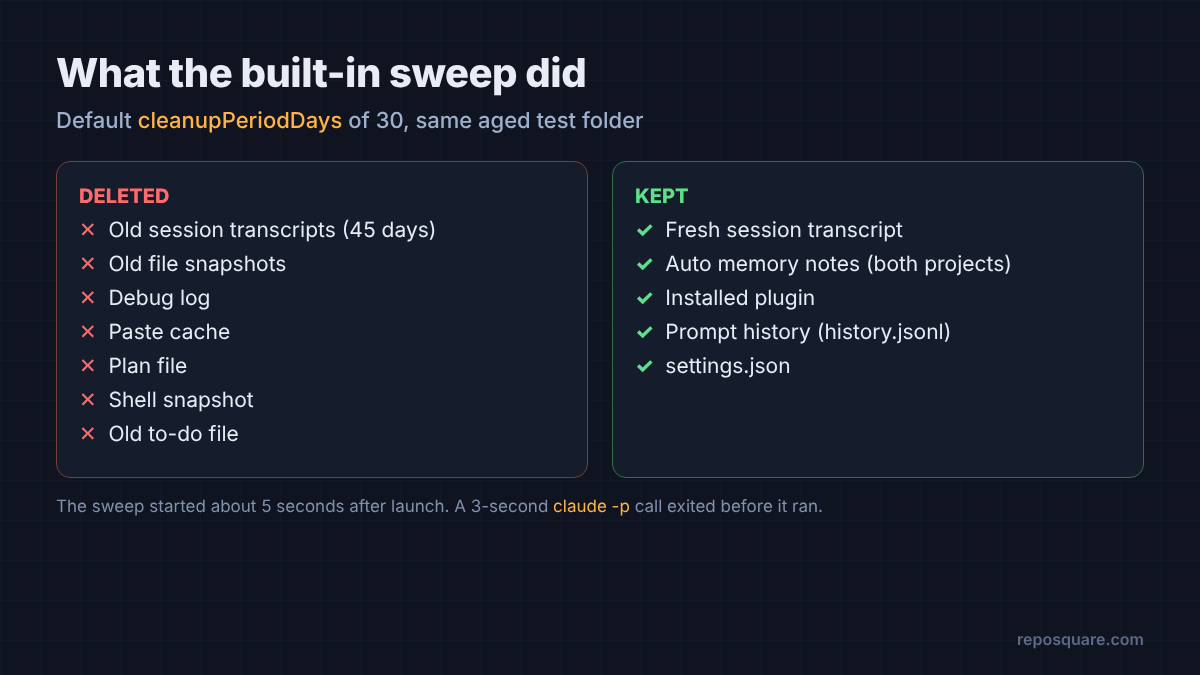
It also kept both memory files. Auto memory (notes Claude writes for itself about your project, like your test command) lives inside the project folder, but the sweep leaves those notes alone. (More on how Claude Code memory works here.) That is the right call. Losing a two-month-old note that says “run tests with pytest -q” costs you more than the few bytes it frees.
Here’s the catch, though.
That sweep does not run the instant Claude Code starts. In my test it began about five seconds after launch. A quick one-shot claude -p call that finished in about three seconds exited before the sweep ever started, twice. A longer run cleaned everything as expected.
That matters if you mostly use Claude Code from scripts. Short scripted calls may never trigger the cleanup, so the folder keeps growing even with the setting in place. Any session that stays open longer than a few seconds lets it run.
How do I delete everything for one project?
Use claude purge with the project path, and preview it first with --dry-run.
But sometimes age is the wrong filter. You finished a client project, or a session read a file with secrets in it. You want every trace of that one project gone, old or not.
For that job, Claude Code has its own command. Preview first:
claude purge ~/work/old-client --dry-runIt prints a plan and deletes nothing. In my test it listed the project’s transcript folder (including its memory) and the project’s entry in ~/.claude.json, the file that stores per-project settings like trust and MCP servers (tools you connected to Claude). Then it said: “Dry run: 2 item(s) would be deleted.”
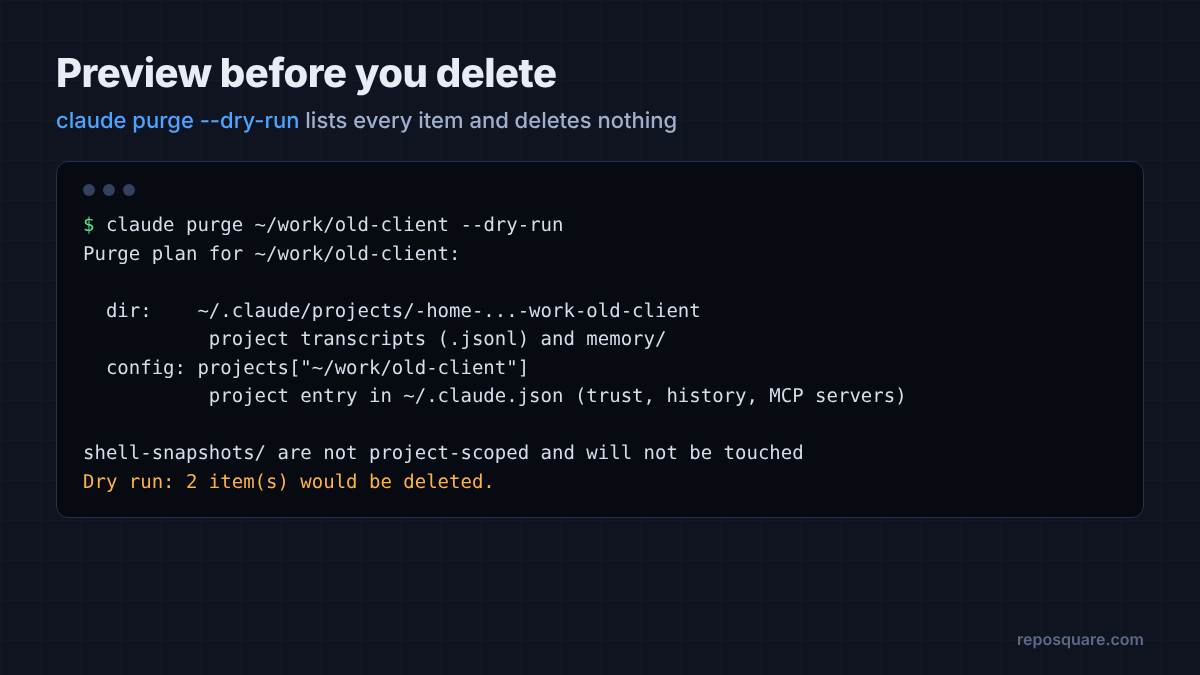
Run the same command without --dry-run and it asks for a yes before deleting. Add --yes to skip the question in a script. It also worked on a project whose folder I had already deleted, which is exactly the case where you want it.
For a live project it goes further. The plan for my active test project also included its file snapshots, its debug log and the matching lines in your prompt history.
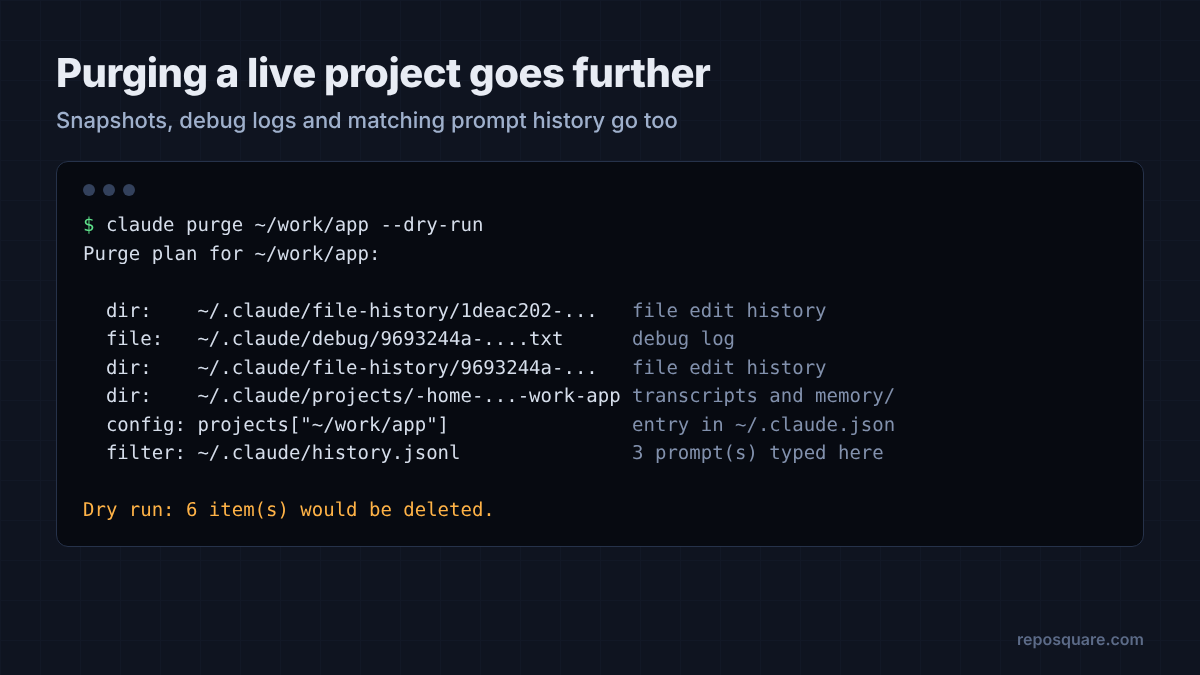
There is also claude purge --all, which clears every project at once and deletes the whole prompt history file. Use the dry run before that one. It is the nuclear option, and it takes your auto memory with it.
Is claude-code-cleaner safe to use?
Its scan screen is useful, but its default settings delete your installed plugins, and it marks many live projects as abandoned.
So what about cleaner apps? claude-code-cleaner is a free, open source terminal app that shows your .claude folder like a disk cleaner on a Mac. I built it from source and pointed it at a copy of my test folder. The first screen is good: a clear table of every category, its size, its file count and the age of its oldest file.
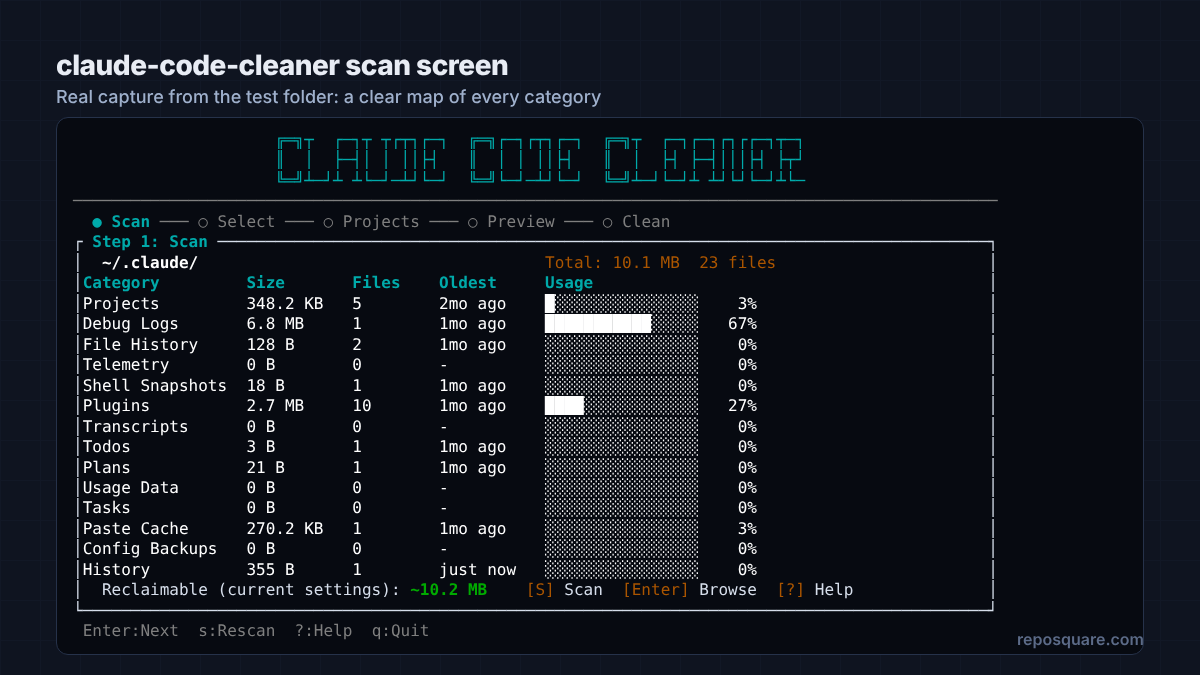
Then I went through the code that decides what gets deleted, and applied those rules to a fresh copy of the same folder. Two problems showed up.
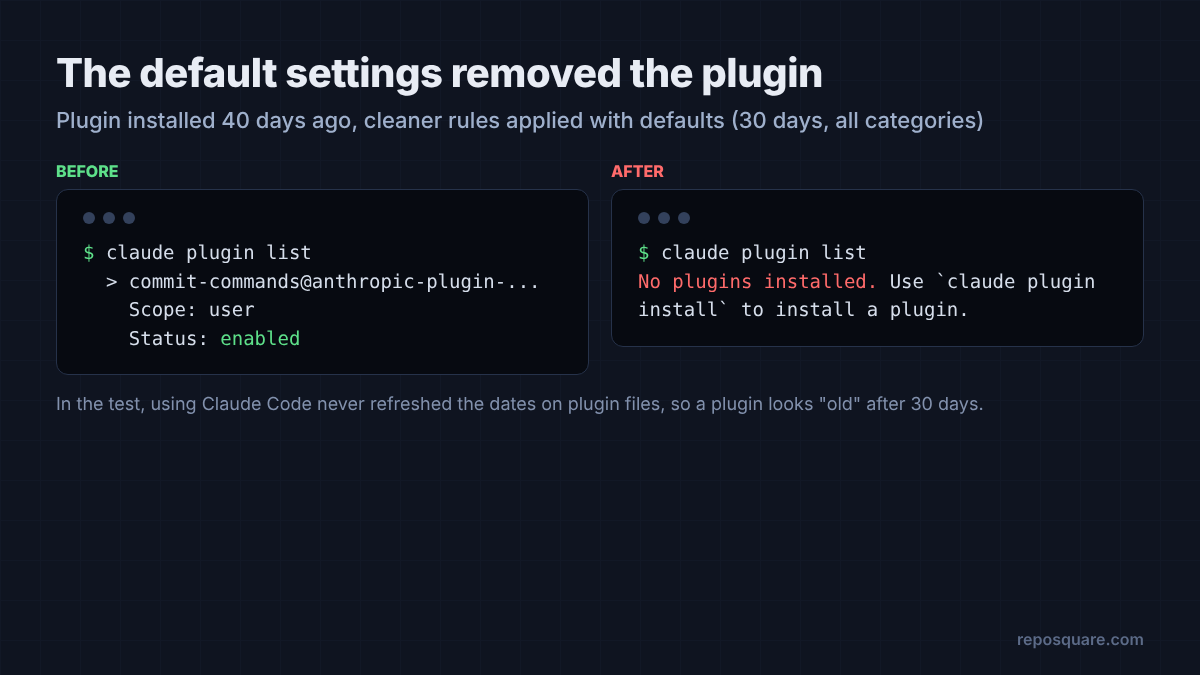
Problem one: plugins. Every category is ticked by default, and one of them is plugins. The cleaner deletes any file in it older than 30 days. In my test, using Claude Code never updated the dates on those files, so a plugin installed a month ago looked “old”.
So what happened to my plugin? After applying the default rules, claude plugin list said: “No plugins installed.” If you picked your plugins carefully, that hurts.
Problem two: project names with dashes. Claude Code names each project’s data folder after its path, swapping slashes and most other characters for dashes. The cleaner turns those dashes back into slashes to check whether the project still exists. So a live project at ~/work/my-app gets checked as ~/work/my/app, which does not exist, and gets labeled ORPHAN (a project whose folder is gone).
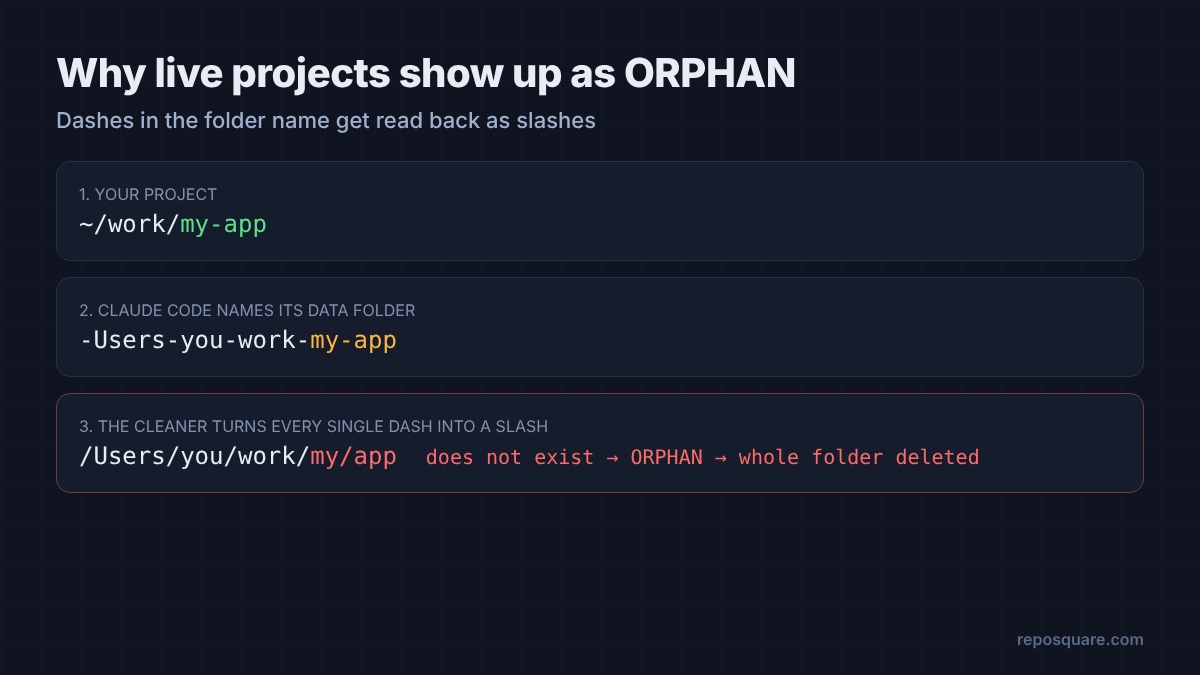
Orphans get deleted whole, memory included. I created a fresh session in a my-app folder one minute earlier, and the cleaner’s orphan rule still selected it.
To be fair to it, the cleaner asks you to pick projects yourself and shows a preview before deleting anything. If you untick Plugins and never use “select orphans”, it does what it promises. But a cleanup tool should be safe on its defaults, and this one is not yet.
What do I lose if I delete each folder?
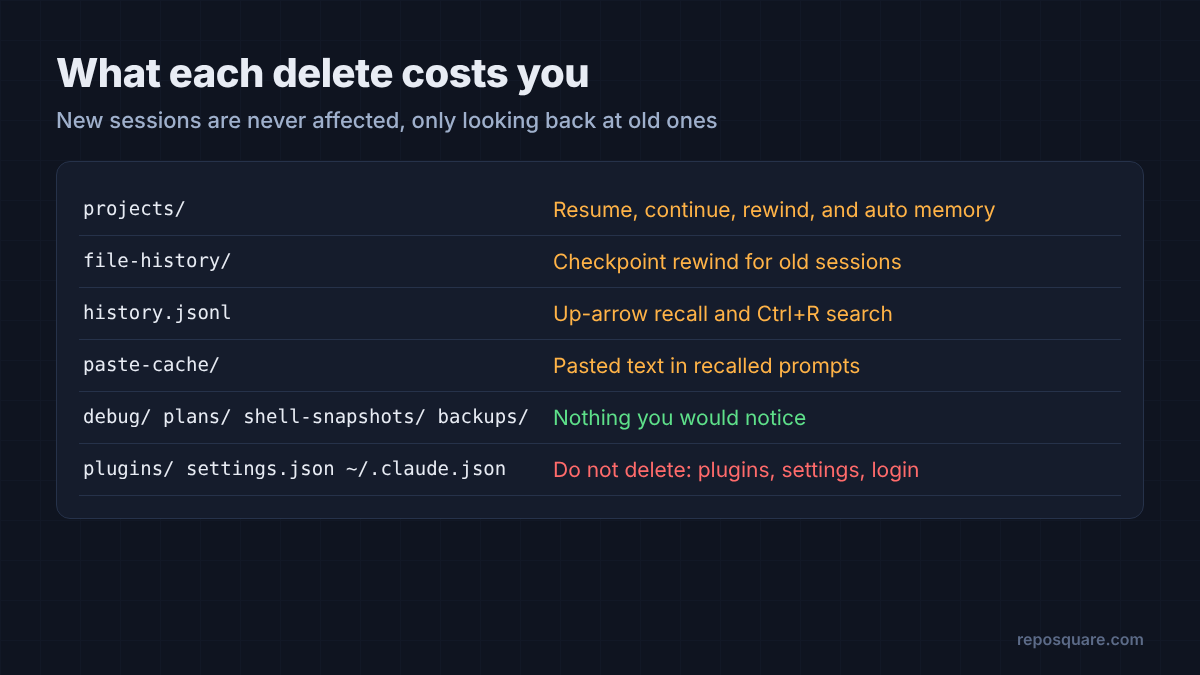
New sessions are never affected. You only lose features that look backward at old sessions.
This is the table I wish I had before deleting anything by hand. It covers the folders that matter, and the official folder guide lists every last file.
| Folder or file | What you lose if you delete it |
|---|---|
| projects | Resume, continue and rewind for old sessions, plus auto memory for every project |
| file-history | Checkpoint rewind for old sessions |
| history.jsonl | Up-arrow prompt recall and Ctrl+R prompt search |
| paste-cache | Pasted text inside recalled prompts |
| debug, plans, shell-snapshots, backups | Nothing you would notice |
| plugins, settings.json, ~/.claude.json | Do not delete: your plugins, settings and login live here |
And there is one more reason to clean. Those transcripts are plain text and not encrypted. If Claude ever read a .env file or printed a key, that value sits in a transcript until the file is deleted. A shorter cleanupPeriodDays shrinks that window too, and permission rules that block risky commands help keep secrets out in the first place.
Which cleanup method should I use?
Let the built-in sweep do the routine work, and reach for claude purge when one project has to go.
So is a cleaner app ever worth it? There is a case for one. It shows the whole folder at a glance, and people like seeing a big “freed” number.
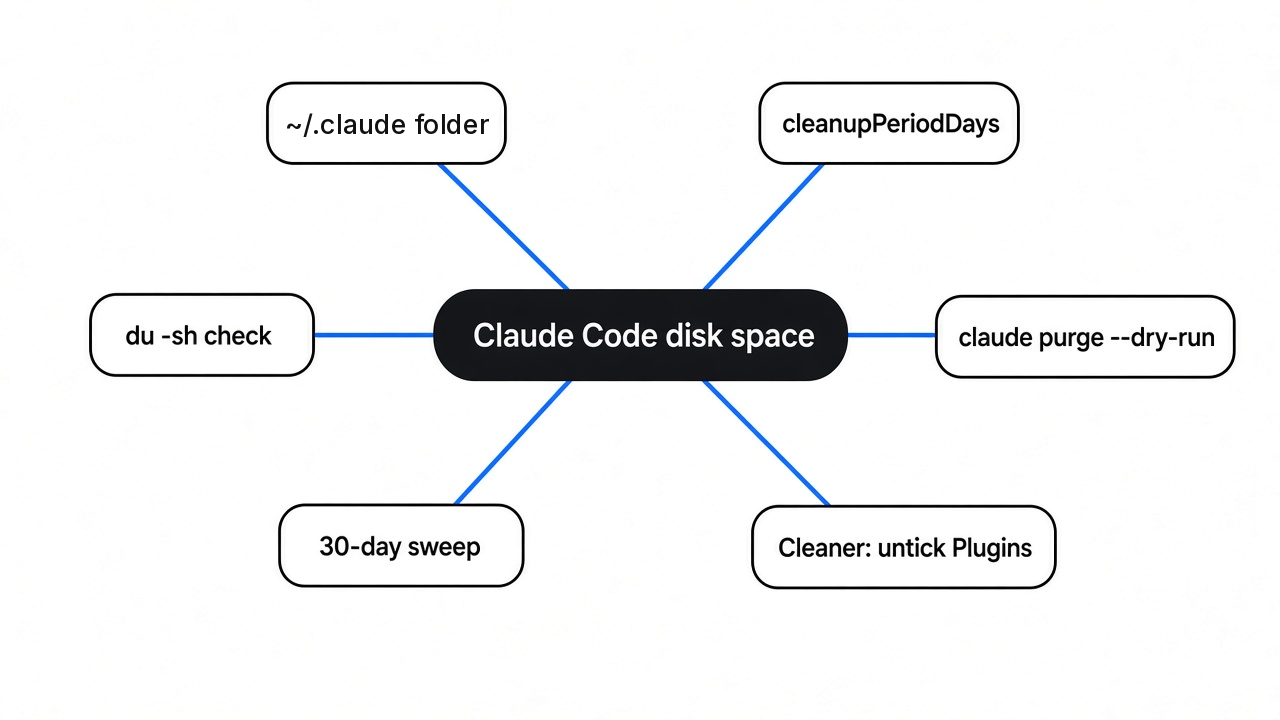
For most people, the two built-in tools do the job with less risk. Set cleanupPeriodDays to how far back you ever resume, maybe 14. Run claude purge <path> --dry-run when you finish a project or a session saw something private. Check du -sh ~/.claude/* once a month. If you do try a third-party cleaner, untick Plugins first.
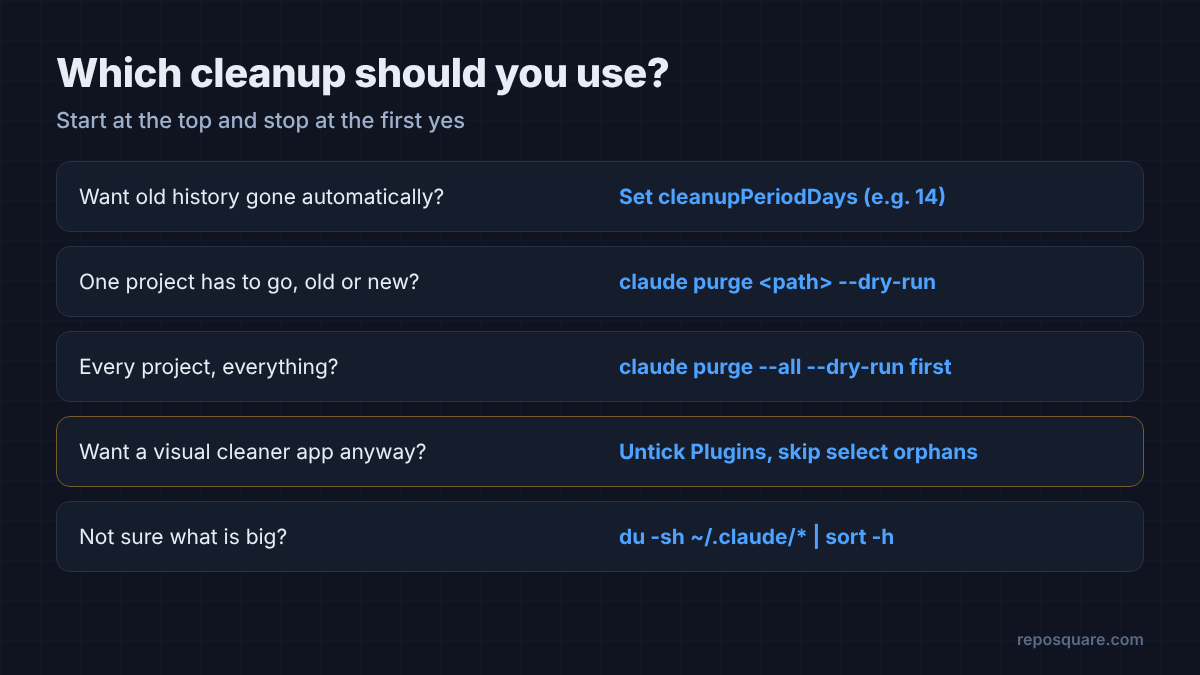
Cleaning was never the hard part. Run the dry run, read the list, then press yes.
Common questions about Claude Code disk space
Is it safe to delete the ~/.claude folder?
Not the whole folder. It holds your settings, plugins and login. Deleting projects, debug or file-history is safe, but you lose resume, rewind and auto memory for past sessions.
Does Claude Code delete old conversations automatically?
Yes. It deletes session files older than cleanupPeriodDays, which defaults to 30 days. Auto memory notes and your prompt history are kept.
How do I delete Claude Code history for one project?
Run claude purge <project path> --dry-run to preview, then run it again without --dry-run. It removes that project’s transcripts, memory, file snapshots and settings entry.
Why is my .claude folder still big after setting cleanupPeriodDays?
The sweep starts a few seconds after Claude Code launches, so very short scripted runs can exit first. Keep one session open for a bit, and check that your settings file has no errors.