

Ask a coding agent (a program that edits your files and runs commands, not a chat box that only talks) to “write a function that turns a post title into a URL slug” and it will hand you code. That request is 12 words long and leaves at least eight decisions open: what a blank title becomes, what happens to a comma, an apostrophe or an accented letter, how long the slug may get, and more. The agent picks an answer for each one, and you find out which when a real title breaks it.
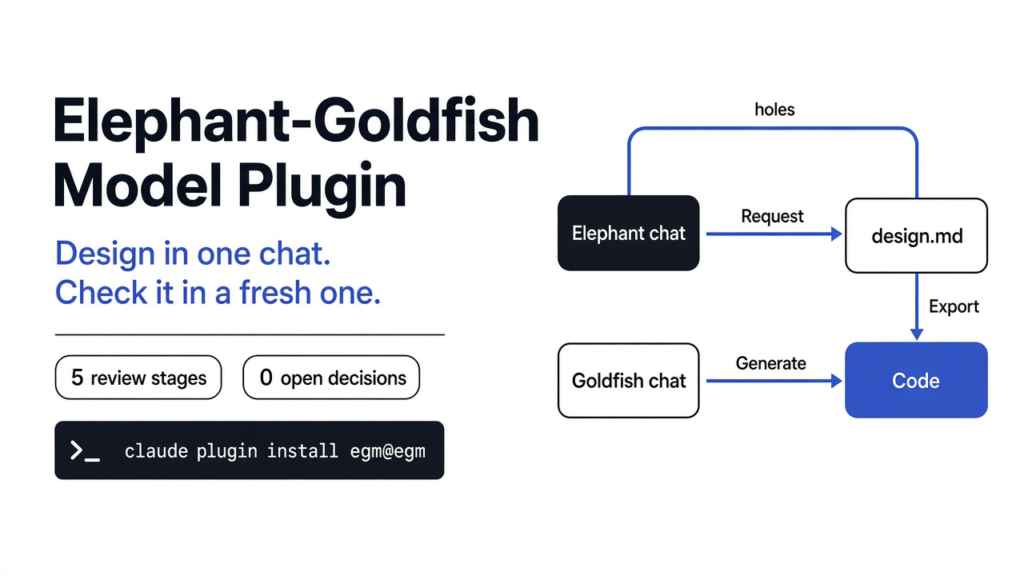
The elephant goldfish model plugin from Google (EGM for short: a pack of instructions that makes one long chat write the design, and a fresh chat try to follow that design) is built to catch those guesses before they become code. This guide covers what each of the two chats is allowed to see, how to install the plugin in Claude Code, Codex or Antigravity, what the design file has to contain, and a worked slug example where the finished plan leaves zero decisions and five checks pass.
Checked against the google/elephant-goldfish-model repo, plugin version 0.1.0 (main branch, commit d651fe8, October 2026).
What is the Elephant-Goldfish Model plugin?
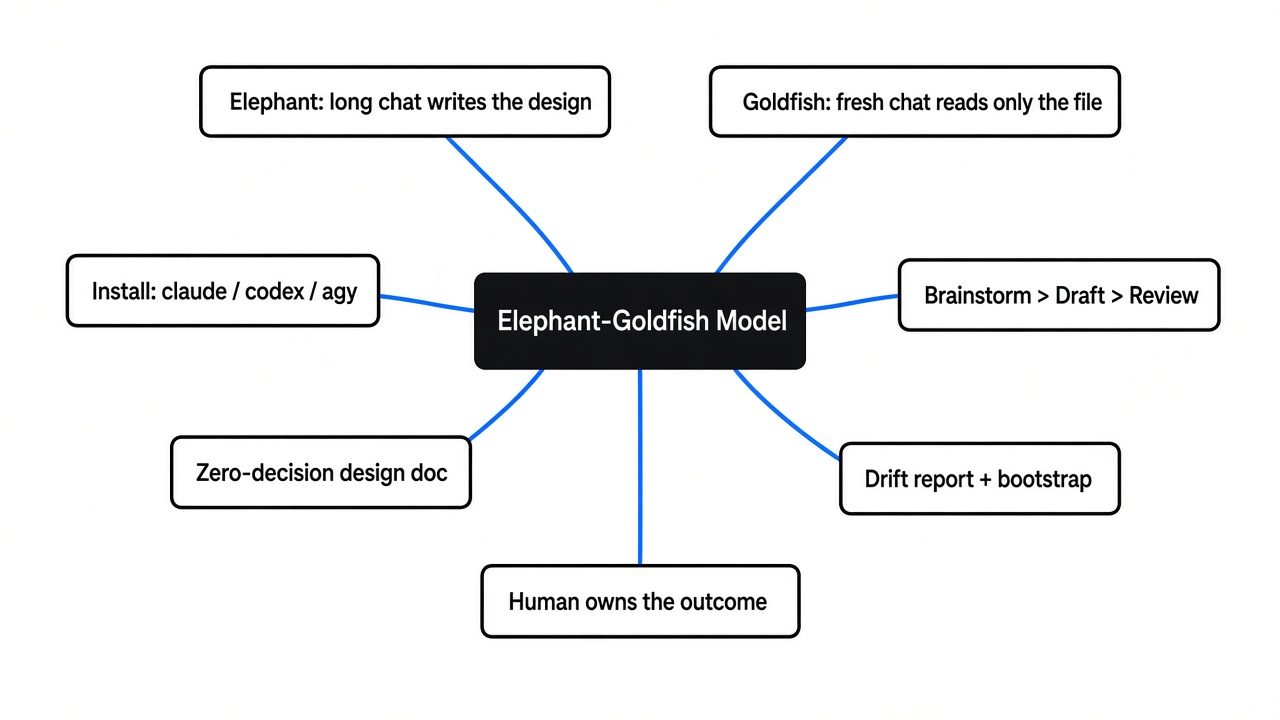
It is a way to stop the chat that knows your whole project from also being the chat that writes the code. The repo describes it as a plugin for spec-driven development: you write the specification first, have it checked, then build to it.
You already live in the mess. A long chat remembers every aside. That memory is the context (the text this chat can still see). The same memory hides holes, because the chat still “knows” what you meant when the page never said it. The plugin splits the job so the second chat cannot lean on that memory.
An elephant, in this plugin, is not the animal. It is the long chat. It may read the project, argue about trade-offs, and write a design document (a plain markdown file with headings that says what will change and what will not). It is not supposed to write the program in that same sitting. The animal is only a memory hook: this is the chat that keeps the history.
A goldfish is a new chat with none of that history. A subagent (a helper session the main chat starts, then waits for) is the usual way to get one. The goldfish may read the design file and the live source code it points to. It may not read the argument that produced the file. If it cannot build the change from the file alone, the file is not done. In Claude Code the reviewers run as separate subagents with read-only tools (Read, Grep and Glob) and with your CLAUDE.md instruction files left out, so they cannot edit files or run shell commands. A review inside the original chat does not count, because that chat still remembers the argument.
There is a third role. The repo names the human as the owner of the outcome: the AI explores and audits, and people make the architecture calls and review the design in a pull request before anyone builds it.
The pack is open source under the Apache 2.0 license, so you can read every instruction file and change it. The repo also says it is not an officially supported Google product, so if something in the instructions is wrong, you read the file rather than open a vendor ticket. The method comes from Dave Rensin’s essay Elephants, Goldfish, and the New Golden Age of Software Engineering.
How do I install the elephant goldfish model plugin?
Install the whole plugin, then brainstorm, draft and review, in that order, and only then ask for code.
A skill (one instruction file the agent loads when your task matches its description) is not enough on its own here. The review steps read persona files in agents/ and document standards in resources/ that sit beside the skills. Copying only the skills/ folder leaves those reads broken, so install the plugin itself.
In Claude Code, the docs ask for version 2.1.271 or later, because older versions cannot keep the goldfish properly isolated. The install is two commands:
claude plugin marketplace add google/elephant-goldfish-model
claude plugin install egm@egmIf the commands do not appear afterwards, turn the plugin on with claude plugin enable egm@egm. Codex is the same shape:
codex plugin marketplace add google/elephant-goldfish-model
codex plugin add egm@egmAntigravity uses agy plugin install https://github.com/google/elephant-goldfish-model. If you are already inside a coding agent, you can tell it to install that GitHub address and let it follow the guide in the repo.
In Claude Code the commands wear an extra prefix. You type /egm:egm-brainstorm, not /egm-brainstorm. A command that seems missing there usually means the prefix was left off, not that the install failed.
The loop is four moves: the repo’s quickstart, plus the human review it insists on.
- Brainstorm.
/egm-brainstormpressures the idea before a document exists. It asks you to clarify the concept, then sends a six-lens goldfish swarm (fresh readers with different jobs, such as a contrarian that asks whether the feature needs to exist at all) to knock holes in it. You get aconcepts_brief.md, not code. - Draft.
/egm-draftturns that brief intodocs/designs/<feature>.md, one section at a time. - Review.
/egm-review docs/designs/<feature>.mdruns fresh readers on that file in five stages, in a fixed order: a zoom-out look at the overall shape, a comprehension test that flags any term you did not define, a design critique, a second zoom-out, then an implementation-readiness pass that asks whether a stranger could build it. The docs warn that it gives a lot of feedback by design. - Decide and build. Keep the notes that name a real hole, fix the file, have a person review it in a pull request, and only then ask for the code the document already specified.
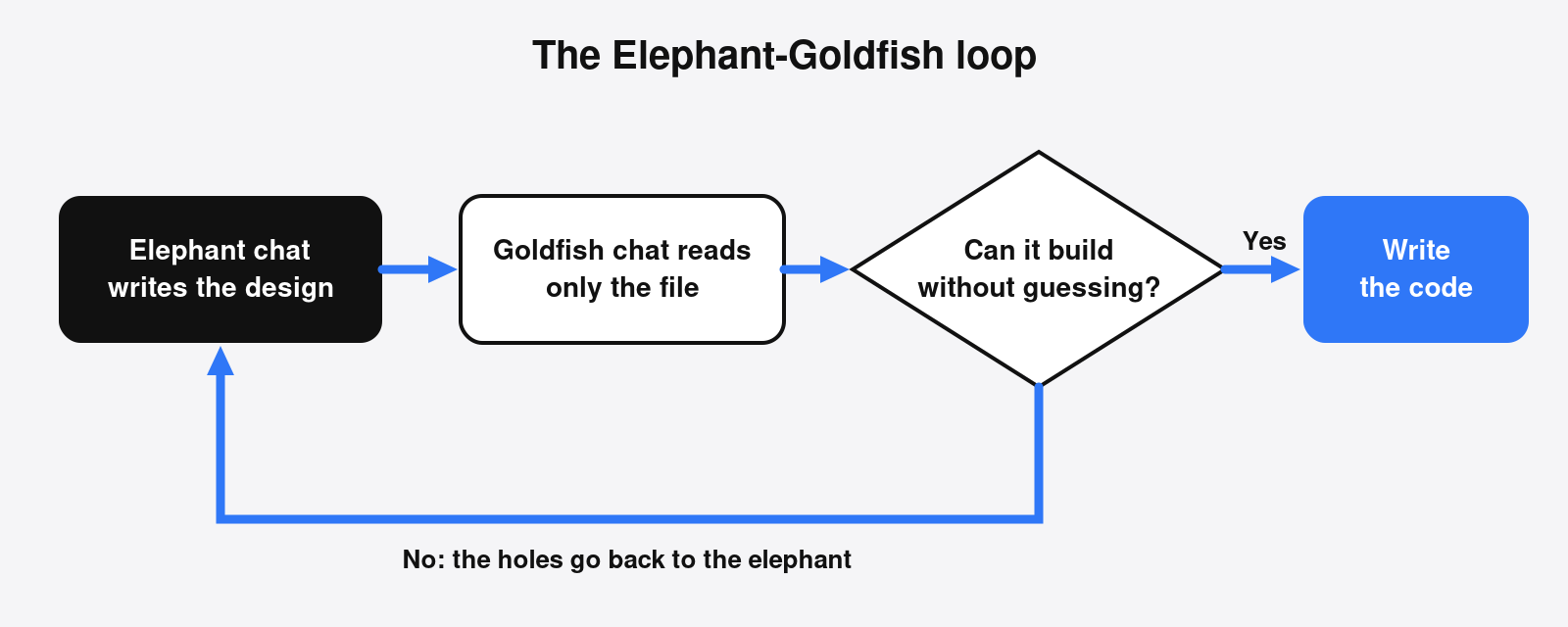
Two later commands matter once the code exists. /egm-drift-report compares the design files with the code that landed and lists where they diverged; you pick which side is wrong, and the guide suggests running it weekly. /egm-bootstrap walks an existing project from the deepest folders up and writes a README for each, so the long chat has something to read on an old repo, not only on a new idea. A brand new function needs neither. They are the tools for the week after, when the file and the program start to disagree.
The same “load the instructions, do not paste the whole chat” idea is why a skill folder is worth sharing on purpose. If you already keep skills for two agents, the handoff is the one in how to sync Claude skills to Codex, and which Claude Code plugins are worth installing covers the rest of the shelf.
Elephant vs goldfish: what each chat may read and write
The elephant may remember the project. The goldfish may not. They are not two products. They are two rules for two chats.
| Elephant chat | Goldfish chat | |
|---|---|---|
| What it remembers | The project and this conversation | Nothing from the conversation |
| What it may read | History, diagrams, the draft | The design file and the code it names |
| What it writes | The design, not the program | Review findings, not the program |
| Pass mark | A file a stranger could follow | It finds no decision left to invent |
| Fail | It starts coding in this chat | It has to ask what you meant |
The split is about context, not about which model you use. Both roles can run on the same model; what changes is what each one is allowed to see. If you want the picture of the agent loop these chats sit inside, that map is how Claude Code works.
What has to be in an EGM design doc?
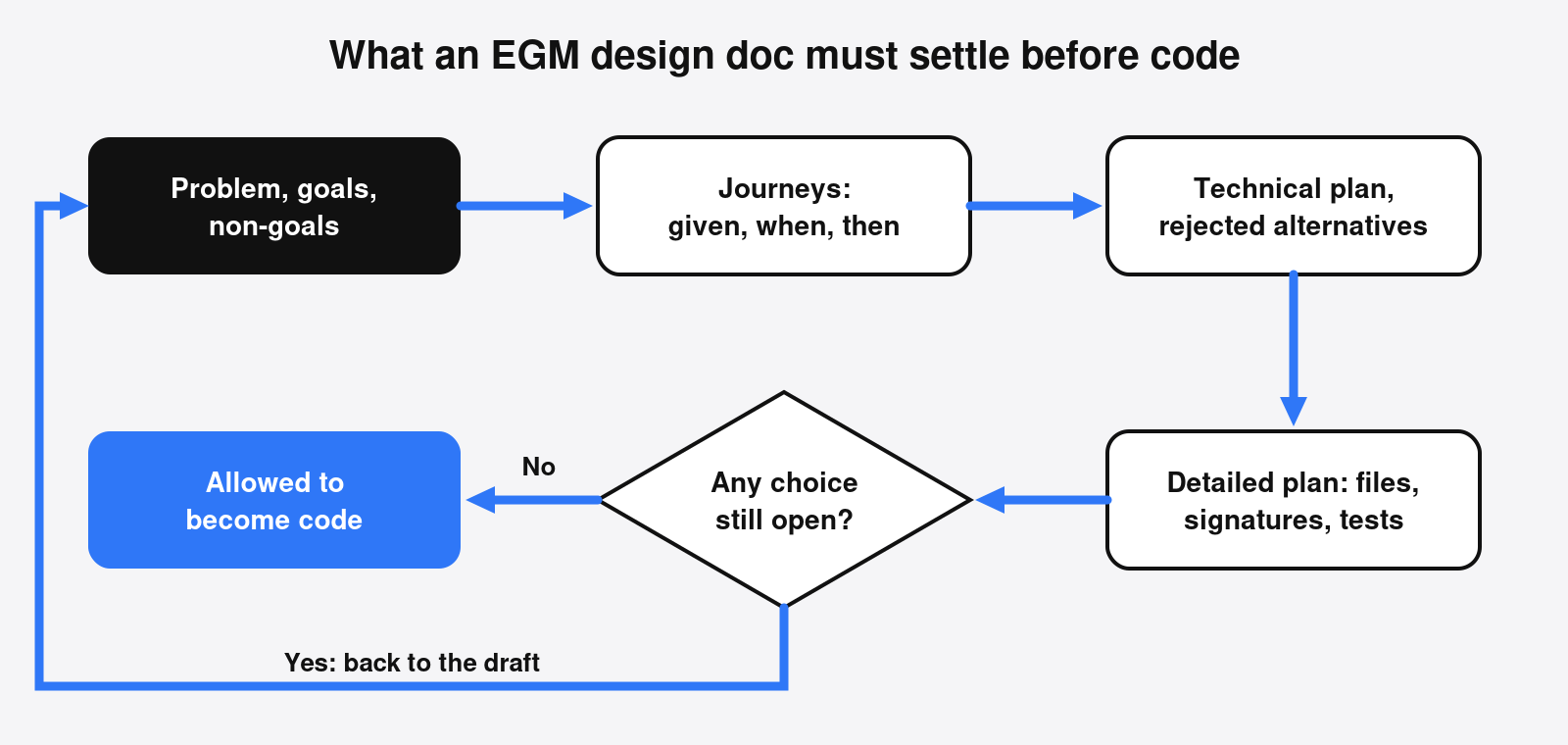
A passing design names the files, the functions, the edge cases and the checks. If any of those is still “we will decide later,” it fails.
The draft starts from a fixed template, so a new reader sees the same rooms every time. Overview. The problem. Goals. Non-goals, which are the things this change will not do. Open questions, which are decisions you have not made yet. Critical user journeys, written as given, when, then. A technical plan. Alternatives considered, with the reason each was rejected. Non-functional requirements such as security or rollback, only when they are real risks. Then a heading called ## Detailed Implementation Plan.
Under that heading each file is listed as create or modify, with the signatures and the behavior. A verification plan says which commands must pass. The readiness standard is blunt: a plan passes only if a competent engineer, or a fresh AI session, who is unfamiliar with the codebase can make the correct changes on the first attempt, without guessing, asking clarifying questions or making design choices of their own. The standard calls this the zero-decision rule. Picking a database schema, an API path, a dependency or how to handle a new edge case is a design choice, and if the implementer still has to make it, the plan fails.
Open questions are fine while you are drafting; the template keeps them across sessions so nobody re-asks a settled one. They are not fine in a plan that claims to be ready, because an open question is a decision you parked and the readiness pass sends it back. The comprehension pass works the same way: any term you did not define, in the file or by a link, is a hole. The fresh reader is not allowed to “just know” what you meant by a local nickname.
Worked example: a slug function with zero open decisions
Here is the same idea on something small enough to read in one sitting. The 12-word request was “Write a function that turns a post title into a URL slug.” These are the eight decisions it leaves to whoever writes the code:
- Capital letters: kept or lowered?
- Spaces and commas: hyphen, underscore or removed?
- A run of symbols such as “, ” or ” – “: one hyphen or several?
- Apostrophes: does “don’t” become
dontordon-t? - Accented letters: does “Café” become
cafe,cafor staycafé? - Hyphens at the start and end: kept or trimmed?
- Very long titles: is there a length cap, and where does the cut fall?
- A blank title, or one made only of symbols: empty string, placeholder or error?
In an EGM design file, each of those answers goes in the Detailed Implementation Plan, under the file it belongs to. For this function, that part of the doc reads:
## Detailed Implementation Plan

### Target Files to Create/Modify

#### 1. `slug.py` (Create)

*   **Type / Scope**: Python module, standard library only
*   **Proposed Changes**: `slugify(title: str) -> str`
    1. Fold accents: NFKD-normalize, drop combining marks ("Café" -> "cafe").
    2. Lower-case everything.
    3. Delete apostrophes (' and ’) so "Don't" -> "dont".
    4. Replace every run of characters outside a-z and 0-9 with one "-".
    5. Trim "-" from both ends.
    6. If nothing is left, raise ValueError. Never return "".
    7. If longer than 60 characters, cut to 60, then back to the last "-".

#### 2. `test_slug.py` (Create)

*   **Type / Scope**: Unit tests (pytest)
*   **Proposed Changes**: one test each for commas, accents,
    apostrophes, blank input and the 60-character cut.

### Verification Plan

* **Unit Tests**: `python3 -m pytest -q test_slug.py` passes 5 of 5.Because every answer is written down, the checks write themselves. These five pytest tests come straight from the plan:
import pytest
from slug import slugify


def test_comma_and_spaces_become_one_hyphen():
    assert slugify("Hello, World") == "hello-world"


def test_accents_are_folded():
    assert slugify("Café Déjà Vu") == "cafe-deja-vu"


def test_apostrophe_is_dropped_not_split():
    assert slugify("Don't Panic") == "dont-panic"


def test_blank_or_symbol_only_title_is_an_error():
    with pytest.raises(ValueError):
        slugify("  !!  ")


def test_long_title_cuts_at_a_word_boundary():
    s = slugify("word " * 30)
assert len(s) <= 60 and not s.endswith("-") and s.endswith("word")And here is an implementation built to that plan. Nothing in it is a fresh decision; each line maps to a numbered step above:
import re
import unicodedata

MAX_LEN = 60


def slugify(title: str) -> str:
    text = unicodedata.normalize("NFKD", title)
    text = "".join(c for c in text if not unicodedata.combining(c))
    text = text.lower().replace("'", "").replace("\u2019", "")
    text = re.sub(r"[^a-z0-9]+", "-", text).strip("-")
    if not text:
        raise ValueError("title has no letters or digits to keep")
    if len(text) > MAX_LEN:
        text = text[:MAX_LEN].rsplit("-", 1)[0]
return textRun on the box on 24 October 2026 with Python 3.13.5 and pytest 9.1.1, all five checks pass:
python3 -m pytest -q test_slug.py
.....                                    [100%]
5 passed in 0.01sThis run covers the design file and the checks. The goldfish review swarm itself was not run for this example, so there is no reviewer report to show. What the example does show is the bar a goldfish applies: hand the plan above to a fresh chat and it has nothing left to ask about slugs. It also makes one side effect visible before it ships: “東京 Tokyo” becomes tokyo, because step 4 drops letters outside a to z. If that is wrong for your site, the place to change it is the design file, before anyone touches the code.
Common questions about the Elephant-Goldfish Model
Is the Elephant-Goldfish Model free?
The plugin is open source under Apache 2.0 and costs nothing to install. The brainstorm and review swarms run inside your own Claude Code, Codex or Antigravity session, so they count against that tool’s normal plan or API usage, and a five-stage review with several subagents uses more of it than a single prompt does.
Does it slow down small changes?
It can. The project’s own FAQ says design and review take time and may not pay off for a small, well-understood change, and the getting-started guide says not to force the design-first process when you can fix a simple bug in one shot. It earns its keep on uncertain or consequential changes, where a missing decision costs rework.
Can I try the method without installing the plugin?
Yes. The getting-started guide recommends running the conversational sequence by hand a few times first; it costs nothing but your time and the steps are numbered. The plugin automates the parts you get tired of copy-pasting.
Will a design ever be complete enough for a zero-context agent?
Sometimes, not always. The FAQ notes that models are still non-deterministic. If the build makes a minor mistake, fix it yourself or ask for a point fix; if it is wildly off, correct the design file and build again rather than patching the code.
Which coding agents does it support?
Claude Code, Codex and Antigravity have install commands in the README. Claude Cowork and ChatGPT have setup notes in the repo’s harness guide.