
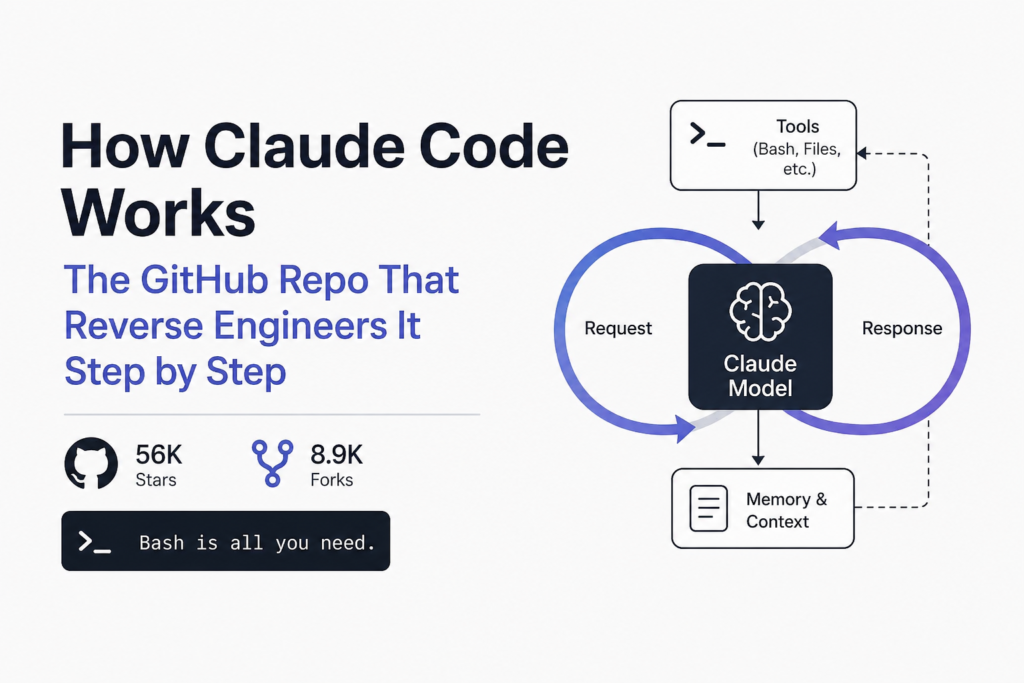

If you want to know how Claude Code works under the hood, the clearest map right now is learn-claude-code, an MIT-licensed course from shareAI-lab. It rebuilds a Claude Code style coding agent in plain Python, one mechanism at a time, starting from a loop of about 150 lines. I cloned it, ran its test suite, and read the code for the first three lessons line by line.
The short version: an agent like Claude Code is a model in a loop. The model asks for a tool, your code runs the tool, the result goes back into the conversation, and the loop repeats until the model stops asking. Everything else you see in a real coding agent (permissions, hooks, subagents, memory, compaction, teams) is harness built around that loop.
Checked against commit ce8f9f1 (Sep 28, 2026) on Oct 23, 2026, Python 3.13 on Debian.
The loop at the centre of how Claude Code works
Lesson s01 is the whole idea in one file. s01_agent_loop/code.py is 151 lines, and the core function is a while True loop that calls the Messages API with a list of tools, appends the reply, and checks whether the reply contains any tool_use blocks. If it does not, the turn is over. If it does, each tool runs and its output goes back as a tool_result message.
def agent_loop(messages):
    while True:
        response = client.messages.create(
            model=MODEL, system=SYSTEM,
            messages=messages, tools=TOOLS,
        )
        messages.append({"role": "assistant", "content": response.content})
        tool_calls = [b for b in response.content if b.type == "tool_use"]
        if not tool_calls:
            return
        results = []
        for block in tool_calls:
            output = TOOL_HANDLERS[block.name](**block.input)
            results.append({"type": "tool_result",
                            "tool_use_id": block.id, "content": output})
messages.append({"role": "user", "content": results})Two details in the real file are worth noticing. The bash tool has a 120-second timeout, and any output longer than 50,000 characters is cut before it goes back to the model. Both limits exist for the same reason: every byte of tool output becomes input tokens on the next call. That is the same pressure that makes a real session grow expensive, which we measured separately in why Claude Code costs more the moment you start measuring it.
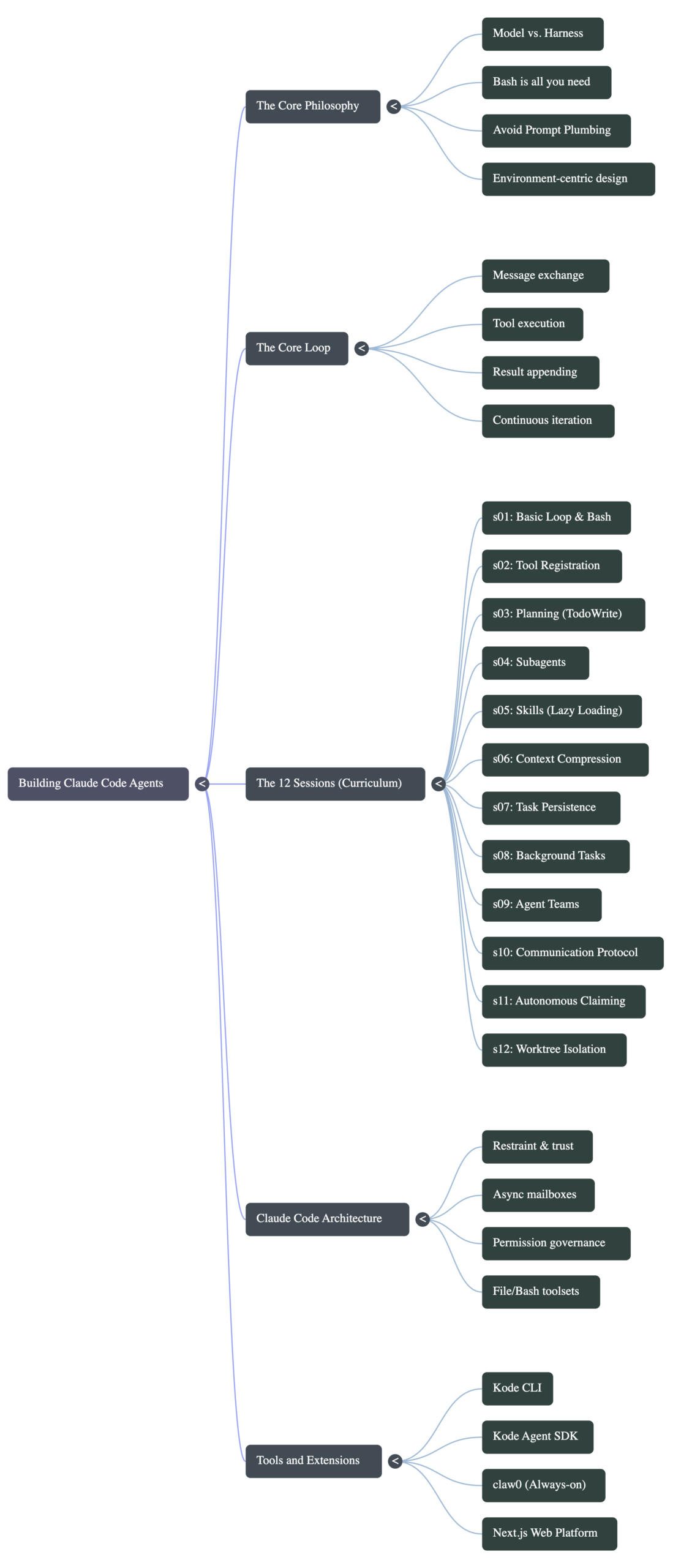
What the 17 lessons add, in order
The repo now has two tracks. The current one lives in root folders s01 to s17, each with a README, a runnable code.py and diagrams. An older 12-lesson version stays in agents/ and docs/ so old links keep working. If you read an earlier write-up that says “12 sessions”, that was the old track.
I counted the lines in each lesson’s code.py. The growth tells you where the real complexity of a coding agent sits:
| Lesson | Mechanism | Lines in code.py |
|---|---|---|
| s01 | Agent loop | 151 |
| s02 | Tool dispatch map | 206 |
| s03 | Permission gates | 267 |
| s04 | Hooks (PreToolUse / PostToolUse) | 280 |
| s05 | Todo list, plan then execute | 368 |
| s06 | Subagent with fresh context | 383 |
| s07 | Skill loading on demand | 399 |
| s08 | Context compaction | 601 |
| s09 | Memory | 784 |
| s10 | Task records on disk | 600 |
| s11 | Background tasks | 542 |
| s12 | Cron scheduler | 790 |
| s13 | Agent teams and worktrees | 1,887 |
| s14 | MCP tool discovery | 549 |
| s15 | Integrated harness | 3,326 |
| s16 | Workflow runtime | 888 |
| s17 | Goal loop | 903 |
The loop itself never gets much bigger. What grows is everything that decides what goes into the loop (skills, memory, compaction) and everything that coordinates several loops (subagents, teams, scheduling). Lesson s13 alone is longer than s01 to s06 combined, because coordinating several agents means locks, task claims and separate git worktrees.
Setting up the course on your machine
The setup is three commands. You need an API key: the .env.example file asks for ANTHROPIC_API_KEY and MODEL_ID (it defaults to claude-sonnet-4-6), and it lists Anthropic-compatible endpoints from MiniMax, GLM, Kimi and DeepSeek if you would rather use one of those.
git clone https://github.com/shareAI-lab/learn-claude-code
cd learn-claude-code
python3 -m venv .venv && . .venv/bin/activate
pip install -r requirements.txt
cp .env.example .env        # add ANTHROPIC_API_KEY and MODEL_ID
python3 s01_agent_loop/code.pyOn Debian and Ubuntu, use python3. The README writes python, and on a stock Debian box that command does not exist. The same thing bit the test suite, below.
Running the test suite
The repo ships a tests/ folder. With pytest in a fresh virtual environment, the full run took 11.57 seconds:
$ python3 -m pytest -q
...
3 failed, 479 passed, 100 subtests passed in 11.57sOne of the three failures was my environment, not the code: a test shells out to python and got /bin/sh: 1: python: not found (exit code 127). The other two were in the s16 workflow-runtime web scenarios, where expected and actual output did not match. None touched the s01 to s08 lessons most readers start with. If you want a clean run on Debian, install python-is-python3 first.
The safety check in lesson one is a substring match
This is the part I found most useful, because it shows why real agents need more than a blocklist. The s01 bash tool refuses commands containing any of five strings: rm -rf /, sudo, shutdown, reboot and > /dev/. It is a plain in check. I fed it a handful of commands using the exact same list:
'rm -rf /'                   BLOCKED
'rm  -rf /'                  allowed
'rm -r -f /'                 allowed
'sudo ls'                    BLOCKED
'echo hi > /dev/null'        BLOCKED
'git log --grep=reboot'      BLOCKED
'find / -delete' allowedAn extra space or split flags get the dangerous command through, while harmless commands like redirecting to /dev/null or searching git history for the word reboot are blocked. That is not a bug in the course. s01 is meant to be minimal, and the next lessons exist to fix exactly this.
Lesson s03 adds three gates: a longer deny list (adding mkfs, dd if= and > /dev/sda), a regex rule that spots rm or del at the start of any command in a chain, and a prompt asking you to approve anything the rules flag. Run against the same inputs, the double-space and split-flag versions now stop and ask. But find / -delete and a Python one-liner calling shutil.rmtree still run without a prompt.
That is the honest lesson about agent safety: pattern matching on shell strings will always miss something. Real tools add sandboxes, workspace boundaries and checkpoints on top. If that is the problem you are trying to solve, our guide on how to stop Claude Code from deleting your files covers the settings that actually hold.
How the course maps to features you use in Claude Code
Once you have read a lesson, the matching Claude Code behaviour stops being magic. A few pairs I found helpful:
- Todo list (s05). When Claude Code writes a checklist before editing, that is a plan stored as state the model can update, so it does not drift halfway through a long task.
- Subagents (s06). A subagent is a second loop with a fresh, empty message list. It does the noisy exploring and returns only a summary, which keeps the parent conversation small.
- Skills (s07). Only a short catalogue of skill names goes into the prompt. The full instructions load when the model asks for one, which is why a big skill folder does not cost much until it is used.
- Compaction (s08). When the history gets too long, old tool results are trimmed or summarised. The lesson shows several layers, from cutting oversized tool output to summarising the whole history.
- Project instructions. Files such as CLAUDE.md are just text added to the system prompt each turn. Our breakdown of Karpathy’s CLAUDE.md rules shows what a good one looks like, in about 530 tokens.
The course does not reproduce Claude Code’s actual source. It is a teaching rebuild of the same patterns. The README puts it plainly: this is not “copy the source code”, it is “grasp the key designs and build it yourself.” Treat it as a way to understand the design, not as a drop-in replacement.
Who should work through learn-claude-code
| If you are… | Start with | Why |
|---|---|---|
| Curious how coding agents work | s01, s02, s06 | Loop, tools and subagents explain most of what you see day to day |
| Building your own agent | s01 to s08, then s14 | Covers safety, planning, context limits and MCP tools |
| Running several agents at once | s10, s11, s13 | Task records, background work and worktrees |
| Choosing between existing agents | s15 | The integrated harness shows what a full product has to juggle |
If you already use more than one agent, the patterns here also explain why they feel different on the same model. We compared two of them side by side in Claude Code and Codex together.
Every lesson makes real API calls once you run it, and later lessons such as teams and the goal loop can make many calls per task. Set a spending limit on your key before you start, and read each lesson’s README before its code.
Common questions about how Claude Code works
Is learn-claude-code the real Claude Code source?
No. It is an independent teaching project that rebuilds the same patterns in small Python files. It explains the ideas well, but the real product has far more engineering around each mechanism.
Do I need an Anthropic API key to follow the course?
You need a key for an Anthropic-compatible API. The .env.example file lists Anthropic plus compatible endpoints from MiniMax, GLM, Kimi and DeepSeek. Reading the code and running the test suite need no key.
How many lessons are there now?
The current track has 17 lessons, s01 to s17. The older 12-lesson track is still in the agents/ folder for people following earlier links.
Is the bash tool in lesson one safe to point at my real machine?
Not on its own. Its blocklist is a substring check that an extra space defeats. Run the lessons inside a throwaway folder or a container, and read s03 before you let it near anything you care about.
15 comments