
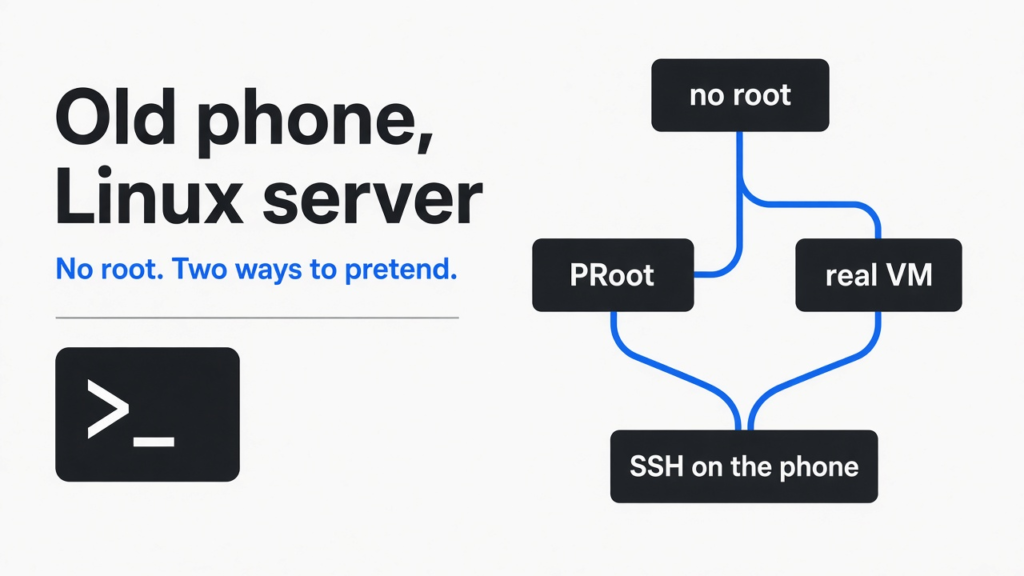
Short answer: yes. ServerBox turns an old Android phone into a Linux server with SSH and no root, using PRoot (a tool that fakes admin rights for Linux programs). It is fine for small services and even Claude Code. If you need Docker, you need a real virtual machine like Podroid, and that is slow unless you own a recent Pixel.
There is a phone in your drawer. It has a fast chip, Wi-Fi, a few gigabytes of memory and a built-in battery that works like a backup power supply. It does nothing all day.
People want to turn that phone into a little home server. One that runs a script every night, hosts a small dashboard, or keeps a coding agent online. The usual guides start with “first, root your phone”, and that is where most people stop.
Two open source apps now skip that step, and they do it in two very different ways. I rebuilt both tricks on a test machine and timed them. Here is the thread of this post: no root means something is pretending, and what it pretends decides what your phone server can do.
What does “no root” actually mean on a phone?
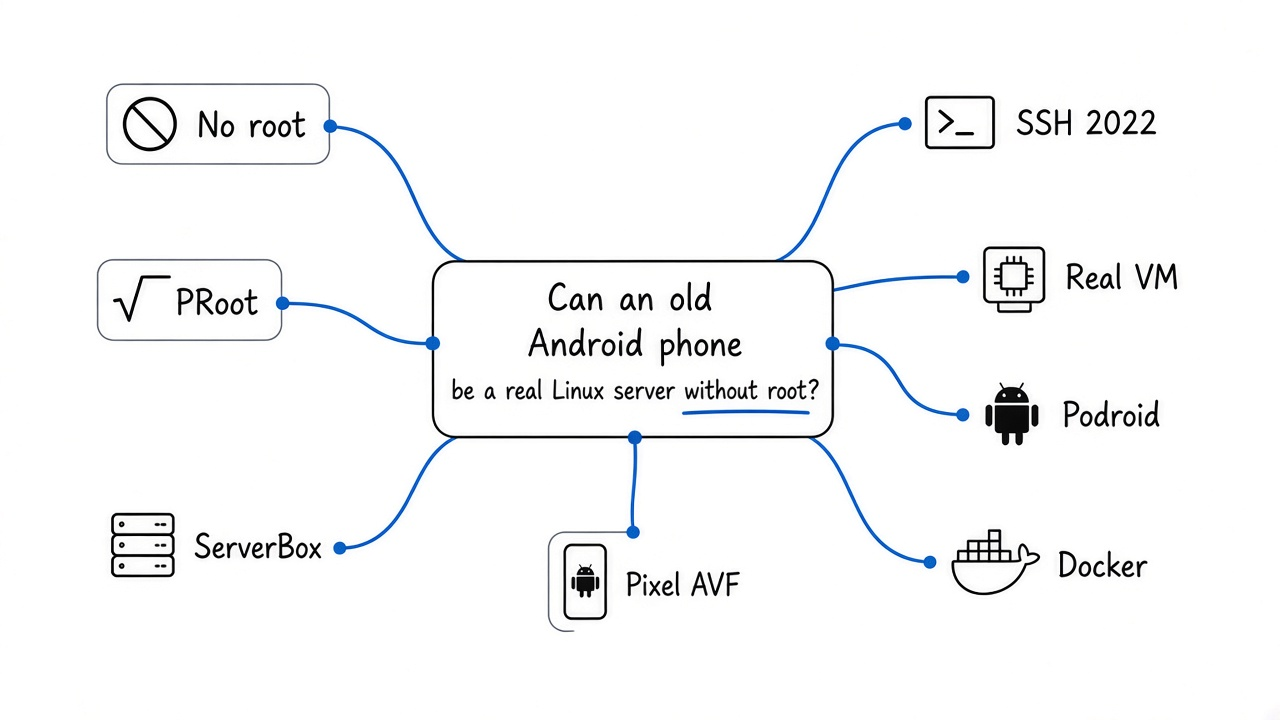
Without root, every app lives in a locked room, so a “Linux server” app has to fake the parts it is not allowed to touch.
Start with the base idea. Root is the admin account on Linux, and Android is built on Linux. Root can mount disks, open low network ports and create isolated spaces for other programs.
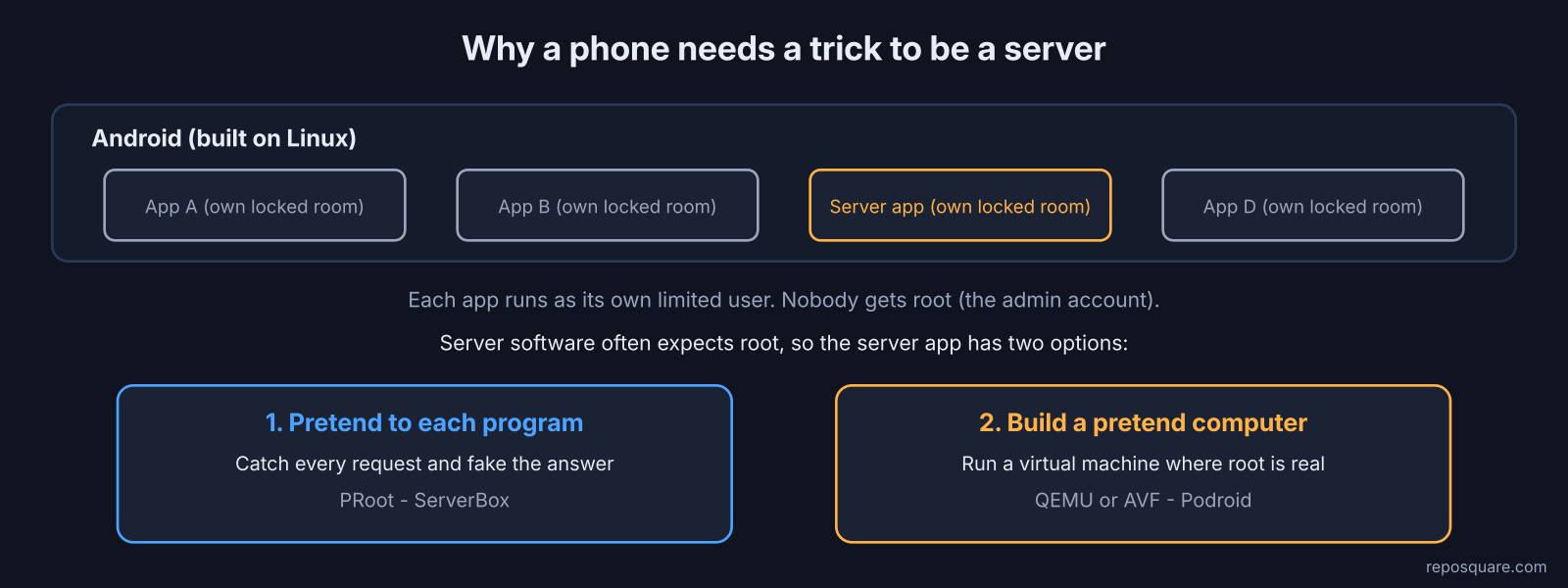
Android does not give that account to you or to your apps. Each app runs as its own limited user, inside a sandbox (a locked area it cannot leave). That is great for safety and bad for running a server, because server software often expects to be root.
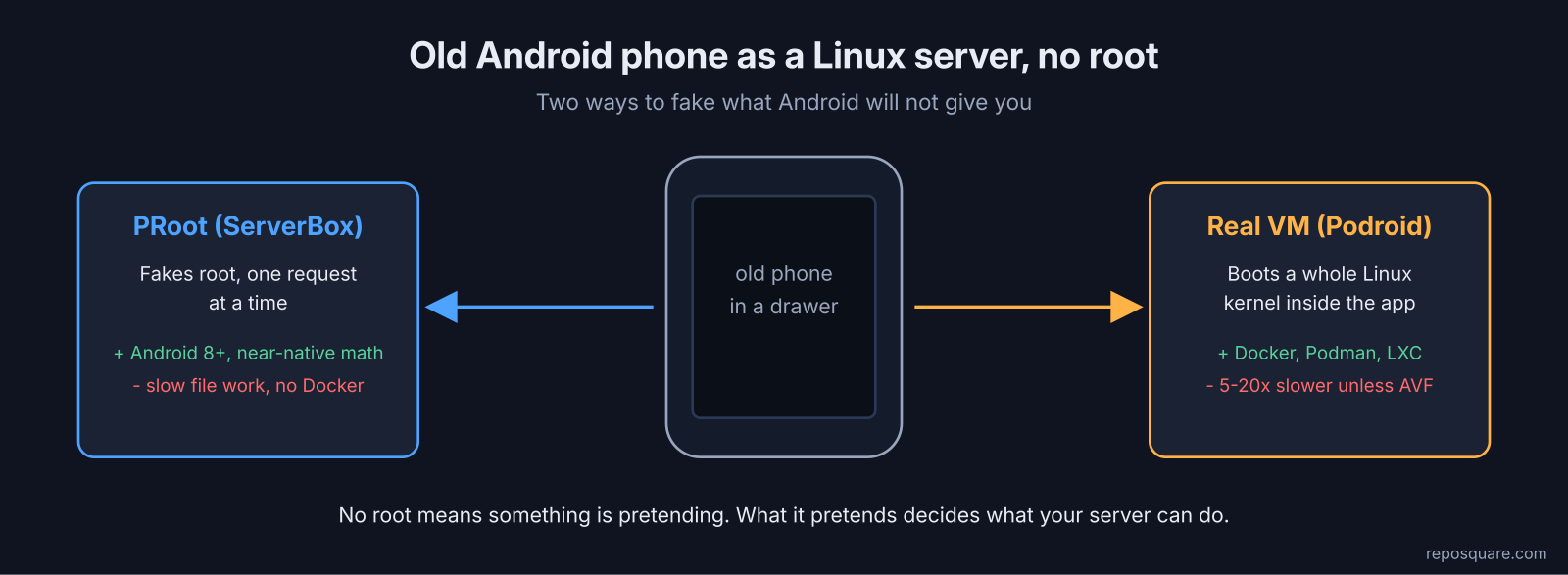
So a no-root server app has two choices. It can pretend to be root to each program, one request at a time. Or it can start a whole pretend computer, where real root exists inside the fake one.
That is the whole split. ServerBox does the first, Podroid does the second.
How does ServerBox run Linux without root?
ServerBox uses PRoot, which catches each request a program makes and rewrites it, so the program believes it is root.
Here is the first-principles version. A Linux program cannot touch files or the network by itself. It asks the kernel (the core of the operating system) through small requests called system calls, like “open this file” or “listen on this port”.
PRoot sits in the middle of that conversation. It uses ptrace (the same Linux feature debuggers use to watch a program) to pause each request, change the path or the answer, and pass it on. Think of a translator at a hotel desk who rewrites every guest’s request into something the hotel will accept.
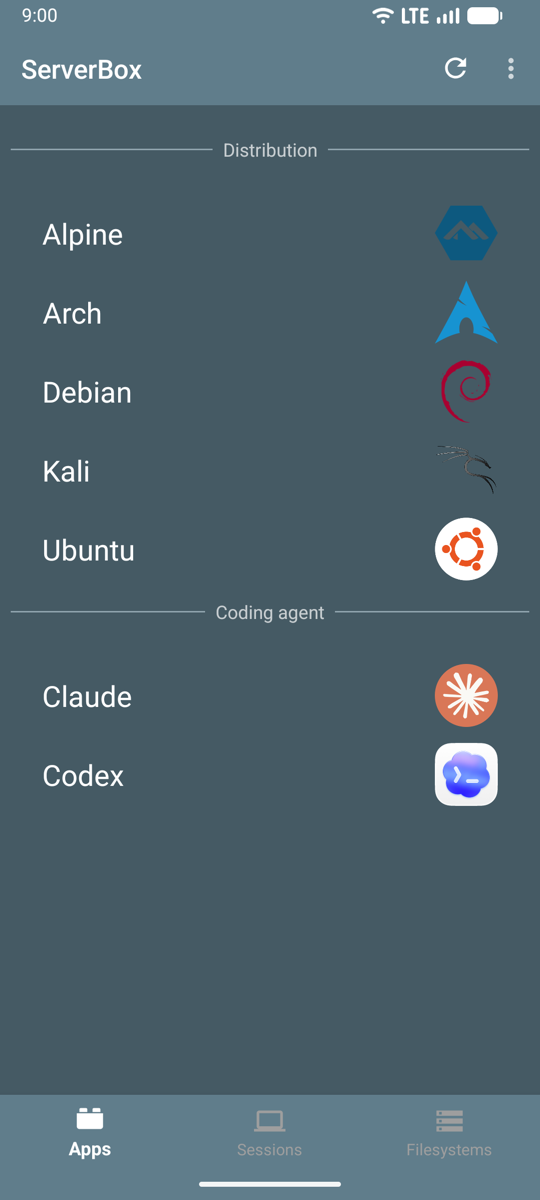
ServerBox wraps that trick in an app. You pick Alpine, Arch, Debian, Kali or Ubuntu, and it downloads that Linux. Then it starts an SSH server (a way to log in remotely from your laptop’s terminal) on port 2022. The app shows you the user and password. It needs Android 8.0 or newer and works on 64-bit ARM, which covers nearly all current phones.
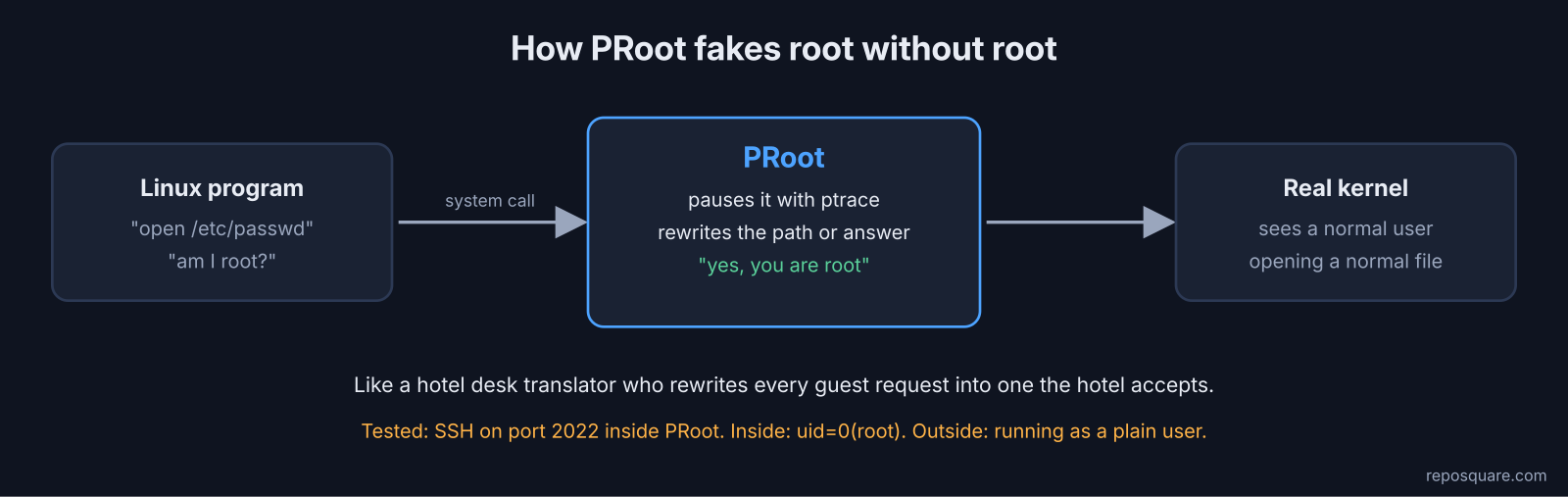
I could not hand a phone to my test machine, so I rebuilt the same setup on a small Linux box: a normal, non-admin user, an Alpine Linux folder, and PRoot. Then I started an SSH server on port 2022 inside it and logged in from outside.
proot -0 -r ./alpine /bin/sh -c 'dropbear -R -F -p 2022'
ssh -p 2022 root@127.0.0.1 'id'
# uid=0(root) gid=0(root)
It worked on the first try. Inside, I was “root”. Outside, the process list showed the server running as the plain user. That gap is the pretending, and it has a cost.
How much slower is PRoot?
Plain math runs at nearly full speed, but anything that touches lots of files gets 8 to 11 times slower.
The question in plain words: if every request goes through a translator, how much time does the translator eat?
What I did: I ran the same Alpine Linux tools twice, once with real admin rights and once through PRoot as a normal user, and took the middle value of five runs.
- A Python math loop: 163 ms native, 177 ms in PRoot. About 9% slower.
- Creating, checking and deleting 3,000 small files: 96 ms native, 863 ms in PRoot. About 9 times slower.
git statuson a repo with 2,000 files: 5 ms native, 42 ms in PRoot. About 8 times slower.- Searching 5,000 files with ripgrep (a fast text-search tool): 36 ms native, 413 ms in PRoot. About 11 times slower.
- Starting Node.js: 30 ms native, 37 ms in PRoot.
What it means: math runs on the chip directly, so PRoot barely touches it. File work is thousands of small requests, and each one stops at the translator desk.
The catch: my test box was a small x86 cloud machine, not a phone. Treat the ratios as a rough guide, not a promise for your exact handset.
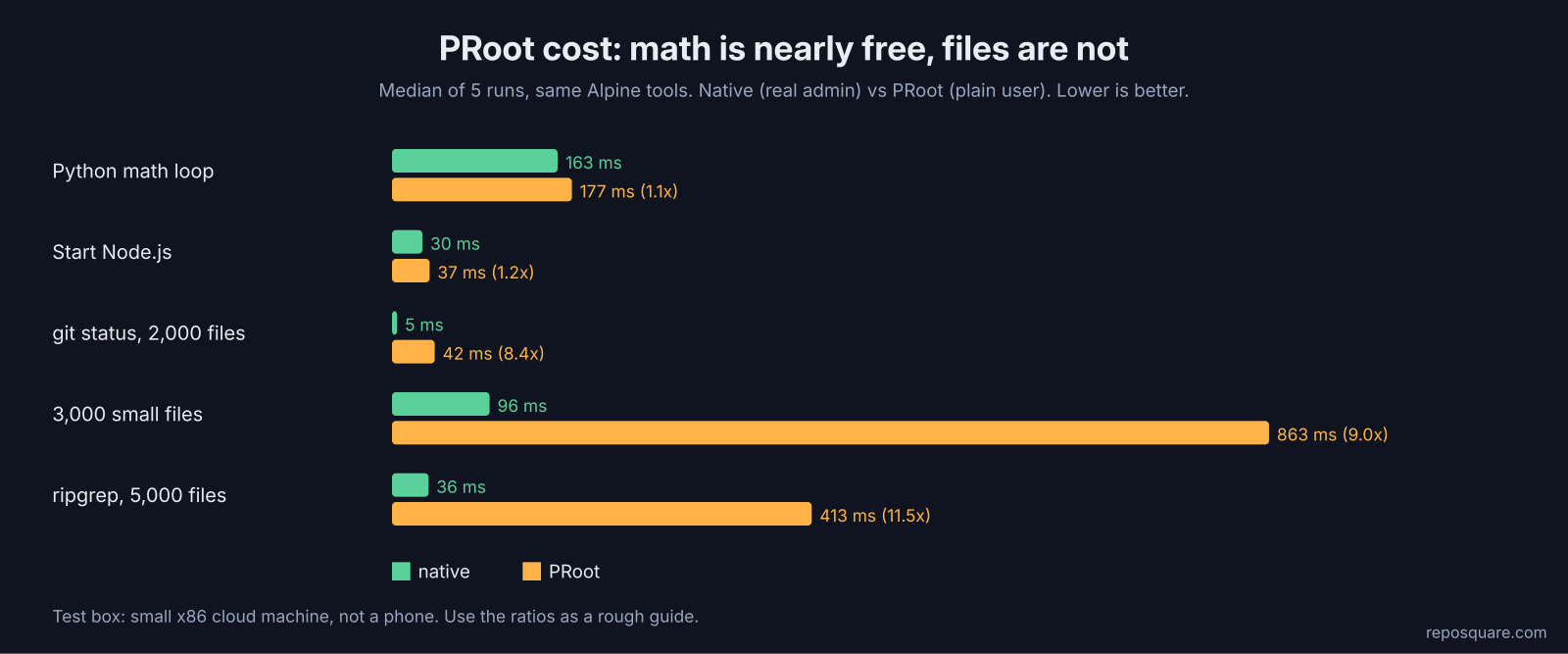
Still, half a second for a 5,000-file search is fine for a home server. The real limit is not speed. It is what the translator cannot fake at all.
What can’t a PRoot server do?
PRoot cannot fake the kernel features that containers need, so Docker and Podman will not run inside it.
Fake root fools programs, not the kernel. I asked my PRoot “root” to do four admin things:
| What I tried as PRoot “root” | Result |
|---|---|
| Listen on port 8080 | Worked |
| Listen on port 80 | Permission denied |
| Mount a filesystem | Permission denied |
Create an isolated network space with unshare | Operation not permitted |
That last row is the big one. Docker and Podman are built on namespaces (kernel walls that give each container its own private view of the system). With no way to make one, containers cannot start.
There is no systemd (the program that starts and manages services on most Linux systems) either. ServerBox works around that with a folder: anything you put in /etc/serverbox/autostart.d runs when the server starts, which is where your database or web server goes. Use ports above 1024, like 8080, and you will rarely notice the rest.
And if your plan says “docker compose up”? Then you need the other trick.
When do you need a real VM like Podroid?
Pick Podroid when you need Docker, Podman or a full Linux desktop, because it boots a real Linux kernel inside the app.
A virtual machine is a whole computer simulated in software, with its own kernel. Inside it, root is real, so namespaces, mounts and containers work exactly like on a server. Podroid boots Alpine Linux this way and ships Podman, Docker and LXC ready to use.
The question is how the fake computer runs its chip. Podroid has two engines:
- QEMU with TCG (a translator that converts every instruction into ones the real chip can run). Works on any 64-bit ARM phone with Android 8 or newer. Slow.
- AVF (Android Virtualization Framework, Google’s built-in system for running VMs). The guest runs on the real CPU cores at near-native speed, but only on phones that ship pKVM (the hypervisor that makes AVF work), which today means Pixel 8 and newer.
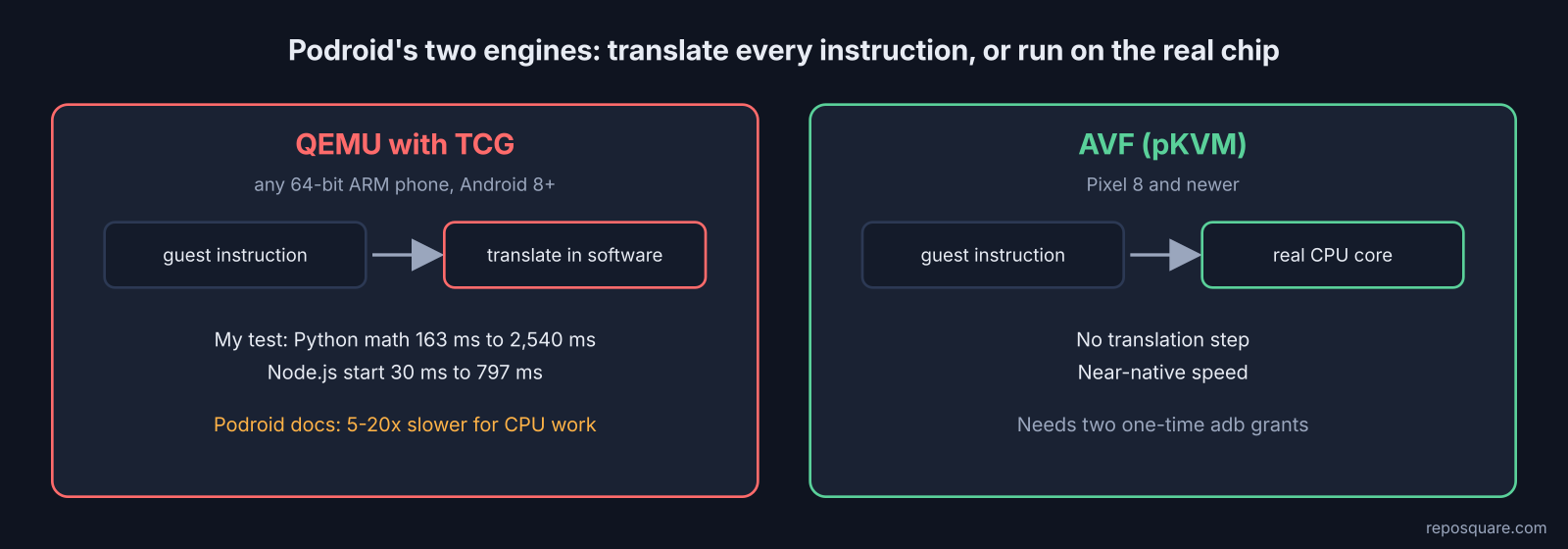
How slow is “slow”? I ran the same tools through QEMU’s translator on my test box (stacked on PRoot, which adds little to math). The Python math loop went from 163 ms to 2,540 ms, about 16 times slower. Node.js took 797 ms just to start instead of 30 ms.
That lines up with Podroid’s own guide, which says its QEMU mode is 5 to 20 times slower than native for CPU work. Node.js, npm and compilers suffer most, because each one generates new code that the translator has to convert again.
One more thing to fix on day one. Podroid’s SSH server listens on port 9922 with the default password podroid. Change it before you open the port to your network.
Can you run Claude Code on an old Android phone?
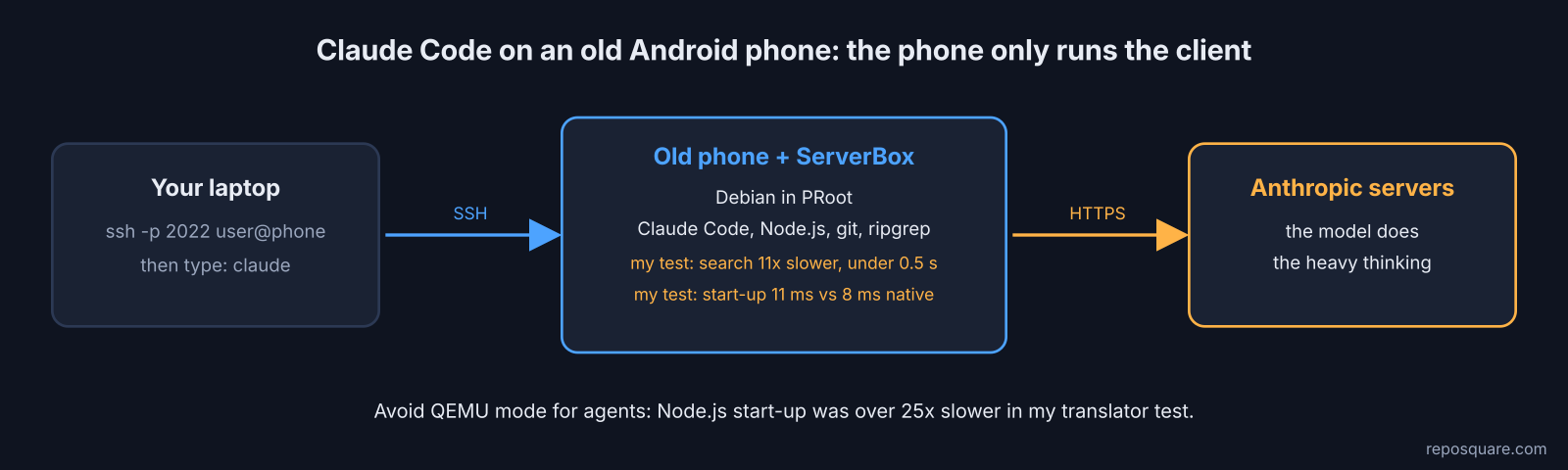
Yes, and PRoot is the better home for it, because Claude Code spends most of its time waiting on the network, not on your phone’s chip.
Claude Code is Anthropic’s coding agent for the terminal. The model itself runs on Anthropic’s servers, so the phone only needs to run the small client, git and the search tool.
ServerBox now has this built in. Its Apps tab has a Claude option: a Debian Linux with Claude Code, Node.js, git and ripgrep already installed. You SSH in, type claude and sign in with your own account or API key. It is 64-bit phones only.
I tested the same idea by hand. Inside PRoot, as a normal user, npm install -g @anthropic-ai/claude-code finished in about 6 seconds and claude --version printed its version. Start-up was 11 ms in PRoot against 8 ms native.
The place you will feel PRoot is search. Claude Code’s file search uses ripgrep, and my 5,000-file search was 11 times slower. That is still under half a second. On Podroid’s QEMU mode, though, the Node.js start-up alone was more than 25 times slower, so skip it for agents unless you have a Pixel with AVF.
One snag I hit on the way. The old PRoot package from Ubuntu’s repositories could not load any Node.js file at all (“Cannot find module”), while Termux’s maintained PRoot fork ran everything fine. ServerBox ships its own PRoot, but if you build this setup yourself, use a maintained fork.
How do you keep a phone server running all day?
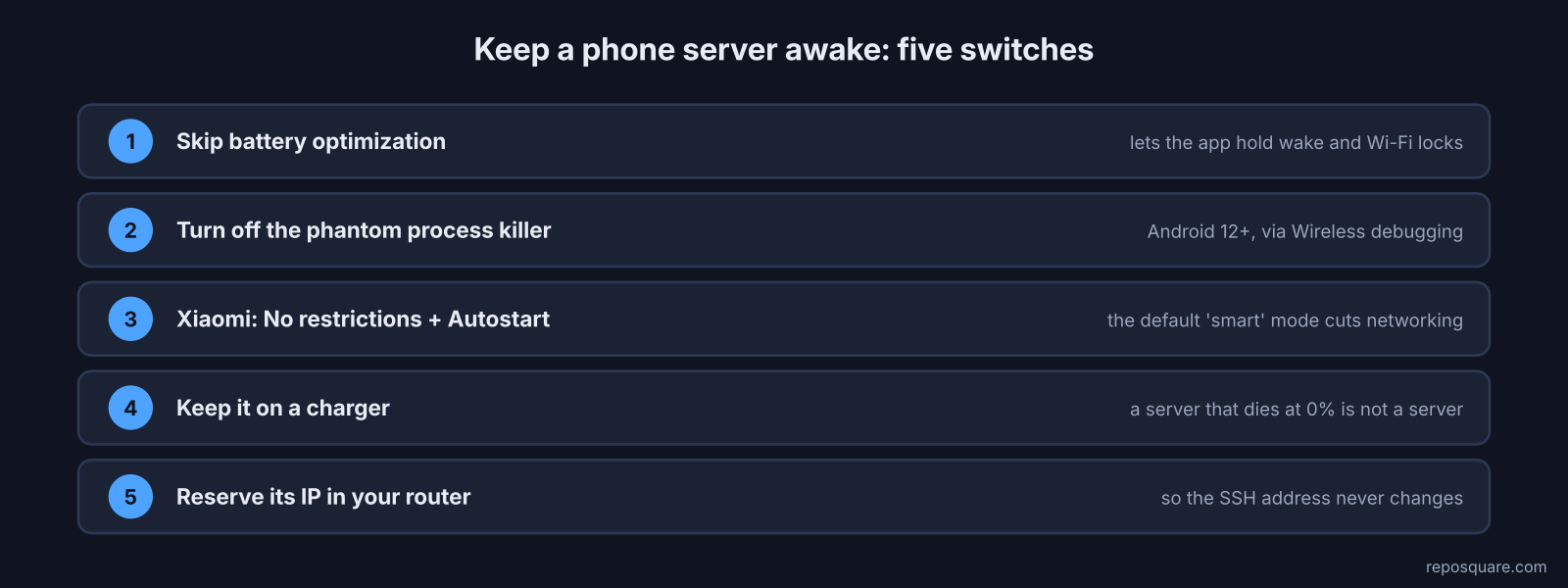
Android pauses background apps to save battery, so you have to give the server app permission to stay awake.
A server that sleeps when the screen turns off is not a server. Here is the short list that makes it stick:
- Let the app skip battery optimization when it asks. ServerBox holds a wake lock and a Wi-Fi lock once you do.
- On Android 12 and newer, turn off the phantom process killer (Android’s habit of killing long-running child processes). ServerBox offers a switch for this through Wireless debugging.
- On Xiaomi phones, set Battery saver to No restrictions and turn on Autostart.
- Keep the phone on a charger.
- Reserve the phone’s IP address in your router, so the SSH address never changes.
ServerBox also restarts a server that crashes and can start your sessions after a reboot.
ServerBox vs Podroid: which should you pick?
Pick ServerBox for SSH, scripts and Claude Code on any old phone. Pick Podroid only if you need containers, ideally on a Pixel 8 or newer.
| ServerBox | Podroid | |
|---|---|---|
| How it works | PRoot (fakes root per request) | Real VM (QEMU, or AVF on Pixels) |
| Root needed | No | No |
| Linux choices | Alpine, Arch, Debian, Kali, Ubuntu | Alpine |
| Docker / Podman | No | Yes, ready at boot |
| Speed for plain math | Near native | 5 to 20 times slower on QEMU, near native on AVF |
| File-heavy work | About 8 to 11 times slower in my test | Depends on engine |
| SSH port | 2022 | 9922 |
| Claude Code | Ready-made app | Install it yourself |
| License | GPLv3 | GPLv2 |
There is a fair case for the VM even on a slow phone. If your service only ships as a Docker image, a slow container still beats one you cannot run. And on a recent Pixel, Android’s own Linux Terminal (a Debian VM you switch on in Developer options) is another option worth a look.
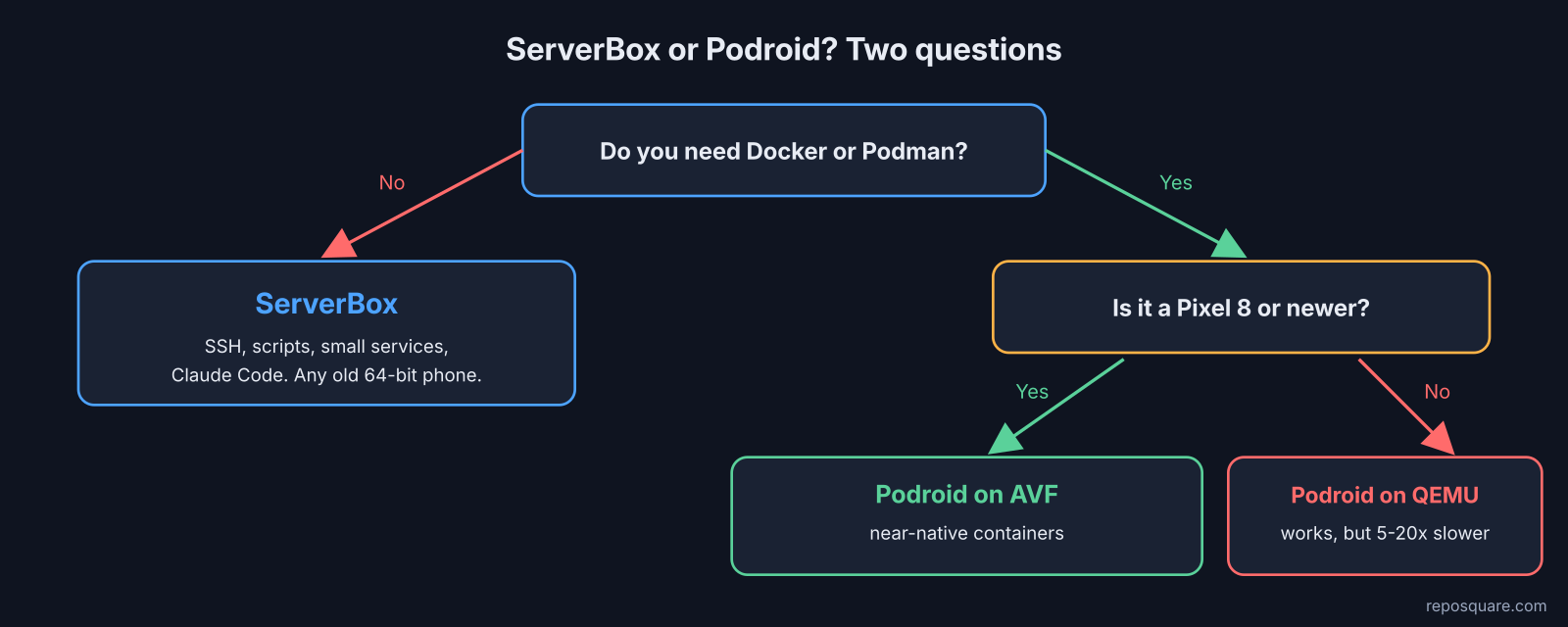
For everyone else with a drawer phone, the order is simple. Start with ServerBox, use ports above 1024, and only reach for a VM when a container forces you to.
No root means something is pretending. Pick the pretender that fakes what your server needs, and plug the phone in.
FAQ
Do I need to root my phone to run a Linux server on it?
No. ServerBox runs Linux through PRoot and Podroid runs a virtual machine, and neither needs root. Root only matters if you want real hardware-level access, like low ports or kernel features, outside a VM.
Can I run Docker on Android without root?
Yes, inside a real virtual machine such as Podroid. It runs on any 64-bit ARM phone with Android 8 or newer, but it is much slower on most phones unless you have a Pixel with AVF.
Is PRoot slow?
For plain calculations it is close to native speed. File-heavy tasks like git, searching and creating many files were about 8 to 11 times slower in my test, because each file request is caught and rewritten.
Can Claude Code run on an old Android phone?
Yes. ServerBox has a ready-made Claude app with Claude Code, Node.js, git and ripgrep, and you sign in with your own account. The model runs in the cloud, so an old 64-bit phone is enough.