
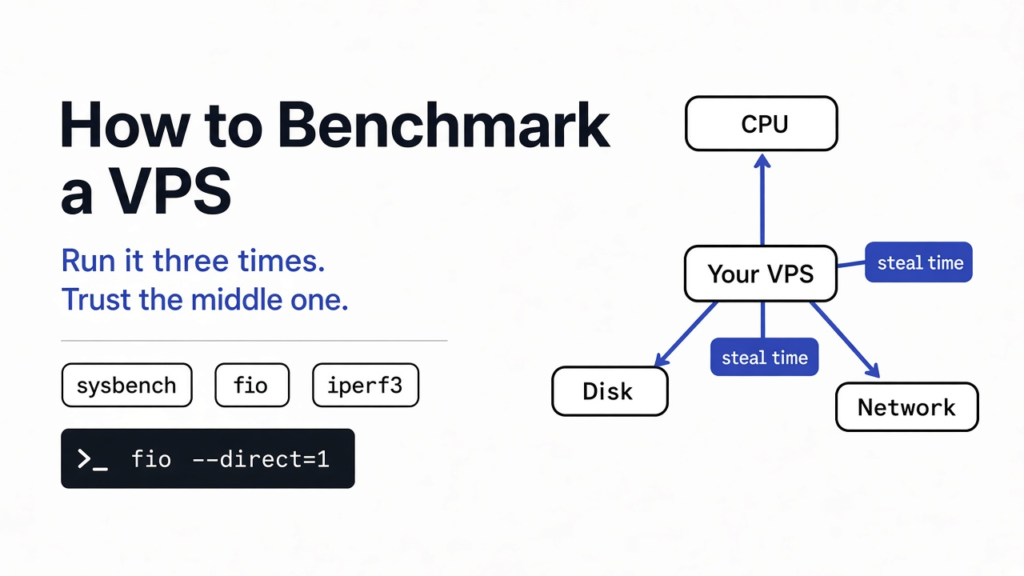
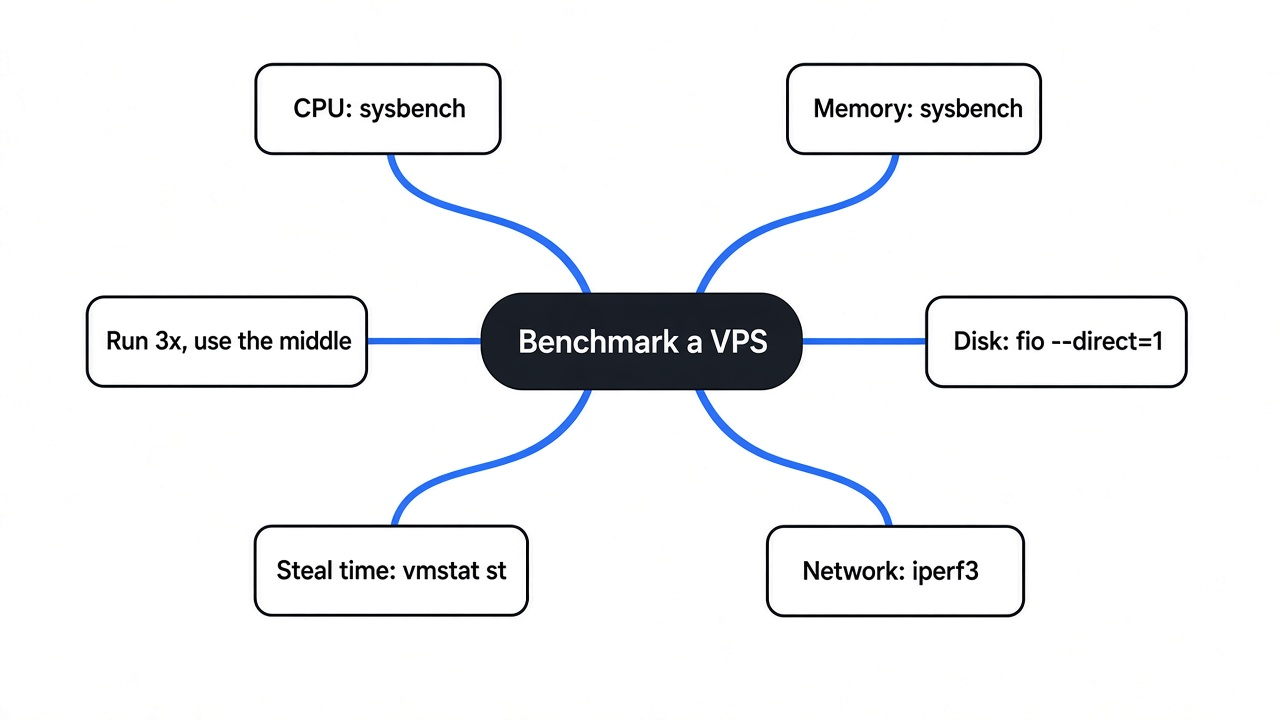
Here is how to benchmark a VPS. Test four things: CPU, memory, disk and network. Use sysbench for CPU and memory, fio with direct I/O for disk, and iperf3 against a second server for network. Run every test at least three times and compare the middle result, not the best one.
You just paid for a new server. Before you put a real website on it, you want to know one thing: is it as fast as the hosting company said? So you search, find a one-line command on a forum, paste it, and watch numbers scroll past. But what are those numbers really telling you?
Those numbers decide where your app lives for the next year. The trouble is that a single run of a single test can lie to you, and some of the popular scripts send your results to someone else’s website while they work.
This post gives you the method behind those scripts. I ran every test below on a 2-core, 8 GB virtual server, several times each, so you can see where the numbers wobble and why.
What does benchmarking a VPS actually measure?
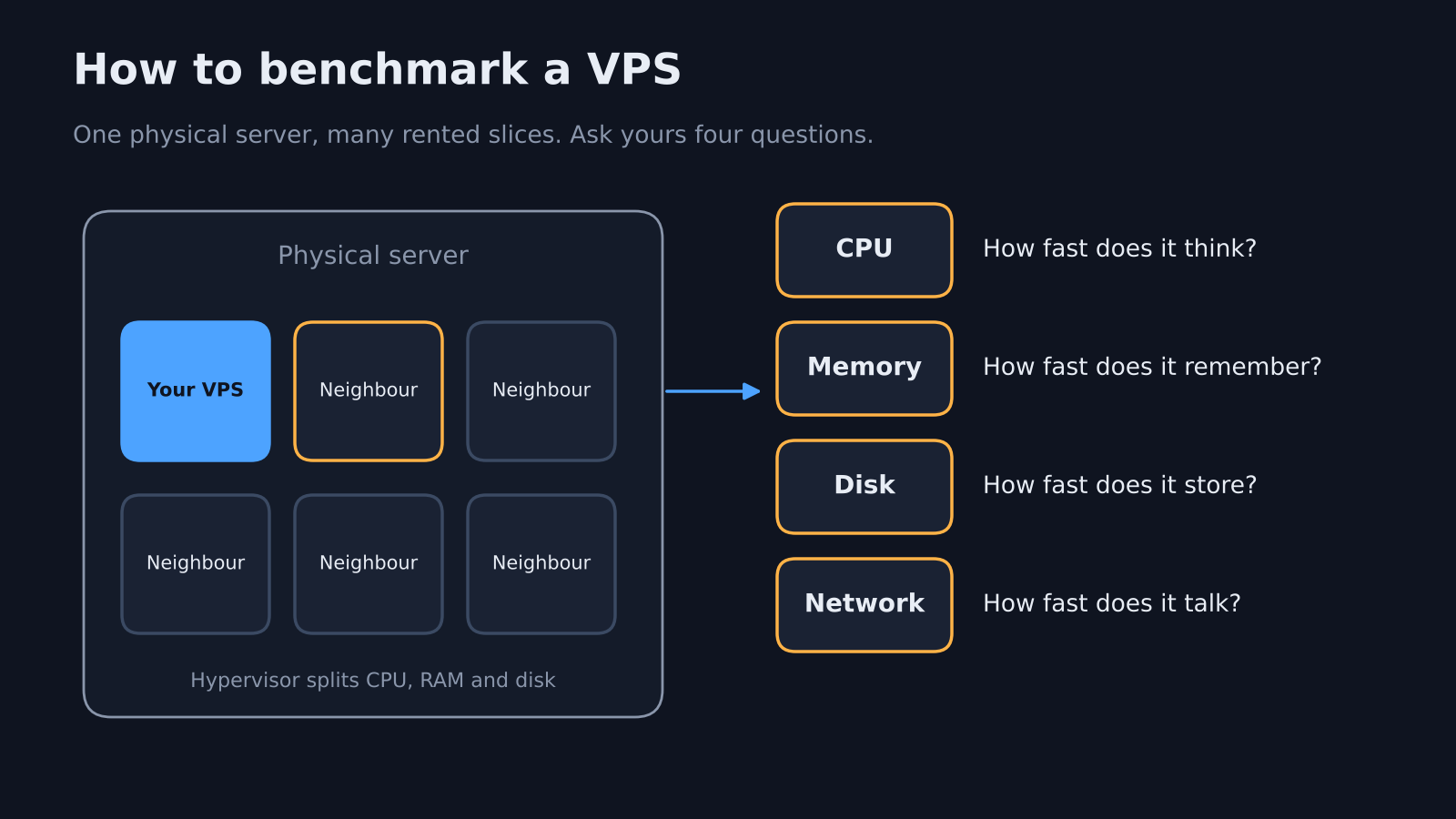
A benchmark asks your server four questions: how fast it thinks, remembers, stores and talks.
Start with what a VPS is. A VPS (a rented slice of one big physical server) shares that machine with other customers. A layer of software called the hypervisor (the program that splits one physical computer into many virtual ones) hands each slice its share of CPU, memory and disk.
That sharing is why benchmarks matter. Your slice can be slower than promised because the hardware is old, because the disk sits on a busy network, or because a neighbour is hogging the CPU.
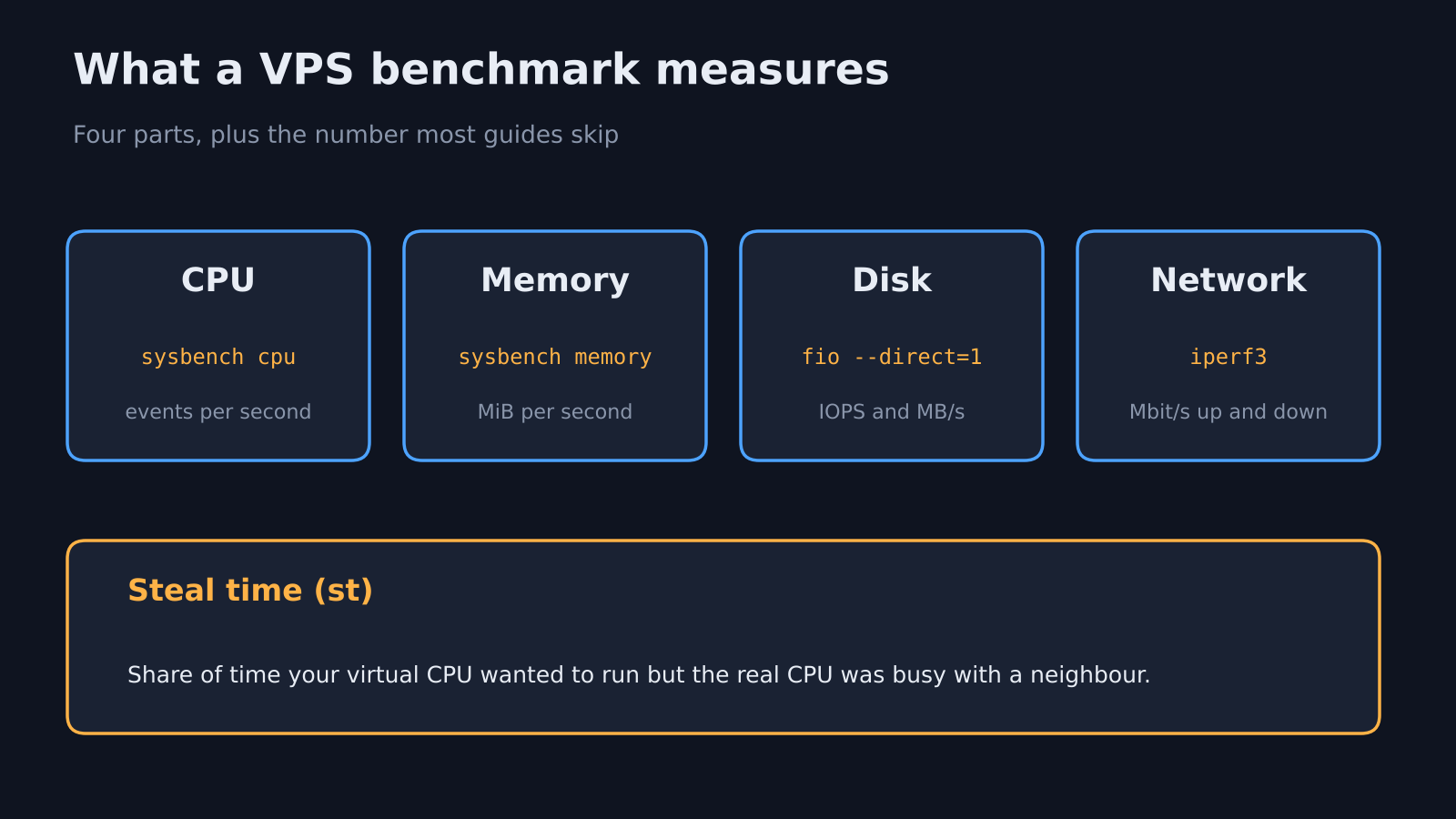
So a useful VPS benchmark checks four parts:
- CPU: how much work one core and all cores finish per second.
- Memory: how fast data moves in and out of RAM.
- Disk: how many small reads and writes per second it handles, and how fast big files move.
- Network: how much data per second it can send to other places on the internet.
There is a fifth number most guides skip. Steal time (the share of time your virtual CPU wanted to run but the hypervisor gave the real CPU to someone else) tells you if your neighbours are slowing you down.
Why does one benchmark run lie?
Because the same test on the same server gave me numbers up to 14 times apart.
Think of weighing yourself. One reading after lunch tells you little. Three readings on three mornings tell you something real. Servers work the same way.
Here is what I saw on one server, with nothing else running:
- CPU, single thread, 5 runs: 1,036 to 1,118 events per second. That is an 8% spread from nothing but timing.
- Disk, 4k random reads and writes, 5 runs: the first run hit 42,524 operations per second. The next four landed between 23,726 and 29,800.
- Disk, a plain
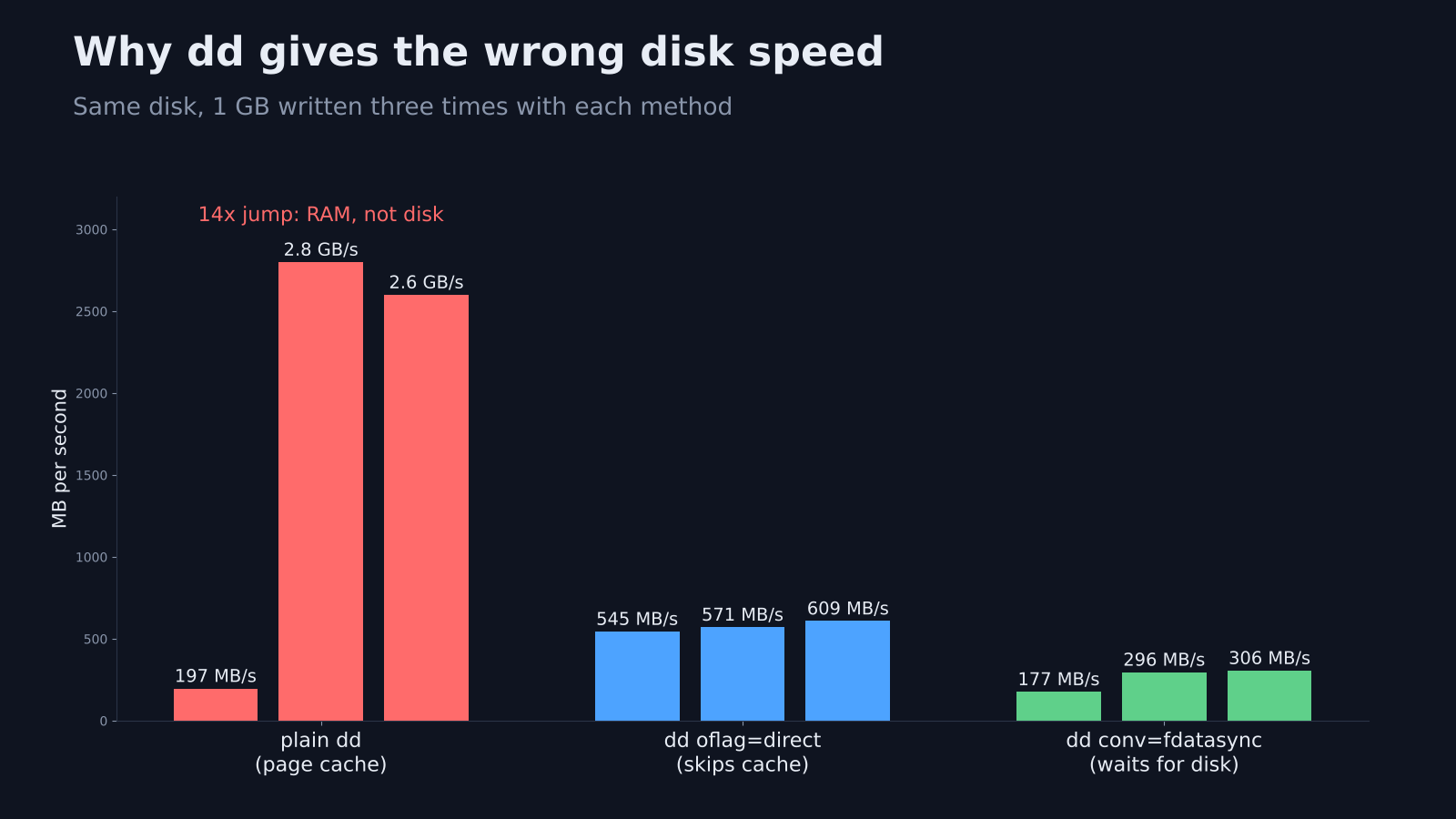
ddwrite test, 3 runs: 197 MB/s, then 2.8 GB/s, then 2.6 GB/s.
That last one is the trap. Did the disk really get 14 times faster in two seconds? No. The test was measuring something else.
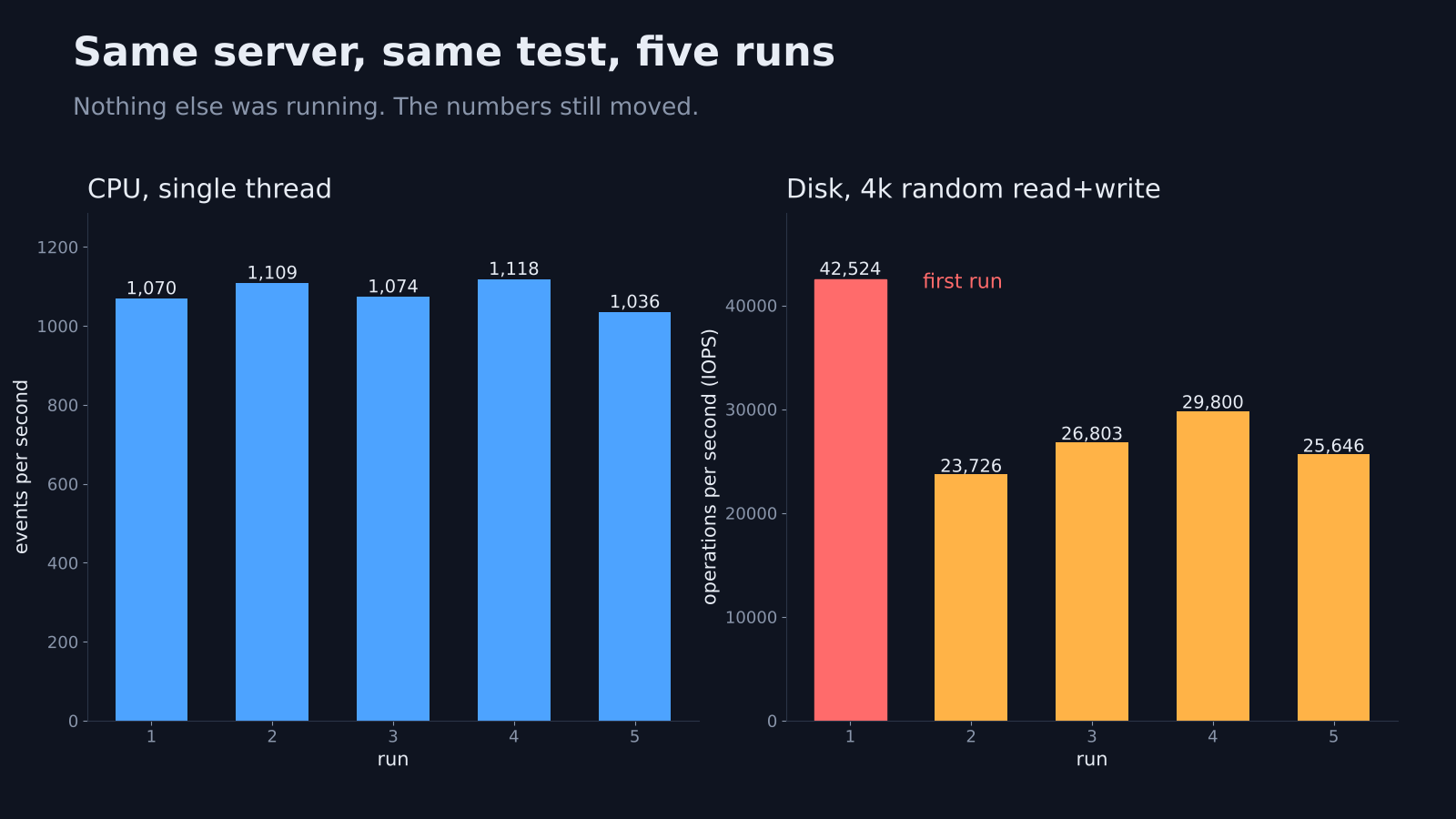
So the rule is simple. Run each test three times or more, throw away the first, and look at the middle value. The first disk run on a fresh server is often the fastest you will ever see.
Why does dd give the wrong disk speed?
A plain dd test mostly measures your RAM, not your disk.
Linux keeps a page cache (spare RAM where it holds file data before writing it to disk). When you write a file, Linux often says “done” as soon as the data is in that cache. The real disk write happens later.
So dd if=/dev/zero of=test bs=64k count=16k can report memory speed. That is why my runs jumped from 197 MB/s to 2.8 GB/s. Same disk, different amount of free cache.
Two flags fix this. oflag=direct skips the cache, and it gave me 545 to 609 MB/s. conv=fdatasync forces the data onto the disk before the timer stops, and it gave me 177 to 306 MB/s.
Even then, dd only tests one big file written in a straight line. Real apps do something harder.
How do I benchmark a VPS without a script?
Install three open source tools and run five commands. It takes about ten minutes.
Every popular benchmark script wraps the same three tools. sysbench (a CPU and memory load generator) handles the processor. fio (a disk tester that can copy almost any read or write pattern) handles storage. iperf3 (a network speed tester that needs a server on the other end) handles the connection. Run them yourself and you see every flag, and nothing leaves your server.
On Debian or Ubuntu:
sudo apt install -y sysbench fio iperf3
1. Test the CPU
sysbench cpu --cpu-max-prime=20000 --threads=1 --time=10 run
sysbench cpu --cpu-max-prime=20000 --threads=$(nproc) --time=10 run
Read the events per second line. The first command shows one core, which matters for most websites and scripts. The second shows all cores together. On my 2-core server, two threads gave 2,052 to 2,249, about double the single-thread number. So the second core was doing full work, not sitting idle or shared.
2. Check steal time while the CPU works
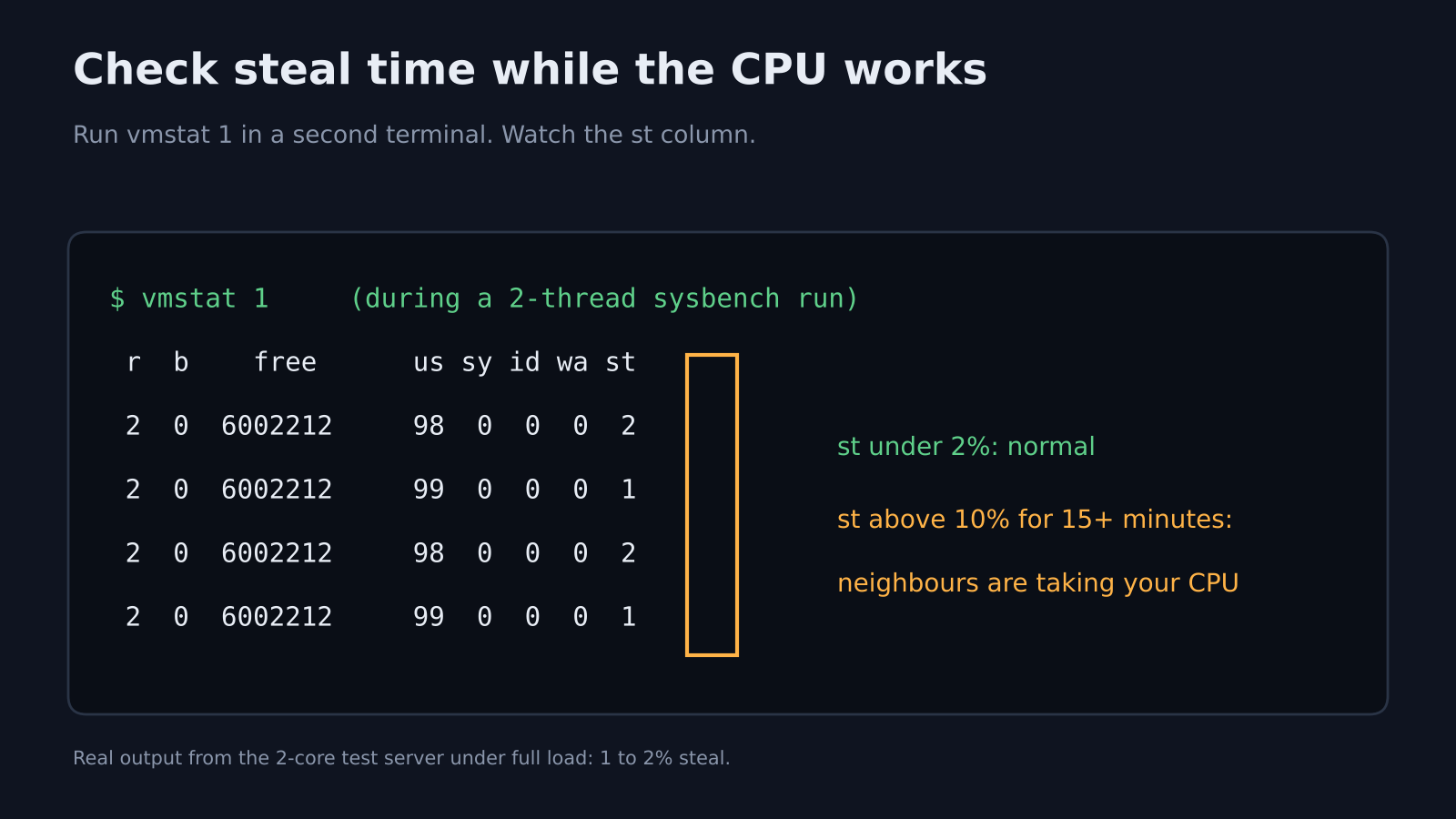
Open a second terminal and run vmstat 1 while the CPU test runs. Watch the last column, st.
My server showed 1 to 2% steal under full load. Under 2% is normal background noise. If st stays above 10% for 15 minutes or more, other customers are taking your CPU, and no benchmark score will fix that.
3. Test memory
sysbench memory --memory-total-size=10G run
Mine moved about 5,950 MiB per second. Memory is rarely the weak spot on a VPS, so treat this as a sanity check.
4. Test the disk the right way
This is the same random read and write test the YABS script runs, written out in full:
fio --name=rand_rw_4k --ioengine=libaio --rw=randrw --rwmixread=50 \
  --bs=4k --iodepth=64 --numjobs=2 --size=2G --runtime=30 \
  --gtod_reduce=1 --direct=1 --filename=test.fio --group_reporting
Three settings matter. --direct=1 skips the page cache. --bs=4k means tiny 4 KB blocks, the size databases and websites use most. --iodepth=64 (how many requests wait in line at once) shows the most the disk can do under heavy load.
Change --bs to 64k, 512k and 1m to test bigger files. Here is how my disk did across all four:
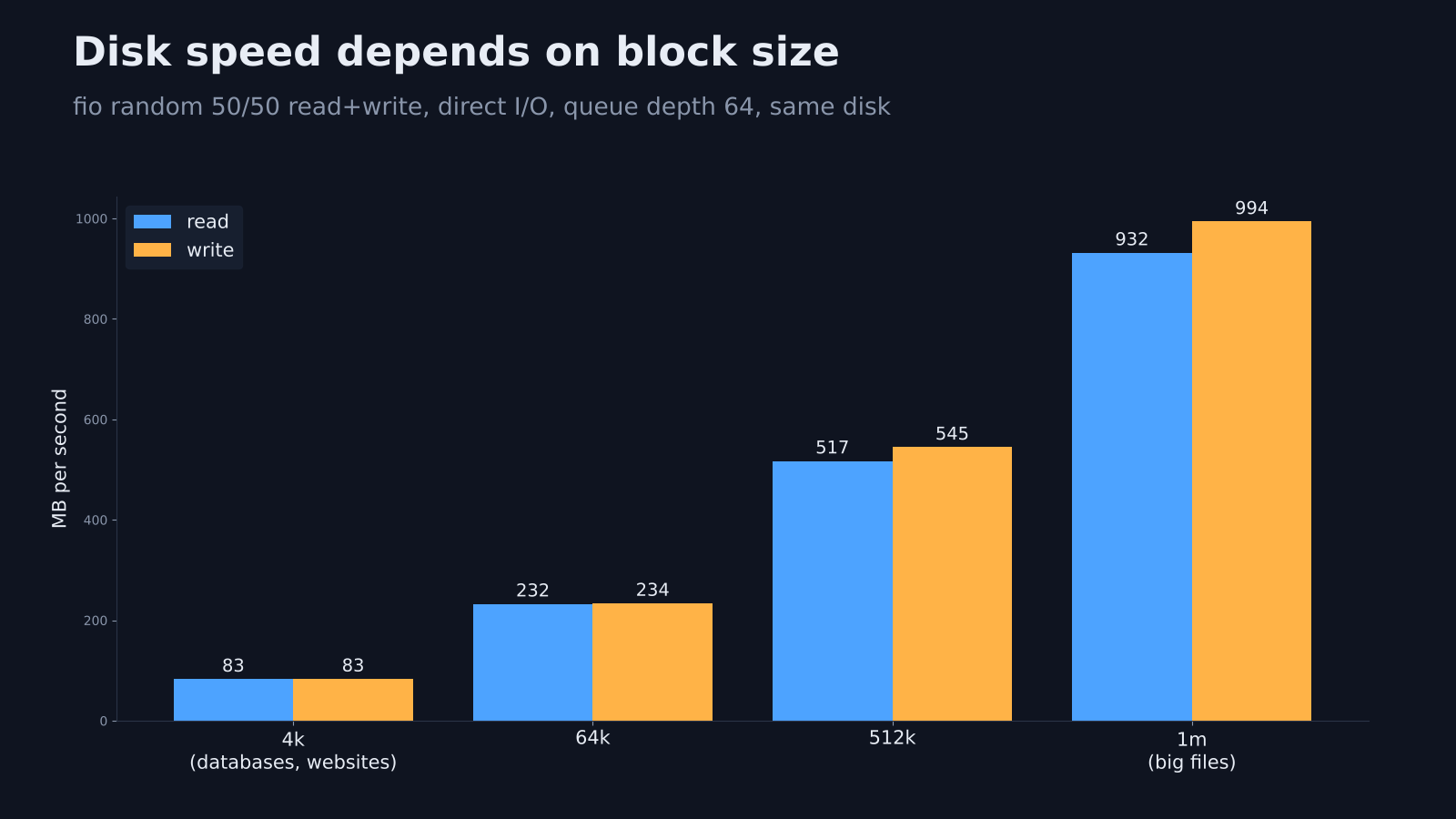
Small blocks gave 83 MB/s each way. One-megabyte blocks gave over 900 MB/s. Same disk. Small random work is always slower, and it is the number that predicts how a database feels.
One more test shows how a single request feels, which is closer to a quiet website:
fio --name=qd1 --ioengine=libaio --rw=randread --bs=4k --iodepth=1 \
  --size=2G --runtime=20 --time_based --direct=1 --filename=test.fio
Mine answered in 27 microseconds on average. That is fast enough that some cache likely sits between this server and its real disk. You cannot see that cache from inside the VPS. You can only notice when a number looks too good, and test again after the server has been busy.
Delete test.fio when you finish. It is a 2 GB file.
5. Test the network
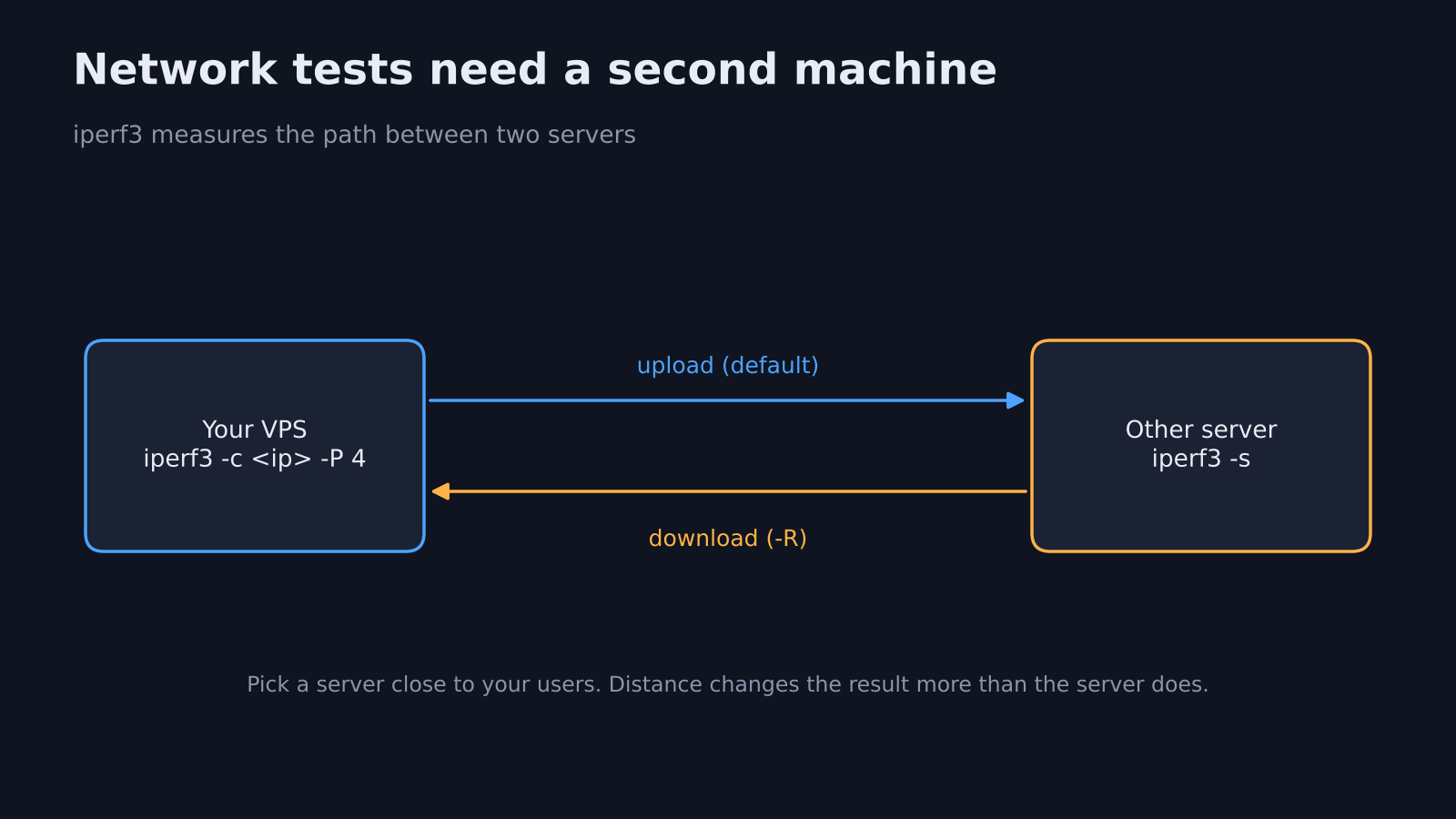
Network speed needs something on the other end. If you have a second server, run iperf3 -s on it, then on your VPS:
iperf3 -c <other-server-ip> -P 4 -t 15
iperf3 -c <other-server-ip> -P 4 -t 15 -R
The first line tests upload, the -R line tests download. Public iperf3 servers exist too, and the YABS script lists the ones it uses. Pick one close to your users, because distance changes the result more than the server does.
What do the one-line benchmark scripts send out?
All three popular scripts upload something by default, and only some of that can be turned off.
A one-line script saves you typing. It also runs someone else’s code as root and often contacts several outside services. The source of three popular ones, YABS, NodeQuality and goecs, shows what each does before you press enter.
| Script | What it runs | What leaves your server by default | How to stop it |
|---|---|---|---|
| YABS | fio, iperf3, Geekbench | Geekbench scores go to the public Geekbench website. Your public IP goes to ip-api.com over plain HTTP for location info. | -g skips Geekbench, -n skips the IP lookup, -i skips the network test |
| NodeQuality | YABS plus hardware, IP quality, network quality and route tests | The full results bundle is uploaded to nodequality.com every time | No flag turns the upload off |
| goecs | Its own CPU, memory, disk, IP, streaming and speed tests | The text report goes to the author’s paste site. It also pings a visit counter | -upload=false and -privacy |
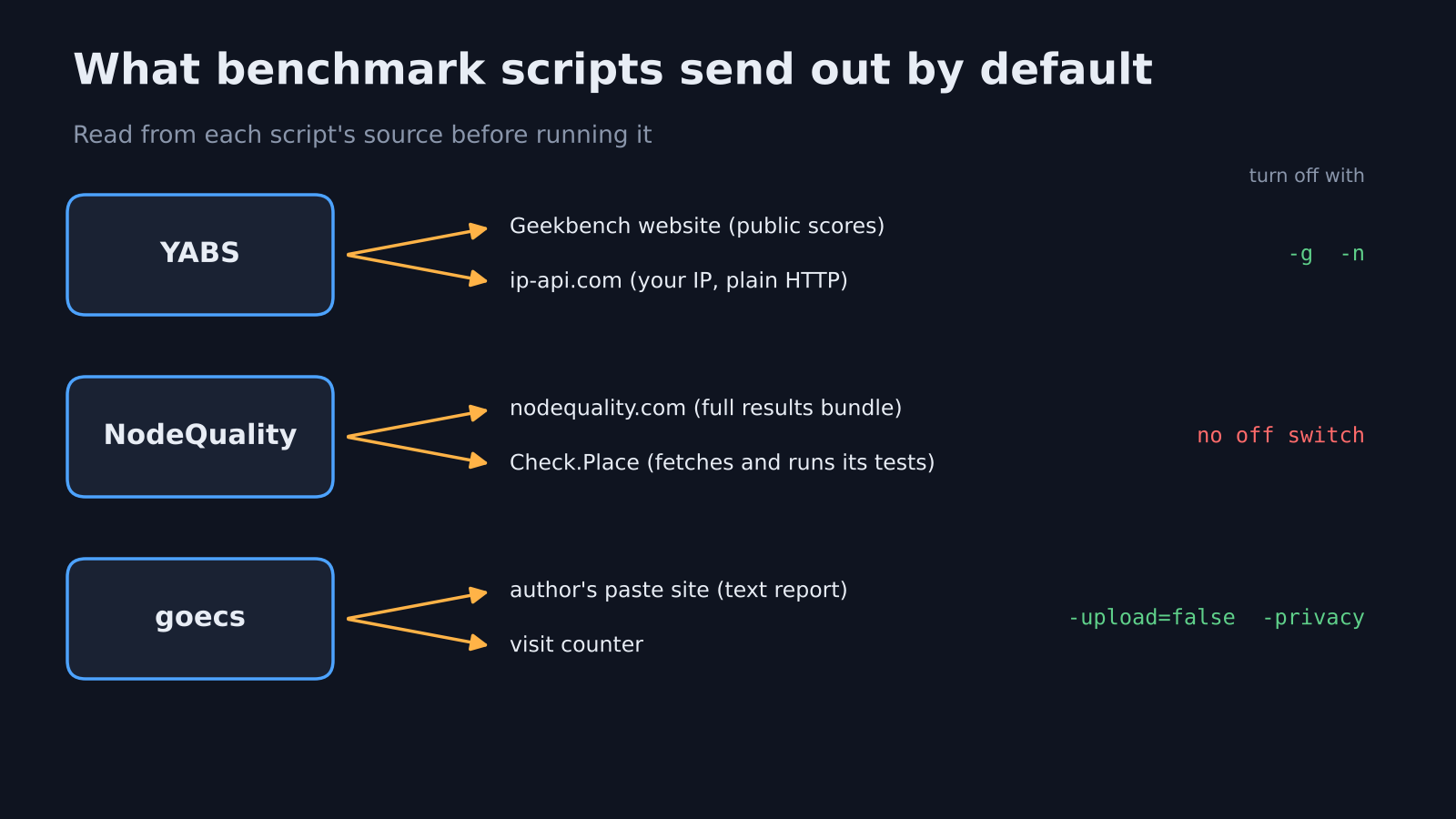
None of this is hidden. The uploads exist so you get a shareable link, which is how people compare servers on hosting forums. But you should choose that, not discover it later.
Two more details are worth knowing. NodeQuality downloads a whole small Debian system first. It runs the tests inside it with chroot (a way to run programs inside a folder that acts like its own system), so it leaves fewer files behind. And the default build of goecs pulls in a module that is not public, so part of the code you run is code you cannot read.
Is it safe to run curl | bash benchmark scripts?
It is as safe as the person who wrote the script, so read it first.
The pattern curl -sL <url> | bash (download a script and run it straight away, without saving it) gives that script full control of your shell. If you run it with sudo or as root, it controls the whole server.
There is a fair case for these scripts. They are open source, they save real time, and the shared result links make it easy to compare hosts.
Still, a fresh, empty VPS is the safest place to run them, and a server with your customer data is the worst. If you want the convenience, download first, read, then run with the flags you want:
curl -sL yabs.sh -o yabs.sh
less yabs.sh
bash yabs.sh -g -n
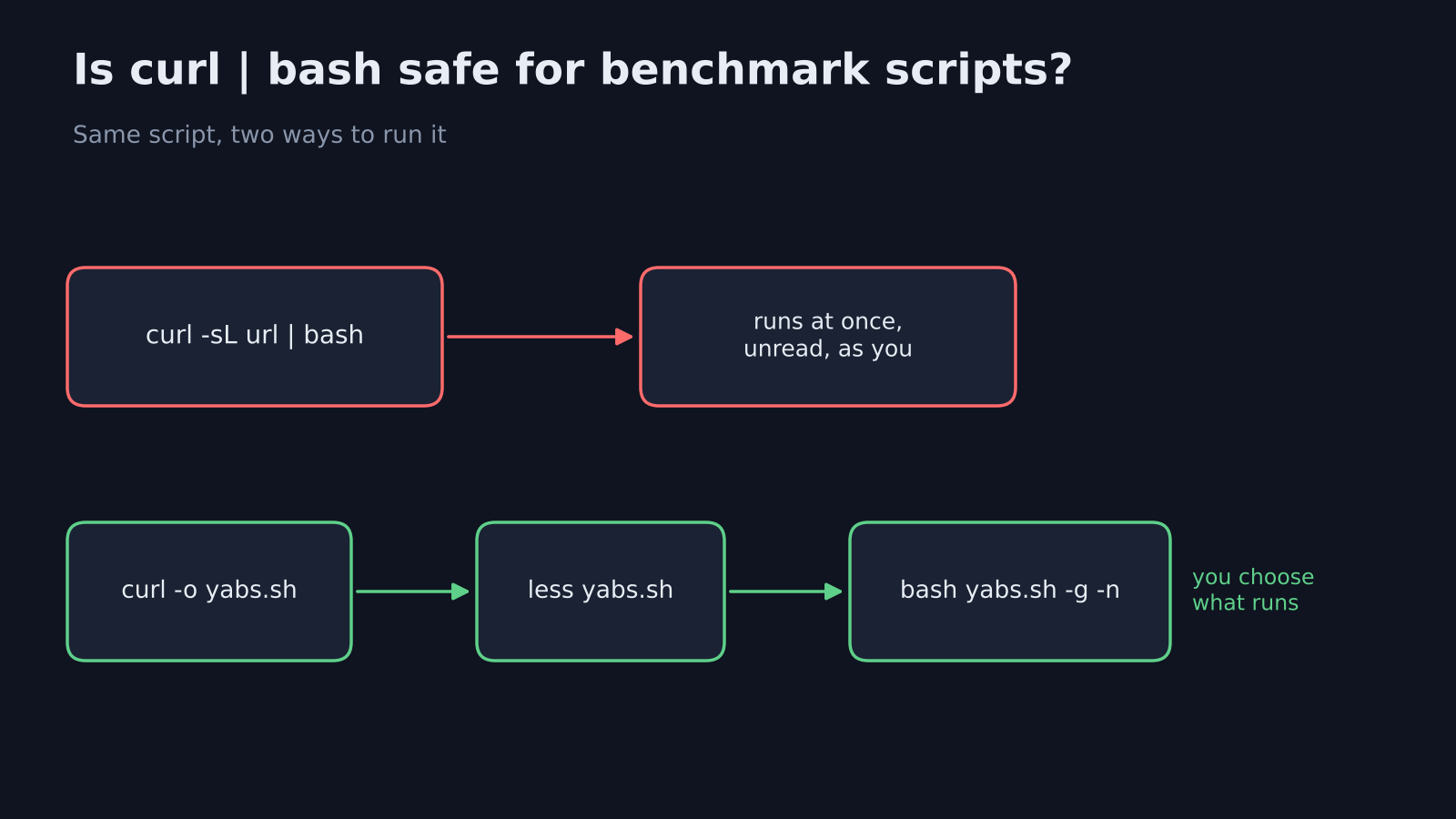
That keeps the disk and network tests and skips both outside lookups. The same check-before-you-run habit applies to anything you install, which I covered in how to check if your VPS is secure.
Which VPS benchmark numbers should you compare?
Compare the number that matches your job, not the biggest number on the screen.
A huge 1 MB disk speed looks great in a screenshot. But what does your app actually do? A WordPress site mostly reads tiny files, so that big number tells you little.
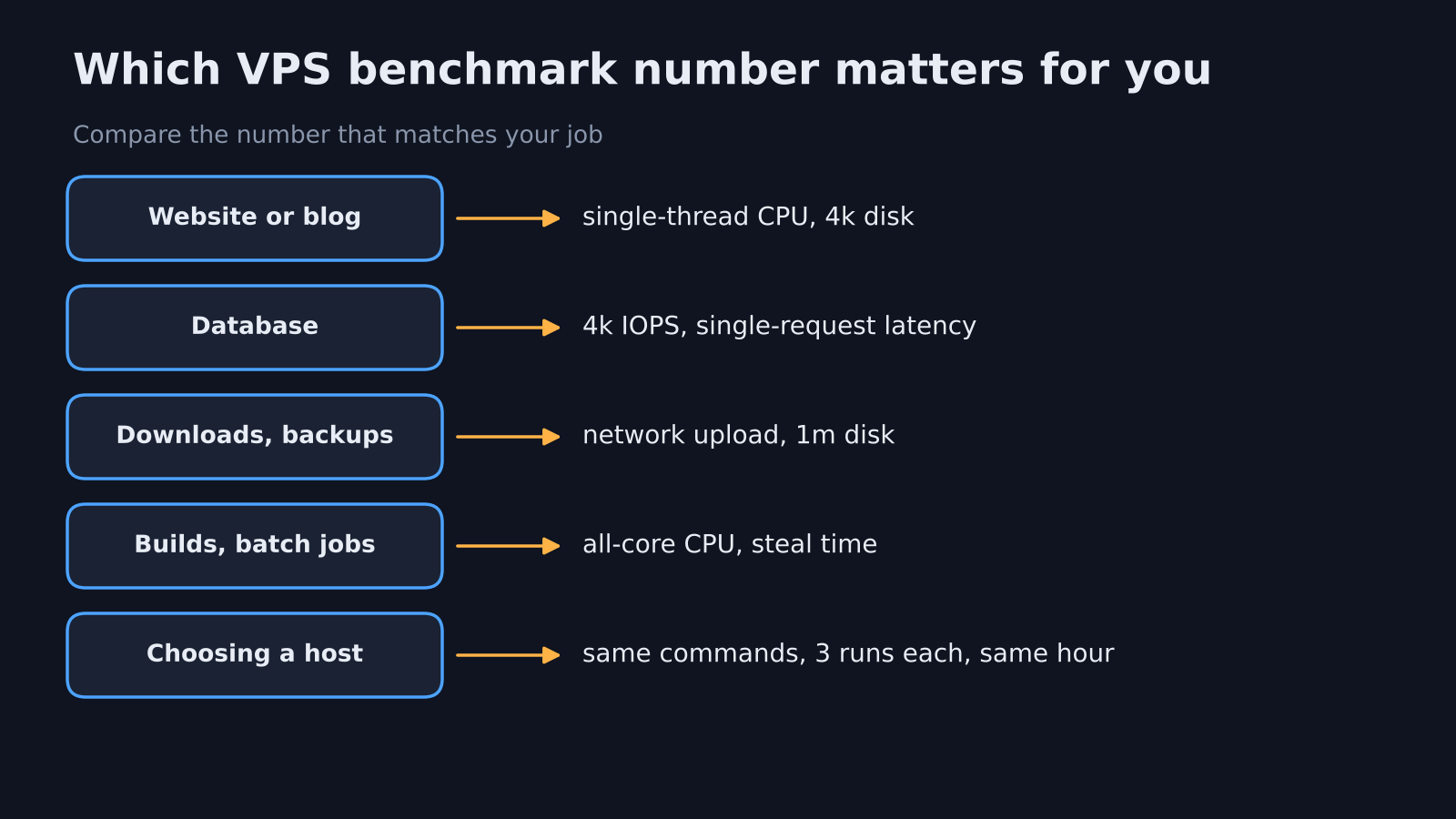
- Website or blog: single-thread CPU and 4k random disk speed.
- Database: 4k random IOPS (input/output operations per second) and the single-request latency test.
- File downloads or backups: network upload speed and 1 MB disk speed.
- Build server or batch jobs: all-core CPU and steal time under load.
- Two hosts you are choosing between: the same commands, run three times on each, at a similar hour.
That last point matters most. A benchmark is only useful as a comparison. Your numbers will differ from mine, and that is fine, as long as you compare your servers to each other the same way.
Test it yourself in ten minutes
Install the three tools. Run the single-thread CPU test three times, the 4k fio test three times, and watch vmstat 1 during one CPU run. Write down the middle numbers. Do the same on the next server you rent, or on this one in a month, and you will know if anything changed.
Running a small server at home instead? The same commands work on an old Android phone running Linux. They also make a good first check before you move a Docker image onto the box.
Common questions about VPS benchmarks
What is a good VPS benchmark score?
There is no universal good score, because it depends on the CPU model and plan size. Use the numbers to compare two servers or two hosts with the same commands, and check that steal time stays near zero.
Is YABS safe to run?
YABS is open source and you can read every line before running it. By default it uploads Geekbench results publicly and sends your IP to a location service, so run it with -g -n if you want neither.
How long does a VPS benchmark take?
The five manual tests above take about ten minutes, most of it the disk tests. A full script takes longer, because it adds Geekbench and tests against several network servers one after another.
Why is my VPS disk speed different every time I test?
Caches, other customers on the same host and burst limits all move disk numbers. Skip the page cache with direct I/O, run each test three times and compare the middle result.
So run it three times. Then trust the middle one.