
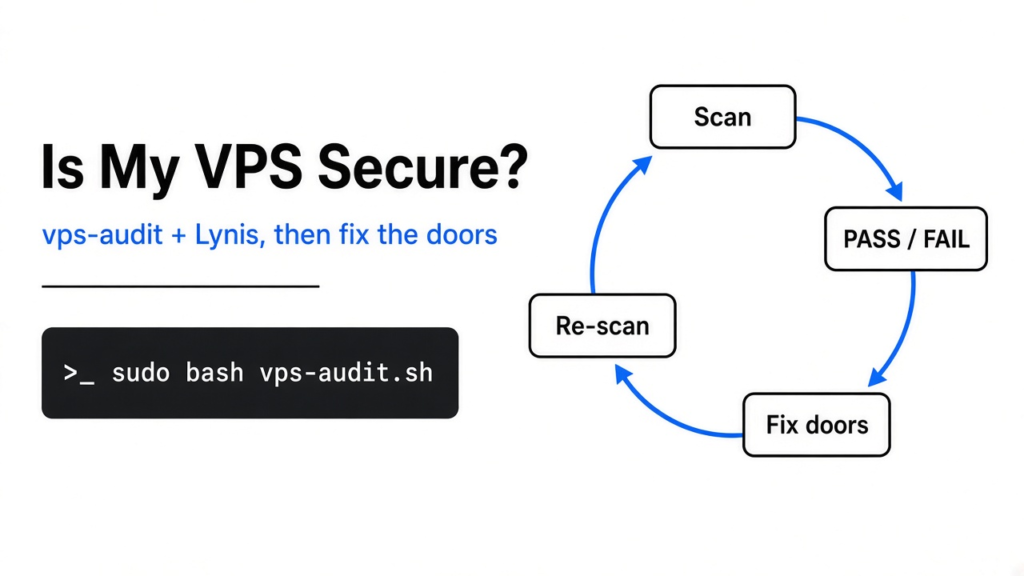
To check if your VPS is secure, run a security scanner on the server itself and fix what it flags in order of risk. vps-audit gives a PASS, WARN or FAIL list in about 5 seconds. Lynis takes about a minute and goes much deeper. Run both, because on a fresh Ubuntu server only vps-audit flagged that strangers could still guess the login password.
You rent a cheap server, follow a setup guide, and your app goes live. It works, so you move on. But you never checked what the guide left open.
That gap costs real money when it goes wrong. A server that bots break into gets used for spam, crypto mining or attacks on other people, and your host can shut it down. This post shows how to check your server in under two minutes, what two free tools caught on a fresh machine, and what to fix first.
Keep one idea in mind: a scanner’s score is not your risk. The number tells you how many boxes are ticked. It does not tell you which unticked box lets a stranger in.
What does “secure” mean for a VPS?
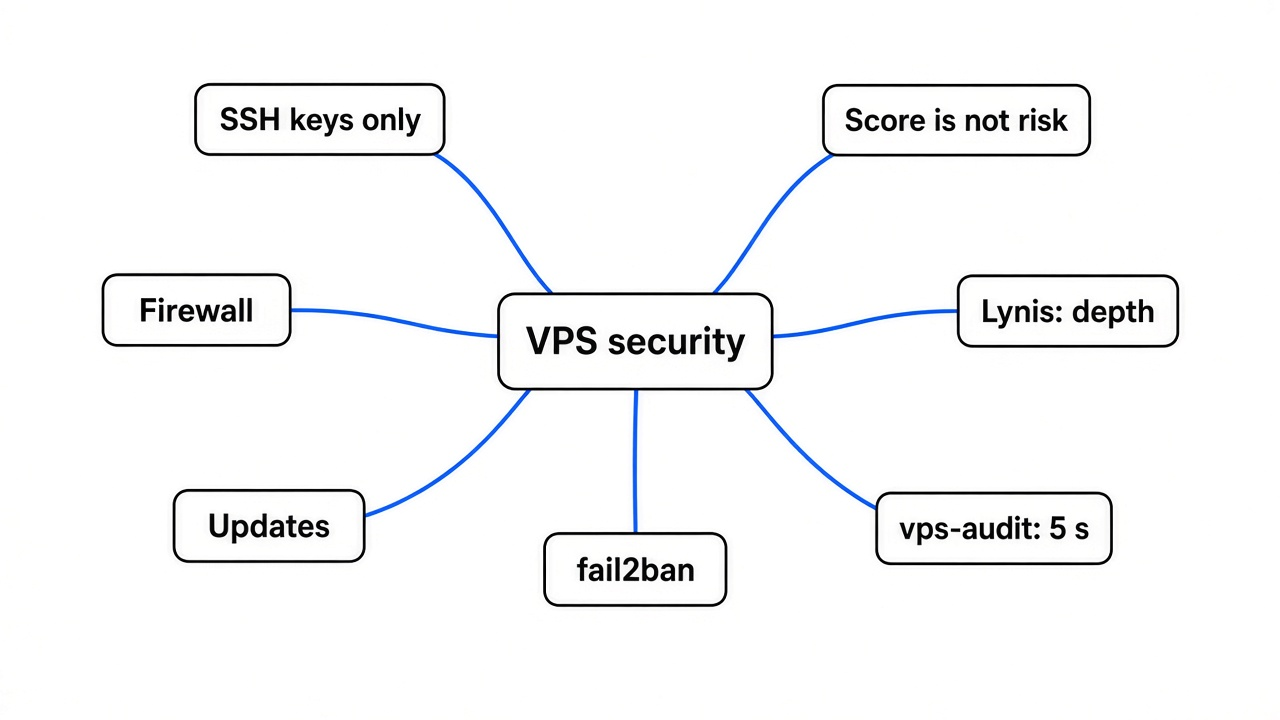
A VPS is secure when the few doors into it are locked and the locks get patched. Everything else is detail.
Start from the base. A VPS (a rented virtual computer in a data center, online all the time) has a public address, so anyone on the internet can knock on it. Bots do this all day, to every address, looking for an easy one.
They knock on ports (numbered doors that a program listens behind). The main door is SSH (the encrypted remote login you use to run commands on the server), which sits on port 22 unless you move it. Even a spare phone turned into a Linux server has the same door.
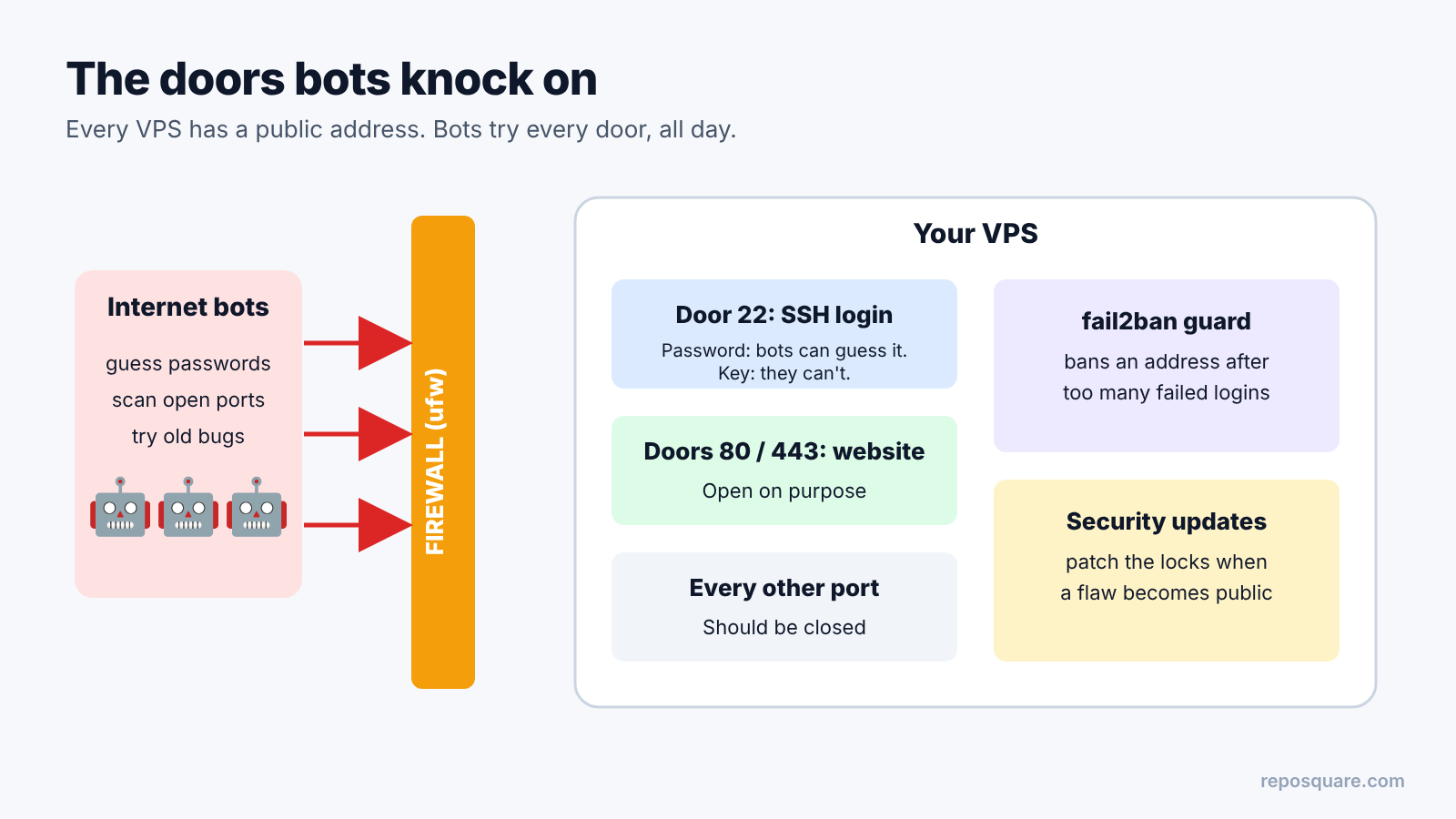
Now build on that. If SSH accepts passwords, a bot can run a brute force attack (guessing passwords nonstop, thousands of tries). An SSH key (a pair of files where only your laptop holds the private half) can’t be guessed that way. So the first question is always: does SSH still accept passwords?
The other doors are simpler. Is there a firewall (a filter that drops traffic to ports you did not open)? Are security updates installed? Is there a guard like fail2ban (a tool that bans an address after too many failed logins)? A scanner checks all of these for you in one run.
How do you check a VPS in seconds?
Download the script, read it, then run it with sudo. Reading first matters because you are about to give a stranger’s code full control of your server.
vps-audit is a single Bash script for Debian and Ubuntu servers. It prints a color-coded PASS, WARN or FAIL line for each check and saves a text report in the folder you run it from. It is MIT licensed, so you can read, change and reuse it freely.
git clone https://github.com/Nuver-Labs/vps-audit.git
cd vps-audit
less vps-audit.sh        # read it first, it is a few hundred lines
sudo bash vps-audit.shAvoid the “pipe the download straight into bash” shortcut. When you clone and read first, you know exactly what runs, the same habit that keeps Claude Code mods safe. One thing you will see while reading: the script asks a public web service for your server’s IP address. Harmless, but worth knowing.
Lynis is the older, much bigger tool. It runs a few hundred tests, covers Linux, macOS and BSD, and ends with a hardening index (a 0 to 100 score of how many hardening tips you already follow). Ubuntu’s own Lynis package lagged behind the project, so I ran the copy from its GitHub, which needs no install:
git clone --depth 1 https://github.com/CISOfy/lynis.git
cd lynis
sudo ./lynis audit system --quickThe --quick flag skips the pauses between sections. Lynis is GPL-3.0 licensed.
What did each tool catch on a fresh server?
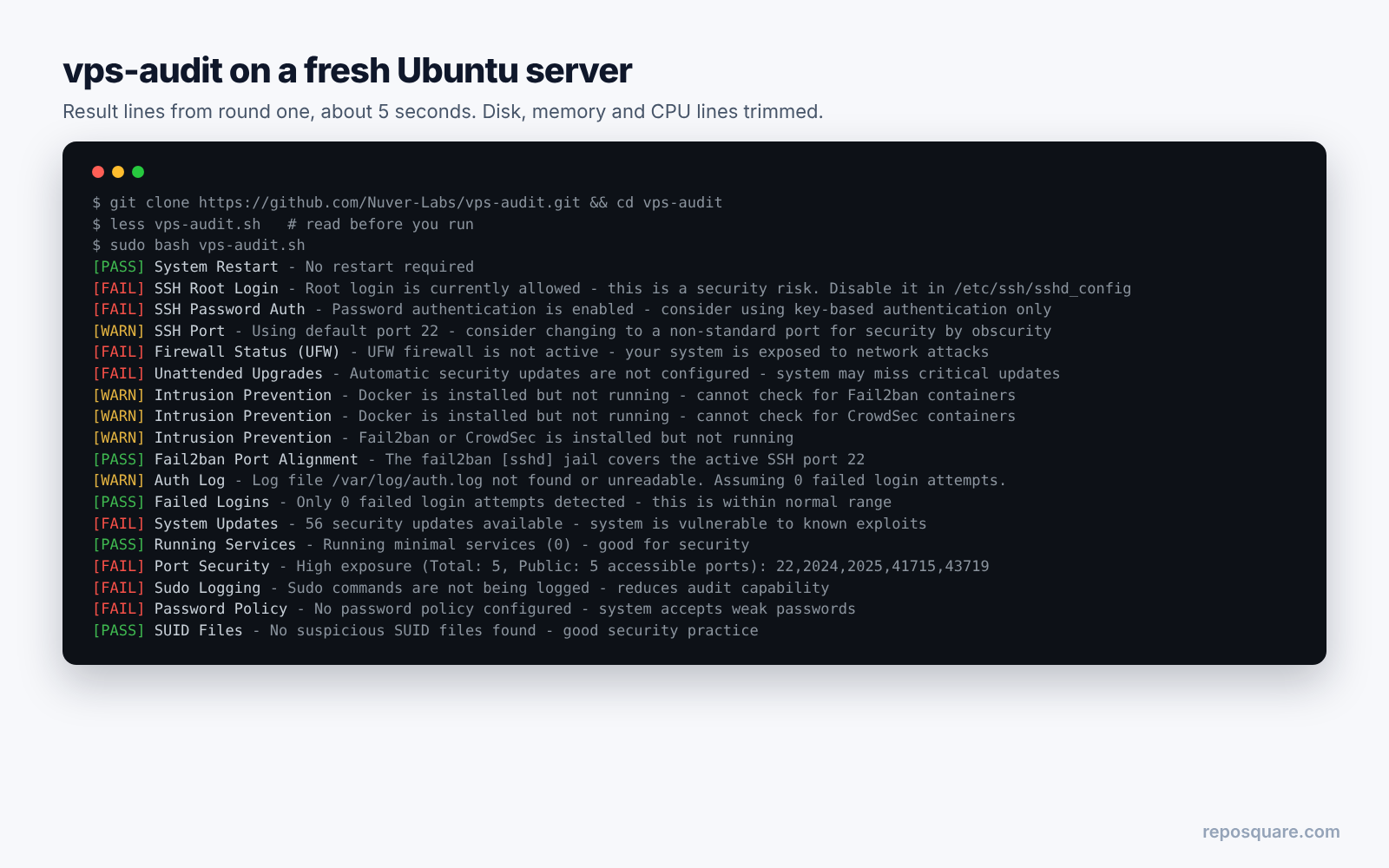
vps-audit finished in about 5 seconds, Lynis in about a minute, and they did not flag the same things. The overlap was smaller than I expected.
The question: if you run both on a fresh Ubuntu 24.04 server, which real problems does each one find? I installed SSH with Ubuntu’s default settings, plus fail2ban and the firewall tool ufw, both left off. Then I ran each tool three times: as installed, after fixing settings, and after installing pending updates.
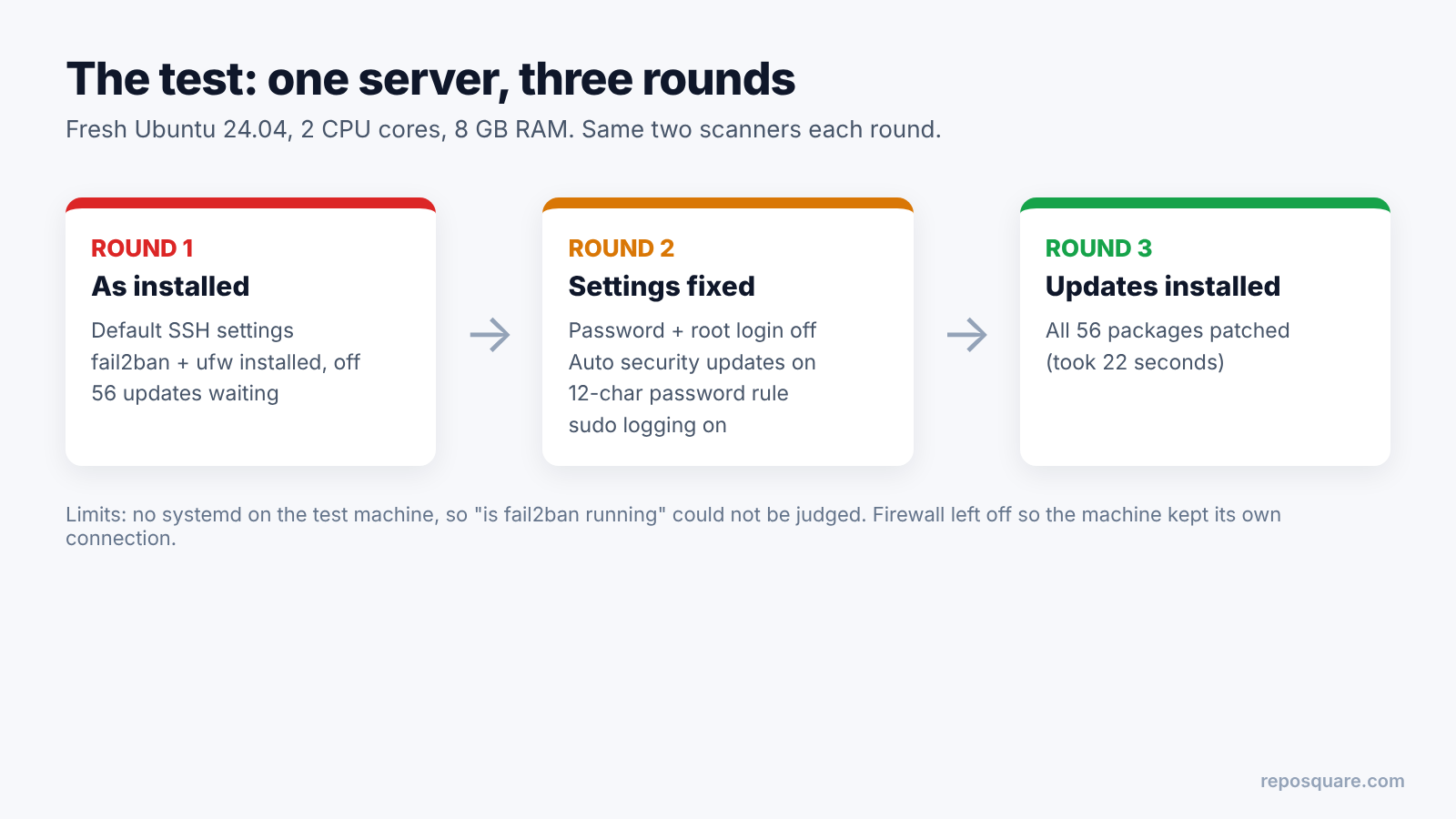
Round one ran on the server exactly as installed. Here is what came back:
- vps-audit: 8 PASS, 5 WARN, 8 FAIL, in about 5 seconds.
- Lynis: hardening index 59, 3 warnings, 52 suggestions, in about 58 seconds.
Both flagged the missing firewall and the 56 pending package updates. Only vps-audit flagged that SSH accepted passwords and that root could log in with a key. Only Lynis flagged dozens of deeper tips, like file permissions, kernel settings and logging.
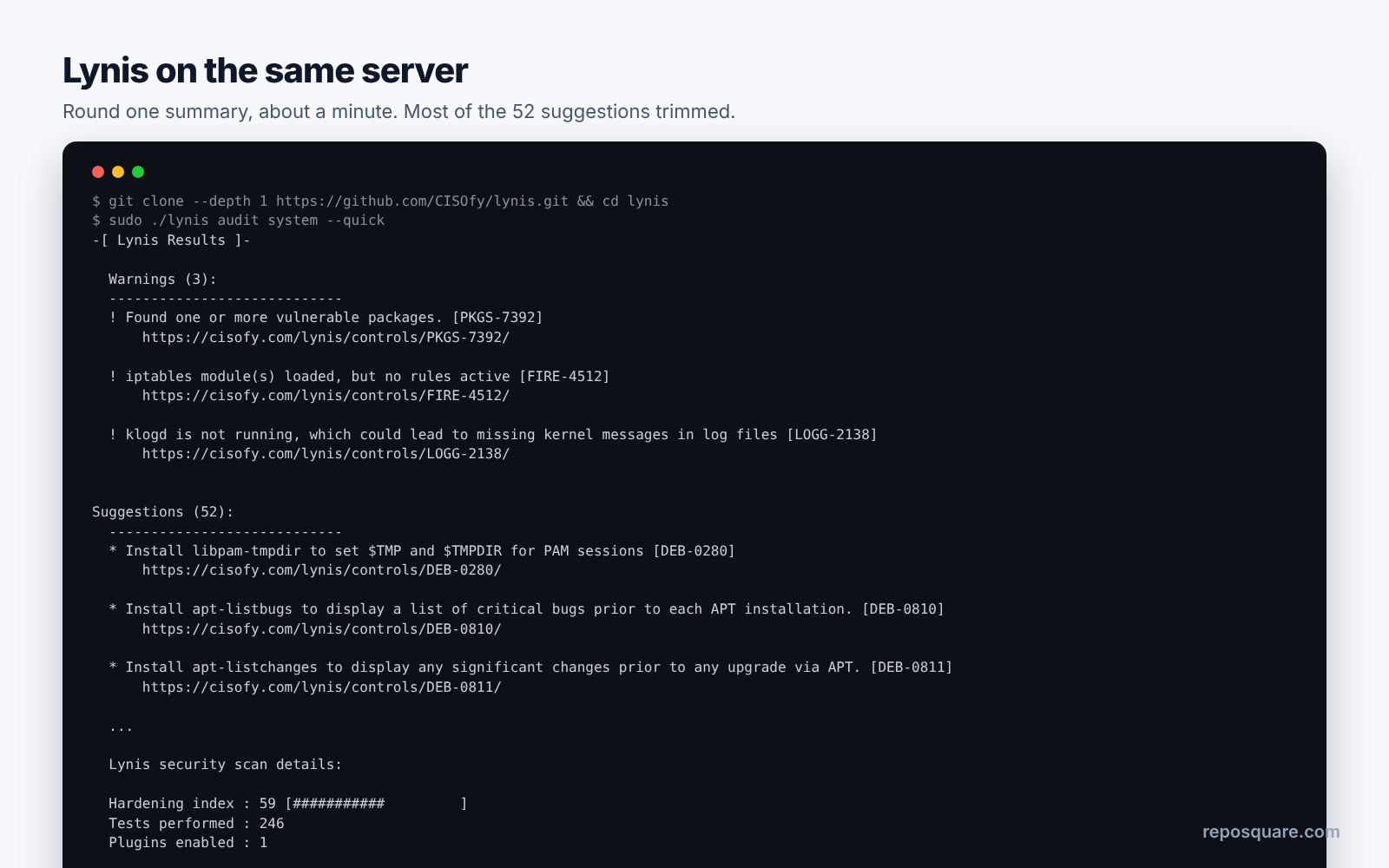
Round two, after I turned off password login and root login, turned on automatic security updates, set a 12-character password rule and turned on sudo logging:
- vps-audit: 12 PASS, 5 WARN, 4 FAIL.
- Lynis: index 61, 3 warnings, 50 suggestions.
Round three came after installing all 56 pending updates. Both tools noticed:
- vps-audit: 13 PASS, 5 WARN, 3 FAIL.
- Lynis: index still 61, warnings down to 2, 49 suggestions.
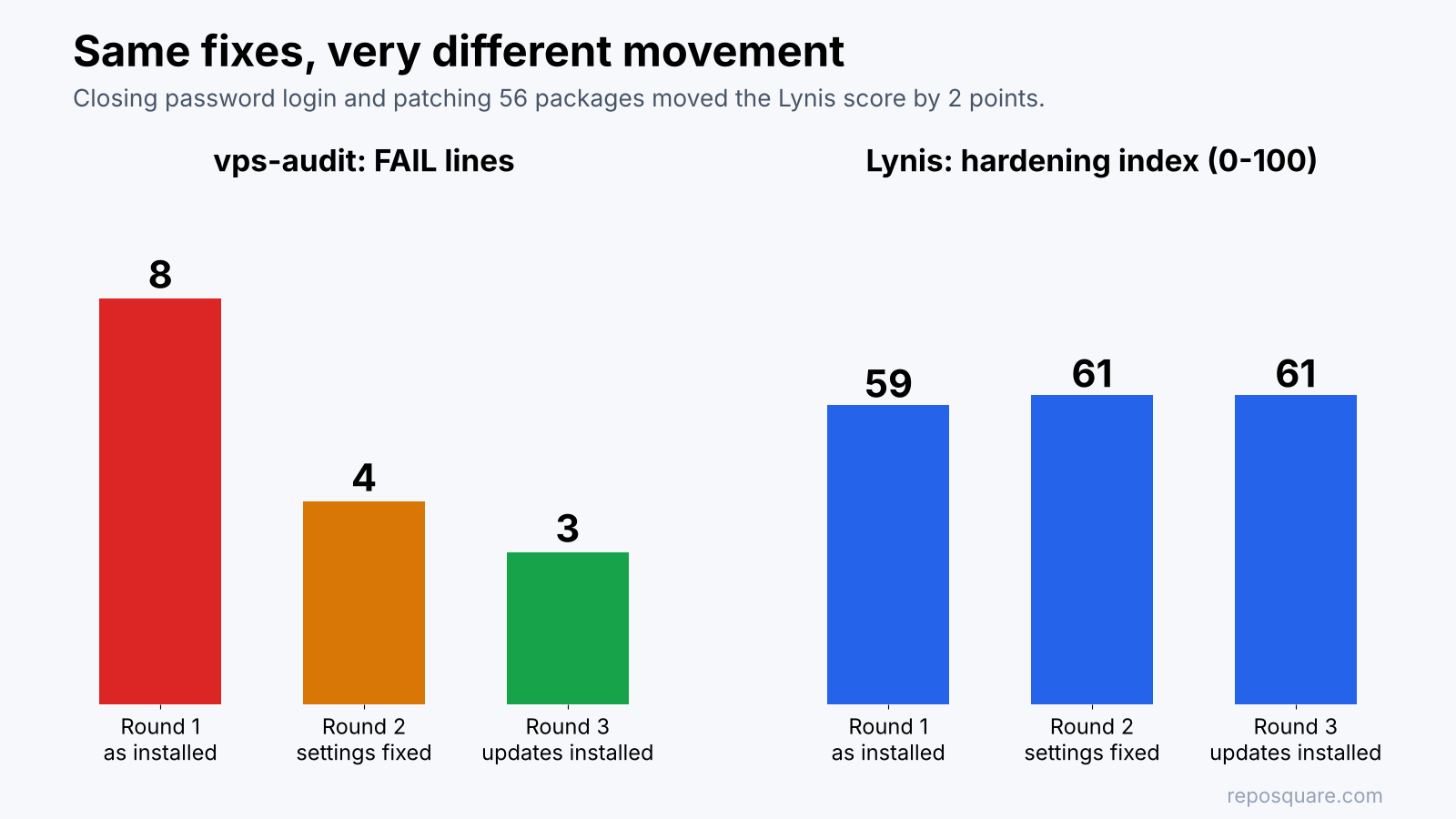
Look at that last line again. I patched 56 packages and closed the password door, and the Lynis score moved two points. Meanwhile, tips like “add a legal banner” sit in the same list as “patch your packages”. That is the score-versus-risk gap in action: the number counts tips, it does not rank danger.
One honest limit. My test machine had no systemd (the program that starts and tracks services on most Linux servers), so neither tool could judge whether fail2ban was running. I also left the firewall off, because switching it on would have cut the test machine’s own connection.
Why did Lynis say nothing about password logins?
Lynis does not check PasswordAuthentication at all, and it treats root login with a key as fine. On a real VPS, password login is the setting bots attack most.
To see why, look at how Lynis judges SSH. It holds a fixed list of SSH settings and the value it prefers for each, such as MaxAuthTries, X11Forwarding and PermitRootLogin. PasswordAuthentication is not on that list.
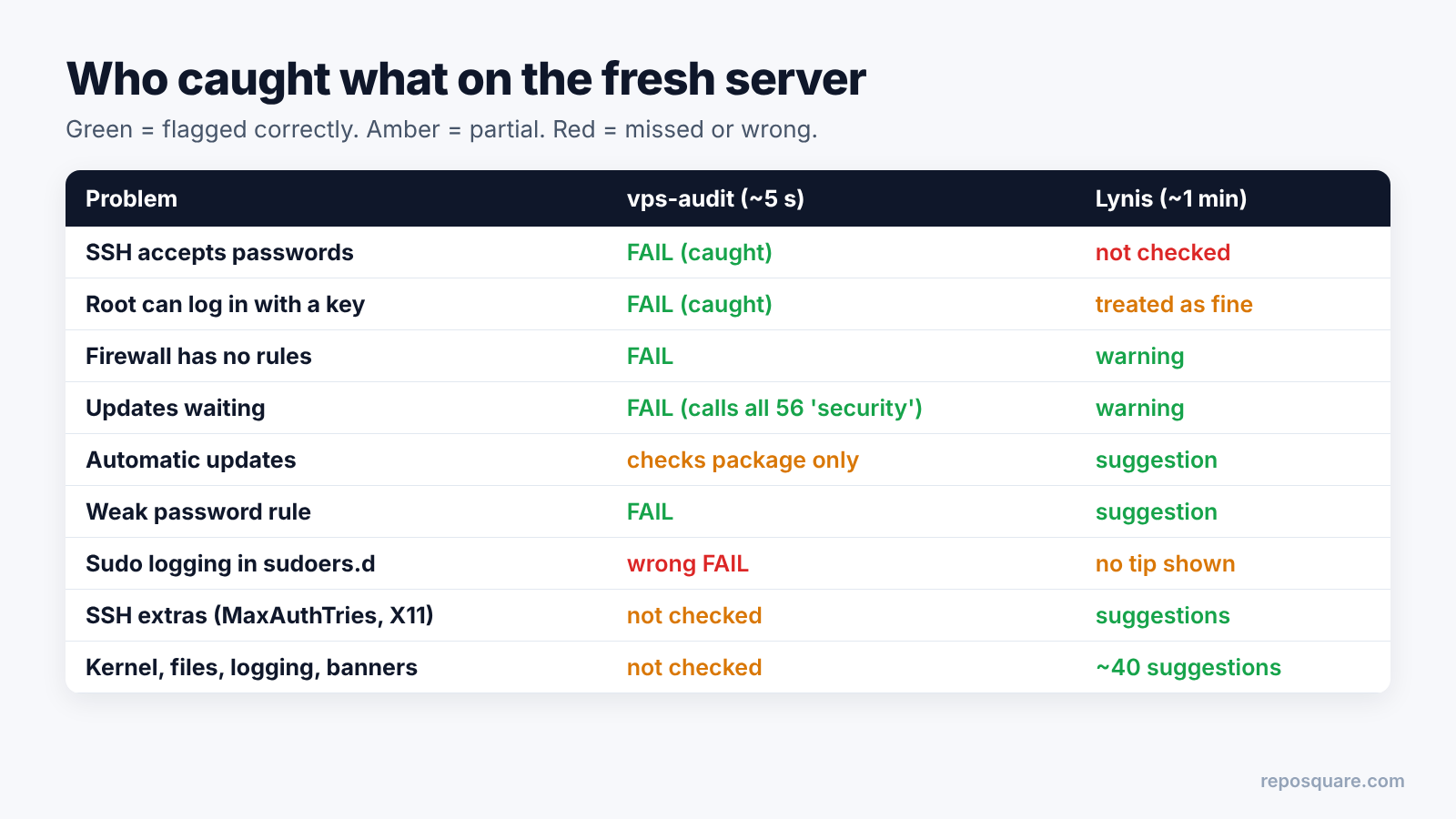
So on a default Ubuntu server, Lynis asked me to lower MaxAuthTries from 6 to 3 and turn off X11Forwarding. Both are fair tips. But the setting that decides whether a password-guessing bot can ever get in went unmentioned.
There is a fair case for Lynis here. Many admins want key-only login, but some need passwords for a reason, and Lynis leaves that choice to you. Still, for someone checking a cheap VPS, silence on the biggest door reads like a pass.
Where does vps-audit get it wrong?
vps-audit reads config files with simple text searches. So it can miss settings kept in other files, and some PASS lines aren’t true. I found five of these while going through the script and comparing it with my results.
- Sudo logging in a drop-in file shows as FAIL. I added the setting in
/etc/sudoers.d/(a folder of extra config files the main file loads), which is the normal way. vps-audit only searches/etc/sudoers, so it kept saying FAIL. - Local-only ports count as public. SSH on my test machine listened only on
localhost(the machine talking to itself, unreachable from outside). vps-audit still counted it as a “public” port. - Automatic updates PASS if the package exists. The check looks for the unattended-upgrades package, not whether it is switched on.
- Every update is called a security update. It reported “56 security updates”. 49 of them came from Ubuntu’s security channel.
- Failed logins can read zero on Ubuntu. When
/var/log/auth.logis missing, a version check meant for Debian breaks on Ubuntu’s version text, and the failed-login count falls back to 0.
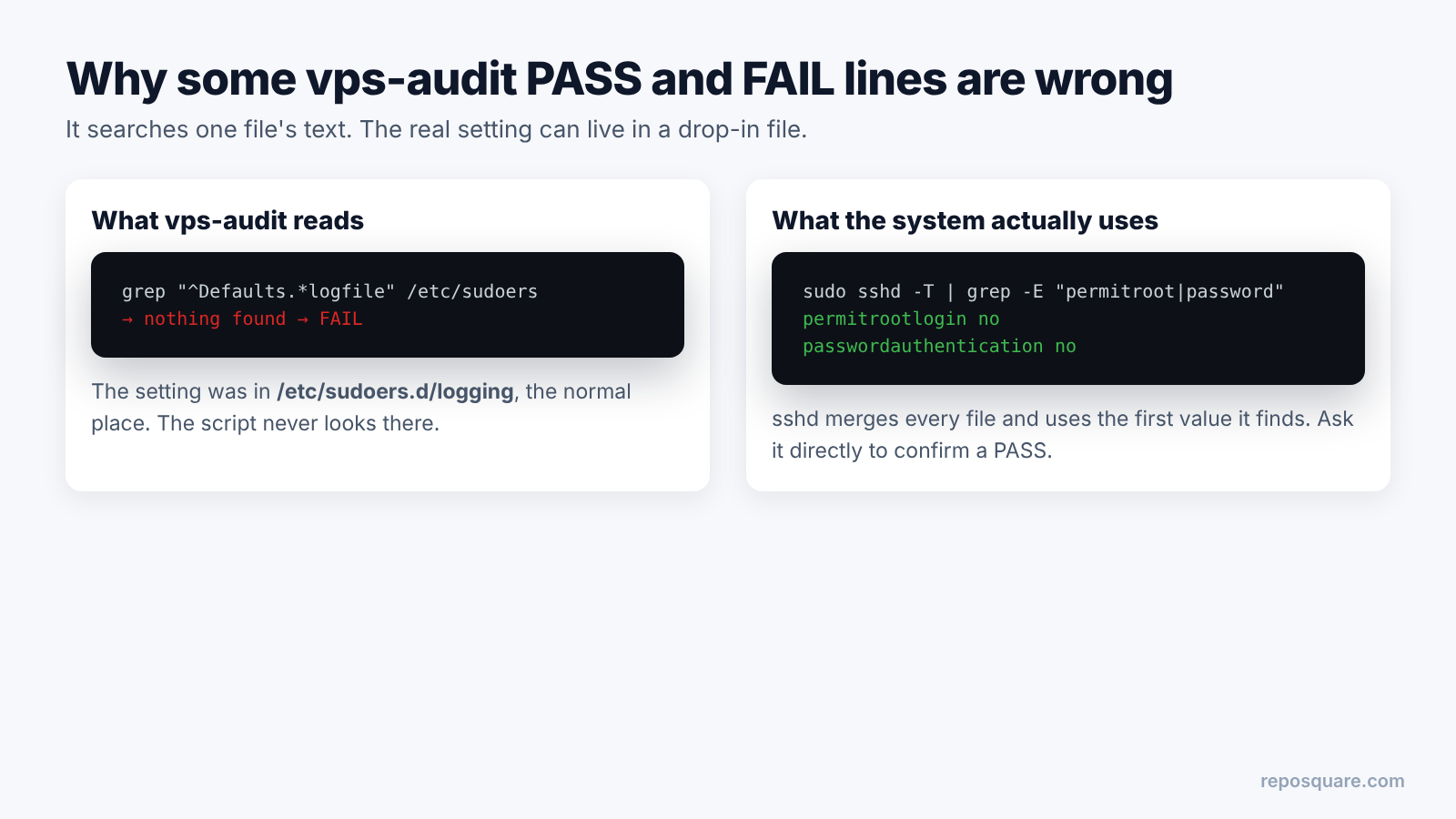
Here is the deeper reason. SSH itself merges the main file with drop-in files and uses the first value it finds. You can ask SSH for the final answer with sudo sshd -T, but vps-audit greps the text instead. For SSH it happens to read the drop-in folder too, which is why my SSH fixes did show up.
None of this makes vps-audit useless. It means a PASS is a hint, and a FAIL is a question worth two minutes of checking.
What should you fix first?
Fix the doors in order of how bots attack: SSH login, updates, firewall, ban guard, then automatic updates. Two of these steps can lock you out if you do them in the wrong order.
- SSH keys only. Add your key, then open a second terminal and confirm the key login works before you change anything. Then put
PasswordAuthentication noandPermitRootLogin noin a file inside/etc/ssh/sshd_config.d/, runsudo sshd -tto test it, and reload SSH. - Install updates.
sudo apt update && sudo apt upgrade. On my test machine, all 56 took 22 seconds. - Firewall, SSH first. Run
sudo ufw allow OpenSSHbeforesudo ufw enable, or the firewall closes the door you are standing in. - Ban guard. Install fail2ban and copy
jail.conftojail.localso updates don’t overwrite your changes. - Automatic security updates.
sudo apt install unattended-upgrades, then check/etc/apt/apt.conf.d/20auto-upgradesshows both values as “1”.
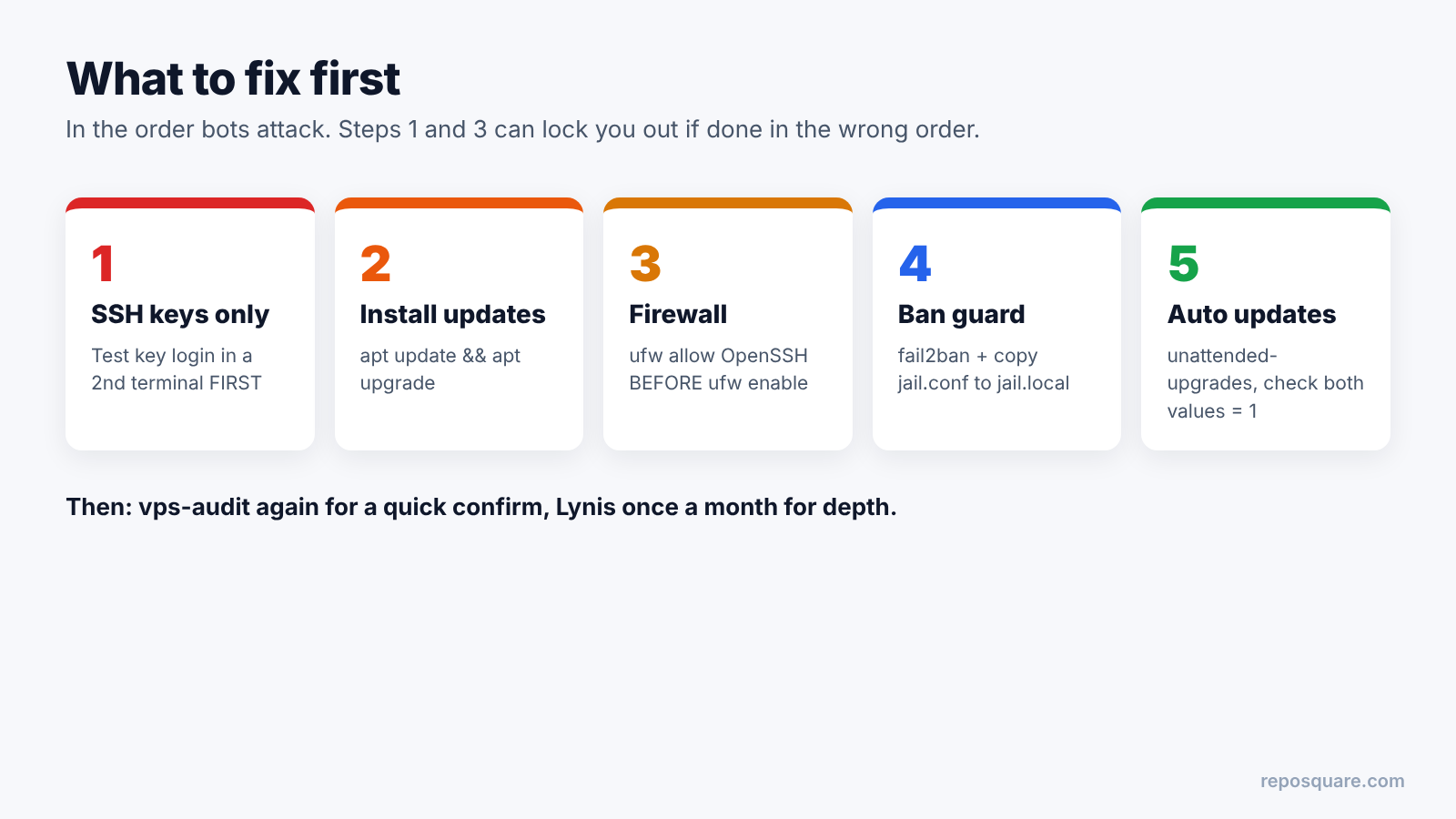
Then run vps-audit again for a quick confirmation, and Lynis once a month for the deeper tips. Read each Lynis suggestion, and skip the ones that don’t fit a small server, like separate disk partitions.
Lynis or vps-audit: which should you run?
Run vps-audit first for a fast check of the big doors, then Lynis for depth. They answer different questions, so neither replaces the other.
Lynis wins on depth, trust and reach. It has years of use behind it, a few hundred tests, and it works beyond Debian and Ubuntu. If you can only learn one tool for the long run, learn Lynis.
But for the question in the title, vps-audit was more useful on a fresh server. It took 5 seconds, it spoke plain PASS and FAIL, and it was the only one that caught password login. Just double-check its PASS lines with sshd -T and a look at the real config files.
Do this before you self-host apps like an open source Canva alternative or an open source Semrush alternative, and before you leave a coding agent running on the box (the Claude Code sandbox vs OpenShell comparison covers that side).
So don’t chase the Lynis score from 59 to 90. Close the password door, patch, and turn on the firewall. Then the number can say whatever it likes.
Common questions about checking if a VPS is secure
Is a VPS secure by default?
Not fully. On a default Ubuntu server, SSH accepts password logins, no firewall is active, and updates may be waiting until you install them.
Is Lynis safe to run on a production server?
Lynis reports what it finds and leaves every fix to you; the only files it writes are its own log and report. It needs root to see everything, so clone it from the official repo and run it with sudo.
How often should I audit my VPS?
Run a quick check like vps-audit after every big change, and a Lynis scan about once a month. Automatic security updates cover the days in between.
Should I change the SSH port from 22?
It cuts noise in your logs, but it doesn’t stop a determined attacker. Key-only login, a firewall and fail2ban matter far more than the port number.