
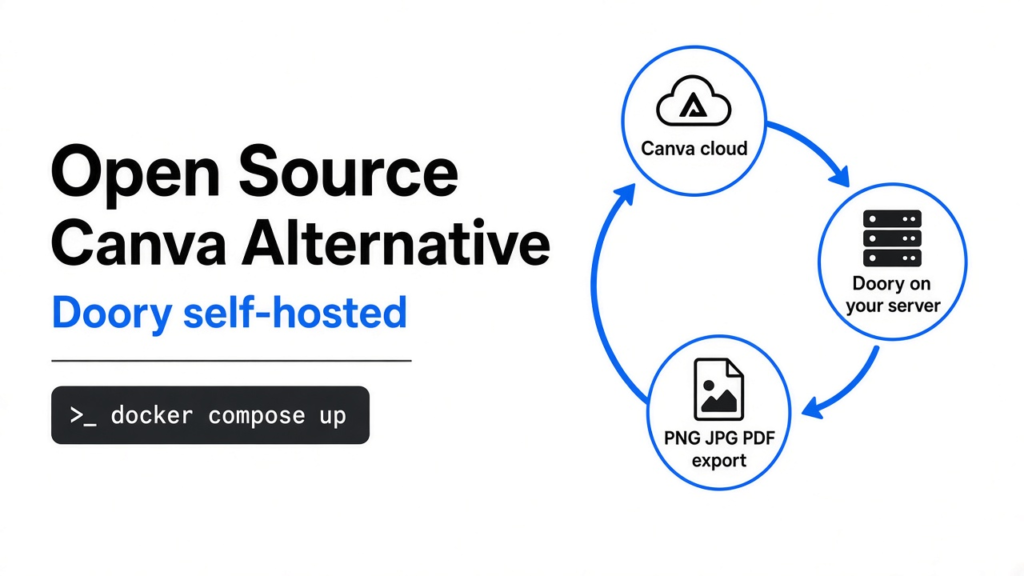
Yes. There is a free open source Canva alternative. Doory is a design editor that works like Canva in your browser and runs on your own server with Docker. On a 2-core test box it built in about 90 seconds and idled at about 350 MB of memory.
The catch: a fresh install has no templates, stickers or extra fonts until you run its content commands.
You need one poster for Saturday and three Instagram posts for next week. Canva is the obvious tool, but every design you make sits on Canva’s servers, under Canva’s plans and rules. If you run a small team, a school or a client site, that slowly starts to matter.
So people search for an open source Canva alternative. Most results are long lists of tools that are not really like Canva at all: photo editors, vector apps, or design tools made for app screens.
Doory is the first one that feels like Canva on purpose. It was installed, designs were built in it and every file type was exported. Get it here. Here is the thread of this post in one line: the install is three commands, but the content is the real setup.
What is Doory, and what does it replace?
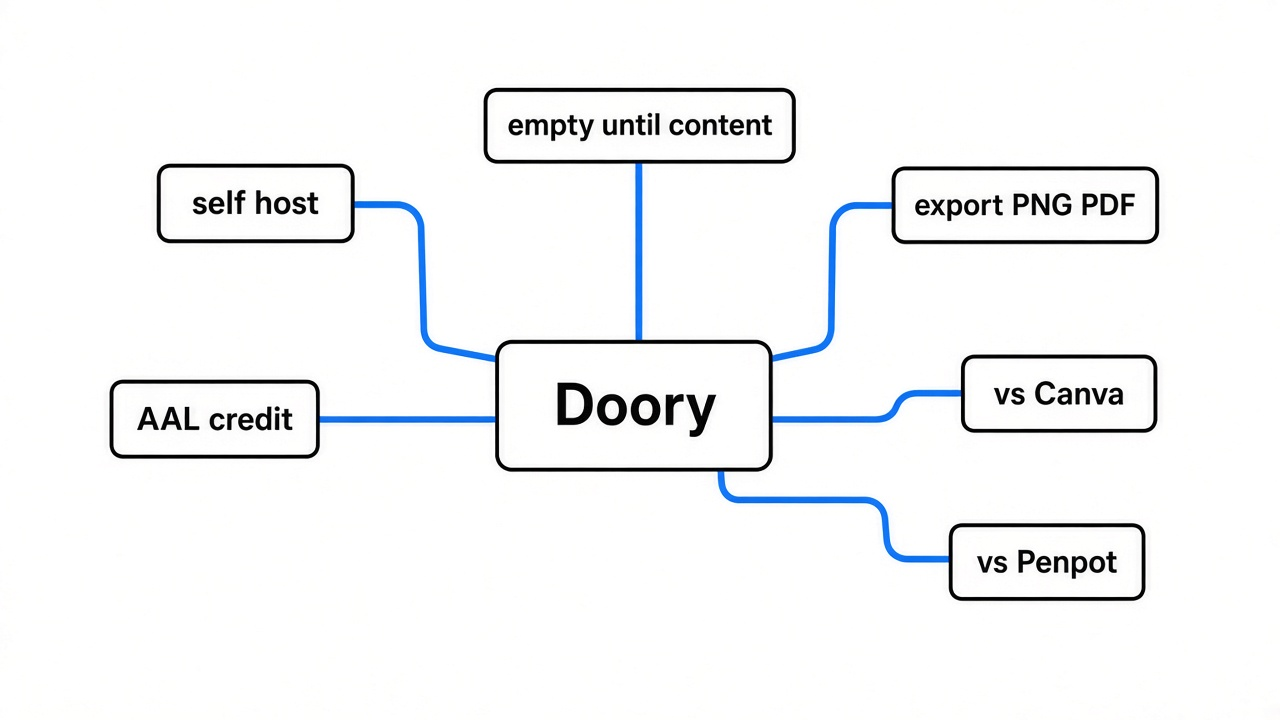
Doory replaces the “make a quick, good-looking graphic” job that Canva does, not the job of a pro tool like Photoshop. (For that job, see PhotoCraft vs GIMP.)
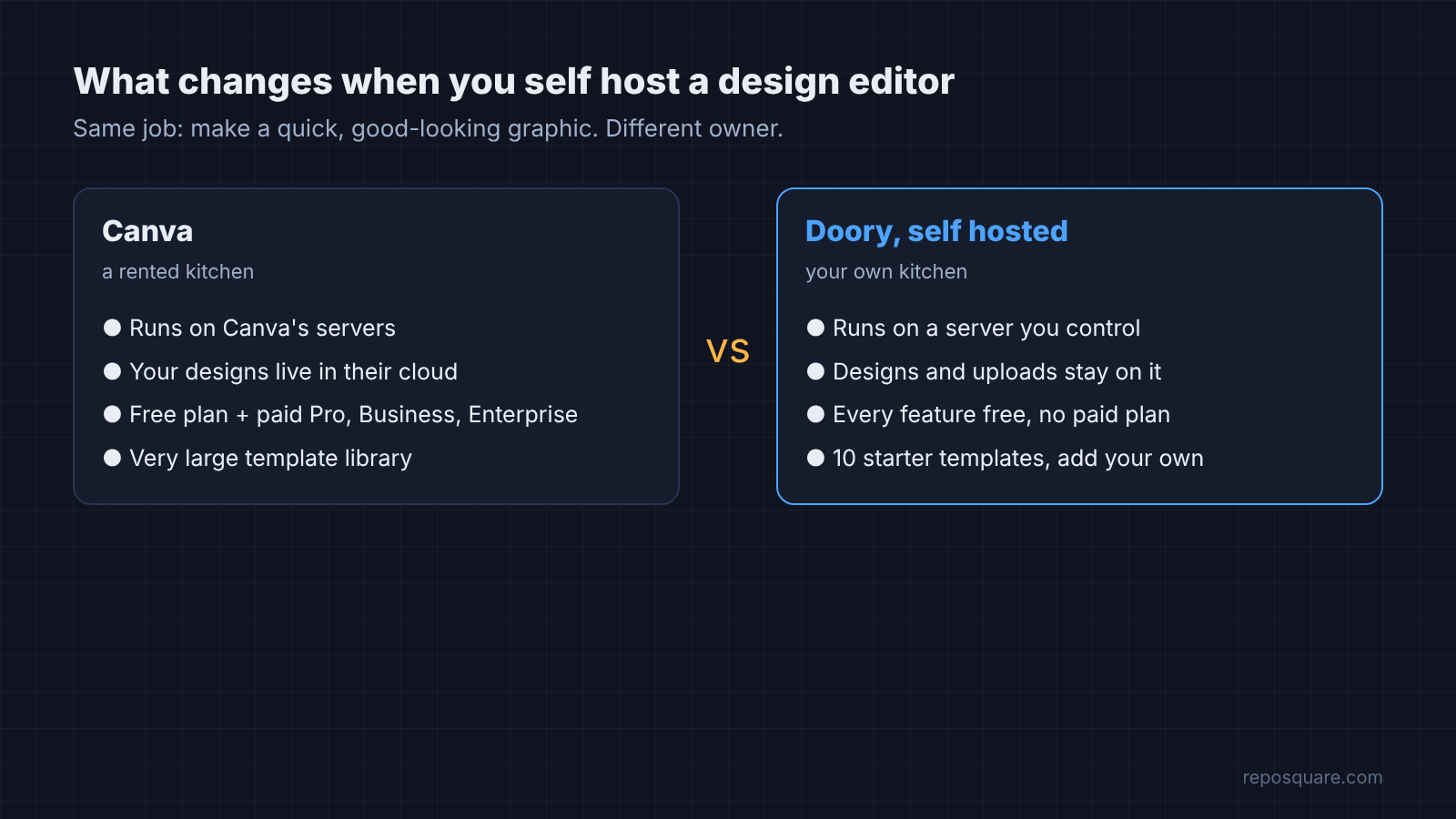
Start with what Canva actually is. It is a design editor that runs in your browser, with ready-made templates, text styles, shapes and one-click export. You pick a size, drag things around and download a PNG.
And Doory is the same idea, but the code is public and you can host it yourself. To self host (run the app on a server you control, instead of using someone else’s) means your designs and uploads live on your machine, not on a company’s cloud.
It covers the parts people use most. There are text styles and font pairings, shapes and charts, layers, multi-page designs, animations, presenting, comments, share links and real-time co-editing. Guests can start designing without an account, and their work is saved in their own browser.
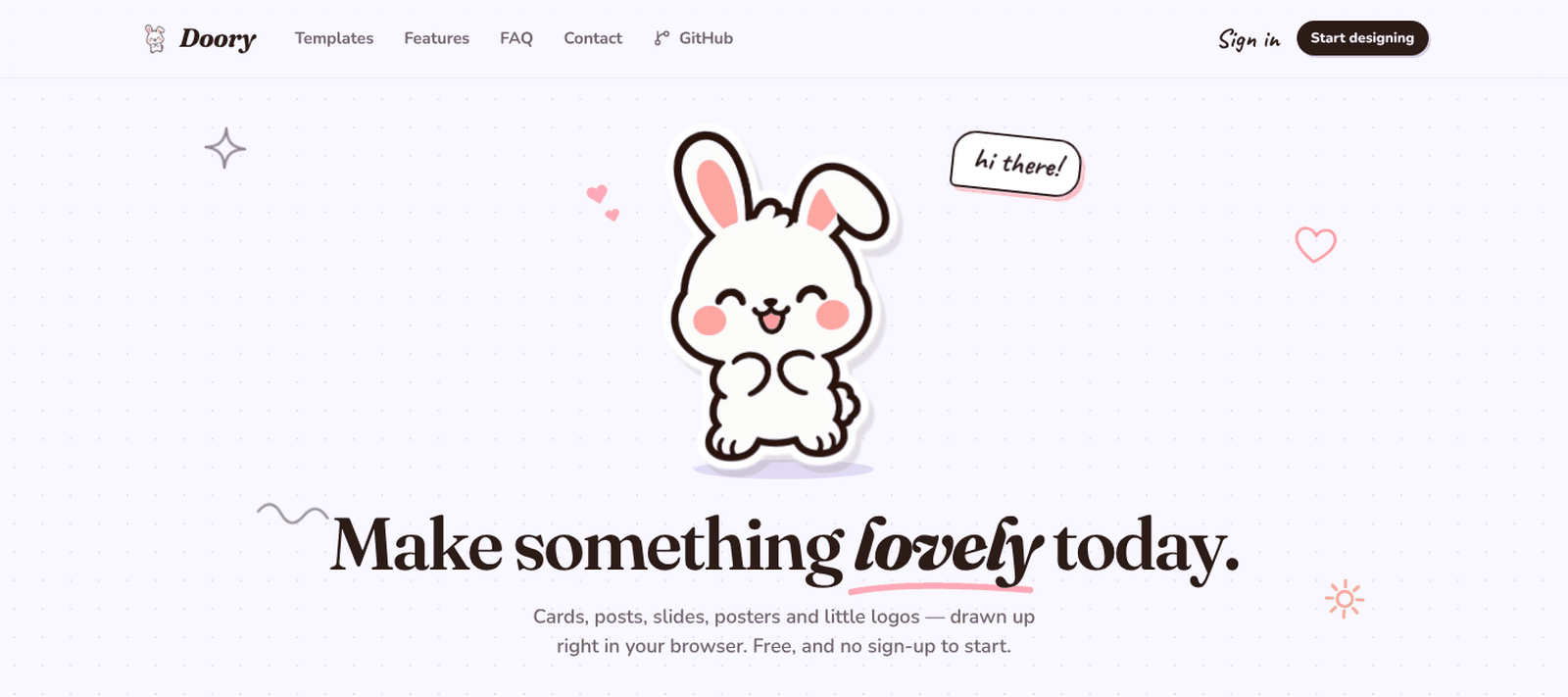
Why does that matter? On a server you host, someone can open the site and start a design with no sign-up at all. That is handy for a class or a team that just needs to make one thing fast.
How do you self host Doory?
You need a machine with Docker, two secrets in a settings file, and one build command.
First, one piece of background. Doory is not one program, it is four: a database, an API (the part that saves and loads designs), a live-editing server, and a small web server that sends the app to your browser. Docker Compose (a tool that starts several linked programs with one command) starts all four together.
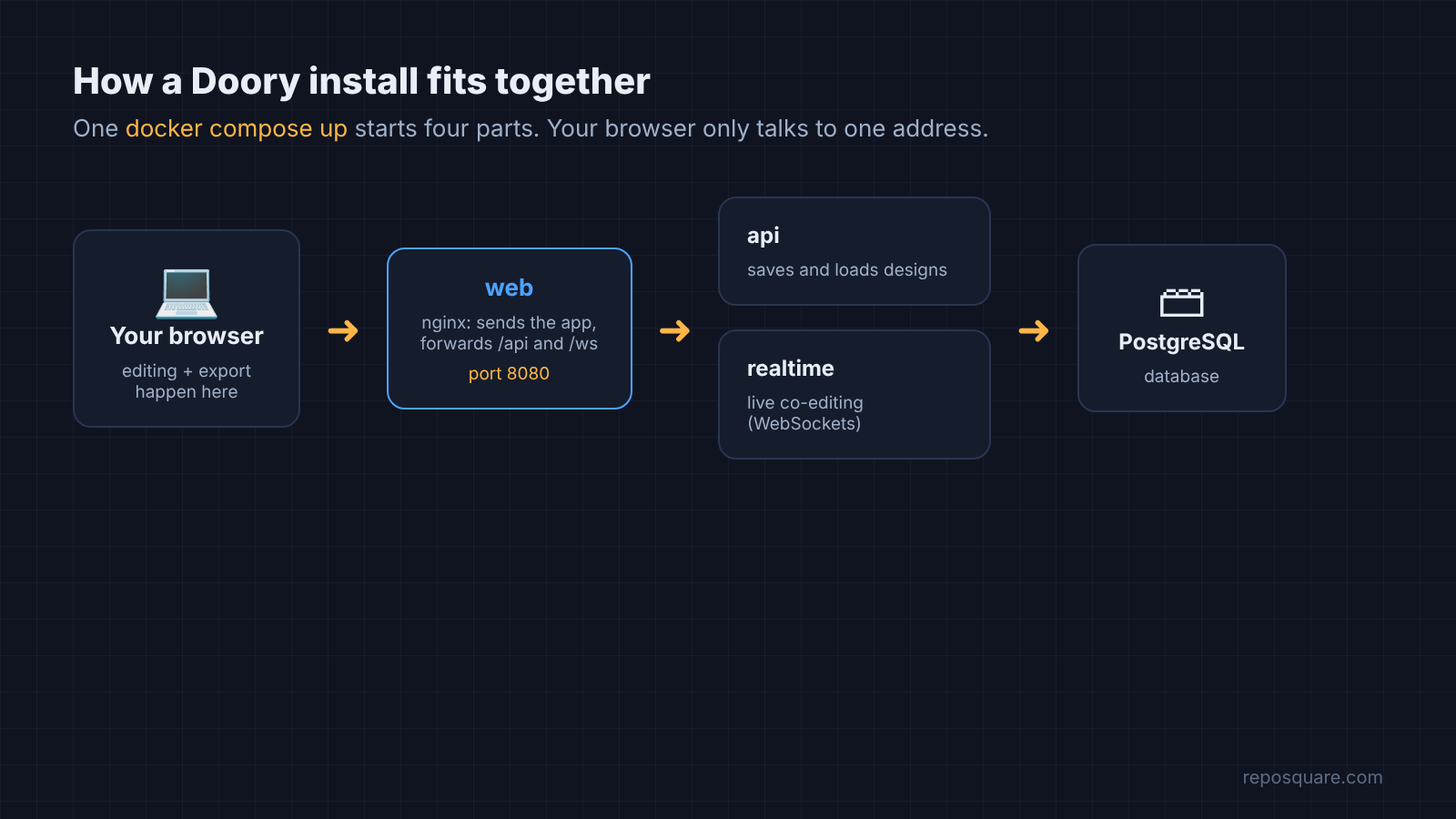
Here is what to run, in order:
git clone https://github.com/shaongitbd/doory.git && cd doorycp .env.example .env, then setDJANGO_SECRET_KEY(make one withopenssl rand -base64 48) andPOSTGRES_PASSWORDdocker compose up -d --build- Open
http://localhost:8080and click Start designing
Want an admin account for the template manager? Run docker compose exec api python manage.py createsuperuser once the stack is up.
So how long did that take? On a 2-core, 8 GB test box, the build took 1 minute 35 seconds. Starting all four parts took about 30 seconds more, and every part reported healthy.
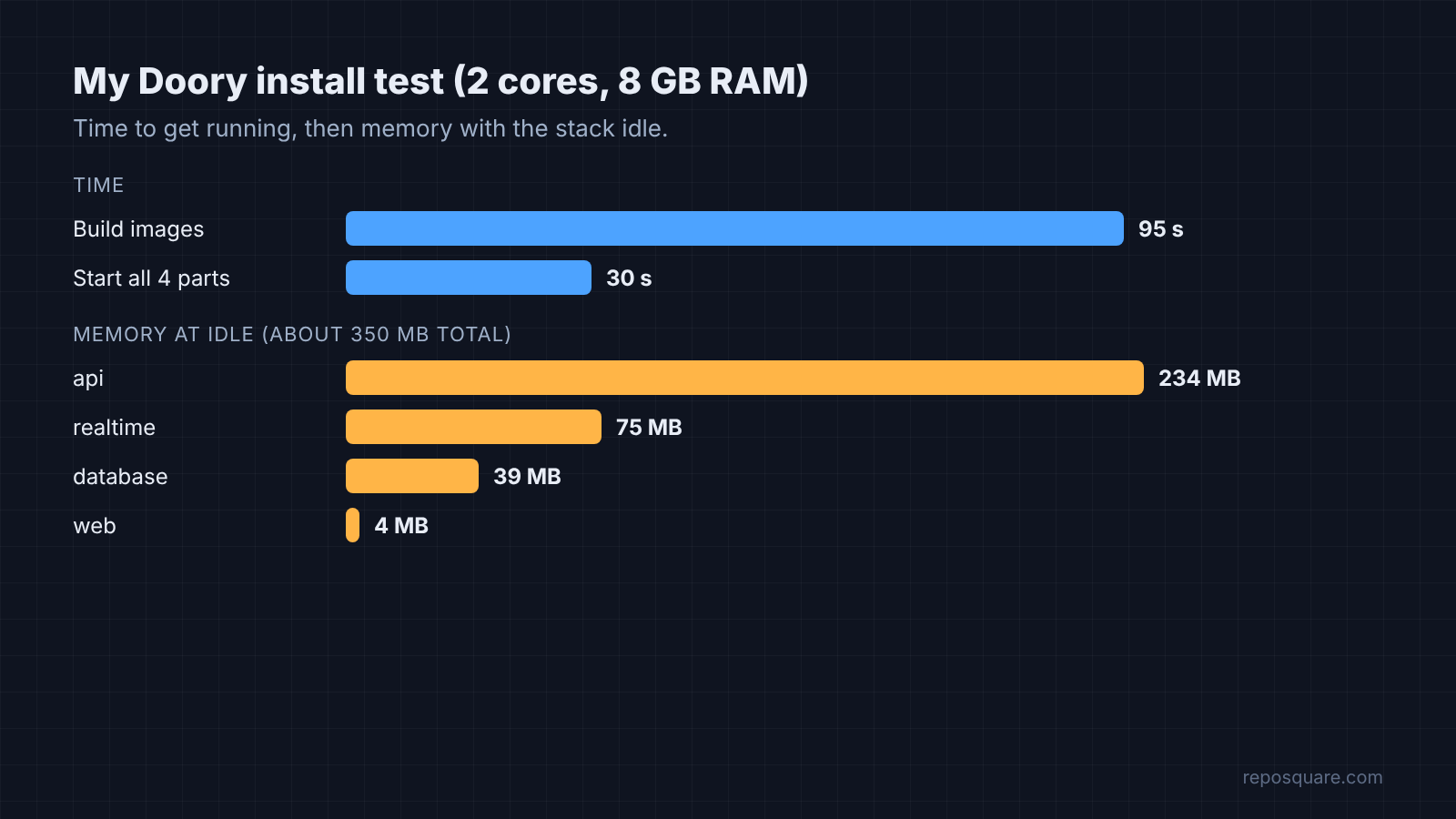
So how heavy is it? With the stack idle, the four parts used about 350 MB of memory together, and the database was only about 40 MB of that. A cheap small server can run it, even an old Android phone turned into a Linux server if you like a project.
That test came with one honest note on the setup. The built-in Chromium (a headless browser that adds about 400 MB to the image and only powers server-side PDF export) was turned off. PDF export from the editor itself still worked, as you will see below.
Why does a fresh Doory install look empty?
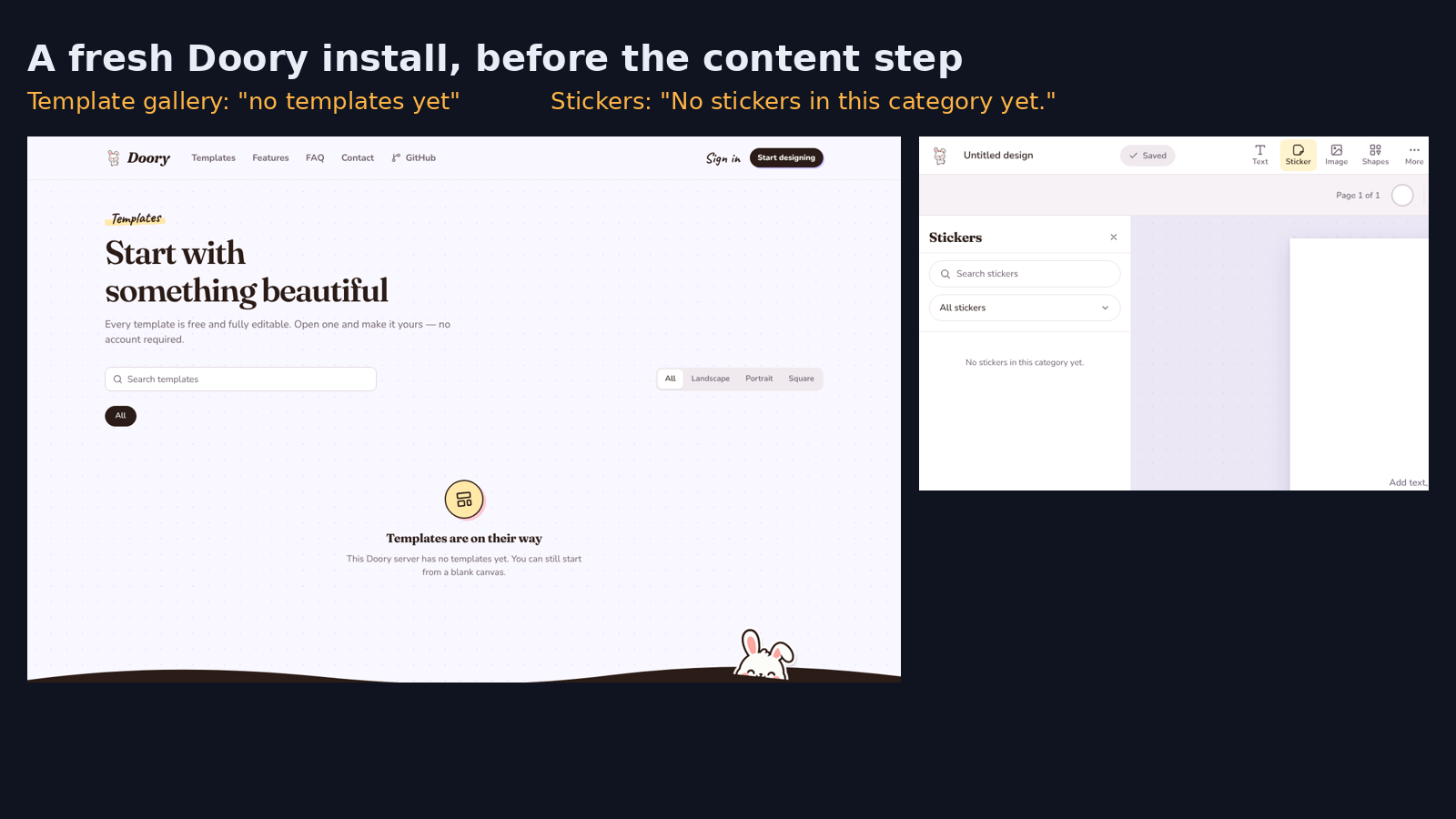
Because templates, stickers, icons, fonts and the background-removal model are separate downloads that a fresh site does not have yet.
This is the part most “Canva alternative” lists never show you. When the template gallery opened on a fresh install, it said the server had no templates yet. The sticker panel said there were no stickers in that category.
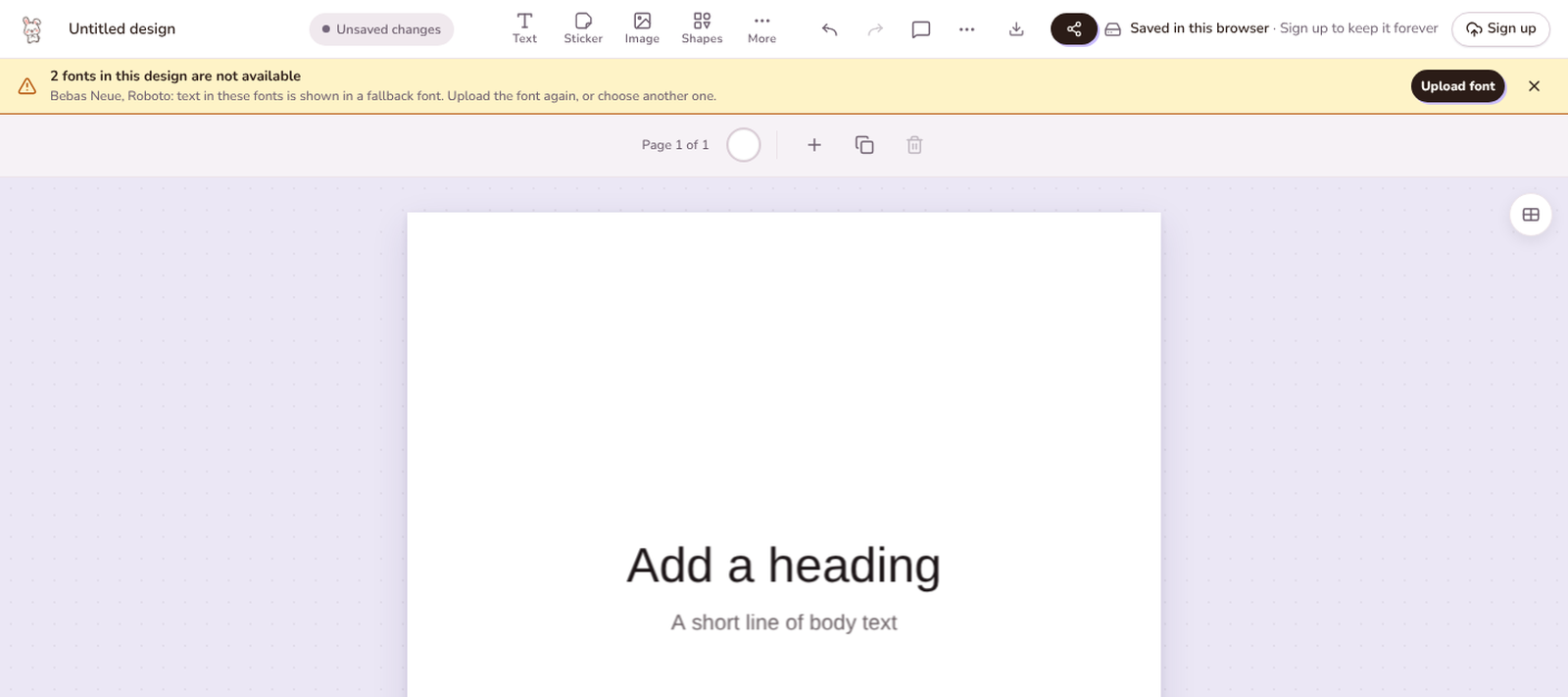
Fonts were the bigger surprise. One of the built-in text pairings was added, and a yellow warning bar appeared. Two fonts in the design were not available, so the text was drawn in a fallback font (a plain backup font the browser uses when the real one is missing).
Filling that gap takes seven commands. The test box could not run them, which is how a truly fresh install showed up. On a normal server, these fill it in:
docker compose exec api python manage.py seed_gallery
docker compose exec api python manage.py sync_fonts --popular 100
docker compose exec api python manage.py seed_templates
docker compose exec api python manage.py seed_elements
docker compose exec api python manage.py sync_element_packs
docker compose exec api python manage.py sync_models
docker compose exec api python manage.py sync_audioAre they big? Not really. The 100 most popular fonts are about 6 MB and the icon packs about 110 to 125 MB. The background-removal model is 4.6 MB, and the music library is about 7 MB.
So budget ten minutes for this step, not just for the install. Skip it, and the people you invite will open an editor that looks broken.
What file types can Doory export?
Every format tried downloaded fine: PNG, JPG, SVG, PDF, GIF and video, all made inside the browser.
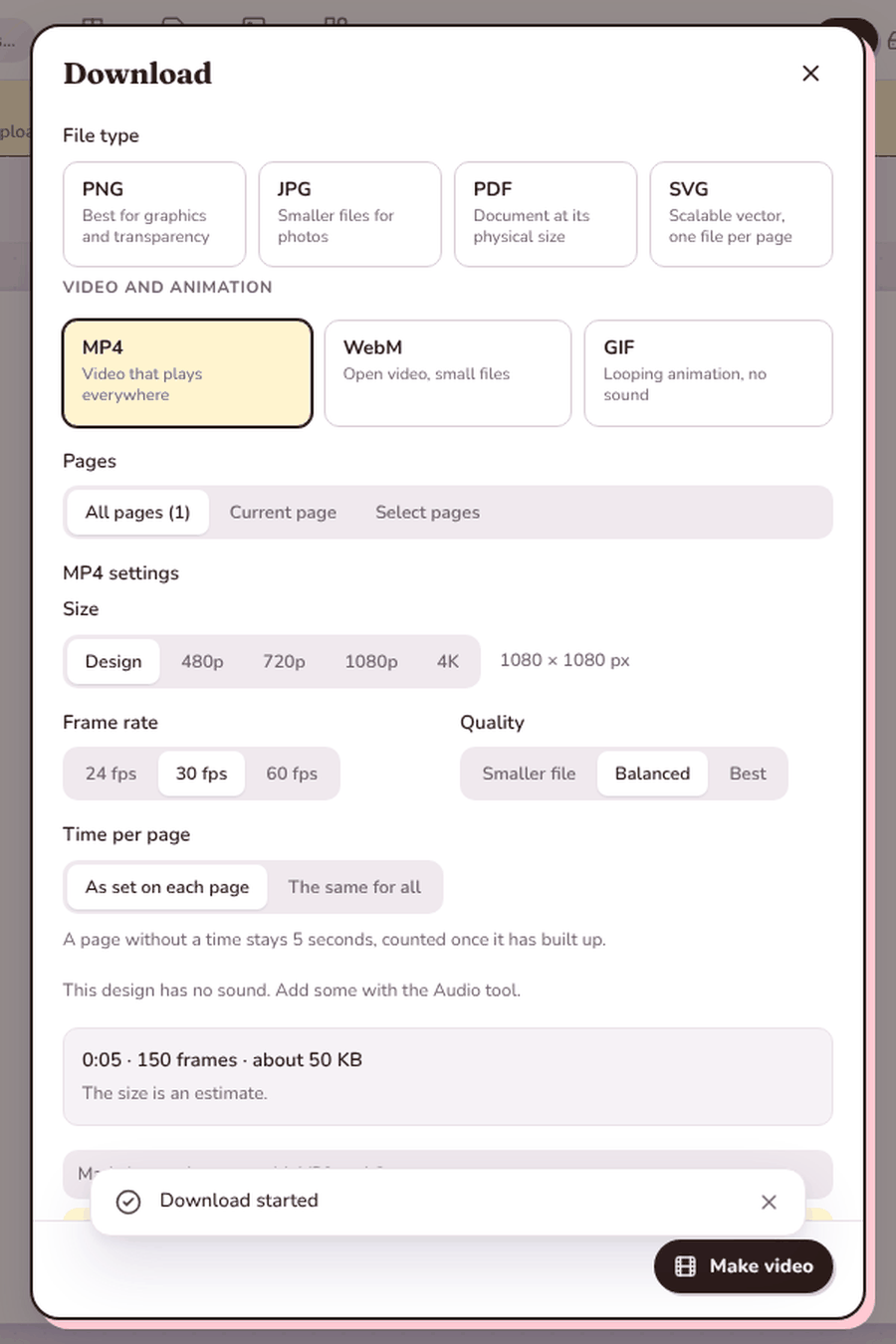
One Instagram-size design (1080 × 1080 pixels) was made from a text pairing, then exported in every format. Each file was ready in under two seconds.
The PNG came out at the full 1080 × 1080 with a transparent background, at about 61 KB. The JPG was about 23 KB, the SVG about 3 KB and the PDF about 145 KB.
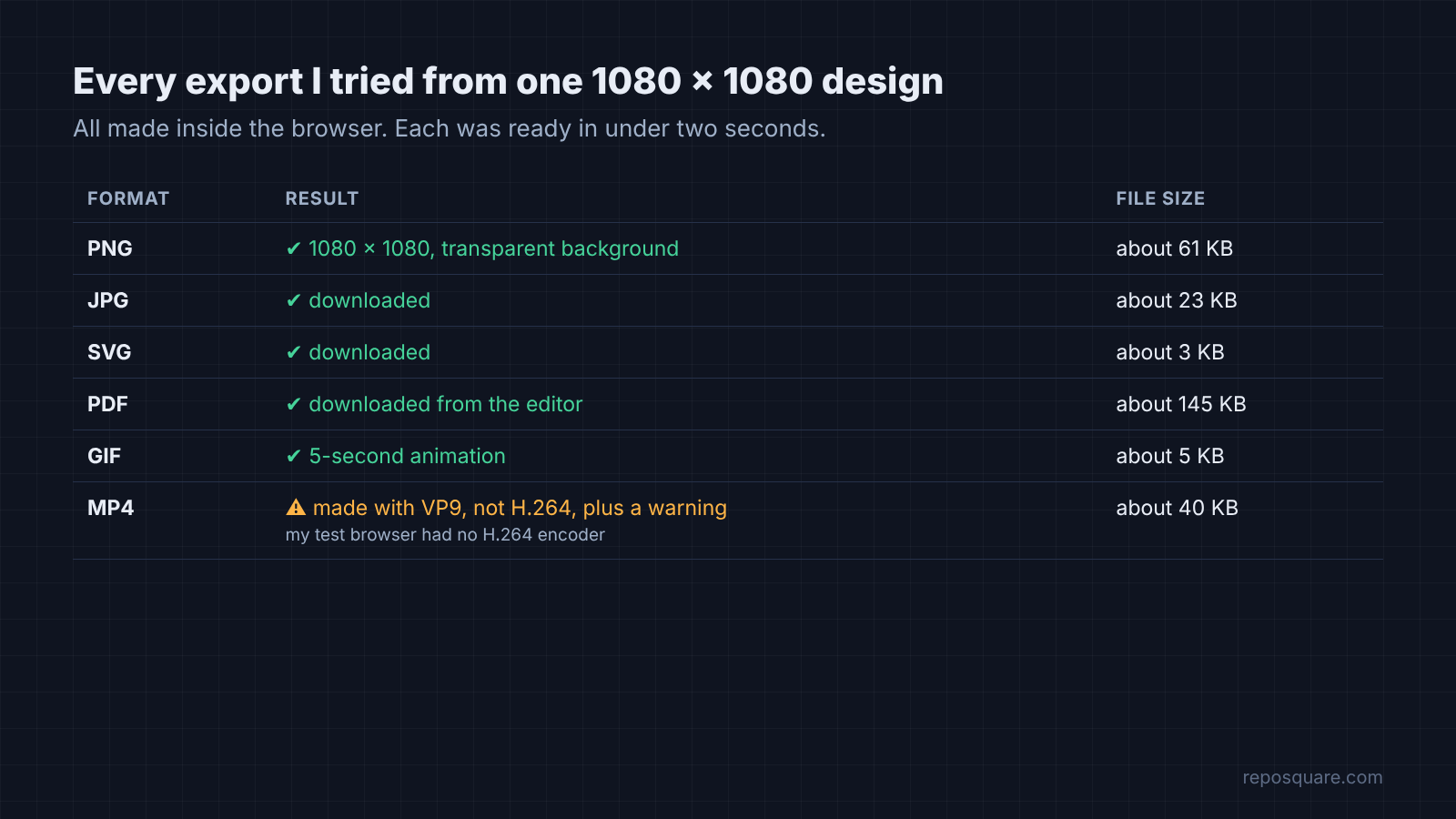
Video needs one bit of background. A video file is stored in a codec (the method that squeezes video into a small file), and MP4 files are usually H.264, the codec almost every player opens. Doory asks your browser to do the encoding, so it can only use the codecs your browser has.
The test browser was open source Chromium, which ships without an H.264 encoder. Doory still made the video, switched to a different codec called VP9, and showed a clear warning that some players cannot open it. So test one export in your own browser before you promise a client an MP4.
Is Doory really free to use for a business?
Yes, every feature is free, but the license makes you show the author’s credit inside the running app.
A software license is the set of rules that comes with the code. Popular licenses like MIT only ask you to keep a copyright notice in the code, which nobody using your site ever sees.
Doory uses the Attribution Assurance License, an Open Source Initiative approved license that goes one step further. If you host or share it, you keep the license and NOTICE files. You also show a credit in the running app: “Doory by Siam, creator and maintainer of Doory”, with a link to the repo.
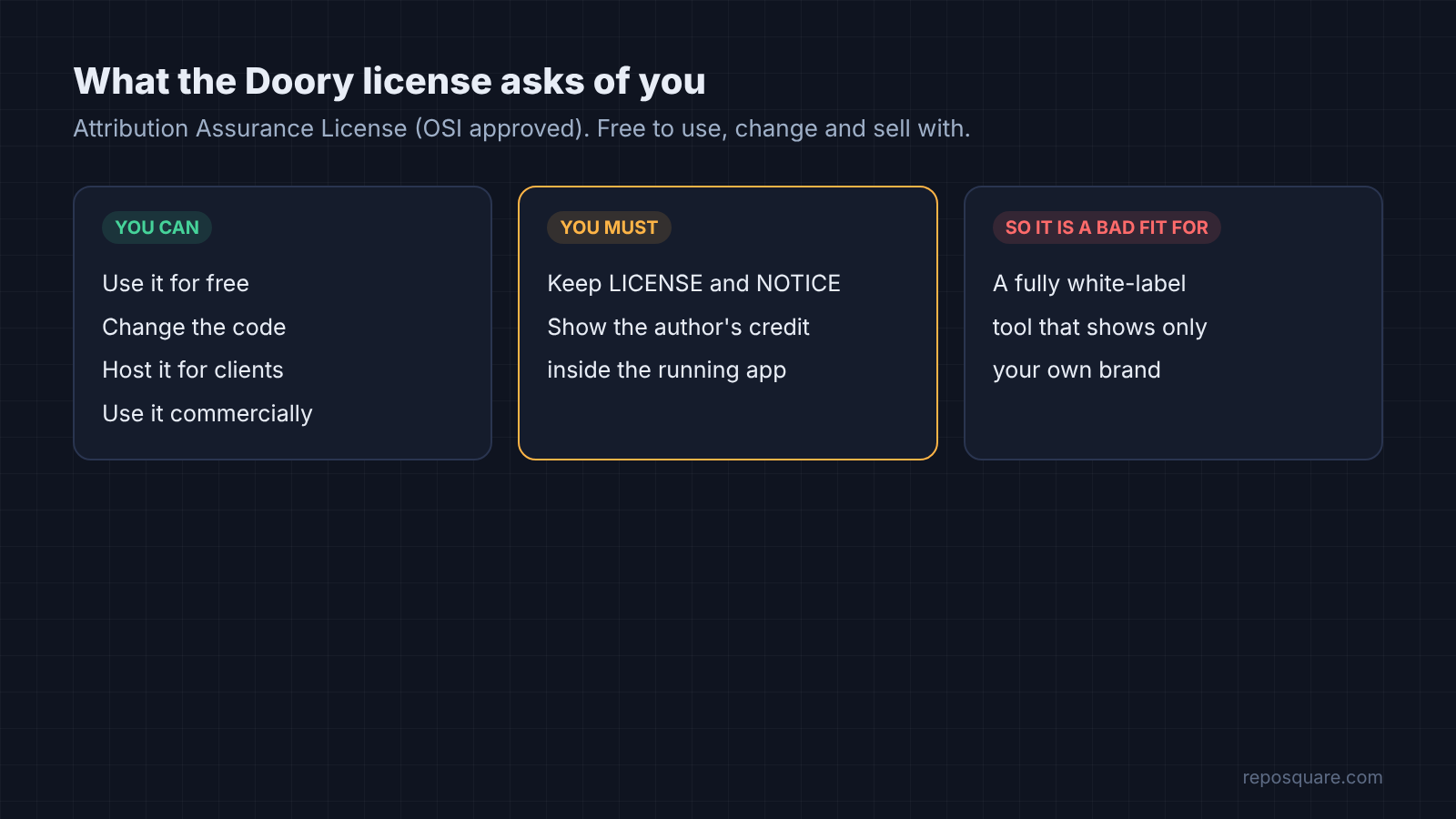
On the install, that credit was already in the site footer. So for most people, the rule is simple: do not remove it.

But if you want a fully white-label design tool (one that shows only your own brand) for clients, this license is the reason Doory is the wrong pick.
Doory vs Canva vs Penpot: which one should you pick?
Pick Doory for quick social posts, posters and slides you want to own; keep Canva for its huge template library; pick Penpot for designing app and website screens.
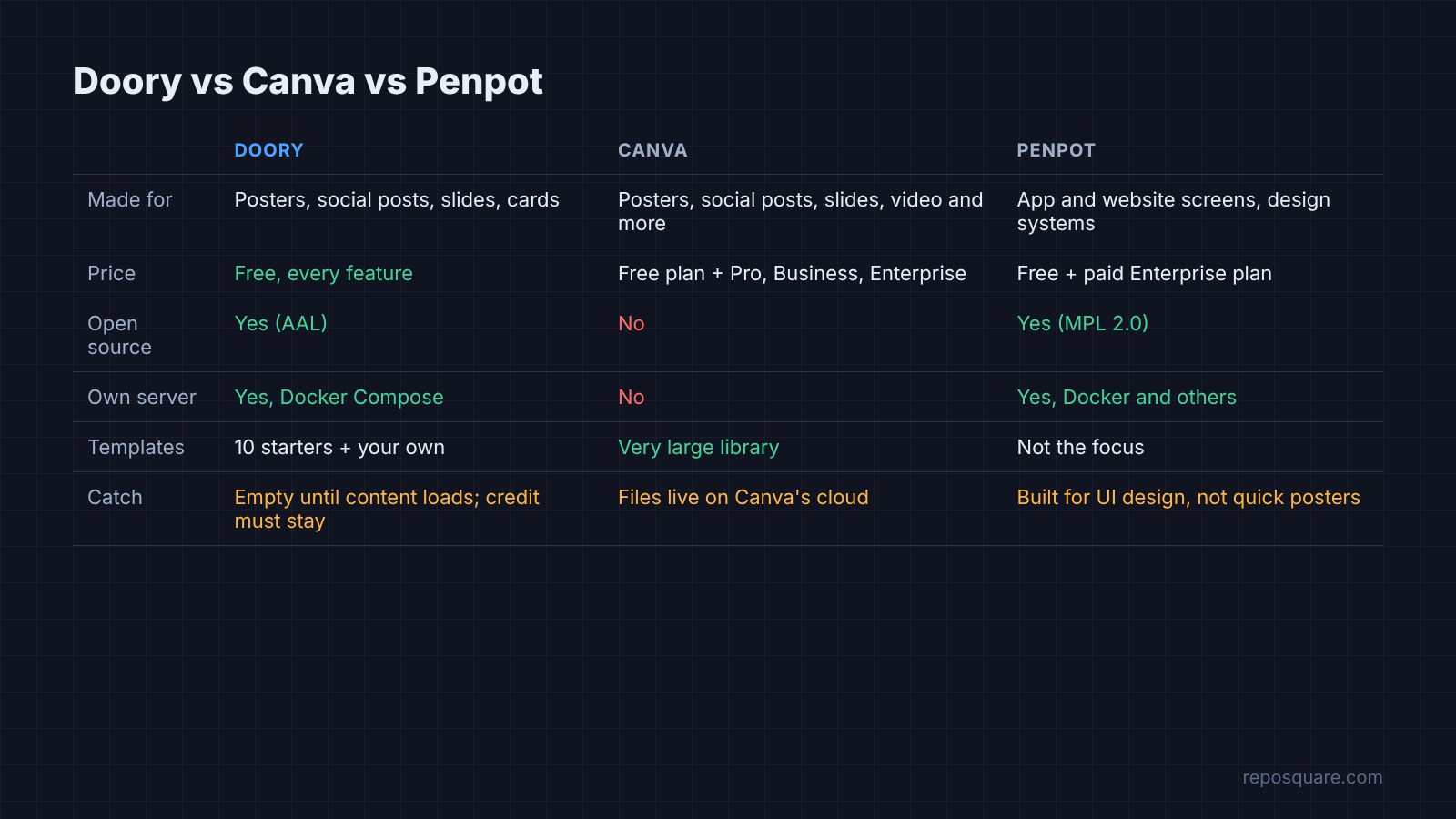
| Doory | Canva | Penpot | |
|---|---|---|---|
| Made for | Posters, social posts, slides, cards | Posters, social posts, slides, video and more | App and website screens, design systems |
| Price | Free, every feature | Free plan, plus Pro, Business and Enterprise | Free, with a paid Enterprise plan |
| Open source | Yes (Attribution Assurance License) | No | Yes (MPL 2.0) |
| Run on your own server | Yes, Docker Compose | No | Yes, Docker and others |
| Templates | 10 starter ones, plus any you add | A very large library | Not the focus |
| Catch | Empty until you load content; credit must stay | Your files live on Canva’s cloud | Built for UI design, not quick posters |
There are good reasons to stay on Canva. If your team lives on its template library and stock photos, Doory’s ten starters will feel thin on day one. Stock photo search in Doory only works after you add your own stock-photo API key.
Still, for a school, a club, a small agency or anyone who wants designs on their own server, Doory does the core job well. It fits the same pattern as our open source Semrush alternative test: own the tool, accept a smaller library.
And the price is hard to argue with. It costs nothing, it starts in minutes, and nobody needs an account to make a poster.
What does Doory not do yet?
It is a young project with one named maintainer, so treat it as a strong tool for simple design work, not a full Canva replacement for a big brand team.
Three limits matter most. The template library is small, so your team will need to build or add its own. Real-time co-editing and comments exist, but only a single user was tested. And the license names one creator and maintainer, so check the repo’s activity before you build a business process on it.
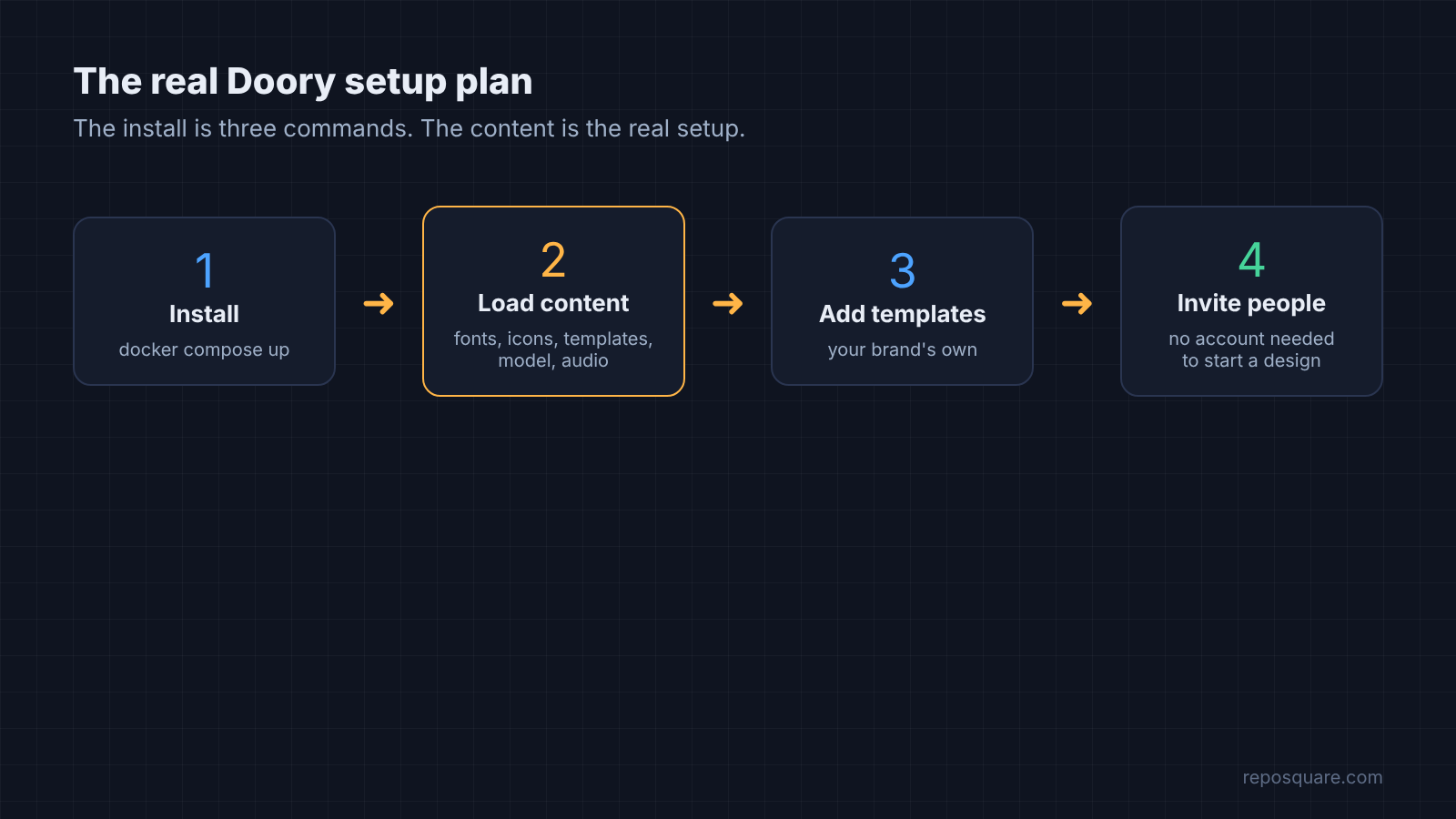
None of this is a deal breaker for a poster or a week of social posts. It just changes the plan: install it, load the content, add a few templates of your own, then invite people.
Three commands get you the editor. Seven more get you the Canva feeling.
Common questions about an open source Canva alternative
Is there a free open source alternative to Canva?
Yes. Doory is a free, open source design editor that works like Canva in the browser and can be self hosted with Docker Compose. Every feature is free, with no paid plan.
Can I self host a Canva alternative?
Yes. Doory runs as four Docker containers started with docker compose up -d --build. On a 2-core test box it built in about a minute and a half and used about 350 MB of memory while idle.
Why does Doory have no templates after install?
A fresh Doory site starts empty. Run the content commands such as seed_templates, sync_fonts and sync_element_packs to add the starter templates, fonts, icons and illustrations.
Can I use Doory for my business?
Yes, including commercially. The Attribution Assurance License requires you to keep the license and NOTICE files and show the author’s credit inside the running app.