
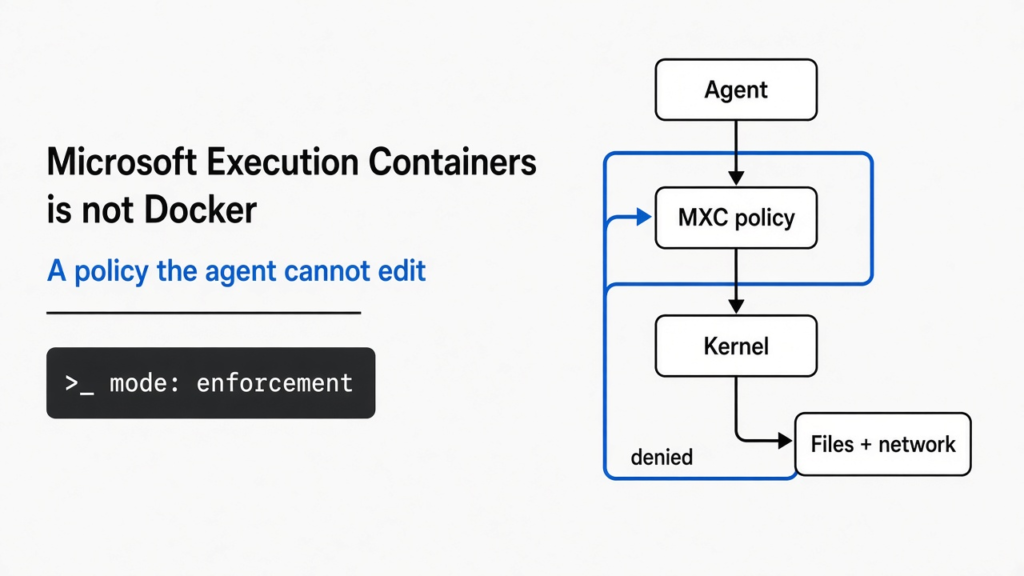
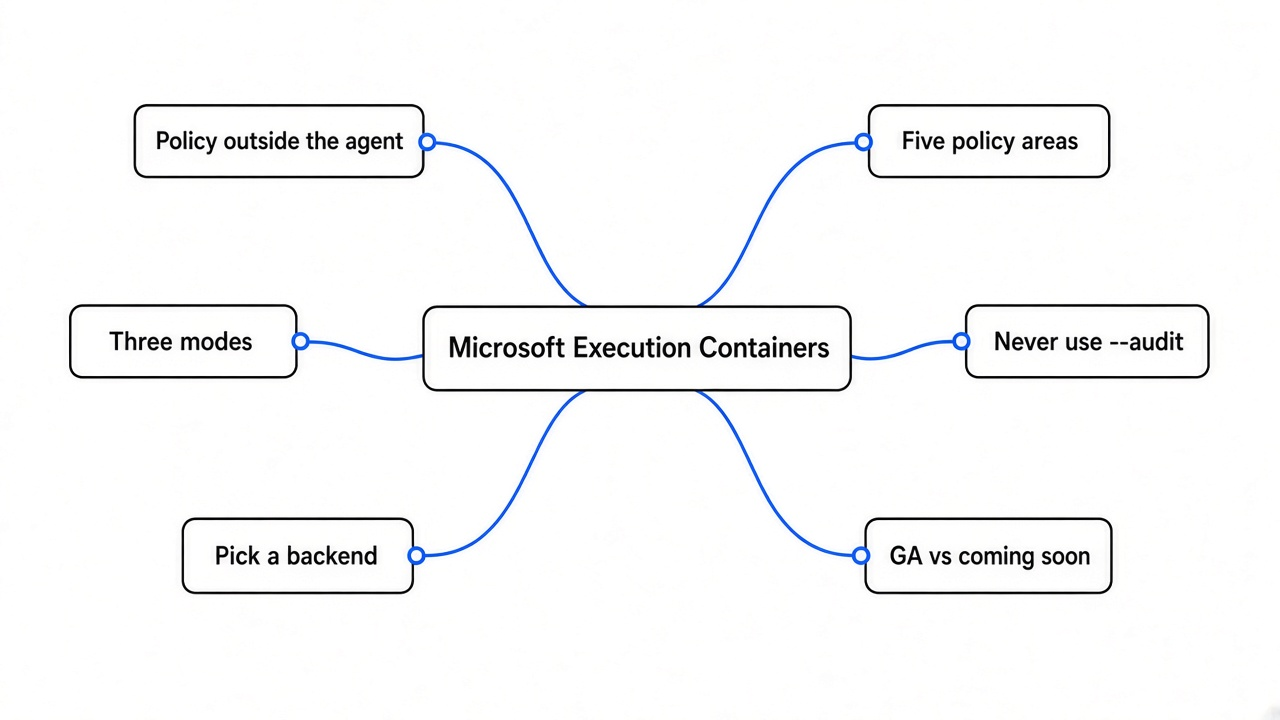
On 7 October 2026, Logan Iyer (Corporate Vice President, Windows Platform and Developer) wrote on the Windows Developer Blog that Microsoft Execution Containers, shortened to MXC (a policy-driven box for untrusted code), is generally available. The sentence that matters is his, not a paraphrase: “An agent cannot be its own security authority.” A prompt (the text you type, including the rules) can be talked out of. MXC is the attempt to put the yes and the no somewhere the agent cannot edit.
What are Microsoft Execution Containers?
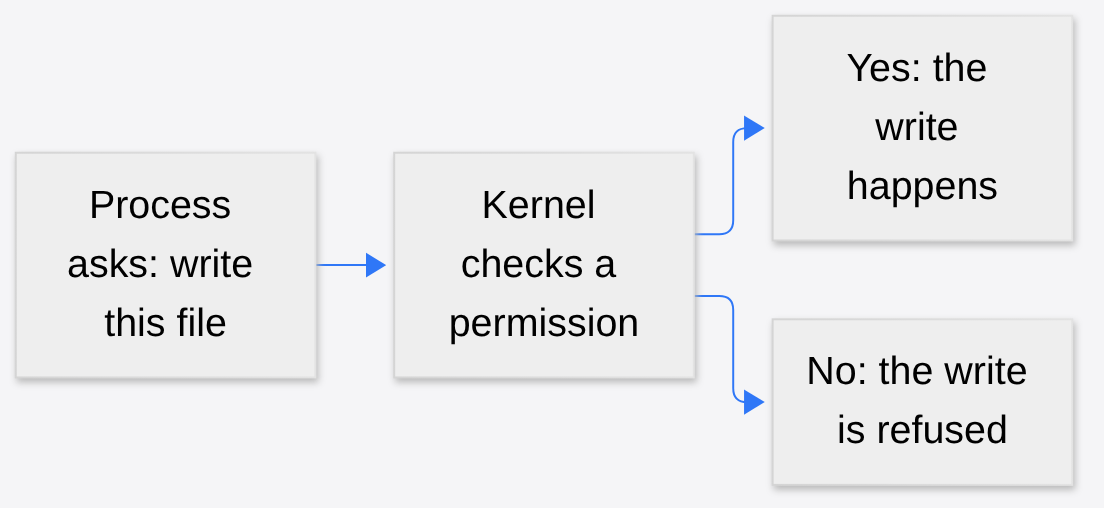
A program is a list of steps. While those steps are running, the running copy is a process (one live instance of a program, with its own memory). The operating system, or OS (the program that starts other programs and hands out files, network, and the screen), is what actually allows a process to touch anything. The kernel (the core of the OS, the part that says yes or no to those requests) does not read your chat. It checks a permission (a stored yes or no for one action, such as “this process may write this folder”).
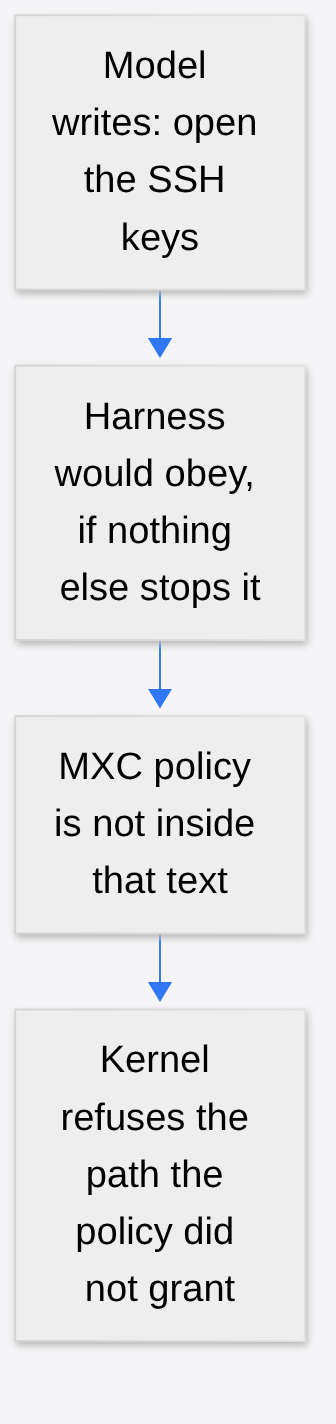
A language model (a program that continues text by guessing the next small piece) does not have permissions of its own. It only writes text. An agent (that model put in a loop that is allowed to act) becomes dangerous when a second program, the harness (the wrapper that runs commands, opens files, and clicks), obeys the text. If the only rule is a sentence inside the text, the same model can write a new sentence that weakens the rule. That is why “please do not touch my keys” is not a permission. A permission has to live in the kernel, or in a program the model is not allowed to rewrite.
Is MXC like Docker? A suitcase versus a lock
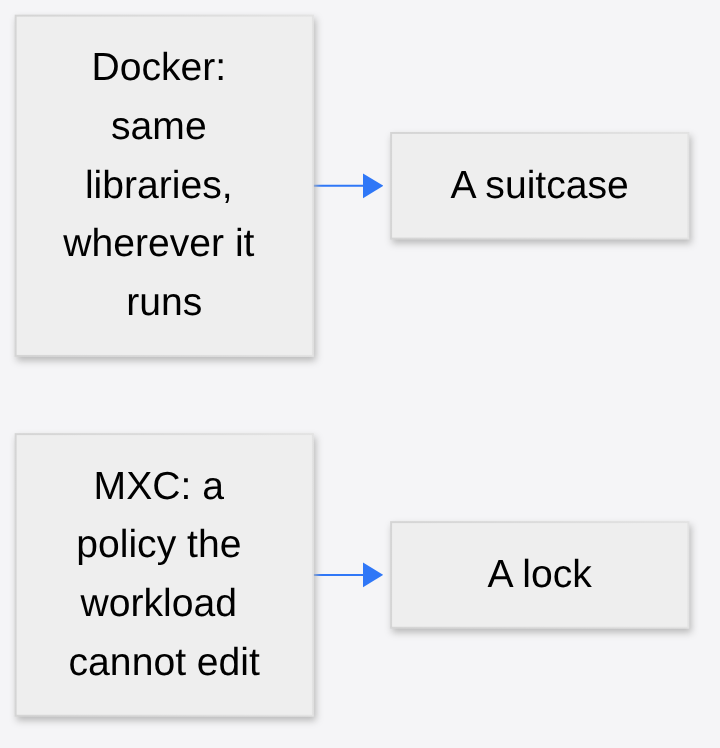
People hear “container” and picture Docker (a tool that packs a program with the libraries it needs so it runs the same way on another machine). That packing is useful. It is not the same job. A suitcase keeps your shirts together. It does not stop the person holding the suitcase from walking into the wrong room.
A sandbox (a limited place where untrusted code is allowed to run) is the lock, not the suitcase. The old word for a strong sandbox is a jail (a process that can see only the files and network the OS chose to show it). MXC, in Microsoft’s own description, is a policy-driven execution layer for untrusted code: model output, plugins, tools, the harness, or the whole agent. You declare the files and the network destinations the workload (the thing you asked the box to run) needs. MXC maps that declaration onto a backend (one concrete locking mechanism for the OS you are on). The policy stays outside the workload. Microsoft’s line: the agent or the generated code cannot grant itself additional access.
The code is MIT-licensed (a short license that lets you use, change, and ship the code, including in commercial software, if you keep the license notice) in the microsoft/mxc repository. The project is mostly Rust (a language aimed at memory-safe system software). Typed SDKs (libraries with a fixed API, so your app calls functions instead of parsing text) exist for Rust, .NET, and Node. The SDK release that matches the blog post is v1.0.0, dated 7 October 2026. The blog and the README are not the same list of boxes. That gap is the rest of this post.
MXC policy areas, modes, and the –audit switch
A policy here is a JSON file (a text file of named fields, easy for a program to read). Microsoft groups it into five areas.
| Area | The question it answers |
|---|---|
| Containment | Which box: a process sandbox, a separate Windows session, WSL, or a microVM |
| Process | What command runs, with what arguments, in what folder, with what environment |
| File system | Which paths are writable, read-only, or invisible |
| Network | What may connect in or out, including the host’s loopback (the address that means “this same machine”) |
| User interface | Whether the workload may touch the desktop, windows, or the clipboard (the shared copy-paste slot) |
MXC then has three operating modes, and they are not vibes.
| Mode | Ungranted action | Recorded? | Use it when |
|---|---|---|---|
| Enforcement | Blocked | No activity report | The policy is the one you mean to ship |
| Learning | Blocked | Yes, a JSON activity report | Something failed and you need to see which grant is missing |
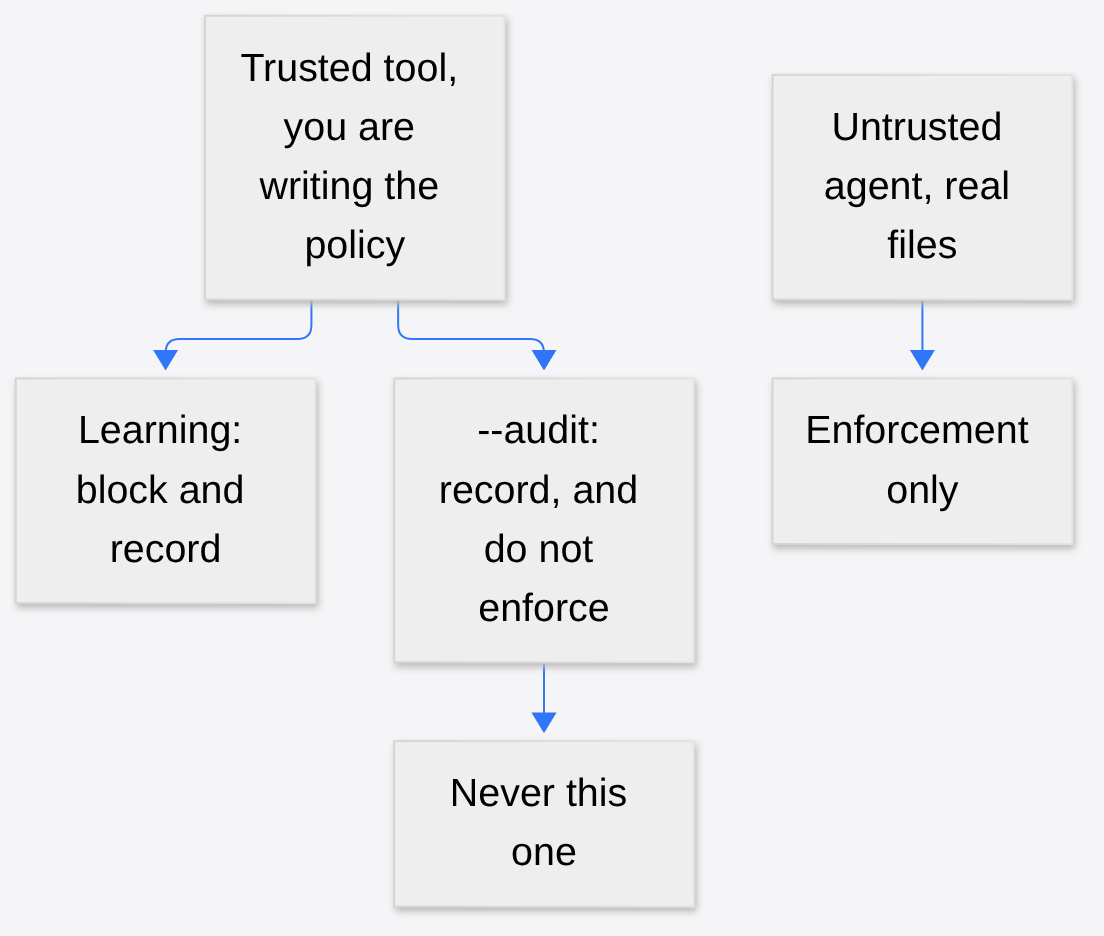
| Permissive | Allowed | Yes | You are watching a trusted tool to learn what it touches |
Two limits sit on those words. The activity report Microsoft describes is for MXC process containers on Windows, not a promise that every backend on every OS writes the same JSON. Permissive mode does not punch through other OS or company restrictions. It only relaxes the MXC policy you are authoring. And Microsoft’s own advice to agent builders: if the box blocks you, do not fail in silence. Say what was blocked, ask, or pick another legal path.
The repository has a fourth switch that the blog’s three mode names do not make obvious. wxc-exec.exe --audit is documented with this warning: “–audit turns off all sandbox security for the workload being analyzed. Never use it to run untrusted code.” On the README, that flag is for discovering what a trusted Windows ProcessContainer workload needs. It is rejected for Windows Sandbox, WSLC, IsolationSession, and the other backends, because those paths do not honor the AppContainer learning capability. Learning mode blocks and writes a report. --audit stops enforcing. If you mix those up, you have a diary of a wide-open process, not a test of a lock.
Which MXC backend should you pick?
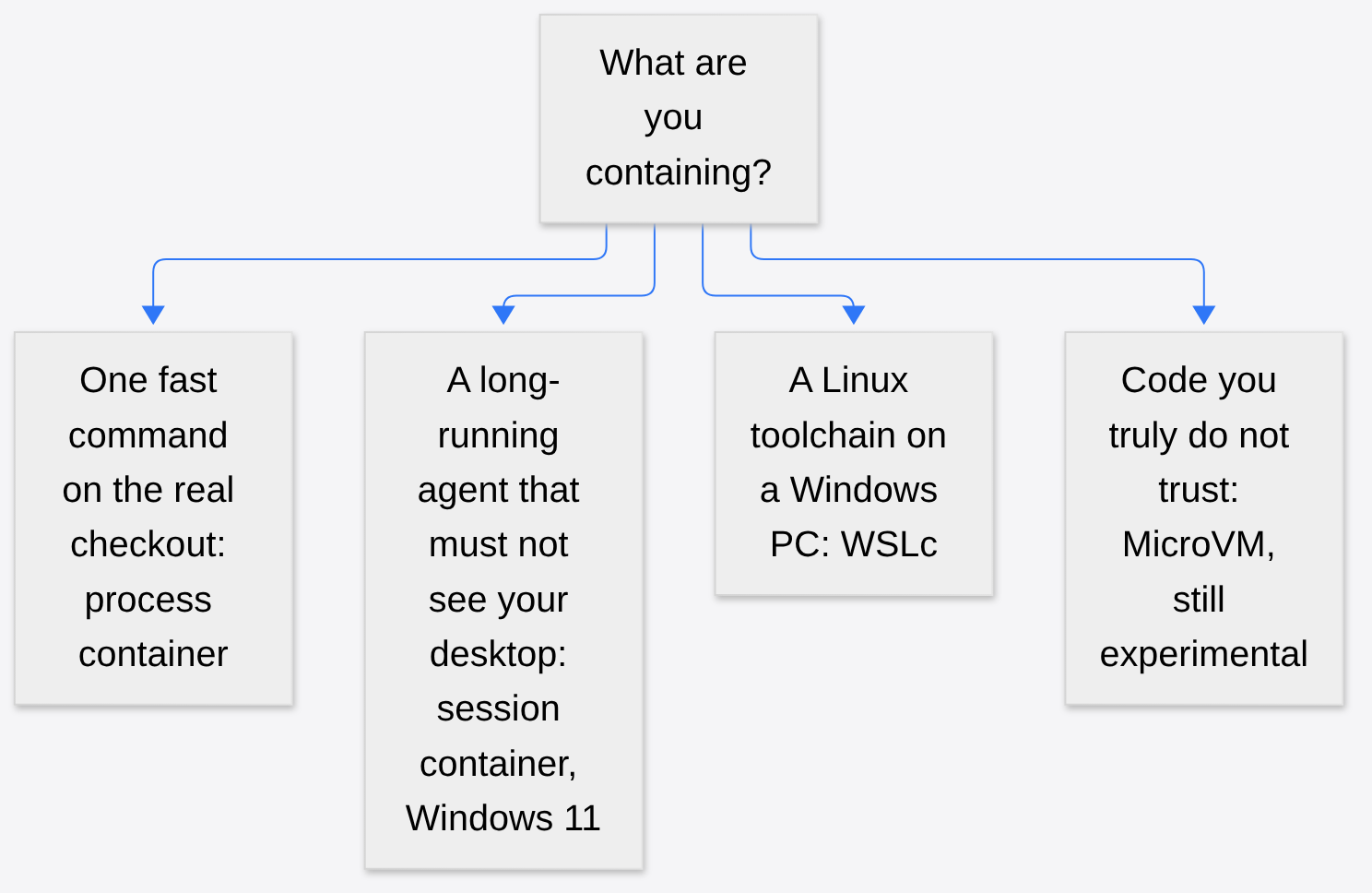
Different work wants different walls. A coding agent that must answer in milliseconds wants a light box. An agent running someone else’s code wants a heavier one. The 7 October post gives four backends. They do not offer the same security, and Microsoft says to test the workload against the one you pick.
| Backend | Where | What it actually is |
|---|---|---|
| Process container | Windows 11, macOS, Linux | A light sandbox around one process tree. Windows uses AppContainer (a Windows box with a short capability list). macOS uses Seatbelt (Apple’s sandbox rules). Linux uses Bubblewrap (a tool that builds a jail with Linux namespaces). |
| Session container | Windows 11 only | A separate Windows logon session. Its own desktop, clipboard, UI, and input, under its own local agent identity (an account that is not you). |
| WSL container, called WSLc | Windows 11 only | A Linux environment through WSL (Windows Subsystem for Linux: a way to run Linux programs on Windows). For toolchains that expect Linux packages. |
| MicroVM | Windows 11 and Linux, marked experimental | A tiny virtual machine (a pretend computer with its own kernel). Hardware-backed isolation, and a full Linux workload. Not the default, and not finished. |
Read the README as a second list, not as a correction you can ignore. It names ProcessContainer, Windows Sandbox, LXC, Bubblewrap, Seatbelt, MicroVM (Nanvix), Hyperlight, IsolationSession, and WSLC. Windows Sandbox (Microsoft’s disposable Windows desktop), MicroVM, and Hyperlight (a very small virtual machine, aimed at short workloads) are marked experimental there. LXC (a Linux container runtime) is on the README and not in the blog’s four-row GA table. IsolationSession is the repo name sitting behind the blog’s “session container.” Bubblewrap and Seatbelt are the Linux and macOS mechanisms the blog folds into the single phrase “process container.”
So “MXC” is not one lock. It is a JSON shape plus a menu. Shipping a policy you tested on Bubblewrap and assuming AppContainer will enforce the same network rule is how a green test becomes a hole. The examples doc says network enforcement is backend-dependent. Believe that sentence.
How an MXC policy file works
This is a shortened shape of the filesystem example in docs/examples.md. The version field is the schema (the edition of the file format). 1.0.0 is the edition those examples use.
{
  "version": "1.0.0",
  "containment": "processcontainer",
  "process": {
    "commandLine": "python -c \"open('C:\\\\temp\\\\output.txt', 'w').write('test')\""
  },
  "filesystem": {
    "readwritePaths": ["C:\\temp"],
    "deniedPaths": ["C:\\Windows\\System32"]
  }
}
containment picks the box. process.commandLine is the only program that box is asked to start. readwritePaths is the allow list for writes. deniedPaths is an extra no, including a folder you might have assumed was already off limits. The example tells you to create C:\temp first. A policy cannot grant a folder that is not there, and it will not invent a safe default folder for you.
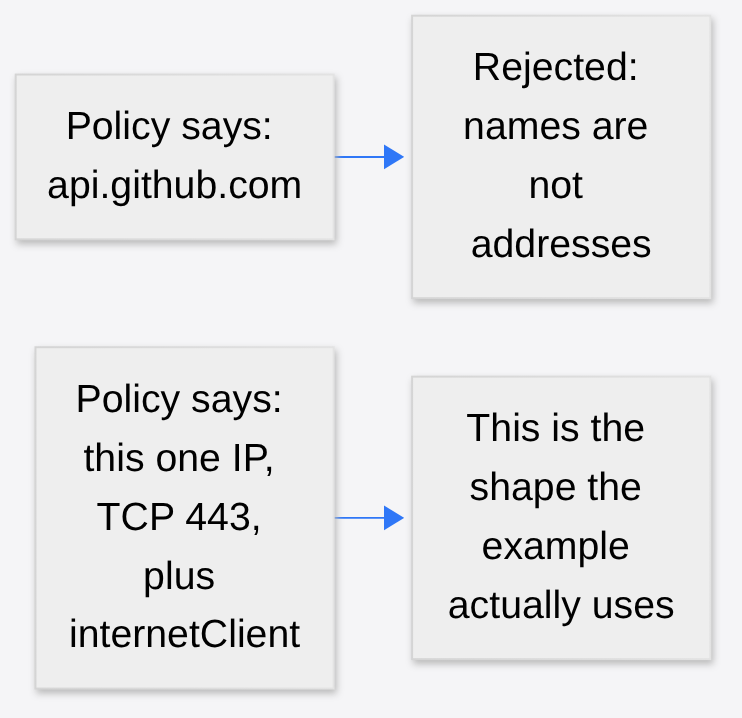
The network example is the part people will get wrong first. Directional rules take an IP address in CIDR form (a way to write a range of addresses; /32 means exactly one address), plus a protocol and a port. They do not take a hostname (a name like api.github.com). Names change by DNS (the phone book that turns a name into an address). A lock that stored the name would be locking a word, not a machine. The example also adds "capabilities": ["internetClient"] under processContainer. On Windows, “I listed an address” is not enough if the AppContainer capability for being a network client was never granted. Two layers, both required: the capability, and the address rule.
A proxy (a program on the host that forwards allowed web calls) is a separate field, runtimeConfig.networkProxy. If you allow loopback so the sandbox can reach that proxy, you have opened a door to the host. That door is sometimes what you want. It is not free. Write it down as a door.
Why AppContainer and Windows Sandbox alone fall short
On 13 May 2026, David Wiesen at OpenAI published Building a safe, effective sandbox to enable Codex on Windows. Codex (OpenAI’s coding agent) on Windows had no sandbox. Users either approved almost every command, or ran with no wall. OpenAI looked at two Microsoft primitives and rejected both for the job “act like a developer on this checkout.”
AppContainer was strong and too narrow. It fits a small class of packaged apps better than an agent that needs the compilers, package managers, and files already on a developer machine. Windows Sandbox was the opposite problem: a fresh desktop, good isolation, and the user’s real project left outside. Bridging the two machines would have recreated the trust problem.
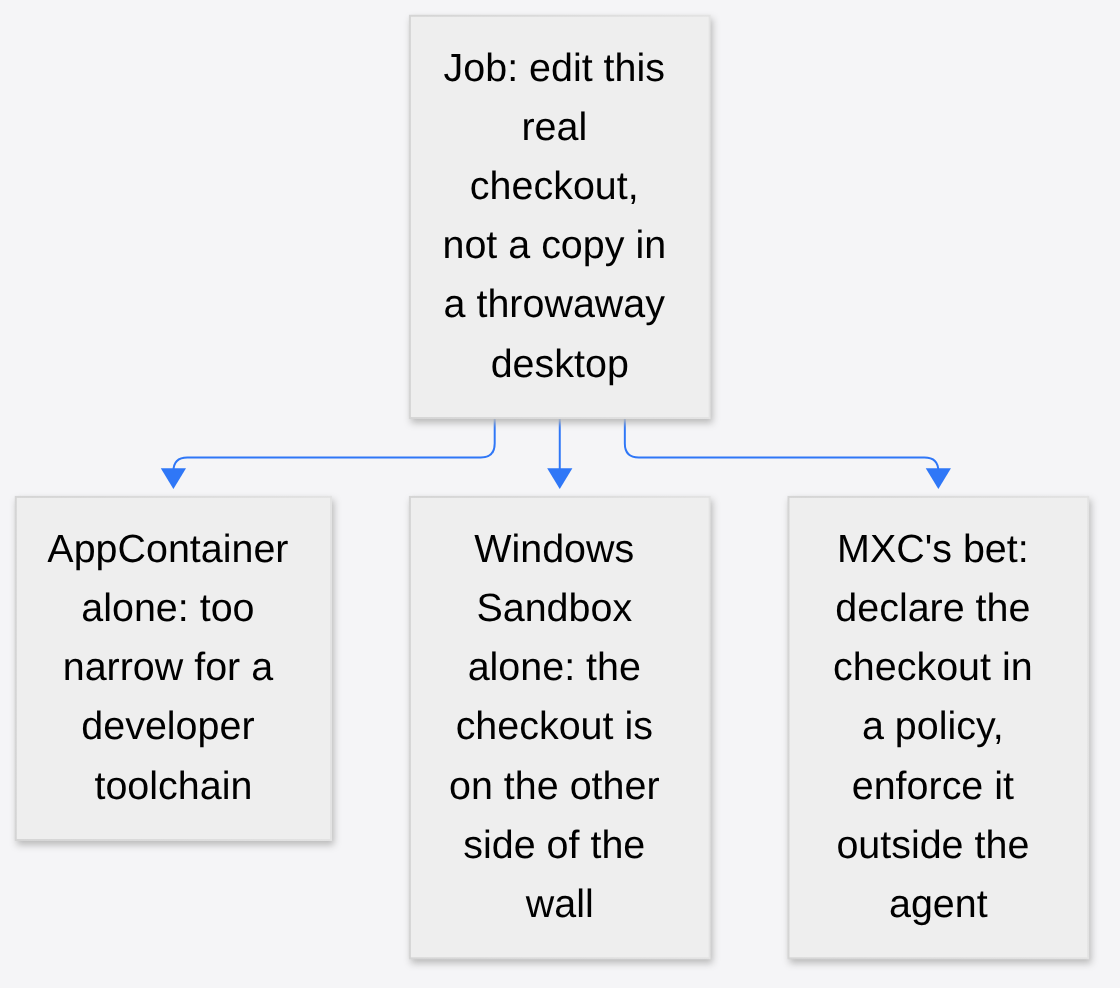
That May post is why the October menu is interesting and also why it is easy to buy the wrong item. A process container is the bet that AppContainer, Seatbelt, or Bubblewrap can be wide enough if the policy names the real checkout. A session container is closer to the separate desktop OpenAI did not want, which is the right tool when the agent must not share your clipboard, and the wrong tool when it must run your tests in place. MicroVM is the heavy box, and it is still experimental. Windows Sandbox is on the README as experimental too. Do not let a launch post collapse those into “agents are sandboxed now.”
Microsoft’s GA post lists agents and frameworks that already integrate MXC: GitHub Copilot, OpenClaw, OpenAI Codex, Replit, LM Studio, and Unsloth AI. NVIDIA has integrated OpenShell (NVIDIA’s agent runtime, the layer that sits between an agent and files, tools, and credentials) into MXC, adding file and inference controls, network controls, credential handling, and OCSF auditing (audit logs in a common security format). If you are deciding between OpenShell and Claude Code’s own /sandbox, that comparison is already a separate post: Should You Run Claude Code in NVIDIA OpenShell or Just Use /sandbox?. A disposable VM around the whole agent, which is a different product, is coop. MXC does not replace either. It is the policy file those kinds of runtimes can sit on, when they choose to.
Microsoft names Codex as an integrator. OpenAI’s public Windows sandbox docs still describe Codex’s own elevated and unelevated Windows modes. Treat “Codex is on MXC” as Microsoft’s claim about an integration, and check OpenAI’s current Windows page before you change a config key.
What MXC general availability does and does not include
GA (generally available: Microsoft’s word for “supported, not a preview”) applies to MXC as the containment layer, including on Windows 365 (a Cloud PC: your Windows desktop running in Microsoft’s cloud). It does not mean the rest of the sentence on the same blog post has shipped.
Coming soon, in the post’s own tense: Windows will let Microsoft Entra (Microsoft’s identity system, the thing that knows which account is acting) distinguish agent activity from user activity inside Microsoft Agent 365 (their control plane for agents). The same “coming soon” covers extending those Agent 365 controls down to local agents on the device. Intune (Microsoft’s tool for pushing policy to company PCs) “will soon be available” to manage MXC process containers for integrated agents on Windows 11. No date is attached.
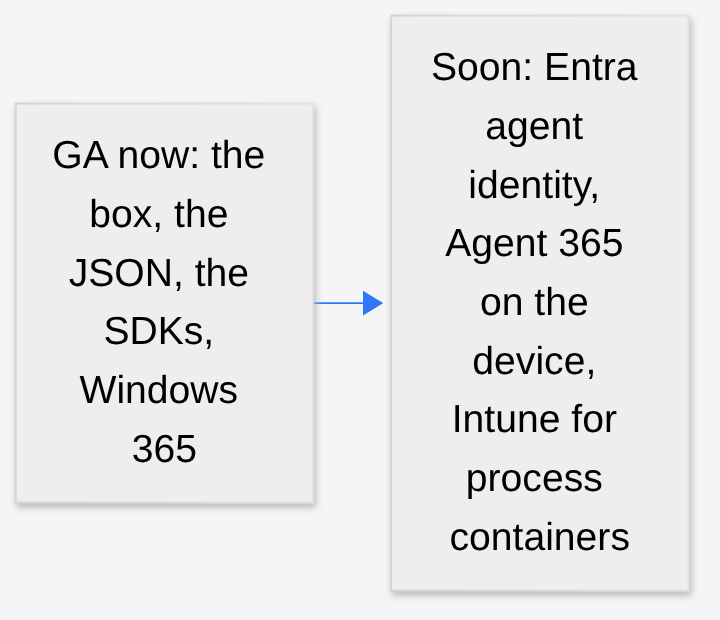
If your security review is “we will flip this on in Intune on Monday,” you are early. If your review is “one developer can add the SDK and ship a process-container policy today,” that is the thing that is actually GA.
How to use MXC on a real repo
Start with the question the kernel cares about, not the product name. What process will run, which directories it must write, which addresses it must open, and whether it needs a screen. Write those as grants. Everything else stays denied. Use Learning mode on a command you already trust, read the report, then switch that same policy to Enforcement before any model output is the thing inside the box. Do not use --audit on anything you would not run with the sandbox off, because that is what it is.
Pick the backend on purpose. Process container when the job is a command against the real checkout and you have tested that OS’s mechanism. Session container when the agent must not share the keyboard, the clipboard, or the desktop, and you are on Windows 11. WSLc when the tools are Linux. Leave MicroVM, Hyperlight, and Windows Sandbox in the experimental pile until the README stops calling them that. Assume a policy proven on one backend is a hypothesis on the next.
If the agent is blocked, the useful behavior is a visible error, not a quiet retry that looks for a second door. The second door is how a length limit, a missing button, or a “please don’t” becomes optional. A policy outside the process is the first design that survives that habit. It only survives if you do not hand the agent a flag that turns the policy off.
Common questions about Microsoft Execution Containers
Is Microsoft Execution Containers the same as Docker?
No. Docker packs a program with the libraries it needs so it runs the same way elsewhere. MXC is a policy-driven execution layer for untrusted code: you declare the files and network destinations a workload needs, and the agent or generated code cannot grant itself more access.
Is MXC open source?
Yes. The code is MIT-licensed in the microsoft/mxc repository, mostly written in Rust, with typed SDKs for Rust, .NET, and Node. SDK v1.0.0 is dated 7 October 2026.
What are the three MXC modes?
Enforcement blocks ungranted actions with no activity report. Learning blocks them and writes a JSON activity report. Permissive allows them and records them, and it only relaxes the MXC policy you are authoring.
Can an MXC network rule use a hostname?
No. Directional network rules take an IP address in CIDR form plus a protocol and a port, not a hostname like api.github.com. On Windows the AppContainer internetClient capability is also required.
Can Intune manage MXC today?
Not yet. Microsoft says Intune “will soon be available” to manage MXC process containers on Windows 11, with no date attached. Entra agent identity and Agent 365 controls on the device are also marked coming soon.
1 comment