
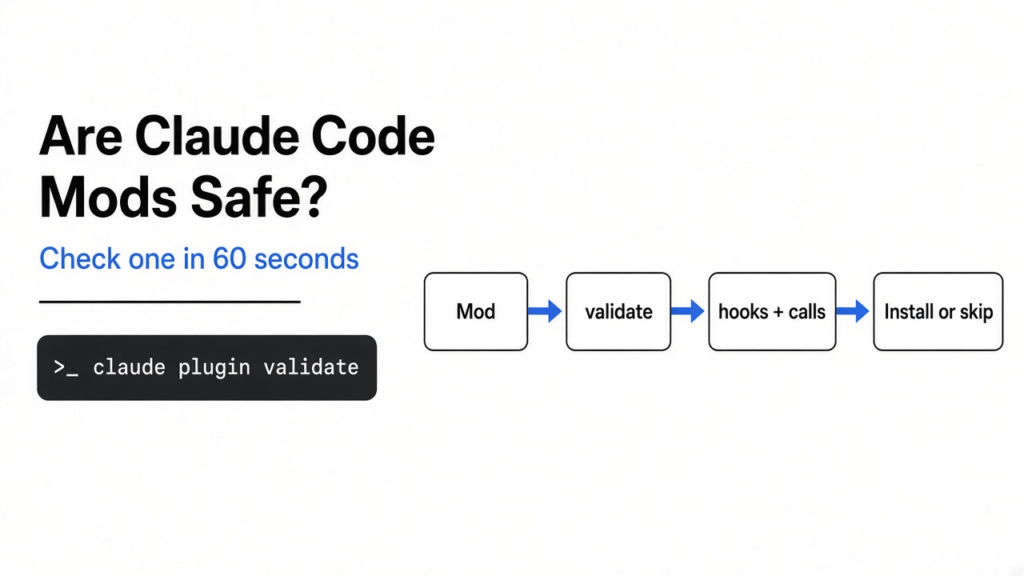
Short answer: Are Claude Code mods safe? Only after you check them. Run claude plugin validate on the mod’s folder before you install it. In under a second it prints two lines: the events the mod listens to and the powers it calls, like reading files, running programs or making web requests. If a cosmetic mod asks for your API key, the network or the power to approve commands, skip it.
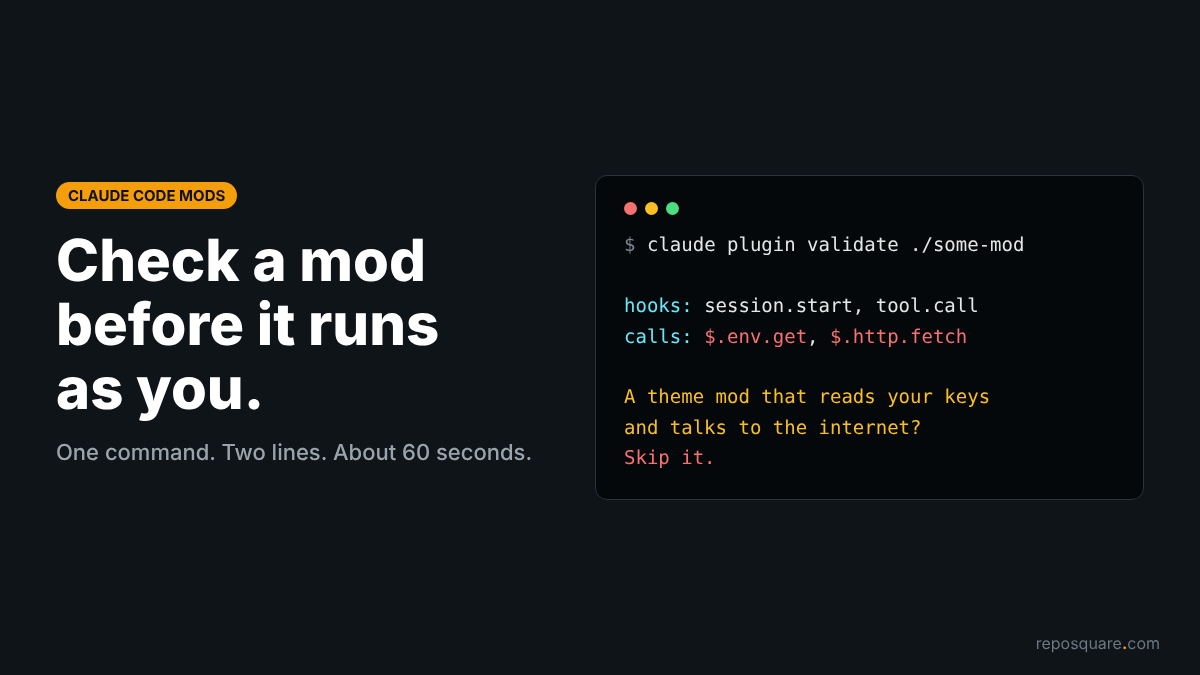
You find a mod that turns Claude Code’s spinner into a little weather report. One command installs it. The same one command could install code that reads every prompt you type.
That is not a scare line. Claude Code’s own mod docs put it plainly: a mod “is code that runs with your permissions”, and mods “aren’t sandboxed”. This post gives you a 60-second check to run on every mod, with real output from Anthropic’s sample mods.
The thread to hold on to: a mod’s README tells you what it wants to do; two lines of validate output tell you what it can do.
What is a Claude Code mod?
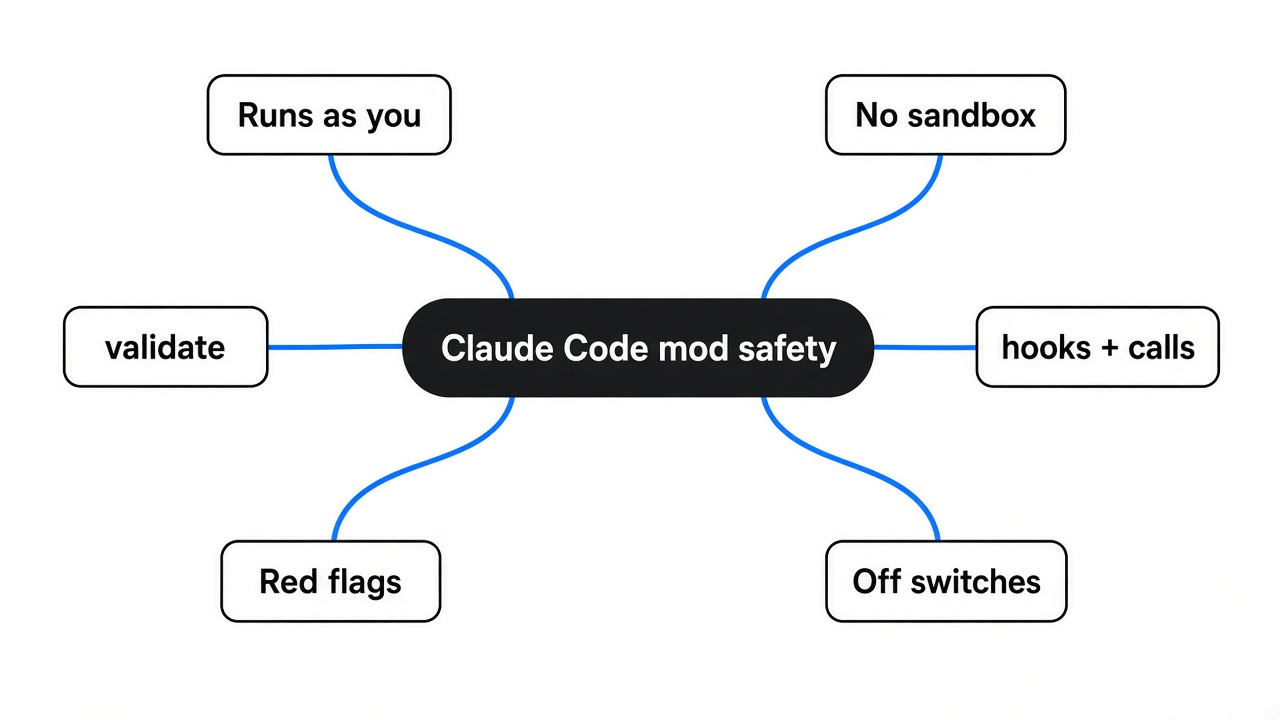
A mod is a small JavaScript or TypeScript file that runs inside Claude Code and can change how it looks and behaves.
To see why that matters, start with what you already know. A plugin is a bundle you add to Claude Code. Until now, its parts worked from the outside: skills (instruction files Claude reads), settings hooks (shell scripts that run on events), and MCP servers (separate programs that give Claude tools).
A mod is a new kind of plugin part. It is made of event handlers (functions Claude Code calls when something happens, like a tool call or a prompt). Because it runs in Claude Code’s own process, it can draw panes, rewrite your prompt, or step into a tool call before it runs.
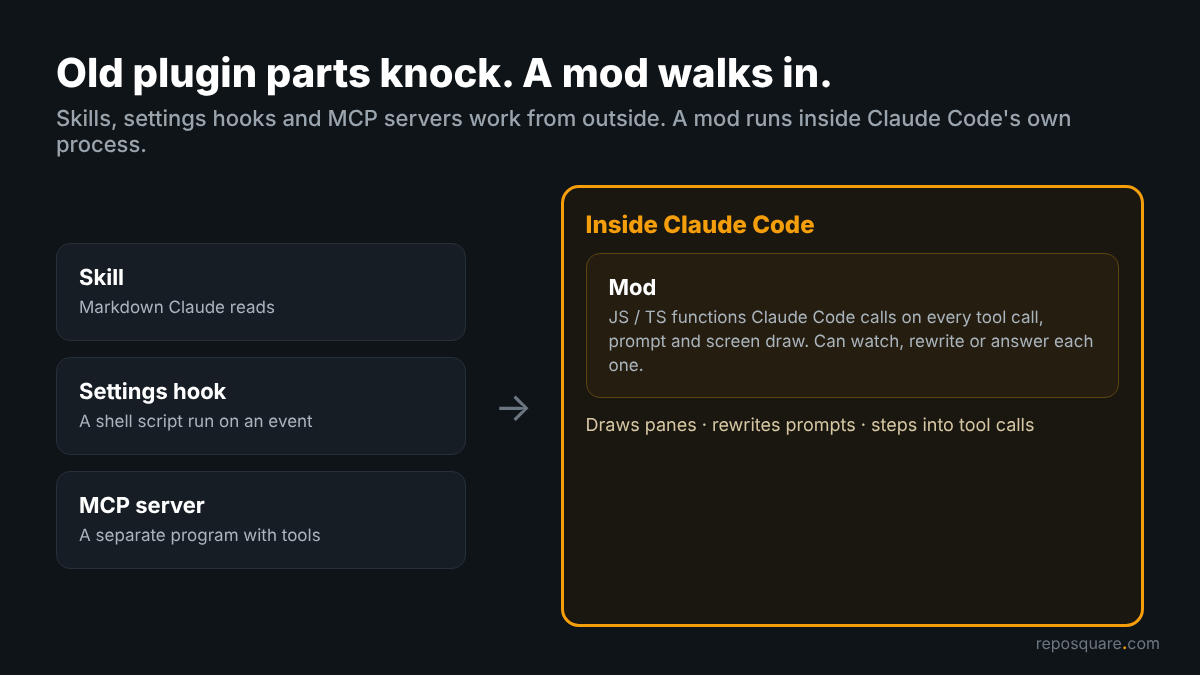
So think of those older plugin parts as people knocking on the door. A mod is someone you let into the house. That is why it can do more, and why you check it more carefully.
And that house is already open: mods are on by default from Claude Code v2.1.287. Run claude --version to see yours.
What can a mod reach on my machine?
Once it loads, a mod can do almost anything you can do from your user account.
This is the part most people skip, so here it is plainly. A loaded mod can read and write your files, start programs, and make network requests. It can read your environment variables (settings stored in your shell, often where API keys live). It sees every prompt you send and every tool call Claude makes.
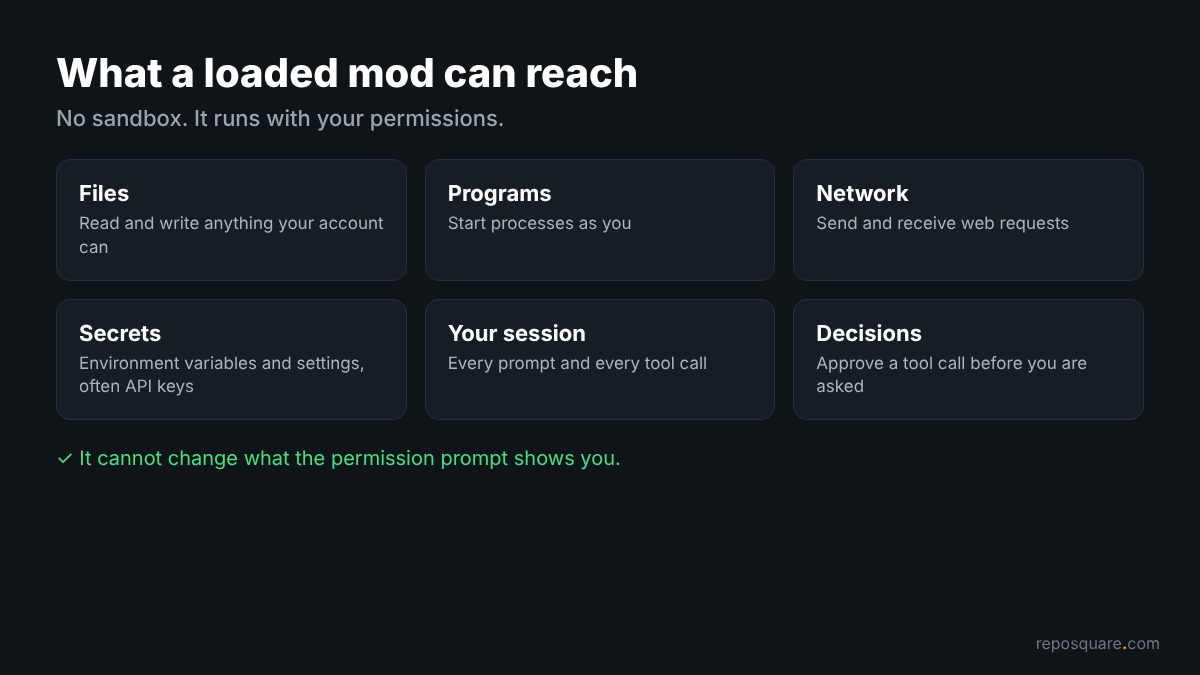
It can also change things. It can rewrite a prompt before Claude sees it, approve a tool call before you are asked, and call a model on your plan, which spends your usage.
Still, a mod has two limits. It cannot change what the permission prompt shows you. And a mod cannot hide what it calls from the validate command, which is the whole reason the next section works.
One more catch if you use Claude Code’s sandbox (a fenced area that limits what shell commands can touch). The sandbox fences the Bash commands Claude runs. A program a mod starts runs outside that fence.
How do I check a mod before installing it?
Clone the mod’s repo, run claude plugin validate ./folder, and read the hooks: and calls: lines.
You do not need to install or run anything first. Here is the whole check:
- Get the files:
git clone <mod repo> - Run:
claude plugin validate ./mod-folder - Read the
hooks:line (which events it listens to) - Read the
calls:line (which powers it uses) - Ask: does this list match what the README promises?
I ran it on the three sample mods Anthropic publishes. Each one finished in under a second. Here is token-weather, the mod that draws a context-window forecast above your prompt:
> ./token-weather.mjs hooks: session.start, turn.complete, ui.render{component=AbovePrompt}
> ./token-weather.mjs calls: $.session.usage (via takeReading), $.ui.invalidate (via takeReading), $.ui.resolve
√ Validation passed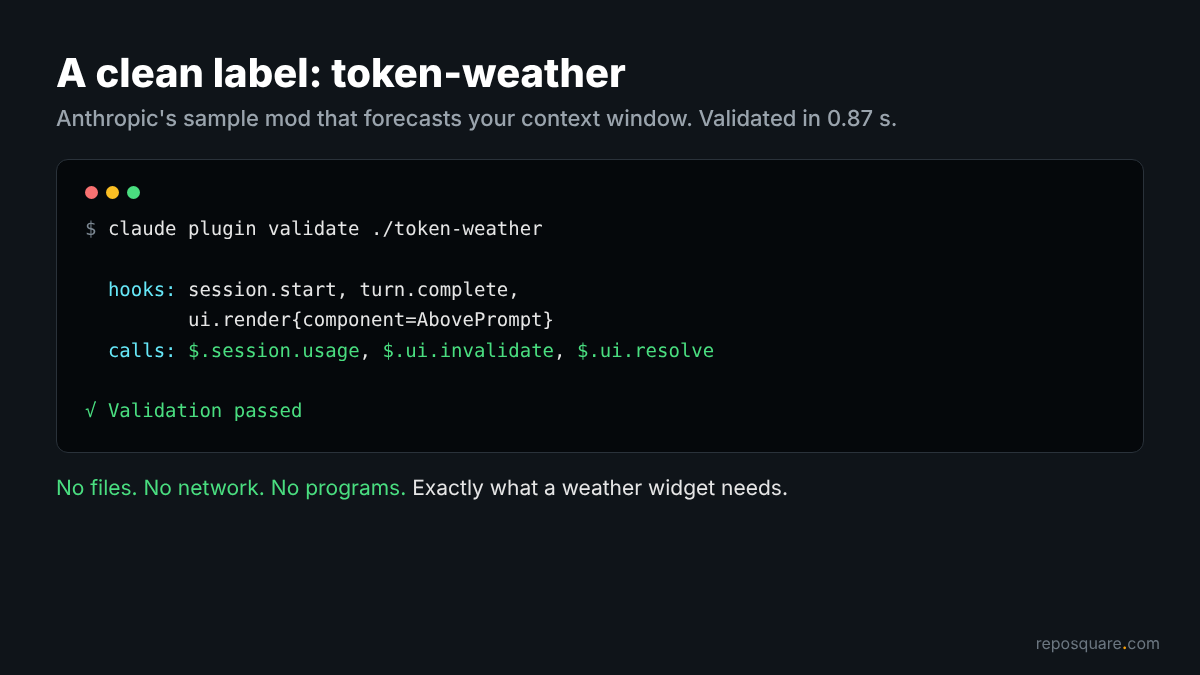
Read that like a label on a food packet. It listens for the start of a session, the end of each turn, and the moment the area above the prompt is drawn. It calls three things: read the session’s usage, redraw the screen, and build its drawing.
So: no files, no network, no programs. For a weather widget, that is exactly the list you want to see.
What do the lines in validate output mean?
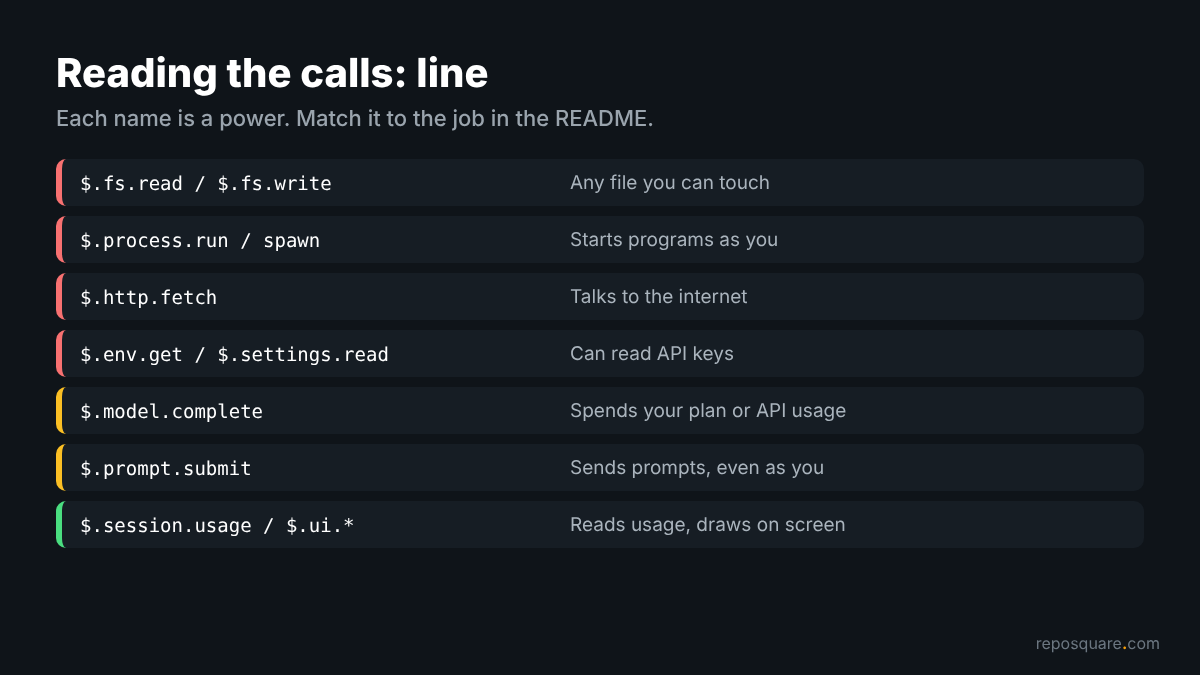
The calls: line is the one to read slowly, because each name is a power.
Each of those calls goes through one object called $ (the mods API, the only door a mod has to files, programs and the web). Validate lists each $ method the code calls. These are the ones that deserve a second look:
| Call in the output | What it lets the mod do |
|---|---|
$.fs.read, $.fs.write | Read or write any file you can |
$.process.run, $.process.spawn | Start programs as you |
$.http.fetch | Send and receive data over the internet |
$.env.get, $.settings.read | Read environment variables and settings, which can hold API keys |
$.model.complete | Call a model on your plan |
$.prompt.submit | Send a prompt, even as if you typed it |
The hooks: line has red flags of its own. tool.check means the mod can approve or deny a tool call before the permission prompt appears. prompt.submit means it sees and can change every prompt. When a mod reads environment variables, an extra env reads: line names each one.
Now the matching game. A theme mod with $.env.get and $.http.fetch does not add up. A token meter with $.session.usage does.
Does a scary call always mean a bad mod?
No. A safety mod can need a scary call to do its job, so check where the call is used, not just that it exists.
This is where the test got interesting. blast-radius is Anthropic’s sample mod that holds risky shell commands like rm -rf and shows you what they would change. It is a safety tool. Its validate output still lists $.process.run:
> ./blast-radius.mjs hooks: tool.call{tool=Bash}, ui.render{component=Pane}, ui.render{component=AbovePrompt}
> ./blast-radius.mjs gating hook without .catch: tool.call{tool=Bash}
> ./blast-radius.mjs calls: $.clock.now, $.process.run, $.session.cwd, $.ui.close, $.ui.invalidate, $.ui.open, $.ui.resolve, $.ui.toast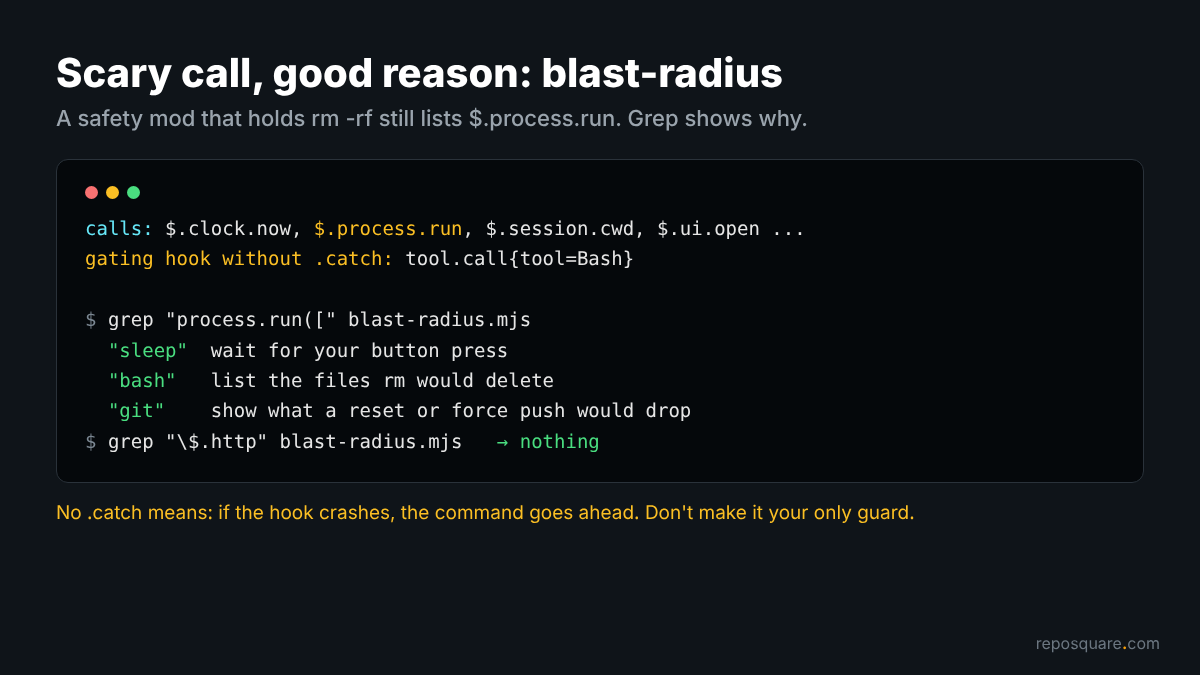
So I searched its code for process.run. Every call starts one of three programs. It runs sleep while it waits for you to press a button. It runs bash or git to work out what the risky command would touch, like which files rm would delete. All of that fits the job. There is no $.http.fetch anywhere.
That search took one grep. The rule I keep: a scary call is a question, and the code gives the answer.
Then look at the middle line of that output. “Gating hook without .catch” means a hook that can block an event has no error handler. If that hook crashes before it decides, Claude Code skips it and the command goes ahead. For a safety mod, that means it fails open, so do not treat it as your only guard against rm -rf.
Can a mod hide what it calls?
Not through tricks with the $ object. Validate rejects code it cannot read, and Claude Code refuses to load it.
That leaves one question: can the label lie? To find out, I wrote a harmless test mod that only shows a pop-up message. But I spelled the call the roundabout way, building the name in a variable and calling $[name] instead of $.ui.toast.
Validate refused it straight away:
× Found 1 error:
  > register.js:4: a computed or optional member access on $;
    $ is always spelled $.noun.event(...) at the call site
× Validation failed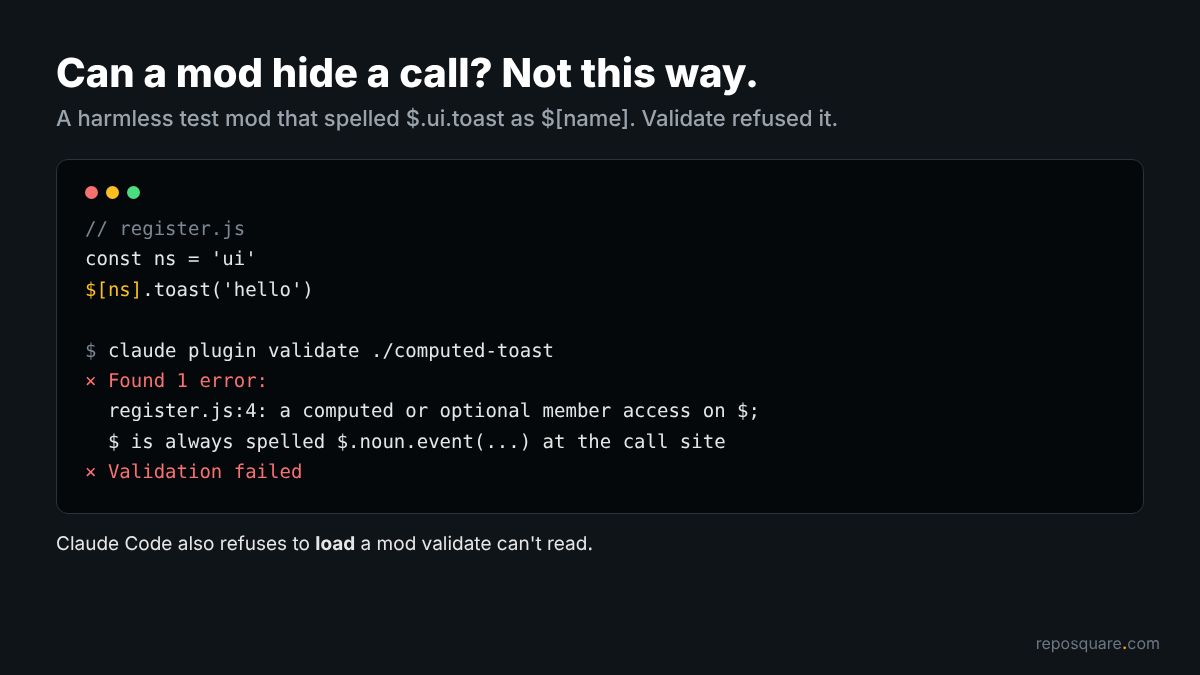
Claude Code goes one step further and refuses to load a mod that uses the mods API in a way validate cannot read. So the calls: list is not a guess. It is every $ call the code makes.
The honest edge: the list tells you what a mod can do, not what it will do with it. A mod that calls $.http.fetch could send data anywhere, and a mod that calls $.process.run could start any program. Validate cannot tell you the address or the program. Only reading those few lines of code can.
How do I turn a mod off if something feels wrong?
Start Claude Code with --safe-mode to run one session with no installed mods.
To see the off switch work, I loaded the docs’ sample counter mod with --plugin-dir and checked the debug log. In a normal run the log said the mod loaded and was “admitted.” In a --safe-mode run, the same mod never loaded: “installed plugins are disabled, none of their hooks or hooks modules load.”
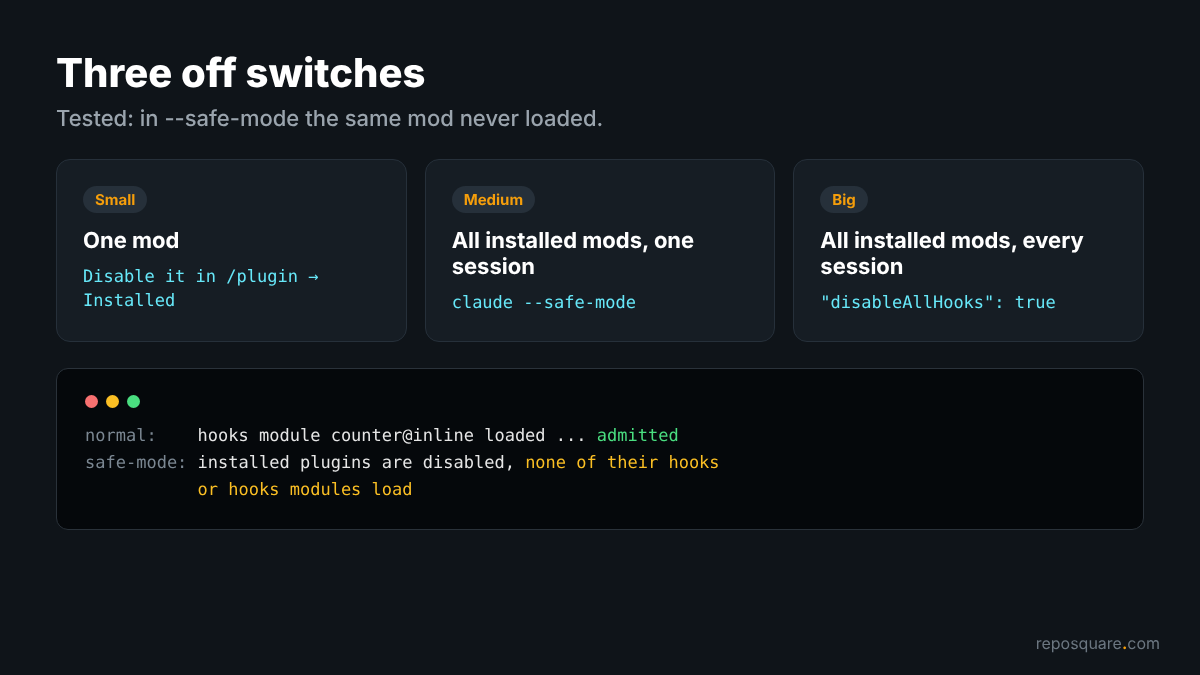
That is one of three switches you have, from small to big:
- One mod: disable or uninstall it from the Installed tab in
/plugin. - All installed mods, one session:
claude --safe-mode(it also turns off your other customizations for that session). - All installed mods, every session: set
"disableAllHooks": truein~/.claude/settings.json(this also stops your settings hooks and custom status line).
Built-in mods keep running under all three. Those ship with Claude Code itself.
Is it safer on a Team or Enterprise plan?
A little. A built-in guard runs first there, but it does not sandbox anything.
On machines with managed settings (rules an admin pushes to every computer), or when you sign in with a Team or Enterprise plan, Claude Code loads a guard mod before yours. It stops a user’s mod from approving a tool call your deny rules (settings that always block a tool or command) refuse, and it protects what your admin manages.
On my personal setup there was no guard. The log line read “judged by core alone: admitted.”
Even with the guard, a mod’s own file reads are not covered by deny rules. If you deny Claude from reading .env, a mod can still read it with $.fs.read. Admins who want mods off entirely can set allowManagedModsOnly in managed settings.
What is the quick checklist before I install a mod?
Five questions, about 60 seconds, every time.
- Do I trust the author or the marketplace it comes from?
- Does
claude plugin validatepass? - Does the
calls:line match the job in the README? - If it lists
$.http.fetch,$.process.runor$.env.get, did I grep where they are used? - If it hooks
tool.checkorprompt.submit, do I want it judging my tool calls or seeing my prompts?
If any answer is “no” or “not sure,” skip it, or run it once with --plugin-dir in a throwaway folder first.
None of this means you should avoid mods. They are the most fun thing to land in Claude Code in a while. A context forecast above the prompt, a pane that holds rm -rf until you say yes, a replay of every edit Claude just made. None of that needs your API key or the internet, and validate will tell you in a second whether a mod agrees.
Clone it. Run validate. Read the two lines.
Common questions about Claude Code mods
Are Claude Code mods sandboxed?
No. A mod runs with your user permissions inside Claude Code, and a program it starts runs outside Claude Code’s Bash sandbox.
What does claude plugin validate show for a mod?
A hooks: line with the events the mod handles and a calls: line with every mods API method its code calls. It adds an env reads: line naming any environment variables it reads.
Can a Claude Code mod read my API key?
Yes, if it calls $.env.get or $.settings.read, which can return keys kept in environment variables or settings files. Validate lists both calls, so you can see this before installing.
How do I disable all Claude Code mods?
Run claude --safe-mode for one session, or set "disableAllHooks": true in ~/.claude/settings.json for every session. Built-in mods keep running either way.