
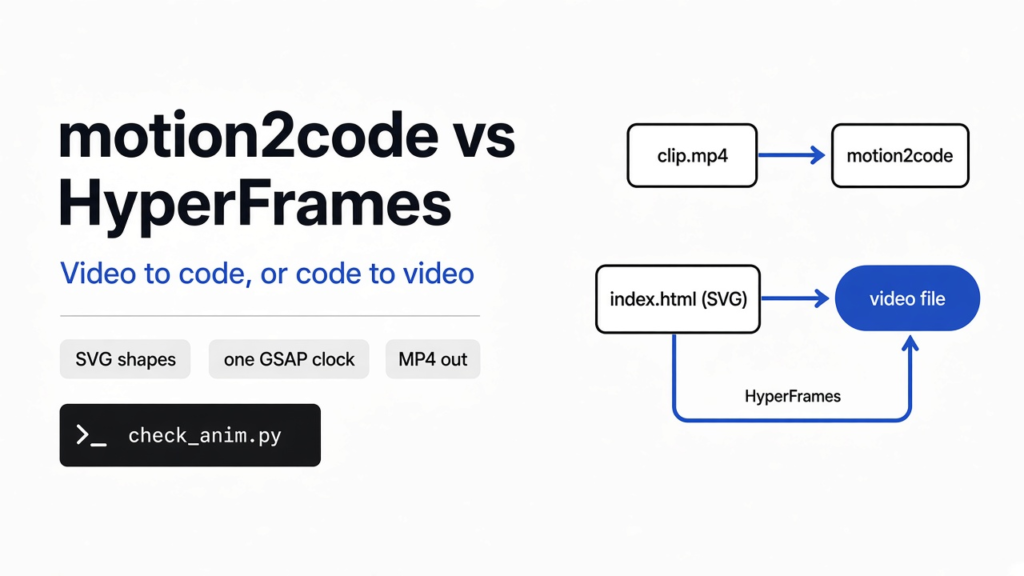

A coding agent (a program that edits your files and runs commands, not a chat box that only talks) can write a pretty animation and still be wrong about the timing. I made a two-second clip of a red dot crossing a blue rectangle, then asked the question people mix up: motion2code vs HyperFrames. motion2code rebuilds a video as code you can edit. HyperFrames films code into a video file. They face opposite directions, so installing one does not do the other’s job.
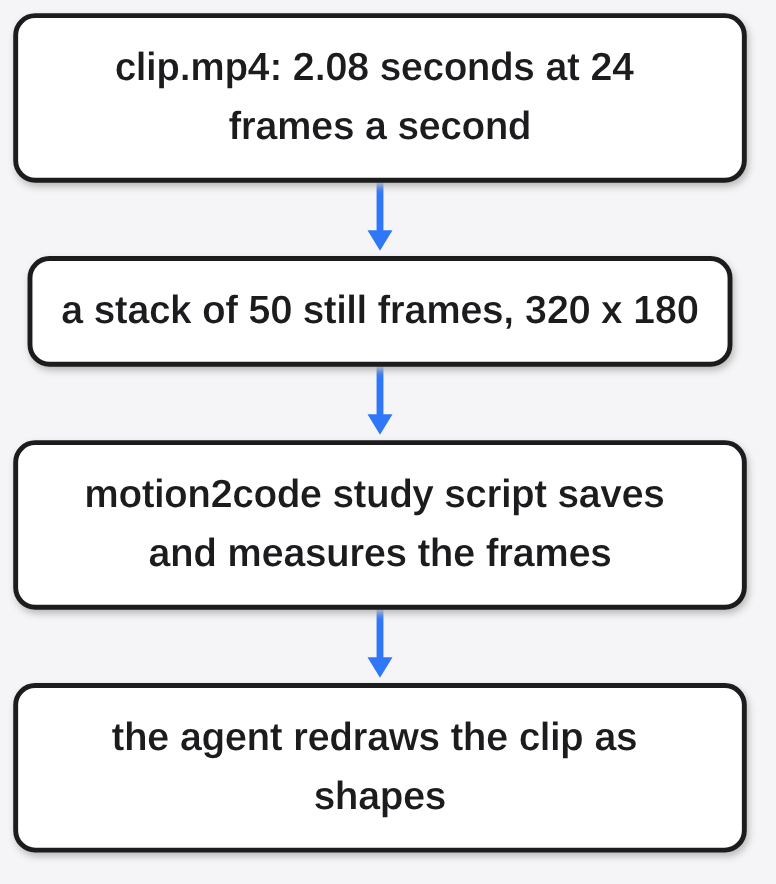
A video is not one moving picture. It is a stack of stills, called frames (single pictures shown fast enough that your eye sees motion). My clip was 320 pixels wide and 180 tall, 24 frames a second, and the file came out 2.08 seconds long, which is 50 frames. The agent never watches that stack unless a tool saves the frames and measures them. motion2code is a skill (a folder of written steps the agent loads only when your request matches) that does the measuring, then tells the agent to redraw the clip as shapes.
What is motion2code?
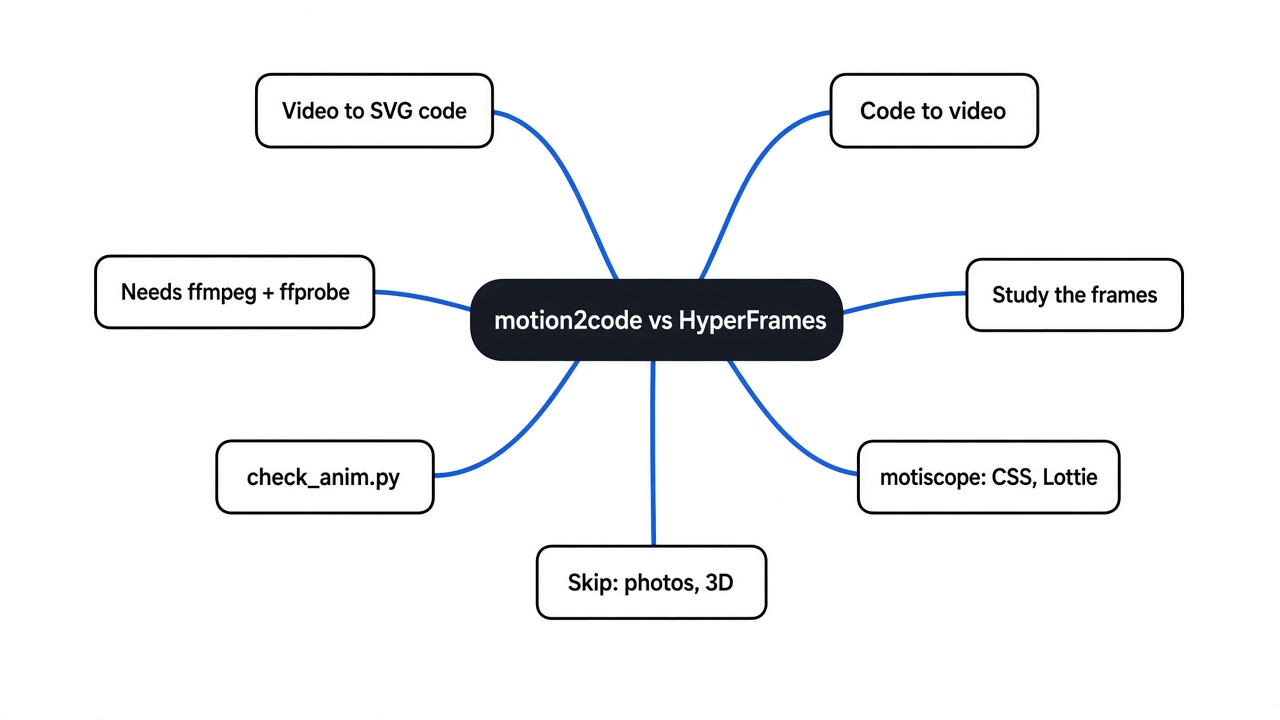
motion2code turns a flat motion clip into one web page of shapes, then checks that page against the original frames.
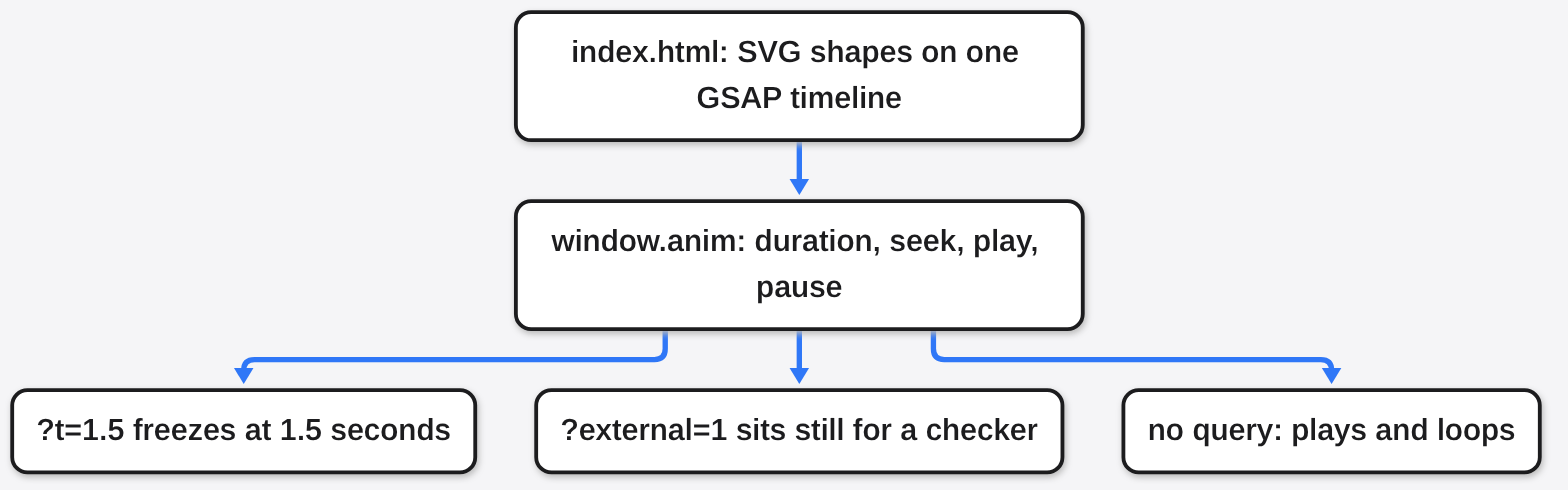
The page is SVG (a picture made of shapes and words, not a grid of colored dots, so it stays sharp when you zoom). The motion sits on one GSAP timeline (a JavaScript clock that can jump to any second, instead of only playing forward). The page has to expose window.anim with four things: how long it is, seek (jump to a second), play, and pause. A link like index.html?t=1.5 must freeze at 1.5 seconds. ?external=1 must sit still so a checker can drive it. With no extra query, the page plays and loops by itself.
That contract is the whole product. A video file is hard to recolor. A shape in a text file is one word you can change. Shapes stay sharp when you scale them, which is the reason to redraw instead of stretching the video. A page of shapes passes the contract, and a page which sneaks in a normal image file fails it.
motion2code vs HyperFrames: which direction do you need?
HyperFrames starts from code and ends at a video. motion2code starts from a video and ends at code.
HyperFrames, and Remotion beside it, open a web page in a hidden browser, photograph every moment, and stitch those photos into an MP4. That comparison is on HyperFrames vs Remotion. Use that page when you already know the scenes and you want a file to upload. Use this page when you already have a clip, often one an image or video model drew, and you want shapes you can retime, recolor, or rewrite.
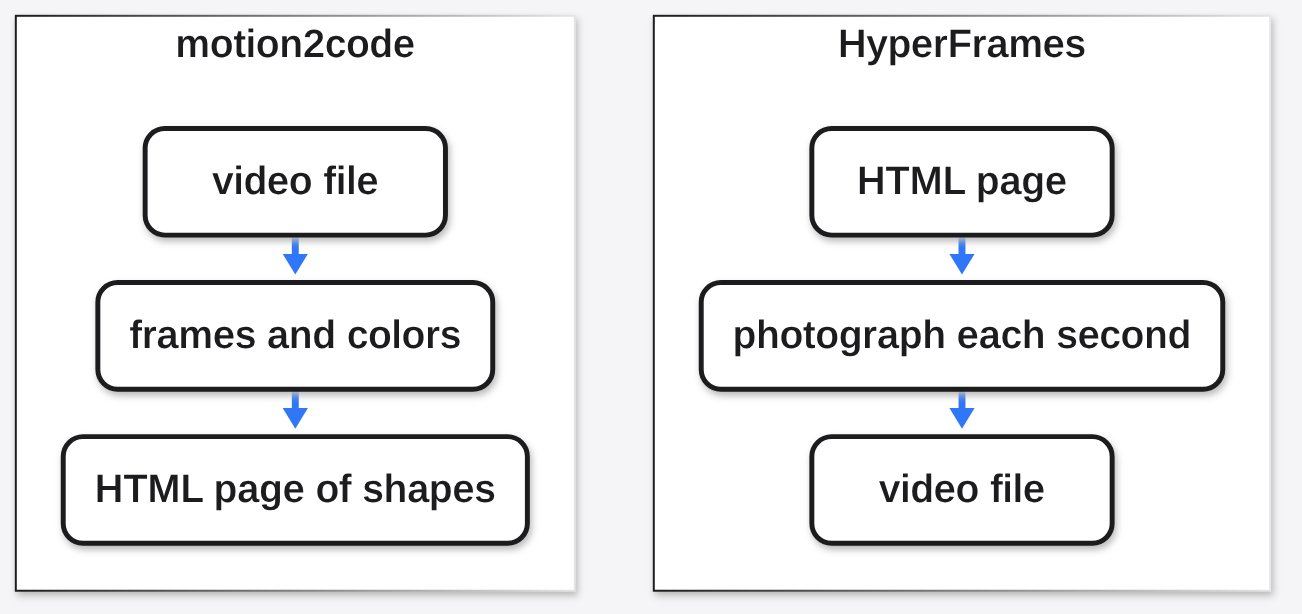
People put them in one sentence because both say GSAP and both touch video. The arrow is the difference. If you already have index.html and you need film.mp4, motion2code is the wrong install. If you have clip.mp4 and you need a page a coworker can edit, HyperFrames is the wrong install.
How do I install motion2code?
Install the skill into the agent you already use, and install ffmpeg plus ffprobe before you trust any frame.
A skill does nothing until the agent can see the folder. Inside Claude Code:
claude plugin marketplace add lovisdotio/motion2code
claude plugin install motion2code@motion2codeYou can also copy the folder yourself: skills/motion2code goes to ~/.claude/skills/. Codex looks in a different drawer, ~/.agents/skills/. Cursor looks in ~/.cursor/skills/. The same split is why a skill that works in one agent looks missing in the other, which is the problem in how to sync Claude skills to Codex. For a pile of agents at once, npx skills add lovisdotio/motion2code is the shortcut the project documents.
The checker is separate from the agent. It is plain Python, version 3.9 or newer, and it shells out to ffmpeg (the free program that reads and writes video) and to ffprobe (the small partner that prints width, height, and length). The install notes name ffmpeg. They do not name ffprobe. My first run died on that:
ffprobe not found on PATHffmpeg itself was already installed. The study script still refused to start, so no frames were saved. Put both commands on your PATH, then:
git clone https://github.com/lovisdotio/motion2code.git
cd motion2code
python3 skills/motion2code/scripts/study_video.py /path/to/clip.mp4 -o study/The browser half, the one that opens the page and photographs seek, needs Playwright. The text half, the one that reads the HTML and rejects a pasted photo, does not. I ran the text half.
How do I check a motion video matches the code?
Run the study script on the clip first, then check_anim.py on the page, and do not trust a “it loops” line when the moving part is tiny.
On my clip the study wrote eight pictures, one every quarter second plus the last frame, a contact sheet, and study.json. No hard cut was detected, which was right: the dot slides, it does not jump to a new scene. The colors came back as two flat fills.
| What I painted | What the file measured | Share of the picture |
|---|---|---|
blue #2244AA | #2142A9 | 98.12% |
red #E23B2F | #E1392E | 1.63% |
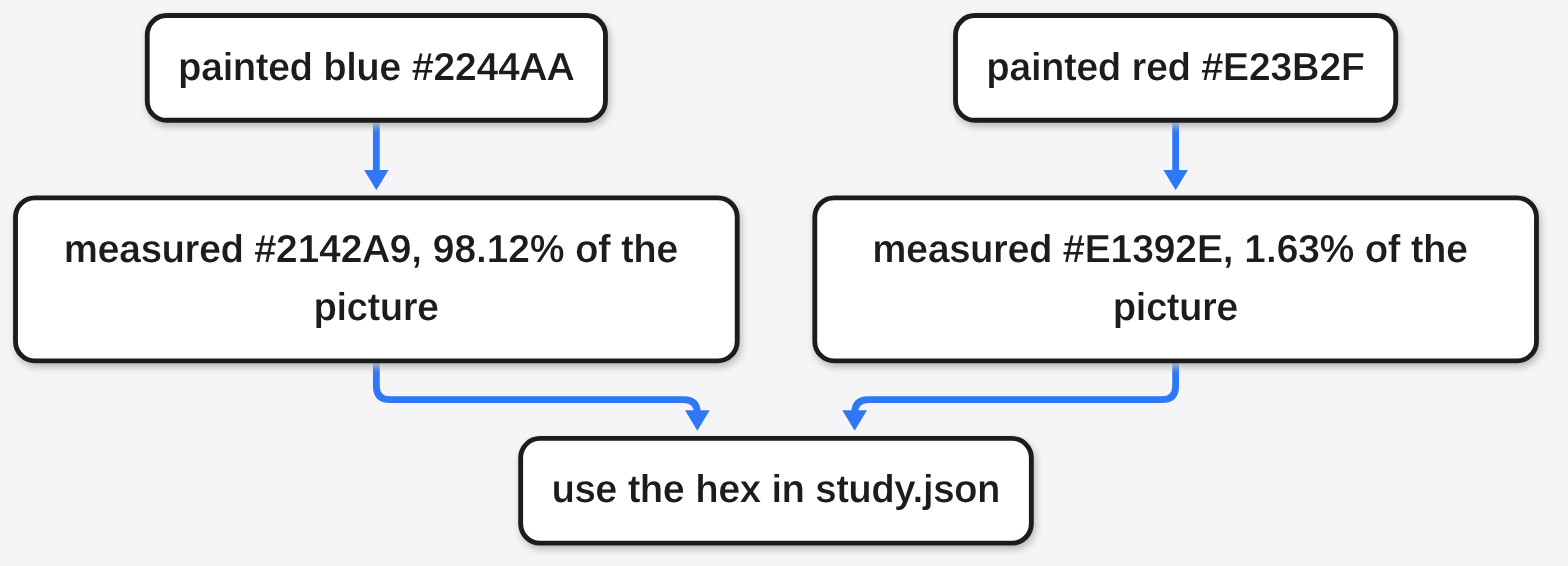
A palette (the few solid colors a flat design actually uses) is not the hex you remember typing. Video compression stores color in a coarser form, so the blue and the red both shifted a step. If you tell the agent “use the blue I think I used,” it will miss the blue that is in the file. Point it at study.json and use those hex values.
The same file reported a loop score. The score is the average difference between the first frame and the last, per color channel, on a scale from 0 (identical) to 255 (nothing in common). The script treats a score under 6 as “this clip already loops.” Mine scored 3.83, so it said the source already loops.
That verdict is wrong for the thing I cared about. I sampled the red pixels on a coarse grid. At 0.1 seconds the red sat near x = 40. At 1.5 seconds it sat near x = 196. The dot had crossed the frame. It was only 1.63% of the pixels, so the blue background hid the move inside an average. A small object can travel the whole width and still pass the loop test. Look at the saved frames. Do not stop at the sentence the script prints.
Then check the page, not the video. I wrote a tiny HTML file with one red circle, one GSAP timeline, seek, play, pause, data-ready, and both query flags. The static check printed:
[ok] good.htmlI appended a normal image tag, the kind an agent reaches for when drawing the shape feels hard. The same check printed:
[FAIL] bad.html
error: raster/video asset in the animation: <img> (redraw it as flat SVG shapes)A raster (a photo or PNG, a grid of pixels) is rejected on purpose. So is a <video> tag, an SVG image that points at a file, and a CSS background that is a PNG. The page is supposed to be redrawn. Pasting the original frame in and calling it done is the cheat this check exists to catch.
The static check does not prove the circle lands on the same pixel as the source. That is frame_diff.py and check_anim.py --runtime, which open a headless browser. If you stop at [ok], you know the contract is present. You do not yet know the motion matches.
motion2code vs motiscope
Use motion2code when you want one SVG file and a hard ban on pasted images. Use motiscope when you want the same recording emitted as CSS, Framer Motion, or Lottie as well as GSAP.
Motiscope is a different skill with the same first wish: drop a screen recording, get animation code. Its own commands are an analyze step and a recreate step, and the recreate step names four outputs: GSAP, CSS, Framer Motion, and Lottie (a JSON animation format a lot of design tools import).
The real difference is the constraint. motion2code’s checker fails the page if the clock is not GSAP, if seek is missing, or if any photo is embedded. That is strict, which is good when the point is a logo or a flat title that must loop cleanly and stay editable. It is the wrong strictness when the design tool you hand the file to wants Lottie, or when the motion is easier as CSS on a real button.
| motion2code | HyperFrames | motiscope | |
|---|---|---|---|
| Starts from | a video clip | a web page | a screen recording |
| Ends as | SVG plus one GSAP clock | a video file | GSAP, CSS, Framer Motion, or Lottie |
| Fails closed when | the page hides a photo, or has no seek | you needed editable shapes | you needed that photo ban |
When should I skip motion2code?
Skip it for photos, 3D, and footage of real things, and skip it when you already have the code and only need a video file.
It is the wrong tool for photographic footage, 3D, or cutting a real video. A face, a room, or a product shot will not become a handful of flat shapes without looking fake. The palette script is built for solid fills. My clip had two. A photograph has thousands, and the exact-colors idea stops helping.
Skip it also when the job is a diagram of a machine rather than a copy of a clip. That is a different skill, and is the anatomy skill worth it is the page for a gauge, a lock, or anything a person has to watch move in order to understand it. Skip it when the job is a flowchart. Diagram design vs Mermaid is the shorter path. Skip it when the deliverable is a slide. How to make a PowerPoint with Claude Code does not go through a video at all.
And skip the loop score as a final answer whenever the moving part is small. My 3.83 “already loops” was a background score, not a motion score. Open frames/t0000.00.png next to the last frame before you tell the agent the clip is seamless.
How do I turn a screen recording into a site?
Ask for a real page only when the recording is of an interface, and keep the flat-shape rules for the parts that are decoration.
The same skill has a second mode: a recording of an app screen can become a page with real scrolling (GSAP ScrollTrigger, which ties motion to how far you have scrolled) and real clicks. The flat-clip workflow does not prove the scroll path. What transfers is the order of work. Study the frames before anyone writes code. Copy the words on screen exactly. Then run the checker so a button is not a screenshot glued on top.
If the recording is the product, and the animation around it is garnish, do not force the product UI through the SVG ban. Rebuild the chrome as shapes. Leave the real interface as HTML controls. The checker will fight you if you drop a PNG of the whole app into the animation file, and in that case it is right about the chrome and too strict about a photo you meant to show once.
Common questions about motion2code and HyperFrames
Can Claude Code rebuild a video as SVG?
Yes, if the clip is flat shapes and you install the skill, then make it run the study script before it draws. Without the frames, it is guessing the timing from a file it cannot see.
Does motion2code replace HyperFrames?
No. motion2code rebuilds a video as a page. HyperFrames renders a page as a video. You might use both on one job: rebuild the clip as shapes, edit the shapes, then film the page. You would not install one and expect the other’s output.
What if the colors in the code do not match the clip?
Trust the measured hex in study.json, not the color you remember. On my file, #2244AA came back as #2142A9 and #E23B2F came back as #E1392E, because the video compressed the color. Match the file, then nudge by eye if a brand color has to be exact.
Do I need a browser to know the page is legal?
No for the contract, yes for the pixels. check_anim.py with no extra flag reads the HTML and rejects a pasted image. Adding --runtime opens the page and compares frames. [ok] means the page is shaped right. It does not mean the dot is in the right place.
The useful order is short. Save the frames. Read the two colors and the pictures, not only the loop sentence. Write shapes, not a pasted image. Check the file. Film it with HyperFrames only after the page is the thing you meant.