
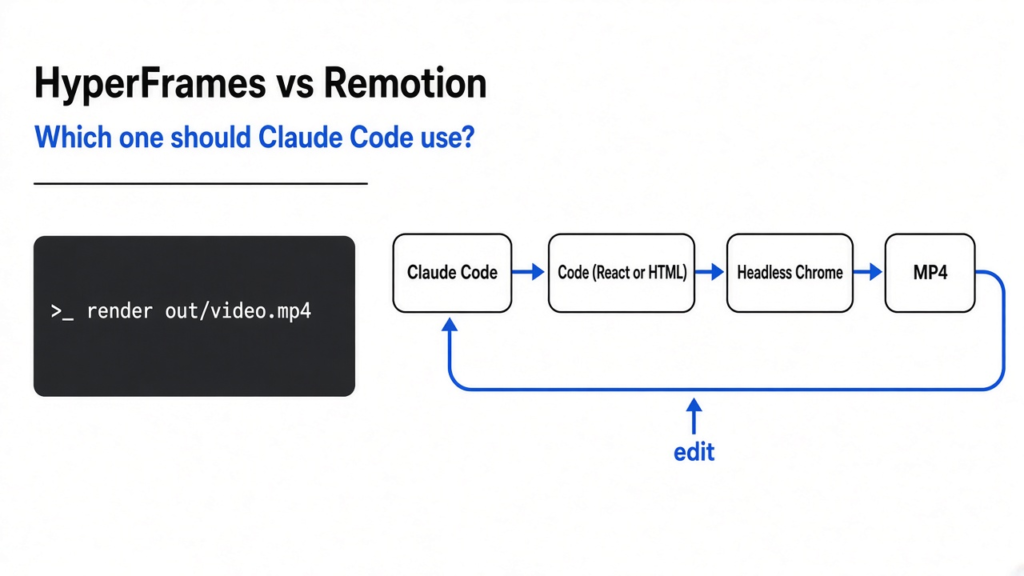
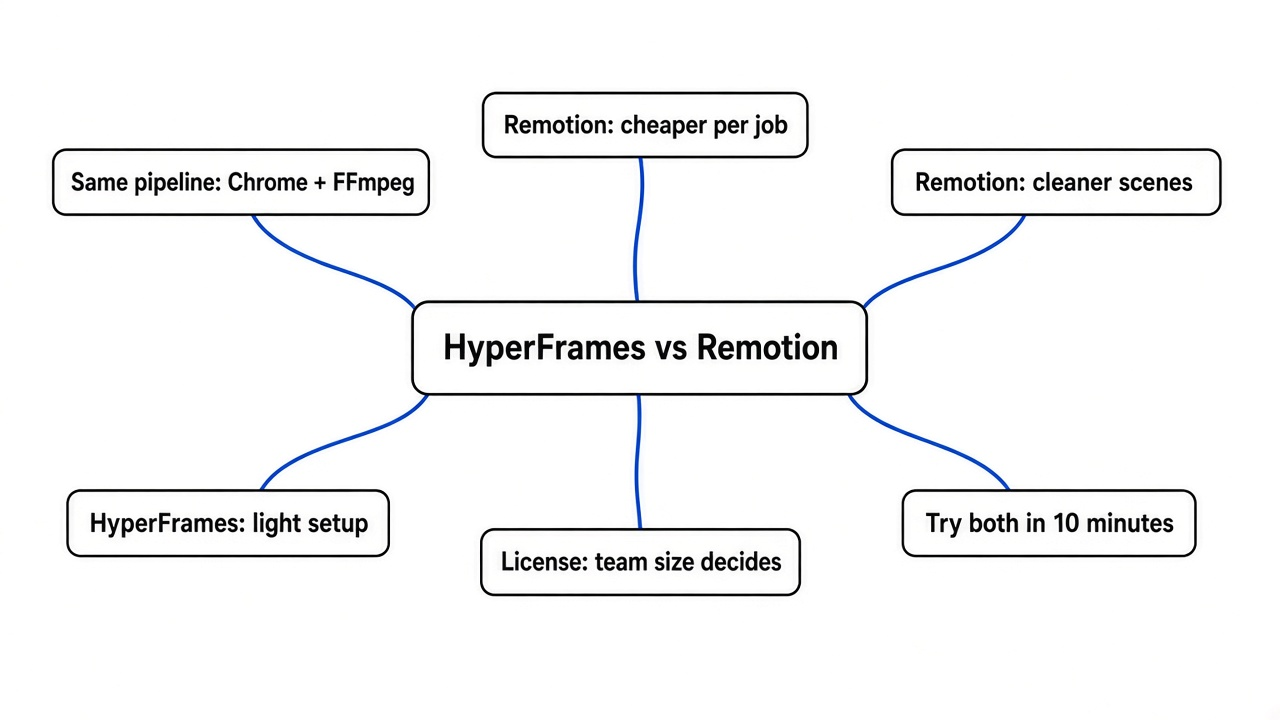
Short answer on HyperFrames vs Remotion: HyperFrames is not the better pick for most solo developers. I gave Claude Code the same three video jobs in both tools. Remotion was about 30% cheaper per job, finished a little faster, and gave cleaner scene changes. HyperFrames wins on one thing that can decide it alone: its license is fully open, while Remotion needs a paid license once your company has more than 3 people.
You type “make me a 20-second explainer video” into Claude Code, and a few minutes later an MP4 file sits in your folder. No editing app, no timeline, no export dialog. That part already works.
The hard part is picking what Claude should build the video with. Two tools fight for that job, and they look almost the same from the outside. So I ran them side by side to find out where they really differ.
Spoiler: the code style matters less than you think. The license matters more.
What do Remotion and HyperFrames actually do?
Both turn code into a video file, one frame at a time.
Start with what a video is. A video is a stack of still pictures, called frames, shown very fast. At 30fps (frames per second), a 12-second clip is 360 pictures.
Now picture a flipbook. If you can draw each page with code, a computer can “film” the flipbook by taking a screenshot of every page. That is the whole trick behind both tools.
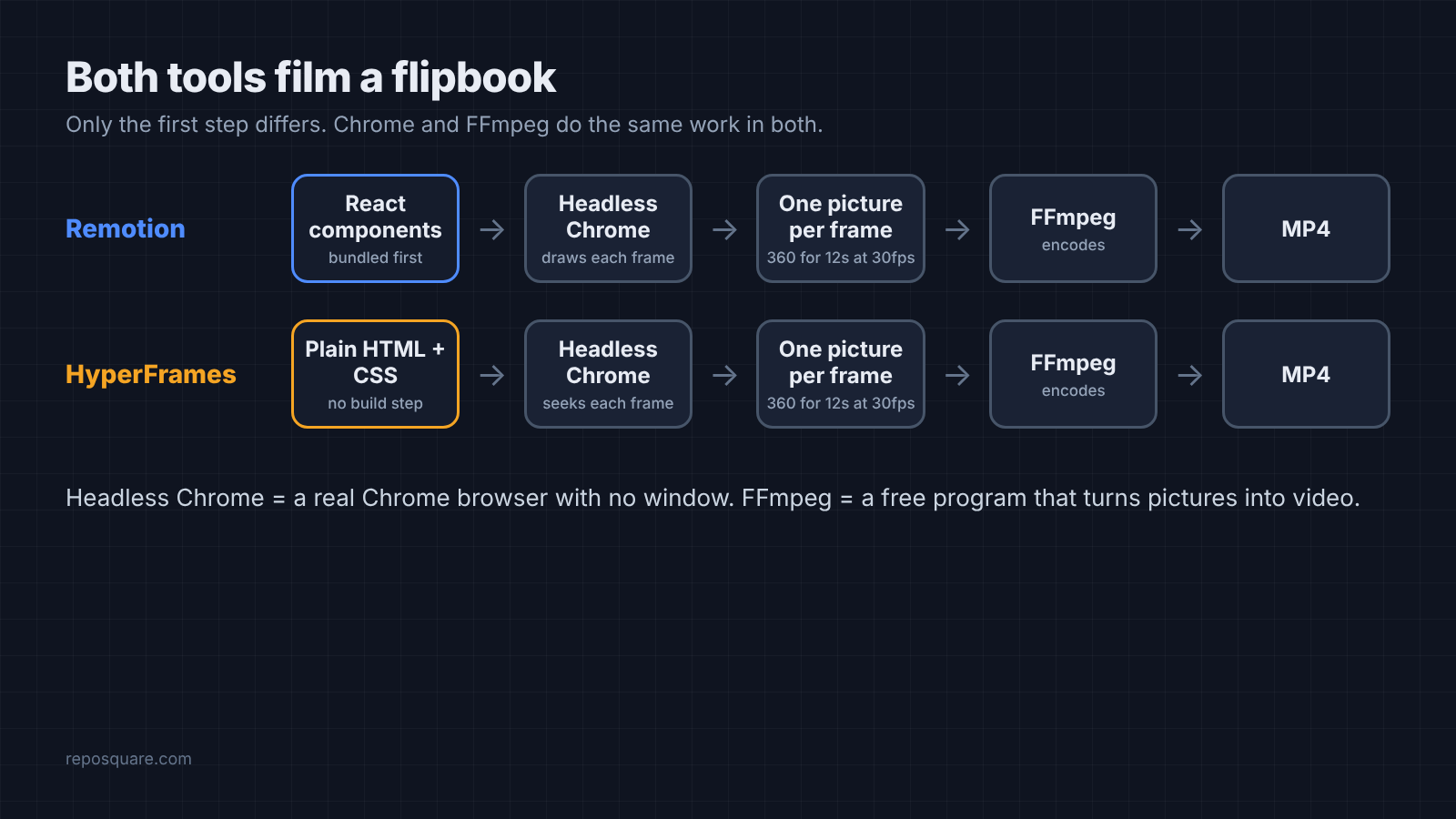
Remotion (a tool that turns React code into video) lets you describe each scene as a React component (a reusable piece of UI written in JavaScript). It opens your scenes in headless Chrome (a real Chrome browser with no window), captures every frame as a picture, and hands the pictures to FFmpeg (a free command-line program that encodes video).
HyperFrames does the same job with a plain HTML page instead of React. You write normal HTML and CSS, and you can pick the animation library. In my tests Claude used GSAP (a popular JavaScript animation library) every time. Its renderer jumps the page to each exact moment in headless Chrome, screenshots it, and encodes it with FFmpeg too.
So the pipeline is nearly identical. The real differences sit in three places: how much setup you carry around, how Claude behaves with each one, and what the license lets you do.
How did I test them?
Same prompts, same model, same machine, one folder per tool.
Each tool got a fresh project made by its own official setup command. I then installed each tool’s official agent skill (a folder of instructions Claude Code reads before doing a task) into that project only, so neither run could peek at the other tool’s instructions.
Claude Code ran headless with the Sonnet model, with no human in the loop. Every prompt ended with “Do not ask me any questions”, so both tools had to finish on their own. These were the three jobs:
- Chart clip: a 12-second video with a title card, an animated bar chart, and an end card.
- Explainer: a 20-second, 3-scene video about how a password manager works, with captions and icons drawn in code.
- Edit: change the accent color, stretch the chart scene by 2 seconds, and change one number. Then re-render.
Both tools finished all three jobs. Every file came out at the right size, frame rate, and length. That is the first useful result: either tool works with Claude Code out of the box.
Which one was faster and cheaper?
Remotion cost less on every job and finished a bit sooner.
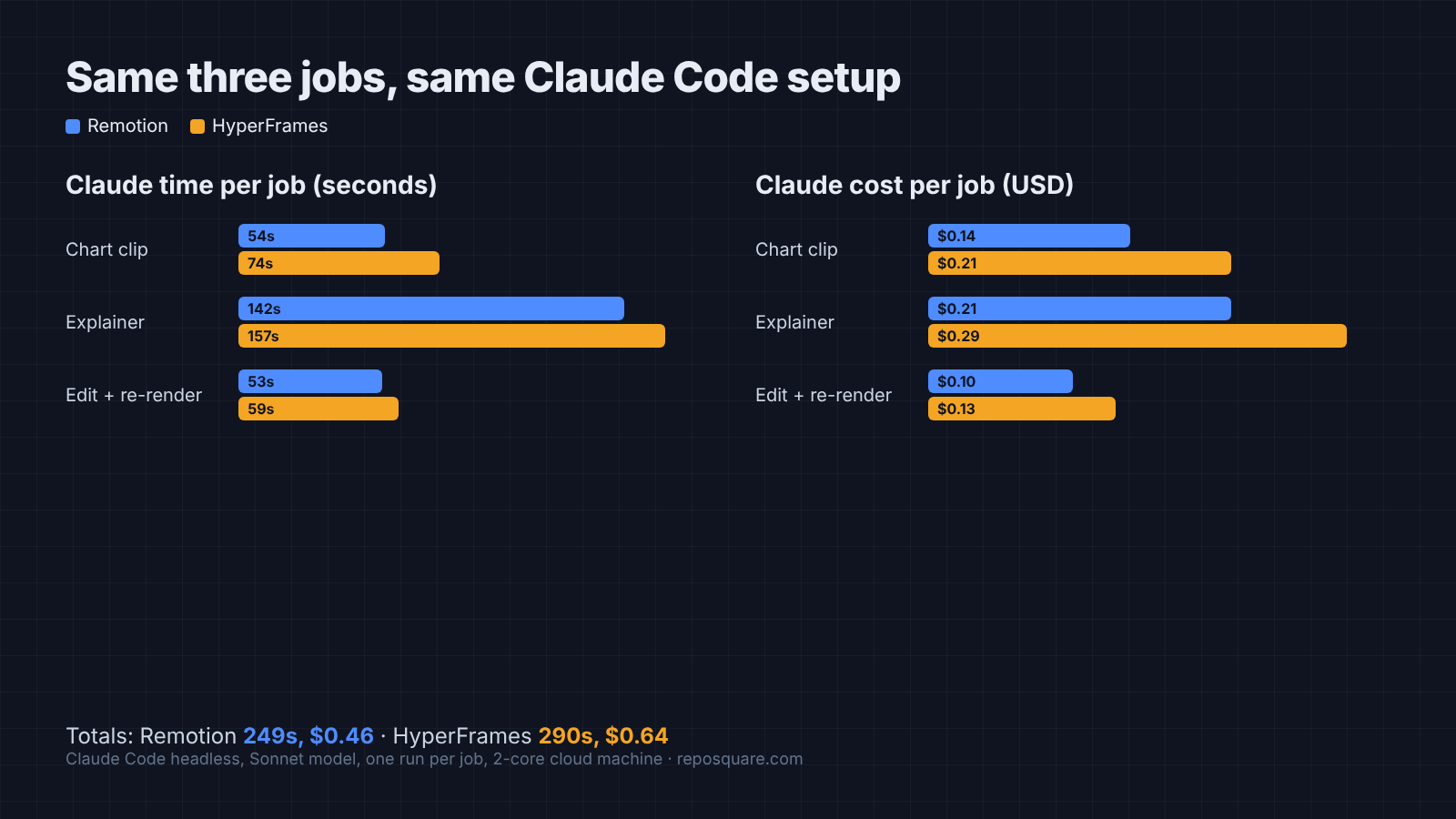
| Job | Remotion: Claude time | HyperFrames: Claude time | Remotion: cost | HyperFrames: cost |
|---|---|---|---|---|
| Chart clip (12s) | 54s | 74s | $0.14 | $0.21 |
| Explainer (20s) | 142s | 157s | $0.21 | $0.29 |
| Edit and re-render | 53s | 59s | $0.10 | $0.13 |
| Total | 249s | 290s | $0.46 | $0.64 |
Cost here is what Claude Code reported for the whole run, including writing code and rendering. Across the three jobs, HyperFrames cost about 40% more.
Why? The HyperFrames skill is built to be thorough. It loads a router skill first, then runs its own check command to look for layout problems before rendering. That is more reading and more steps, so more tokens (the small chunks of text an AI model reads and writes, which you pay for).
Render speed itself was a wash. On a small 2-core cloud machine, both rendered the chart clip in about 28 seconds. On the explainer, HyperFrames was faster (49s against 68s). If render time matters to you, test on your own machine.
Which video looked better?
Both looked professional. Remotion handled scene changes more cleanly.
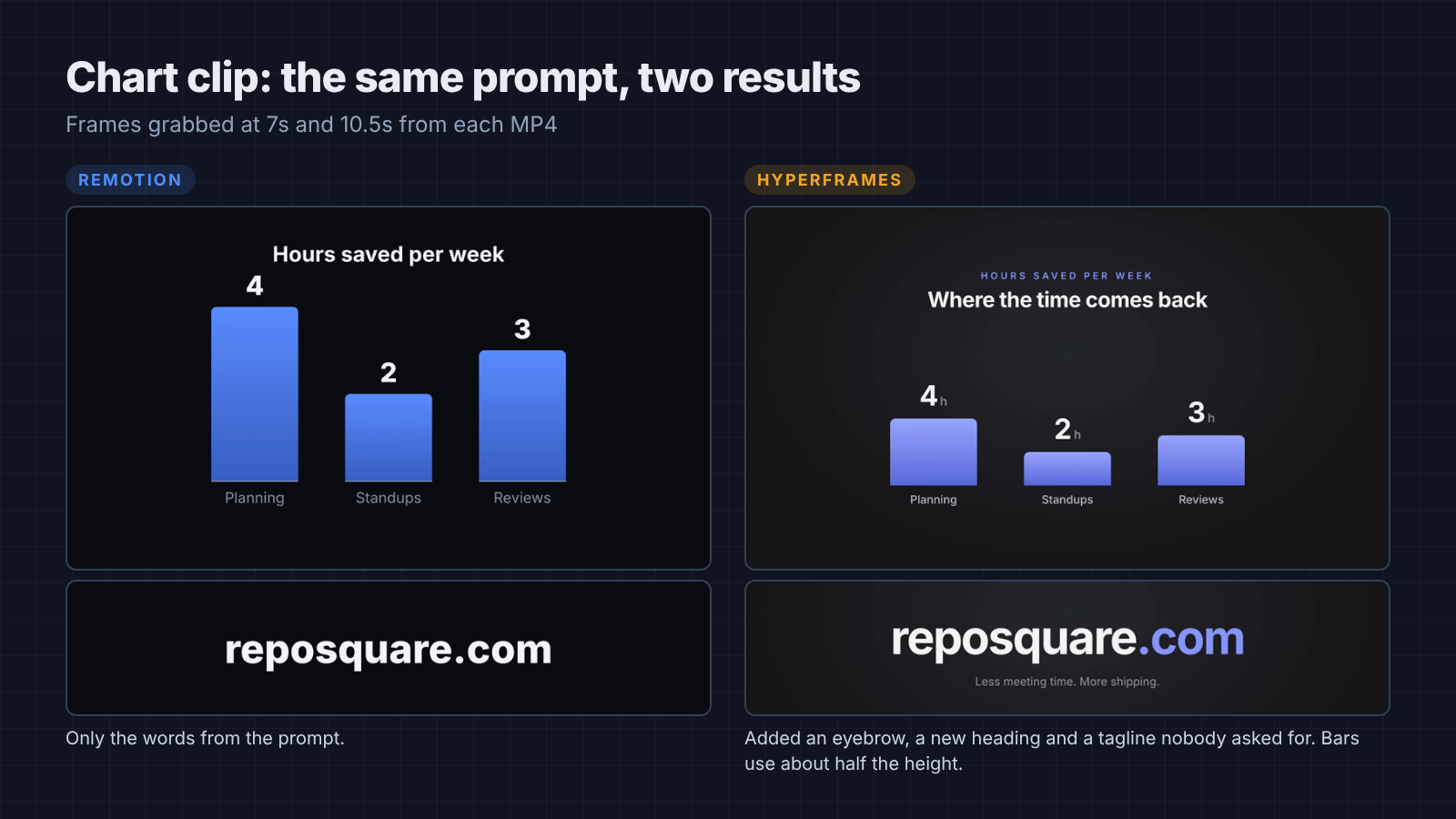
On the chart clip, both tools gave a clean dark design with growing bars and numbers that count up. Remotion stuck to the words I gave it.
HyperFrames added three lines I never asked for: a “Team productivity” label, a “Where the time comes back” heading, and a “Less meeting time. More shipping.” tagline. They read fine, but invented copy is a risk when the video is for a client.
HyperFrames also drew its bars short. The tallest bar used about half of the space it had, which made the chart feel small.
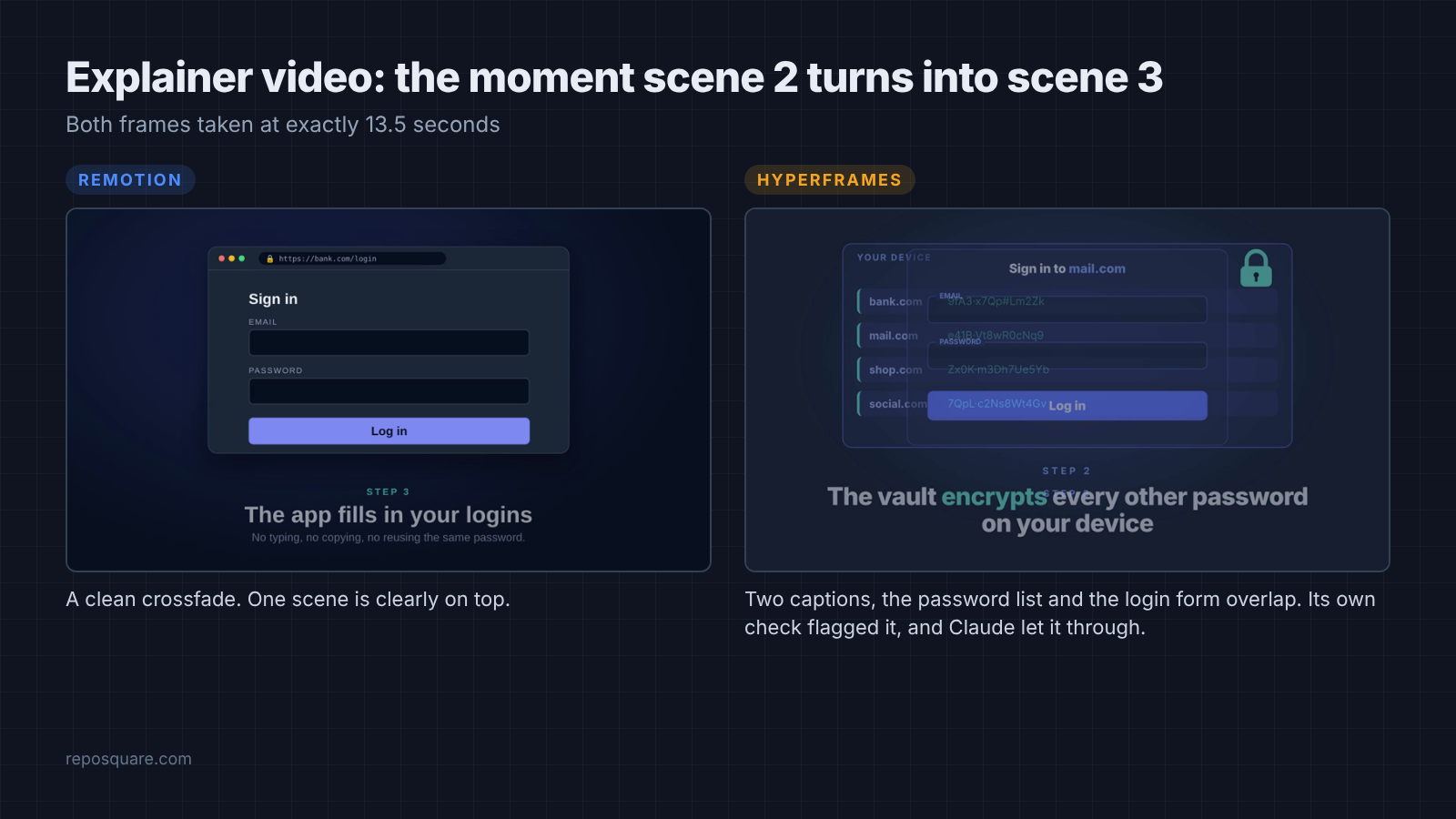
The explainer showed the bigger gap. Midway through the switch from scene 2 to scene 3, HyperFrames stacked both scenes on top of each other: two captions, a password list, and a login form all overlapping. Its own check command flagged the overlap, and Claude marked it as intentional and moved on.
Remotion’s switch at the same moment was a simple crossfade with one scene clearly on top. One point goes back to HyperFrames, though. It used my three captions word for word, while Remotion trimmed all three.
What happens when you ask for changes?
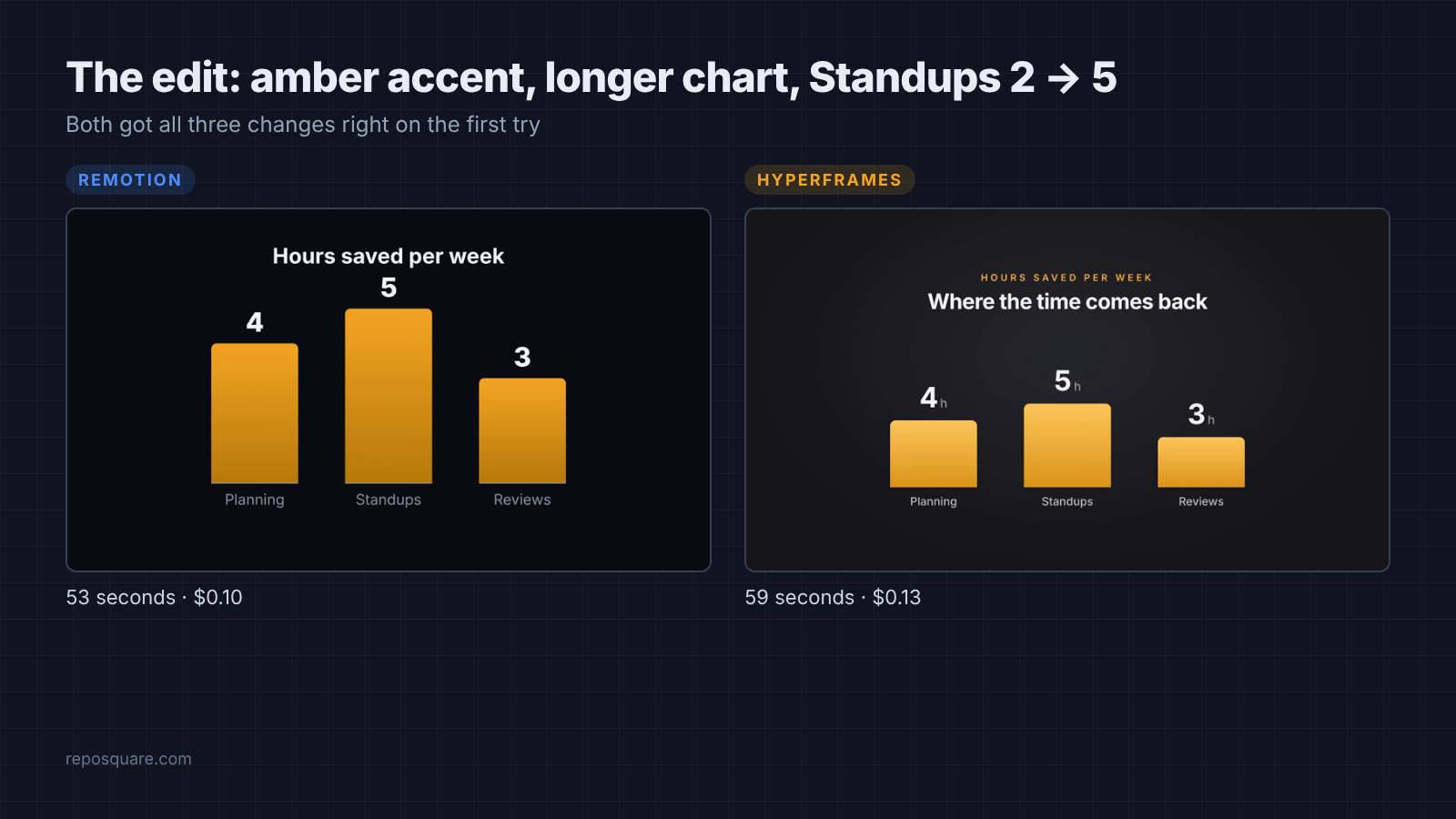
Both made all three edits correctly on the first try.
This is the job you will do most. A video is rarely right the first time, so the cost of “change the color and fix that number” matters more than the first draft.
Both tools turned the accent amber, stretched the chart scene to make a 14-second video, and changed Standups from 2 to 5. Remotion did it for $0.10 in 53 seconds, HyperFrames for $0.13 in 59 seconds. Small edits are cheap in either tool.
How heavy is the setup?
HyperFrames is far lighter to start and carry around.
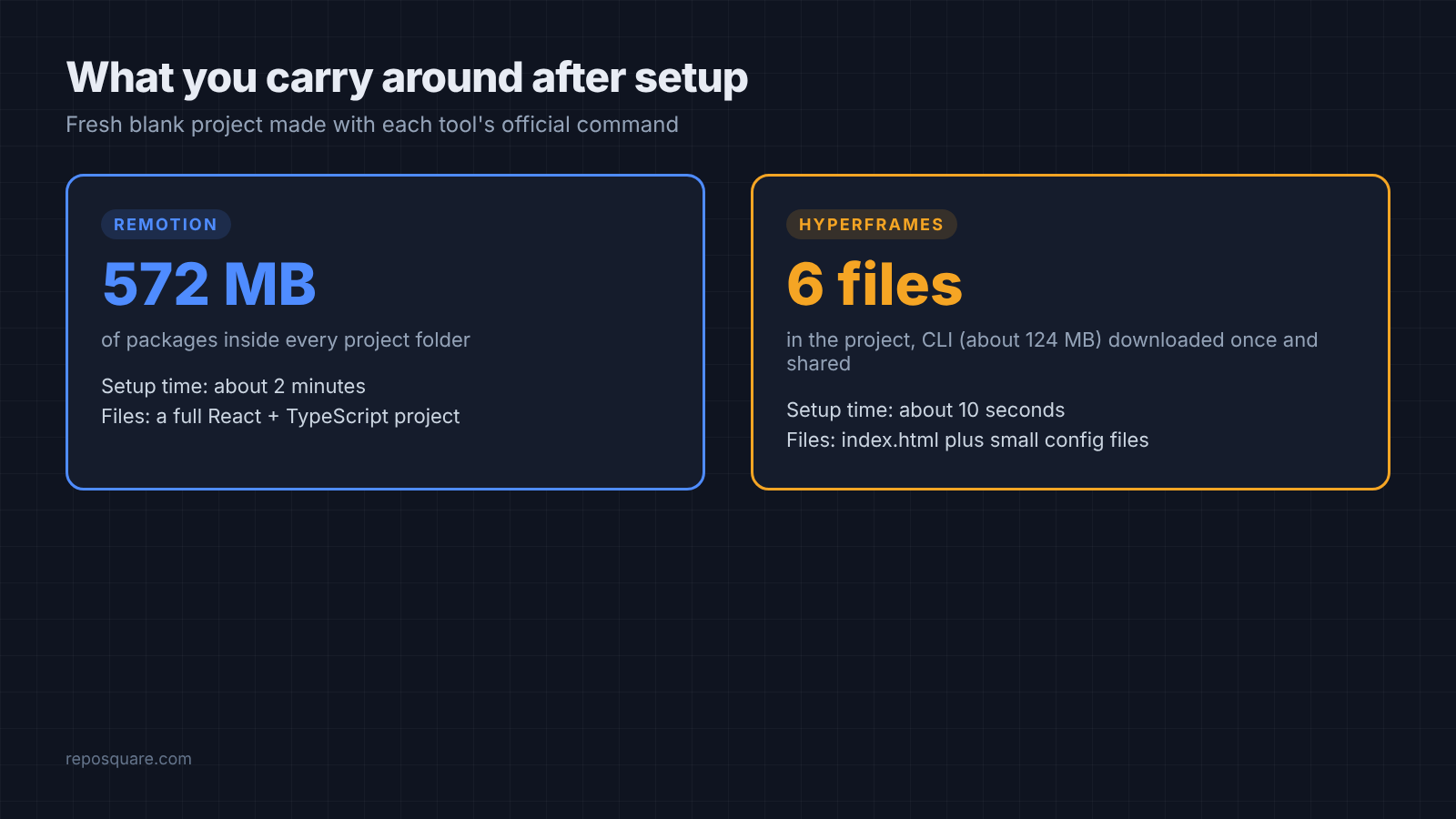
Remotion’s setup command builds a full Node.js project. It took almost 2 minutes and installed 572 MB of packages into the project folder. Every new video project carries its own copy.
HyperFrames’ setup took 10 seconds. The project folder holds just an HTML file and a few small config files, and the command-line tool (about 124 MB) is downloaded once and reused by every project.
Before you pick HyperFrames, know three small things about how it sets itself up on your machine:
- Its setup installs its agent skills into your global Claude Code skills folder by default, so they load in every project, not just the video one.
- It collects anonymous usage data unless you run
hyperframes telemetry disable. - The pages Claude wrote loaded GSAP from a CDN (a public server that hosts code files), so a render with no internet would need that file saved locally.
What does the license mean for you?
This is where the choice usually gets made.

Remotion’s source code is public, but it is not open source in the usual sense. Its license is free for individuals, for-profit companies with up to 3 employees, and non-profits. A bigger company needs a paid company license.
HyperFrames uses the Apache 2.0 license (a standard open source license that allows commercial use). It says there are no per-render fees or commercial-use limits, so a 50-person agency can use it the same way a student can.
So the first question is not “which tool is better?” It is “how many people work at the company making the video?” Answer that, and half the choice is already made.
HyperFrames vs Remotion: which should you use with Claude Code?
Pick Remotion if you are solo or a tiny team. Pick HyperFrames if your company is bigger than 3 people or you want plain HTML.
| Remotion | HyperFrames | |
|---|---|---|
| You write | React components | Plain HTML, CSS, GSAP |
| Setup time | about 2 minutes | about 10 seconds |
| Project size | 572 MB per project | small folder, CLI shared |
| Claude cost, 3 jobs | $0.46 | $0.64 |
| Scene changes | clean | overlap in one test |
| License | free up to 3 employees | Apache 2.0, free for all |
There are good reasons to prefer HyperFrames even as a solo developer. If you already think in HTML and CSS, its files are short and easy to read: the chart clip was 80 lines of HTML against 186 lines of React. Its built-in check command also catches layout problems before you render.
Still, for one person shipping videos with Claude Code, Remotion gave cleaner output for less money in every job I ran. Claude also seems more at home with it. On the explainer, it built a solid Remotion video without even opening the Remotion skill.
One honest limit: I ran each job once. AI output changes from run to run, so treat these numbers as a fair snapshot, not a final score.
How do you try both in 10 minutes?
Make one tiny project in each tool and give Claude the same prompt.
You need Node.js 22 or newer, FFmpeg, and Claude Code.
- Remotion:
npx create-video@latest --yes --blank my-remotion, thennpx skills add remotion-dev/skillsinside the folder. - HyperFrames:
npx hyperframes init my-hyperframes --example blank --non-interactive. It installs its skills for you. - In each folder, run Claude Code with the same short prompt, such as “Make a 10-second title card that says Hello and render it to out/video.mp4.”
- Open both MP4 files and compare them, then note how long each run took.
I ran the same kind of test on how to make a PowerPoint with Claude Code. There is one on diagram skills against Mermaid too. For keeping Claude’s output small and tidy in any project, see how to stop Claude Code from over-engineering.
Both tools film a flipbook. The license tells you which one you are allowed to use. Check your team size, then run the prompt.
Common questions about HyperFrames and Remotion
Is HyperFrames free for commercial use?
Yes. HyperFrames uses the Apache 2.0 license, which allows commercial use at any company size with no per-render fees.
Is Remotion free?
Remotion is free for individuals, for-profit companies with up to 3 employees, and non-profits, including commercial work. Larger for-profit companies need a paid company license.
Can Claude Code make videos without Remotion or HyperFrames?
Yes, it can drive FFmpeg directly for simple cuts and text. For animated scenes, a code-to-video tool like these two saves a lot of work, because it handles frames, timing, and encoding for you.
Do I need to know React to use Remotion with Claude Code?
No. Claude writes the React for you, and small edits work fine by prompt. You need React only if you want to change the code by hand.