
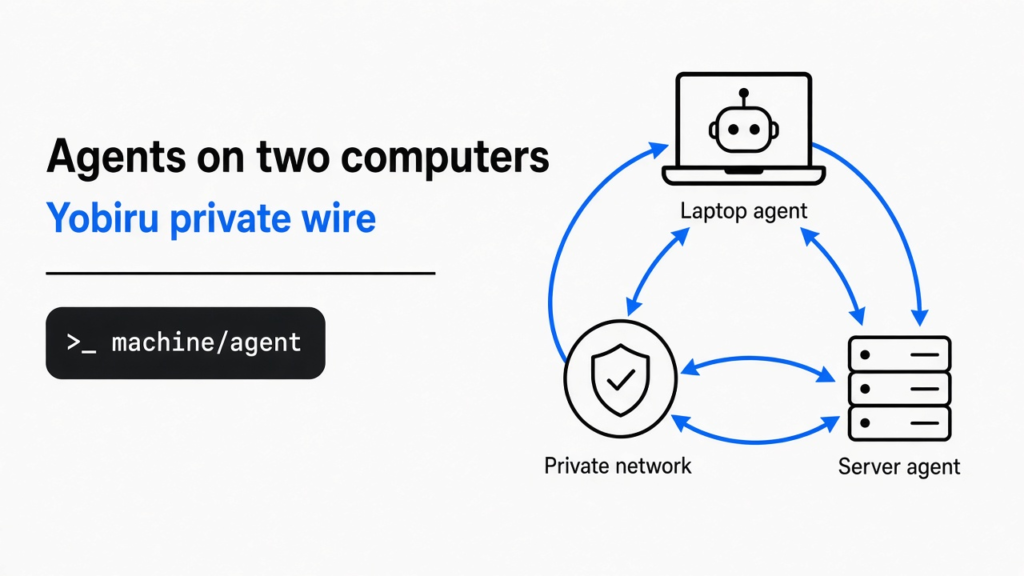
I keep one coding agent on the laptop and another on a server. A coding agent is a program that can open files and run commands, not a chat window that only talks about the code. The laptop one can see the project on the desk. The server one can run the long job. They cannot see each other, so the log leaves one window and comes back through my clipboard. Yobiru is the small program that lets those two pass the note themselves, on a private network both computers already joined. You let agents on two computers talk by addressing one as machine/agent and waiting for a real reply. A stored note is not finished work.

You are the wire in that picture. The rest of this page is how to stop being the wire, and the check that tells you the wire is not up yet.
how do i let agents on two computers talk
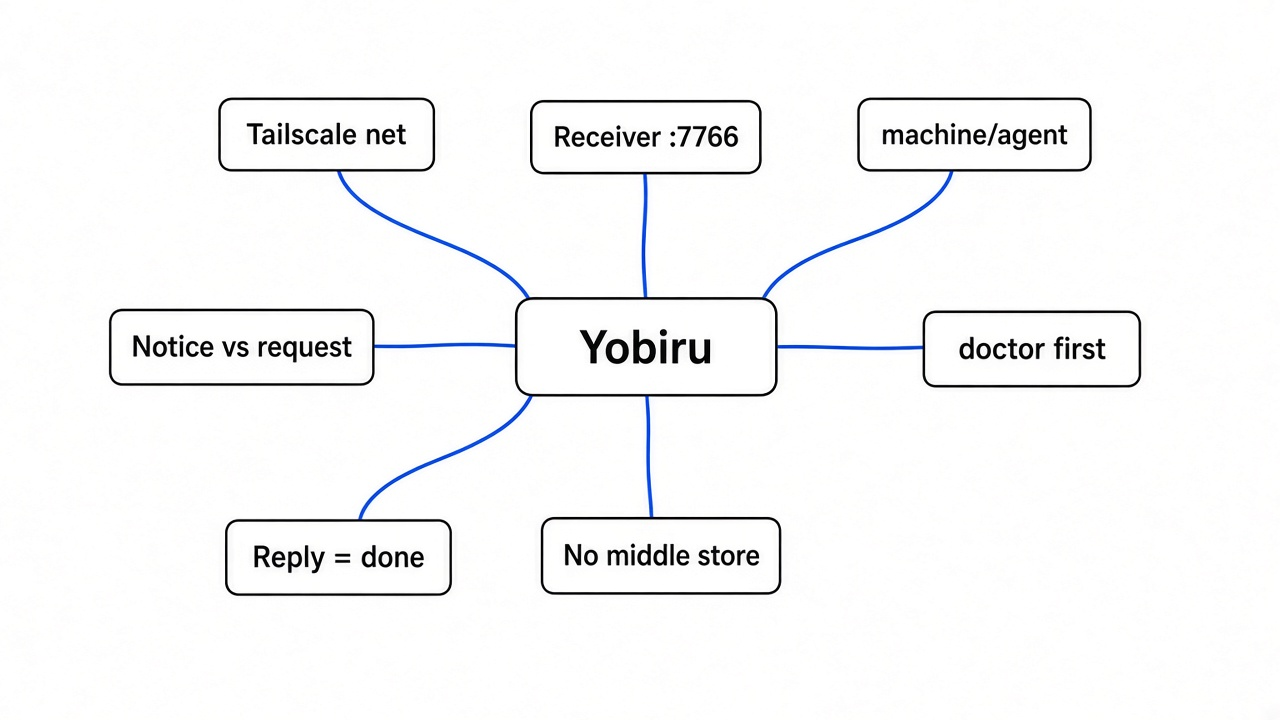
Give each computer a name on a private network you already run, leave a receiver listening, and send the note to machine/agent. The other agent answers in its own window. You do not open a new chat app, and you do not get proof of the work until a reply comes back.
A program only touches the computer it is running on. Two programs on two computers need a path between those computers. The loop that makes one agent stays inside one process until you add that path. Changing which model the agent calls is a different job. Magpie writes a model into the agent’s own settings. It does not carry a log to another machine.
Yobiru sits under the agent you already use. On Codex you add the plugin, start a new conversation, and say “Set up Yobiru on this machine.” Installing the plugin runs nothing. The setup steps run only after you ask. On Cursor you clone the project and point the editor at plugins/yobiru. With no plugin host, the same folder has a command you call with sh.
git clone https://github.com/chekusu/yobiru.git
cd yobiru
Y="$PWD/plugins/yobiru/scripts/yobiru"
sh "$Y" doctorThe address is a machine name, a slash, and an agent name. dev-server/codex means the computer called dev-server, and the agent on it called codex. A notice needs no answer. A request does. Use a request when you need the other side to do something and tell you how it ended.
sh "$Y" send dev-server/codex "the build log is attached" --kind notice --file ./build.log
sh "$Y" request send dev-server/codex "Find why the build failed and report the result." --timeout-seconds 900 --wake now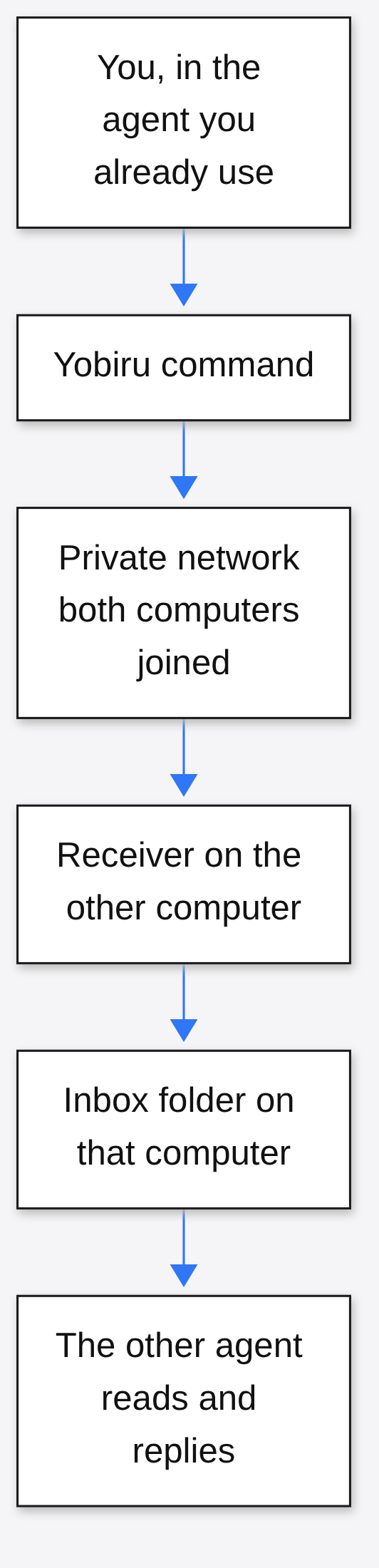
what has to be running first
Python 3.8 or newer has to be on the computer, and both computers have to be signed into the same Tailscale network, before a note can move. I would not install the plugin and hope. The doctor command lists the missing piece and changes nothing.
Start from the computer itself. A command is a line the computer runs. Python is the language this tool is written in, and it uses only the pieces that already ship with Python. You do not install a pile of libraries. On the machine I used, doctor reported Python 3.10 and then stopped on the next two checks.
The next piece is the path between computers. A laptop in a cafe and a server in a closet do not share a home router. Tailscale is a program that gives each signed-in computer a private address and a short name, so one can reach the other without you opening a port on the public internet. The set of computers signed into that same private network is the only set Yobiru will talk to. A stranger on the public internet does not get a name that passes the check.
Something then has to stay awake and accept the note. That waiting program is the receiver. It listens on port 7766, which is just the numbered door it answers on. It asks Tailscale who the sender is, with tailscale whois, and it checks a local allow list. If Tailscale’s incoming-connection switch is on, and that switch is called shields-up, the receiver cannot hear anyone. Yobiru will not flip that switch for you. Your network rules must let the chosen computers reach that door.
The accepted note lands in a folder on that computer. The folder is the inbox, under ~/.tailmsg unless you pass another home. The other agent might be idle, which means it is not in the middle of a turn. A wake is a request to tap it. The computer that receives the tap decides whether the tap is allowed, including quiet hours and how often a sender may knock. Installing the instructions does not, by itself, wake a sleeping agent. You still need a small local program or a webhook, a web address that receives the tap, if you want the tap to land in the agent.
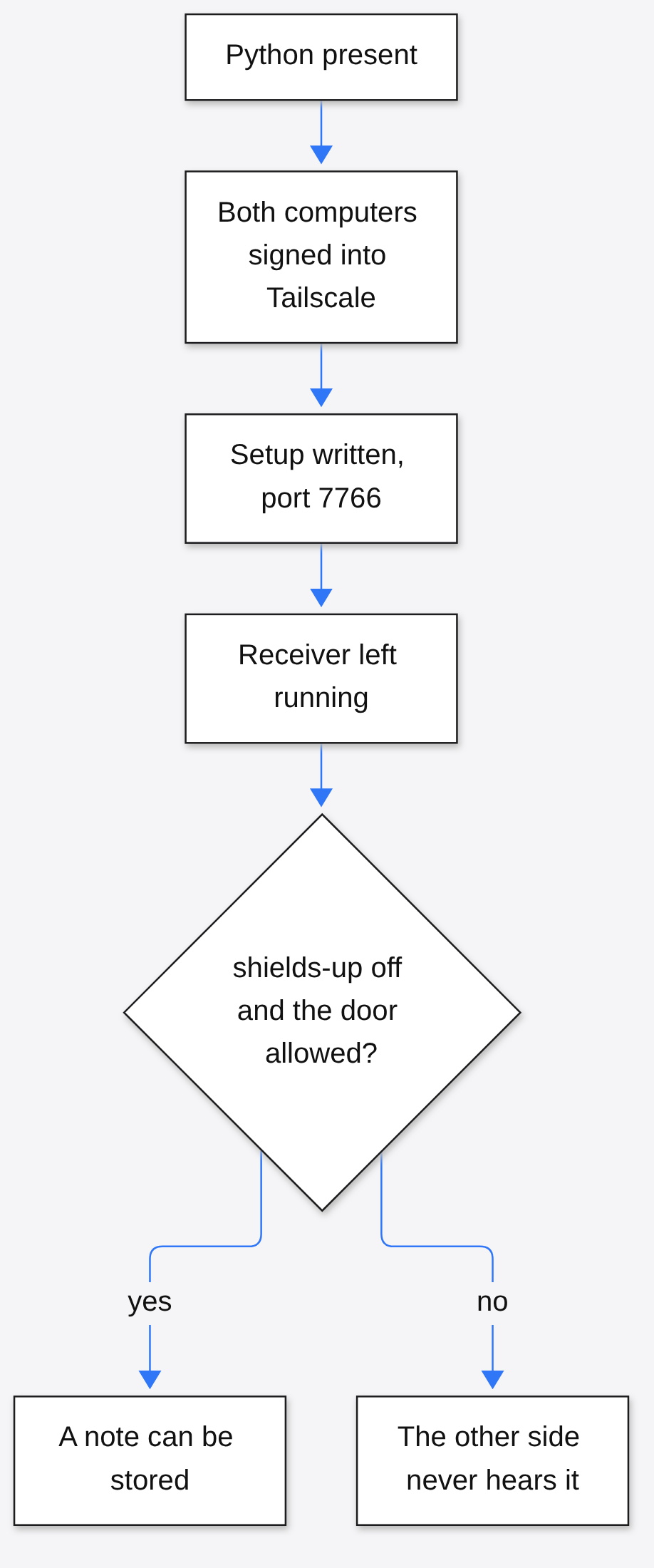
A dry run of setup, which prints the plan and writes nothing, told me it would create that config, name the local agent, and leave Tailscale’s rules alone. That is the order I would follow on a real pair of computers: doctor, read the plan, apply, install the runtime, leave yobiru serve running in a way that survives a closed window, then doctor again.
what happened when i ran yobiru doctor
The send never left the machine. Doctor found Python and the plugin, then two errors: no config file, and no Tailscale program. The send command exited with the same stop, and it did not create the config behind my back.
I expected a network error, the kind you get when the other computer is off. What I got was earlier than that, which is the useful part. On a new computer the tool refuses to pretend. I dropped the folder path and the install hints. The checks were:
Yobiru doctor (read-only, nothing is changed)
  ok     python         3.10.22 at /usr/local/bin/python3
  ok     plugin         Yobiru 0.5.0 at the folder I cloned
  error  config         not set up: no /root/.tailmsg/config.json (nothing was created)
  error  tailscale      tailscale not found
result: 2 error(s), 0 warning(s)The send then said it was not set up, and stopped. Exit code 2. onboard printed the same ladder and marked Python as the only finished step. On a Linux box with no service manager, it also said the receiver stops when its process stops, so a one-off window is not enough.
That is the ten-minute test. Clone the folder, run doctor, run a dry-run setup, try one send. If Tailscale is missing, you are done for the day, and you have not opened a hole. If doctor is clean on both computers, the next command is a notice to machine/agent, then agents --online to see who answered. I did not have a second computer on that private network, so I cannot claim a note arrived. The stop I did see is the one a first install hits.
yobiru vs a shared chat
Use Yobiru when both computers are already on your private network and the other one can stay awake. Use a shared chat, a room on someone else’s server, when the other computer sleeps and the note still has to wait. Use nothing extra when both agents are windows on the same laptop.
A shared chat holds mail in the middle. Yobiru does not. The note goes to the other computer, or it does not go. There is no Yobiru account and no warehouse of messages. Tailscale may still carry the bytes through its own relays, which are machines it uses when a direct path is blocked, but the note is not stored as a product you log into.
| You need | Two windows, one laptop | A room on someone else’s server | Yobiru |
|---|---|---|---|
| The other side is the same computer | The app’s own local notes are enough | Extra | Extra |
| The other side is a second computer you already joined to your private network | No path | Yes, if both can reach that room | Yes |
| The file stays off a third party’s disk | Yes | Often no | Yes, the other side pulls it from the sender |
| The note waits while the other computer sleeps | No | Often yes | No |
| You can tell the work finished | Only if that app says so | Only if someone replies | Only after a reply, never from the store receipt |
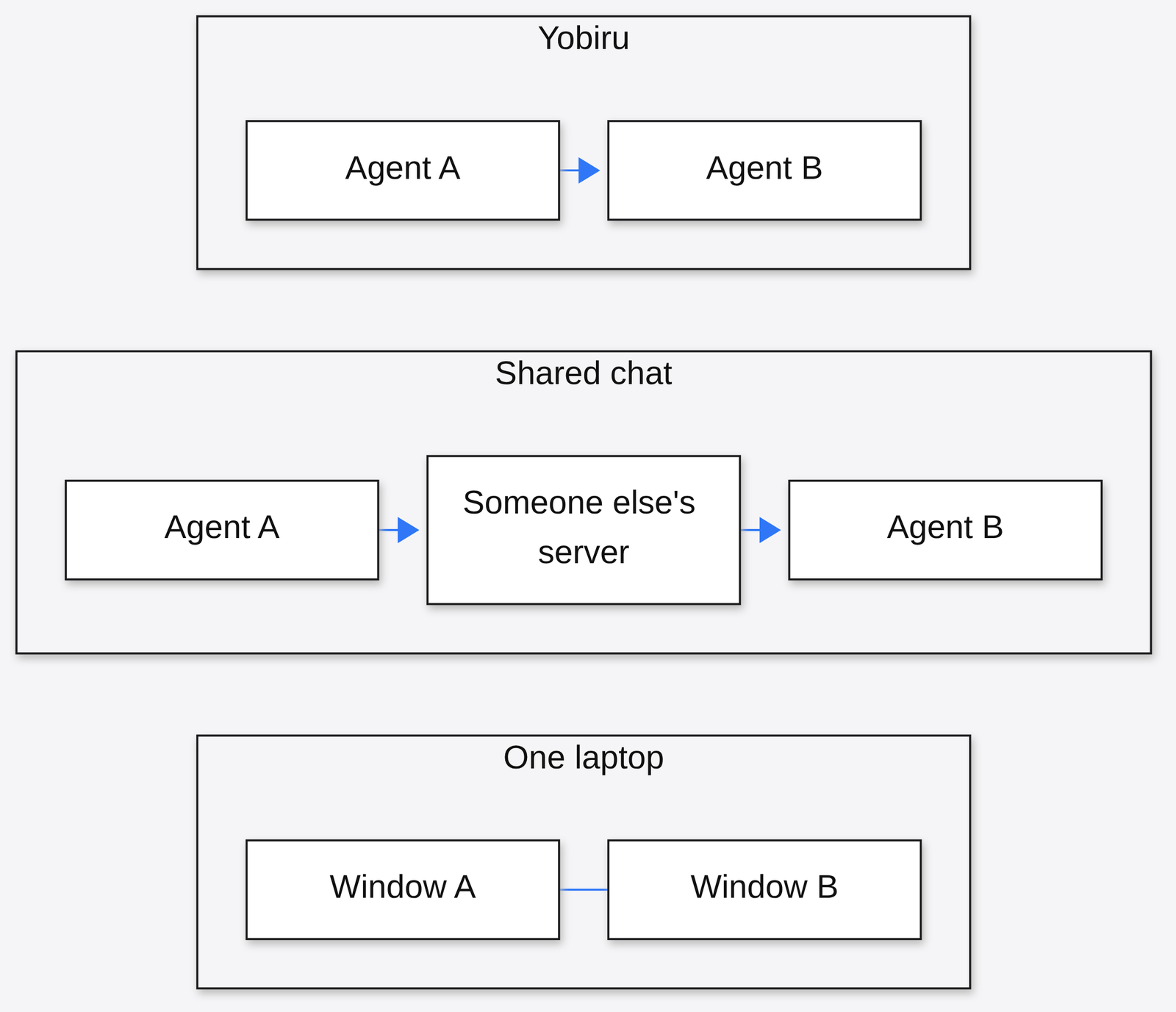
A cage is the opposite tool. coop boots a throwaway machine so the agent cannot touch your real one. A policy box around an agent decides what it may touch. Neither one is a phone line to a second computer. If the file you need to move is a slide deck rather than a log, that is a different command again, the one in the OfficeCLI writeup.
how do i send a file between two agents
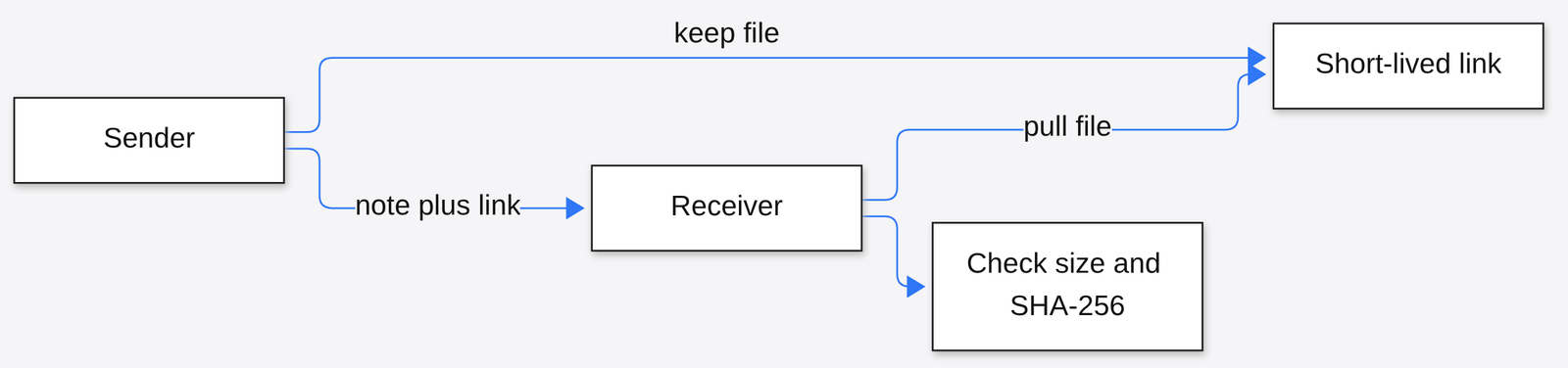
Attach the file on the send, leave the sender’s receiver running, and let the other computer pull it. The pull checks the size and a fingerprint. If either check fails, that copy is not the file you sent.
A fingerprint here is SHA-256, a long number computed from the bytes. The same file always makes the same number. A cut-off download makes a different one. The link the sender hands out lasts 24 hours unless you set another lifetime, and only the recipient machine is meant to use it. The file is not uploaded to a Yobiru disk. That is why the sender has to stay reachable until the fetch finishes. Once the other side has its copy, killing the link does not delete that copy.
The message text itself stays small, about 256 KiB, which is a quarter of a megabyte. A log bigger than that is a file, not a paragraph. The shape of the note is called tailmsg (the note format between the two machines). You do not write that format by hand. The command does.
A normal notice has no automatic retry. If the receiver was down, assume it was not stored, look for the message id before you send again, and know that a second send is a new id. A second send can duplicate work the first one already caused.
when should i not use yobiru
Do not use it for two windows on one laptop, for a computer that sleeps, or for any job where a store receipt would be mistaken for finished work.
On one computer, the sessions can already pass a note if the app supports it. Adding a private network for that is a longer path to the same desk. A phone can be the window you type in. It cannot be the machine that stores the note, unless that phone can run the receiver and join the private network. A cloud agent with no lasting process has the same hole: when the process ends, the receiver ends.
The status number 202 means the receiver checked who you are and stored the note. It does not mean the agent read it, and it does not mean the job ran. Status 200 means this same id was stored earlier. Status 403 means the local rules refused you. A dropped connection means you do not know. For a tracked request, the states that mean an outcome are completed, failed, rejected, or blocked. After the deadline with no outcome, the state is timed out, which means unknown, not failed. Check request status with --refresh before you fire the same work again.
sh "$Y" request status REQUEST_ID --refresh --jsonI don’t know how a given host will tap a sleeping Grok Bot session, because that tap depends on a webhook that host has to provide, and the package does not prove it on an account you do not control. Treat a phone chat as the screen, and the computer behind it as the machine that must stay up.
If both machines are already on one private network, and the other one can stay awake for the file, this is the wire I would use. If the other computer is often off, I would pick a room that holds mail, and I would still not trust a receipt as the work.
Common questions about Yobiru
does yobiru need an account
No. There is no Yobiru login. Each computer signs into Tailscale, which you already use for the private network, and the receiver checks that identity.
what does a 202 mean
It means the other computer stored the note. It does not mean an agent read it or did the job. Wait for a reply whose state is completed, failed, rejected, or blocked.
can i test yobiru on one computer
You can test the stop. Doctor and a dry-run setup need one computer and change nothing. A real delivery needs a second computer on the same private network, with its receiver left running.
how do i wake the other agent
Ask for a wake on the send, with --wake now, and let the receiving computer decide. Set quiet hours and who may knock before you allow taps. A skill file by itself does not wake anyone.