
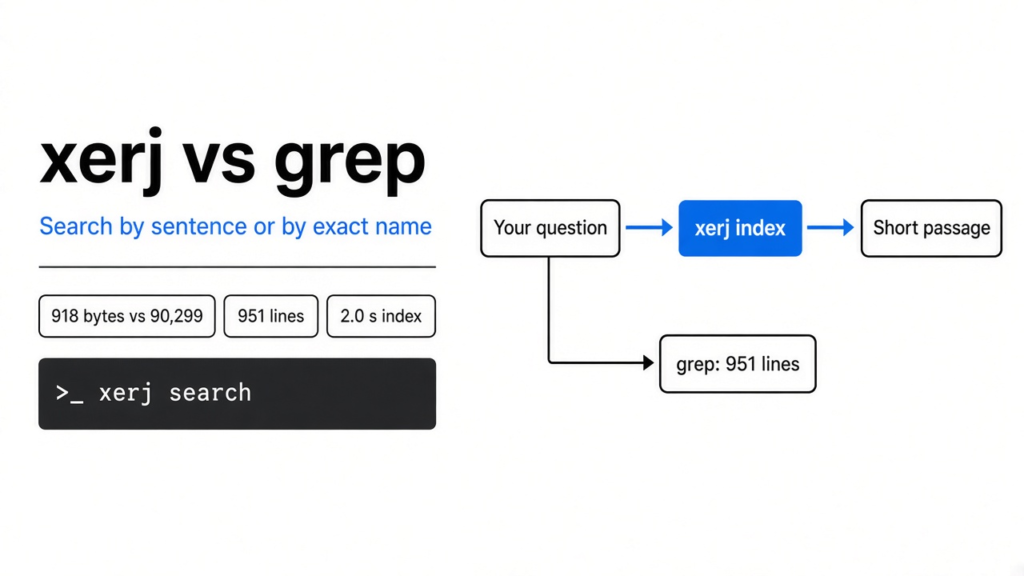
I asked where a log gets rotated. The folder had four files and 99,056 bytes. I searched for the word wal, which is what a coding agent (a program that can read your project and change it, not a chat box that only talks) does when it does not know the function name. That search printed 951 lines. Almost every line was a log saying the same word again. The function I wanted was one signature inside a file of 89,030 bytes.
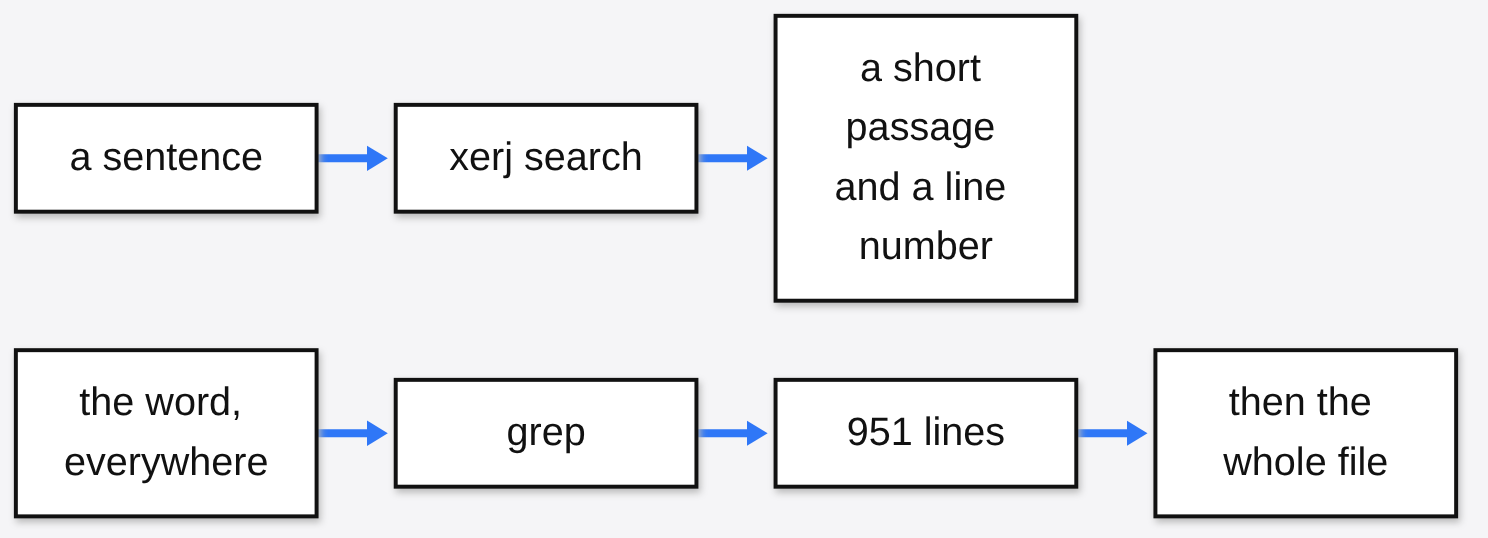
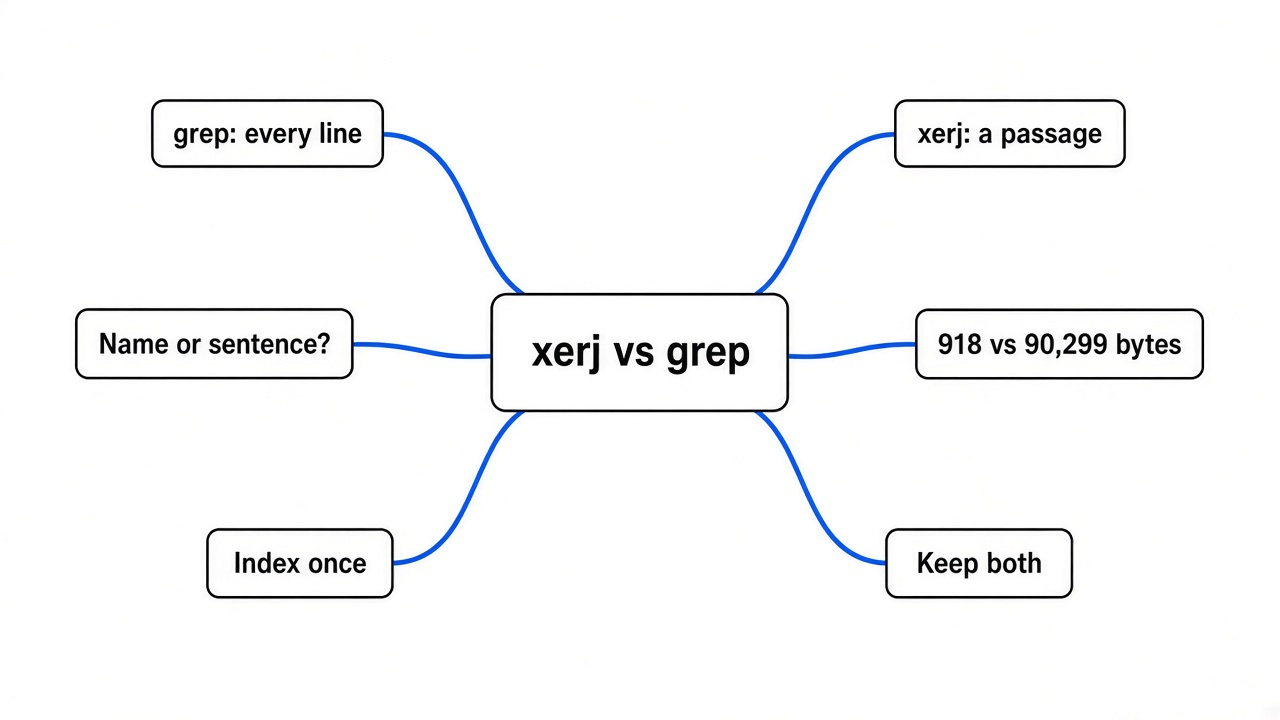
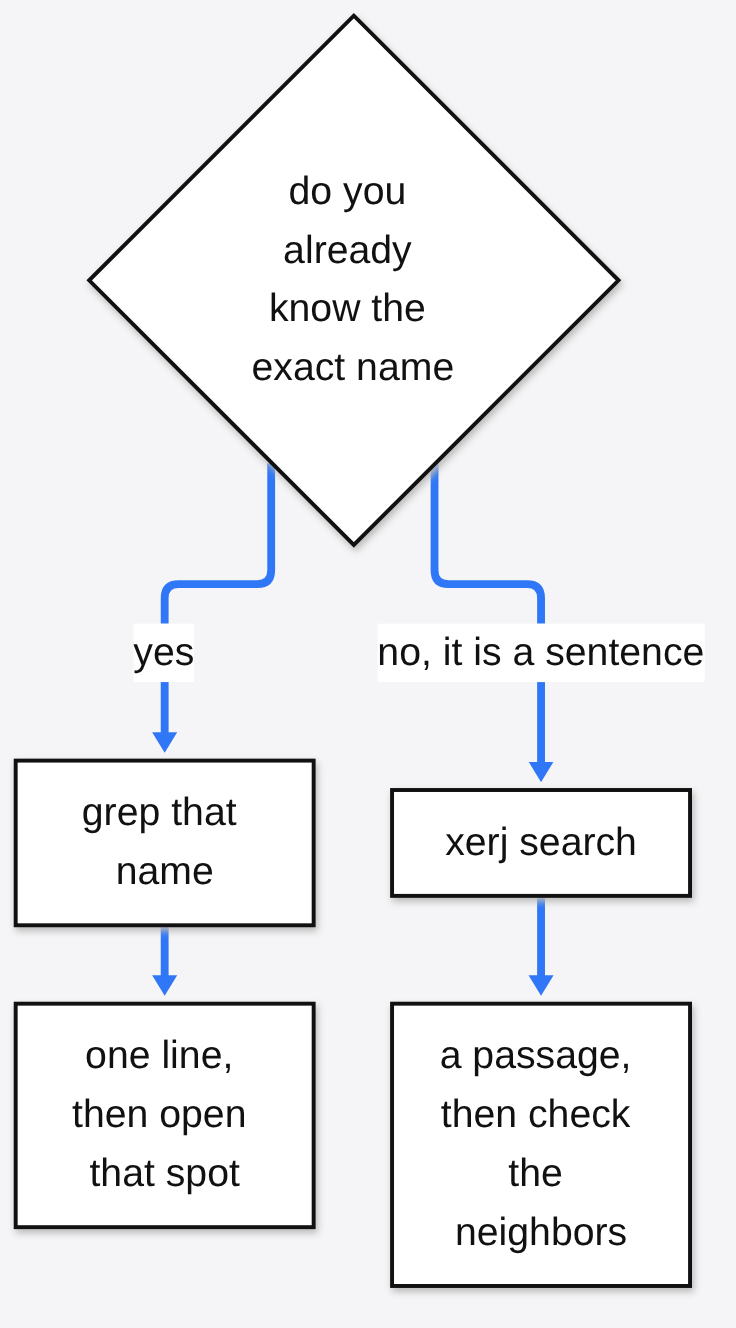
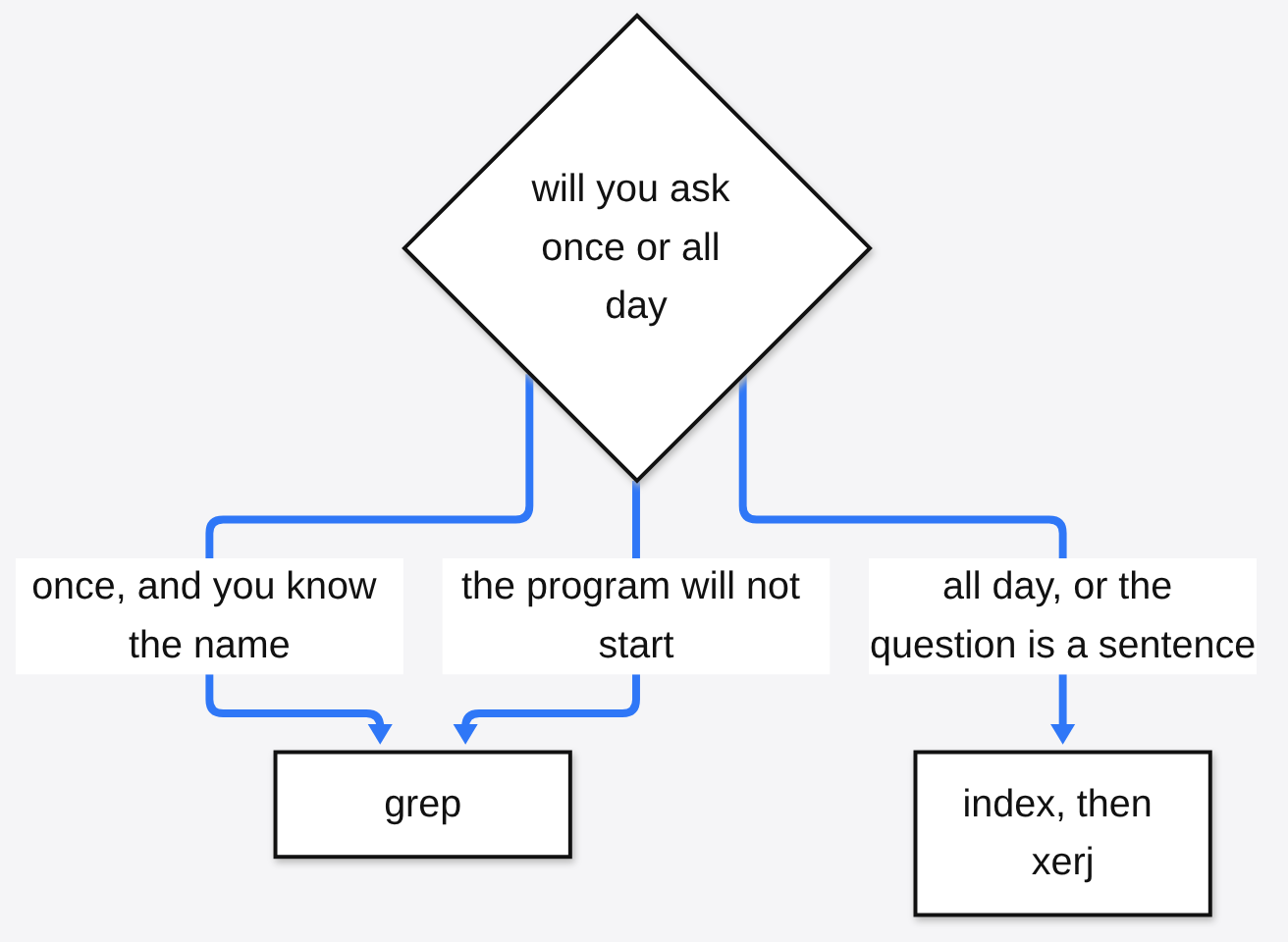
xerj vs grep is two different questions wearing one name. Grep (the command that prints every line containing a word) is the right tool when you already know the name. xerj (a search program that runs on your machine and answers with a short passage) is the right tool when the question is a sentence and the word shows up everywhere. On the sentence, the default xerj reply was 918 bytes and it named the function. On the exact name, grep printed 114 bytes, and that was the shorter reply.
A passage is the block around a hit, not the whole file. An index is a list built ahead of time so a later question can jump, the way a card catalog jumps to one drawer instead of making you open every book. Tokens are the small chunks of text a model is billed for, often a word or part of a word. The context window is how much of that text fits in one turn. Anything you paste in, including a giant search dump, has to fit there or it gets cut. The loop that keeps pasting tool output back into that window is the thing How Claude Code works takes apart. Search is one way that window fills. It is not the only way.
What Is grep
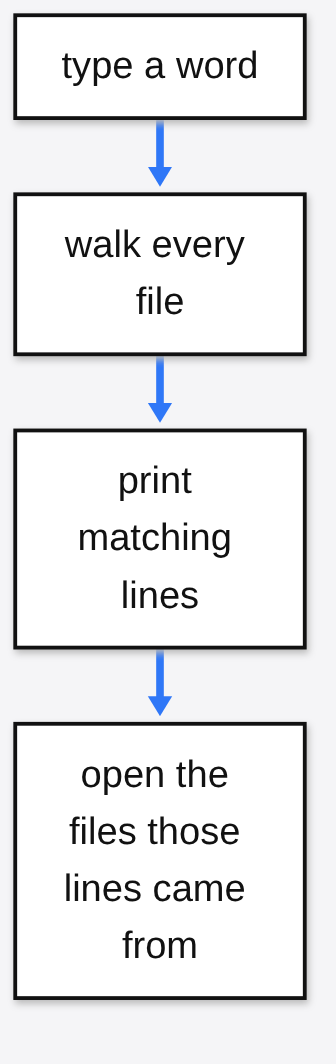
Grep prints every line that contains the text you typed. It does not understand functions, and it does not know which line is the important one. You give it a folder and a word. It walks the files and prints matches. That is why it is still the tool people reach for. There is nothing to set up, and a miss is obvious: no lines means the word is not there.
The cost shows up after the print. A hit is a line. Judging the line usually means opening the file the line came from. If the word is rare, that is one small open. If the word is in a log, a comment, and a function, you get a pile, and the pile is what the agent stuffs into the context window. On my folder the word wal was in the log on purpose. Grep was doing the job I asked. The job was the wrong shape.
xerj vs grep
xerj vs grep depends on whether you already know the name. I built a tiny folder so I could see the difference without a model in the loop. One Rust file held hundreds of filler functions, one real function named rotate_wal_segment, and a comment that said the function rotates the write-ahead log and calls fsync. A write-ahead log is the file a storage program writes before it changes data, so a crash can replay the change. The other files were a short readme, a tiny main file, and a log that said wal on every line.
I started xerj on this machine only, with the insecure flag (no password and no encryption on the wire), and indexed the folder. The index finished in 2.0 seconds. It stored 1,418 records from those 4 files, because it split the code into functions instead of keeping four blobs. Then I asked, in a sentence, how the wal segment gets rotated.
| What I asked | What I ran | Bytes printed | What came back |
|---|---|---|---|
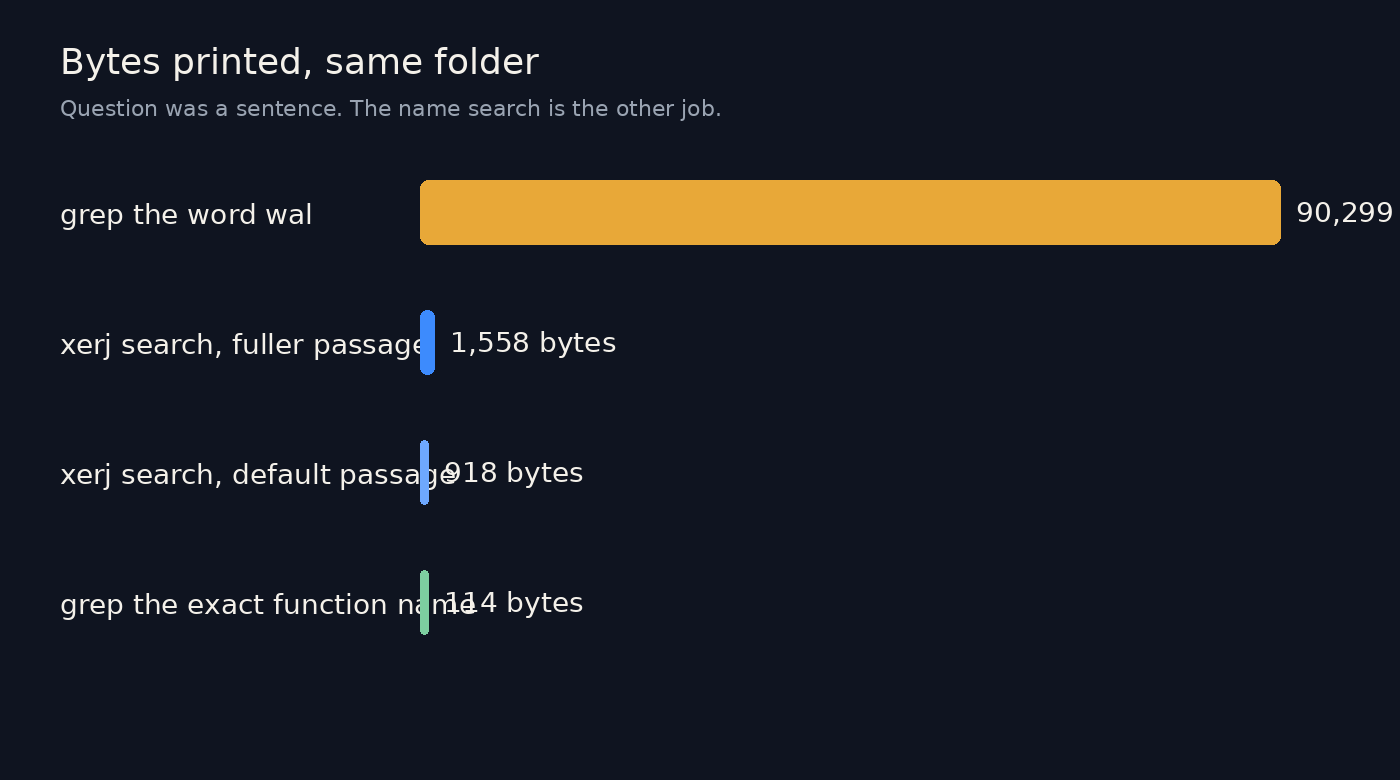
| A sentence about rotating the segment | xerj search, default length | 918 | The function, cut off before the end, plus the readme |
| The same sentence | xerj search --full 1200 | 1,558 | The whole function, then neighboring functions that also contain wal |
| The word wal, anywhere | grep -R -n -i wal | 90,299 | 951 lines |
| The exact function name | grep -R -n rotate_wal_segment | 114 | One line, the signature, no body |
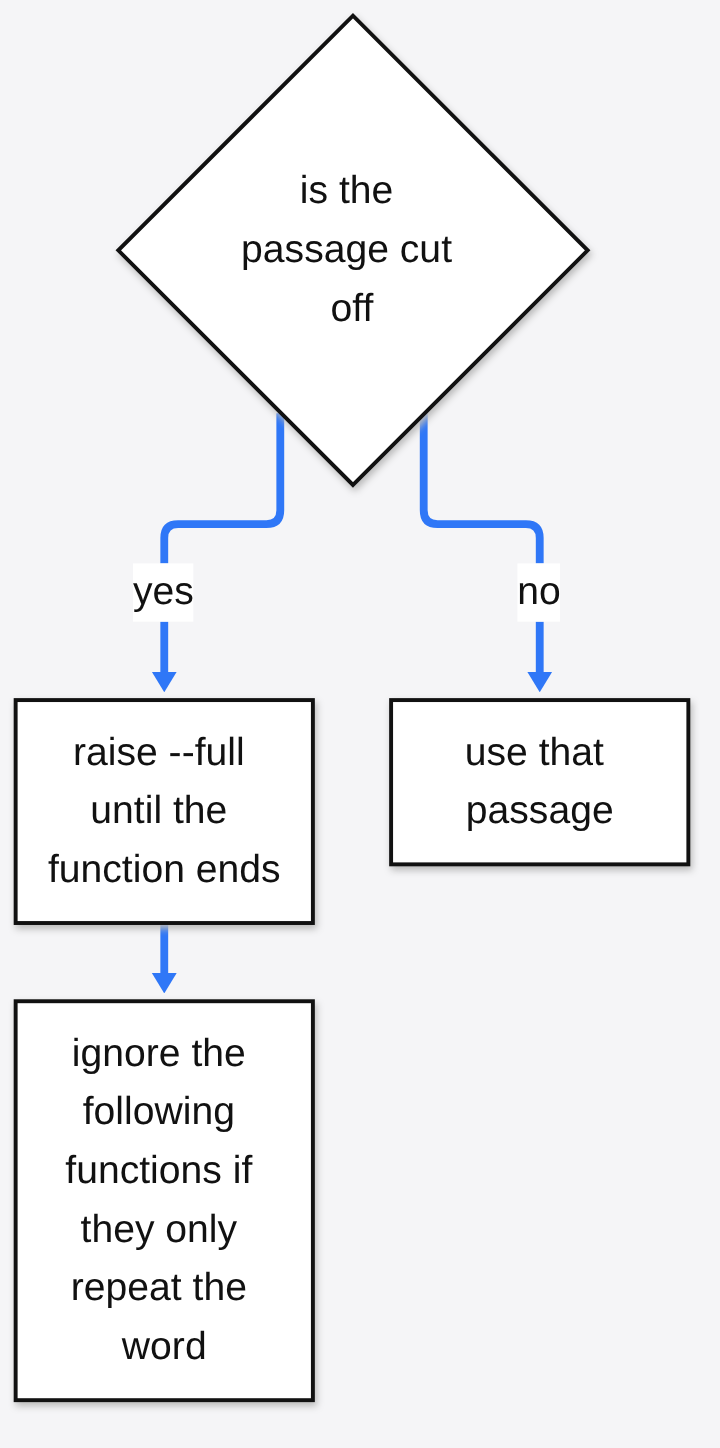
The default sentence search pointed at src/storage.rs:848 and started the function. It cut the body and told me to ask for more characters. With --full 1200 I could see the rename, the fsync, and the new file. Then the passage kept going into fn tail_800 and its neighbors, which exist only to repeat the word wal. So the win is not “only the function, nothing else.” The win is “the function, and a little junk, instead of 951 lines.”
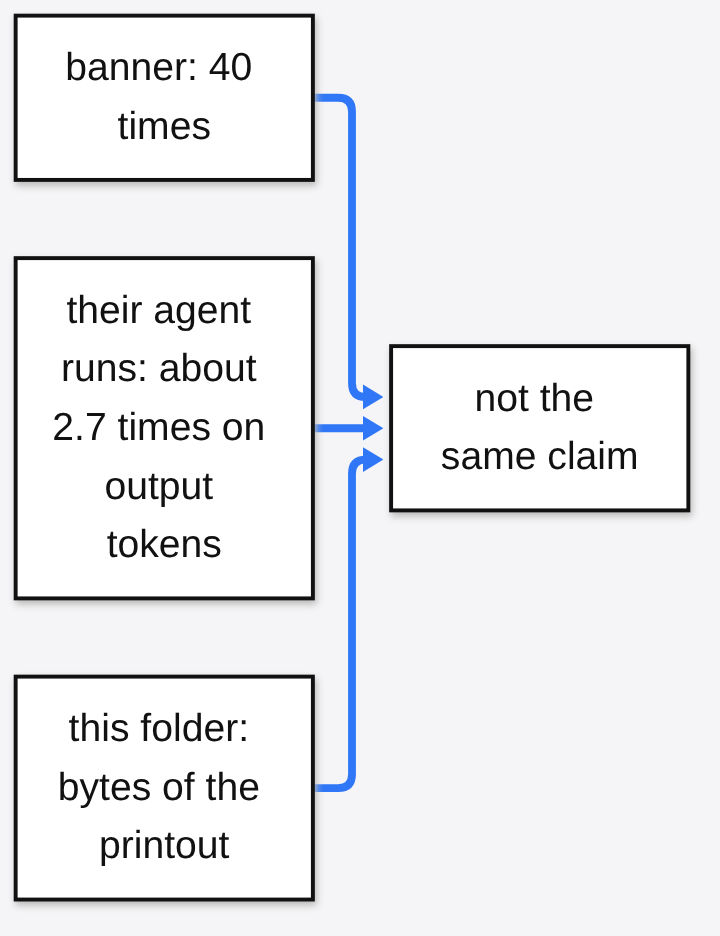
I expected the banner number. The project says it uses forty times fewer tokens than grep. The comparison printed beside that banner is a different experiment, and I did not rerun it: 9,982 output tokens for xerj against 26,477 for a grep-driven agent, both solving 16 of 16, against 260,916 tokens and 11 of 16 when the model was not allowed to look anything up. That is about 2.7 times on output tokens, not forty. A token claim with no second measurement is not a number I will repeat as mine. My number is the table. On this folder, the word search printed about 98 times as many bytes as the default xerj reply, and about 58 times as many as the longer passage. Those are bytes of tool output. They are not a model bill.
Does xerj Use Fewer Tokens Than grep?
Not by a number I measured on a model. I measured the text the tool printed. Fewer printed bytes usually means fewer tokens, because the agent has to read that text, but “usually” is not a bill. If the agent then opens the file anyway, the saving disappears.
The forty-times line and the 2.7-times line can both sit on the same page and still be about different things. Forty times is the banner. 2.7 times is output tokens in their agent runs, at the same solve rate, on code they say the model had not memorized. A third case in that write-up is the one I would actually remember: on a library the model had never seen, looking things up solved the tasks and memory solved none. I did not repeat that run. I also did not test a famous library the model already knows. Their own limit, which I am not softening, is that search can be a wash or a harm when the model already has the code in its head. I don’t know where that line is for your repo. I do know it is the wrong slogan to lead with.
How to Use xerj
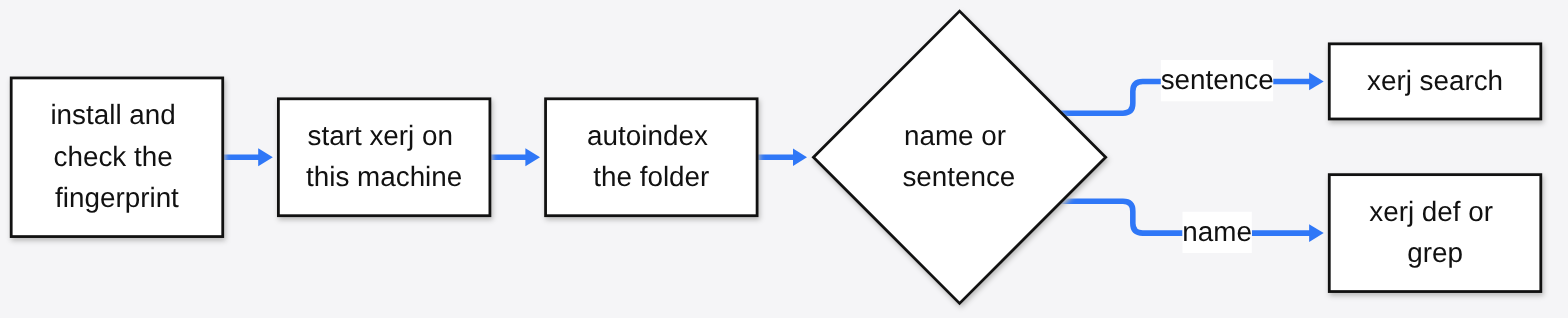
You use xerj by starting a local server, indexing a folder once, then asking in a sentence. The install line the project documents is:
curl -fsSL https://xerj.org/get | sh
That script downloads one file, checks a SHA-256 checksum (a fingerprint so you can see the file was not swapped), and puts xerj on your path. The path here means the list of folders your terminal searches when you type a name. My first run of that script died before the download, because it could not look up the newest release. I took the version from the releases page, downloaded that archive, and checked the fingerprint matched. A second snag: unpacking tried to set a file owner the machine rejected, and tar stopped. Unpacking while ignoring owner, after the fingerprint matched, produced a binary that ran. If you see “Cannot change ownership” and nothing else, that is the bump I hit. Do not skip the fingerprint to get past it.
Then, in the project you want to search:
xerj --insecure --data-dir ./data
Leave that running. In another terminal:
xerj autoindex .
xerj search "how do we rotate the wal segment"
xerj def rotate_wal_segment
--insecure turns off both the password and encryption. The server I started listened only on this machine, which is the default. Do not point that flag at a public address. The console, if you want to click around, is on port 9200 under /_xerj-console/. The same port answers with a hello that looks like Elasticsearch (a search server a lot of existing tools already speak). That hello is a costume for those tools. It is not proof you installed Elasticsearch. The project documents the wire shape in the docs, and the code is in the repo.
One caveat. The default search matches words. It does not download a neural model (a model that guesses meaning, not just shared words). My sentence worked because the comment and the function name already contained those words. A question that shares no words with the file can miss. There is a neural mode that downloads a model on first use. I did not turn it on, so I will not tell you it would have saved this search. It did not need to.
xerj def is the other command. When you already know the symbol, it prints where that symbol is defined. Use it instead of a sentence when you have the name.
How Do I Stop My Coding Agent From Reading Whole Files?
You stop it by giving it a passage instead of a file list. Ask for the behavior in a sentence, take the file and line that come back, and only open more if the passage is cut. On the default search, mine was cut. --full 1200 showed the rest of the function. The flag is a character cap on each passage, and the default is 600. Raising it also raised how much neighboring noise I saw, because the next functions contained the same word. So raise it until the function is complete, then stop. Do not set it to the size of the repo.
If the agent only has grep, tell it the exact name and tell it not to search a word that fills a log. A 114-byte line is a fine start. Opening all 951 lines is how the window fills. The same instinct, one command instead of driving a whole app, is what CLI-Anything vs computer use is about. And if the window is already full of the chat itself, that is a different fix. Magpie vs CC Switch is about the chat getting compacted early, not about search.
When Should I Keep grep?
Keep grep when you know the exact string. On this folder that search was one line and 114 bytes. xerj search of the same name was a longer formatted passage, 809 bytes, because a passage is more than a line. Grep won that round. I still could not see the body from the grep line alone. That is fine when all you needed was the line number.
Keep grep for a one-off in a folder you will not index, for a log you want every line of, and for a word you are hunting in comments and config where a “function” does not exist. Building 1,418 records for four files took 2.0 seconds here. A huge tree will take longer, and you pay that time before the first question. If you are going to ask once, grep is the whole tool. If you are going to ask all afternoon, the index is the point.
Also keep grep if xerj will not start. A tool you cannot run is slower than a pile of lines. I would rather read 951 lines than stare at an installer error and pretend I have a passage.
Is xerj Worth It?
Yes, if a coding agent keeps dumping a noisy tree into the chat, and the code is yours, private, or new enough that the model is guessing. The install is one binary. The first index on this folder was 2.0 seconds. The sentence search found the function grep had buried under 951 lines.
No, if you already know the symbol and you only need the line. No, if you believed the forty-times banner and you needed that exact saving on a library the model has memorized. I did not measure that case, and the project’s own limit says not to assume a win there. No, if you need to put the server on a network. The insecure flag is a local switch. It is not a deployment.
I am keeping both. Grep stays on the exact name. xerj is what I point at a sentence, after the index exists, with the passage cap high enough to see the function and low enough that I still notice the neighbors. The log did not get quieter. I just stopped asking a line printer to answer a question.
Common questions about xerj vs grep
Does xerj use fewer tokens than grep?
I did not measure tokens on a model. I measured bytes printed. A sentence search printed 918 bytes by default and 1,558 bytes with a longer passage. Searching the word wal with grep printed 90,299 bytes and 951 lines. The project’s own agent comparison, which I did not rerun, shows about 2.7 times fewer output tokens than a grep-driven agent at the same solve rate. The banner says forty times. Those are not the same claim.
Is xerj worth it if I already use grep?
Only when the question is a sentence or the word is everywhere. If you know the function name, grep printed one line of 114 bytes here, and that was enough to find the spot. xerj is worth the index when you will ask again, or when opening every match would fill the chat.
How do I use xerj without exposing it on the network?
Start it with --insecure and do not change the bind address. The default listens on this machine only. --insecure also turns off the password and encryption, so it is not a flag for a shared host. Index with xerj autoindex on the folder, then xerj search for a sentence or xerj def for a name you already have.
Can the xerj passage still include the wrong code?
Yes. With --full 1200 the right function was complete, and the next functions were in the same passage because they also contained the word wal. Read until the function ends. Do not treat the rest of the passage as part of the answer.