
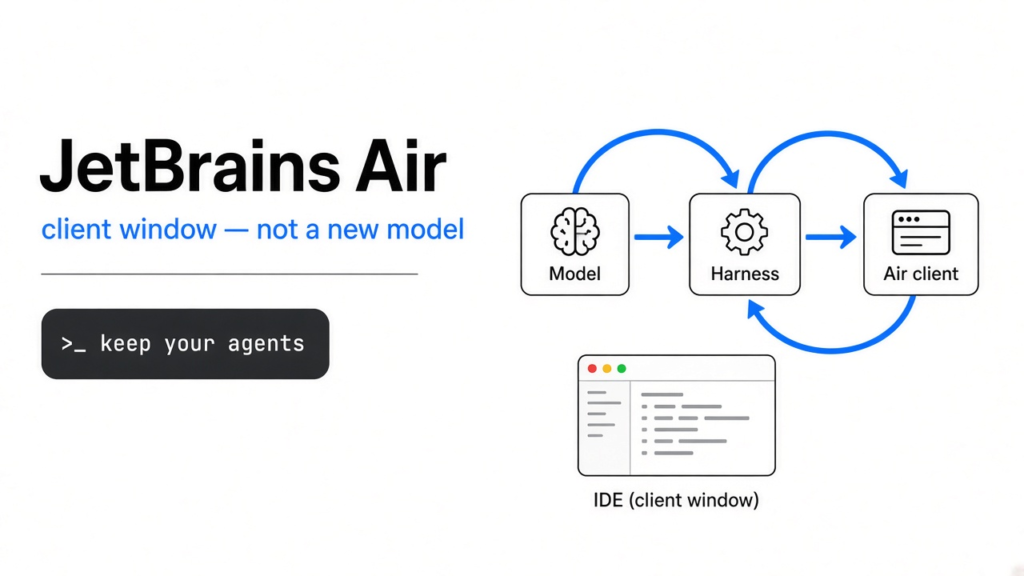
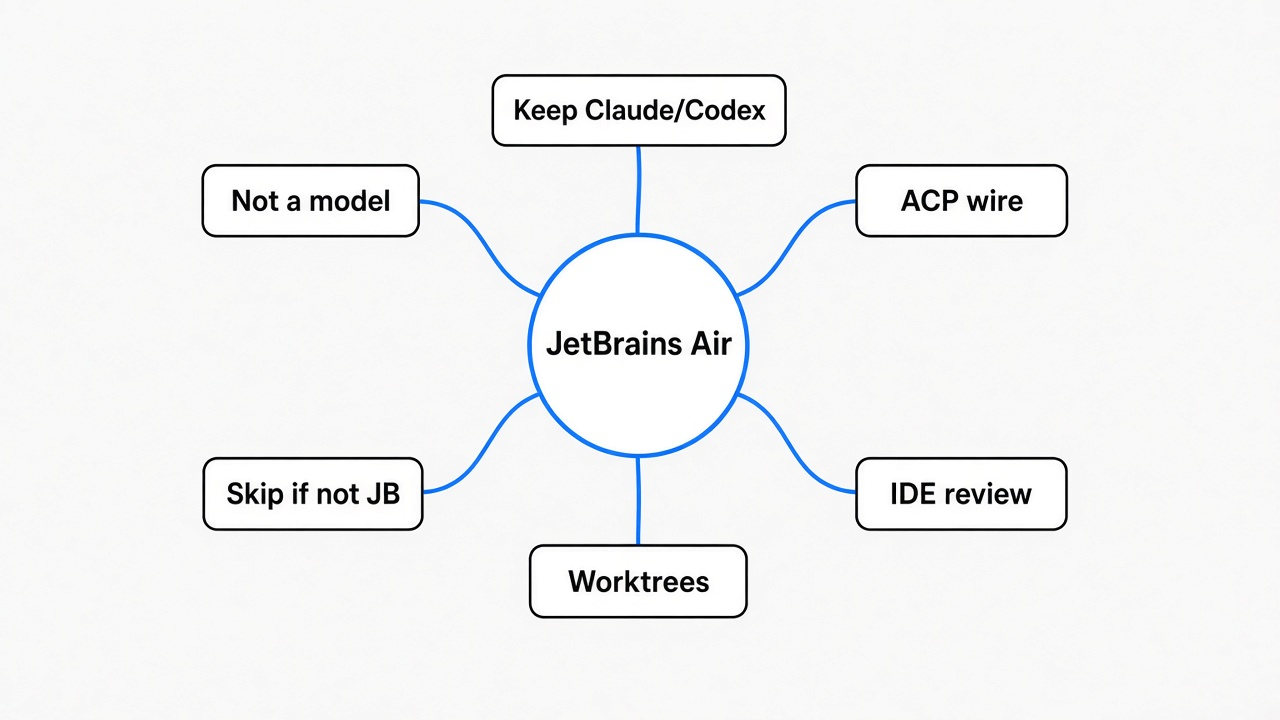
JetBrains Air, which opened as an early access program (a public preview that can still break) inside JetBrains IDEs on October 1, 2026, is not a new model (the text-prediction system you pay a company like Anthropic or OpenAI for). It is a client (the screen and the program that starts the worker). You keep Claude, Codex, Copilot, Gemini, or Junie. Install it only if you already live in IntelliJ, PyCharm, WebStorm, GoLand, Rider, or PhpStorm and you want those agents reviewed with the IDE’s own diff and search. Skip it if your editor is not JetBrains. Do not believe a token-savings number. JetBrains did not publish one.
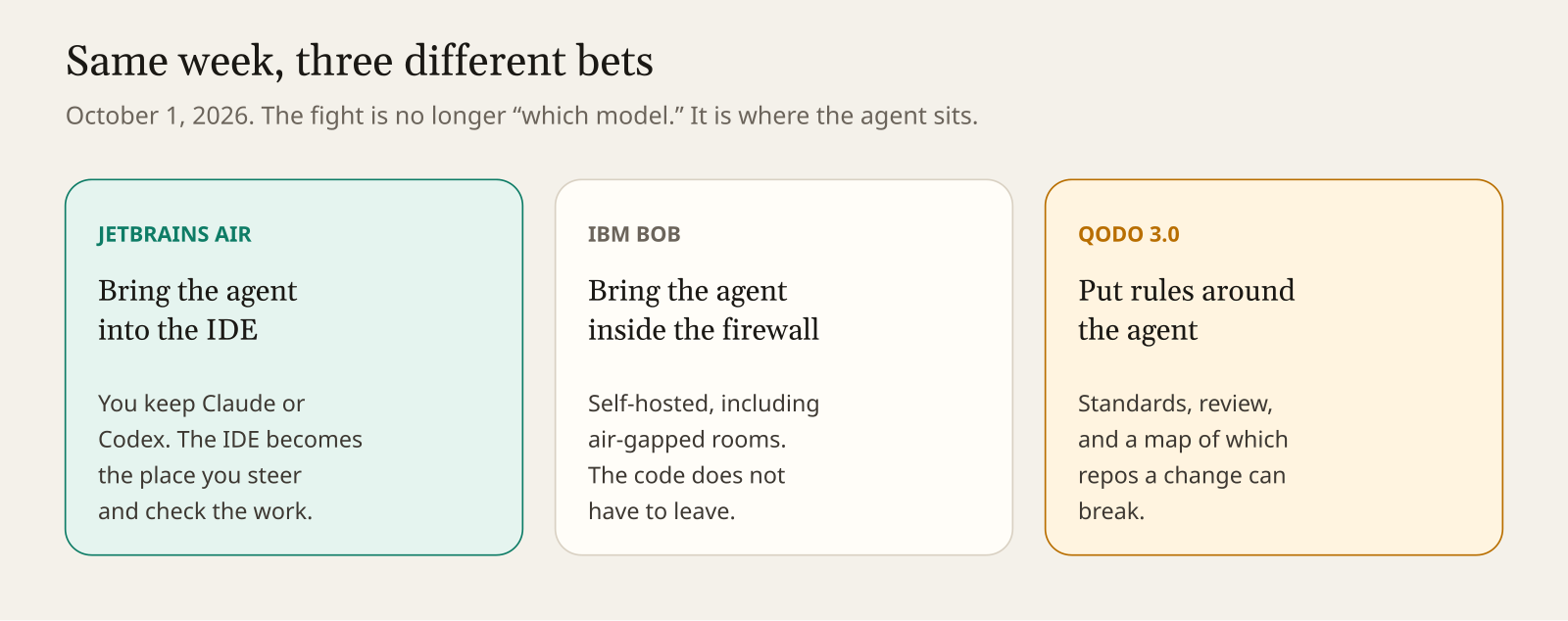
On October 1, three companies shipped three different answers to the same problem. Coding agents (programs that edit your project in a loop, not just chat) are writing a lot of the code, and the hard part is no longer “which chatbot.” The hard part is where that worker sits, and who checks it.
JetBrains put the worker in the IDE. IBM put a worker called Bob inside the firewall, including rooms with no internet (air-gapped means the computers cannot reach the public network). Qodo 3.0, described the same day by SD Times, is the rules around the worker: standards, review, and a map of what a change can break. This post is about Air, because that is the one an individual developer can open this afternoon. Bob is an enterprise install. I am not going to pretend I deployed it.
What are people actually announcing?
A place to run agents you already have, inside the IDE you already have.
JetBrains CEO Kirill Skrygan posted on October 1 that JetBrains IDEs were being turned into an “agentic workbench” (a workbench is the bench where the work happens; agentic means the work is done by agents, not only by autocomplete). His four points were: run agents you already use, including Claude and Codex; let those agents use IDE intelligence (the IDE’s own knowledge of the code); a free Junie Lite agent; and cloud runs through Air Teams. By the next morning that post was being reposted by JetBrains’ Japan and Korea accounts. I am treating the blog post, not the reposts, as the source of product facts.
Air has existed as a product for months. The new thing on October 1 is Air in the IDEs: a plugin (a small program you add to a bigger program) on the JetBrains Marketplace, and the same thing built into the 2026.3 EAP builds. The blog’s install link uses the id 33314-air-alpha. Alpha means earlier and rougher than a normal release. On October 2 the Marketplace directory for IntelliJ listed an Air plugin by JetBrains s.r.o., marked free, with 26,193 downloads, and the sentence “Air is a workspace for agentic development inside your JetBrains IDE.” Download counts move. That number is a snapshot from that page on that day.
What is an IDE, before any of this matters?
An IDE (integrated development environment) is one program that lets you see the project, edit it, search it, and check it.
Source code (the human-readable instructions that become a program) lives in many files. A text editor can open one file. An IDE also knows the project: which file belongs to which folder, what the names in the language mean, and how to run the thing. IntelliJ IDEA, PyCharm, WebStorm, GoLand, PhpStorm, and Rider are JetBrains IDEs. VS Code and Cursor are different editors. Air does not follow you there.
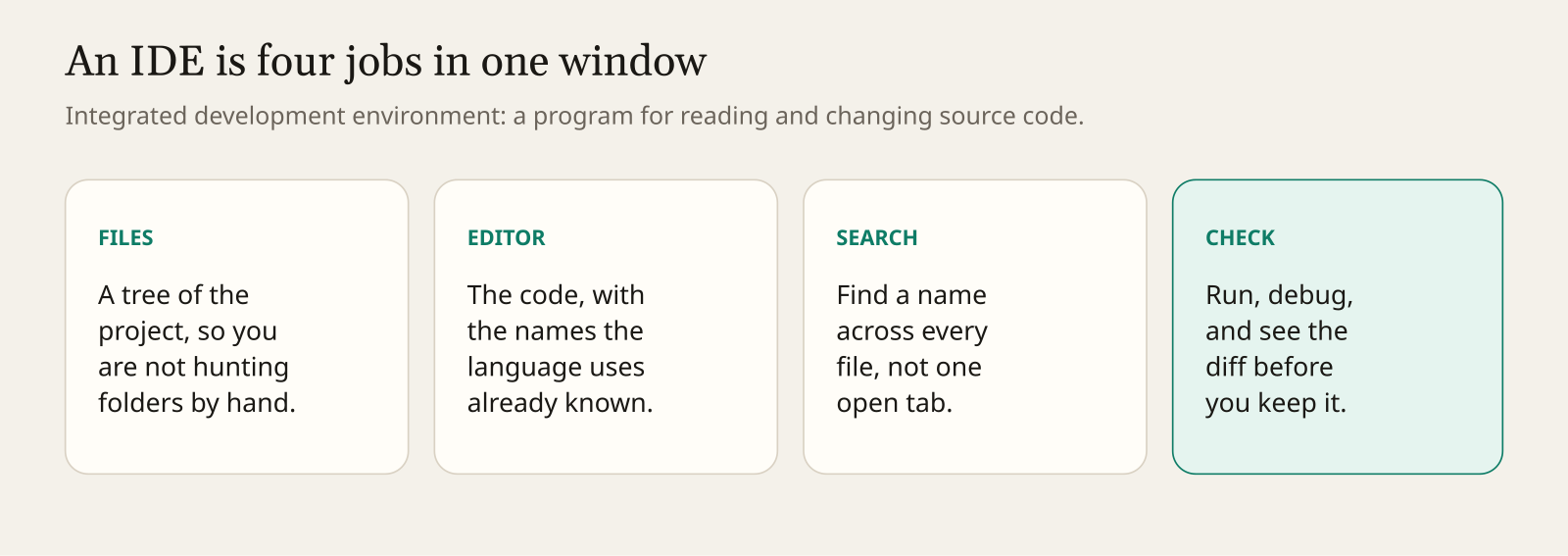
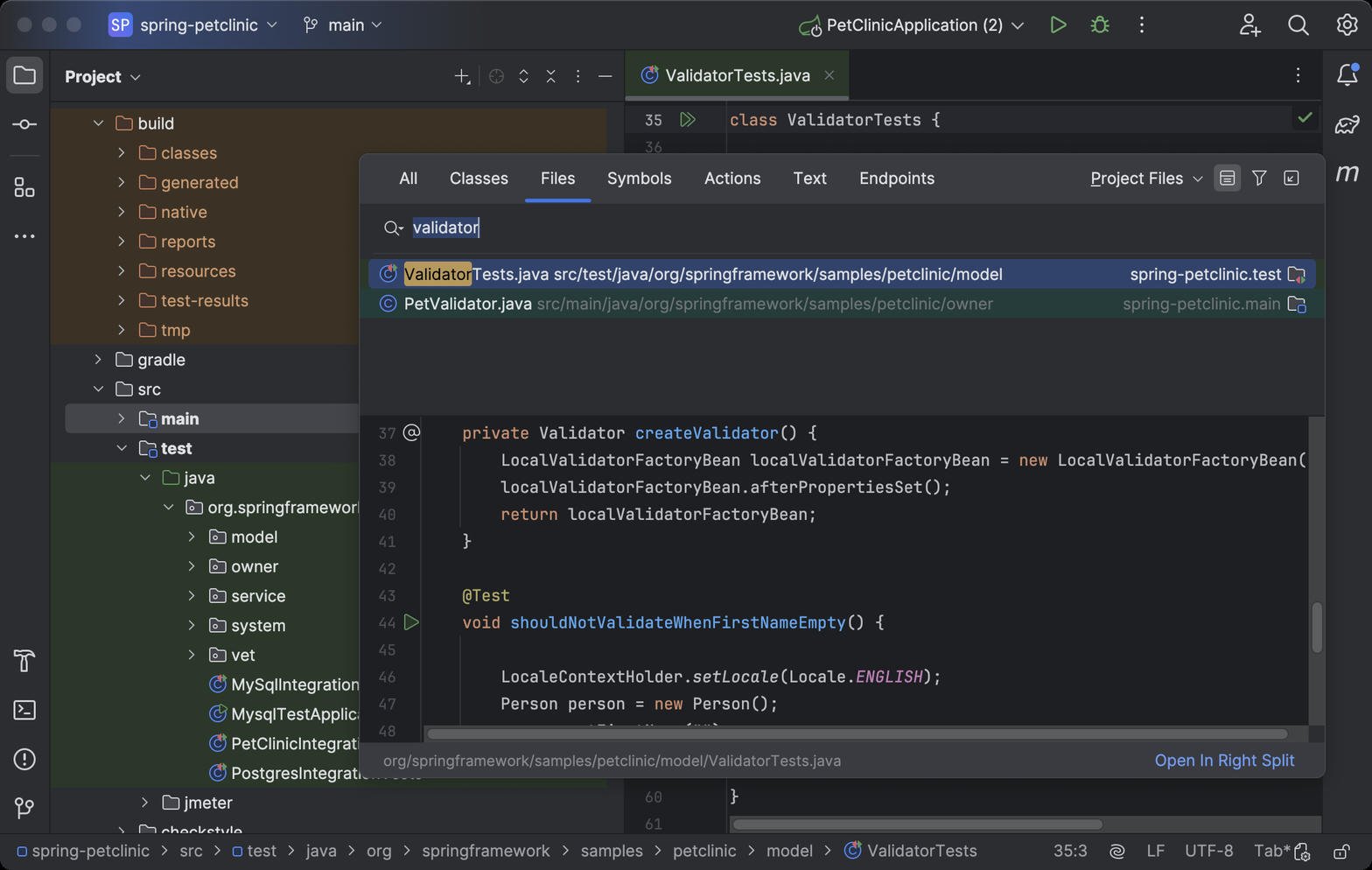
If an agent changes 40 files in a terminal, your review tool is git diff (a command that prints what changed) or whatever the terminal shows. If the same change lands in an IDE, you can jump from a name to its definition, see inspections (warnings the IDE computes itself, such as “this is never used”), and read a diff next to the rest of the project. That is the whole product bet. Not a smarter model.
What is a model, a harness, and a client?
People say “the AI” for three different programs. Mixing them up is how you install the wrong thing.
A model predicts the next piece of text. It does not have your repository (the folder Git remembers) until some other program sends the text. Claude, GPT, and Gemini are models. You pay the company that runs the model.
A prompt (the message you send, plus any files the program attaches) is just text. A token (the small chunk the vendor counts, often a word or part of a word) is how that text is billed. “Fewer tokens” means a smaller bill or a shorter wait, but only if someone measured the same task twice. JetBrains wrote that IDE tools “can help agents produce better results and, for some tasks, use fewer tokens.” That sentence has no percentage. I will not invent one.
A harness (the program around the model) is the loop: ask the model, call a tool, read the result, ask again. A tool here means a real action, like reading a file, editing a file, or running a command. Claude Code is a harness. Codex is a harness. Junie is JetBrains’ harness. The model inside them is not the harness.
A client is what you look at, and what is allowed to start the harness. A terminal can be a client. Air is a client that lives in the IDE. JetBrains’ own line: “Air is a tool window, not an AI provider, and it ships with no agents installed.”
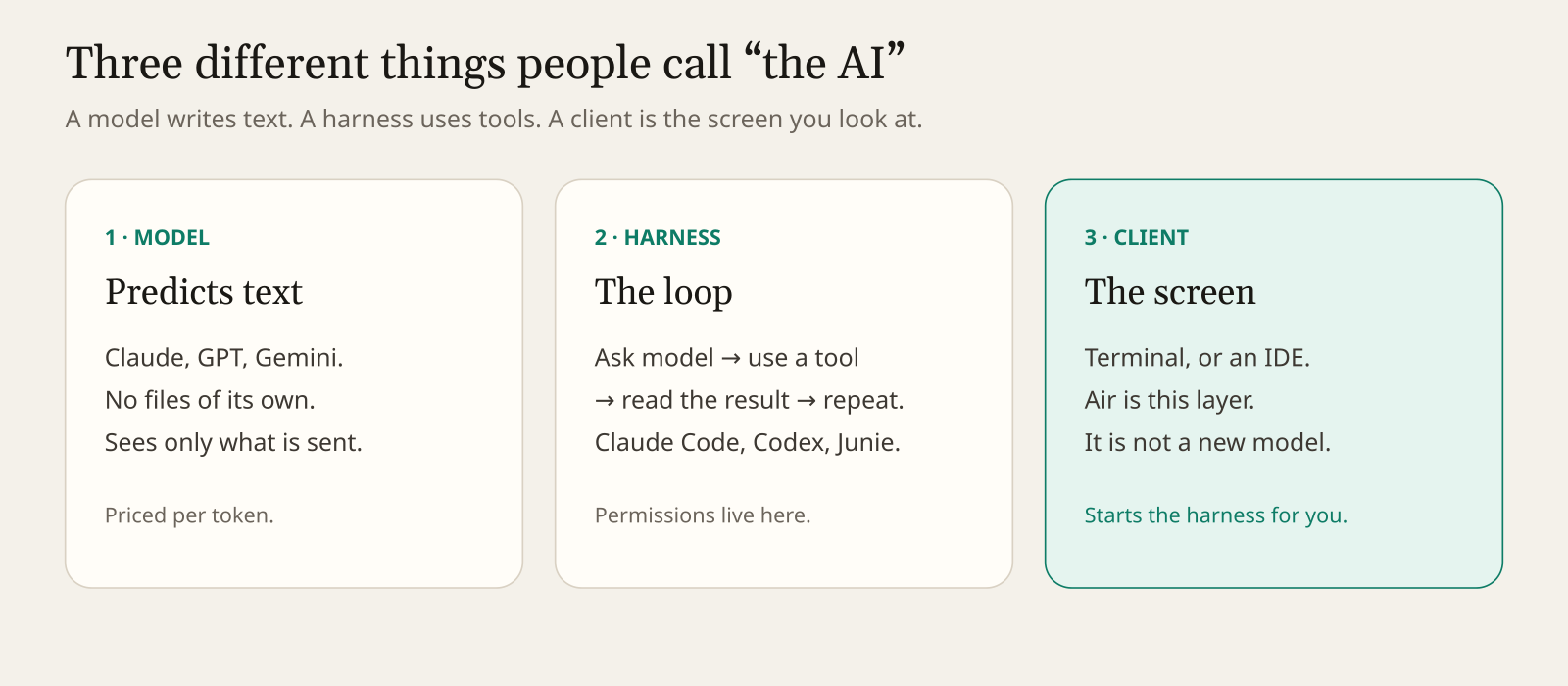
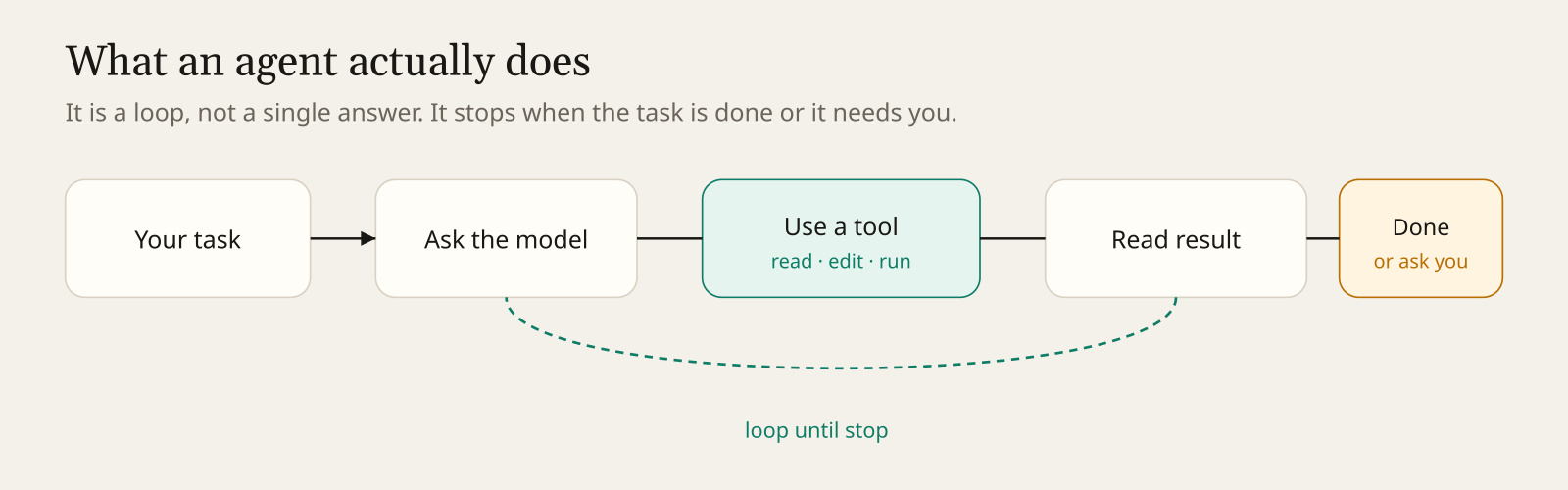
So when a blog says “Air supports Claude,” it does not mean JetBrains trained a Claude. It means Air can start the Claude harness you already installed, or talk to one through a shared protocol, and show you the loop.
What is ACP, the wire between them?
ACP (Agent Client Protocol) is a shared set of messages so an editor and an agent can talk without being written by the same company.
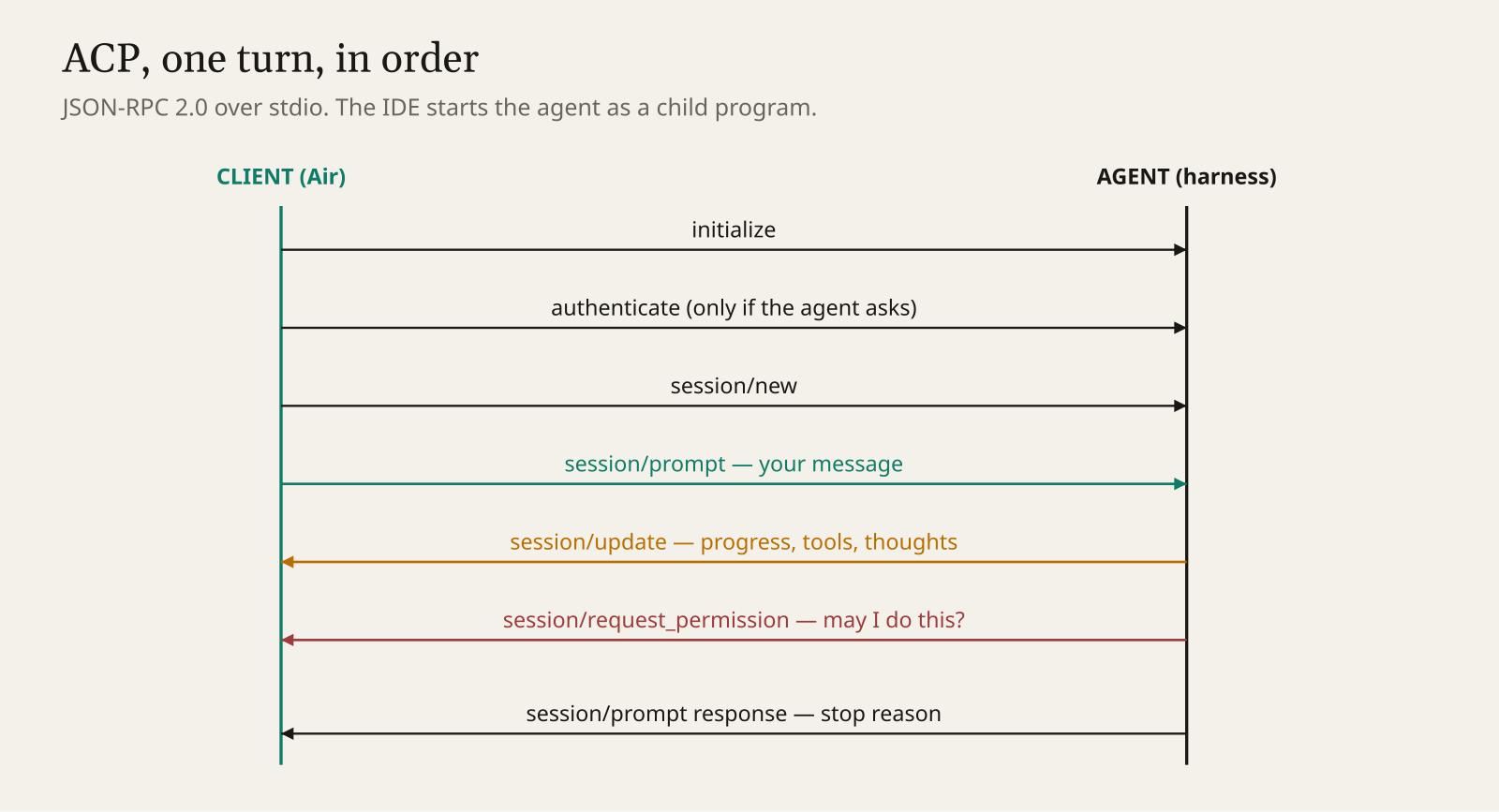
A protocol is just the agreed shape of those messages. JSON (text shaped as labeled boxes, like {"method":"session/prompt"}) is the shape. JSON-RPC 2.0 is the rule for how a request and a response pair up in JSON. Stdio (standard input and output, the text pipes every program already has) is the road: the IDE starts the agent as a subprocess (a program started by another program) and they talk on those pipes. No extra network port is required for that local conversation.
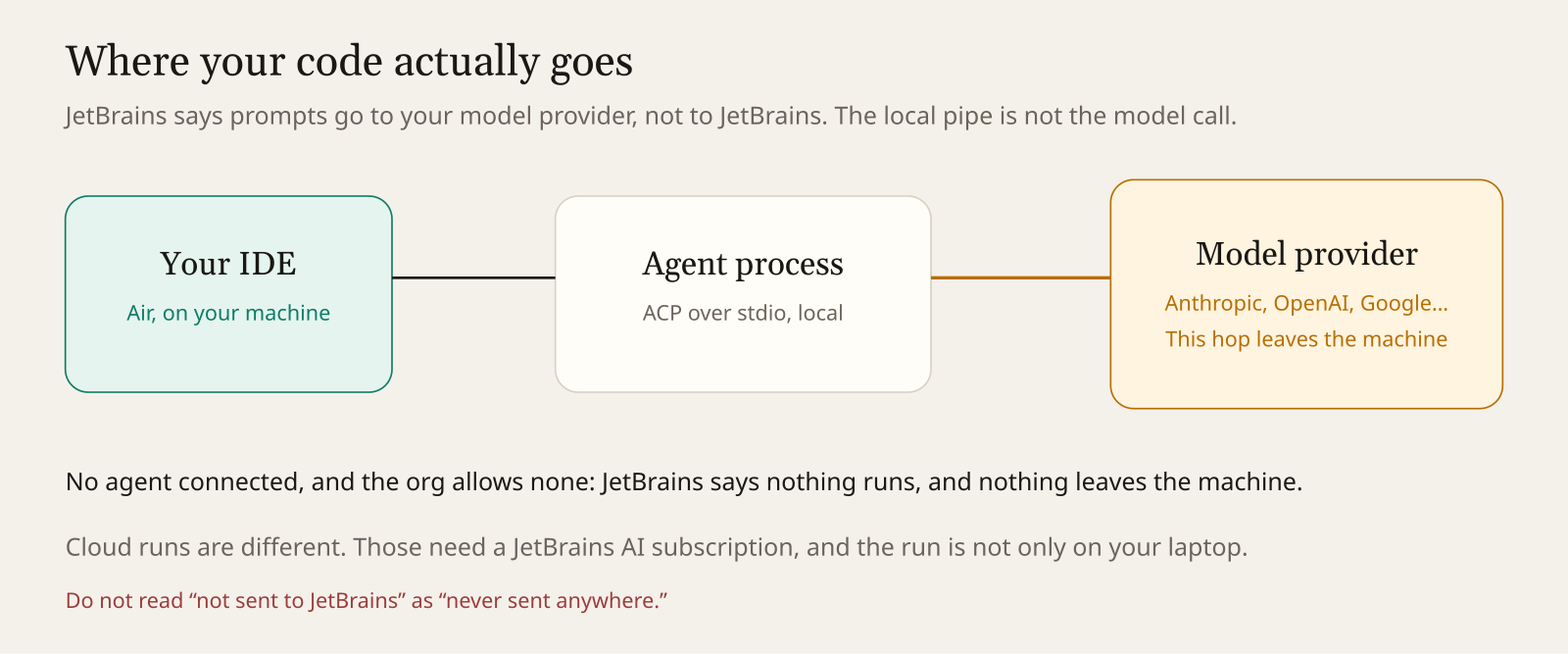
The model call is a different road. That one leaves your machine and goes to whoever runs the model. Do not confuse the local pipe with privacy. More on that below.
The public ACP v1 spec, at agentclientprotocol.com, describes a normal turn like this. The client calls initialize so both sides say what they can do. It calls authenticate if the agent demands a login. It calls session/new to open a session (one conversation, with its own history), or session/load to resume one. It calls session/prompt with what you typed. The agent sends session/update notifications (one-way messages, no reply required) while it works. If it wants to do something sensitive, it asks through session/request_permission, and the client is supposed to ask you. session/cancel interrupts. The turn ends when the prompt call returns a stop reason.
Optional file methods, fs/read_text_file and fs/write_text_file, let the agent ask the client to touch files. Paths must be absolute (a full path from the root of the disk, not “the file in this folder”). That matters because the IDE, not a hidden script, can be the thing reading and writing.
JetBrains and Zed built ACP so one IDE can host many harnesses. The October 1 blog says Air supports Codex, Gemini, GitHub Copilot, Claude Agent, and Junie out of the box, and that many others connect through ACP. A July Air release note already listed Copilot, OpenCode, Pi, and Cline as ACP agents. I did not re-test that list on the new IDE build.
Where does your code go?
To your model provider. Not “nowhere.”
JetBrains writes two sentences that are easy to over-read. “Your data goes to your provider, not to JetBrains.” And: “No agents? Nothing leaves your machine.”
Read them in order. If you have not connected an agent, and your organization allows none, Air has nothing to send. If you connect Claude, the prompt and the code the harness attaches go to Anthropic, under the subscription you already have. Codex goes to OpenAI. Copilot goes to GitHub. Air is the window. The bill and the data policy stay with the company you already trusted.
Cloud runs are a third path. JetBrains says a JetBrains AI subscription is required for those, they are for organizations that have AI seats, and following along on a phone is “coming soon.” A cloud run is not the same as the local pipe. I would not turn that on to “try the demo.”
Why does Air talk about worktrees?
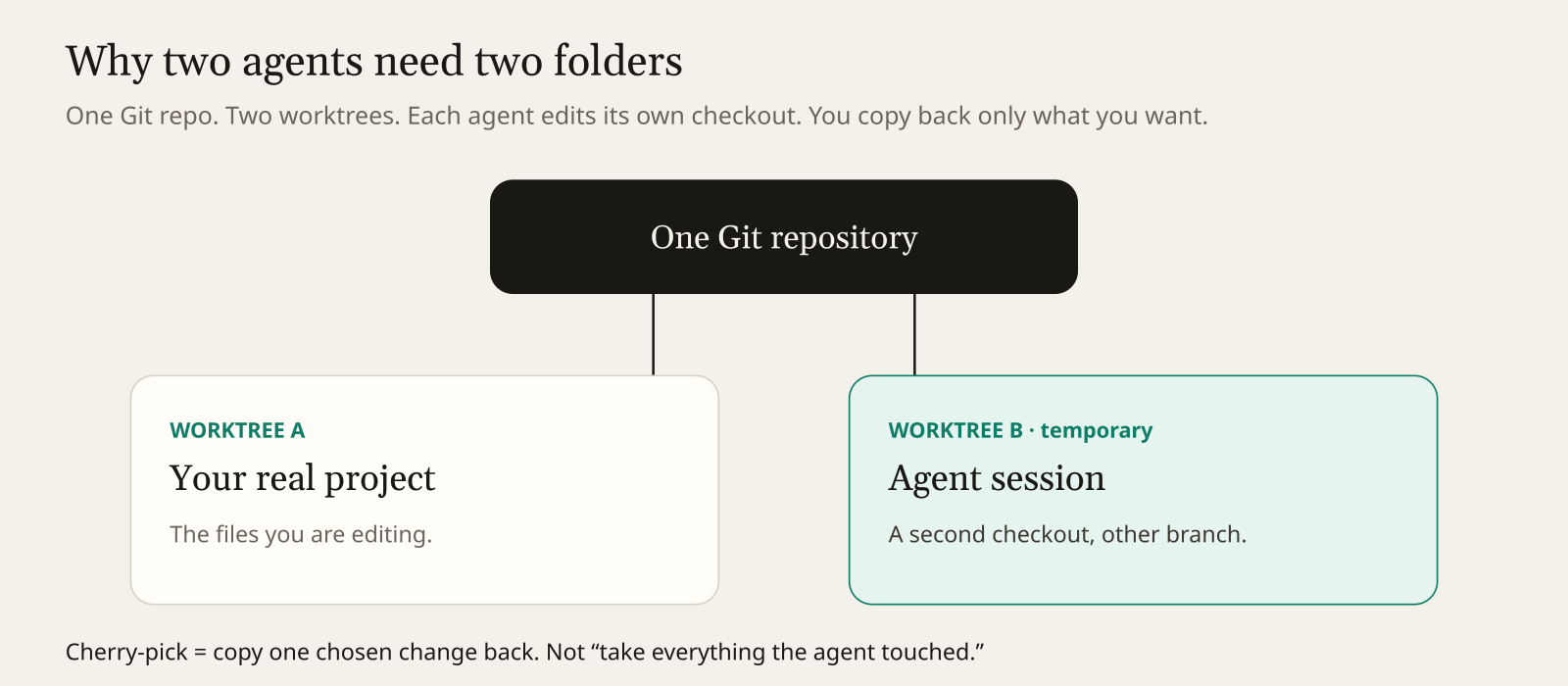
Because two agents in one folder will overwrite each other.
Git (the tool that stores each saved version of a project) keeps a repository. A branch (a named line of those versions) lets two lines of work exist at once. A worktree (a second folder that is the same repository, checked out at another branch) lets two folders exist at once on disk. Without that, agent A and agent B edit the same files and you get a mess.
JetBrains says parallel sessions can start on a new branch or detached (not sitting on a branch, just on one exact version), and that you cherry-pick results back. Cherry-pick means copy one chosen change onto your real branch. It does not mean merge every file the agent touched.
That is the right default. An agent session is a proposal. Your project folder is the thing you ship.
What does it cost, in money and in plugins you already like?
Your existing agent bill, plus zero JetBrains fee, unless you touch the cloud or you want their agent.
JetBrains is explicit: you do not need a JetBrains AI subscription to use your own agents with Air. You can use one, but it is not required. Junie Lite, their cheaper agent for everyday tasks, is free after you sign in with a JetBrains Account. The footnote says the offer applies to the Junie Lite configuration, and that terms and available models may change. Free, with a footnote, is not a permanent price.
There is a quieter cost. If you install from the notification inside AI Assistant (JetBrains’ older AI plugin: chat, completion, and its own agents), that path disables AI Assistant so the two do not overlap. You can turn it back on under Settings, Plugins, or reinstall it. If AI Assistant is how you work today, know that before you click.
The gestures they describe, which I have not pressed myself: double-tap Ctrl anywhere to open a prompt and attach the current context (the file and cursor the IDE already has). Sessions open as editor tabs. You can use a terminal UI inside the IDE or a graphical chat. One place lists sessions, changed files, commits, and costs. “Costs” only helps if you read it. A cost line you never look at is not a saving.
How do you try it without betting the repo?
One tiny task, on a throwaway branch, with one agent you already pay for.
- In the IDE, open Settings, then Plugins, and search Air. Confirm the vendor is JetBrains. If the build still says alpha or EAP, believe it.
- If you depend on AI Assistant, re-enable it first in a scratch project, or be ready to. Do this before you touch a work project.
- Connect one harness you already use. Leave cloud runs off.
- Make a branch you can delete. The task should be boring: rename one local variable, or add a one-line comment you can see.
- Read the diff in the IDE. Do not grade the chat.
- If Air shows a cost for that session, write the number down. Then run the same tiny task in your old terminal client. If you cannot compare, you do not have a token result.
- Watch whether the agent actually used IDE search, the debugger, or a database tool. If the session looks exactly like Claude Code reading files, the “IDE skills” claim did not show up on this task. That is a useful answer.
Out of the box, the blog names Codex, Gemini, GitHub Copilot, Claude Agent, and Junie. Claude’s subscription can also be used in Air’s terminal as a full-screen tab. That is a narrower claim than “Claude is rebuilt inside IntelliJ.” A full-screen terminal tab is still a terminal.
When should you skip it?
When the IDE is not where you work, or when you wanted a new brain and this is a new window.
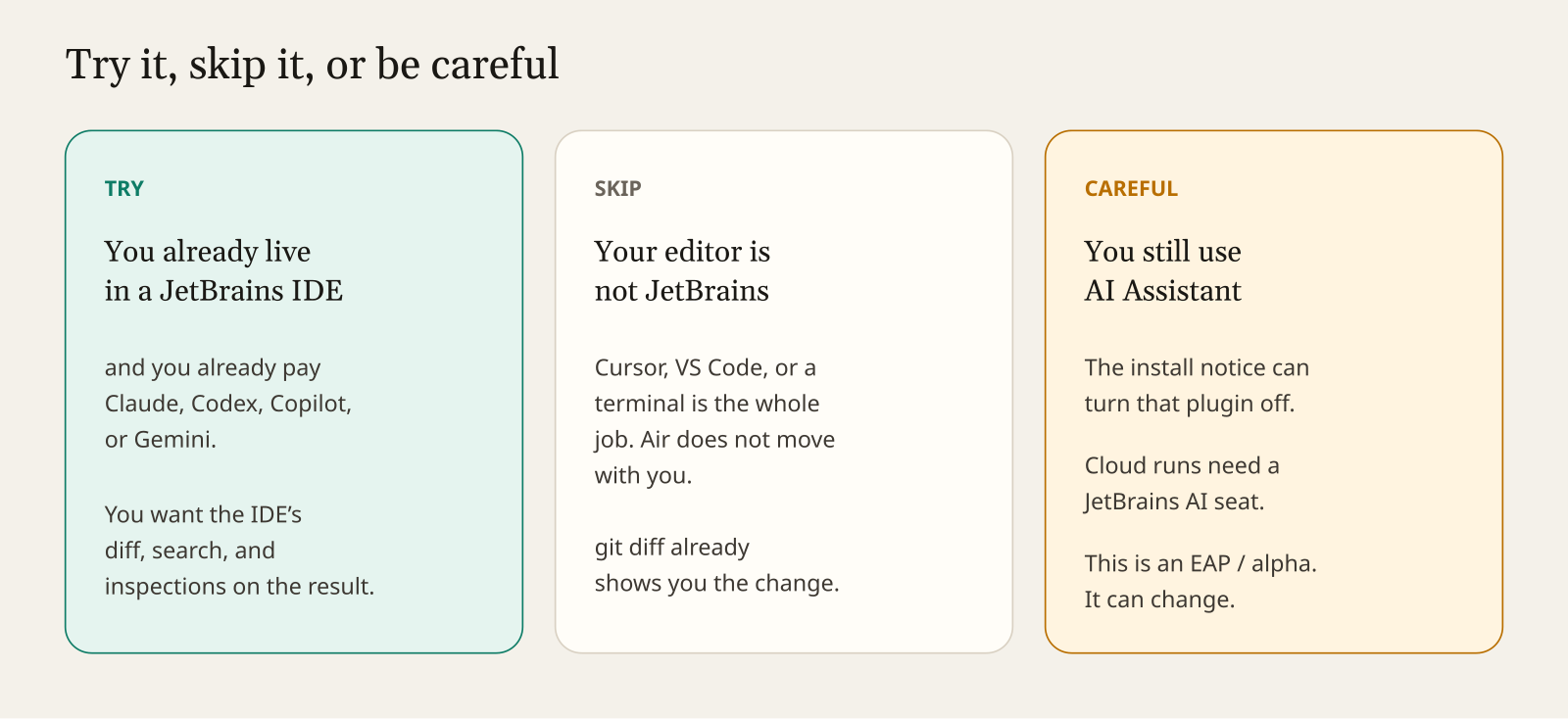
Try it if three things are true at once. You already spend your day in a JetBrains IDE. You already pay for at least one of Claude, Codex, Copilot, or Gemini. You are tired of reviewing agent diffs outside the tool that knows the code.
Skip it if you live in Cursor, VS Code, or a terminal. Air will not move your setup. git diff already shows the change. A second client is another place for hooks (commands that run on their own at certain moments) and permissions to hide.
Be careful if AI Assistant is load-bearing, if someone on the team will click “run in cloud” because it sounds faster, or if you need a promise about token cost. This is an EAP. The plugin id still says alpha. Junie Lite’s models can change.
The same week’s other bets are real, and they are for a different reader. IBM Bob’s self-hosted option, generally available as of the October 1 announcement, runs on machines the customer manages, including air-gapped ones. IBM’s listed self-hosted models are NVIDIA Nemotron and Poolside Laguna. A hybrid setup, Bob on your machines but the model outside, can use Claude Sonnet 5.0, Claude Opus 4.8, Gemini 3.7 Flash, or GPT 5.6 Sol. That is “bring the agent to code that is not allowed to leave.” It is not a plugin. Qodo’s pitch, again from the October 1 roundup, is governance: know the standard, review before commit, see the blast radius (how far a change can reach). Useful if you already have agents and the review step is the failure. Not a reason to install Air.
What I did not do
I did not install the 2026.3 EAP or the Air plugin in this write-up. Anything about clicks, speed, or quality would be a guess, so it is not here. The quotes and the install facts are from JetBrains’ October 1 post, “A New Agentic Experience: JetBrains Air in IDEs.” The protocol steps are from the ACP v1 overview. The Marketplace download count is from the IntelliJ plugin directory as I read it on October 2, 2026. The IBM model list is from IBM’s own announcement of the self-hosted option.
If you try the seven-step check, the only number that matters is the one on your machine.
Common questions about JetBrains Air
Is JetBrains Air a new model? No. It is a client inside JetBrains IDEs. You keep Claude, Codex, Copilot, Gemini, or Junie.
Do I need a JetBrains AI subscription? Not for your own agents. Cloud runs and Junie Lite have different rules; read JetBrains’ footnotes.
Does Air work in VS Code or Cursor? No. Air does not follow you outside JetBrains IDEs.
Where does my code go? To the model provider you already use when an agent is connected — not “nowhere.”