
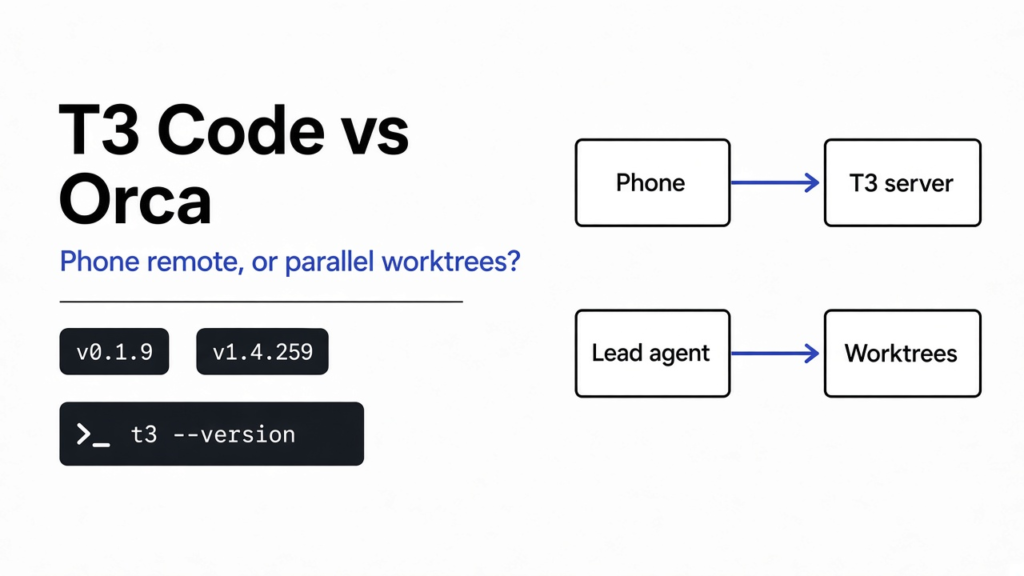

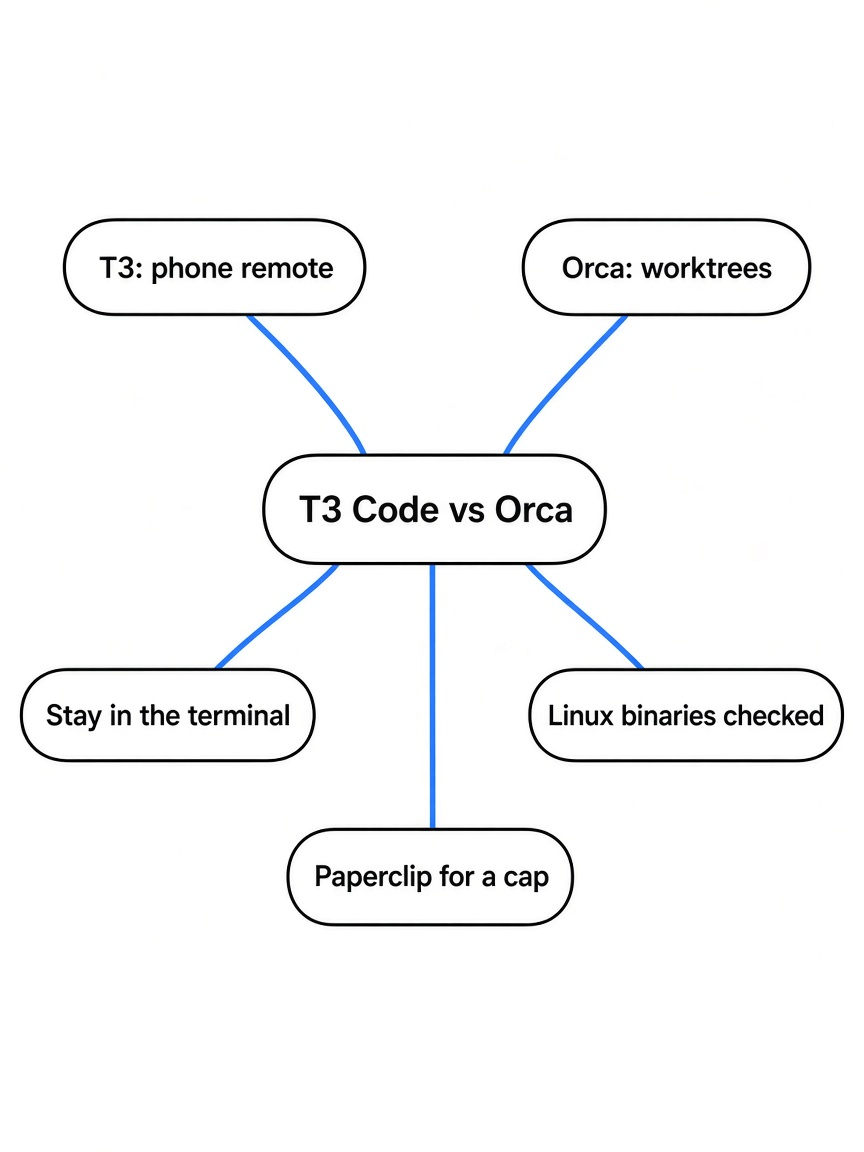
The t3code vs orca question is which of two apps to put on top of coding agents you already pay for. T3 Code is a control plane (one window that drives agents already installed on your computer, and shows the same threads on a desk, a browser, or a phone). Orca is an orchestrator (one agent that can split a job and start other agents, each in its own folder). Use T3 Code when the pain is approving the next command from another device. Use Orca when the pain is several attempts that must not overwrite each other. Stay in the terminal when you have one agent and one repo.
I checked this on 16 November 2026 against the official Linux binaries: T3 Code v0.1.9 and Orca v1.4.259. The phone apps, a signed-in agent thread, and Orca’s cloud VM were not run.
A control plane is not an orchestrator
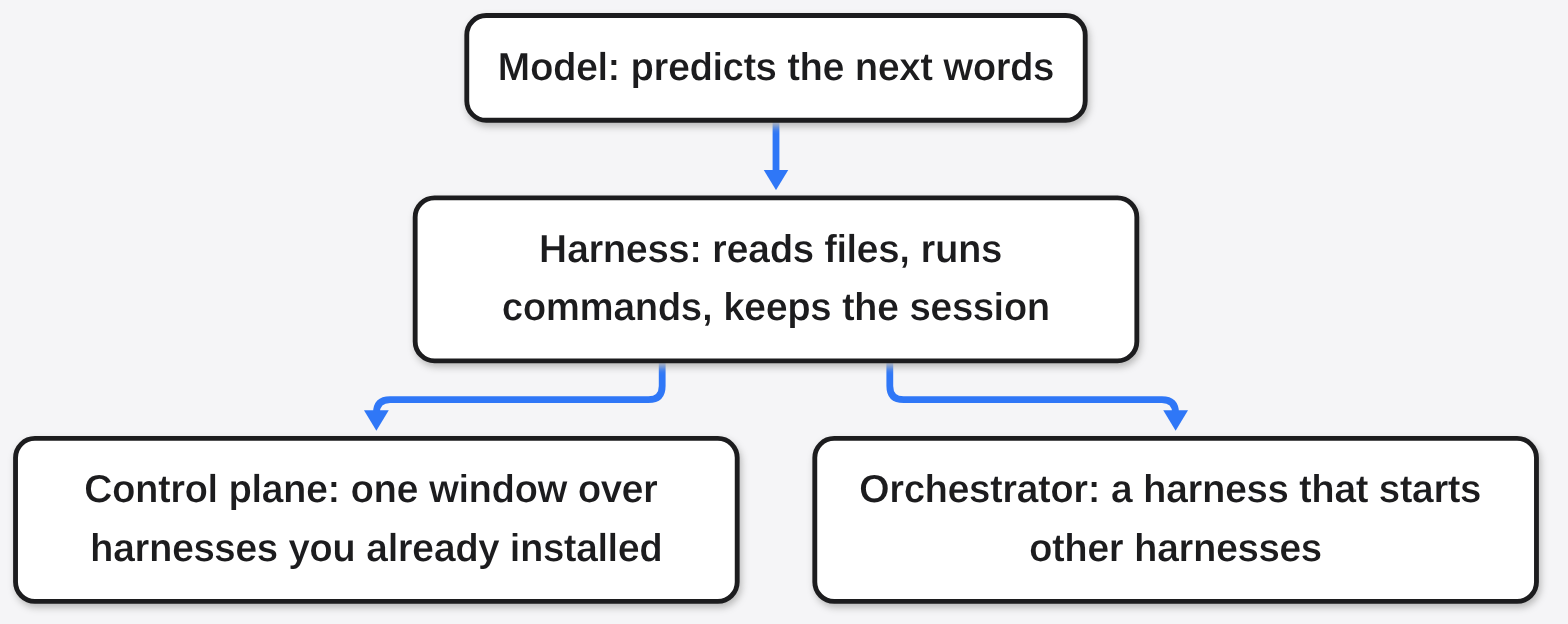
A coding agent is not a new kind of editor. Start from the thing you already have. You have a folder of files. You want a program to change those files and run commands, then stop and show you what it did. That program is a coding agent (a program that edits a repo by calling tools, not a chat box that only talks about code). Claude Code is one. Codex is another. The part inside it that only guesses the next words is the model (the text predictor). The model does not have your disk. The wrapper that gives it permission to read files, run commands, and remember the session is the harness (the loop, the permissions, and the session file around the model). Claude Code is a harness. Codex is a harness. The model is whoever that harness calls. That split is also spelled out in What Is an Agent Harness in AI?.
Once you have two harnesses, the next mess is two windows. A program whose only job is to start those harnesses and show their threads in one place is a control plane (a window over harnesses you already installed). It is not a new model, and it does not replace the login. A program whose job is to let one harness start the others is an orchestrator (a harness that starts other harnesses). T3 Code is the control plane. Orca is the orchestrator. The model stays the one you already pay.
The bill is a separate object, and it is easy to mix up with the app. The model is billed by pieces of text. One of those pieces is a token (a billed chunk of text the model reads or writes). Neither app, in the files I checked, sells you tokens. You bring the subscription (the Claude or Codex login you already pay for). If the thing you actually fear is an agent spending that subscription while you sleep, this page is the wrong fork. That pause lives in Paperclip vs Orca.
If the comparison you wanted is a free Linux or Windows phone remote versus a paid Mac app that can rent a cloud machine, that cut is already on TechWave: t3code vs conductor.
Why both names moved on the same weekend
I pulled both repos from the GitHub API on 16 November 2026 at 9:33 AM IST. pingdotgg/t3code had 61,728 stars and 11,048 forks, MIT license, last push 2026-11-16T04:00:50Z. stablyai/orca had 125,944 stars and 7,980 forks, MIT license, last push 2026-11-16T03:59:54Z. Stars are a bad way to pick a tool, and they are a fine way to see a collision. Both names were moving on the same morning, which is why the query “t3code vs orca” is about to get sloppy answers.
The release pins, so a later star count does not move the article: T3 Code v0.1.9 was published 11 November 2026. The npm package t3 was 0.1.9 when I ran npm view t3 version, and its own description says the package downloads a self-contained executable from the GitHub release. I also pulled t3-0.1.9-linux-x64.tar.gz from that release and checked its SHA256 against the release SHA256SUMS. t3 --version printed t3 v0.1.9. Orca v1.4.259 was published 14 November 2026. I pulled orca-server-linux-x64.tar.gz and checked it against orca-server-sha256sums.txt. orca --version printed 1.4.259. The VERSION file in that archive also says orca 1.4.259. Orca is the older, larger repo. T3 Code is the one that just showed up on the board next to it.
What T3 Code actually is
T3 Code’s own line, on the project’s site and in its README, is “the open-source control plane for coding agents.” Read that after the stack above and it gets small. It runs the agents already signed in on a computer, and it gives those threads one interface. Desktop, web, and phone share one server. The README lists Claude Code, Codex, Cursor, OpenCode, Grok Build, Antigravity, Kiro, Pi, Muse Code, fx, and any ACP agent.
ACP needs a plain definition before the acronym does any work. T3 Code did not write Claude Code. It needs a way to talk to a program someone else shipped. That way is ACP (Agent Client Protocol, a standard way for a client to drive an agent that is already installed). Their providers page says T3 Code can run installed ACP commands, or agents from the ACP registry at agentclientprotocol.com. Codex, Claude, Cursor, and the other named providers are added under Settings, Providers. They are not only registry installs. A registry agent is third-party code. Read its license before you point it at a repo. The same page says a checkpoint rollback starts a fresh agent session and does not keep the conversation. The files can go back. The chat memory does not come with them. That is the footgun I would want on the first day.
The architecture page draws the boundary that the marketing sentence skips. “Provider processes, terminals, Git, and project files belong to the server.” Clients, and it names web, desktop, and mobile, “must not substitute their filesystem, credentials, or machine state.” The phone does not hold the repo. The phone asks the computer that does. Checkpoints, on that same page, use hidden git refs so a snapshot of the workspace does not have to be a commit on your branch.

The official help for the binary I ran starts: “Run T3 Code in this terminal and open it in your browser. To use it from your other devices, run t3 up.” Subcommands include serve (no browser, and it prints pairing details), pair (mint a pairing token and print a QR code), up, status, and install. Nothing in that list downloads a model.
t3 status on this machine, after the binary created a local data directory and I stopped it, printed:
This machine
  Service        not installed
  T3 Connect     off
Local network offThere was no claude or codex command on PATH. I never signed in to a provider, never paired a phone, and never left a server running.
Git, in the source-control page, is a review surface and not a new version-control system. A turn’s diff shows that turn’s own work. Files a pull, merge, or rebase brought in are left out of that list, unless the turn also edited them. You still have the branch comparison when you want everything against the base. Commit messages can be generated from the diff and from the checks the thread ran. A local repo with no remote gets a Publish Repository action that creates the host repo, adds origin, and pushes. “Work on PR” prepares a worktree from the review’s branch. A worktree (a second checkout of the same repo, on its own branch, in its own folder) shows up there as a way to start from a review, not as a promise that every thread is isolated from every other thread. The README does say each thread can work in its own worktree. “Can” is the verb. That click was not run.
Pull-request sharing is off by default. Credentials stay on the machine that has them. A browser or a phone needs a paired environment to use that machine’s GitHub login. An action whose result is uncertain is not automatically retried on a different machine. That last sentence is the product being careful, and it is also why a phone approval is not a second copy of your git.
Remote access, in the README, is your machine, reached over the local network, Tailscale (a private network between your own computers), or T3 Connect. The agents keep running where the server is. If that server is your laptop and the lid closes, do not expect the README’s phone story to invent a second computer. Orca’s README does claim a second computer. That is the next section.
What Orca actually is
Orca’s GitHub description, the one the API returned this morning, is a fleet of coding agents with your own subscription, on desktop, mobile, and a remote runtime. The README’s concrete line, on orca.dev and in the repo, is to run Claude Code, Codex, and any other coding agent in parallel, each in its own worktree, with chat or a terminal, a diff, a browser, and a CLI in one app.
The isolation story is the worktree, so it is worth one more pass. Two agents in one folder will write the same files. Git already knows how to check the repo out twice. git worktree add makes that second folder. Orca’s README says it splits tasks into those isolated environments so the agents do not step on each other. A lead agent can do the splitting: you hand it one task, it starts worker agents in their own workspaces, and it brings the results back. That sentence is the orchestrator. T3 Code’s README lets you hand a thread from Claude to Codex. That is a handoff inside one conversation. It is not the same as a lead agent hiring workers.
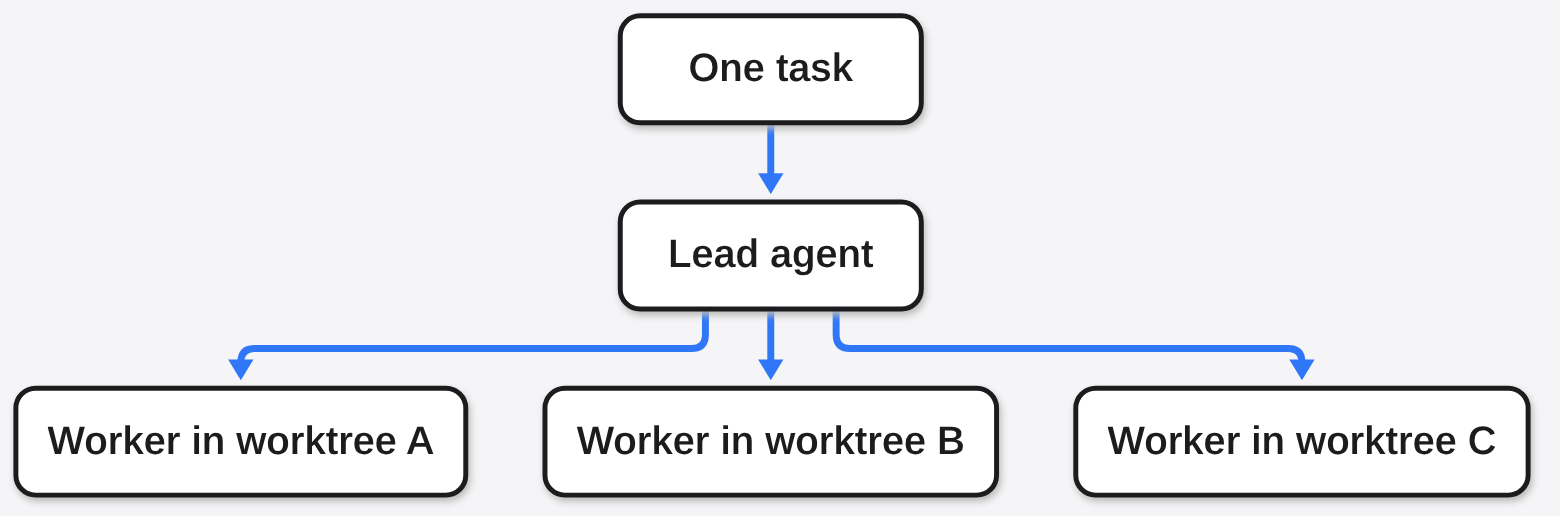
The orca command in the official server archive is a full CLI. orca --help lists worktree create, worktree list, and an Orchestration section that includes orchestration worker-start. Those names match the README’s lead-agent story. The desktop app was not started, so orca worktree list failed with: “Orca is not running. Run ‘orca open’ first.” That is the honest edge of this check. A cloud VM and the mobile app were also not run.
The remote story is also different, and this is the sentence I would not blur. Orca’s README says you can pair a Remote Orca Server, work on any SSH host (a computer you log into with the secure shell), or give a worktree its own cloud VM (a rented computer in someone else’s data center). “Your agents keep running when your laptop sleeps.” T3 Code’s phone is a remote control of a server you already have. Orca’s cloud VM is a server that exists so the laptop can sleep. The difference is already in the two READMEs, and in orca serve --help, which talks about pairing addresses and --mobile-pairing. That server was not started here.
The phone story is a ping, not a second checkout. Pair the mobile app, get notified when an agent needs you, reply in chat. Android on the README is an APK. There is a browser inside the app, and a design mode that copies an element’s HTML, styles, and selector into the chat. There is a fuel gauge: you can see how much of an agent’s limit you have used, and when it resets, and you can switch accounts without logging out. A gauge is not a kill switch. If you needed the agent to stop at a dollar figure, you are on the Paperclip side of that older comparison, not on this one.
Orca does not log you into Claude. The README’s wall of CLIs is a compatibility boast and a warning. If the claude command is not already signed in, the desk opens and the agent does not.
The difference that decides the install
| Question | T3 Code | Orca |
|---|---|---|
| What is it | A control plane over agents you installed | An orchestrator that can start more agents |
| Who holds the files | The server on the computer you paired | The worktree, on the laptop, an SSH host, or a cloud VM |
| Phone | Asks that server. Does not hold the repo | Pings you, and you reply in chat |
| Laptop lid | The server has to stay up wherever you put it | README says a cloud VM keeps going while the laptop sleeps |
| Parallel work | A thread can use its own worktree. “Can.” | Parallel worktrees are the pitch, including a lead agent that splits the job |
| Model bill | Does not resell tokens. You stay signed in | Your own subscription. Shows the limit. Does not, in the README, hard-stop it |
| What I ran | Official t3 v0.1.9 binary: --version, --help, status | Official orca v1.4.259 binary: --version, --help. worktree list needs the app |
| License and pin I checked | MIT, v0.1.9, 11 Nov 2026 | MIT, v1.4.259, 14 Nov 2026 |
| Stars I will quote | 61,728 on 16 Nov 2026, 9:33 AM IST | 125,944 on 16 Nov 2026, 9:33 AM IST |
Same subscription. Same two famous CLIs. Different object. If you install both because the star charts rhymed, you will have two apps and the same unsigned claude command.
How do I try T3 Code without adopting a second IDE?
You need one agent signed in before a thread can start. The install page is explicit that the provider CLI has to be on the server’s PATH (the list of folders the computer searches when you type a command). If T3 Code cannot find it, you set the binary path in provider settings. Examples they print:
claude auth login
# or
codex loginThe no-install trial, from the README, is npx t3@latest. I used the GitHub release tarball instead, verified the checksum, and ran the binary by path. npm view t3 version still returned 0.1.9.
If you do install the command, the install page’s own verbs are small:
curl -fsSL https://t3.codes/install.sh | sh
t3 --versionDo not pipe the installer until you have read the script. I read https://t3.codes/install.sh and then skipped the pipe, because the checksummed release archive was enough. t3 starts the server and opens the web app. t3 serve starts the server without a browser and prints pairing details. t3 up is how other devices get in. t3 pair mints a pairing token and prints a QR code, and it needs a running server. A checksum from the same host would catch a bad download. It would not catch a host you should not have trusted. On a Mac the desktop app is brew install --cask t3-code. The install page says the installer leaves an existing t3 command alone if it did not create that command, and that Intel Macs get no t3 executable (the desktop app is available; a server there is a source build).
The first pass mark is not a feature tour. Sign in to one agent, start one thread, and approve one command you can read. If the checkpoint rollback is the thing you wanted, do it once on a scratch repo and look at the session. The ACP page says the conversation does not come back with the files. That click was not run here, because no provider was signed in.
Which harness you trust is a different page. That cut is MiniMax Code CLI vs Claude Code. Where that harness is allowed to touch the rest of the machine is coop. T3 Code will not answer either question. It drives the harness you already chose.
How do I try Orca without five copies of node_modules?
Orca’s install, from the README, is a download from orca.dev/download or:
brew install --cask stablyai/orca/orcaLinux also has an AppImage and a server tarball on the GitHub release. I used orca-server-linux-x64.tar.gz for v1.4.259, checked it against orca-server-sha256sums.txt, and ran bin/orca-ide --version. That is the orca CLI. It is not the desktop window. Before the app, make one extra checkout by hand so you know what the app is wrapping:
git worktree add ../repo-try-b -b try-b
git worktree listOn a scratch repo, that printed two folders of the same commit, on different branches: repo on master and repo-try-b on try-b. That folder is the isolation. If you cannot say why you need a second folder, you do not need Orca yet. If you can, and you keep losing the folders, the app is the bookkeeping: sidebar, phone ping, usage meters, and a CLI so an agent can run orca worktree create. orca worktree create --help exists, and it is explicit that this “creates a new checkout.” Shared junk such as node_modules is still your problem. Five worktrees that each install the world will fill a disk and teach you nothing about the bug.
The lead-agent split is the feature that is not git worktree add. Use it when one task really is three tasks and you want the results brought back. Do not use it as a way to spend five subscriptions on one function “to be safe.” Five workers are about five runs.
When you should stay in the terminal
Stay in one terminal when the repo is small, you trust the agent, and you are sitting there. T3 Code’s phone is extra machinery around a yes-or-no you could have typed. Orca’s fleet is extra machinery around a second folder you could have created. The README star counts will not refund the hour.
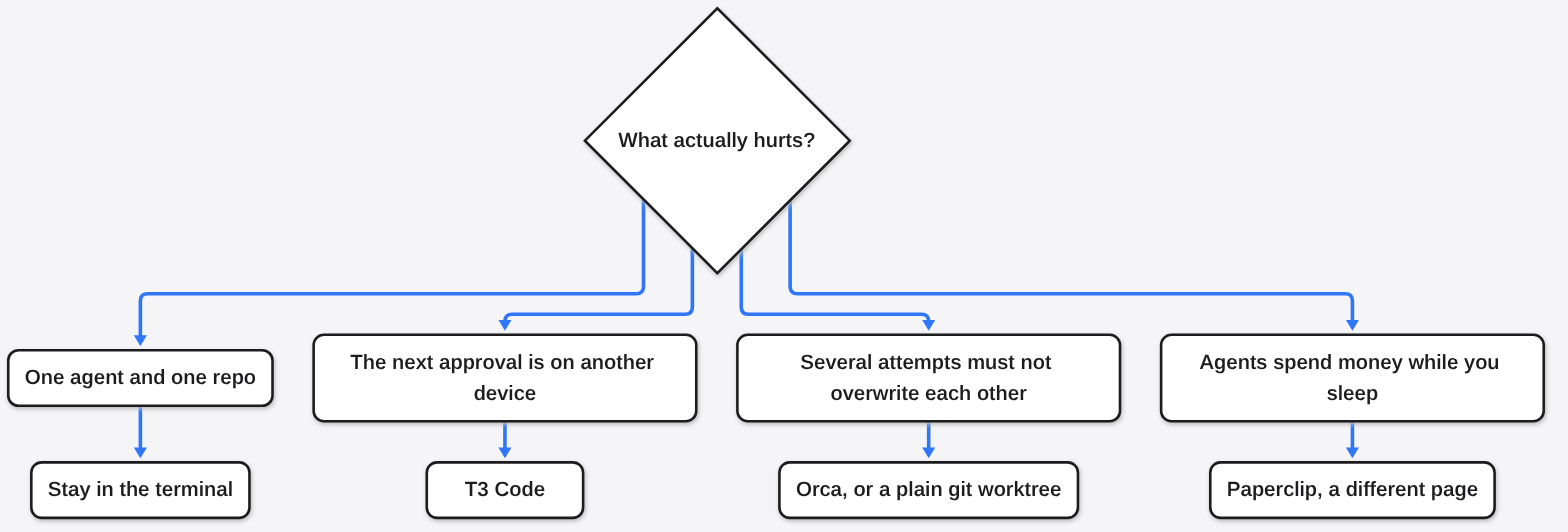
Pick T3 Code when the sentence is “the agent is on that computer, and I need to say yes from this one.” The architecture page is the whole product: the client does not bring its own files. Also pick it when you want one thread to change model in the middle, Claude handing work to Codex, without standing up a lead agent. It is v0.1.9. Treat a registry agent as code you have not reviewed, because it is.
Pick Orca when the sentence is “these attempts must not share a folder, and I want one of them to start the others.” Pick the cloud VM sentence only if you have read the bill for a computer that stays on while the laptop sleeps. The app is free. The VM is not a rounding error, and the agent limits underneath it are still yours.
Pick neither, and open the Paperclip page, when the sentence is “stop spending when the month’s money is gone.” A fuel gauge in Orca, and a phone approval in T3 Code, are not that pause.
I wanted a button I had pressed. I got two official Linux binaries, their help text, a status line, a failed worktree list because the Orca app was not running, two star counts from the GitHub API, and one git worktree I created by hand. That was enough to pick the app from the pain, and enough to stop before signing in. One sentence about the pain picks the app. If you cannot finish the sentence, install neither. The stars will still be there tomorrow. The unsigned agent will not have spent anything while you decided.
Common questions about T3 Code vs Orca
Can I use T3 Code instead of Orca?
Sometimes. If “instead” means “I want the Claude or Codex I already logged into, in one thread, and I want to approve it from my phone,” T3 Code is the tool, and Orca’s fleet is extra. If “instead” means “one agent should split this into three folders and bring the diffs back, including while my laptop is asleep,” T3 Code’s README does not describe that VM. Use Orca, or use a worktree and stay awake.
Does T3 Code replace Claude Code?
No. It drives Claude Code, or Codex, or another agent that is already signed in. Uninstalling the harness to keep the control plane leaves you with a window and nothing to drive. The npm package even says so, indirectly: t3 at 0.1.9 downloads T3 Code. It does not download a model. The t3 --help list I ran has no command that would change that, and this machine had no claude binary on PATH.
Do I have to pay twice?
Not for the model, according to both READMEs. T3 Code says it does not resell tokens. Orca’s repository description says you use your own subscription, and the README shows you the agent’s limit. You can still pay twice by accident, by running five workers, or by leaving a cloud VM up. The license being MIT does not cap that.
Is the phone a copy of my repo?
On T3 Code, no. The architecture page gives the files to the server. The phone is a client of that server. On Orca, the README’s phone is a paired remote control: a ping, a chat reply, work continuing on a machine you already set up. Neither sentence is “the repo lives in the phone.”