
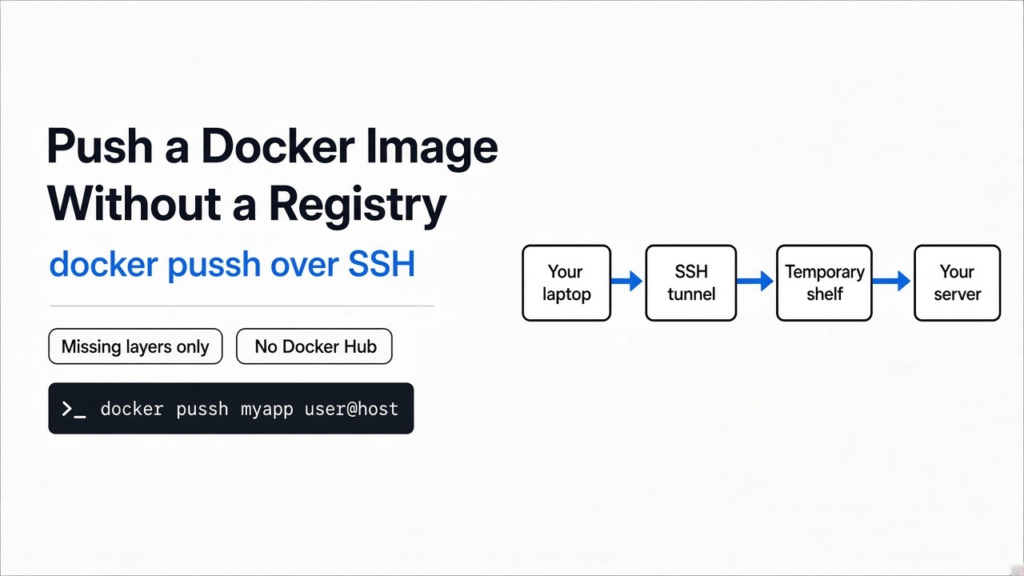
I had a built image on my laptop and a server that should run it. Docker Hub was the wrong shelf. A registry is a shared shelf other machines pull from, and this image did not belong on a public one. The usual pipe, docker save into SSH and then docker load, packs every layer into one archive and sends all of it. A layer is one saved slice of that image: the base system, then your files on top. So the real question is: how do I push a Docker image without a registry?
You push a local Docker image to a server without a registry by running docker pussh IMAGE user@host, which sends only the layers that server does not already have.
The command has an extra s. It is pussh, not push. The program behind it is called unregistry. It is a shelf that exists on the server only while the copy is moving, then it is deleted. SSH is the login you already use to type commands on that server. The copy rides that login. It does not ride a public shelf.

How do I push a Docker image without a registry?
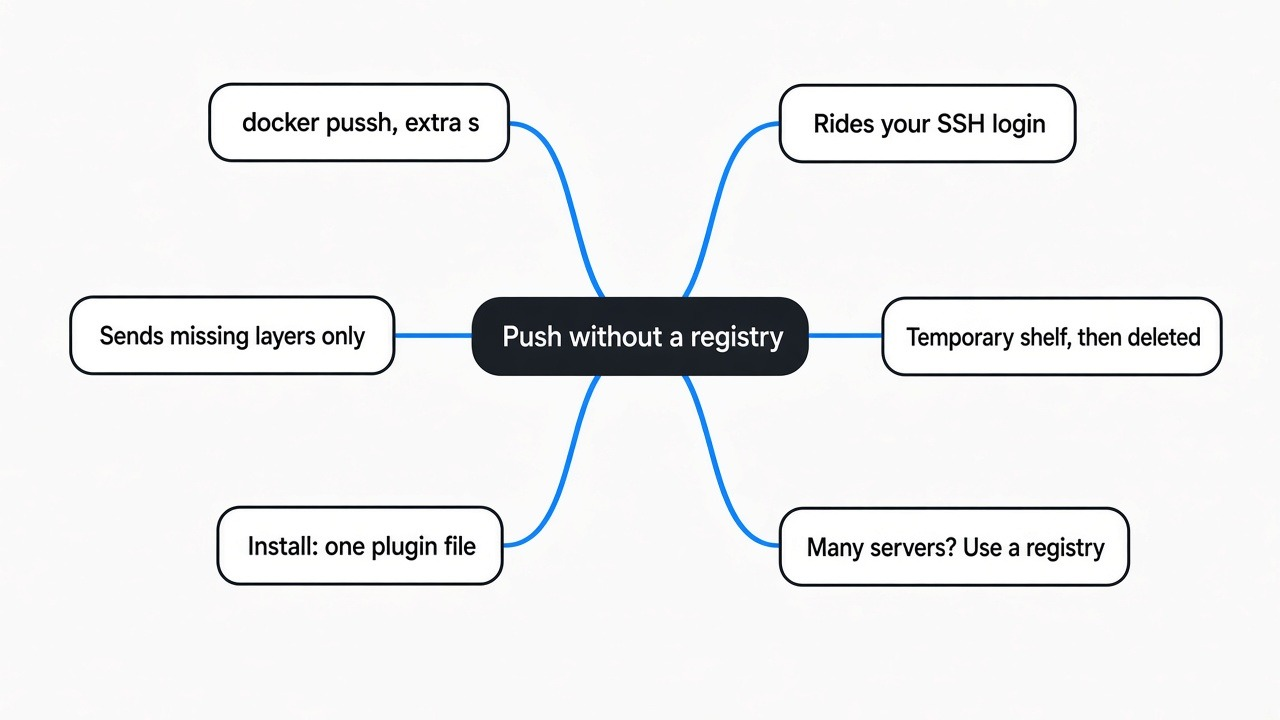
Run docker pussh myapp:latest user@host after the docker pussh file is installed where Docker looks for plugins. You do not log in to Docker Hub, and you do not leave a registry running for later.
Your machine needs the Docker command and an SSH client. The server needs Docker running. The SSH user has to be root, or in the docker group. If that user is neither, sudo docker has to work with no password. The script calls sudo -n, which does not wait for a password. A user in the docker group can do what root can do on that machine. The SSH key you use for this is that powerful. Do not use a key you would hand to a stranger.
A normal docker push myapp:latest still wants a registry name in front of the image, or it assumes Docker Hub. That is the path this command exists to skip. Packing an app so it runs the same way on another machine is also a different job from locking what the app is allowed to touch. The suitcase and the lock are easy to mix up: Microsoft Execution Containers is not Docker.
How do I push a Docker image without Docker Hub?
Use docker pussh, not docker push. The push target is localhost on a port that exists only inside an SSH tunnel. Nothing in that push logs in to Docker Hub.
After SSH connects, the script starts a temporary container on the server and publishes it on 127.0.0.1 only, on a random port from 55000 to 65535. It then forwards a local port to that remote port. Your docker push talks to your own localhost. The bytes cross the tunnel. The temporary container is removed when the script exits, including when a later step fails.
The only pull from the public network is the unregistry image itself, and only on the server, and only if that image is not already loaded. The script is pinned to ghcr.io/psviderski/unregistry:0.4.1. Your app image is not part of that pull.
Why does docker save send the whole image?
docker save does not ask the server what it already has. It writes every layer into one tar file, and the pipe copies that file. The second deploy of the same app still sends the base, even when the server stored that base last time.
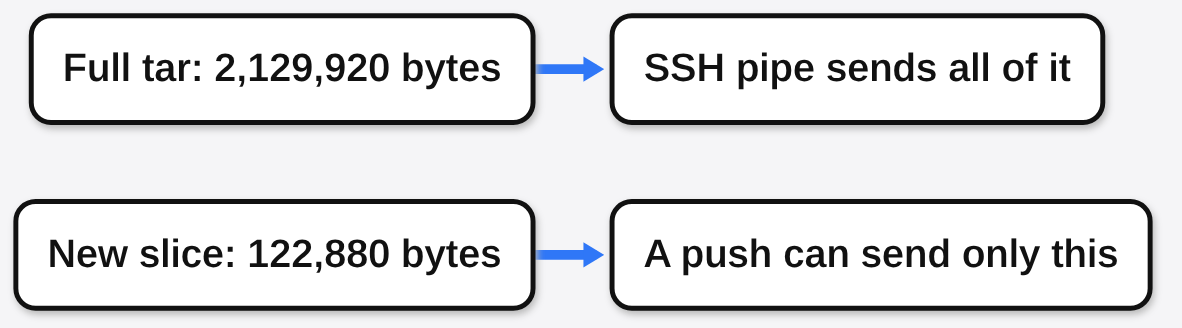
Two plain files show the same shape. A 2,000,000 byte base plus a 120,000 byte app file packed into a tar of 2,129,920 bytes. The app file packed alone was 122,880 bytes, about 5.8 percent of the full archive. The other 2,007,040 bytes were the base. A pipe has no way to leave those bytes behind. A push that can ask the other side does.
Those numbers are tar headers plus file bytes, not output from docker push. They show why the pipe feels slow the second time you ship a one-line change.
docker export is the wrong shortcut if what you wanted was a copy of the image. Export writes the filesystem of a container and drops the history. Import then builds a new image with a single layer. You do not get the image you built. The save and load commands are the ones that keep the history, and they are documented with the Docker image save command.
| What was packed | Bytes |
|---|---|
| Base file | 2,000,000 |
| App file | 120,000 |
| Tar of base plus app | 2,129,920 |
| Tar of the app file alone | 122,880 |
| Bytes you would skip if the base was already there | 2,007,040 |
unregistry vs docker save
docker pussh sends the missing layers over SSH and then deletes the temporary shelf. docker save piped into docker load sends the whole archive and never asks. A private registry is a shelf you keep, which is the right tool when many machines pull one image. Rebuilding on the server sends no image, and it only works when the build files are already on that server.
| What moves | Asks what is already there | Leaves a service running | Keeps image history | |
|---|---|---|---|---|
| docker pussh | Missing layers | Yes | No | Yes |
| docker save piped to docker load | The whole tar | No | No | Yes |
| A private registry | Missing layers, for every machine that pulls | Yes | Yes | Yes |
| Rebuild on the server | The source, not the image | No | No | Whatever the build writes |
| docker export piped to docker import | One flattened filesystem | No | No | No |
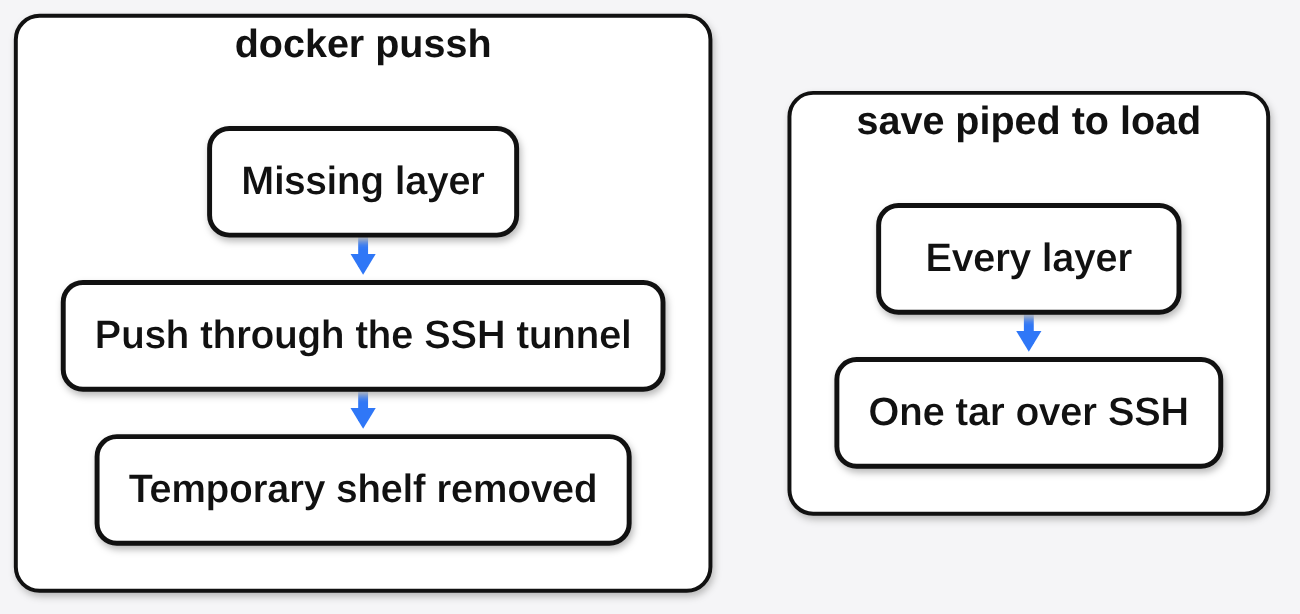
I would pick the pipe only when I cannot run the plugin and I need one copy today. I would pick a registry the moment a second server needs the same image. I would pick pussh when there is one server, SSH already works, and the image should not sit on a shelf.
How do I install docker pussh?
Put one executable file in ~/.docker/cli-plugins and make it executable. Docker then shows it as the pussh subcommand. This needs Docker’s plugin support, which has been there since Docker 19.03, plus an SSH client.
mkdir -p ~/.docker/cli-plugins
curl -fsSL https://raw.githubusercontent.com/psviderski/unregistry/v0.4.3/docker-pussh \
  -o ~/.docker/cli-plugins/docker-pussh
chmod +x ~/.docker/cli-plugins/docker-pussh
docker pussh --helpOn a Mac with Homebrew, install from the tap and still link the file into that folder. Docker does not look at the Homebrew bin directory by itself.
brew install psviderski/tap/docker-pussh
mkdir -p ~/.docker/cli-plugins
ln -sf "$(brew --prefix)/bin/docker-pussh" ~/.docker/cli-plugins/docker-pusshVersion 0.4.3 prints docker-pussh, version 0.4.3 and unregistry image: ghcr.io/psviderski/unregistry:0.4.1. The project is Apache-2.0. The source and the help text live at psviderski/unregistry.
Windows is not supported. Build from a Linux environment, including WSL, if that is the machine you are on.
A few flags matter once the help text is on your screen:
-iis the SSH private key, if it is not already in your agent.-Fis an SSH config file, useful when the host is a name you already defined.--platform linux/amd64pushes one platform of a multi-platform image. Your local Docker has to be using the containerd image store for that, or it is only holding one platform.user@host:2222is how you set a port that is not 22.
Can I copy a Docker image with SSH and only send what changed?
Yes, once the tunnel is up. docker push to the temporary registry uploads layers the other side does not have. A tar pipe cannot ask that question, so it cannot skip the base.
Everything starts with the SSH login. If the far side has no SSH server, docker pussh demo:test root@127.0.0.1 prints Connecting to root@127.0.0.1..., then ssh: connect to host 127.0.0.1 port 22: Connection refused, then ERROR: Failed to connect to remote host via SSH: root@127.0.0.1, and exits with code 1. A cleanup line prints even though nothing was started.
That error means the login never opened, so no layer moved. Check that the server runs SSH on the port you gave and has Docker installed. Once the login succeeds, the script does the following.
It looks for docker on the server, including /usr/bin/docker, /usr/local/bin/docker, and /snap/bin/docker. If that user cannot run it, it retries with sudo -n. No password, no success. The error text tells you to check that Docker is running and that the user is root, is in the docker group, or has passwordless sudo.
It then looks for the containerd socket. Containerd is the store Docker uses for image files. The paths it checks are /run/containerd/containerd.sock, /var/run/docker/containerd/containerd.sock, /var/run/containerd/containerd.sock, /run/docker/containerd/containerd.sock, and the snap socket. Set REMOTE_CONTAINERD_SOCKET if yours is somewhere else. On OrbStack it forces /run/docker/containerd/containerd.sock.
If ghcr.io/psviderski/unregistry:0.4.1 is missing on the server, it pulls it. Then it starts a container, mounts that socket, and binds the random port to 127.0.0.1. The shelf is not reachable on the server’s public address. The tunnel is the only door.
If Docker on your laptop runs inside a virtual machine, which is normal for Docker Desktop on a Mac and also for Colima or Rancher Desktop, the engine cannot see the forwarded port on the host. The script starts a small proxy container to bridge that gap. OrbStack is the exception it skips.
It tags your image as localhost:PORT/yourimage and runs docker push. The push is retried up to three times, with three seconds between tries. A name that already contains a registry port, such as localhost:5000/myimage, is rewritten with a dash so it stays a valid name on the far side.
One branch is easy to miss. The script asks remote docker info for DriverStatus. If that text does not contain containerd.snapshotter, the server is still on the older image store. The push wrote into containerd, and docker images will not show it yet. The script then pulls from localhost on the server and retags the result to your original name. That pull does not go to Docker Hub. It does use disk twice: once where unregistry wrote the layers, and once in the older store that docker images shows. After you see the image you wanted, remove the extra copy with sudo ctr -n moby images rm and the image name. Leave it, and those unmanaged copies fill the disk.
If the server cannot reach the public network, preload the unregistry image once. Later runs see it and skip the pull.
docker pull ghcr.io/psviderski/unregistry:0.4.1
docker save ghcr.io/psviderski/unregistry:0.4.1 | ssh user@server docker loadOn the way out the script deletes the local proxy if it started one, deletes the temporary local tag, removes the remote container, and closes the SSH connection.
Sending only the slice that changed is the same instinct as converting a file on your own machine instead of uploading the whole file: convert a file without uploading.
When is a real registry still better?
Use a registry you control when more than one machine should pull the same image, or when you want one place that records who pulled it. docker pussh copies onto one host. It is not a shelf the next host can use.
Skip it when any of these are true:
- You cannot SSH in.
- The SSH user is not root, is not in the
dockergroup, and cannot runsudo dockerwith no password. - The server has no internet and you have not loaded the unregistry image.
- You are on Windows and not inside a Linux environment.
- The disk is already tight and the server is on the older image store, so a second copy of every layer would hurt.
- The image should be scanned before anything runs it.
A self-hosted app still has to get its image onto the box that runs it. That gap shows up when a compose file expects the image to be local already, whether that is a design tool (open source Canva alternative) or a trip planner on your own server (open source Wanderlog alternative).
How do I try this on my own server?
Use two machines that already have Docker. Ten minutes is enough if SSH already works.
- Install the plugin with the curl command above.
docker pussh --helpshould print the usage line. - On the server,
docker versionas that SSH user should succeed with no password prompt. - Build a tiny image on top of a base both machines already have. Change one file.
- Time the old pipe:
docker save myapp:test | ssh user@host docker load. - Put the shared base back on the server if that pipe replaced it, remove
myapp:test, then timedocker pussh myapp:test user@host. - On the server,
docker imagesshould showmyapp:test, not a name that starts with127.0.0.1. - Change one file, build again, and push a second time. The second run should move less than the first. If the byte counts match, the base was not already there, or you measured export and import by mistake.
I would use docker pussh the next time one server needs an image that should not sit on a public shelf. I would stand up a real registry the moment a second server needs that same image. I would not pipe docker save into docker load again for an app whose base never changed.
Common questions about docker pussh
Does docker pussh upload to Docker Hub?
No. The push address is 127.0.0.1 through the SSH tunnel. The script does not log in to Docker Hub. The only public image it may pull is ghcr.io/psviderski/unregistry:0.4.1 on the server, and only when that image is missing.
Does the second push send the base image again?
Not if those layers are still in the server’s store. The push skips layers the other side already has. docker save does not ask, so the second pipe sends the base again.
Do I need to be root?
You need to be able to run Docker as the SSH user. Root works. The docker group works, and it is root-level power. Anyone else needs passwordless sudo docker. The temporary container runs as root so it can read the containerd socket.
What if the server has no internet?
Load ghcr.io/psviderski/unregistry:0.4.1 once with docker save and docker load. After that, your own image can move over SSH with no public pull. The image still has to be built on the side that has the files.