
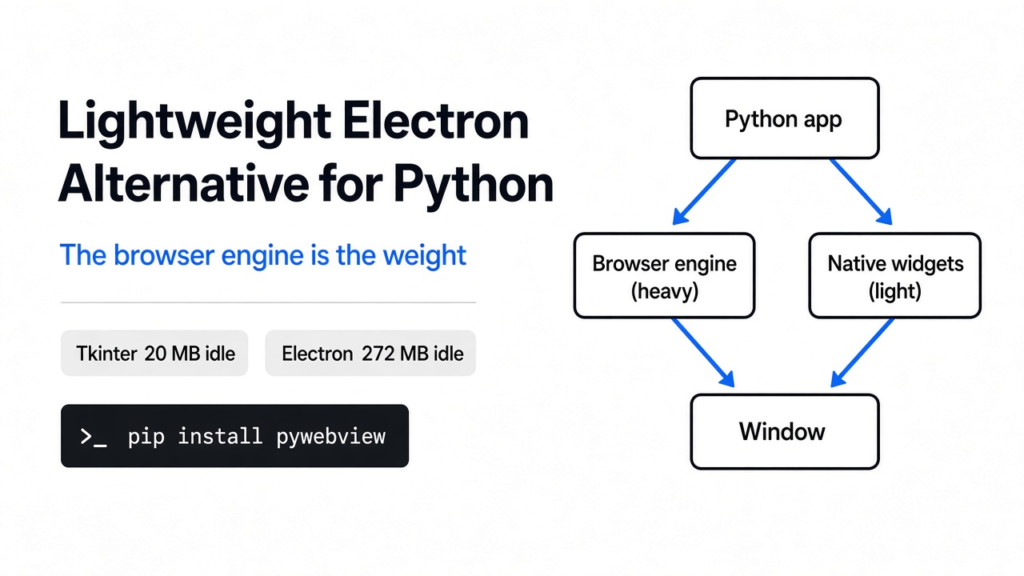
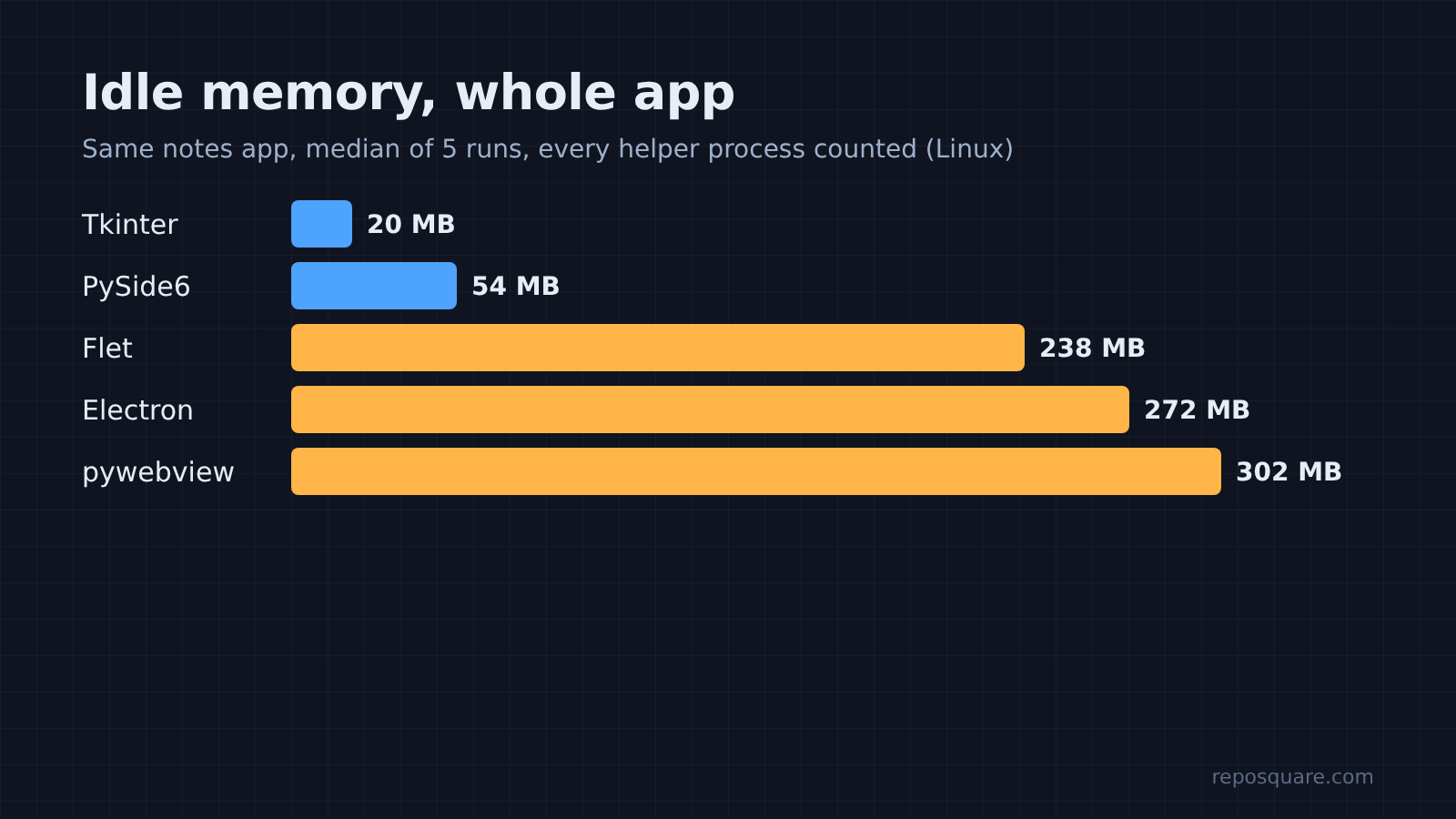
Short answer: the best Python Electron alternative depends on what your app draws. If you want a web-style UI (an interface built with HTML and CSS), pywebview is the lightest download, but on Linux it used about as much memory as Electron in this test. If you want an app that is truly light, skip the web page: Tkinter idled at 20 MB and PySide6 at 54 MB, against 272 MB for Electron.
So picture the usual path. You write a small tool in Python. Then you want a window with a button, not a terminal. Everyone says Electron is bloated, so you go looking for something lighter.
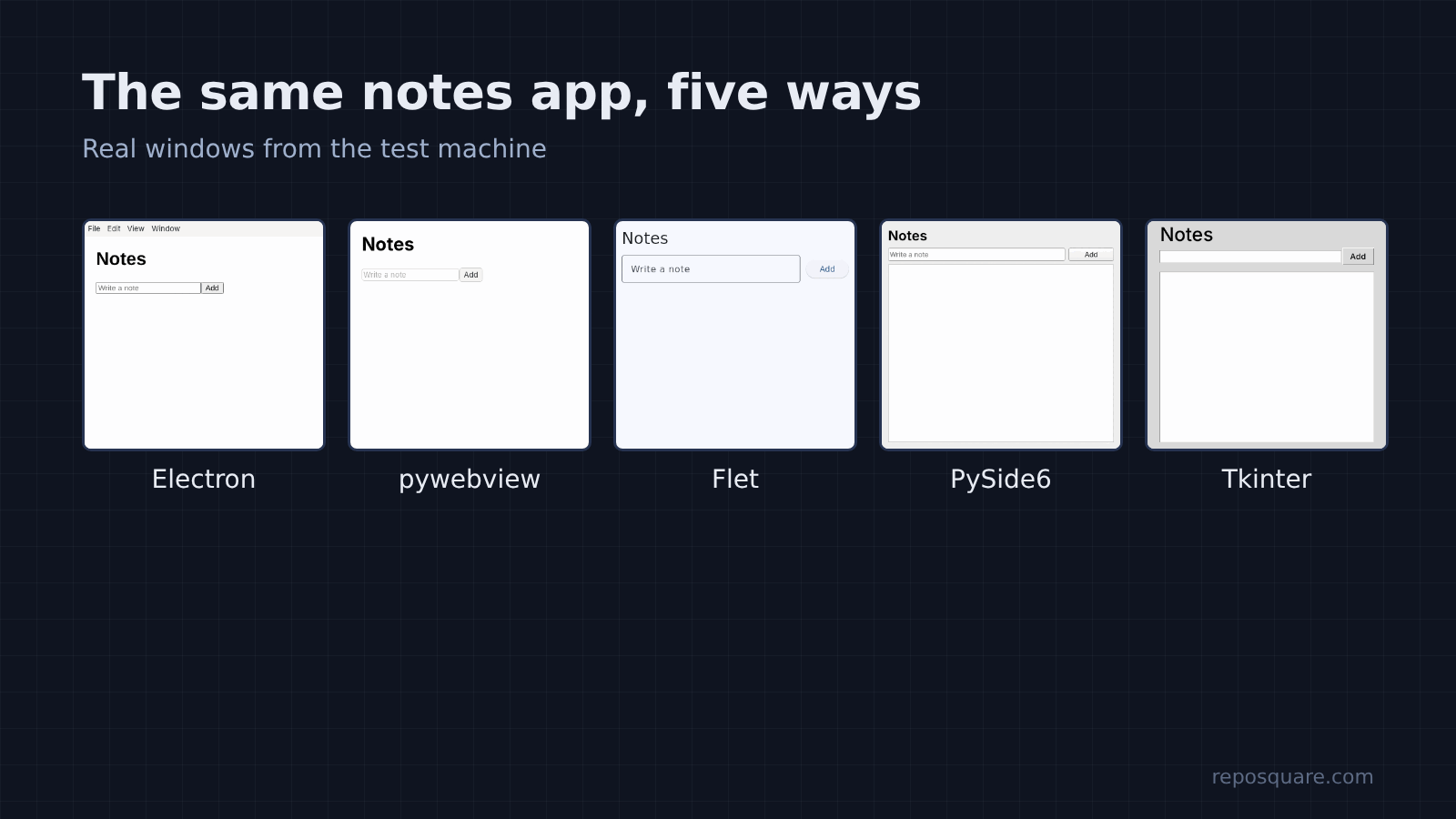
Is any of them actually lighter? To find out, the same tiny notes app was built five times and measured. Same window, same text box, same Add button. Electron, pywebview, Flet, PySide6 and Tkinter, each run five times on one Linux machine.
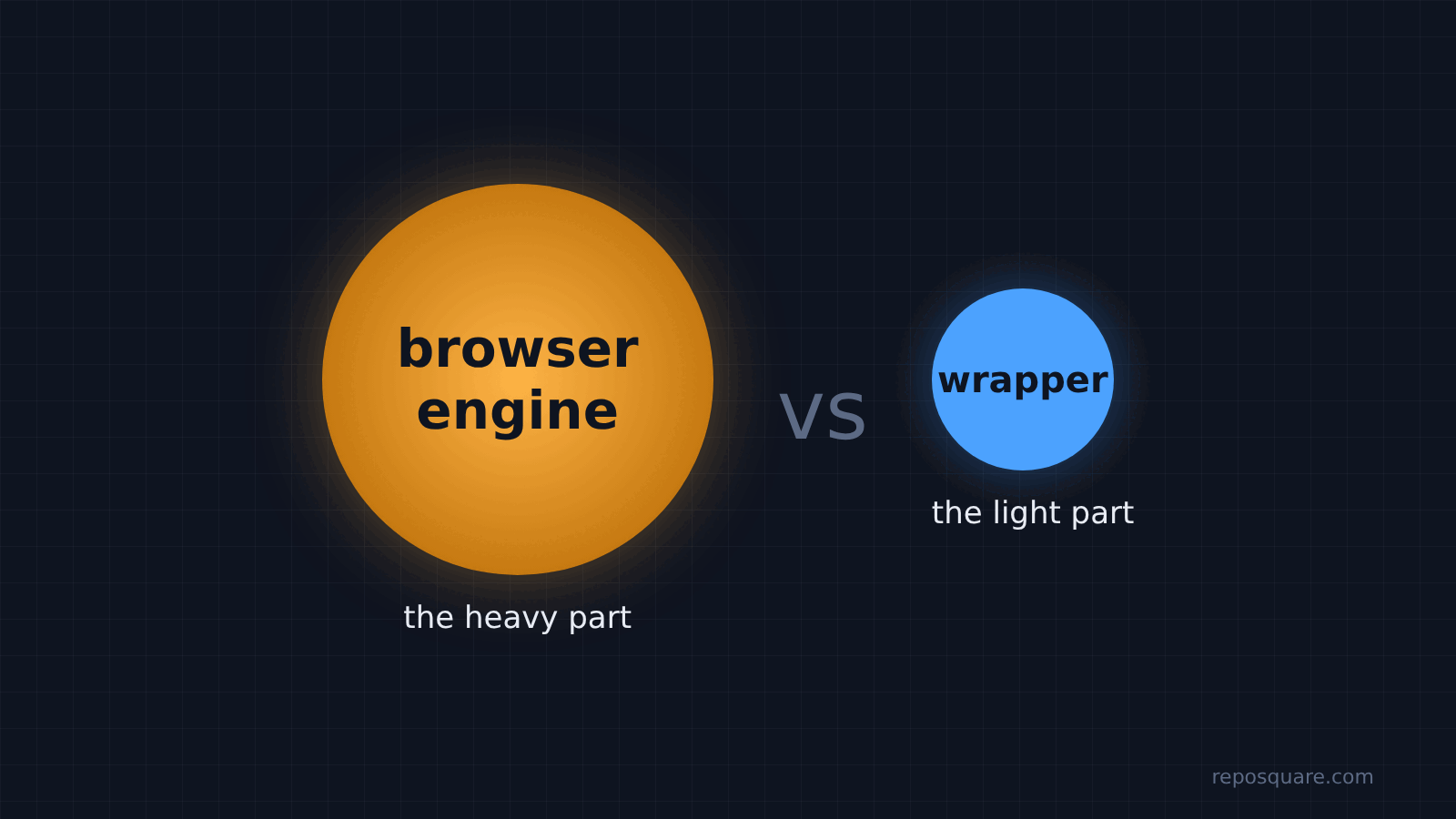
Here is the one idea to hold on to: the weight lives in the browser engine, not the wrapper. Every section below comes back to that.
Why is Electron so heavy in the first place?
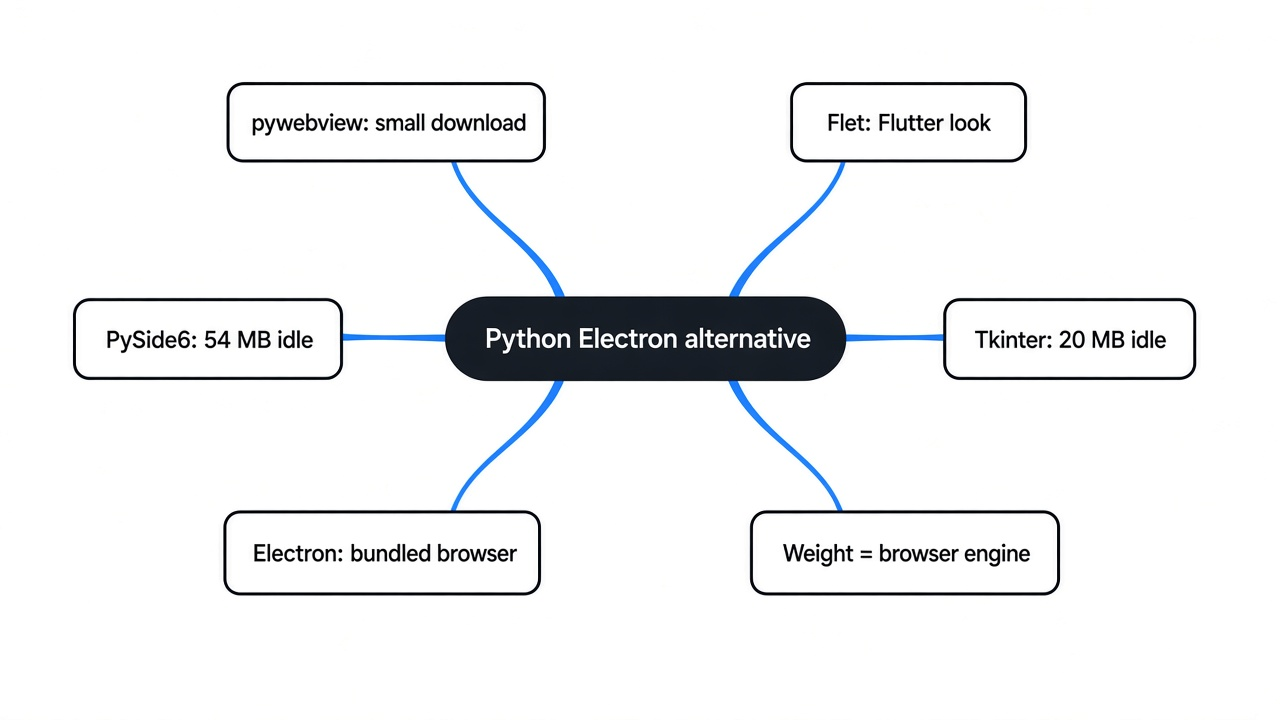
Electron ships a whole web browser inside every app. That is the weight people complain about.
So start with the base fact. A web page needs a browser engine (the part of a browser that turns HTML and CSS into pixels) to show up on screen. Electron solves that by packing Chromium, the engine behind Chrome, plus Node.js into its own program.
So every Electron app carries its own copy of a browser. Two Electron apps on your laptop means two browsers, even if you already have Chrome open.
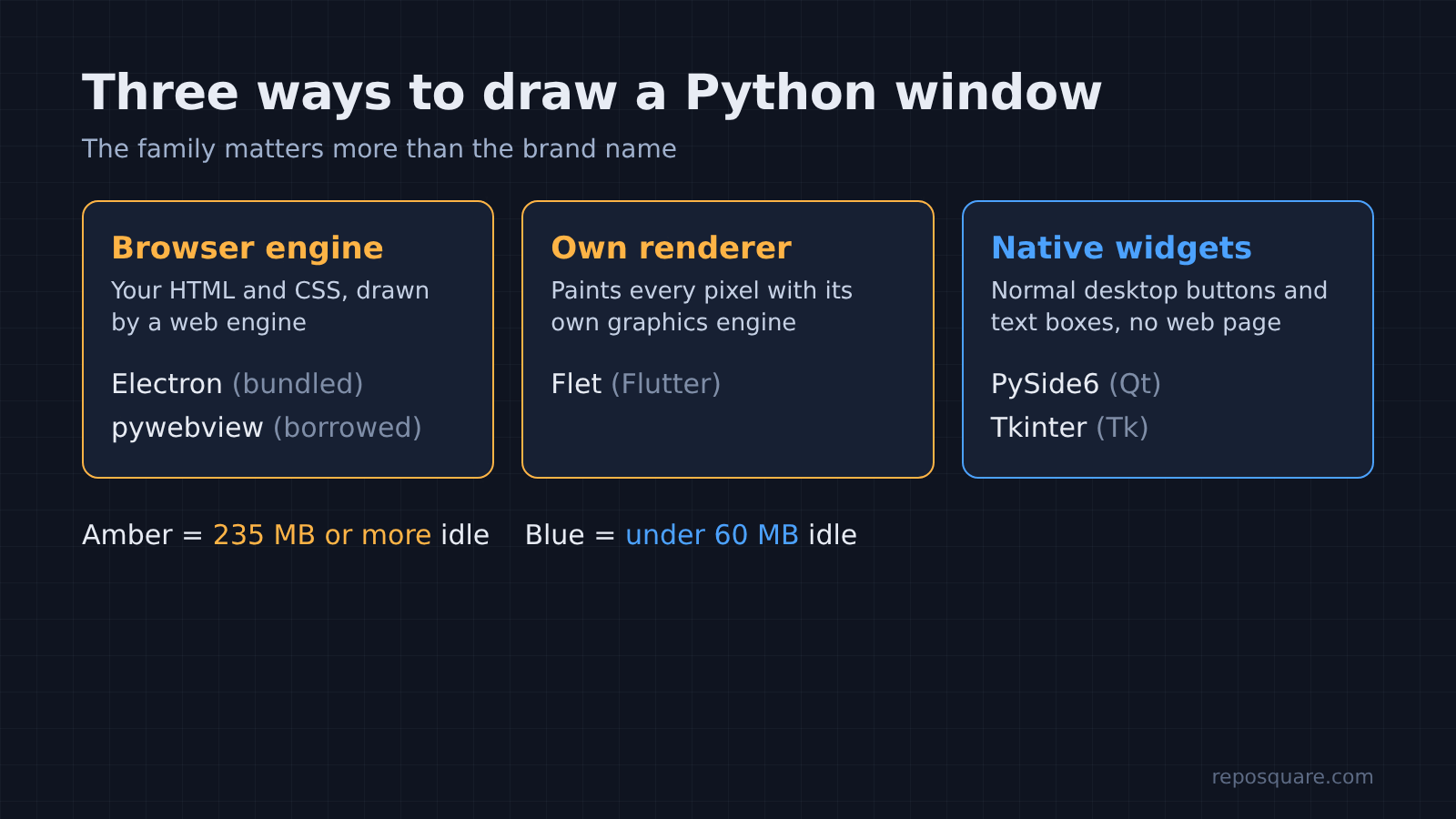
That is why the Python options split into two families, and why the split matters more than any brand name:
- Web-view wrappers (pywebview): borrow the browser engine already installed on the computer, then show your HTML in a window. Tauri, the Rust framework behind dbx, a lightweight DBeaver alternative, works the same way.
- Own-renderer toolkits (Flet): draw everything with their own graphics engine. Flet uses Flutter (Google’s UI toolkit that paints every pixel itself).
- Native widget toolkits (PySide6, Tkinter): no web page at all. They draw normal buttons and text boxes through a GUI library (Qt for PySide6, Tk for Tkinter).
How were the five options tested?
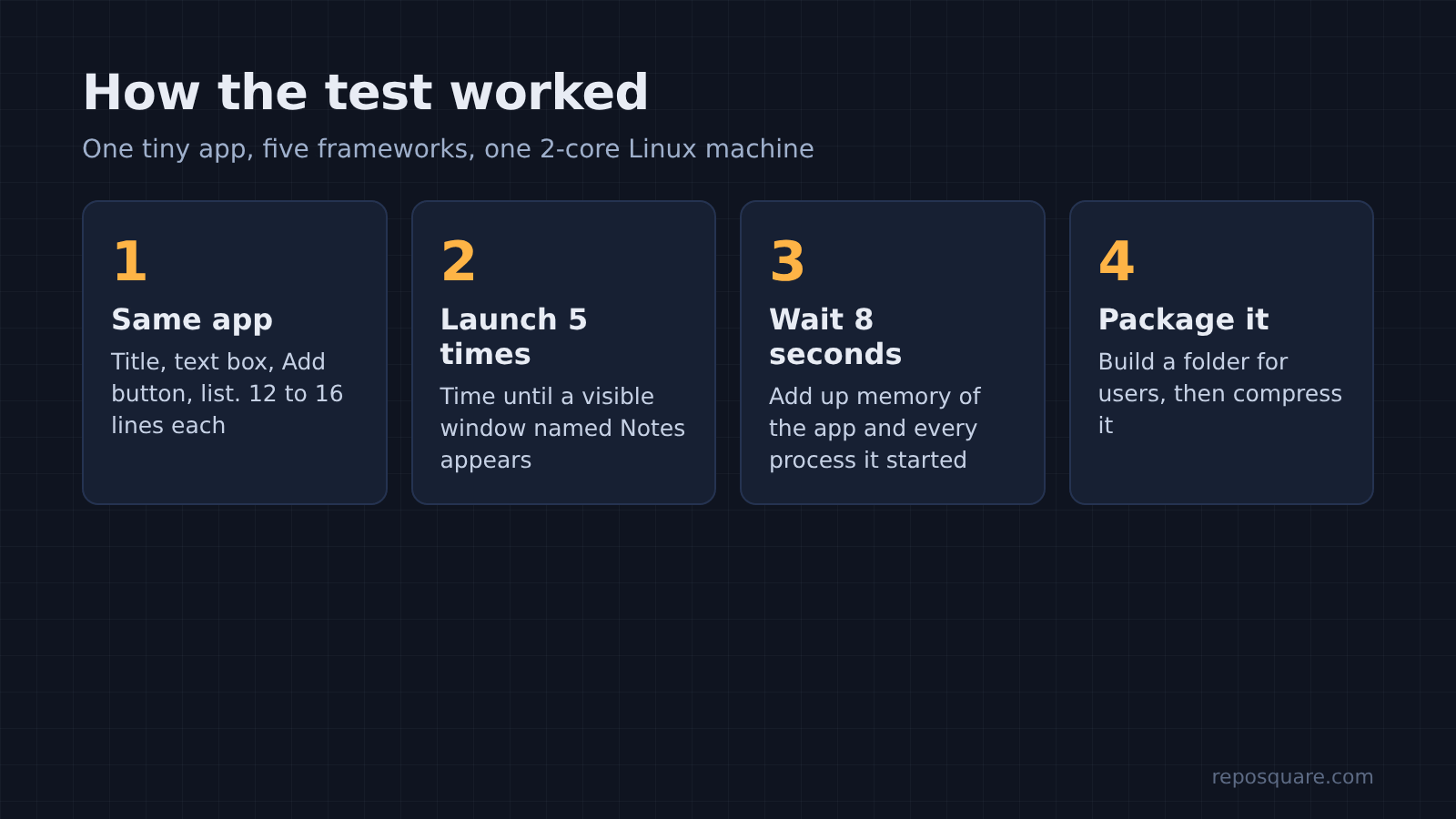
One app, five frameworks, five runs each, same machine. The app is about as small as an app gets, so the numbers show the cost of the framework itself, not your code.
The app has a title, a text box, an Add button and a list. The Electron and pywebview versions share one 12-line HTML file. Flet, PySide6 and Tkinter needed 12 to 16 lines of Python.
For each run, the test timed how long it took for the window to appear, waited 8 seconds, then added up the memory used by the app and every helper process it started. That last part matters, because Electron starts six processes and pywebview starts three. Counting only the main one would flatter them.
The machine was a 2-core, 8 GB Linux box with a virtual display (a screen that exists only in memory, with no graphics card). Each app was also packaged into a folder you could hand to a user, then compressed to see the download size.
How much memory does each one use?
Anything that shows a web page used 238 to 302 MB. The native toolkits used 20 to 54 MB.
Here are the medians of five runs, for the idle app with one empty window:
| Framework | What draws the window | Idle memory | Processes |
|---|---|---|---|
| Tkinter | Tk widgets | 20 MB | 1 |
| PySide6 | Qt widgets | 54 MB | 1 |
| Flet | Flutter engine | 238 MB | 2 |
| Electron | Bundled Chromium | 272 MB | 6 |
| pywebview | System WebKit | 302 MB | 3 |
And the surprise is the last row. pywebview is the option most often called “the lightweight Electron for Python”, and on Linux it used more memory than Electron did.
Why? Go back to the thread. pywebview does not remove the browser engine. It borrows the system one, which on Linux is WebKitGTK (the Linux build of Safari’s engine). Borrowed or bundled, a browser engine still has to load into memory to draw your page.
One fair point for pywebview: this was Linux. On Windows it uses Edge WebView2, and on macOS it uses the WebKit that ships with the system. Those engines are shared with the operating system, so the real cost on those machines can look different from these Linux numbers.
Which one starts fastest?
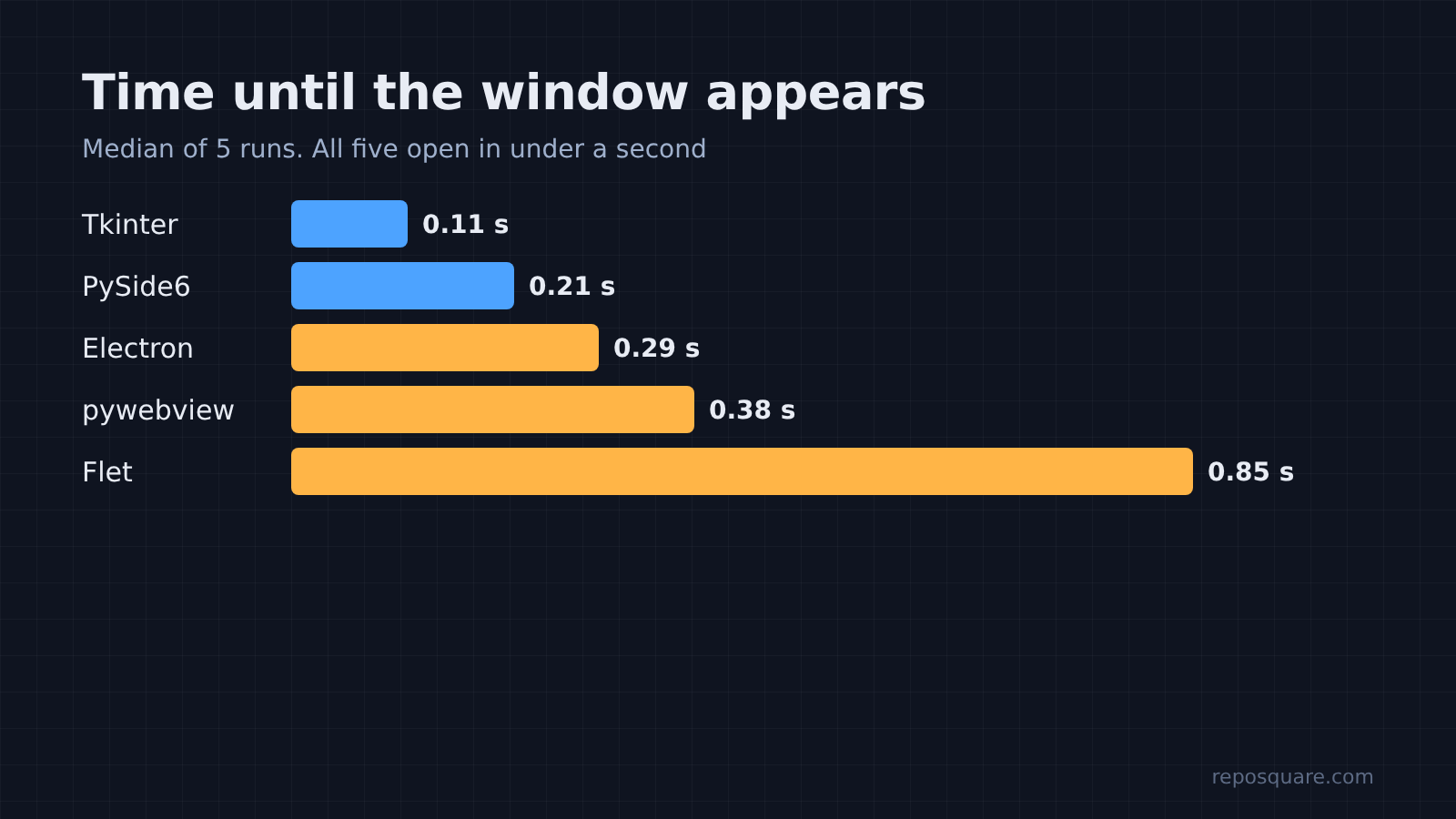
All five opened in under a second, so start time will not decide this for you.
Median time from launch to a visible window:
- Tkinter: 0.11 s
- PySide6: 0.21 s
- Electron: 0.29 s
- pywebview: 0.38 s (the page inside finished loading at about 0.55 s)
- Flet: 0.85 s
Why is Flet last? It starts two programs. Your Python code runs as one process, and the Flutter window runs as another that talks to it. The gap is real, but under a second is still fast for a desktop app.
How big is the app you hand to users?
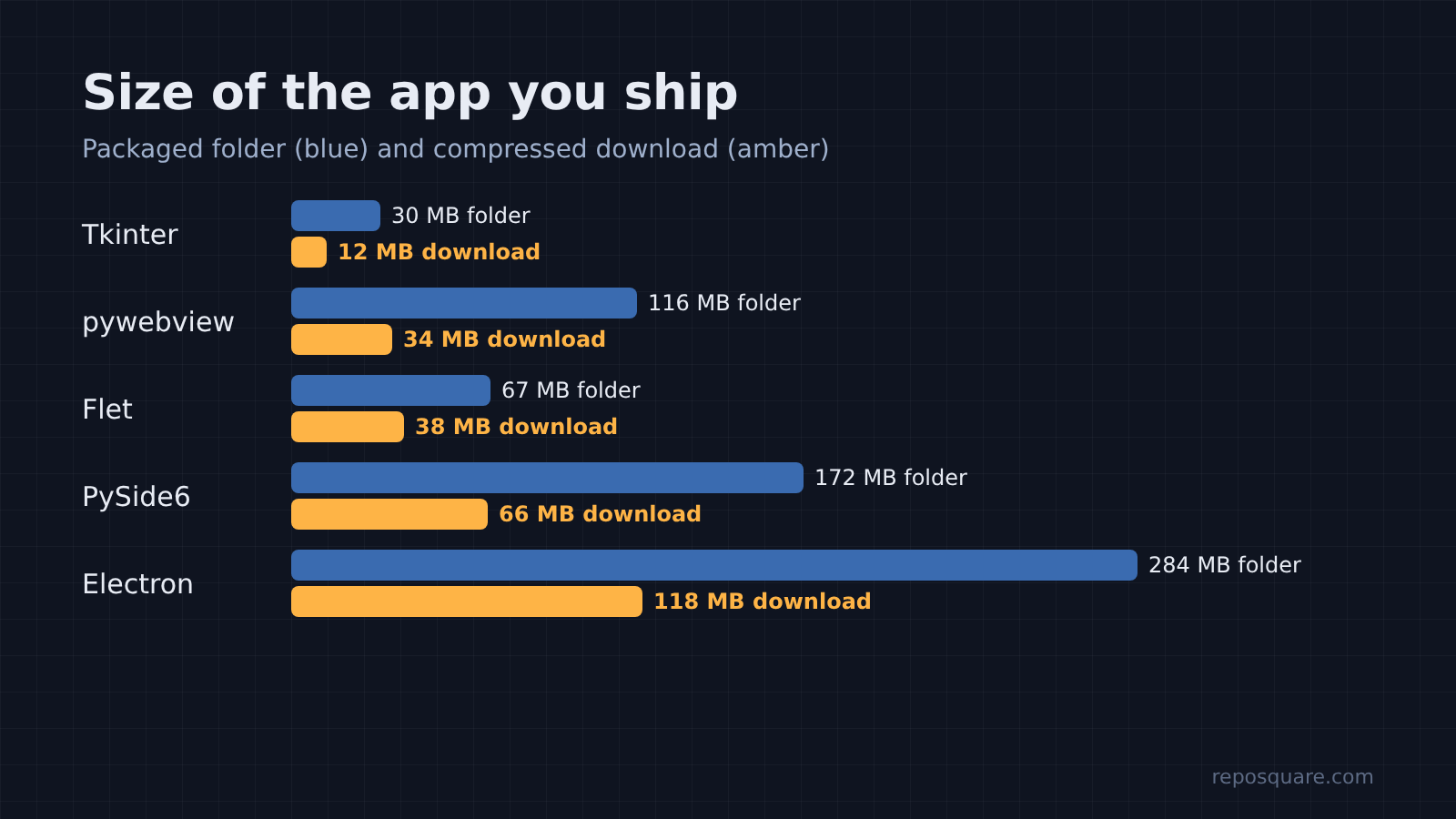
This is where pywebview wins against Electron, by a lot. Download size is the one place the “lightweight” label holds up.
Each Python app was packaged with PyInstaller (a tool that bundles your script and Python itself into one folder or file). For Electron, the shippable app is its runtime folder with the app inside.
| Framework | Folder on disk | Compressed download |
|---|---|---|
| Tkinter | 30 MB | 12 MB |
| pywebview | 116 MB | 34 MB |
| Flet | 67 MB | 38 MB |
| PySide6 | 172 MB | 66 MB |
| Electron | 284 MB | 118 MB |
pywebview’s download is less than a third of Electron’s. The reason is the same thread again: Electron packs a browser, pywebview leaves it out.
But that small number hides a catch. The pywebview bundle has no WebKit library inside it. On Linux, the person running your app needs WebKitGTK installed already, or the window will not open. Also, 46 MB of that 116 MB folder was a desktop icon theme that came along with GTK, so a careful build can trim it.
What broke during setup?
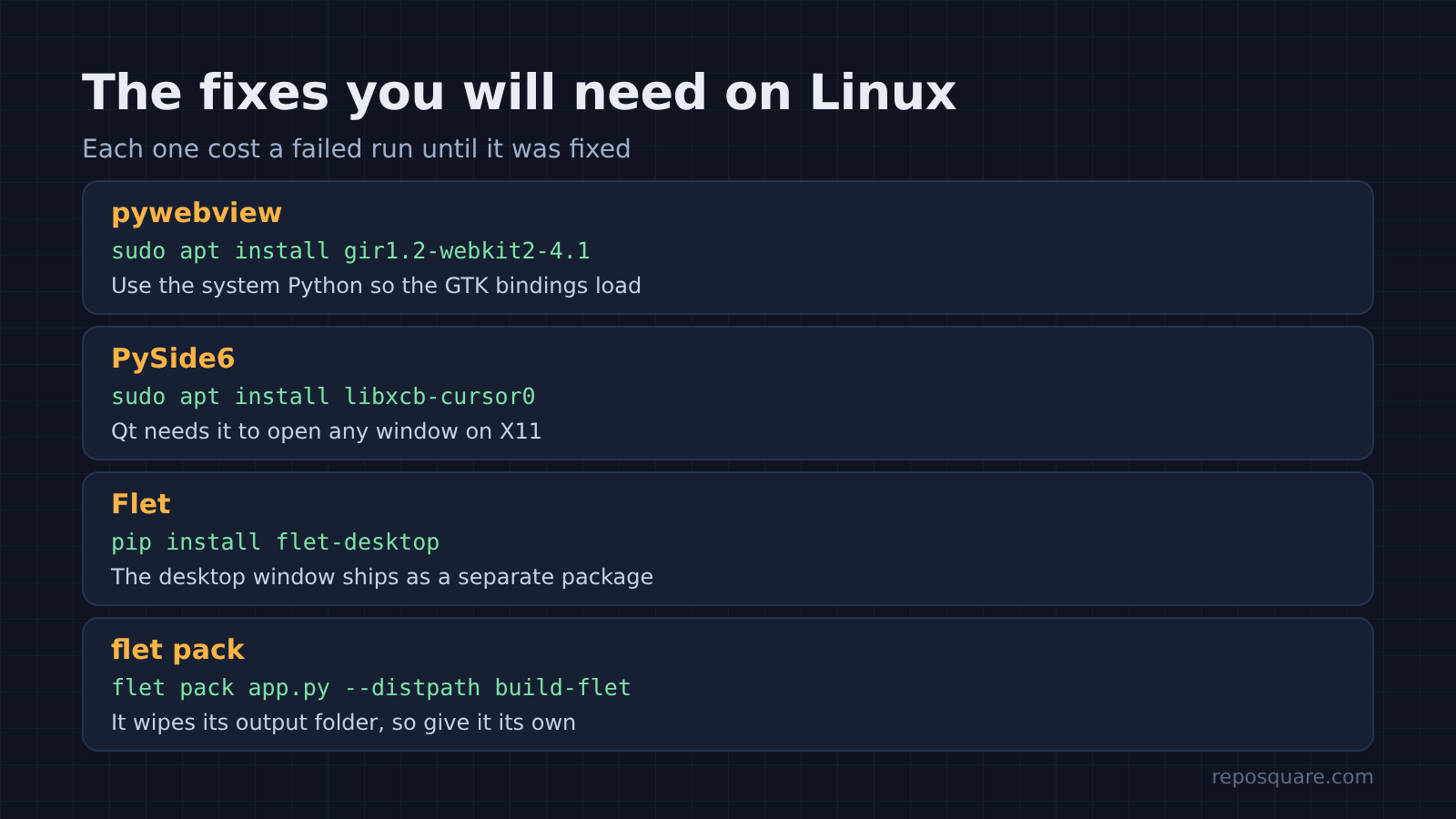
Three of the five needed one extra step on Linux that pip alone did not handle. These are the walls you will hit first.
- pywebview needs the GTK and WebKit bindings from your system packages. On Ubuntu that meant installing
gir1.2-webkit2-4.1, and using the system’s own Python so PyGObject (the Python link to GTK) could load. - PySide6 refused to open a window until
libxcb-cursor0was installed. The error says it plainly: “xcb-cursor0 or libxcb-cursor0 is needed to load the Qt xcb platform plugin.” - Flet installs without its desktop window. On first run it tried to fetch the
flet-desktoppackage by itself, and that failed when the virtual environment (a private folder of Python packages) was not activated. Runningpip install flet-desktopfixed it.
The three Linux fixes in one place, on Ubuntu:
sudo apt install gir1.2-webkit2-4.1   # pywebview: GTK + WebKit bindings
sudo apt install libxcb-cursor0       # PySide6: Qt xcb platform plugin
pip install flet-desktop # Flet: desktop window packagePackaging had its own surprise. flet pack (Flet’s packaging command) wiped the output folder it wrote into, deleting the other apps already built there. Give it a folder of its own.
The single-file Flet build had one more habit worth knowing. On first launch it unpacked a 40 MB Flutter window program into a hidden .flet folder in the user’s home directory. It worked with the network switched off, so it is not downloading anything, but it does leave files behind.
None of these are deal-breakers. Each is a five-minute fix once you know the name of the missing piece, which is the whole point of listing them.
So which Python Electron alternative should you pick?
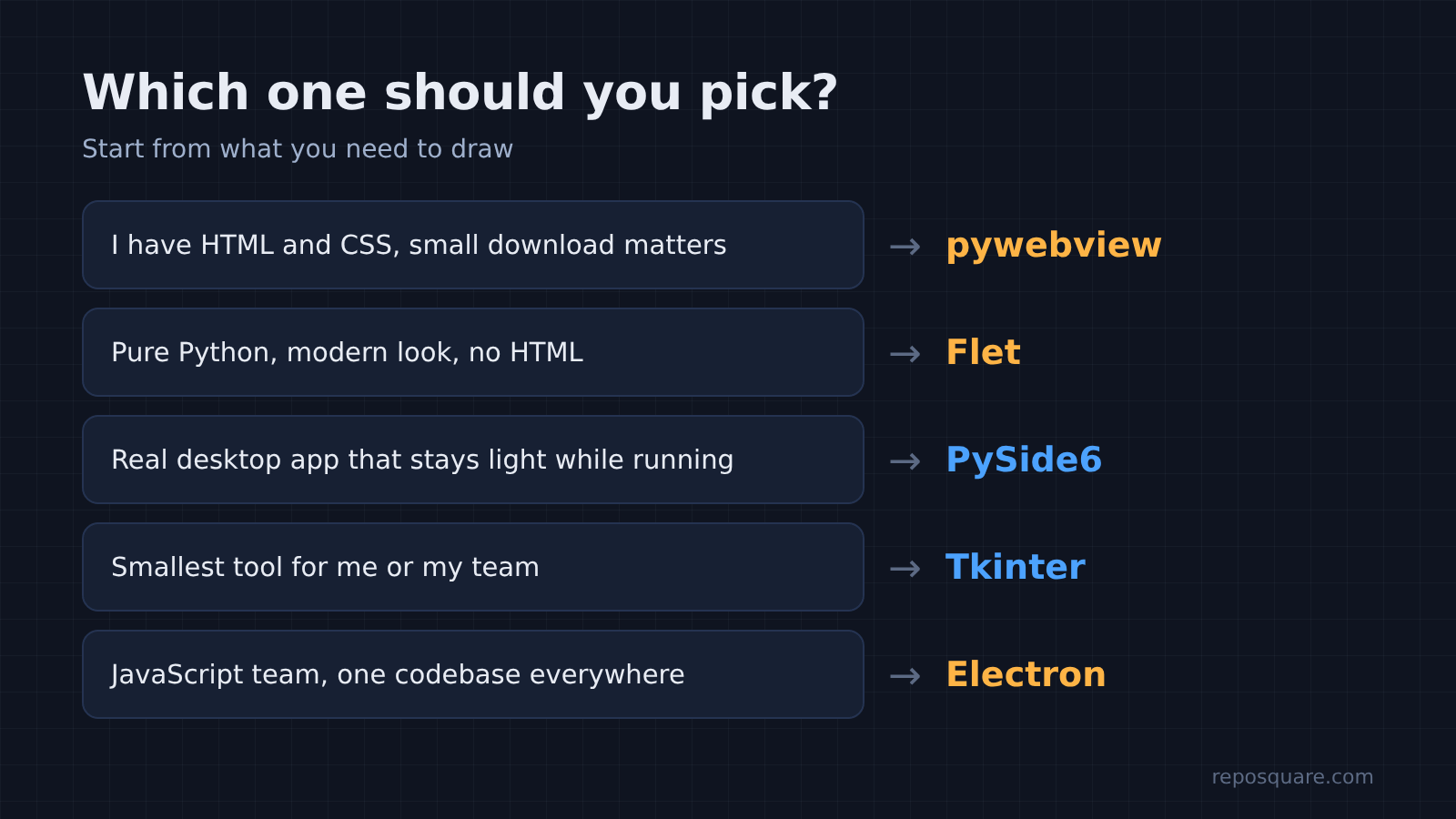
Pick by what you need to draw, not by the word “lightweight”. The browser engine is the cost, so the real question is whether you need a browser engine at all.
Still, be fair to Electron. If your team already knows JavaScript and you want the same app on Windows, Mac and Linux with one codebase, it is the most predictable choice of the five. It started faster than pywebview and Flet in this test.
For a Python developer, though, here is how to choose:
- You have HTML and CSS already, and download size matters: pywebview. Smallest web-style build by far, but do not expect it to save memory on Linux.
- You want a modern-looking app in pure Python, with no HTML: Flet. Good looks out of the box, a mid-sized download, memory close to Electron.
- You want a real desktop app that stays light while it runs: PySide6. About a fifth of Electron’s memory, with proper desktop widgets.
- You want the smallest possible tool for yourself or your team: Tkinter. It comes with most Python installs, idles at 20 MB and ships in 12 MB. It looks plain, and that is the trade.
If your app is a form, a list and a few buttons, you probably never needed a browser in the first place. Drop the web page, and most of the weight goes with it.
Common questions about Python Electron alternatives
Is pywebview lighter than Electron?
pywebview gives a much smaller download, about 34 MB compressed against 118 MB in this test. On Linux it used slightly more memory than Electron (302 MB against 272 MB) because it still loads a full browser engine, the system’s WebKit.
Is Flet good for desktop apps?
Yes, for apps you want to build in pure Python with a polished look. It started in under a second and packed into a 38 MB download, but it used about 238 MB of memory because it runs a Flutter engine next to your Python code.
What is the lightest Python GUI framework?
Of the five tested, Tkinter was lightest on every measure: 20 MB of memory, 0.11 s to open, and a 12 MB compressed download. PySide6 came second on memory at 54 MB.
Does pywebview need anything installed on the user’s computer?
On Linux, yes: the user needs WebKitGTK, because the bundle does not include a browser engine. On Windows it uses Edge WebView2, which Microsoft includes in Windows 11 and has installed on most Windows 10 machines.