
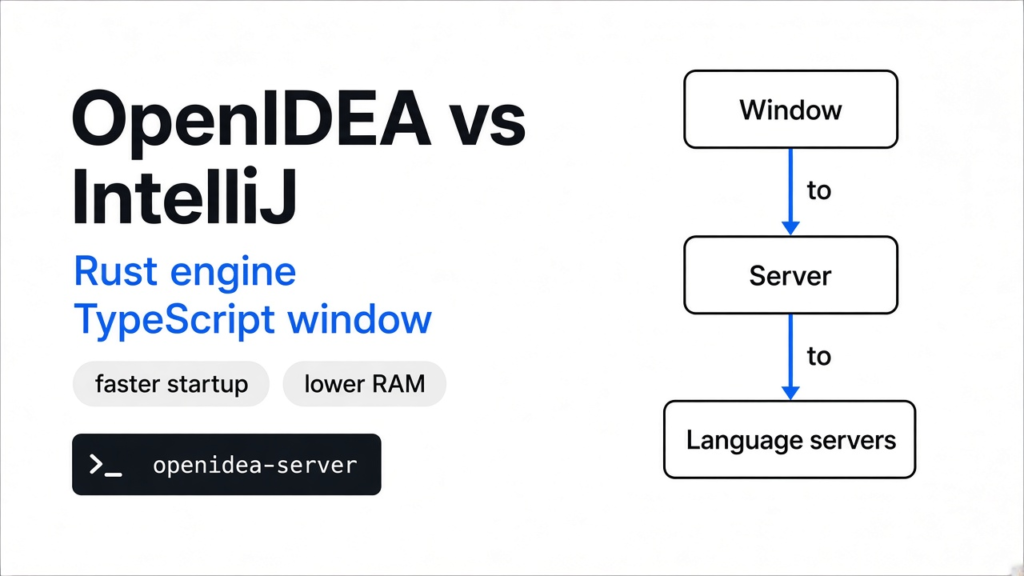

I had IntelliJ open on a Python repo and I was still waiting for it to settle. OpenIDEA is the other program in openidea vs intellij: a free desktop app that copies the IntelliJ keymap, the side panels, and the search-everything box. The engine under that window is Rust. The window itself is TypeScript. OpenIDEA does not replace IntelliJ. Use it when startup and memory are the pain. Stay on IntelliJ when the language tools have to go deep.
An IDE is the program you write code in. It is not the compiler, and it is not the language. IntelliJ IDEA is JetBrains’ IDE. The Community edition is already free, and the paid edition is extra plugins on top. A keymap is the set of keyboard shortcuts your hands already know. A tool window is a panel pinned to the edge, such as the project tree, Git, or the terminal. OpenIDEA is trying to keep those habits and drop the wait.
The picture is the habit OpenIDEA is copying: a project tree on the left, the file in the middle, a debugger and a terminal along the bottom. The shortcut keys can match IntelliJ while the depth of the language tools does not.
What is OpenIDEA
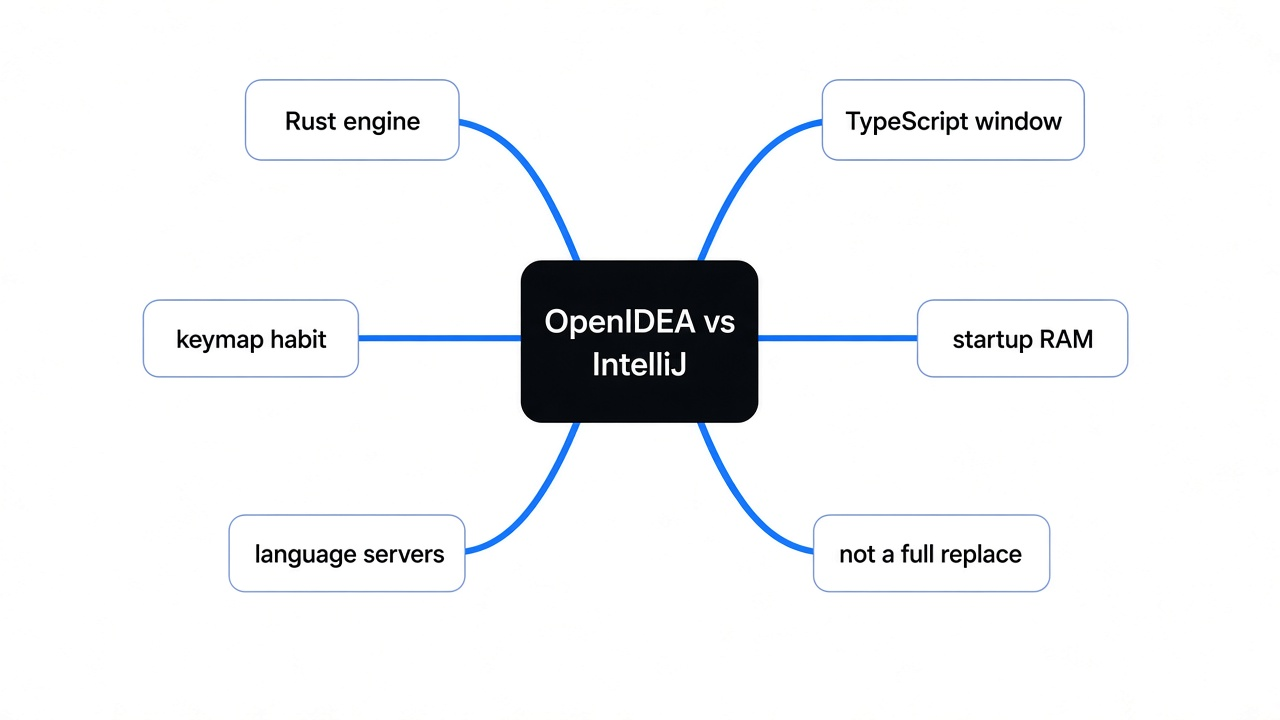
OpenIDEA is a desktop app for writing and running code, built to feel like IntelliJ, and it does not replace IntelliJ’s deeper language work.
You download one program for macOS, Windows, or Linux. Inside it you get an editor, help for many languages, a debugger, Git, a terminal, and clients for databases and HTTP. The project says that language help covers more than 60 languages. That help comes from a language server, a separate program that knows one language and answers questions such as where a name is defined. OpenIDEA starts that program. It does not invent a new compiler for each language. The same kind of helper is why some coding-tool add-ons cost nothing up front, which is the split in which Claude Code plugins are worth installing.
The window is the part you look at. The engine is the part that indexes files, talks to Git, and speaks to those language servers. They are not the same code. The tagline says the whole IDE was rebuilt in Rust. The next section is the line count from this clone, instead of trusting the tagline.
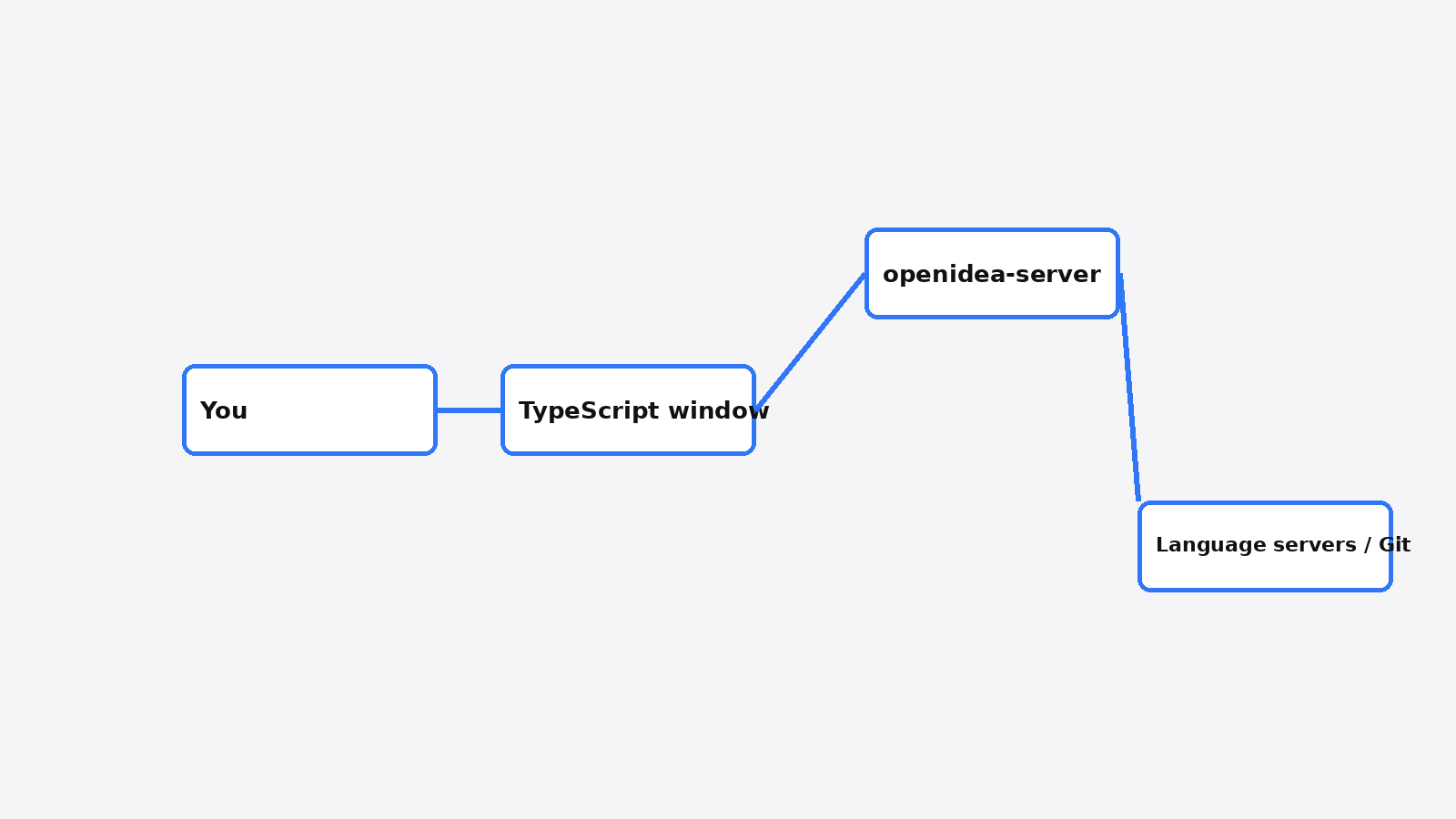
You look at the window. The window talks to a local server. The server talks to Git and to one language server per language. That is the whole shape.
OpenIDEA vs IntelliJ
On the project’s own table, OpenIDEA opens a roughly 770-file Python repo faster and uses less memory than the IntelliJ build they measured, and that table is not a same-work score.
They opened the freqtrade repo, with warm caches, and took the median of five runs, on one Windows machine with 32 cores and 62 GB of memory. Ready means the processor settled. It does not mean every inspection IntelliJ runs has finished. They say this themselves: IntelliJ analyses Python more deeply, so ready is not the same job on both sides. The Windows speed table below is the project’s, not re-run here. The source split further down is from this clone.
| OpenIDEA | IntelliJ, their table | |
|---|---|---|
| Window with the project | 0.9 s | 3.1 s |
| Ready, CPU settled | 1.1 s | 13.2 s |
| Memory, all processes | 169 MB | 2011 MB |
| CPU time until ready | 2.4 s | 47.9 s |
| Idle CPU | 4% of a core | 7% of a core |
| Quit | 0.3 s | 5.9 s |
Read the memory row as a hint, not a promise for your laptop. A 32-core box with a huge amount of RAM makes every program look calmer than a normal dev machine. The useful claim is the direction: their OpenIDEA process sat near 169 MB while their IntelliJ process sat near 2 GB, for this one open. If your pain is the fan and the wait, that direction is why you would try it. If your pain is a rename that has to be correct across a Java repo, the table never measured that.
Is OpenIDEA written in Rust
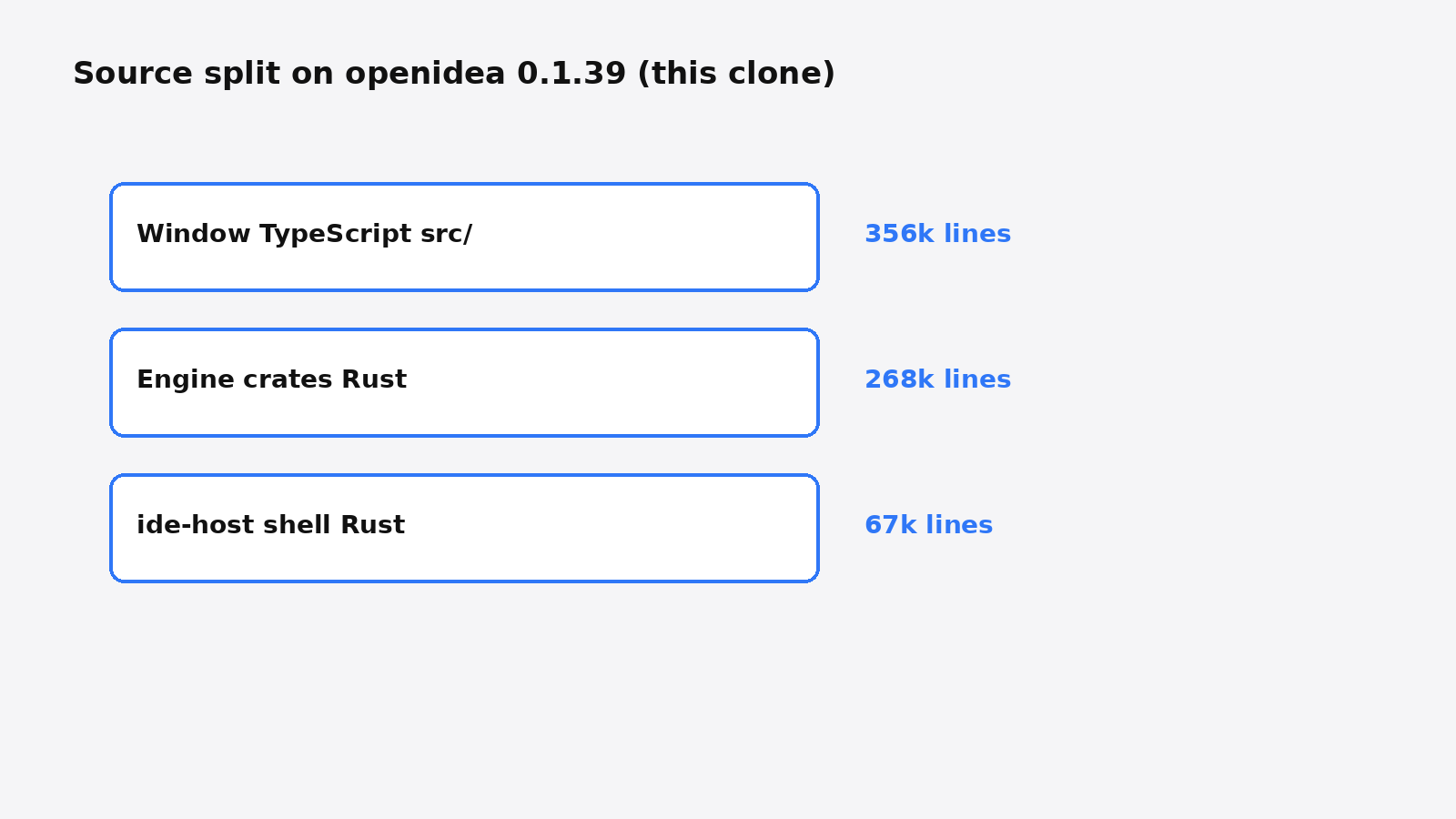
Partly. The engine is a large Rust program, and the window is a larger TypeScript program.
I cloned openidea 0.1.39 and counted lines on this machine. Rust is the language the engine is written in. TypeScript is the language the window is written in. The Rust crates that do the IDE work, indexing, language-server talk, the debugger protocol, Git, the terminal, HTTP, and the database client, came to 267,674 lines. The desktop shell that hosts the window was another 66,903 lines of Rust in ide-host. The src folder, the window, was 356,479 lines of TypeScript. So “rebuilt in Rust” is half true. The engine is Rust. The screen is not.
I expected one of two stories. Either almost every line would be Rust, or the Rust would be a thin frame around a web page. Neither story matched the count. The window’s package list includes CodeMirror, an editor component people also embed in browsers, plus the bindings that let that window call the desktop side. The desktop side is a shell: it shows the window and passes messages to openidea-server. The shell is the small Rust number. The engine crates are the large one.
The screen is the biggest pile of code. The shell is the smallest. The engine sits under both, and it is real Rust, not a sticker on a web page.
How to install OpenIDEA on Linux
Download the Linux desktop package from the project releases, then open a folder you already know. The server binary alone does not draw a window.
The desktop builds are a .deb, an .rpm, and an AppImage. An AppImage is one file you mark executable and run, with no package manager in the way. I unpacked the separate Linux server build, because this machine has no desktop session to click in. It is a normal compiled Linux program. This is what it printed:
usage: openidea-server --stdio | --version
openidea-server 0.1.39 (protocol 2)--stdio means the window talks to the server through standard input and output, the same pipes a terminal already has, not through a website. --version is the only other switch. Run the server with no arguments and it prints that usage line and exits. The thing you double-click is the AppImage or the deb. The server is the engine that window starts for you.
On a machine with a screen, the check is short. Install the desktop build, open one repo, and see whether go-to-definition works for the language you actually use. If the language server for that language is missing, the editor still opens. The smart jumps will not. That is a setup miss, not a slow IDE.
The project is l0ng-ai/openidea. Pick the Linux asset that matches your machine, not the server archive, if you want the window.
Does OpenIDEA replace IntelliJ
No. Keep IntelliJ when you need its inspections, its refactoring, or a JetBrains plugin you already rely on.
IntelliJ IDEA Community is already open source, under the Apache license. The code lives at JetBrains/intellij-community. Paying JetBrains is how you get the Ultimate plugins, not how you get permission to read the Community code. OpenIDEA is a different program that copies the habits: keymap, tool windows, search everywhere. It is not a build of IntelliJ, and the project says it is not affiliated with JetBrains. The name IntelliJ IDEA is their trademark.
OpenIDEA’s plugins are younger. They run as WebAssembly (a small program format inside a locked box), so a plugin does not get the whole machine. Themes and languages can be added without that code. The plugin API is still a preview. If your day depends on one specific IntelliJ plugin, OpenIDEA will not have it.
People mix up three jobs here. A new editor, an agent inside the editor you have, and two agents that must not overwrite one folder. If you want an agent inside IntelliJ, that is a plugin, and JetBrains Air is not a new model. If the mess is two coding apps in one folder, a new editor does not fix it. Claude Code and Codex together is that page, and paperclip vs orca is the page for a budget cap versus extra folders.
| You want | Use | Do not expect |
|---|---|---|
| The IntelliJ keyboard and a lighter open | OpenIDEA | IntelliJ’s deepest inspections |
| Java refactoring, Ultimate plugins | IntelliJ | OpenIDEA to load those plugins |
| An agent inside the IDE you have | JetBrains Air, or the agent you already run | Either tool to be a new brain |
| Two agents that must not overwrite files | Separate folders | OpenIDEA to schedule them |
Is OpenIDEA worth it
It is worth a week if IntelliJ’s memory and startup are what you resent, and it is not worth leaving a plugin you use every day.
The memory gap in their table is the part that would change my machine: about 169 MB against about 2 GB, on their hardware, for one Python repo. I would still time it on mine before I uninstalled anything. A number from someone else’s 32-core box is a hint. The honest limit is the language work. If ready on their side skips the analysis you actually wait for, a faster ready is a faster window, not a smarter one.
I would try OpenIDEA for editing, Git, the terminal, and the database and HTTP panels. I would not make it the only IDE on a Java codebase where rename and inspection have to be right. Community IntelliJ already does that job, and it is free. OpenIDEA has to beat the tool you already have, not the tool you remember being slow in a screenshot.
Common questions about OpenIDEA
how do i try openidea on my own machine
Install the desktop build, open a repo you can judge, and time two things: the window appearing, and one go-to-definition.
- Download the Linux, Mac, or Windows build from the project releases. Skip the server-only archive unless you are wiring the engine yourself.
- Open a project small enough that you know what done loading feels like.
- Write down the seconds until you can type, and the memory the process uses.
- Put the cursor on a function and jump to its definition.
- If that jump fails, the editor is up and the language server is not. That is a different problem from a slow IDE.
Their outside measurement notes live in the perf/compare folder of the source, if you want the same kind of timing they published. You do not need that folder to decide. One repo and one jump is enough. If the jump works and the wait is gone, keep OpenIDEA for that kind of project. If you immediately miss one refactor or one plugin, go back. The files you edited are still just files.
is openidea free
Yes. The license is Apache 2.0, so you can use it, change it, and ship changes, including in a closed product, as long as you keep the license notice. Free does not make it IntelliJ, and it does not include JetBrains’ paid plugins.
does openidea work on linux
Yes. There is a deb, an rpm, and an AppImage, plus a separate server binary. I ran that server on Linux. It printed its version and the --stdio usage line. The window still needs a desktop session. The server by itself only prints usage and exits.
is intellij idea open source
The Community edition is open source under Apache 2.0. Ultimate is the paid product on top of that. OpenIDEA is not a fork of the Community code. It is a separate program with IntelliJ-like habits, which is why openidea vs intellij is a comparison of two apps, not of two editions.
can openidea use the intellij keymap
Yes. The IntelliJ keymap is the default. That is the reason to try it if your hands already know those keys. The shortcuts can match while the inspections do not, so learn the keys in an afternoon and judge the language tools on a real rename, not on the shortcut list.
I would install OpenIDEA beside IntelliJ, not instead of it. The lighter open is real enough to test on one repo this afternoon. The deeper language work is still the reason IntelliJ stays installed.