
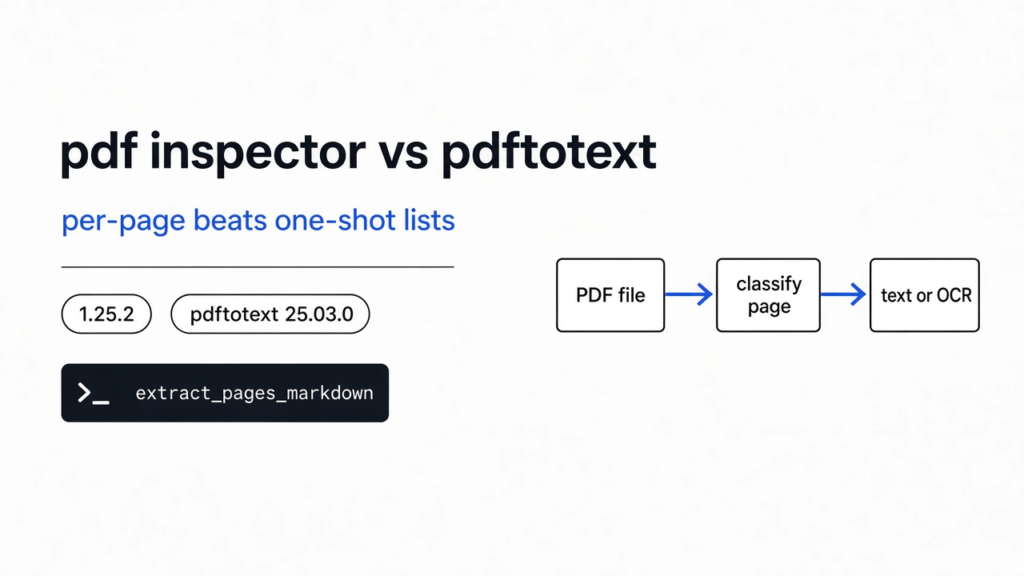

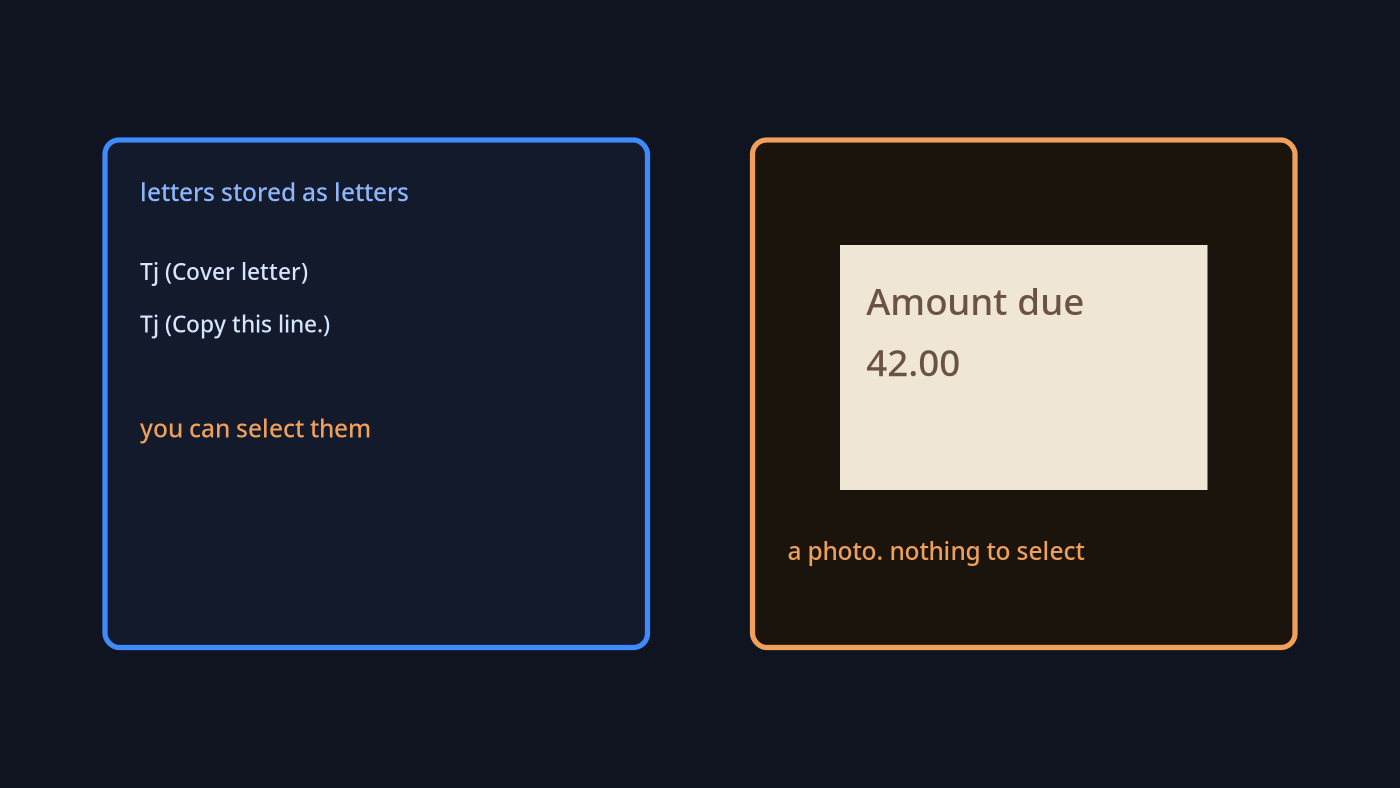
pdf inspector vs pdftotext is the choice when a file mixes real letters and photo pages. I had two pages in one file. Page one was a cover letter. I could highlight “Copy this line” and the letters came with the mouse. Page two was a photo of an invoice. I could see “Amount due 42.00” and I could not select a single character. A PDF can hold either kind of page, and it can hold both at once.
pdf inspector is a small library that looks inside that file and tries to say which kind you have. I ran pdf-inspector 1.25.2 and Poppler pdftotext 25.03.0 on four files I made on 9 Nov 2026 (Asia/Calcutta). On the one-page letter both tools agreed the letters were real. On the photo both agreed the text layer was empty. On a twelve-page binder of real text, the tools split: pdftotext printed every page, while the one-shot pdf-inspector call listed every page for OCR and returned almost no markdown. Use the per-page call, and still check each page with pdftotext before you trust an OCR list.
What is pdf inspector
pdf inspector is a program that classifies a PDF and, when the letters are real, turns them into markdown. Markdown here means plain text with a # in front of a heading, so a notes app knows that line is a heading.
It does not start by taking a picture of the page and guessing the words. That slower job is OCR (reading letters out of a picture). pdf inspector first asks a cheaper question: are the letters already stored as letters? If they are, copy them. If they are only paint, say so, and leave the reading of the paint for a later tool.
A PDF is not one blob of ink. It is a list of pages, and each page is a list of drawing commands. Some commands mean “draw these letters.” Some commands mean “draw this picture.” Your eyes cannot tell those commands apart, because both end up looking like words. A text layer is the name for the letter commands. If that layer is missing, there is nothing to copy, no matter how sharp the picture looks.
I installed pdf inspector with one line, pip install pdf-inspector (version 1.25.2 in a fresh venv), and called two functions. process_pdf is the one-shot. It returns one label for the whole file, a confidence score, a list of pages it thinks need OCR, and one markdown string. The confidence score runs from 0 to 1 and means how sure that label is. extract_pages_markdown is the per-page call. It returns each page on its own, with its own markdown and its own yes or no for OCR.
How to check if a PDF is scanned
Try to select the words. If the highlight grabs letters, the page has a text layer. If the highlight grabs nothing, the page is a picture, and a scan is just a picture that came from paper.
The command people type for that check is pdftotext, from the Poppler tools. It prints the text layer and nothing else. A photo page comes back empty. On this machine pdftotext is version 25.03.0. I ran it one page at a time:
pdftotext -f 1 -l 1 mixed.pdf -
pdftotext -f 2 -l 2 mixed.pdf --f is the first page to read and -l is the last. Keep them on the same page. That last habit is the whole trick, and it matters more than which program prints the letters. On my mixed file, page 1 printed 195 characters after stripping whitespace. Page 2 printed 0.
pdf inspector vs pdftotext
pdftotext tells you whether letters come out of a page. pdf inspector is worth adding when you want a label and a per-page OCR flag in one library call — and only if you read those fields carefully.
A whole-file count is the trap. On my mixed file, page one returned 195 characters and page two returned 0. Added together that is 195, which does not look empty. The usual rule, “if the extract is tiny, it is a scan,” would have waved this file through and left the invoice unread. pdftotext did not fail. Using it once on the whole file failed.
The same trap shows up when you send the file onward to a program that writes the next words and charges you for the text you hand it. If you send only the cover letter, the model never sees the invoice. If you send a picture of both pages, you pay to re-read a letter you could have copied for free. The page split is the thing that saves the money. A single yes or no for the file cannot make that split.
Here is what I measured on the four files (pdf-inspector 1.25.2, pdftotext 25.03.0).
| File | pdftotext chars (strip) | One-shot label | One-shot markdown | Per-page result |
|---|---|---|---|---|
| One page of real text | 195 | text_based, confidence 1.00, no OCR pages | 196 characters | Same sentence, OCR not needed (page field 0) |
| One photo of words | 0 | scanned, confidence 0.95, page 1 | empty | empty, OCR needed (page field 0) |
| Text page, then a photo | 195, then 0 | mixed, confidence 0.70, OCR page 2 only | 196 characters, letter kept | letter kept, only the photo needs OCR |
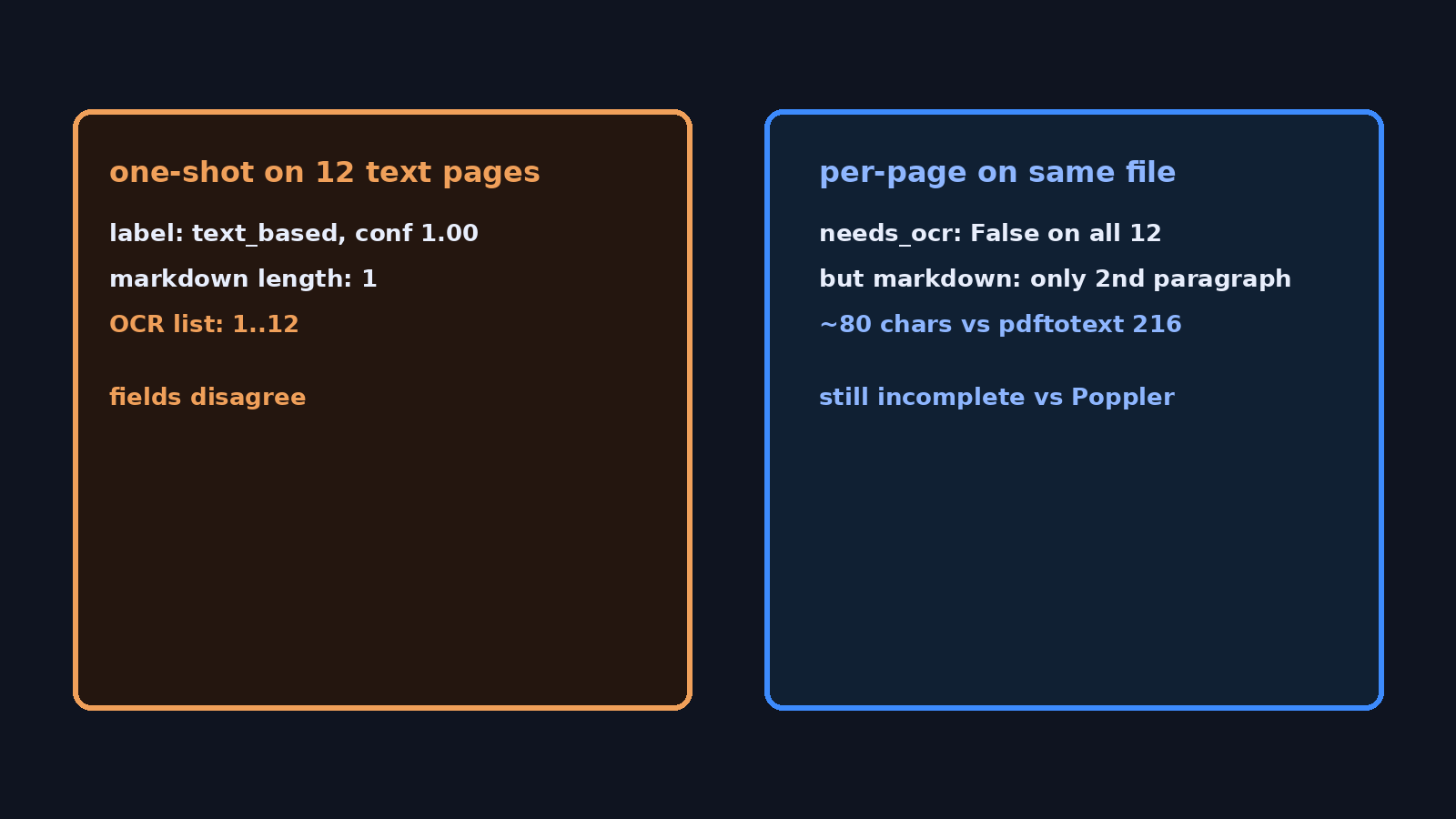
| Twelve pages of real text | about 216 on each page | text_based, confidence 1.00, but every page listed for OCR | length 1 (a newline) | needs_ocr false on all 12, but each markdown was only the second paragraph (~80 chars) |
The one-page files agree with each other. The twelve-page binder does not. On this version the mixed file’s one-shot call was honest: it kept the letter and flagged only the photo. The binder is the result I would send a coworker, because it changes which fields you trust.
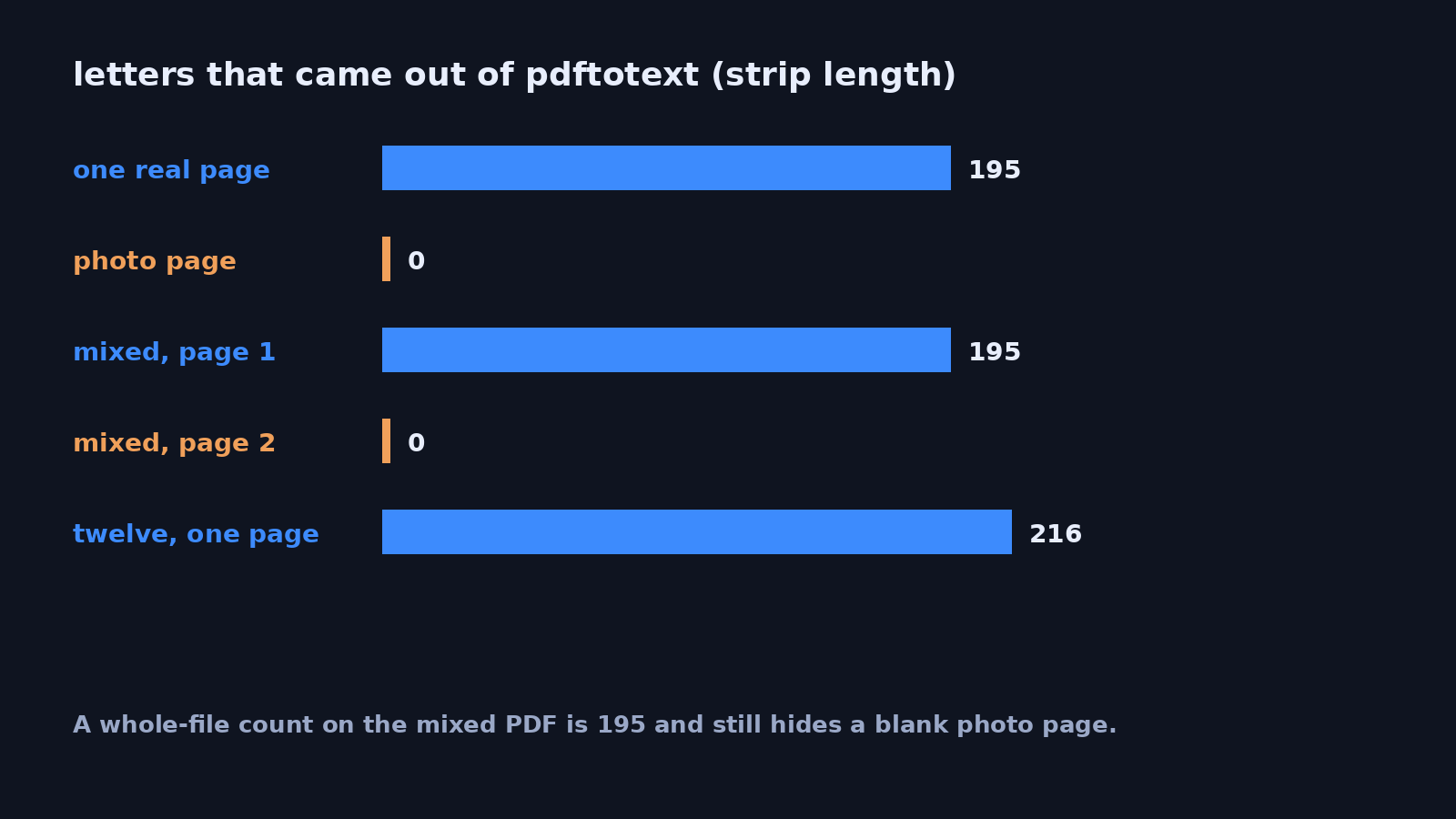
The one-shot call also reported its own timer: about 6 milliseconds on the one-page letter, and under 2 milliseconds on the photo, the mix, and the twelve-page file. Those files are tiny. A short time here is not a speed crown. It is a hint that the twelve-page one-shot may have stopped early, because it only brought back a newline while the file label still said the whole file was text.
Which pages of a PDF need OCR
Only the pages whose text layer is empty. On the mixed file, that was the photo. On the twelve-page letter, that was no page — pdftotext printed every sheet.
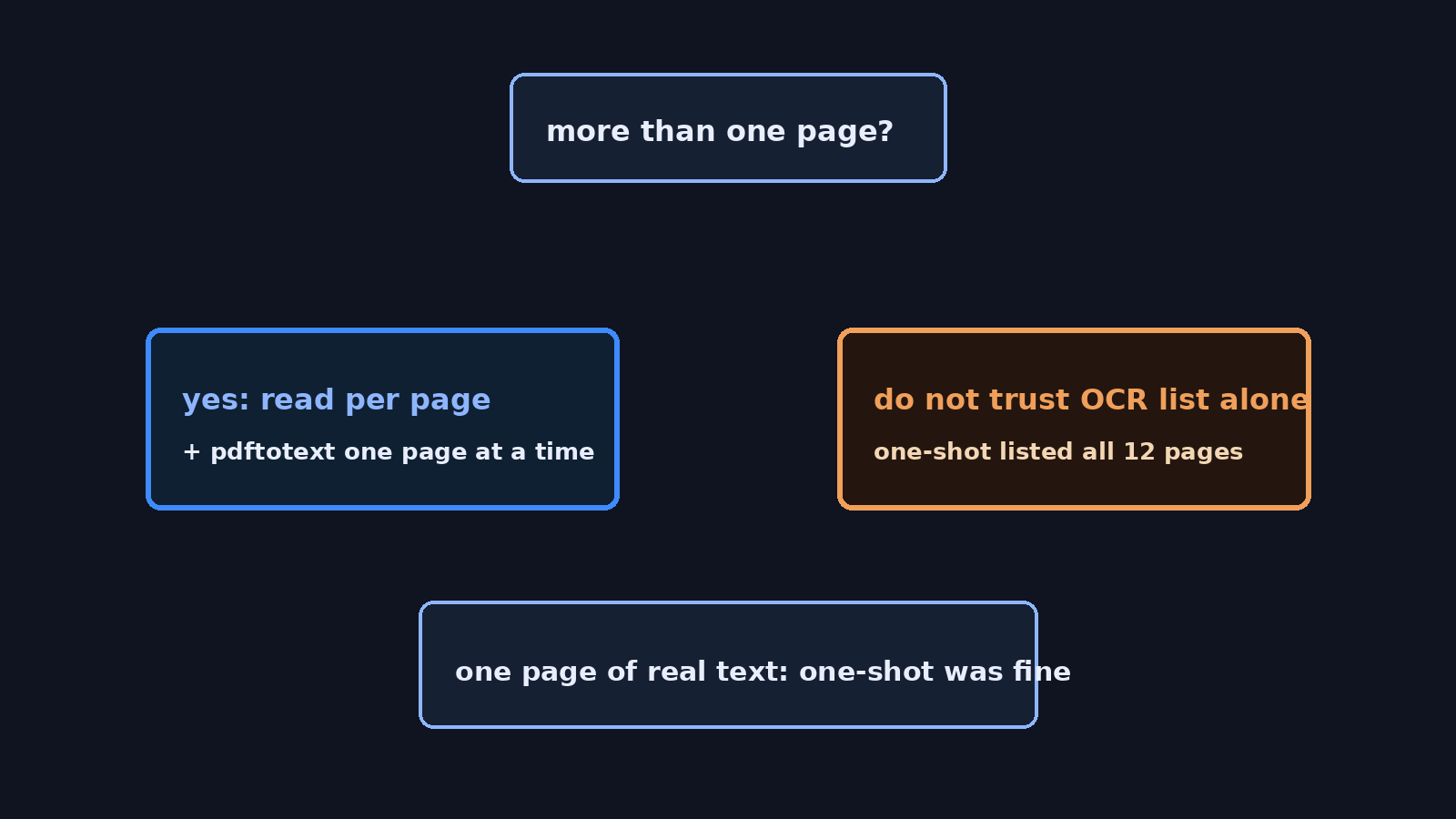
The one-shot list was wrong on the binder. It named all twelve letter pages, even while the file label said text_based. Two fields in the same result disagreed with each other. I would not pipe that list into an OCR job. You would OCR every page of a clean file, which is the cost this tool is supposed to help you skip.
The per-page call marked needs_ocr false on every binder page, which matched pdftotext. The markdown it returned was not the full page: each page kept only the second paragraph. If a script in your repo has to choose OCR routing, trust needs_ocr together with a pdftotext length check. Do not treat the per-page markdown string as a complete extract on a long binder until you have compared it to Poppler.
Why does pdf inspector say a text PDF needs OCR
Because the one-shot result’s page list does not match the words pdftotext actually extracted.
On the twelve-page file the label was text_based and the confidence was 1.00, which sounds finished. The OCR page list still contained 1 through 12. The markdown contained a single newline. If you branch on the list, you OCR a file that does not need it. If you branch on the markdown being short, you think the other eleven pages are blank. They were not. Each one had about 216 characters in the text layer under pdftotext.
Use extract_pages_markdown, then read needs_ocr on each page, and confirm with pdftotext. Ignore process_pdf‘s OCR list once the file has more than one page. On a single page of real text, the one-shot call was fine: label text_based, confidence 1.00, markdown holding the sentence, OCR list empty. Keep it for that narrow case if you want. Do not let it near a binder.
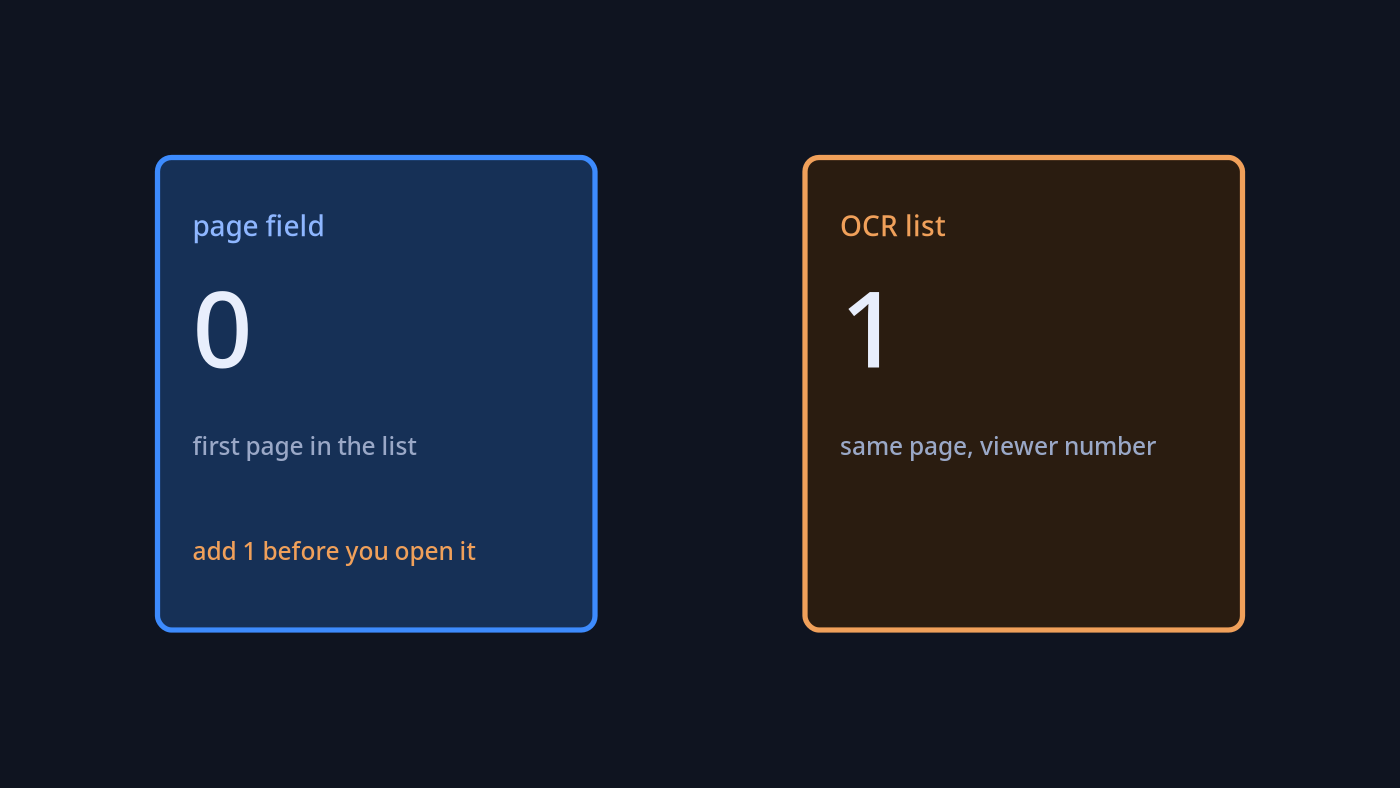
There is a second footgun in the numbering. On the photo file, the per-page object called the only page 0. The OCR list called it 1. Same page. The list matches a PDF viewer, where the first page is page 1. The page field starts at zero, the way a programmer counts items in a list. If you open “page 0” in a viewer you are on the wrong page, or on no page. Add one to the page field before you tell a person which sheet to check. If you read the OCR list, do not add one. Adding one to both is how you OCR the page after the scan and skip the scan itself.
How do I install pdf inspector
Install the Python package, then ask for each page. This is the whole check I ran, and you can rerun it on your own file in a few minutes.
python3 -m venv .venv
source .venv/bin/activate
pip install pdf-inspectorimport pdf_inspector
pages = pdf_inspector.extract_pages_markdown("mixed.pdf")
for page in pages.pages:
text = page.markdown or ""
# page.page starts at 0. Viewers start at 1.
print(page.page + 1, page.needs_ocr, len(text))On my mixed file that printed page 1, OCR no, with the cover letter still in text, then page 2, OCR yes, with an empty string. That is the answer I wanted from the start. For the binder, the same loop said OCR no on every page, while len(text) stayed near 80 — far under the pdftotext count. Compare those lengths before you decide the extract is done.
If you only have pdftotext, do the same thing one page at a time and compare the length. A page that prints nothing is the page that needs OCR. You do not need pdf inspector for a single page you can already highlight. You want it when a script has to decide, page by page, before anything else reads the file.
When not to use pdf inspector
Do not use it to merge, split, or rotate a PDF. That is a different job, and pdfcraft vs qpdf is the page for it. Do not use it as a word processor. A document you need to edit is wordcraft vs libreoffice. Do not use it to turn a whole book into a skill you can load one chapter at a time. That path starts by getting the text out, which is how do I turn a PDF book into a Claude Code skill. And if the file is not a PDF at all, a converter is a different tool again: filee vs cloudconvert.
Do not expect this install to read the photo. The default install I used leaves OCR off. An empty string on the invoice page is the correct stop, not a failed transcription. If you need the words off the picture, you still need an OCR tool after this check. pdf inspector, used this way, only tells you which pages to send there.
Skip it when the file is one page and you can select the sentence yourself. The one-shot call got that file right, and so did the highlight. A library is extra weight for a check your mouse already finished.
The project lives on GitHub. The pdftotext command comes with Poppler.
Common questions about pdf inspector
how do i know if a pdf contains only images
Open it and try to select a line. If nothing selects, and a text-layer extract of that page is empty, the page is only an image. On my photo page both checks agreed: zero characters under pdftotext, label scanned, confidence 0.95. A file can also mix them, so “the file” is the wrong noun. Ask the question per page, or a letter in front of a photo will make the whole file look fine.
can a scanned pdf already hide real text
Yes. A scan that has already been through OCR can look like a picture and still carry an invisible text layer underneath the paint. Selecting a word that sits on top of the picture means the letters are already there, and you should not OCR the page again. My photo page had no such layer. This test set had no page with both a picture and a hidden text layer, so there is no label claim for that case here. Run the per-page call on a page like that before you trust the label, and try to select a word yourself. If the word selects, you already have the text, whatever the label says.
does pdf inspector replace ocrmypdf
No. OCRmyPDF writes a text layer onto a scanned page so later tools can copy the words. pdf inspector, in the build I installed, does not write that layer. It tells you whether you can skip that work. On a photo page you still run OCR. On a letter you do not. Using one as a stand-in for the other will either leave the photo unreadable or redo work you did not need.
are pdf inspector page numbers counted from zero
The page field is counted from zero. The OCR page list is counted from one. On a one-page photo, those were 0 and 1 for the same sheet. Add one to the page field when you talk about it or when you pass it to pdftotext. Leave the list alone.
I will keep the per-page call in the script that decides what to send next. I will check each page with pdftotext before I trust an OCR list. I will not let the one-shot OCR list send a clean binder through OCR.