
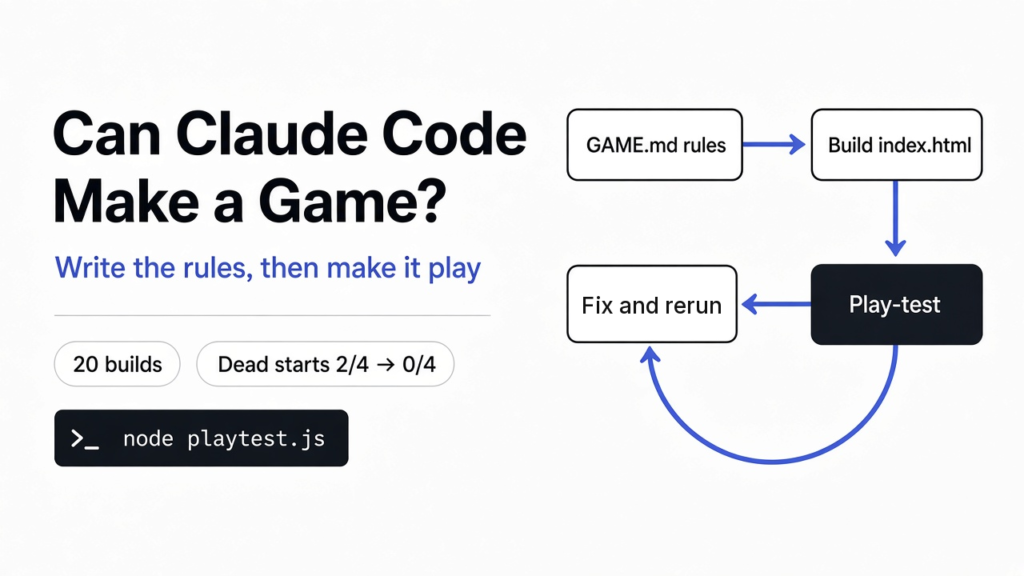

You type “make me a Breakout game” into Claude Code, and half a minute later there is a paddle, a ball and a wall of colored bricks. It feels like magic. Then you play it for a while and notice it is not quite the game you had in your head.
That gap is what this post is about. I built 20 small games with Claude Code (Anthropic’s AI coding assistant that runs in your terminal), three different ways, and checked every one with a robot player I wrote myself. One idea came out of it: Claude can write a game it has never played. So make it play.
Short answer: yes, you can make a game with Claude Code. One sentence got me a playable browser game in about 30 seconds, every time. But Claude makes up any rule you leave out, and it never plays what it builds. Give it a one-page design doc, then make it play-test its own game. That second step caught a game that opened already dead.
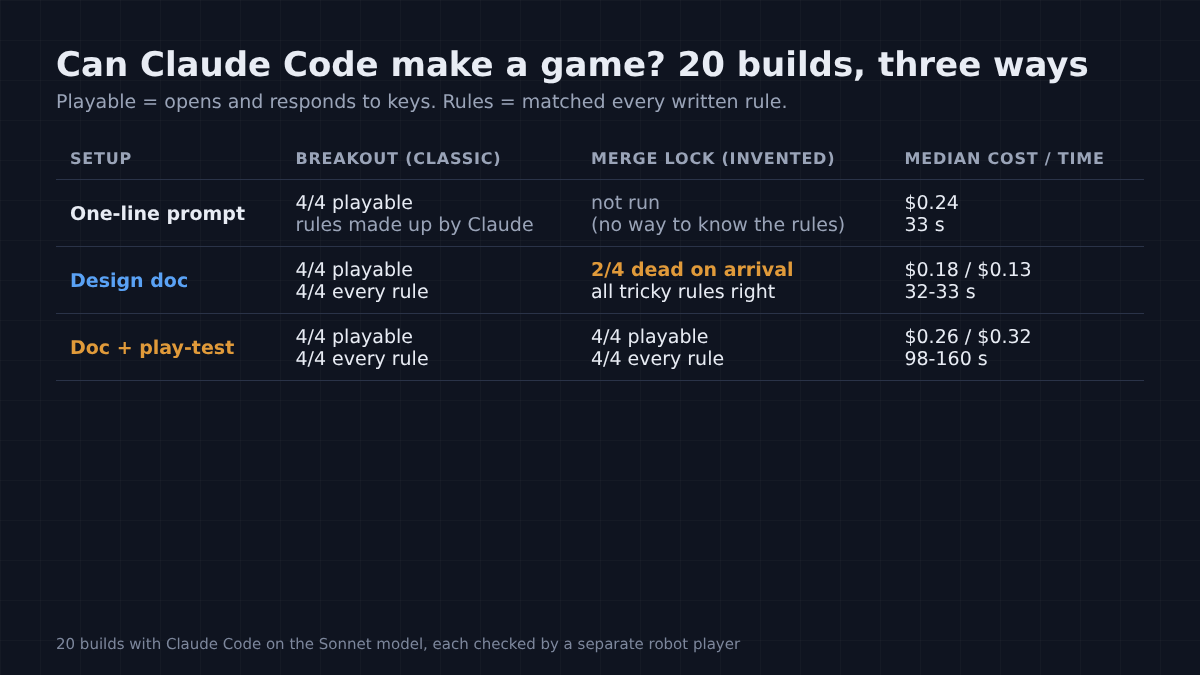
Tested with Claude Code 2.1.316 on the Sonnet model, one fresh non-interactive run per build, each game checked by separate Playwright scripts. Commands checked against the Claude Code headless docs and the Playwright library docs in November 2026.
Can Claude Code make a game from one prompt?
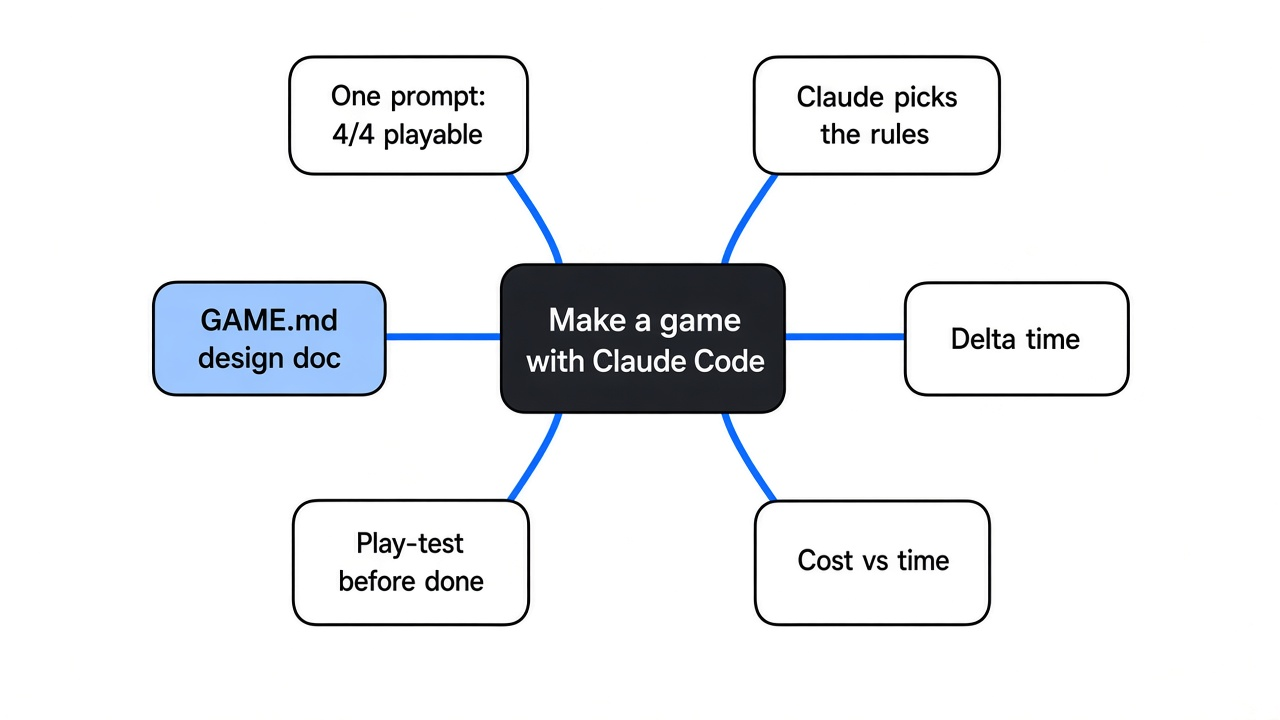
Yes. A one-line prompt gave a working Breakout game in 4 out of 4 tries.
Start with what a browser game actually is. It is one web page with a canvas (a blank rectangle the code draws on) and a game loop (code that runs many times per second: move things, check for hits, draw the picture again). Each pass through that loop draws one frame.
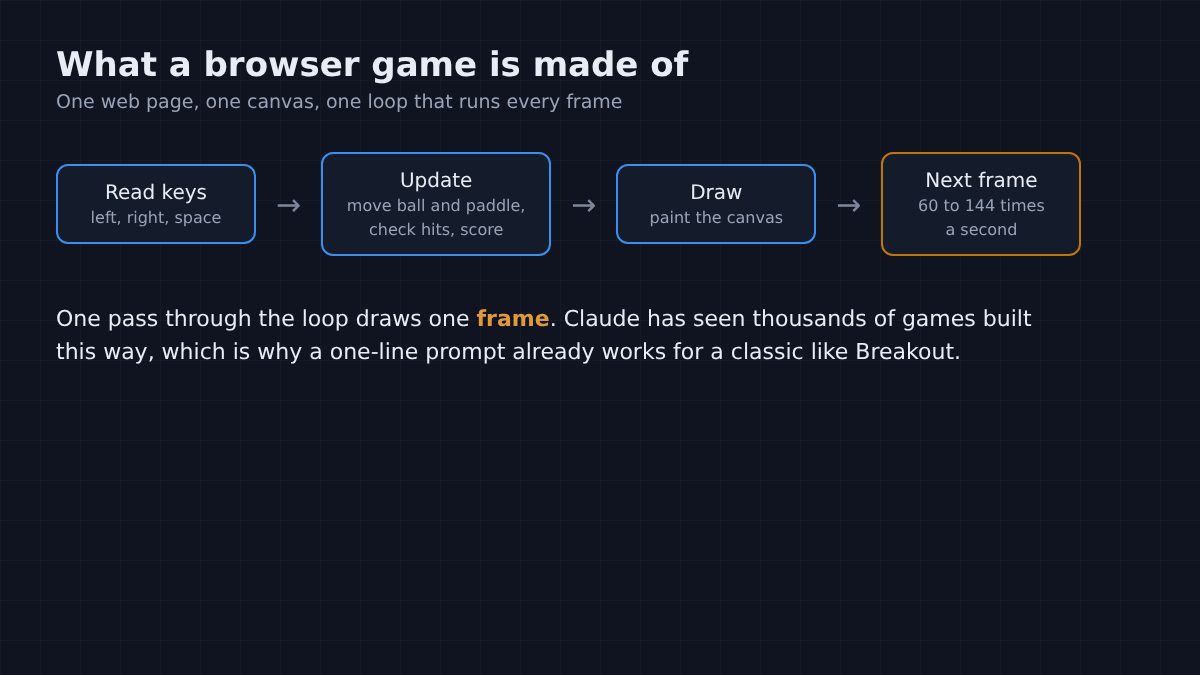
That is a well-known shape, and Breakout is a well-known game, so Claude has seen thousands of examples. I asked for exactly that, in one sentence, plus one line asking it to report the score, lives and positions so my test could read them.
All four games loaded with no errors. The paddle moved, the ball launched, bricks broke, the score went up, a missed ball cost a life, and losing every life ended the game. Each one took about 23 to 37 seconds and cost about 24 cents on the Sonnet model (Anthropic’s mid-size model).
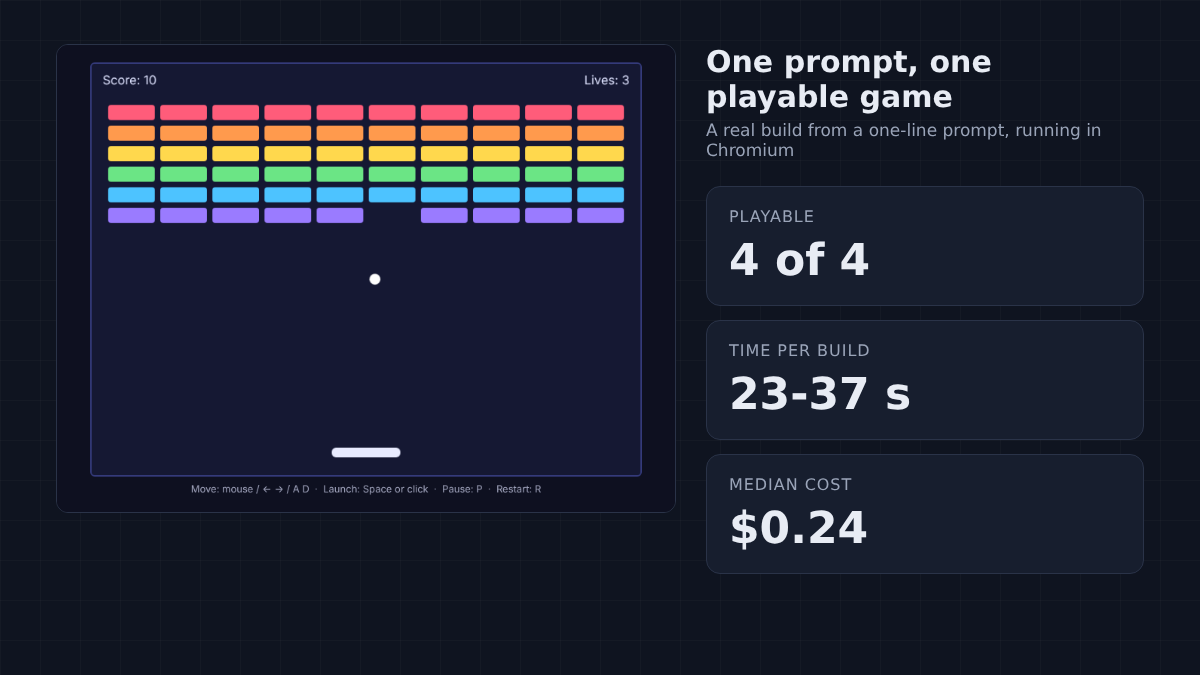
So the honest first answer is yes. Want a quick game to play with your kid tonight? One prompt is enough. For a bigger build, Can Claude Code Clone an App? ran the same one-prompt test against a skill pack.
Why does the game come out different from the one you imagined?
Because every rule you don’t write down, Claude picks for you.
Think of hiring a builder and saying only “build me a house”. You will get a house. You will not get your kitchen.
The four one-line games had four different screen sizes. Three had 60 bricks, one had 48. Three gave more points for the higher rows, one gave 10 points for every brick. Restart was R in two games, Space in one and Enter in one.
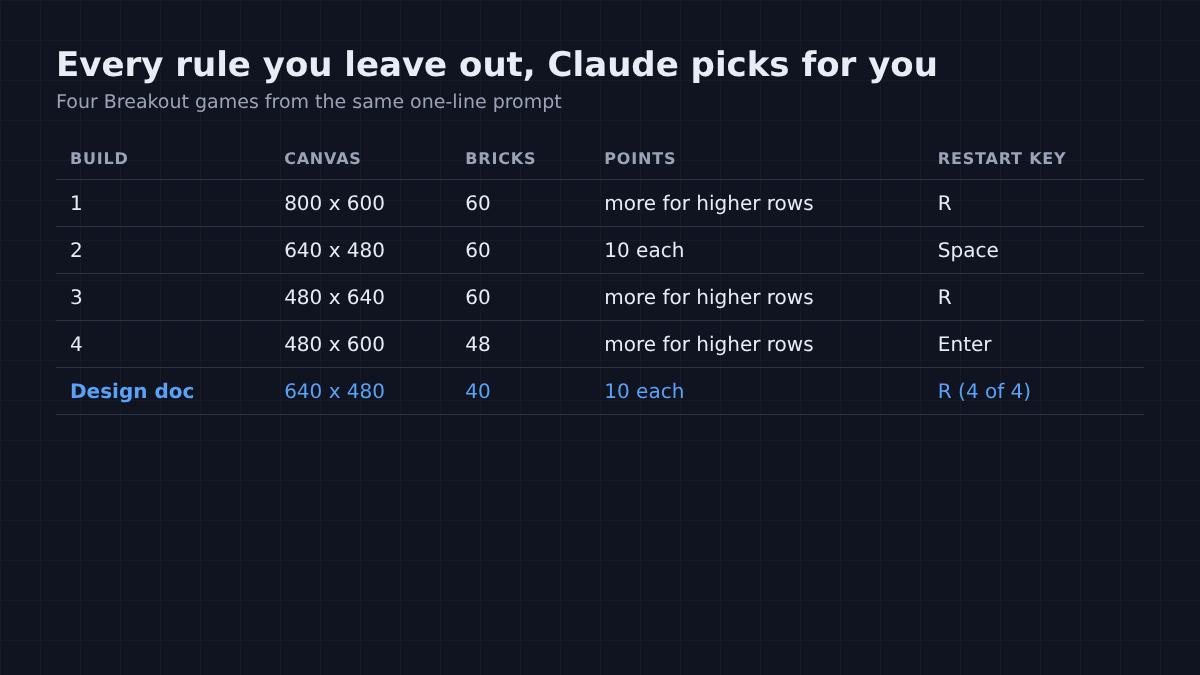
None of that is a bug. Each choice is reasonable. But if you had a specific game in mind, or you want to ask for changes later, you are now negotiating with rules you never saw. Writing rules down is the same trick behind a short CLAUDE.md rule file for everyday coding.
So I wrote the rules down.
What should a game design doc for Claude Code include?
Every rule a player would notice, written as plain sentences you could test.
A design doc (a short file that describes how the game should work) is just a text file in the project folder. I called mine GAME.md and told Claude: “Build the game described in GAME.md as index.html. Follow every rule in it.”
Mine was 34 lines. It covered the screen size, the pieces and their sizes, every key, what happens on a hit, a miss, a win and a loss, and the exact numbers: 40 bricks, 10 points each, 3 lives.
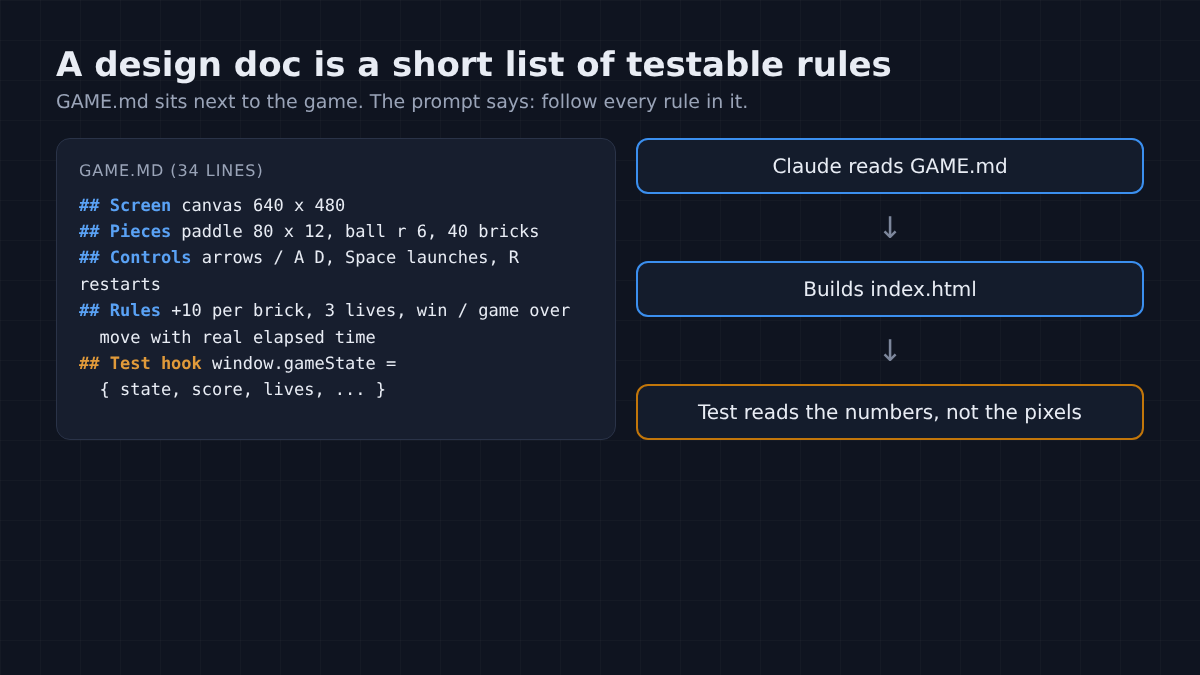
It also had one rule that catches a lot of games. Browsers redraw the screen as often as your monitor refreshes, often 60 times a second but 120 or 144 on many screens (MDN on requestAnimationFrame).
So what happens if the code moves the ball a fixed distance per frame? On a 144 Hz screen the game runs more than twice as fast. The fix is delta time (moving by speed times the real time since the last frame).
With the design doc, all four games followed every rule: the counts, the points, the keys, the restart. They cost about the same as the one-liners, a median of 18 cents, and took about 32 seconds.
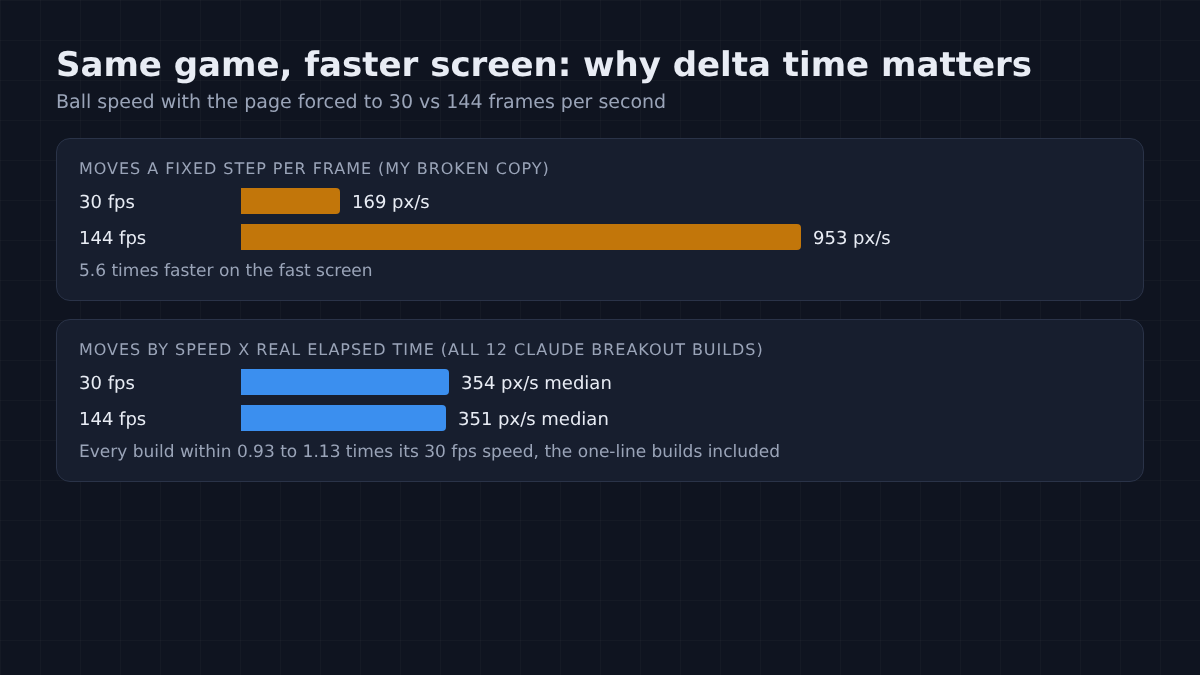
One surprise in Claude’s favor: all 12 Breakout games kept the same ball speed whether I forced the page to 30 or 144 frames per second. Even the one-line games got delta time right without being told. A copy I broke on purpose, moving a fixed step per frame, ran 5.6 times faster at 144.
Here is a starting template. Copy it and replace the parts in brackets.
# [Game name]: game design

One file: index.html (HTML, CSS and JavaScript inline, no libraries).

## Screen
- [size, background, what text is shown where]

## Pieces
- [each object, its size, where it starts]

## Controls
- [every key and what it does; keys must work with no click first]

## Rules
- [what happens on hit, miss, score, win, lose, restart]
- Movement uses real elapsed time, so speed is the same on any screen.

## Test hook
Keep window.gameState updated every frame: { state, score, lives, ... }That last section matters for the next step. It lets a test read the game’s numbers instead of guessing from pixels.
Why can a game follow every rule and still not work?
Because the rules can be right one at a time and wrong together, and you only see it by playing.
Breakout is too familiar to show this. So I invented a game Claude could not have seen. I called it Merge Lock: a 4 x 4 sliding tile puzzle like 2048, plus two extra rules.
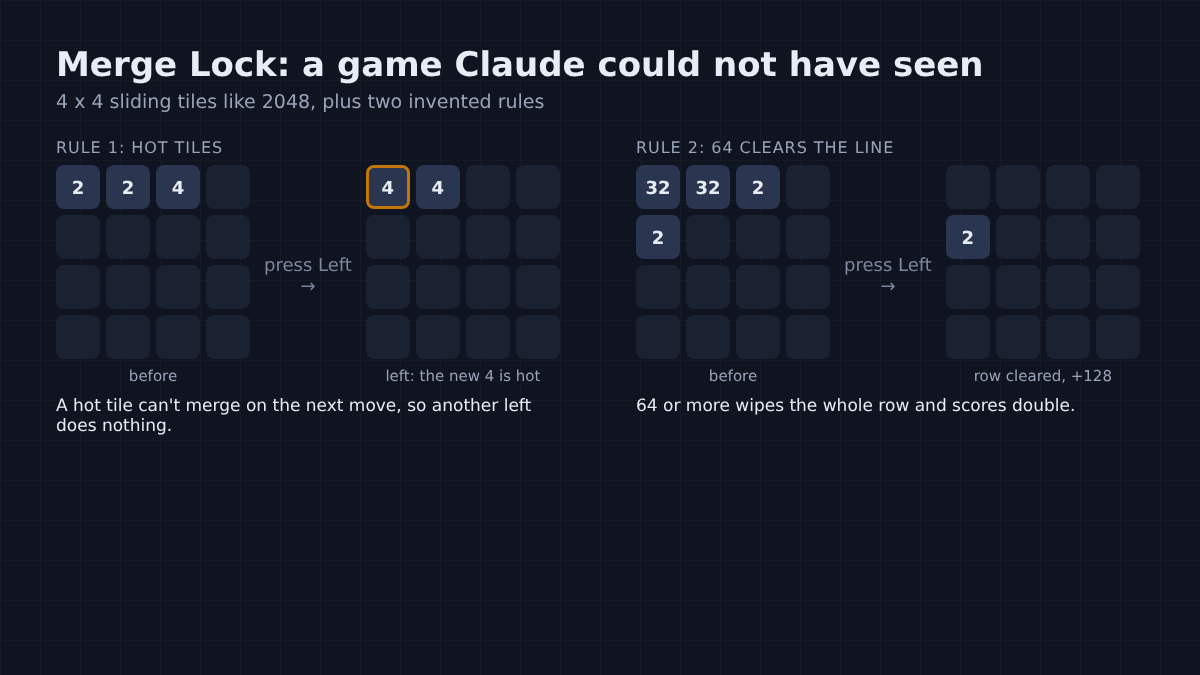
The first rule: a tile made by a merge is “hot” and cannot merge again on the next move. The second: a merge that makes 64 or more clears its whole row or column, and you score it twice. The design doc also said that loading a board with no possible moves means “game over”.
I gave Claude only the design doc, four times. All four games got every tricky rule right. Hot tiles, row clears, column clears and the bonus score all passed my 15 rule tests.
Did that mean they worked? Two of the four games were dead on arrival.
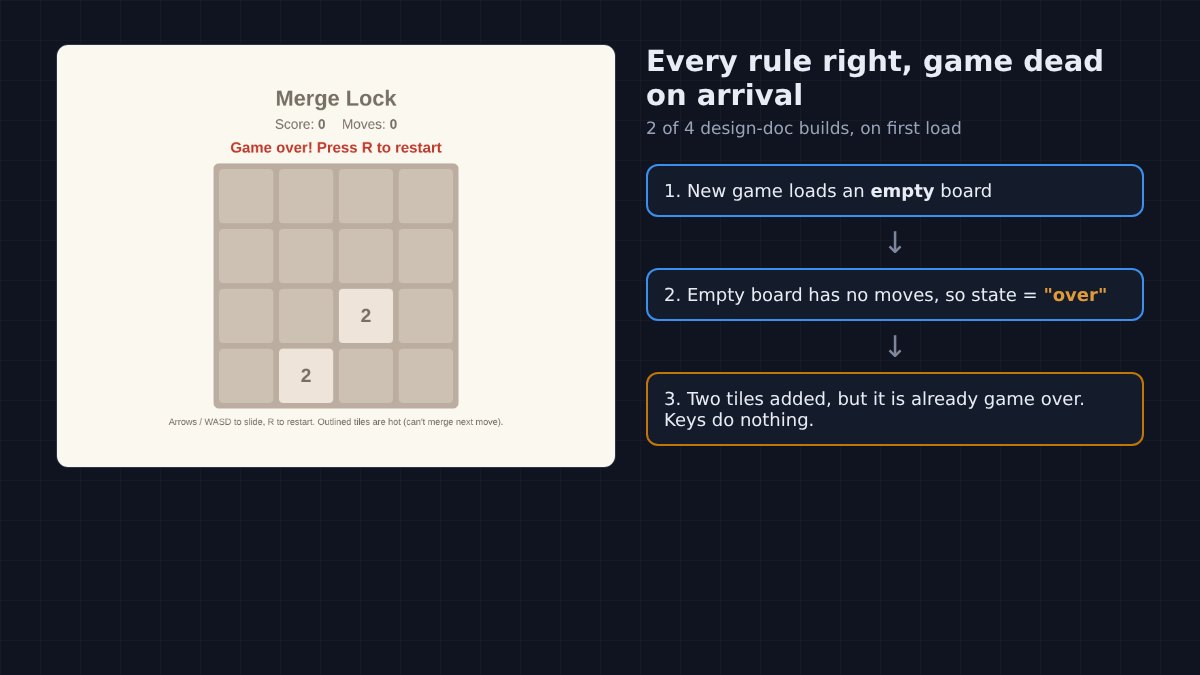
Open the page and it already says “Game over! Press R to restart”. Press an arrow key and nothing happens. Press R and you get a fresh board that is also game over.
Here is the chain. To start a new game, the code loaded an empty board, then added two tiles. But an empty board has no possible moves, so the loading step had already marked the game over. The two tiles arrived a moment too late. Each rule was right on its own, and the order made a game you cannot play.
It is like a referee checking “is anyone still playing?” before the teams walk onto the field.
Both games came with a confident summary listing every rule. Both summaries also said, plainly, that Claude had not opened the game in a browser. It wrote a game it had never played.
How do I make Claude Code play-test its own game?
Ask it to write a play-test script, run it, fix what fails, and run it again.
A play-test script is a small program that plays the game for you. It uses Playwright (a free tool that drives a real browser from code) in headless mode (the browser runs without a window). It opens the page, presses real keys, reads the game’s numbers from the test hook, and checks each rule.
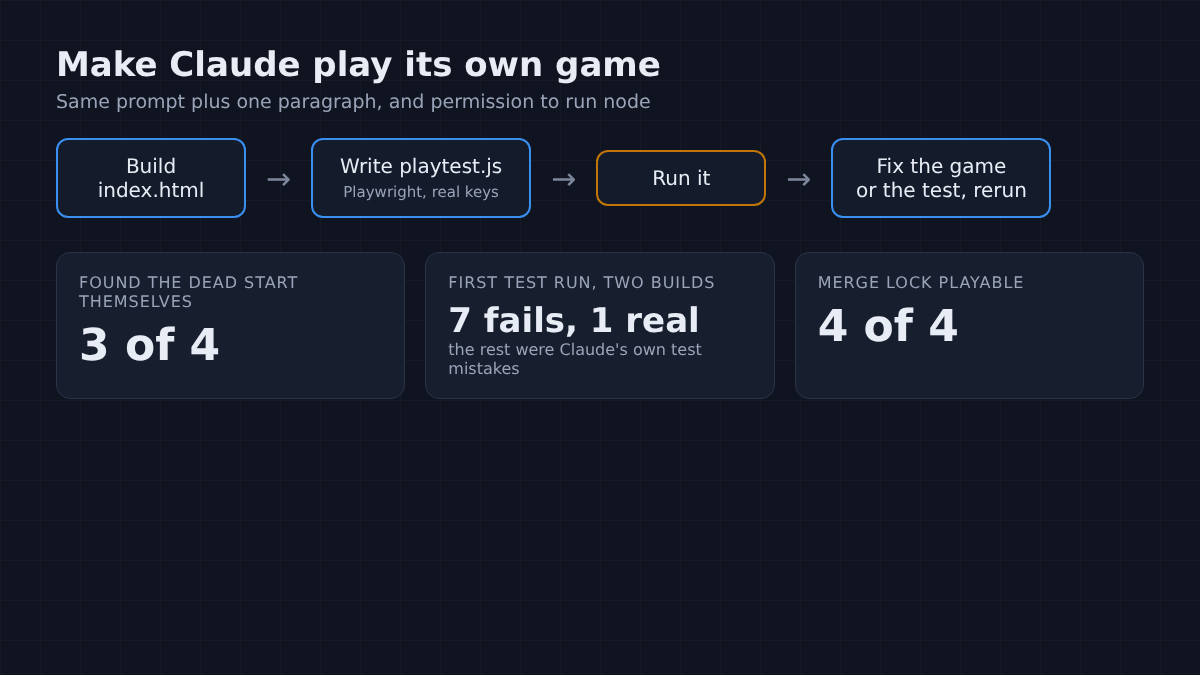
You don’t write that script. Claude does. (If you want Claude to poke at a live page by hand instead, giving Claude Code access to your browser is the other route.) I added this to the same prompt, and gave Claude permission to run node, so it could run its own test:
Before you say you are done, write playtest.js that opens index.html
in headless Chromium with Playwright, plays the game with real key
presses, reads window.gameState and checks every rule in GAME.md.
Run it with node, fix whatever fails, and run it again until it passes.If Playwright is not in your project yet, install it once with npm i -D playwright, then download a browser with npx playwright install.
On Merge Lock, all four play-tested games worked from the first key press, and all four passed every one of my 16 checks. Three of the four runs said in their own words that their first test run found the same bug: a new game started out “over”. They fixed it and ran the test again.
The other failures in those first runs were mistakes in Claude’s own tests. Two runs said their first test run had 7 failures, and only 1 of the 7 was a real bug in the game. The rest were wrong expectations, which Claude corrected. A play-test is a second opinion, not a judge.
Is the play-test worth the extra time and cost?
For a game you invented, yes. For a classic like Breakout, it mostly confirms what was already fine.
On Breakout, the four play-tested games were as good as the design-doc games, and all four tests passed on the first run. Nothing to fix. They took a median of 160 seconds instead of 32, for 26 cents instead of 18.
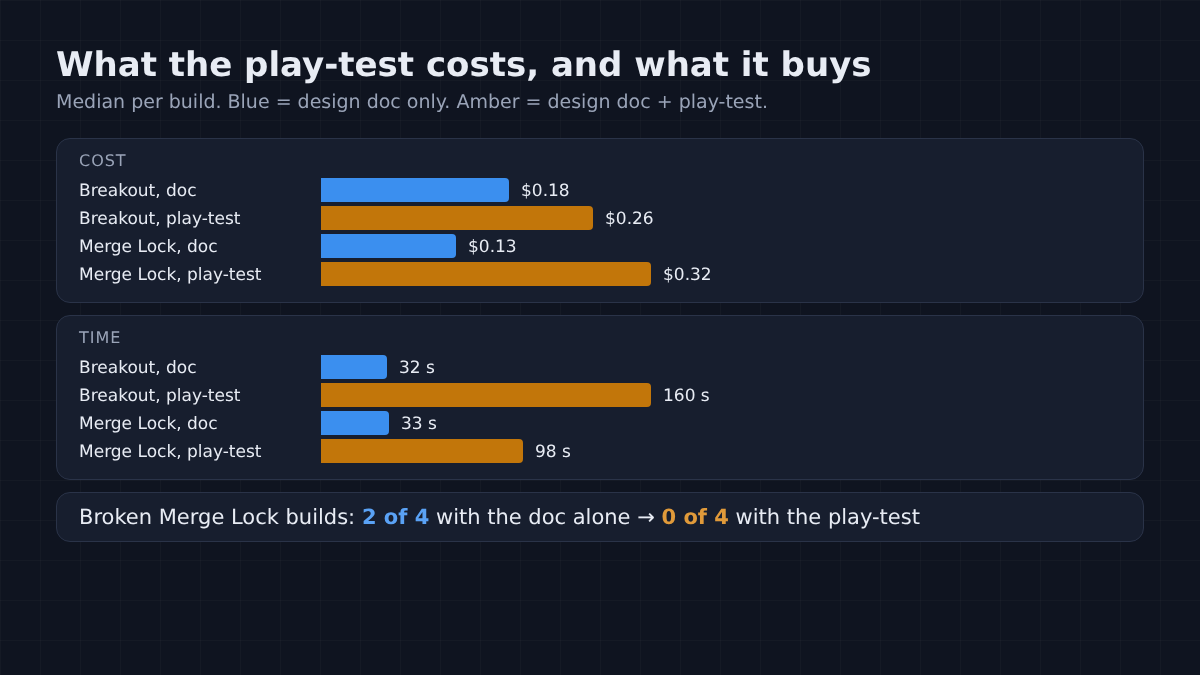
On Merge Lock the trade looks different. Play-testing took a median of 98 seconds instead of 33, and 32 cents instead of 13. For that, the broken games went from 2 in 4 to 0 in 4.
To be fair to the cheaper route, half the design-doc games were perfect, and you would find a dead start yourself in five seconds. But you only find it by playing, and the bugs that hide deeper in a game take longer than five seconds. All 20 builds together cost about $4.55.
So write the rules down, and make Claude play before it tells you it’s done. It wrote the game. Now it has played it too.
Common questions about making a game with Claude Code
Can Claude Code make a 3D game or a game in Unity?
It can write code for both, but this test covered only small 2D browser games in one HTML file. For bigger projects the same two habits apply: written rules, and a way for Claude to run and check what it built. At the far end, four coding agents beat Minecraft by reading game state as text, not pixels.
Do I need to know how to code to make a game with Claude Code?
No for a small browser game: you open the HTML file in a browser and play. You do need to describe the rules clearly, and you will want the play-test step so Claude checks its own work.
Why did Claude Code say the game was done when it did not work?
It had not run the game, and it said so in its summary. Without a browser or a test it can only check the code by reading it, and rules that interact badly look fine on paper.
How much does it cost to make a game with Claude Code?
In this test a small browser game cost between 12 and 37 cents per build on the Sonnet model. The play-test step raised the cost by about 1.4 to 2.4 times and made each build take three to five times longer.