
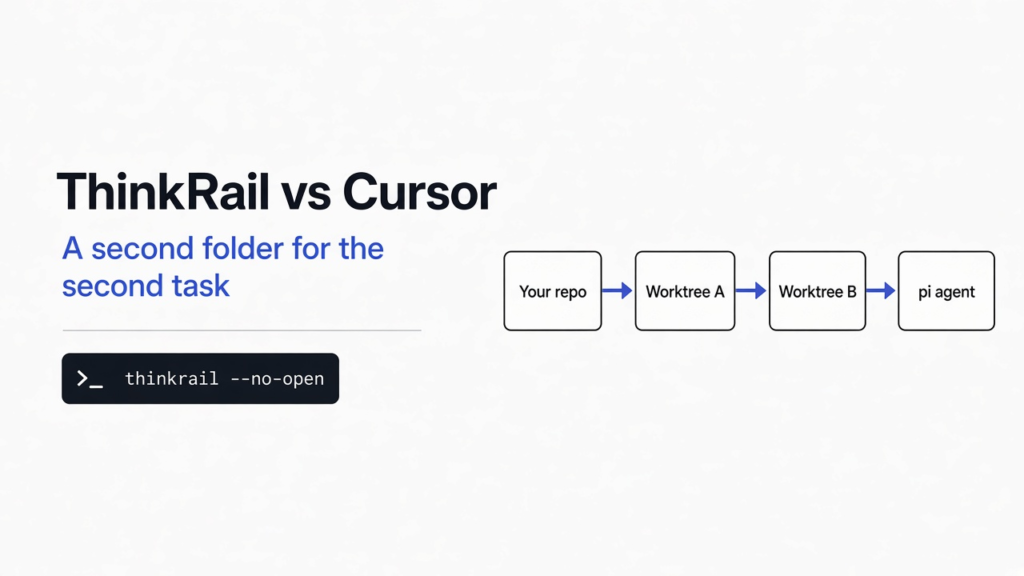

I had a one-file repo and I did not want a second coding session to rewrite app.py while I was still reading it. ThinkRail is a free app from JetBrains. It runs in the browser, on your own machine, and the writer inside it is pi, the coding agent the app starts for you. Cursor is the editor that changes the folder you already have open. ThinkRail vs Cursor is that choice: a second folder for the second task, or the same folder you are looking at.
ThinkRail leaves the branch you opened alone until you create a workspace, and Cursor edits the folder you already have open.
I installed the stable build, pointed it at that repo, and the file did not change. Stay in Cursor for one task in one folder. Open ThinkRail when the next task must not land there. The install does not tell you whether pi writes better code than Cursor. That still depends on the model you attach, and I did not attach one.
What is ThinkRail?
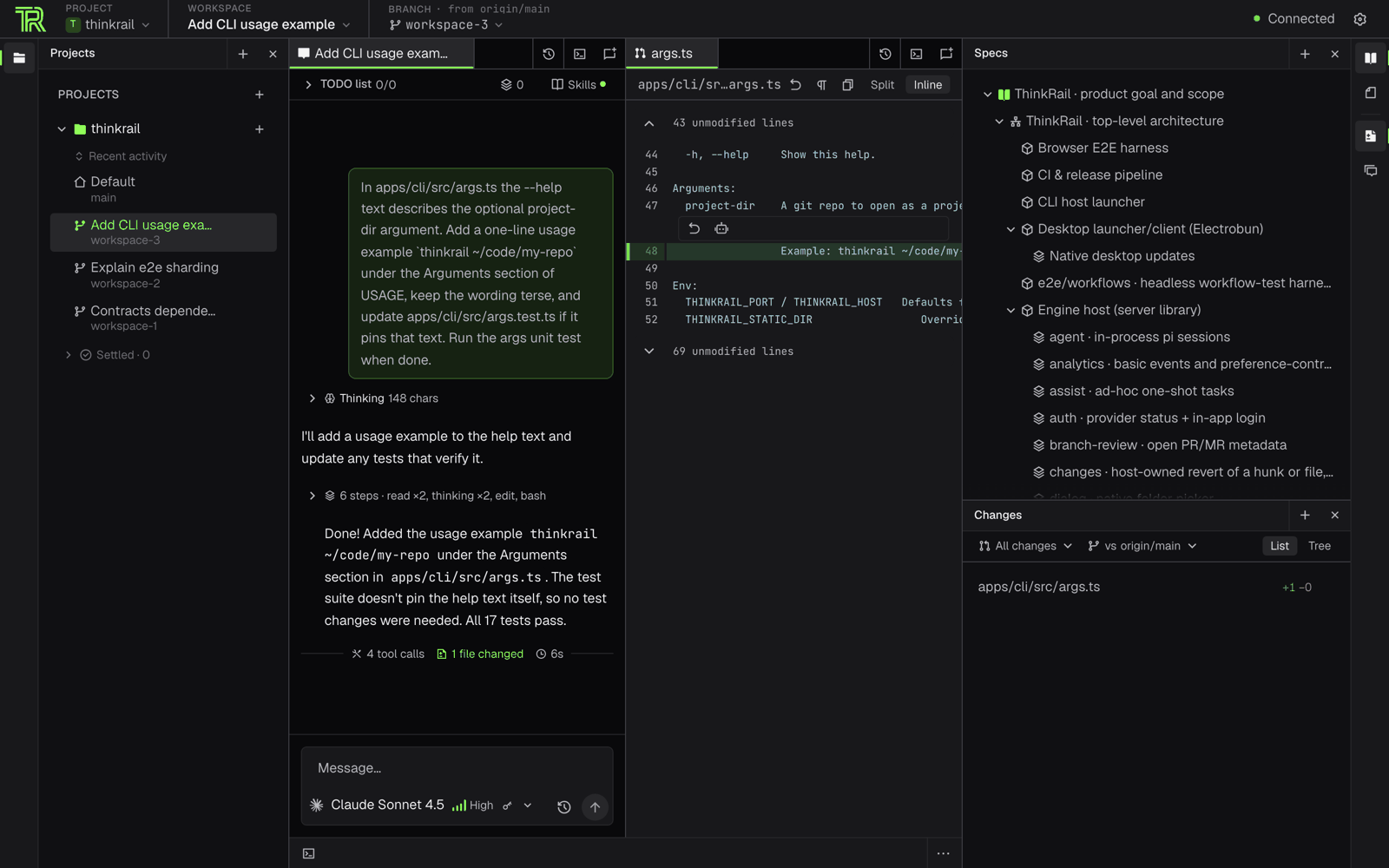
ThinkRail is a local app that opens a code editor in the browser and keeps each task in its own folder.
A workspace here is a git worktree. Git is the tool that remembers every saved version of a project. A branch is one line of those saves. A worktree is a second folder, checked out on a different branch, that still shares the same history. You do not download the project twice. You just get another desk for another branch. Cursor, by design, sits at the desk you already opened.
The person writing code in ThinkRail is not Cursor’s agent, and it is not Claude Code. It is pi. ThinkRail starts pi inside the same program. pi owns the model login, the skills (saved instruction folders the agent loads for a kind of task), the session, and the running cost. ThinkRail owns the folders, the editor tabs, and the wire between the page and pi. The editor tabs use Monaco, the same editing piece VS Code uses, so the files feel like a normal editor.
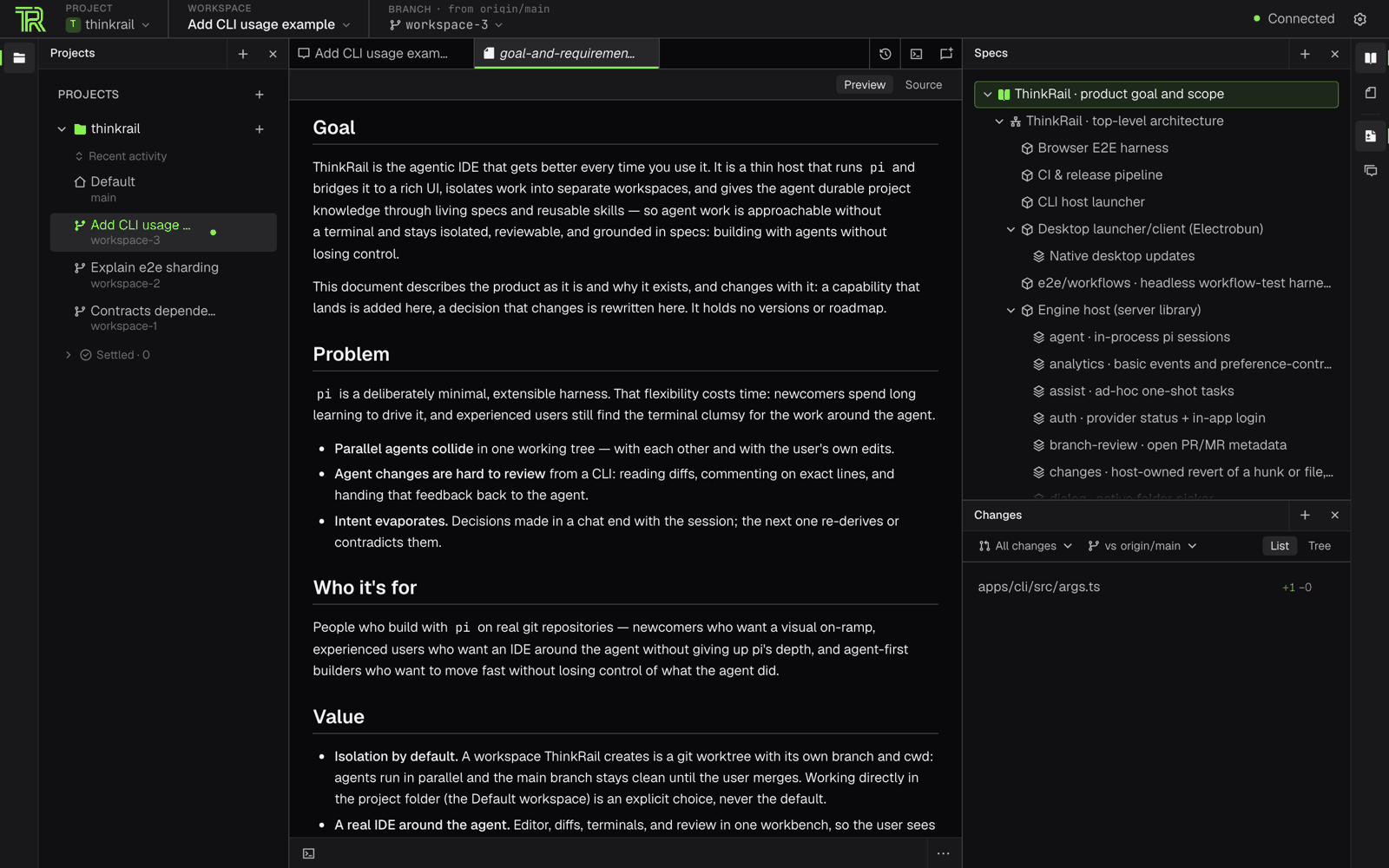
Beside the code, ThinkRail keeps a spec graph. That is a set of notes named SPEC.md that point at each other. The agent is supposed to read them and update them, so the plan is a file, not only a chat that disappears. I did not get as far as a spec file in my run. The page for specs is real. My empty repo had nothing for it to show.
How to install ThinkRail
Install ThinkRail with the project’s script, then run thinkrail on a git repo.
On Mac or Linux the documented line is:
curl -fsSL https://raw.githubusercontent.com/JetBrains/thinkrail/main/install.sh | bashI ran that script with two extra flags so it would not edit my shell startup files: --no-modify-path and a prefix of ~/.local. It downloaded one file, checked the checksum, and printed that the check was ok. The file landed at ~/.local/bin/thinkrail and was about 134 MB. thinkrail --version printed 0.2.0.
The binary only asked for the normal C library. I did not install the extra window libraries the desktop build mentions, because I used the browser page instead of a separate window.
Then I made a new git repo with one committed file, app.py, and started the app like this:
thinkrail --no-open --no-analytics --port 24242 /path/to/that/repo--no-open means do not try to launch a browser. --no-analytics turns off the extra usage ping for that run. The log said it was listening on port 24242 within a second. The default port, if you leave the flag off, is the same number, and it moves to a free port if that one is taken.
The first request I made failed. http://127.0.0.1:24242/ was refused. http://localhost:24242/ returned a page titled ThinkRail, 1,454 bytes of HTML. A request to /health on that same host returned the two letters ok.
127.0.0.1 is the old four-number name for “this computer.” The program was listening on the other local name, the one written with colons. On my machine the word localhost used that second name, and the four numbers did not. If the page looks dead, try the word before you assume the install failed.
The full notes are on the ThinkRail site and the GitHub repo.
ThinkRail vs Cursor
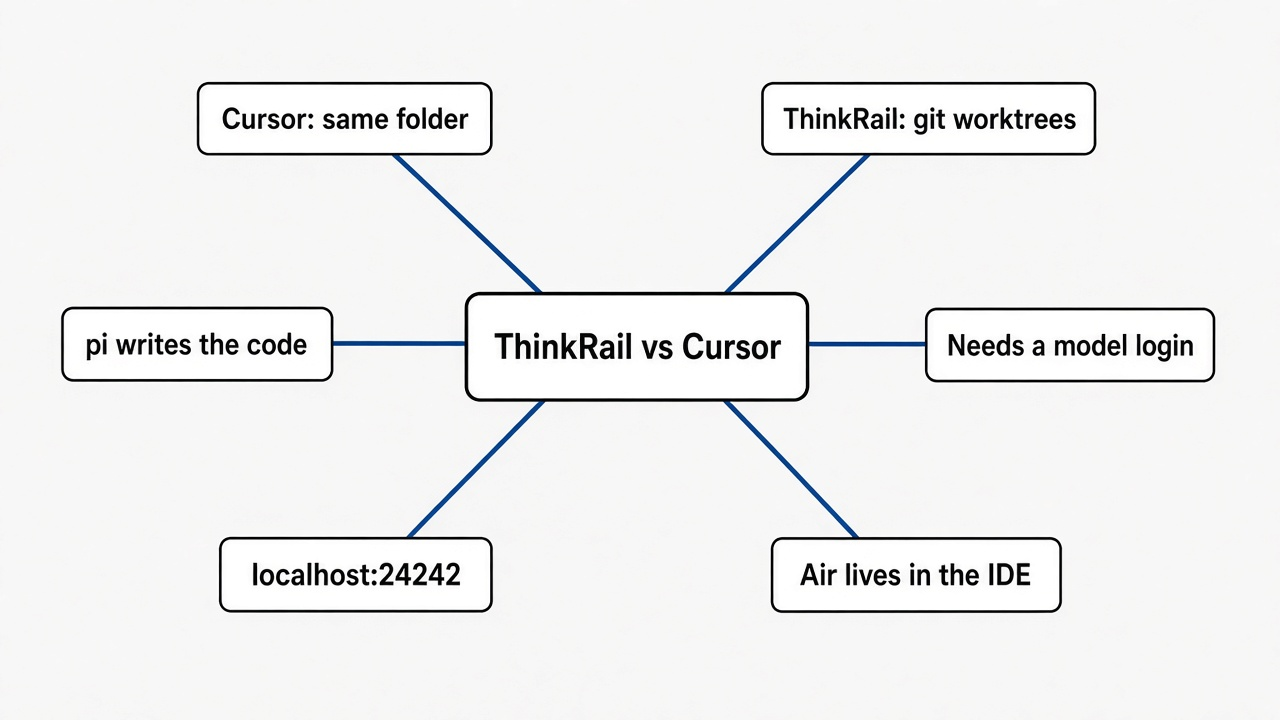
ThinkRail vs Cursor is a folder question, not a model-score question.
Cursor is an editor. You open a project, the agent works in that project, and the files in front of you change. That is the point of it. I did not reinstall Cursor for this run, so I am not going to invent a timing. I am only claiming the ThinkRail side, which I did run.
| ThinkRail | Cursor | |
|---|---|---|
| What you open | A local page, from one command | The Cursor app |
| Who writes | pi, after you log a model in | Cursor’s own agent |
| Where a change lands | A workspace: a second folder on its own branch | The folder already open |
| What I saw on launch | The repo was saved as a project. app.py was unchanged. Git still listed one branch. | Not measured in this run |
| What it costs | The app is free to install. The model is a separate bill. | A free tier, then paid plans for the heavier agent |
| If the page will not load | Use localhost, not 127.0.0.1 | A different kind of failure |
ThinkRail also wrote the folder into its own project list and marked the trust as untrusted. That is a label on the project, not a change to the code. Nothing in app.py moved.
Should I switch from Cursor to ThinkRail?
No, not as a replacement, unless the thing you are tired of is two tasks landing in one folder.
I would keep Cursor open for the file I am already editing. I would add ThinkRail when I want a second attempt that cannot touch that file. The install proved the second part. Opening the repo did not create a worktree and did not edit the file. It did not prove that pi is a better writer. I never gave it a model, so it never wrote.
Switch the model behind an agent you already like is a different job. That is what Magpie vs CC Switch is for. ThinkRail does not do that job for Cursor. It brings its own agent.
If two agents are already fighting over one checkout, you do not need a new editor to separate them. A worktree is an ordinary Git command. The walk-through for Claude and Codex sharing a folder is Claude Code and Codex together. A new version-control server is also the wrong first step: git-ai is not Scion.
Does ThinkRail work without an API key?
The page works. The agent does not write.
An API key is the password a program shows a model company so the company will answer. pi needs a login of that kind, or a JetBrains AI login, before a chat can change files. I started ThinkRail with no login. The project was registered. The health check answered. The branch list did not grow. That is the honest limit of this test.
If you want to see a change, log a model in, create a workspace from the project (that is the moment a second folder should appear), and ask for a small edit. Then run git worktree list in the original repo. You should see a second line. I stopped before that step on purpose, so I would not describe a folder I had not created.
Is ThinkRail worth it?
ThinkRail is worth installing if you already lose work to a second agent in the same folder, and you are willing to keep a model login for pi.
It is not worth it if you want Cursor’s inline edits, you only do one task at a time, or you hoped the app would write code with no model account. The download is large, about 134 MB, for a page that waits until you log in. That is fine. It is not a small utility.
A few checks before you keep it:
thinkrail --versionprints a version, so the file is really on your path.http://localhost:24242/healthreturnsokafter you start it. If 127.0.0.1 fails, try the word localhost before you reinstall.git worktree liststill shows one branch right after you open a repo. A second branch should appear only after you make a workspace.- You can name the model account pi will use. If you cannot, stop here.
I would not uninstall Cursor to find out. Run both for one real task, on two folders, and keep the one whose diff you trust.
ThinkRail vs JetBrains Air
ThinkRail is not JetBrains Air. Air is a plugin inside the JetBrains IDEs you may already pay for. ThinkRail is a separate app built around pi.
Air can already put a session in a temporary worktree and cherry-pick the result back. If that is the only feature you wanted, read JetBrains Air is not a new model and stay in the IDE you have. Adding ThinkRail on top would give you a second agent, a second login, and a second window, not a stronger fence.
Use ThinkRail when you want that window, and pi, and you do not live in IntelliJ. Use Air when the IDE is already IntelliJ and the agent you want is the one Air runs. Use a plain git worktree add when you do not want either product.
I am keeping Cursor for the file in front of me. I would open ThinkRail the next time a second task shows up, and only after the model login is in place. Until then it is a checked install and a clean branch, which is the part I needed to see.
Common questions about ThinkRail vs Cursor
Is ThinkRail free?
Yes. ThinkRail is a free app from JetBrains. The agent inside it, pi, still needs a model login or a JetBrains AI login before it can change files.
Does ThinkRail change my files when I open a repo?
No. Opening a repo registered the project and left the branch alone. A second folder should appear only after you create a workspace, which is a git worktree.
Why does 127.0.0.1:24242 refuse to connect?
On my machine ThinkRail listened on the other local name. The word localhost answered with the ThinkRail page and /health returned ok, so try localhost before you reinstall.
Is ThinkRail the same as JetBrains Air?
No. Air is a plugin inside the JetBrains IDEs. ThinkRail is a separate app built around pi, with its own window and login.