
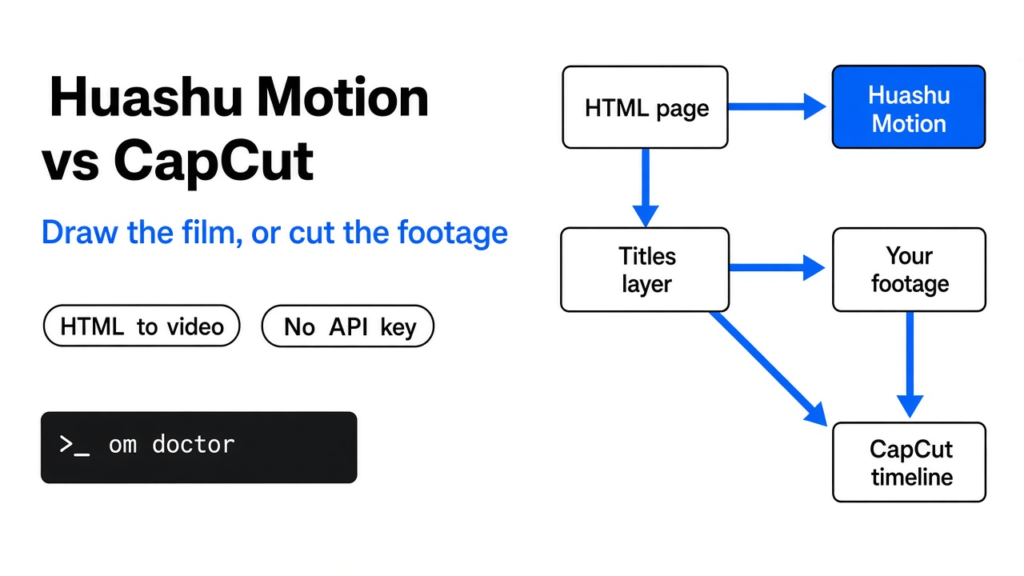
I had a product page and no footage. CapCut sat open on the other screen, waiting for a clip I never shot. Huashu Motion is the other job. It does not cut a video you already filmed.
The chat that edits files and runs commands on your machine writes one web page. A browser draws each frame of that page. FFmpeg, the program that turns a pile of pictures into one video file, stitches those frames into a film. On huashu motion vs capcut, I would not delete either tool.
Huashu Motion draws the film when you have nothing to import. CapCut cuts the film when the footage already exists. I rendered a still from the shipped sample on my own machine. The picture stayed on disk, and the command did not ask for a key.
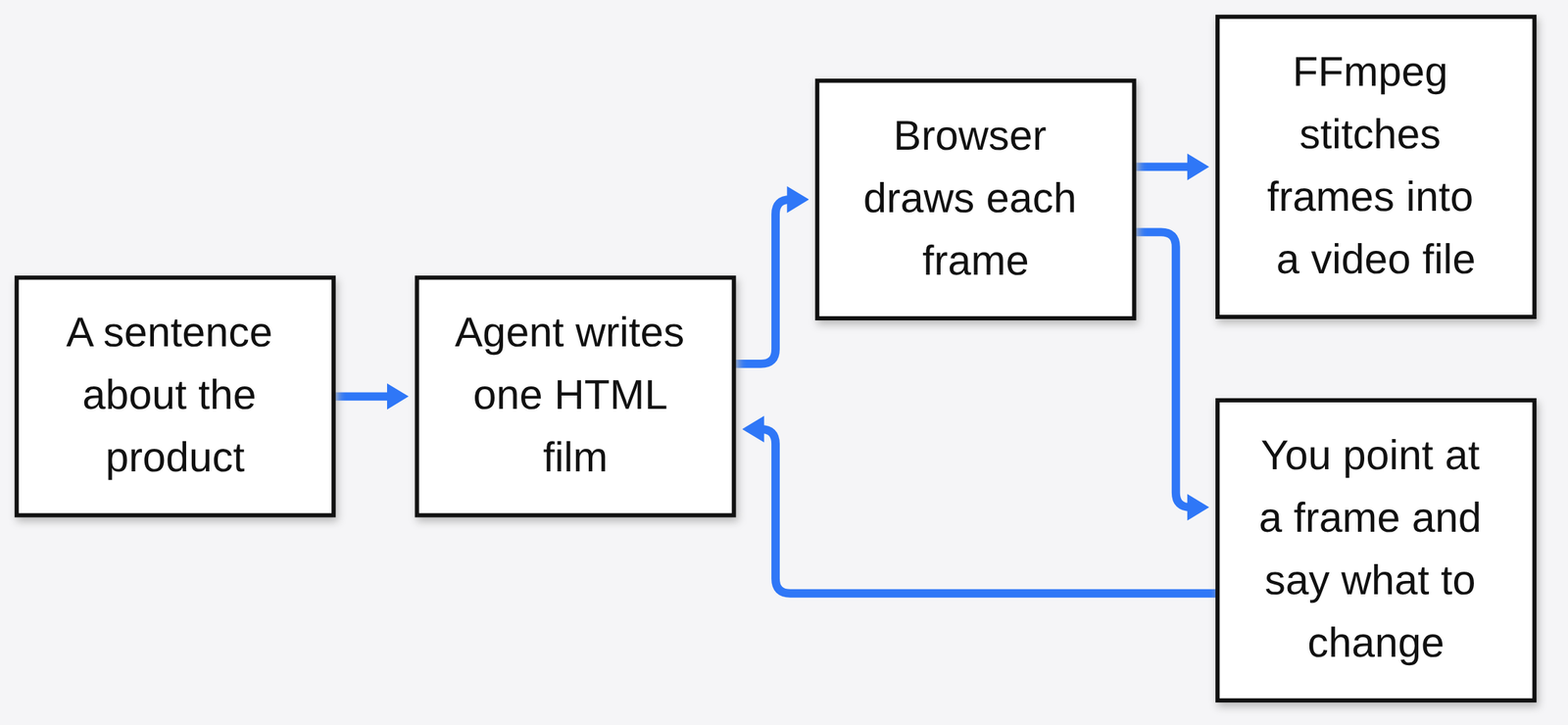
A film here is not a camera file. It is one HTML page, the same kind of file a website is made of. The browser paints that page at a chosen time, and that paint is one frame. Play the frames in order and your eye calls it motion. There is no separate video model inventing a person who was never drawn.
What is Huashu Motion?
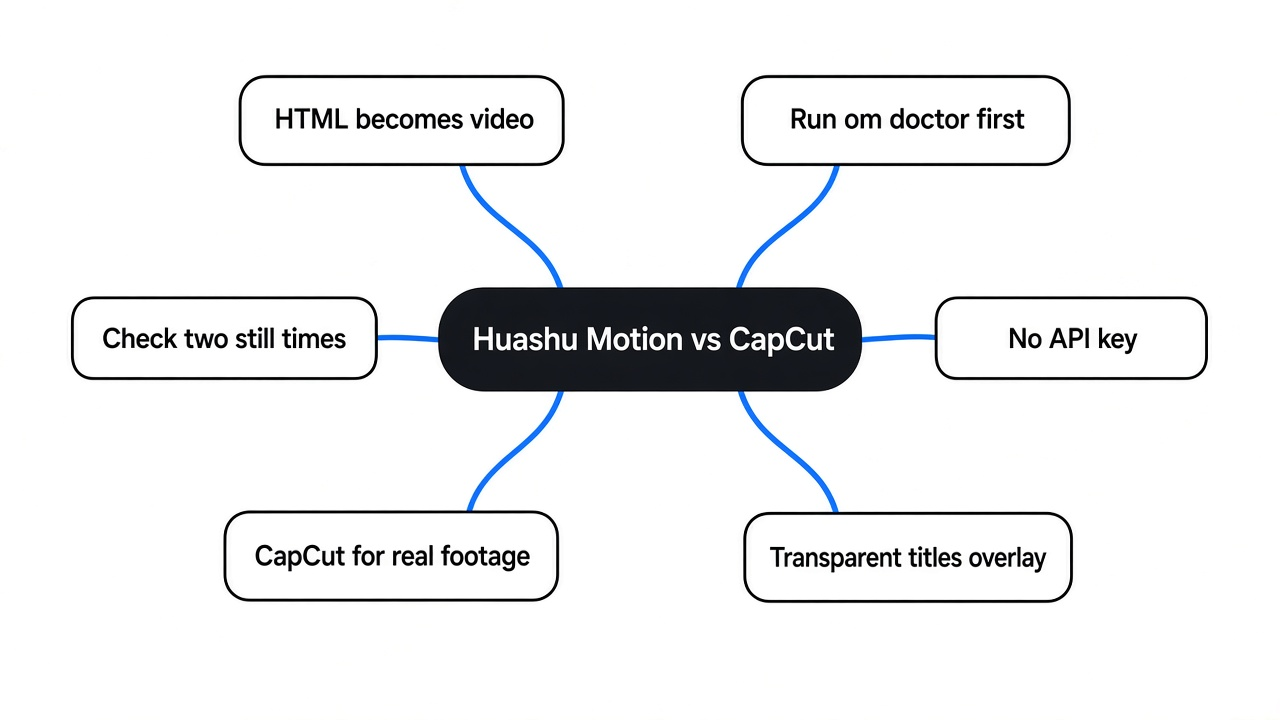
Huashu Motion is a local tool that turns one HTML page into a product film, then lets you point at a frame and say what to change.
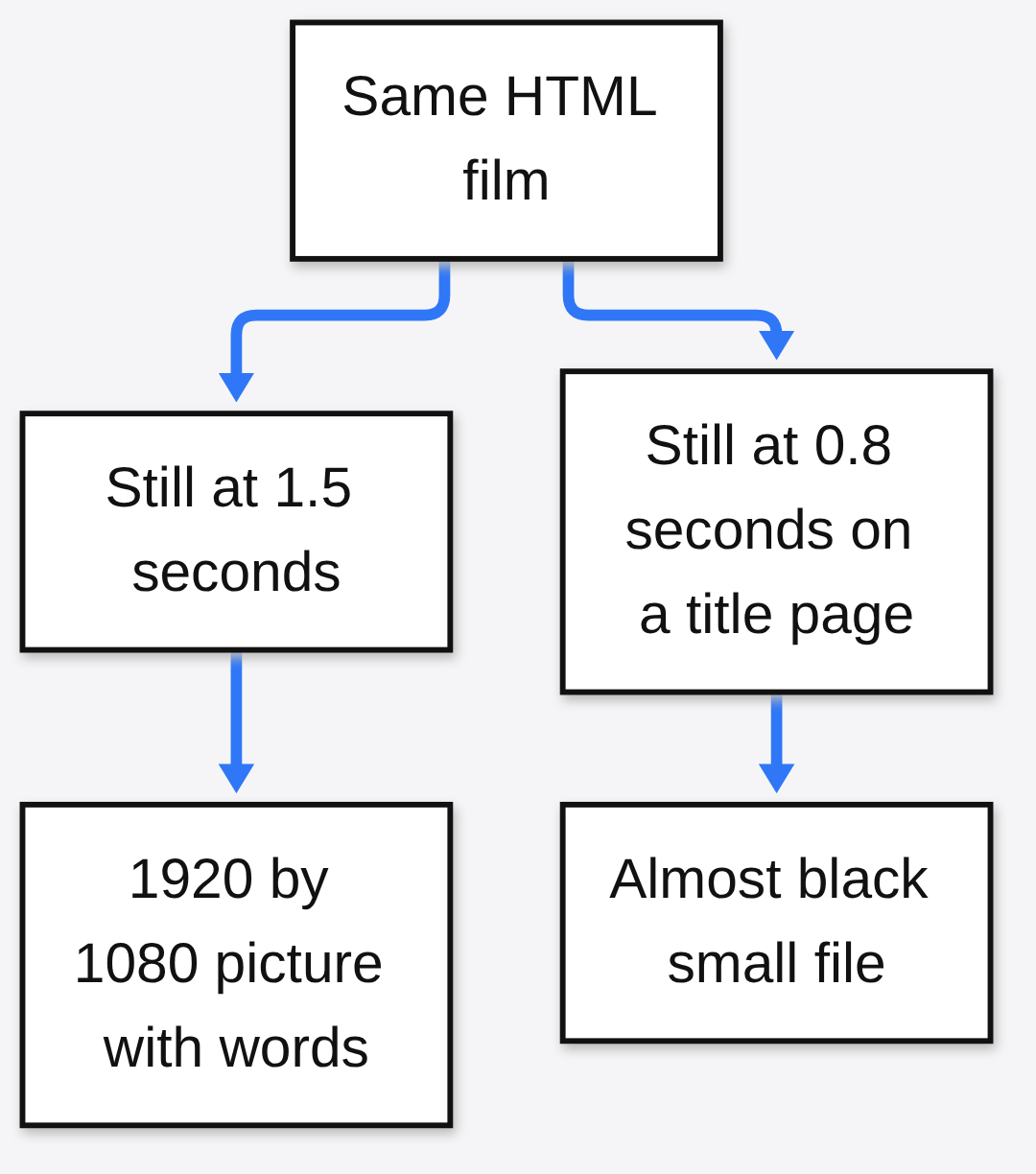
Start with the sample that already ships with the project. I opened examples/showcase/index.html and asked for one frame. The command was om still examples/showcase/index.html --at 1.5. The PNG that came back was 1920 by 1080 and 3,976,085 bytes. On it, a dark scene, a drawn character, a thin orange line, and the words THE OTHER ONE.
The same page at 4 seconds was a different picture, 3,467,428 bytes, still 1920 by 1080. The character held a small light, and the words were ONE CLICK. Same film, later moment. Change the time and the page draws a different frame. Change the code and the next still changes with it.
The point-and-edit loop works like this. You open a preview, click the spot that looks wrong, and type the change in everyday words. The note carries the time and the object under the cursor, so the next edit is not a guess about which second you meant. A still uses the same capture path as the video export. If the still is wrong, the video is wrong in the same place.
One caveat. The tool does not hear music the way you do, and it does not film a real person. Everything on that showcase frame was drawn. If the product film needs a face, a desk, or a screen recording, this page is the wrong start. That limit is why the next choice matters.
Huashu Motion vs CapCut
Huashu Motion draws frames from code when you have no clips. CapCut cuts and captions footage you already shot.
CapCut is an editor. You import a file, trim it, drop captions on a timeline, and export. The timeline is empty until a file arrives. Huashu Motion never asks for that file. It asks for a sentence about the product, or for an HTML page someone already wrote, and it draws. I expected them to fight for the same button. They do not. One starts before a camera. The other starts after a camera.
| Job | Huashu Motion | CapCut |
|---|---|---|
| You have no clips | Draws the film from one HTML page | Nothing to cut |
| You have a person or a screen recording | Does not film that | Cut, caption, export |
| Titles over footage you shot | Renders a clear overlay | Places that overlay on the timeline |
| Where the picture is made | In a browser, on your machine | In the editor, from imported media |
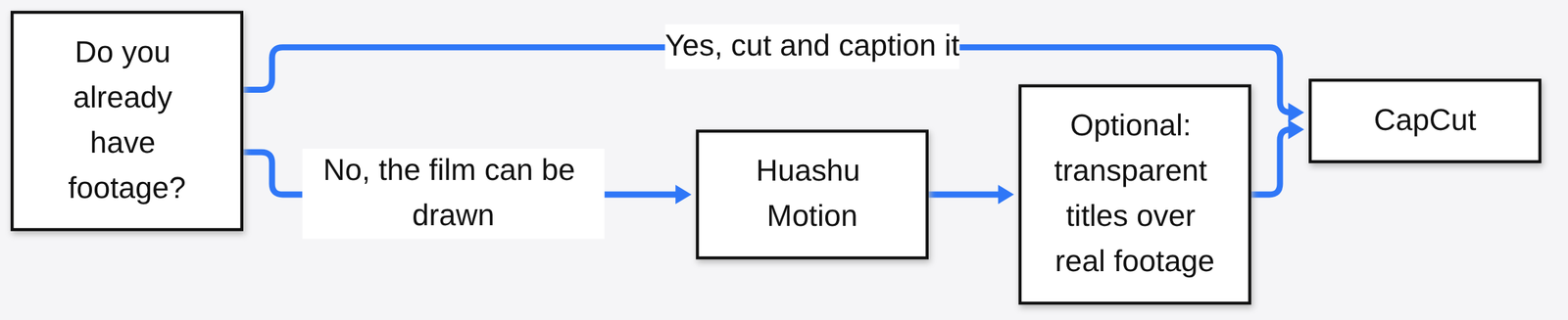
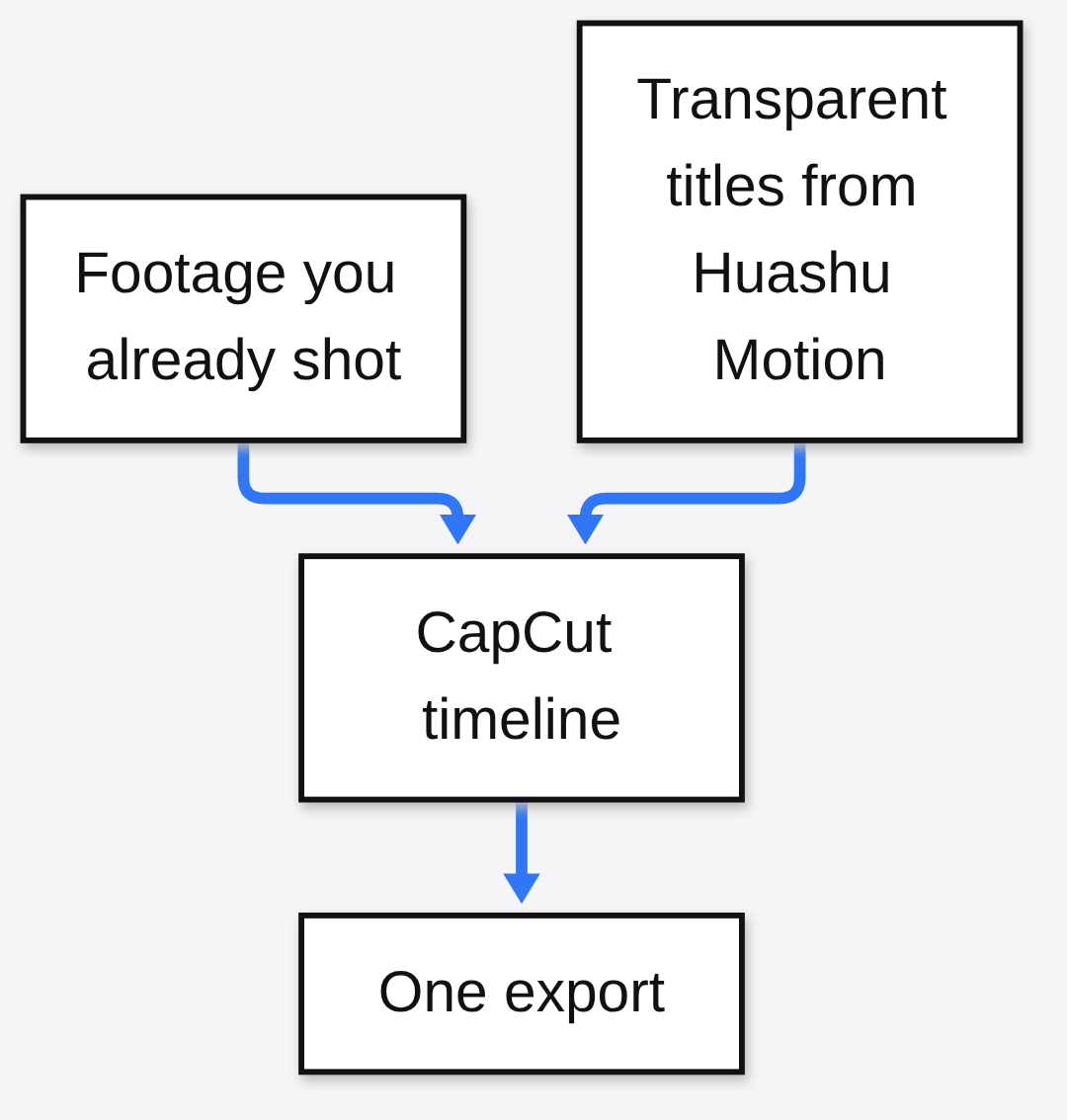
The useful overlap is the stack, not a winner. om render --transparent writes a video with a clear background, meant to sit on top of real footage in CapCut or Premiere. The drawn layer is the titles, the number cards, the keyword lines. The footage layer is the clip you already have. The export only runs on a machine that is ready to encode, which is the next part.
This is the same shape as making a slide file without opening the slide app. If the job is a deck, the path is make a PowerPoint with Claude Code or editable PowerPoint files. If the job is a diagram that should not come out as a pile of text characters, that is Claude Code diagrams. A film is that instinct pointed at frames instead of slides.
How to use Huashu Motion
Install Node 22 or newer, a Chrome browser, and both ffmpeg and ffprobe, then run om doctor before you ask for a film.
Node is the program that runs the tool. 22 is the oldest version that counts. Chrome is the program that paints the page. ffmpeg stitches the pictures. ffprobe is the partner that reads a video file and reports how long it is and how big it is. Doctor treats ffmpeg as missing if ffprobe is missing, even when the ffmpeg command itself is on the machine. That was my first failure. The second was Chrome. Doctor looks in the usual install paths. If Chrome lives somewhere else, set OM_CHROME to the full path of the Chrome program. I pointed it at a Chrome build that runs with no window, and the still worked after that.
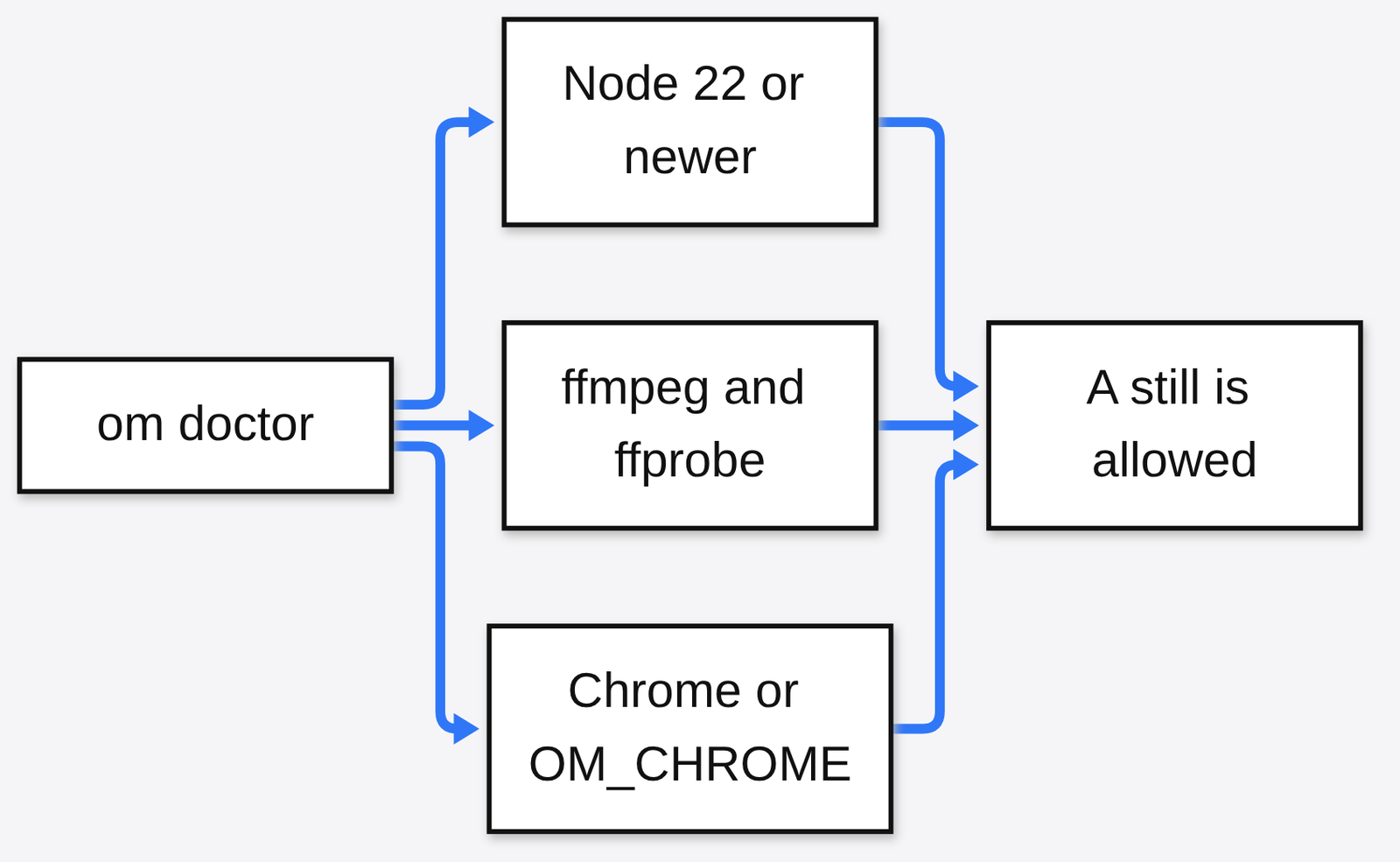
What I ran, in order:
- Clone the project from github.com/alchaincyf/huashu-motion.
- From that folder, run
node cli/om.js doctor. - Node passed. FFmpeg failed until both
ffmpegandffprobewere present. Chrome failed untilOM_CHROMEpointed at a real program. - With
OM_CHROMEset, runnode cli/om.js still examples/showcase/index.html --at 1.5. - Run
node cli/om.js check examples/showcase --samples 1.
The check said it sampled 2 frames and compared 4 frames, then printed an empty list. An empty list means it did not flag a broken frame in that small sample. It is not a promise about a film you have not written yet.
If you want the chat to write a new film, rather than render a page that already exists, the install line is npx skills add alchaincyf/huashu-motion. That puts the project’s instructions where the chat looks before it edits files. Do not skip doctor because the install line succeeded. A chat can write HTML on a machine that still cannot paint it.
The code is MIT, so you can use it and change it under that license. One drawing is outside that grant. The bean character in the demo films is the author’s cartoon, for showing the project, and it is not cleared for you to drop into a product. Use the engine. Draw your own character.
How do I make a product video without opening CapCut?
Write one HTML page that draws the product, grab a still at a time you can actually see, then render a video file once ffmpeg and ffprobe are both installed.
The mp4 needs both ffmpeg and ffprobe. With ffprobe missing, doctor marks FFmpeg as failed, so fix that before om render. The still is what that moment of the film looks like, because it uses the same capture. It is not the finished file, and it has no sound.
The trap is the time you pick. I also rendered the kinetic-type template, a page of moving words, at 0.8 seconds and again at 2.4 seconds. Both PNGs were 1920 by 1080 and only 34,428 bytes, almost black. The showcase stills on the same machine were full of a scene. A dark frame is not proof the tool is broken. It is proof you asked for a moment when the page had not drawn the words yet. Look at two times before you decide the film is empty.
When doctor is green, om render in the project folder writes the video. om studio opens a preview in the browser so you can look before you export. Music is a separate step, om sound, and a large instrument pack is optional. Without that pack the tool falls back to simpler synth notes.
If the product story is a chart or a deck and not a film, you do not need this tool. A chat that edits Office files without a local Office install is a different page: office files without installing Office.
Does Huashu Motion need an API key?
No. Rendering a page that already exists did not ask me for an API key, and the still stayed on my disk.
An API key is the password a website gives a program so the program can spend your account. Doctor, still, and check never prompted for one. Nothing in those steps asked me to sign in. A share-page export is a different action, so do not assume every export stays offline. The path I ran wrote a PNG next to the command.
A new film is a different bill. Something still has to write the HTML. If that something is a paid chat, you pay the chat, not this renderer. I do not know your chat’s price. A cheap one and an expensive one can both type a page. What changes is taste, not the stitch. The renderer does not care which chat wrote the file.
When is CapCut the better tool?
CapCut is the better tool when the film is real footage: a person talking, a screen recording, or a product you already filmed.
Huashu Motion does not generate people, and it does not invent a live shot. If the frame has to be a face, open CapCut. It is also the better tool when the only work left is trim, caption, and export, and the clip is already in the folder. Drawing a new film to imitate a video you already have is extra work with a worse result.
Use both when the titles and the number cards should sit on footage you shot. Render the titles with a clear background, then drop that file on the CapCut timeline above the clip. The drawn layer stays. The real layer stays. You export once.
I would open Huashu Motion when the folder has a product and no clips. I would open CapCut when the folder already has the shot. The still at one and a half seconds, words and a drawn character on a dark frame, is enough to know which folder you are in.
Can Huashu Motion replace CapCut?
No. It replaces the empty timeline, not the editor.
Keep CapCut, or any editor you already trust, for footage. Use Huashu Motion for the stretch where the timeline would otherwise stay blank. If you try to make one of them do the other’s job, you will either cut a file that does not exist, or draw a person the tool will not draw.
Common questions about Huashu Motion vs CapCut
How do I render a still?
Run om still examples/showcase/index.html --at 1.5 after doctor can see Chrome, then open the PNG.
If the picture is almost black, do not reinstall. Try another time. At 4 seconds the showcase page showed a different line of words. Pass --out if you want the file in a folder you choose. The size follows the page. The showcase page is 1920 by 1080. A vertical page would be tall instead.
Does it upload my video?
The still I made was a PNG on disk. That step did not ask me to sign in or send the file anywhere.
I will not stretch that into a promise about every command. A share-page export is a different action. For the test you can copy, the still and the check stayed local.
Can I put the titles on footage I already shot?
Yes. om render --transparent is the overlay, and it is meant to sit on footage in CapCut or Premiere.
The background of that export is clear, so the real clip shows through. If ffprobe is missing, doctor will not treat FFmpeg as ready. Fix doctor first. Then render the overlay. Then import both files into CapCut, titles above, footage below.