

Short answer: To find old accounts by username, run Maigret or Sherlock, then treat every result as a lead, not proof. Open each link and look for your own profile. Then cover the accounts a username search can never see: search your email for sign-up messages and check which apps you log in to with Google.
You signed up for a forum in college. A game site, a recipe app, a photo service you used twice. You picked the same username every time because it was easy to remember.
Related security reads on this site: Zero Breach Toolkit vs MVT and What Does Claude Code Send to Anthropic? — different threat models, same habit of checking what you leave behind.
Those accounts are still out there. Each one holds an email, maybe an old password, maybe a photo. When a site like that leaks its users, your reused password goes with it.
So you want a list. The good news is that free tools can check hundreds of sites for your username in under a minute. The bad news is that the list they give you is wrong in both directions. That is the one idea this post is about: a hit is a lead, not proof, and a miss is not proof either.
How Does a Username Search Tool Work?
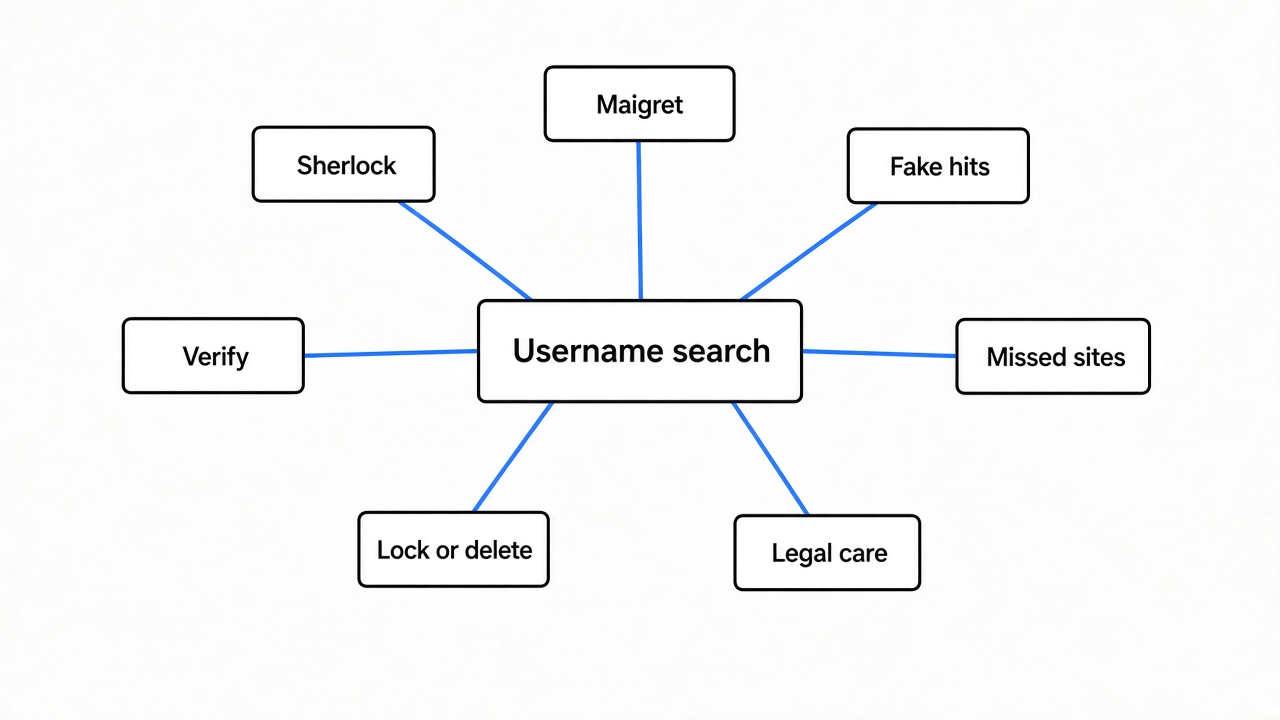
It guesses a profile address for every site and reads the reply. That is all it does, so the reply decides everything.
Most sites put your profile at a predictable address. Reddit uses reddit.com/user/yourname. GitLab uses gitlab.com/yourname. A username checker keeps a list of those address patterns, one per site, and fills your name into each one.
Then it asks each site for that page. When a page is missing, the server sends a status code (a three-digit number that says how the request went) like 404, which means “not found”. A normal page comes back as 200, which means “OK”.
So the tool’s whole logic fits in one line: 200 means the account exists, 404 means it does not. Some sites need a smarter check, so the tool looks for a phrase on the page instead, like “user not found”.
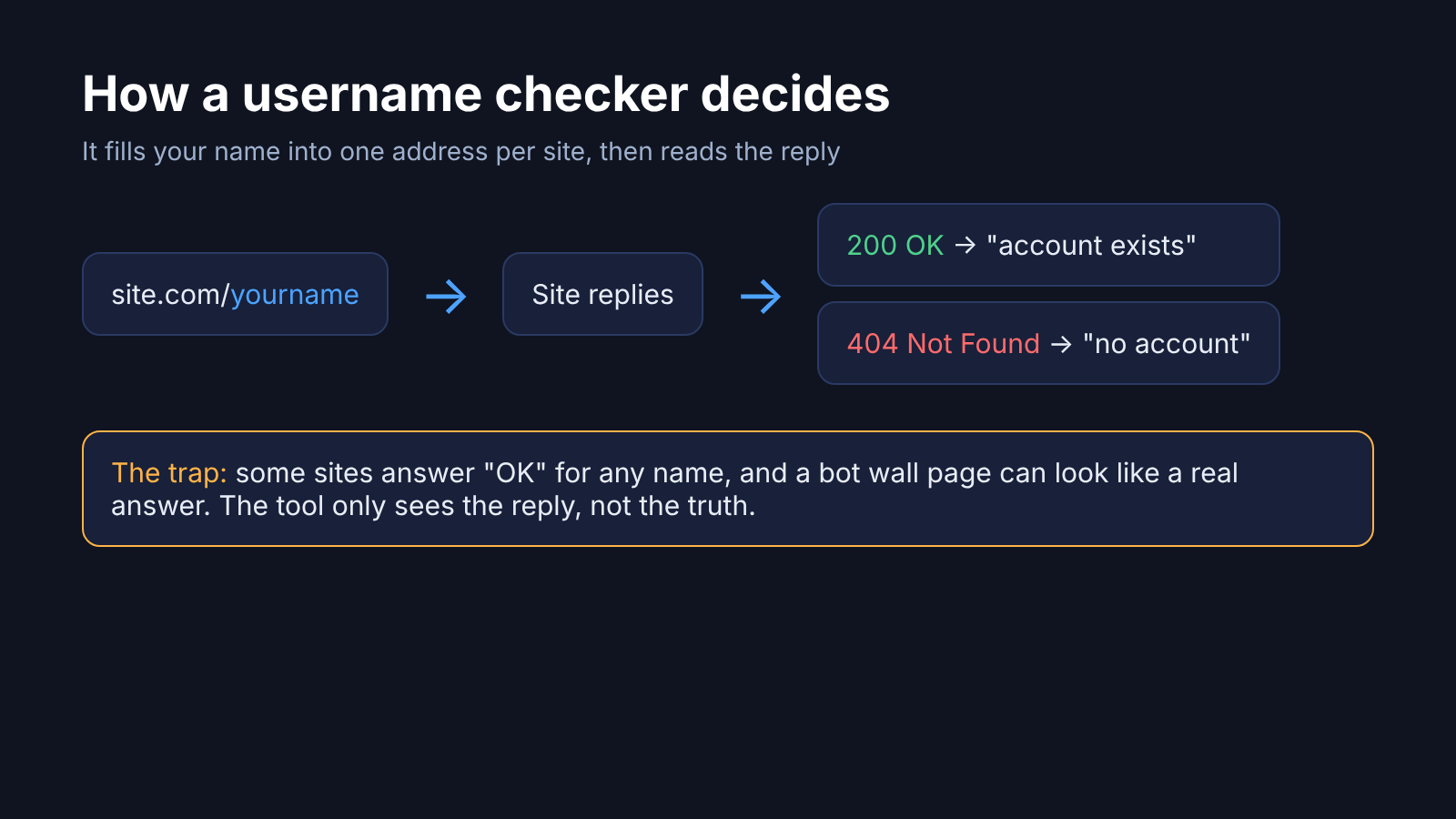
Here’s the catch. A site does not always answer honestly. Some return a normal “OK” page for any name you type. Others put up a bot wall (a “checking your browser” page that blocks scripts) and the tool reads that wall instead of the profile. A tool that only reads the reply code cannot tell those apart from a real answer.
Which Free Tools Search a Username Across Sites?
Sherlock and Maigret are the two worth knowing, and both are free, open source command-line tools. Both are Python apps under the MIT license (a license that lets anyone use and change the code).
Sherlock is the older and better-known one. It checks about 400 sites by default and prints a link for each match. Adult sites are skipped unless you add a flag.
Maigret works the same way but goes further. Its site list runs into the thousands, though by default it checks only the top 500 or so by popularity. It also reads the profiles it finds and follows clues, like a second username listed on a profile, to search again.
Setup takes about a minute each if you already have Python:
pip install sherlock-project
pip install maigret

sherlock yourname
maigret yournameBoth finished a full run in under half a minute on my machine. So the question is not speed. It is whether the list is right.
How Accurate Are Sherlock and Maigret?
Neither is accurate enough to trust without checking, and they fail in different ways. I ran two tests on both tools to see how.
Test 1: names nobody has. I made up five random usernames, strings like qz7vwplk92xrt that no person would pick. Any account a tool “finds” for these is fake.
- Sherlock reported 6 to 8 accounts for every one of the five names.
- Six sites showed up as a match for all five names, every single time.
- Maigret reported 1 or 2 accounts per name, and one site matched all five.
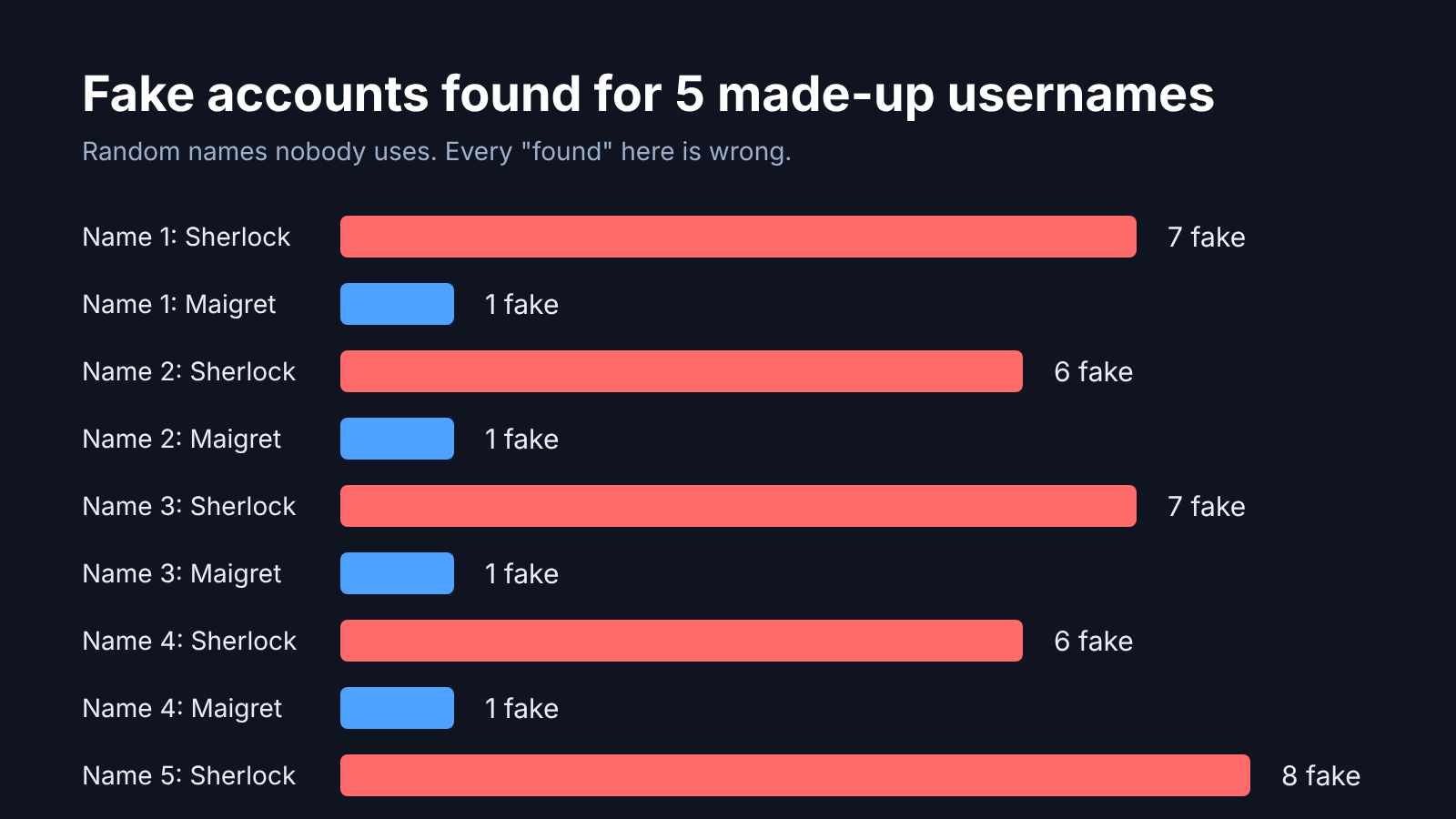
That means a Sherlock list for your name likely carries a handful of entries that have nothing to do with you. If you skim the list and panic about a game site you never joined, this is why.
Test 2: accounts that really exist. Both tools ship with a known real username for each site they check, so their makers can test them. I took 36 to 38 big sites from each tool’s list, like Reddit, Instagram, YouTube, npm and Spotify, and searched for that site’s own known account.
- Sherlock found 28 of 38. It said “Not Found” for 8 accounts that exist, including Instagram, npm and PyPI.
- Maigret found 27 of 36. For the other 9 it did not say “not found”. It said it could not check, and named a reason, such as bot protection or access denied.
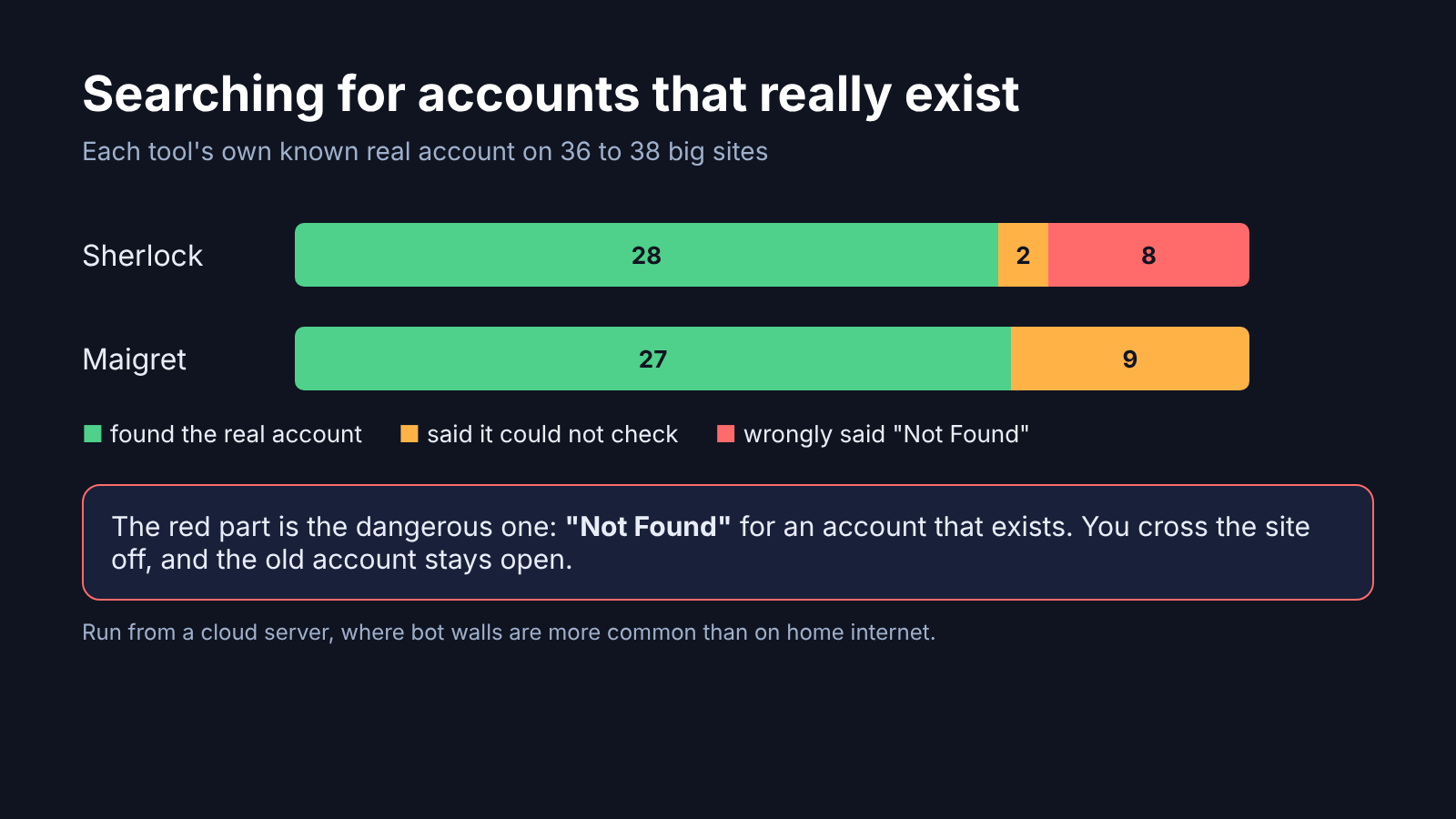
That second difference matters more than the raw score. A wrong “Not Found” is a silent miss. Some of Sherlock’s came from a bot wall, others from a check that no longer matches how the site answers. Either way, you cross the site off your list, and the old account stays open.
There is one honest edge here. I ran both tests from a cloud server, and websites put up bot walls for cloud servers far more often than for home internet. From your own laptop, both tools will likely find more and get blocked less. The pattern still holds: a tool that reads a bot wall as “no account” will mislead you on any connection.
How Do I Check If a Result Is Really My Account?
Open every link and look for something only you would recognize. A real profile shows a photo, a bio, posts or a join date. A fake hit shows an empty page, a search page, a sign-up page or a “checking your browser” wall.
Here is a quick way to sort the list:
- Run Maigret first, since it marks blocked sites instead of hiding them.
- Run Sherlock second to catch sites Maigret skipped.
- Merge the two lists and open each link in your browser.
- Mark each one: mine, not mine, or blocked.
- For every “blocked” site, open it yourself and search your name there.
Sherlock has a --browse flag that opens every result in your browser for you. It is handy for this step, but expect a lot of tabs.
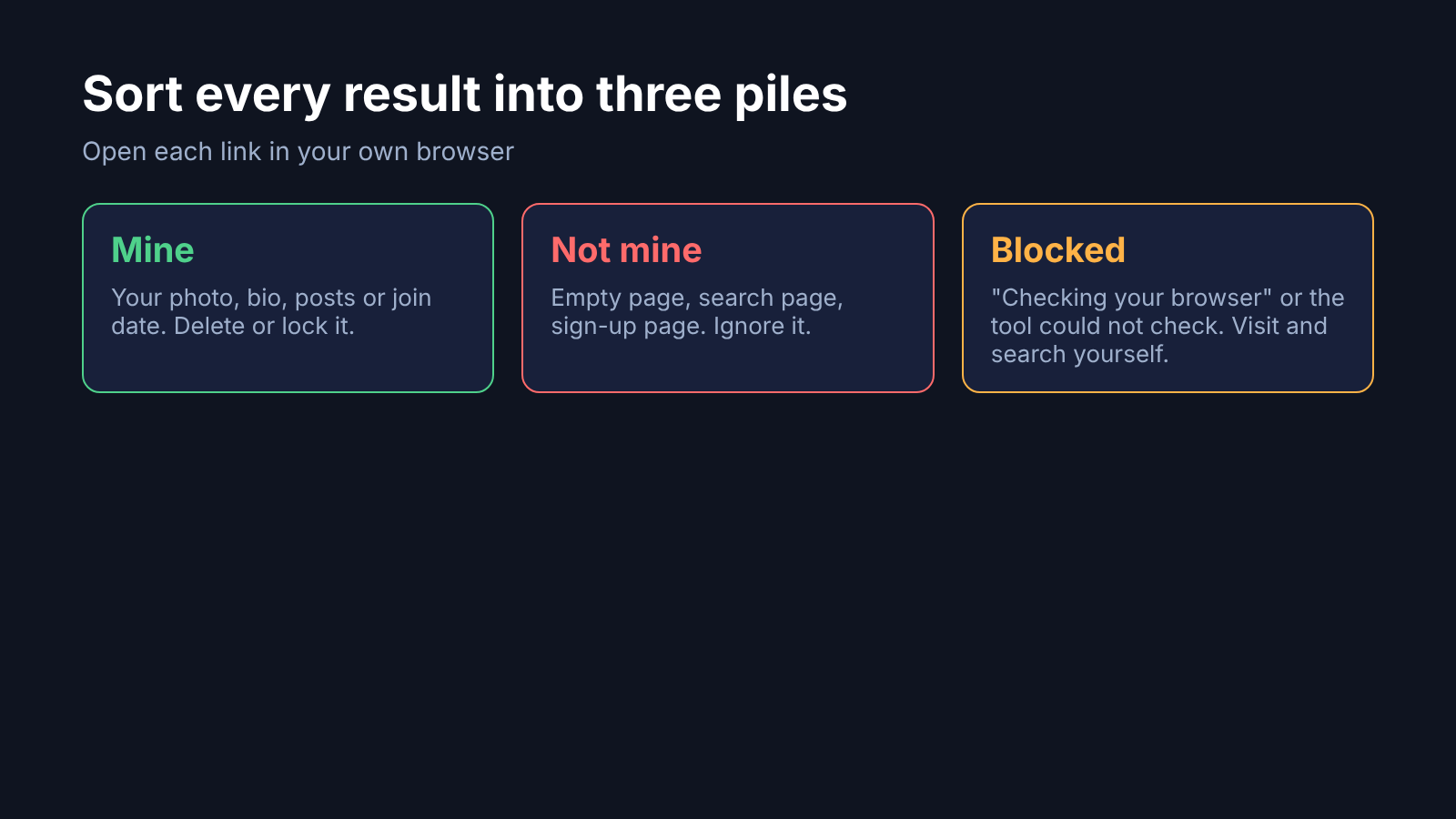
Why does the browser check work when the tool failed? Because the site treats you as a person. You get the real page, not the wall the script got.
Why Won’t a Username Search Find All My Accounts?
Because many accounts never had a public profile with your username in the address. A banking app, a shopping site or a newsletter tool has no page at site.com/yourname. No username tool can see those.
You also changed usernames over the years, or a site gave you a number instead. And some sites make profiles private, so the address answers “not found” even when you are there.
So a username search covers one slice of your old accounts. Two other checks cover most of the rest:
- Your email inbox. Search all your email accounts for words like “welcome”, “verify your email” and “confirm your account”. Nearly every sign-up sends one of these.
- Sign in with Google. Your Google Account has a linked apps page that lists every app you log in to with Google, and lets you remove each link.
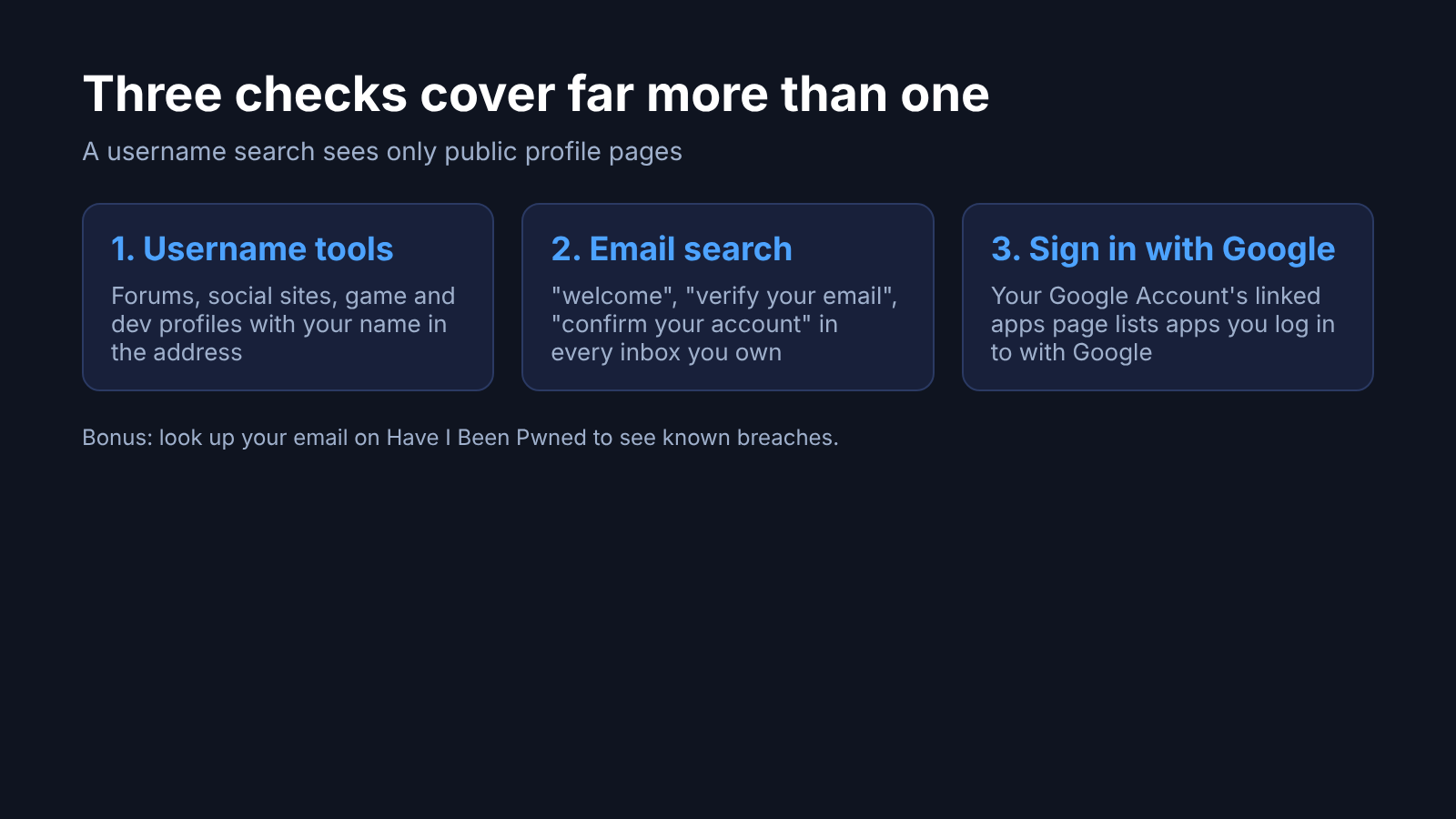
A third check is breach lookup. Have I Been Pwned lets you check whether your email address showed up in a known data breach, which often surfaces sites you forgot you joined.
What Should I Do Once I Find an Old Account?
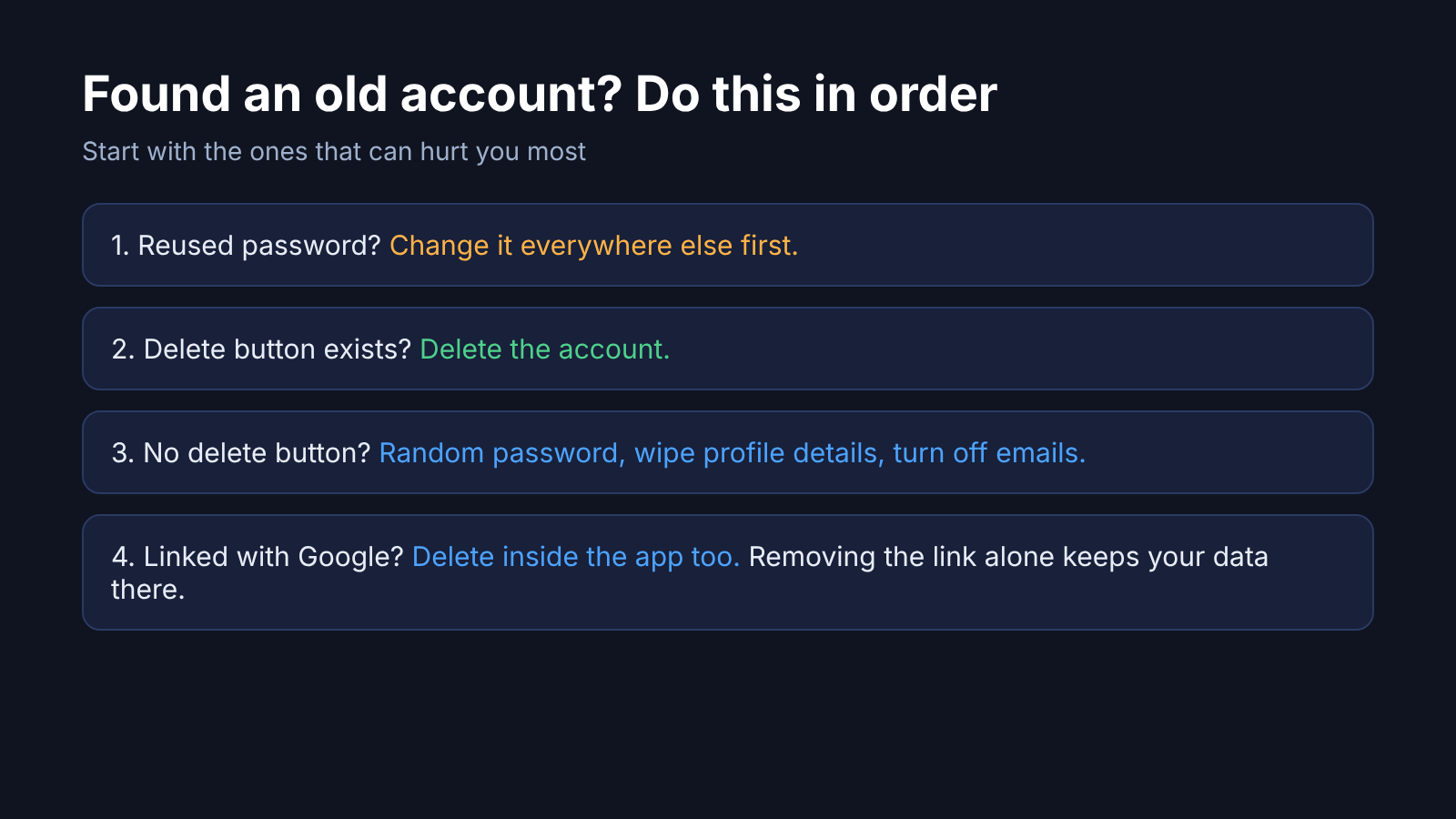
Delete it if you can, and lock it down if you cannot. An account you do not use is all risk and no benefit. Before you share screenshots of a recovery email, strip metadata with ExifCleaner vs ExifTool.
Start with the ones that matter most: anything that used a password you still use elsewhere, anything linked to money, and anything with your real name or photo. Change that reused password everywhere first, because a leak from one forgotten site can open the accounts you care about.
Some sites have no delete button. For those, change the password to a random one from a password manager, remove personal details from the profile, and switch off email from them. That leaves an empty shell instead of a useful target.
Removing a “Sign in with Google” link stops the app from logging you in with Google. It does not delete your account or data in that app, so delete inside the app too.
Is It Legal to Use Sherlock or Maigret?
Searching public profile pages for your own username is fine, and that is what this guide covers. These tools only read pages anyone can open in a browser.
The same tools are used to look up other people, which is where it gets tricky. Rules on collecting and using someone else’s data differ by country and by site, and stalking or harassment is illegal almost everywhere. Use them on yourself, or on accounts you have clear permission to check.
So when the list comes back, open the links before you believe it. A hit is a lead, not proof. And a blank line next to a site you know you joined is not proof either. Go look.
Common questions about finding old accounts by username
Is there a website that finds all accounts by username?
Several websites do this. They run the same kind of check as Sherlock and Maigret, with the same fake hits and misses. The command-line tools are free, run on your own computer and show you exactly what they checked.
Is Sherlock or Maigret better?
Maigret was more careful in my tests: fewer fake hits, and it said “could not check” instead of “not found” when a site blocked it. Sherlock is simpler and catches some sites Maigret skips, so running both works best.
Can I find old accounts with just my email address?
Yes, and it often finds more than a username search. Search your inbox for sign-up and verification emails, check your Google Account’s linked apps page, and look up your email on Have I Been Pwned.
Why does Sherlock show accounts I never made?
Some sites return a normal page for any name, and some return a bot-check page instead of the real one. Sherlock can read either of those as “account exists”, so always open the link to confirm.