
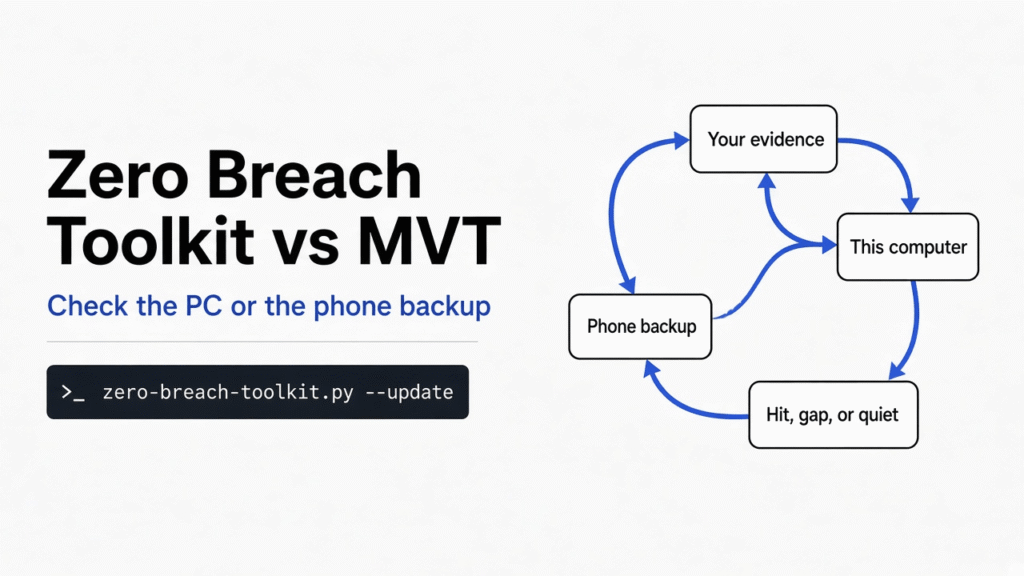

I had two tiny browser histories and nothing else on the disk that mattered. One history had visited a made-up address that can never be a real website. The other had visited a longer name that only looked like it. Zero Breach Toolkit vs MVT is the choice between checking the computer you are sitting at and checking a phone backup you already copied off the device. Zero Breach Toolkit found the made-up address, ignored the lookalike, and still refused to call the quiet run safe. MVT (Mobile Verification Toolkit, Amnesty’s phone checker) is the tool you reach for when the evidence is that backup, not the laptop.
A spyware check is a comparison, not a magic wand. Someone publishes a clue, called an indicator (a known address, file fingerprint, or process name). The tool looks for that clue in records already on disk. It does not visit the address. It does not upload your files. A match means “this saved record contains a published clue.” It does not, by itself, mean the machine is infected.
Zero Breach Toolkit vs MVT
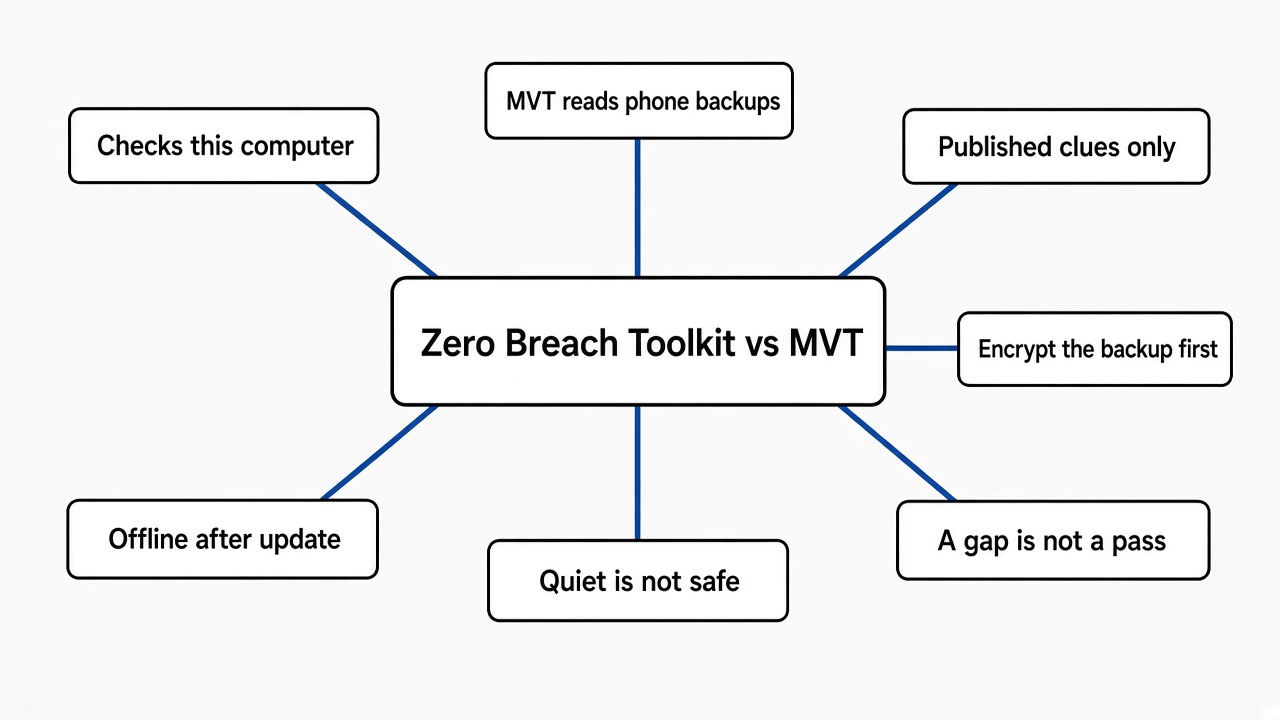
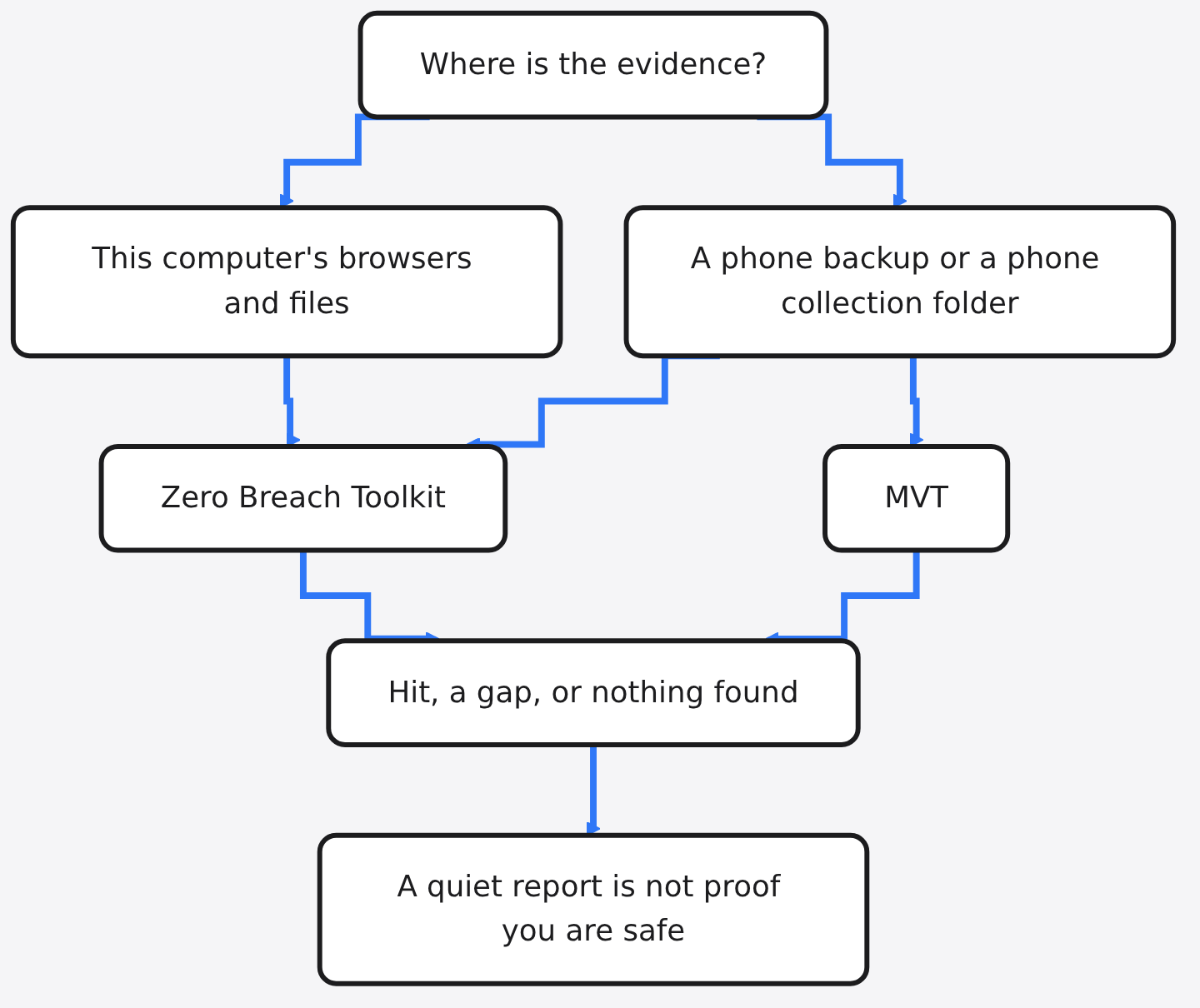
Use Zero Breach Toolkit when you want one program to look at this computer and, if you bring a folder, at a phone backup too. Use MVT when you already have a phone backup or an Android collection and you want the checker Amnesty’s own docs describe.
The two tools share a rule, and that rule is the whole point of the comparison. Public clues are not a proof of safety. Both projects say so. A quiet report means “nothing in the list showed up in the places that could be read.” Places that could not be read stay listed as gaps. A gap and a clean pass are different answers, and this tool will not mash them into one comforting line.
| Question | Zero Breach Toolkit | MVT |
|---|---|---|
| What you point it at | This computer by default. A phone folder only if you pass one. | An iPhone backup, an Android backup, or an Android collection. Not your laptop’s browser. |
| What a hit means | A published clue was in a record it could read. | The same idea, on phone records. |
| What a quiet run means | No clue in the places it could read. Not “you are safe.” | The same limit. The docs say public clues can miss a new attack. |
| Network during the check | None. Updating the lists is a separate command. | The check itself is local. You still download the clue files first. |
| Extra install | Python is enough for a computer check. | A Python install of MVT, plus a backup you made yourself. |
I would not install both on day one. If the fear is “did this laptop touch a known address,” start with Zero Breach Toolkit. If the fear is “did this phone,” make the backup first, then pick one checker and finish it. Running two checkers on the same backup is fine later. It is a bad first step, because you will not know which gap belongs to which tool.
What does Zero Breach Toolkit check?
Zero Breach Toolkit reads saved records on the computer and compares them with the clue list. It does not watch the screen, and it does not scan memory.
On a computer it looks through the browsers people actually install: Chrome, Edge, Brave, Firefox, and a long tail of the same family, including Tor Browser. Inside each profile it can see history, cookies, bookmarks, downloads, and some caches. It also hashes a short list of file types that a dropped program might use, such as .dll and .exe, and it skips files larger than 120 MiB. On Windows it can also read some startup records, Defender history, and the box where people paste commands. On macOS and Linux those Windows-only records do not exist, so they show up as checks that do not apply, not as a pass. macOS can include Safari if Terminal is allowed to read it. Linux can include startup files, cron, and shell history.
The phone half never talks to the phone. You hand it a folder. For Android, that folder is a collection made by AndroidQF (a small program that copies phone records onto the computer). For iPhone, that folder is a local backup from Finder, Apple Devices, or iTunes. The checker then looks at apps, messages, Safari, profiles, and crash logs that the backup actually contains. An encrypted backup holds more of those records than an unencrypted one. The password is typed into a private prompt. Do not put it in the command.
The lists are the other half of the tool. The copy I cloned shipped two local files. I counted 405 non-comment lines in the ad-infrastructure list and 23 in the short mercenary list. That is the set you get if you never touch the network. I then ran the update command. The tool printed 29 lists, 0 failed downloads, and 13,131 indicators. Your number will move when those publishers add or remove a clue. The useful fact is the split: a small built-in set, or the large set after one explicit download.
How an ad can be the thing that plants one of those addresses is a different job. An ad is not a picture walks through that path. This page is only the check you run after.
What does MVT check?
MVT checks a phone acquisition, not the laptop you used to download it. You point mvt-ios at an iPhone backup or a copied filesystem, and mvt-android at an Android backup or an AndroidQF folder. It extracts records into files, then matches them against a STIX file (a standard file of threat clues) you pass with --iocs.
That is a narrower job, and it is the reason MVT is still the tool many responders already know. The docs show the shape:
mvt-ios check-backup --iocs ~/ios/malware.stix2 --output /path/to/output /path/to/backupA hit is highlighted, and a detected file is written beside the normal results. There is no computer-browser mode in that flow. If you only install MVT, your laptop’s Chrome history is still unread.
Zero Breach Toolkit can read the same kind of clue file, including STIX bundles from the MVT project, and its update step downloads those lists for you. So the lists overlap. The programs do not. MVT is a phone lab. Zero Breach Toolkit is a computer check that can also open a phone folder. The timed result on this page is the computer test. The phone section is the commands those projects print, which you run once a backup exists.
How do I check my computer for spyware?
Close the browsers, open a terminal in the toolkit folder, update the lists once, then run the check. Python 3.8 or newer is enough. You do not need administrator rights for the default computer check.
git clone https://github.com/interplains/Zero-Breach-Toolkit.git
cd Zero-Breach-Toolkit
python3 -X utf8 scan/zero-breach-toolkit.py --update
python3 -X utf8 scan/zero-breach-toolkit.py --json report.json
On Windows, type python instead of python3, or double-click scan\run-scan.cmd. On a Mac, before the Safari part can work, add Terminal under System Settings, Privacy and Security, Full Disk Access, then quit Terminal and open it again. If you skip that, the report should list Safari as not checked. That is a gap. It is not a pass.
--quick skips the file-fingerprint walk and says so. Use it when you want the browser records first. Use the full run when you also want hashes of candidate files. --share-json summary.json writes a short summary without paths and page text. The full report.json can contain history, profile names, and message excerpts. Keep it off a shared drive. Do not paste it into a chat.
The same instinct, match a published list and do not run the suspicious thing, is how you check for a malicious npm package. That list is packages. This list is spyware clues. Do not mix the reports up.
How do I check an iPhone backup for Pegasus?
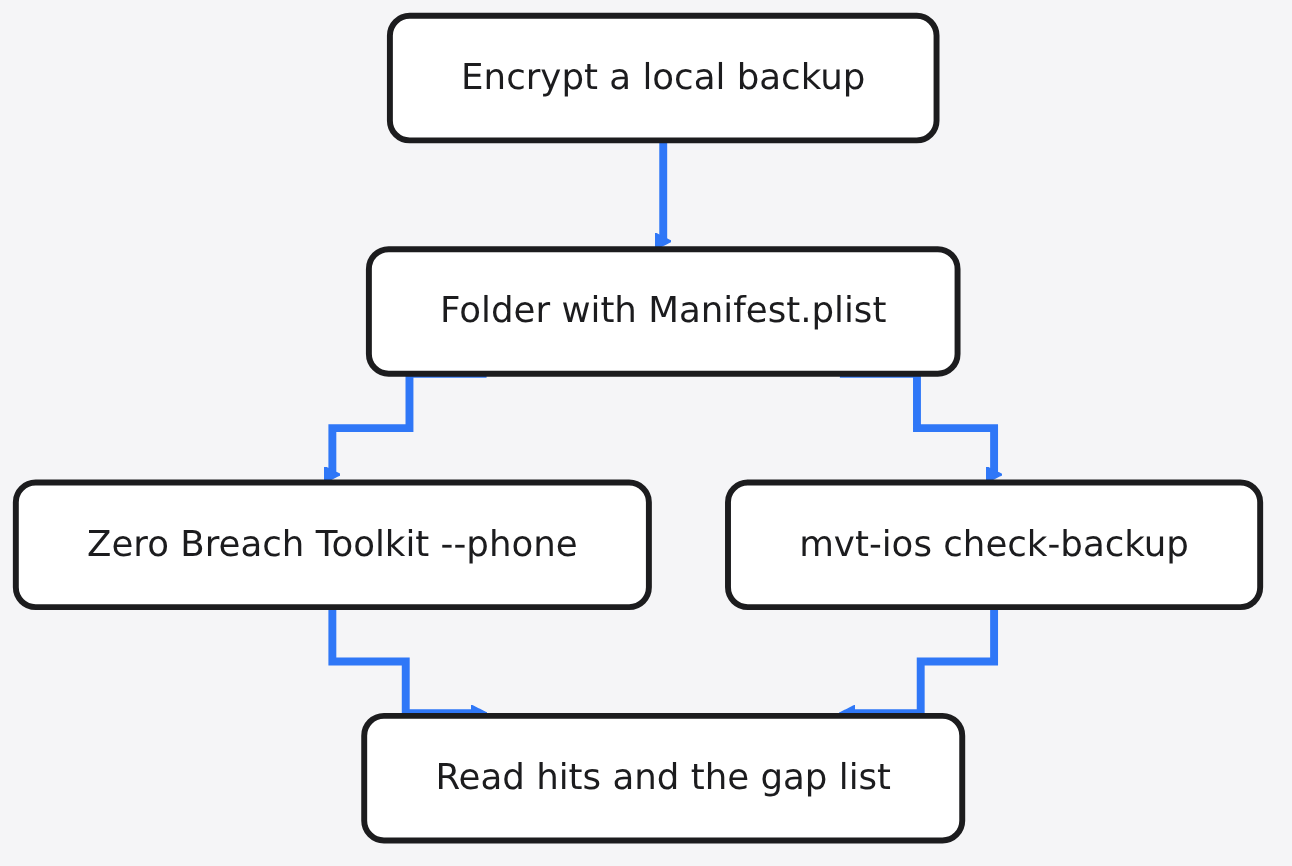
Make a local encrypted backup first, find the folder that contains Manifest.plist, then pass that folder to the checker. Pegasus is one family of government spyware. The check is not a Pegasus-only switch. It looks for every published clue in the lists you loaded, and Pegasus names are in those lists.
On a Mac the backups usually sit in ~/Library/Application Support/MobileSync/Backup/. On Windows they usually sit under %USERPROFILE%\Apple\MobileSync\Backup\. Encrypt the backup when you create it. An encrypted backup keeps more of the records the tool knows how to read. Then, from the toolkit folder:
python3 -m pip install --require-hashes -r requirements-backups.txt
python3 -X utf8 scan/zero-breach-toolkit.py --phone "PATH TO THE BACKUP FOLDER" --backup-password
The password prompt is private. Leave --backup-password off if the backup is not encrypted. --phone-guide ios prints the same steps in the terminal. If what you have is a copied filesystem instead of a backup, add --ios-input filesystem. If it is a sysdiagnose archive, add --ios-input sysdiagnose.
For Android, do not plug the checker into the phone and hope. Turn on USB debugging, collect with AndroidQF, then:
python3 -X utf8 scan/zero-breach-toolkit.py --phone "PATH TO THE EXTRACTED FOLDER"Or stay inside MVT:
mvt-android check-androidqf --iocs ~/iocs/malware.stix2 /path/to/androidqf/I would pick one of those phone commands and finish it. Two half-finished folders feel like progress and are not.
Does a clean spyware scan mean I am safe?
No. A quiet report means no loaded clue was found in the records the tool could open. It does not mean the device is clean, and the tool prints that on the run.
I proved the difference with three fake browser profiles, so the test never touched a real person’s history. Each profile was a folder named like Chrome’s “User Data,” with a Default profile and a small History database. The clue file had one line: synthetic-test-indicator.invalid. A name that ends in .invalid is reserved. It cannot be registered as a real site, so the test cannot leak onto the network even if something tried to look it up.
The first profile’s history contained https://synthetic-test-indicator.invalid/ad?id=1, and a cache file contained the same host. I ran:
python3 -X utf8 scan/zero-breach-toolkit.py --scan-type targeted --target "/tmp/hit/User Data" --iocs iocs.txt --json hit.jsonIt exited with code 2 in about 0.16 seconds. The summary said “1 finding to review” and named that address in the History file, under the Default account. It also said one further match was only a reference in saved page content, which was the cache file. A history row is the stronger of the two. Neither one is a proof that a program is still running.
The second profile contained not-synthetic-test-indicator.invalid, a longer name that merely has the clue inside it. The third contained https://example.com/ok. Both exited with code 3 in about 0.10 seconds. The summary said no known indicator was found in anything that could be checked, and it still said this is not a clean bill of health. The gap was honest: my one-line clue file had no file fingerprints, so the hash compare could not run. Exit 3 means “no hit, but at least one check did not finish.” Exit 0 would mean no hit and no recorded gap. I did not get exit 0 on the quiet runs, and I should not have.
| What I put in the history | Exit code | What the summary said |
|---|---|---|
| The exact reserved address | 2 | 1 finding to review, in History |
| A longer lookalike name | 3 | No clue found, and one gap |
| example.com only | 3 | No clue found, and the same gap |
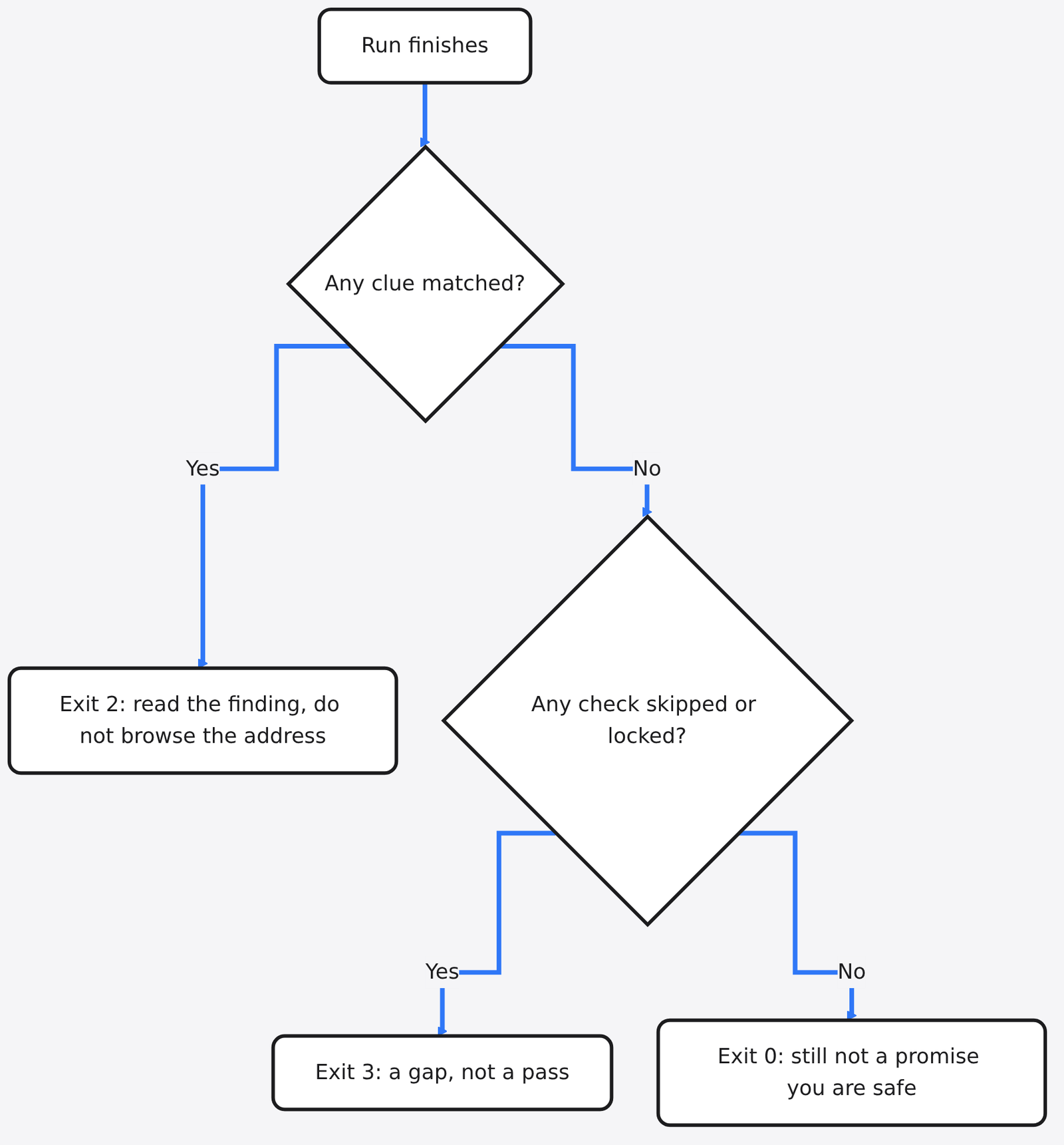
I also ran the 38 small checks that ship with the tool for matching and for this kind of planted file. All 38 passed, in a fraction of a second. That is how you know a lookalike is ignored on purpose. The matcher requires a real boundary. notcontrolium.net is not the clue controlium.net. A longer ending such as controlium.network is not that clue either. A real subdomain, such as noas.controlium.net, still counts, because it is that name with a prefix label, not a different word glued on.
If you want the same proof on your machine, do not plant a real spyware address into your real profile. Copy the reserved name, build a throwaway folder, and point --scan-type targeted at that folder only. Targeted mode requires --target, and --target requires targeted mode. --quick cannot be combined with it.
When should I not use Zero Breach Toolkit?
Do not use it as a substitute for a person when you have a concrete reason to think you are being targeted right now. The report can tell you to contact a helpline. Take that line seriously. A checker that only knows published clues will miss a campaign that has not been written down yet, and mercenary spyware is built to make this kind of check fail.
Do not use it to decide that a phone is fine because the laptop came back quiet. The computer modules say this in their own notes: a computer check cannot tell you the phone is infected or clean. Do not use a hit as a story to post. The banner warns that the full report can hold browsing details and message excerpts. Share the short summary only if a responder asks for it, and ask them how they want it sent.
Do not run a random .exe you found next to the project. The project is easier to trust from the Python source, because the lines you run are the lines you cloned. A release also prints a size and a SHA-256 fingerprint (a checksum of the whole file). If you use the single-file release, rebuild from that same tag and compare. A match means the file is that source. An unsigned program you built another way will not give you that comparison, and Windows may warn on it for that reason.
Skip MVT for the same kind of mismatch. If you have no backup and no Android collection, MVT has nothing to read. Making the backup is the work. The command is the last step.
Photos are a smaller version of “the file holds more than the picture.” ExifCleaner vs ExifTool is that check. It will not find spyware. If the worry is a coding agent with a shell on the same machine, the box you want is different again: a coop sandbox throws the session away. Neither of those replaces a clue scan.
The official pages, if you want the commands from the people who ship them, are the Zero Breach Toolkit repo, the MVT repo, and the MVT backup check.
I will run Zero Breach Toolkit on a computer, after the list update, and I will read the gap list before I believe the quiet line. I will use MVT when the only evidence I have is a phone backup and I want the checker its own docs already assume. I will not tell anyone they are safe because a program printed that it found nothing.
Common questions about Zero Breach Toolkit and MVT
Does a clean scan mean my phone is safe?
No. A phone was not even in the computer run. For a phone, you need the backup or the Android collection, and even then a quiet result only covers published clues in the records that backup contained.
Can I use MVT instead of Zero Breach Toolkit?
Yes, for a phone backup or an Android collection. No, if the thing you want to read is this computer’s browser. MVT does not grow a laptop mode because you prefer one install.
Does Zero Breach Toolkit need the internet?
Not for the check. --update is the only step that downloads, and it downloads clue lists, not your report. After that, the scan is local. I would update once before a check you care about, because the built-in files I counted were 428 clues together, and the update I ran loaded 13,131.
Do I need administrator rights?
Not for the default computer check. On a Mac you do need Full Disk Access for Terminal if you want Safari’s records. That is a privacy toggle, not an administrator install. Encrypted phone backups need one extra Python package, installed from requirements-backups.txt with hashes checked. The tool will not install it for you.