
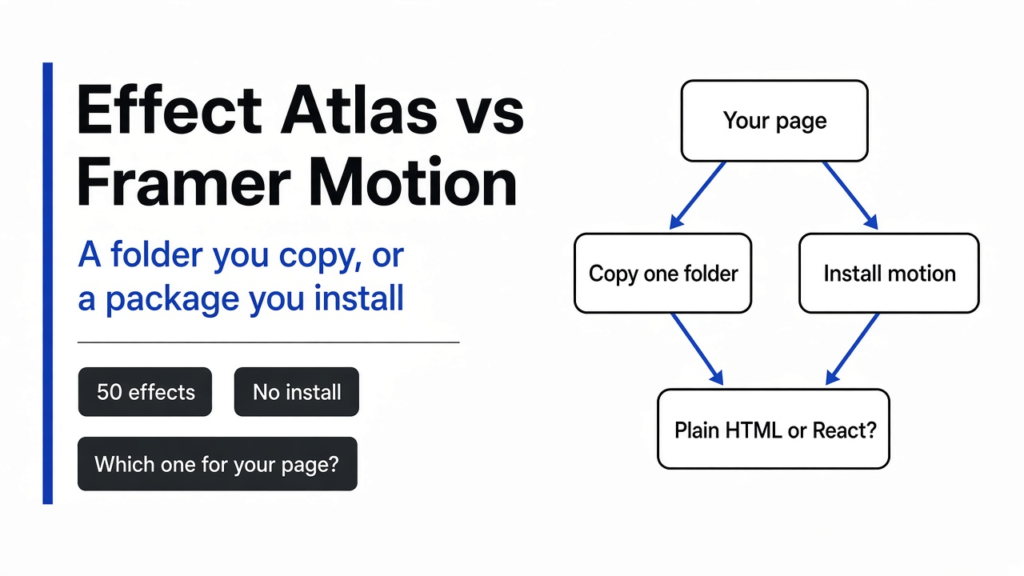

I asked for a line under two links in a footer. The page was already plain HTML, a file you can open on its own. The coding agent reached for Framer Motion. That is the name people still type. The library, meaning a package you install and import instead of pasting one file, is published now as motion. It has a plain-JavaScript way to animate, but the part people still mean by Framer Motion is its React components. Effect Atlas is the other answer: separate motion effects in plain JavaScript, one folder each, with no install step.
Effect Atlas vs Framer Motion is a job split, not a taste test. Copy one Effect Atlas folder when you want that motion on a page you already have. Keep Framer Motion when the motion has to follow React state, when a list has to slide into a new order, or when a piece has to animate on the way out of the page.
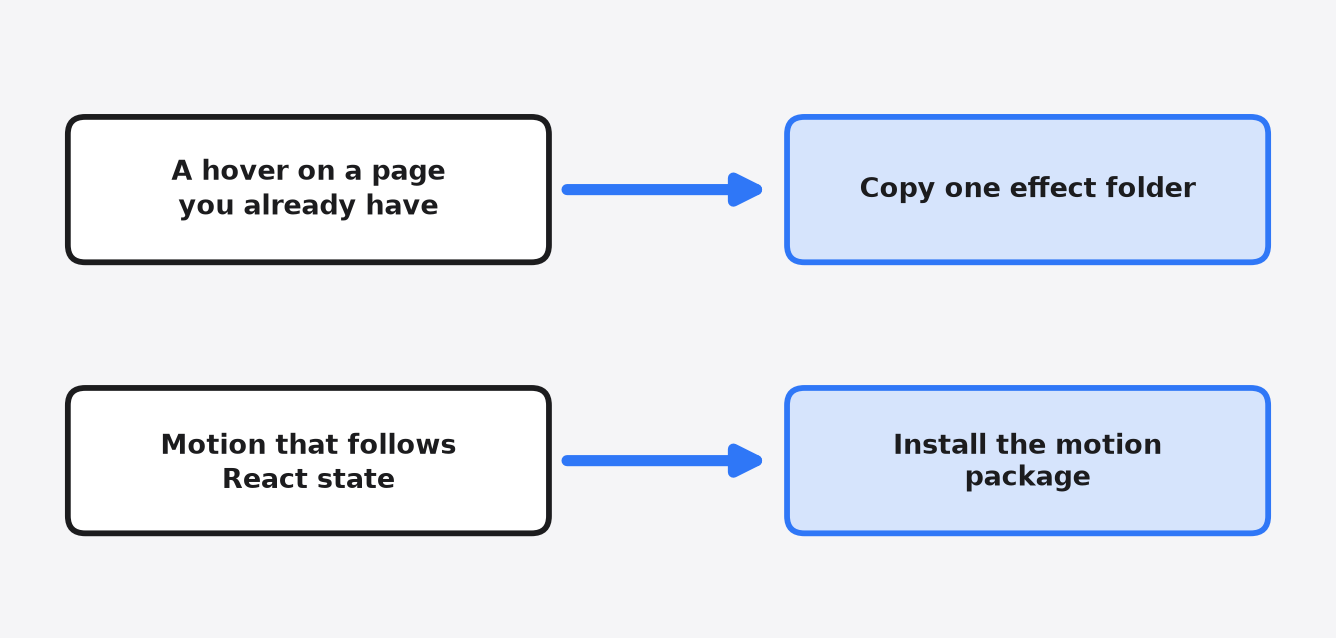
That picture is the decision. The rest is what changed when I checked the files and opened two demos.
Effect Atlas vs Framer Motion: what you actually install
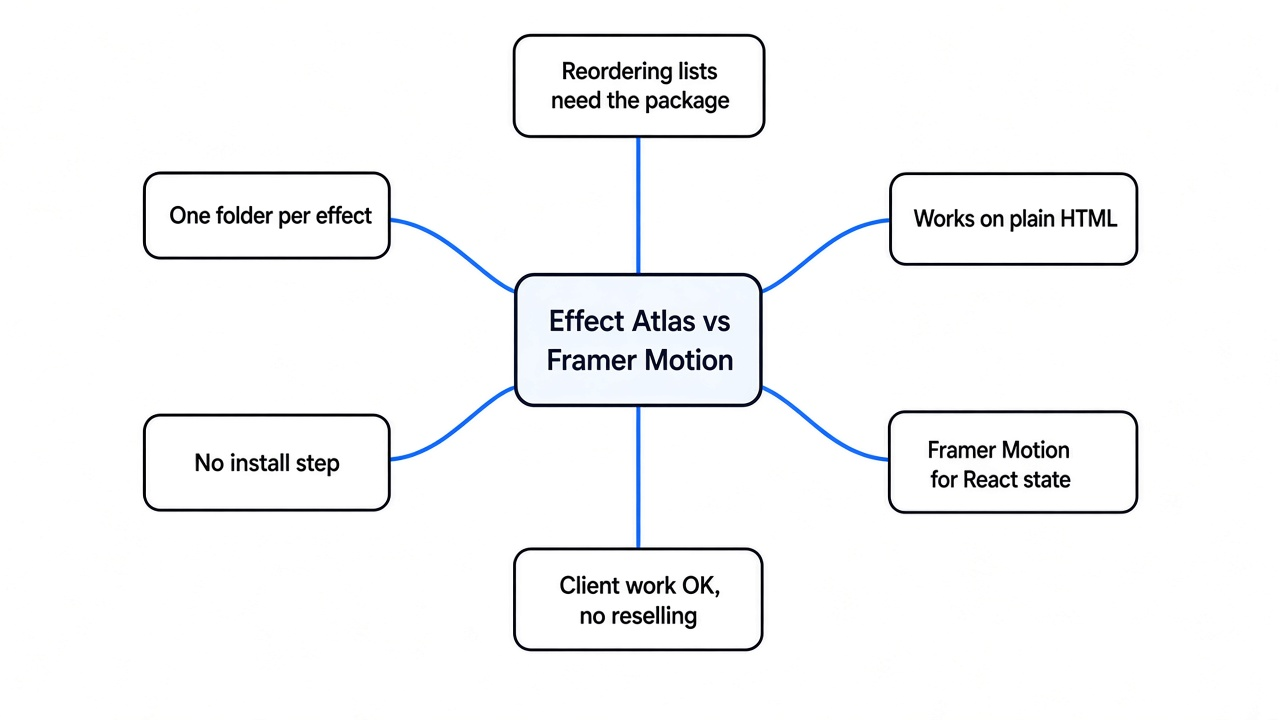
Copy one Effect Atlas folder for a single motion on a page you already have, and keep Framer Motion when the animation is tied to React.
Framer Motion arrives through a package manager and stays out of your source until a build pulls it in. Effect Atlas does not. Each effect is a folder you copy into the project. The folder is the thing you ship.
I ran the project’s check, node scripts/catalog.mjs --check. It reported 50 effects, 9 categories, and 150 local documentation links, and it said the JavaScript syntax and the dependency files passed. The categories are cursor, hover, text, nav, scroll, hero, transitions, gallery, and a leftover group. That is the shelf. You do not install the shelf.
| Effect Atlas | Framer Motion | |
|---|---|---|
| What you take | One folder | The motion package |
| Install | None | A package install |
| Page | Plain HTML, or any page that can load a script and a style file | React components, plus a plain-JavaScript API in the same package |
| Where the code lives | The folder sits in your project | The package, until a build keeps the parts you import |
| A list that reorders | Not this tool | This is what the library is for |
| A piece leaving the page | You would write that yourself | Built in |
| License | Use it in your site and in client work. Do not sell the effects as their own pack | MIT, on the package I checked |
The motion package I fetched was about one megabyte on disk before any build. A built page does not download that whole folder, because the build drops files you never import. One Effect Atlas effect is not a one megabyte install either. Link Hover Set, the first demo I opened, is 33,476 bytes of JavaScript and 5,133 bytes of CSS. That is source size, before any minifier. The useful difference is the shape. One folder and no dependency, or a package your build has to know about.
How do I add one Effect Atlas effect without a library?
Copy the effect folder, load its style and script, then call the one function named in the file header.
That function is the mount. You pass it the element on the page, the box it is allowed to draw in. Link Hover Set’s function is mountLinkHoverSet. Pixel Wipe Button’s is mountPixelWipeButton. The name is at the top of effect.js and again in catalog.json, so you do not invent it.
This is the shape from the Link Hover Set file, once the box is on the page:
<link rel="stylesheet" href="effect.css">
<div id="stage" style="height:560px"></div>
<script src="effect.js"></script>
<script>
  const fx = mountLinkHoverSet(document.getElementById("stage"));
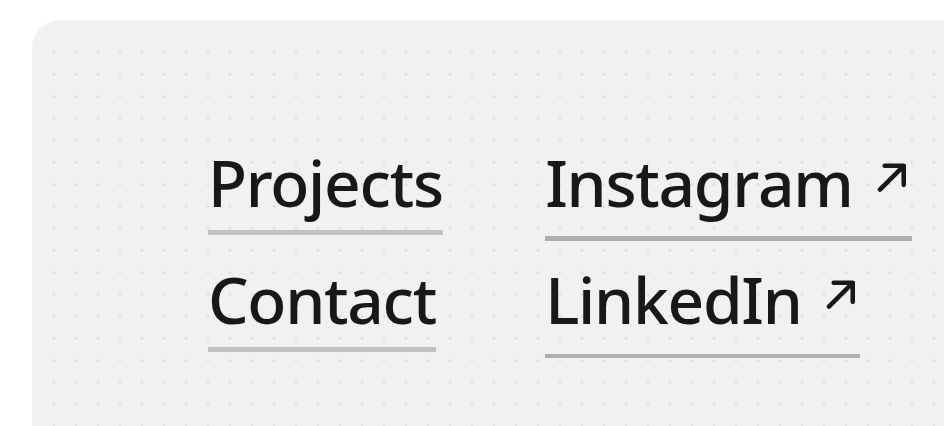
</script>The height is not a flourish. The comment in that file says the element needs a real width and height, and the effect fills the box and replaces what was inside it. I opened the demo in a browser. The text came back as Projects, Contact, then Instagram and LinkedIn broken into one letter each. The letter split is the effect doing what the header describes.
What is inside an Effect Atlas folder?
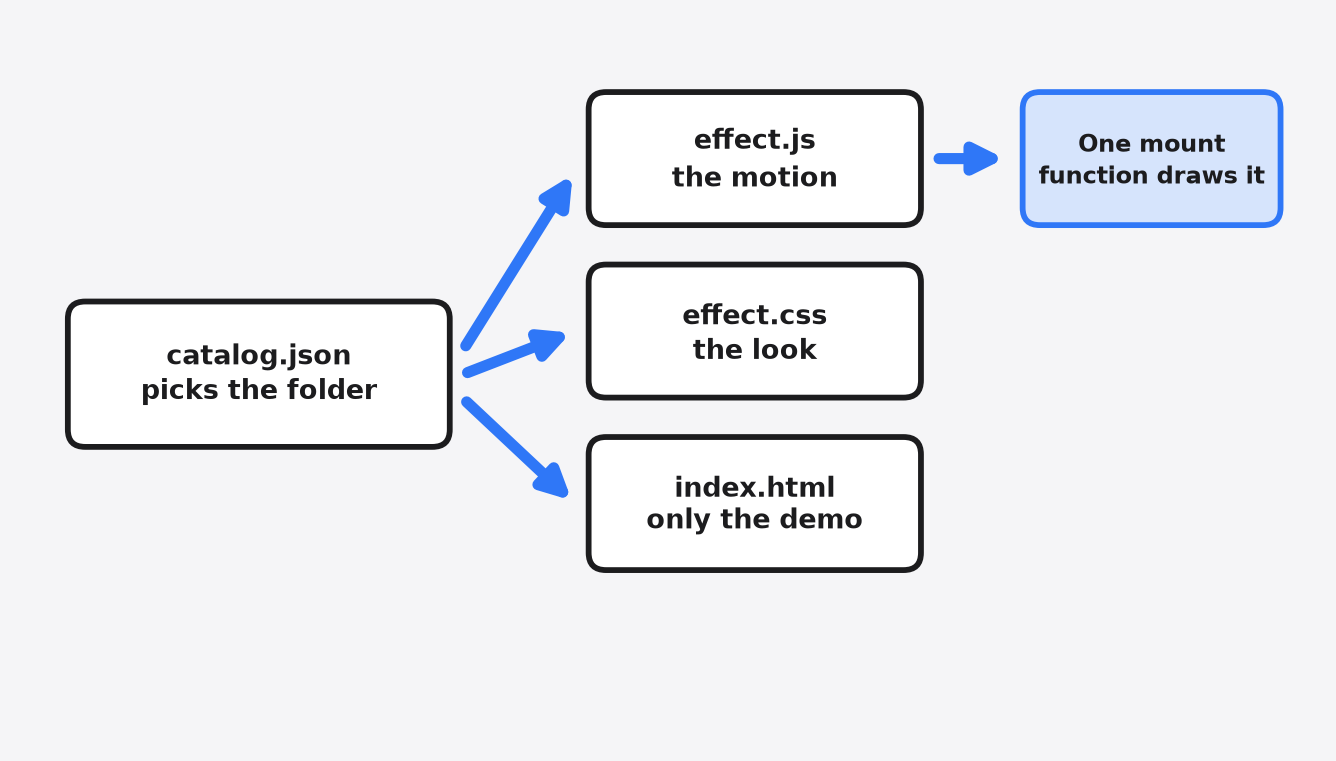
Each effect is effect.js, effect.css, and an index.html demo, plus an extra file only when that effect needs one.
effect.js is the motion and the instructions. The first comment is long on purpose. It names the mount function, the options, what you can change, and what the effect does to the element. effect.css is the look. index.html is a working example, including the mount call. It is not the effect itself.
I measured a few folders so the size was not a guess.
Link Hover Set is the small pattern: three files, and the demo page is 874 bytes. Pixel Wipe Button matches it: 33,638 bytes of JavaScript, 3,739 bytes of CSS, and an 886 byte demo. I opened that demo too. The labels on the page were Get started, Book a demo, and Contact sales. The header says the hover paints the new color as squares, in 16 held frames, on a canvas. A canvas is a drawing surface in the page, and the script paints it. There is no CSS transition doing that wipe. A rewrite that “just uses a CSS hover” would drop the effect.
Three effects bring a 3D library with them. That library is three.js, which draws in space instead of sliding flat boxes. Disc Carousel, Curved Gallery, and Hold to Burst each ship three.min.js. On Disc Carousel that file is 603,445 bytes, and a license file for it sits beside it. If you copy one of those three, copy the license file too. The other 47 effects had no extra library in the folder.
One demo lies about size if you only stare at the HTML. Edge Refraction Dispersion’s script is 23,260 bytes and its CSS is 438 bytes. Its index.html is 919,621 bytes, because the demo page stores its pictures inside the file. Copy the script and the style. Read the mount lines in the demo. Do not paste that HTML into your site and call it the effect.
When should I still use Framer Motion?
Keep Framer Motion when the animation has to react to React state, when items leave the page, or when a list has to move into a new layout.
The effects I opened own a box and play a motion inside it. They are not watching your data. If the design is “these cards reshuffle when the filter changes,” that is the package. If the design is “this footer link grows an underline, and the letters roll,” that is the folder.
A third path is smaller than both. A CSS transition, a few lines in the stylesheet that change color or position on hover, is enough for a fade or a color shift. I would not copy a 33 KB script for that. I would not add the motion package for it either.
Two nearby jobs get mixed up with this one. If the whole page looks generated, the problem is the look, not one hover, which is what the design skill test measures. If you need a video file rather than a live page, a renderer is the tool, which is the split in HyperFrames vs Remotion. If the question is whether a button lives in a package or as a file you own, Astryx vs shadcn answers that, and it does not pick a hover.
Can I use Effect Atlas on a client site?
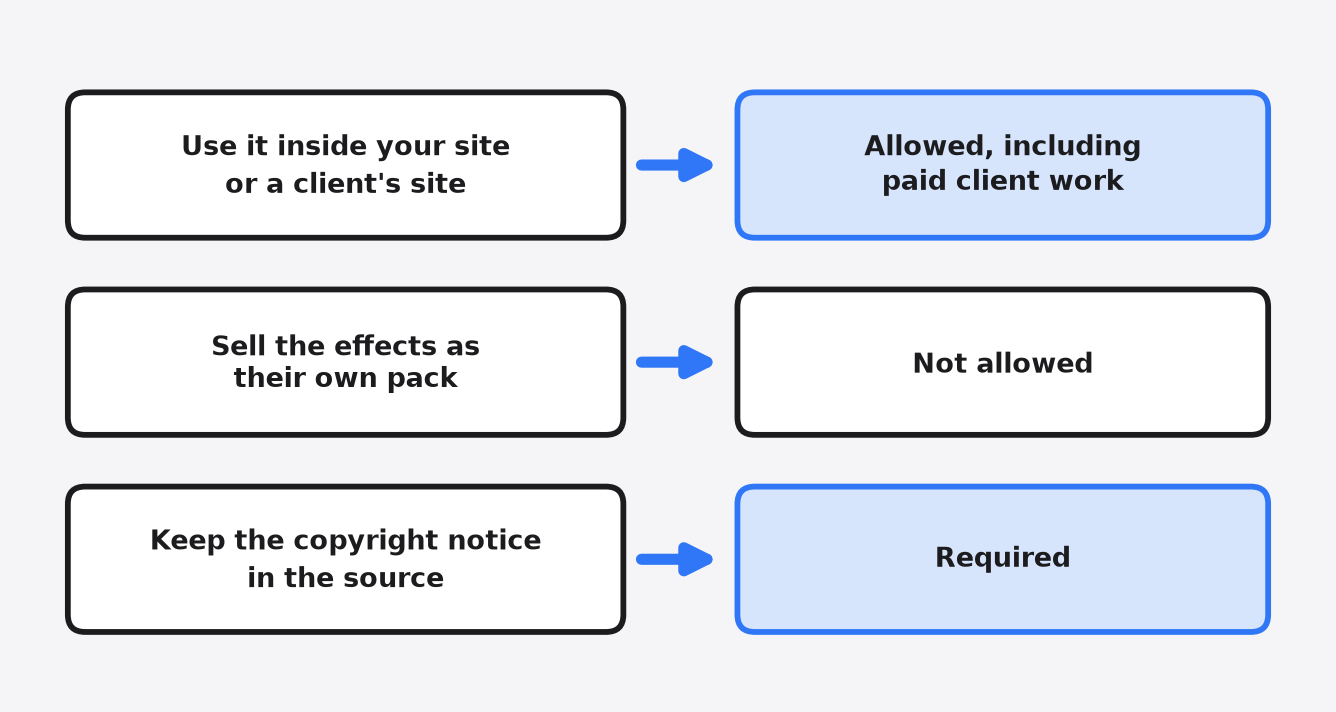
Yes. You can use the effects in a site you ship, including a site a client pays you for. You cannot sell the effects as their own product.
The license file says it is adapted from the MIT license, and that it is not the MIT license, and not an open-source license. Open source, in the usual short sense, means you may reuse, change, and share the code under a small set of rules. MIT is that kind of grant. The motion package I checked is MIT. Effect Atlas is source you can read, with a narrower permission.
The permission covers copying, changing, and renaming the effects inside your project, including a commercial site. You may build that project for a client, charge for the work, and hand over the source with the effects in it. You may publish a tutorial that includes an effect, if the copyright notice stays.
It does not cover selling the effects on their own, as one effect or as the set. It does not cover deleting the copyright notice. It does not cover mirroring the gallery as a package or as another copy of the site. A fork for reading is fine. Publishing that fork as a gallery site, or as a package, is the mirror the license refuses. Keep the notice at the top of effect.js. You do not have to print a credit on the visible page. The full text is the license, and the files live in the repository.
How do I hand an Effect Atlas effect to a coding agent?
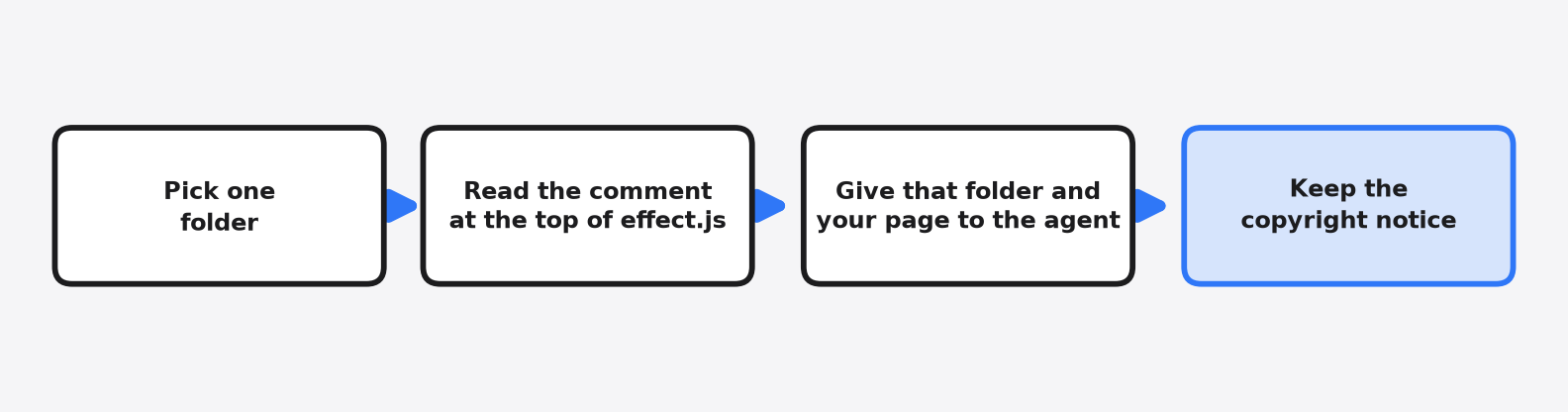
Give the agent one folder, the page it should change, and a line that says to keep the copyright notice.
Do not hand over all 50. catalog.json lists every effect, the folder, the mount function, and the extra files. Point at one name. Then tell the agent to read the comment at the top of that effect.js before it edits. That comment is the contract. The demo page shows the script order.
This is the note I would paste for the footer:
Add effects/link-hover-set/ to the footer.
Read the comment at the top of effect.js and the mount call in index.html.
Keep the page's own text and colors. Keep the motion.
Load effect.css and effect.js. Call the mount function on a box that has a height.
Call destroy when the view goes away.
Keep the copyright notice.The destroy line still matters if the page is React and you only wanted the folder. A reload mounts a second copy when nothing cleans up the first. Link Hover Set names fx.destroy() in the header. Use the cleanup that effect documents. The names are not shared across the set. The package docs for the other path live at motion.dev, and they are the wrong instructions for a folder you copied.
How do I stop my coding agent from adding an animation library?
Name the folder to copy, and say not to add a package, in the same note.
The agent reaches for Framer Motion because that name has sat next to the word animation for years. “Add a nice hover” is how the package appears. Name the folder. Name the mount function if you already opened the file. Say the page is not React, when it is not. The check after the edit is small. package.json should not have a new motion dependency, and the footer should load effect.css and effect.js.
If the agent rewrites the effect as a CSS hover and drops the painted squares, it did not follow the file. Pixel Wipe Button’s header says those squares are drawn, in 16 frames, with no CSS transition. Send it back to that comment.
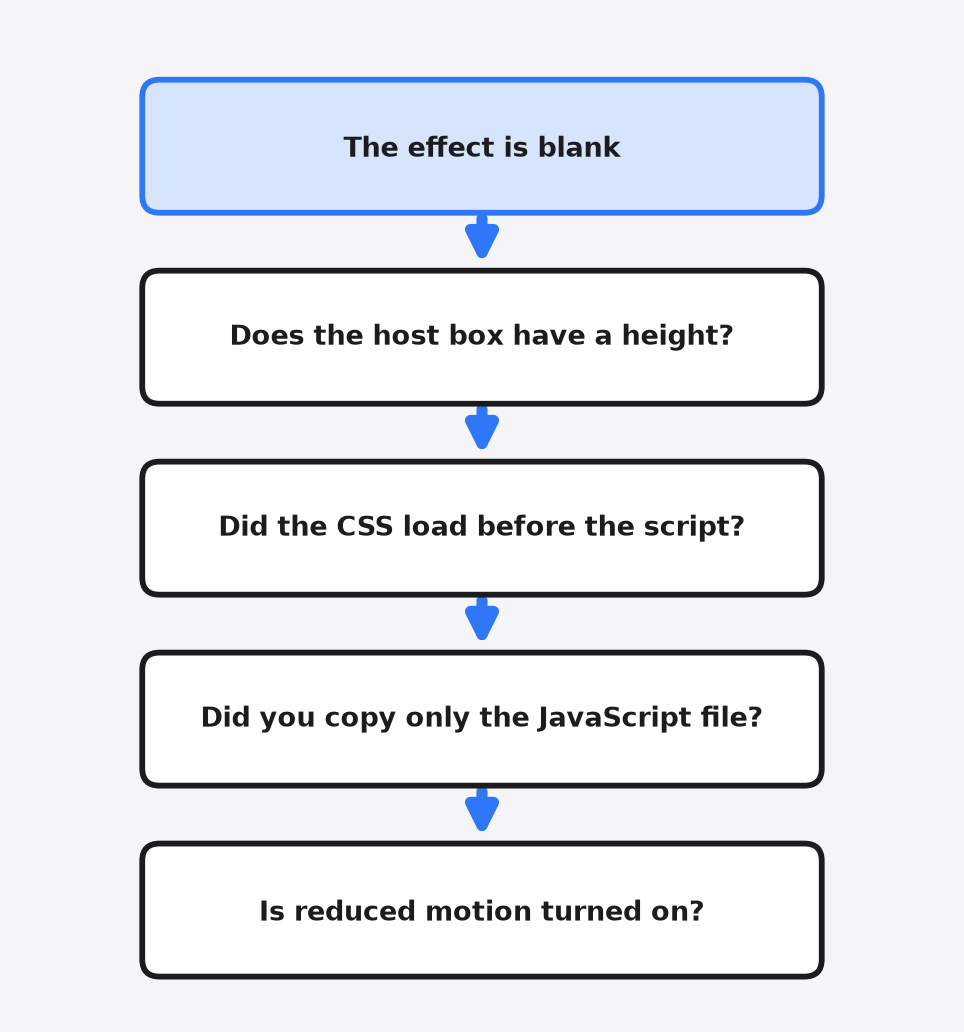
Why is my Effect Atlas effect blank?
The box has no height, the style file never loaded, or you copied the script and left the rest of the folder behind.
Both demos I opened drew their labels, so this list is the failure I would hit next, not one I photographed. It matches the comments in the files.
The box needs a size. Link Hover Set says so. A div with no height is an empty effect.
The style has to load, and the script has to load after it. A mount function that is undefined means the script path is wrong, or you called a name from a different folder.
Some effects need the demo’s content, not an empty box. Reading Word Highlight’s script is 18,454 bytes, and its demo page is 10,098 bytes because the demo is an article. That effect runs on words that are already there. An empty box stays empty. Edge Refraction is the opposite surprise: a huge demo page and a small script. Copying “the HTML” is how that one gets heavy for no reason.
Reduced motion can also make the motion look missing. That is the system setting that asks sites to cut animation. Every effect file contains a reduced-motion path. The two I read follow the system setting unless you force them off. If the computer asks for less motion, the demo is obeying it.
I would copy Link Hover Set into a footer and leave the package manager out of it. I would not start a React app from these folders just to get a list that reshuffles. The folder is one motion. The package is the system around motion that has to follow the data. Use the one that matches the page you already have.
Common questions about Effect Atlas vs Framer Motion
Is Effect Atlas free to use?
Yes. The license grants use, copying and changing inside your own project for free, including a project you build for a paying client. It is not the MIT license and not an open-source license, because it does not let you resell the effects as their own pack.
Is Framer Motion the same thing as the motion package?
Framer Motion is the older name. The package is published as motion now, and it is MIT licensed. Its React components are what most people still mean when they type the old name.
Do I need to install anything to use an Effect Atlas effect?
No. You copy one effect folder, load its style file and then its script, and call the mount function named at the top of the script on a box that has a height. Three of the 50 effects also ship three.js, so copy that license file with them.
Can a coding agent add an Effect Atlas effect for me?
Yes, if you give it one folder name, the page to change, and a line that says to keep the copyright notice and not add a package.