
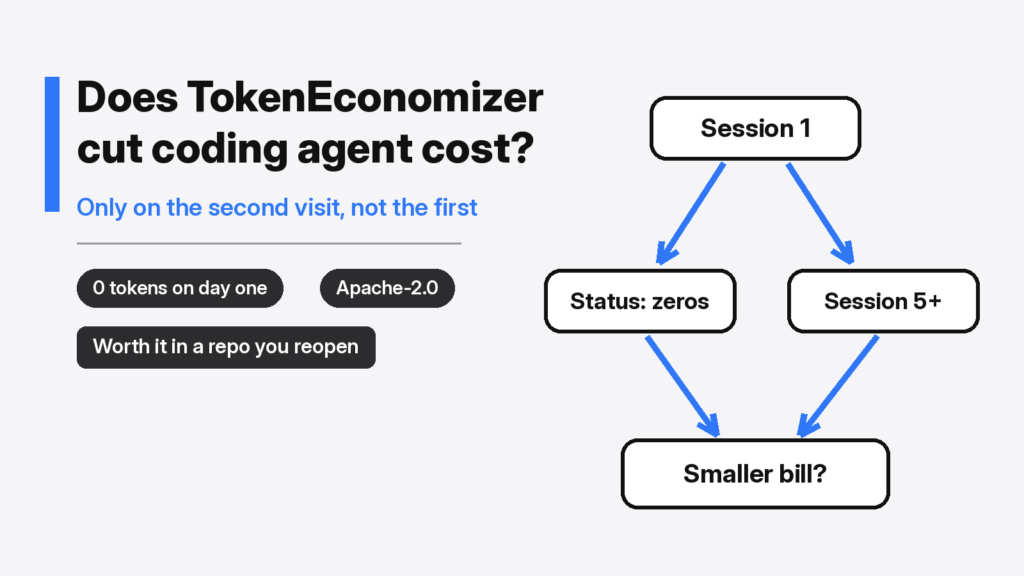

I opened a project a coding agent had never seen and asked whether a plugin could make the next bill smaller. Does TokenEconomizer cut coding agent cost? Not on the first session in a new repository. A coding agent is the program that sits on your folder and edits files, such as Claude Code or Codex. The model is a different piece: it only writes the next bit of text. You do not pay for the minutes. You pay for how much text goes in and how much text comes out. That text is counted in tokens (small chunks of words, not whole sentences). TokenEconomizer is a free add-on that tries to shrink the repeated text on later runs in the same project.
Here is the piece you need before the rest of this makes sense. The agent does not send only your latest sentence. A turn is one lap: you ask, the agent runs a tool, the result goes back, the model answers. The next turn sends the earlier laps again, plus the new result. By the fifth turn you are paying to resend the first four. A session is one sitting, from the moment you start the agent in a folder until you quit. A repository is that folder, usually with git history so the plugin can tell one project from another. Savings that depend on “what we did last time” cannot exist until last time has happened.
Does TokenEconomizer cut coding agent cost?
No, not in a repository it has never seen. The project says that on its own set of bug-fix tasks the average cost fell by about 18 to 31 percent, and that every repository in that set got cheaper. That number is their measurement, on tasks they already had logs for. My check was the other end. On a new git repository, status printed 0 sessions, 0 tokens, and plugin overhead of 0.
That gap is the product, not a bug in the check. TokenEconomizer does not rewrite the agent and it does not swap the model. It reads sessions that already finished in that one repository, then changes what the next session in that same repository starts with. A folder you open once has nothing to learn. A folder you open most days is the case it was built for.
I expected the first status line to show at least a small cut, because the plugin was installed and the switches that default to on were on. What happened was a row of zeros. The state folder in the home directory held an index. The project folder itself was untouched. No settings file, no deny list, no fact. A deny list is a note that says “do not load these tools next time.” It cannot be written until the plugin has seen tools go unused.
What TokenEconomizer changes before it can save money
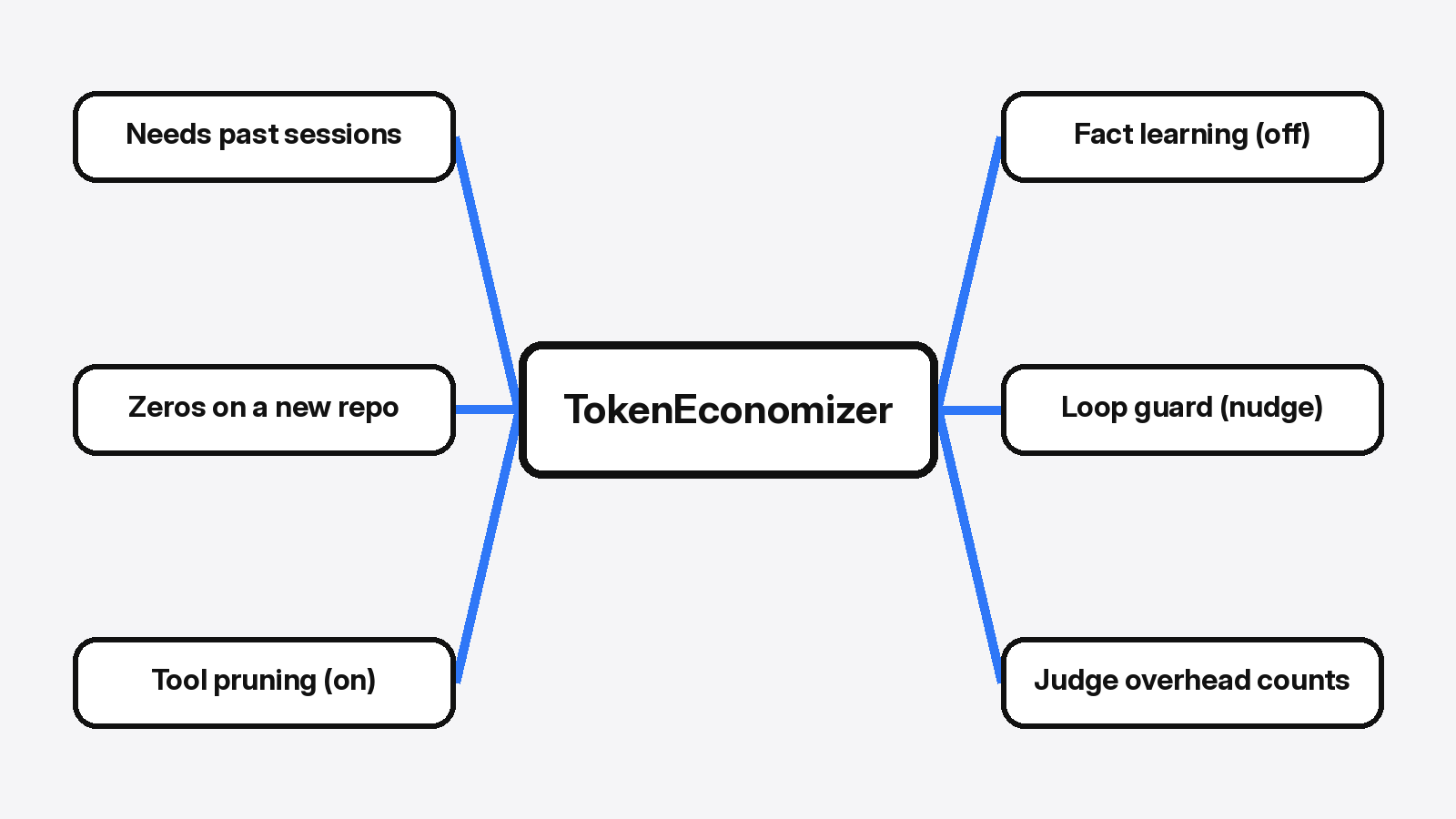
Three switches, and the one that remembers facts starts off.
Every request already carries a pile of instructions and a list of tools, before you type. A tool you never call is still text on every turn. A fact the agent keeps rediscovering, such as “the tests run as python -m pytest because pytest is not installed on the path,” is also paid again. A turn that fails the same way, over and over, pays for the loop. Those are the three wastes. The plugin answers each one with a different switch, and you can turn each switch off.
Facts, which the project calls micro-skills, are short lines about this repository. They are off by default, because suggesting a new fact spends a model call. A fact is added at the start of a session only after three sessions agree, and it is dropped if a later session contradicts it. On a fresh install the cap was 4 facts and 150 tokens. Off means those caps do not matter yet. Nothing is injected.
Tool pruning is on. It watches which tools nobody calls. The fresh config asked for 10 prompts across at least 2 sessions, or 5 sessions, before a tool is even proposed for removal. The mode was auto, and auto waits 60 quiet minutes before it writes. The write lands in the agent’s own settings, not in a patch to the agent’s code. Until those prompts exist, auto has nothing to do.
The loop guard is on, in a mode called nudge. It does not stop a turn. It waits until it has seen 5 turns that ended cleanly, so it has a picture of a normal lap. After that, a turn that looks stuck can be shown to a judge. If the judge is at least 0.7 sure, the agent gets one short redirect. The fresh config allowed 1 redirect per turn. If the turn is still stuck, the plugin tells you how to stop it. It will not stop it for you.
past sessions
    |
    +-- facts: off until you turn them on
    +-- unused tools: on, but empty until sessions exist
    +-- a stuck turn: on, but only after 5 clean turns
    |
next session starts with that, or with nothingHow to install TokenEconomizer
Clone the project and leave the folder where it is. Claude Code, Codex, and the Copilot command line run the plugin from that clone. If you move or delete the folder, the install breaks. You also need Python 3.10 or newer, because the plugin is a Python program. Run python3 --version first. An older number means install a newer Python before you bother with the plugin. You do not need a new API key. An API key is a password a program shows to a paid service. This plugin uses the login your agent already has.
git clone https://github.com/microsoft/TokenEconomizer.git
claude plugin marketplace add "$PWD/TokenEconomizer"
claude plugin install tokeneconomizer@tokeneconomizerStart a new session after that. A plugin loads when a session starts, so a session that was already open will not see it. Inside Claude Code or the Copilot command line, the check is /tokeneconomizer:status. Inside Codex the same check is $tokeneconomizer:status. From an ordinary terminal, the script in the clone does the same job:
plugin/scripts/te doctor
plugin/scripts/te --host claude status --explain
plugin/scripts/te --host claude toolprune showDoctor on my machine said Python 3.10 was fine and the state folder was writable. It also said none of the agent programs were on the path the terminal searches. That is what you should see if the agent is not installed yet. The plugin cannot attach to a program that is not there. Install the agent, then the plugin, then open the repository you actually work in.
One more command, once per machine, for tool pruning on Claude Code: /tokeneconomizer:toolprune refresh-catalog. Run it again after the agent updates. Without that catalog, the plugin only knows tools it has already watched, and the tools that load every time stay out of the evidence. A missing catalog looks like “nothing to prune” even when the starting list is huge. The install notes also name a narrow band of agent versions they actually tried. A newer agent can load the plugin and still skip the hooks. If status stays at zero after several real sessions, check that band before you blame the repository.
Why does TokenEconomizer tool pruning stay empty?
Because it has not watched a session yet, and on some hosts it never will.
On the fresh repository I pointed at Claude, toolprune show printed 0 sessions, 0 prompts, no catalog, nothing proposed, and nothing applied. It did not create .claude/settings.local.json. There was no .claude folder at all. An empty list is not a saving. It is the plugin refusing to guess which tools you might need.
I want to say auto mode will clean this up overnight, but that would be a half-truth. Auto still needs the evidence: tools that went unused, across sessions, then 60 quiet minutes. A tool you use once a week can look unused if the window is short. te toolprune restore puts a tool back. Run show before you trust auto.
On a host the plugin calls grok, the same command said tool pruning is not available, because that host only declares a handful of tools. If status says not available on this host, do not wait for a deny list. It is not coming. The other switches can still run. Fact learning is still off until you turn it on:
plugin/scripts/te config set microskills=onTurn that on only after you are willing to pay for the extra model calls that propose facts. The default is off for that reason.
When should I leave TokenEconomizer off?
Leave it off when you will not return to the repository, and when a missing tool would be worse than a longer bill.
A one-off folder has no second session for the learning to land in. The plugin’s own calls, once fact learning or the judge is on, are part of the bill. The project’s savings number includes those calls. Yours should too. If a later status shows plugin overhead as a large share of the tokens, the plugin is costing more than it cuts. A small check can inherit every tool server you connected, and then the check is the expensive part. Read the overhead line. Do not assume it stays at zero.
This is in contrast to changing the model. A cheaper model changes the price of the next request, including the first one. Magpie vs CC Switch is how to point Claude Code and Codex at another provider without pasting the key into the wrong file. Plan with Opus and code with Haiku is how to keep the stronger model for the plan only. TokenEconomizer does neither. It keeps the model you already pay for, and tries to send it less repeated text later.
A smaller agent can also beat a plugin. MiniMax Code vs Claude Code measured how much text each one sends before you type. Which Claude Code plugins are worth installing measured the text that official plugins add on every request. Some plugins are cheap to leave on. A big kit is not. TokenEconomizer is a different bet: that your own history, in one repository, is a better cut than switching products.
| TokenEconomizer | A cheaper model | A smaller agent | |
|---|---|---|---|
| First session in a new repo | No change | Cheaper now | Cheaper now |
| Same repo, many sessions | Can drop unused tools and repeated mistakes | Still the cheaper rate | Still the smaller starting text |
| Needs past sessions | Yes | No | No |
| Can hide a tool you still want | Yes, after it looks unused | No | No |
| Own API key | No | Whatever that model needs | Whatever that agent needs |
Two of the project’s own tests failed when I ran the suite on this computer, and both failures were about the computer. One expected a different agent name than the one this environment reports. One expected a warning from a Linux CPU limit this machine does not set. The checks that answer the question, doctor, status, and tool pruning on a new repository, matched a repository with no history. I would not treat a blog percent as sharper than that.
How do I try TokenEconomizer on my own repo?
Use a repository you will open again tomorrow. Ten minutes is enough to see the zeros. It is not enough to see a saving, and that is the point of the test.
- Install Python 3.10 or newer, and the agent you already use.
- Clone TokenEconomizer, install the plugin, and keep the clone in place.
- Start a new session in the real repository, not in a throwaway.
- Run status. Zeros are the correct first reading.
- Do a normal task, quit, and come back on another sitting.
- Run status again. Look for sessions, facts, and a proposed list of tools.
- If a tool you still need is on that list, restore it before auto writes the settings file.
The license is Apache-2.0. You can use the code and change it, as long as you keep the notices. The folder you want is microsoft/TokenEconomizer.
Common questions about TokenEconomizer
Does TokenEconomizer need an API key?
No. It has no key of its own. Any model call it makes goes through the agent you already signed in to. If that login is missing, the plugin does not open a second account. The session just continues without the extra check.
Does TokenEconomizer work with Claude Code?
Yes. Claude Code is one of the four agents with a full install path, along with Codex, the GitHub Copilot command line, and Pi. Other agents are marked experimental, and tool pruning is missing on several of them. I hit that on grok: status said tool pruning is not available. Facts and the loop guard are separate switches, so a missing prune list does not mean the whole plugin is off.
Will TokenEconomizer prune tools I still need?
It can, if those tools look unused for long enough. That is the trade. A shorter request is shorter because something was left out. Run te toolprune show before you assume the list is wise, and restore anything you still want. Refresh the catalog after an agent update so the tools that always load are part of the evidence, not invisible.
Is TokenEconomizer worth it on a new repo?
No. Worth it starts when you return. If you will open the repository once, skip the plugin and change the model or the agent instead. If you live in the folder, install it, leave fact learning off until the status line looks sane, and judge it by the overhead line rather than by the percent in the project description.
I would install it on the repository I open every morning. I would not install it to make today’s first prompt cheaper. The status line is the test. Zeros mean it has not started. A list of removed tools you did not read means it has started without you.