
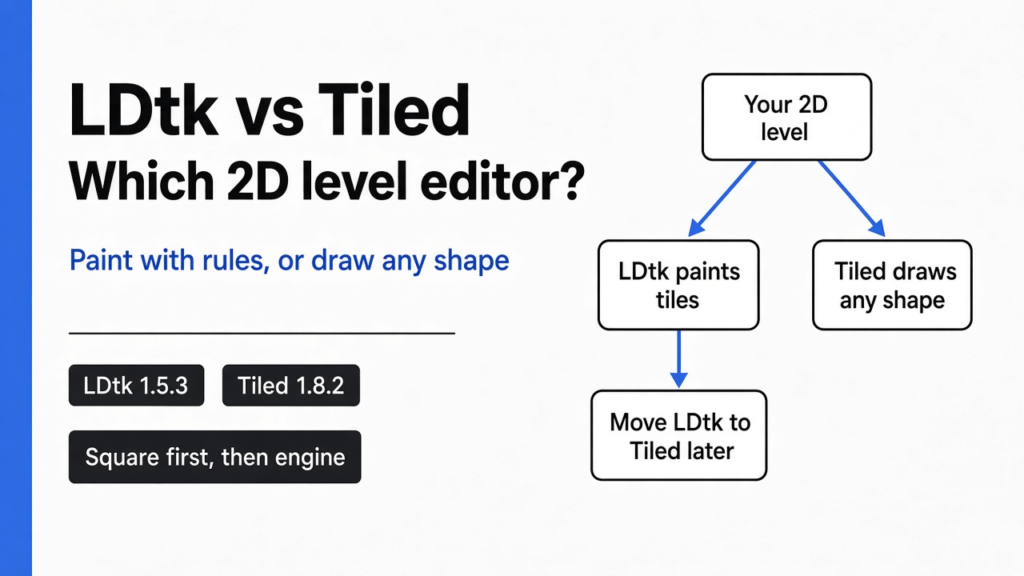

Short answer: The LDtk vs Tiled split is this. Use LDtk if your game is built on square tiles and you want the editor to paint walls, floors and edges for you from simple rules. Use Tiled if your map is isometric or hexagonal, if your engine only reads Tiled files, or if you want to script the editor itself. I compared both on 13 November 2026, using LDtk 1.5.3’s official sample files and Tiled 1.8.2 to render and open the converted map. Both are free and open source, and a level can move from LDtk to Tiled later.
You have the art. You have the player jumping around. Next you need levels, and you are not going to type them into a text file by hand.
That is the job of a level editor (an app where you draw a game level instead of coding it). The LDtk vs Tiled question comes up every time you pick a free level editor: LDtk and Tiled. Picking the wrong one costs you weeks, because every level you make is saved in that editor’s format.
I took LDtk’s official typical 2D platformer sample and ran it through both. I drew it from the LDtk 1.5.3 file, moved it into Tiled, compared the two images pixel by pixel, and asked an AI coding agent to edit each file. The LDtk app stayed closed; the facts about LDtk come from that sample, the JSON schema, and the docs on ldtk.io, which still offered 1.5.3 as the current download on 13 November 2026. Tiled 1.8.2 ran for the render and the editor screenshot. The current Tiled release is 1.12.2.
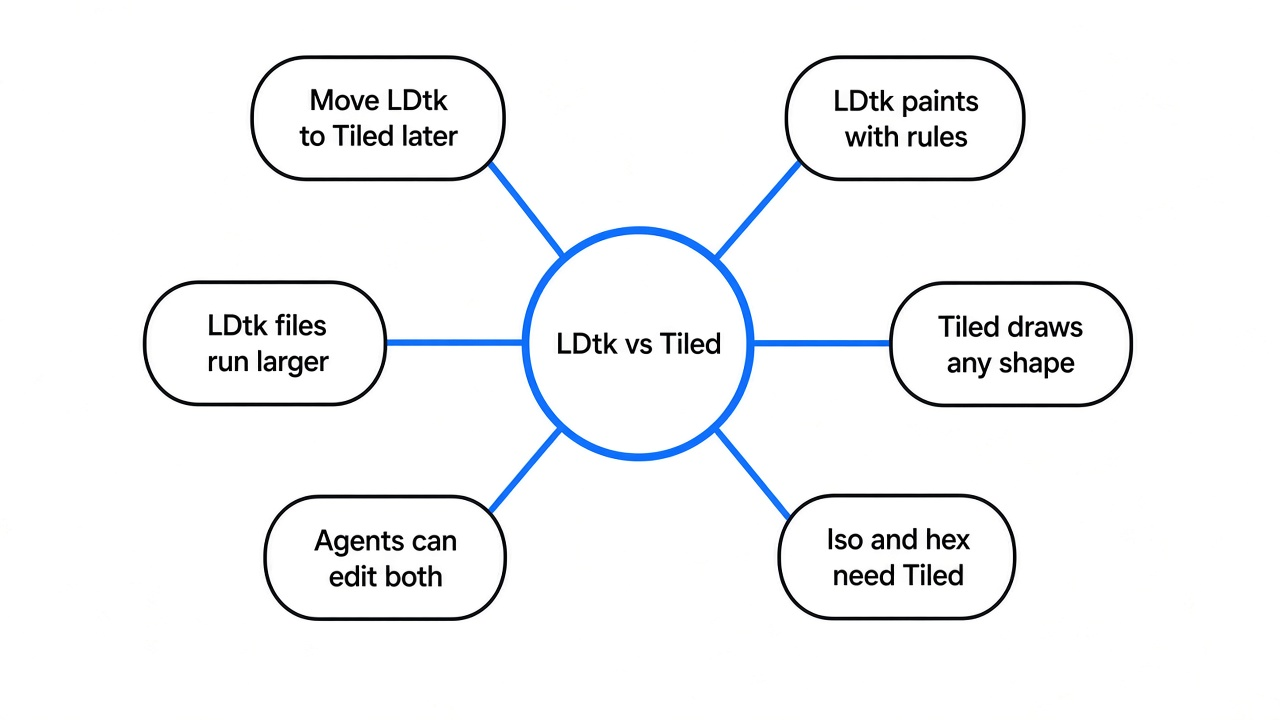
Here is the thread to hold on to: LDtk paints for you. Tiled lets you draw any kind of map. Everything below is about which of those two things your game needs more.
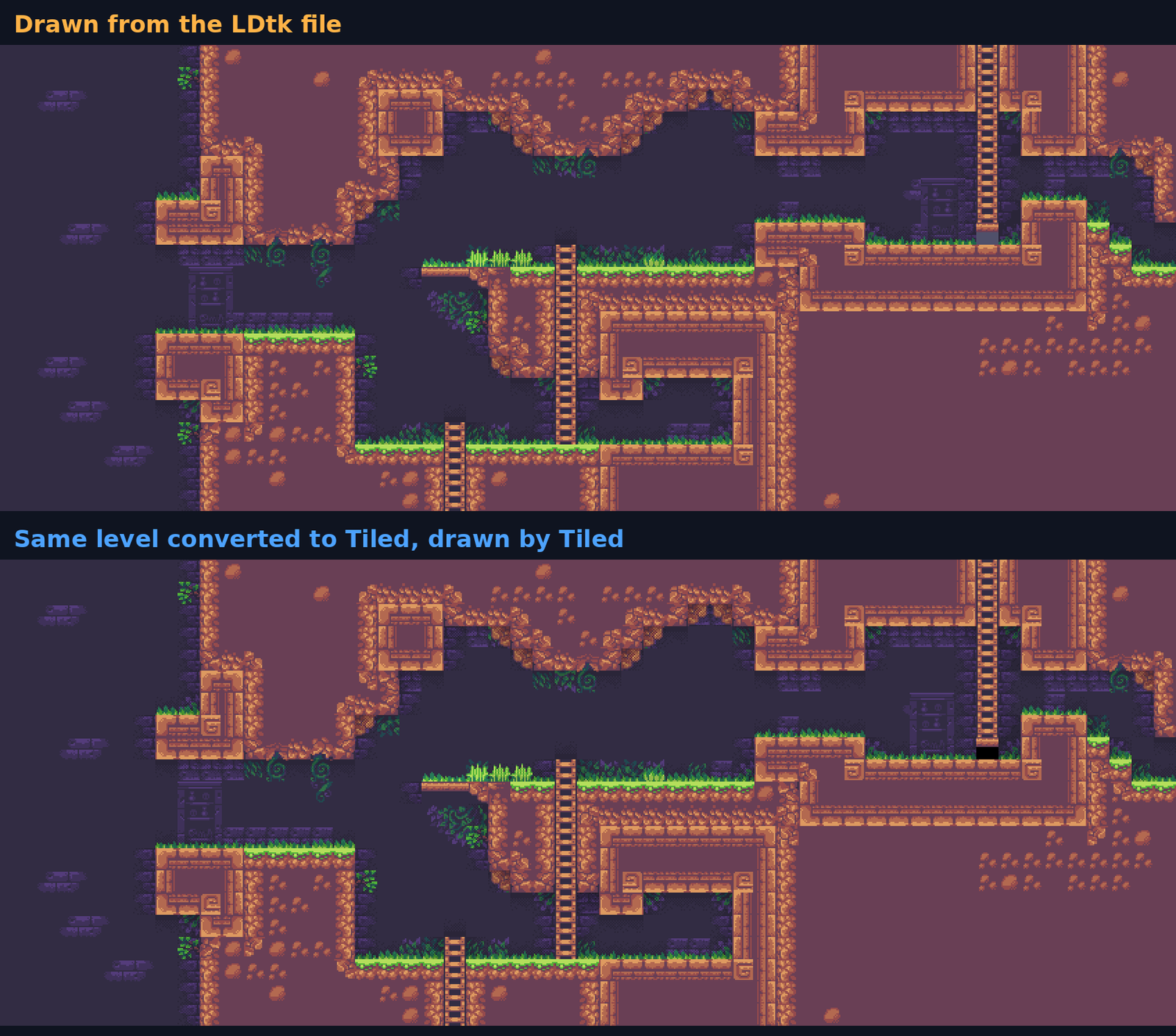
The level art comes from that official sample. LDtk’s sample README credits SunnyLand by Ansimuz and Cavernas by Adam Saltsman.
How Does a Tile Map Actually Work?
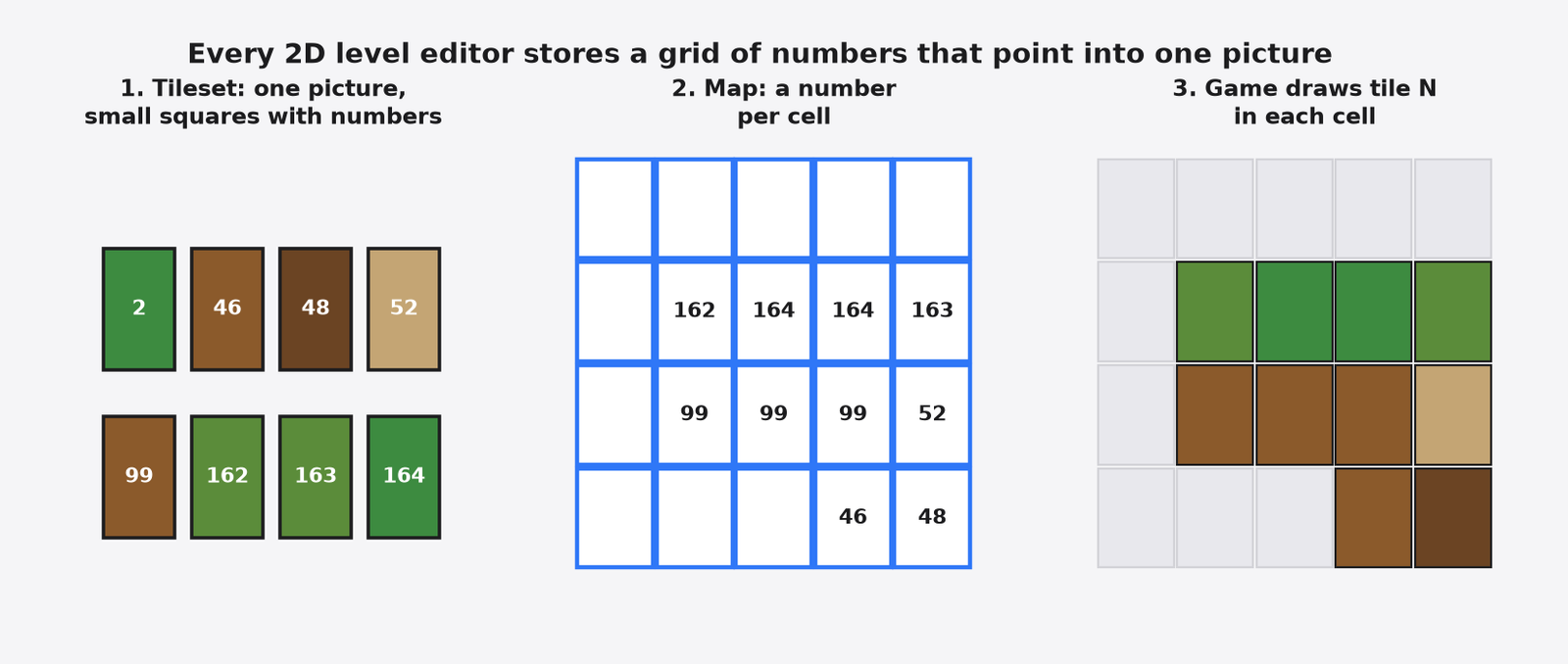
Every 2D level editor saves the same basic thing: a grid of numbers that point into one picture.
Start with the art. A tileset is one image that holds all the small square pictures for a level: grass, dirt, ladders, corners. Each little square gets a number.
Then the level. The map is a grid, and each cell stores one of those numbers. Cell says 99, the game draws picture 99 there. That is the whole trick, and it is why levels load fast.
So both editors are really answering one question. How do you fill in that grid of numbers without losing your mind? This is where they split.
What Does LDtk Do Differently?
LDtk lets you paint “what is here” and then picks the right tiles for you.
Think of a colouring book. You mark which areas are wall and which are air. Someone else colours them in with the right edges, corners and grass.
LDtk works the same way. You paint an IntGrid (a grid where each cell holds a plain value like 1 for dirt or 2 for ladder). Then auto-layer rules (small “if the cell above is empty, use the grass-top tile” instructions) turn that rough paint into finished art.
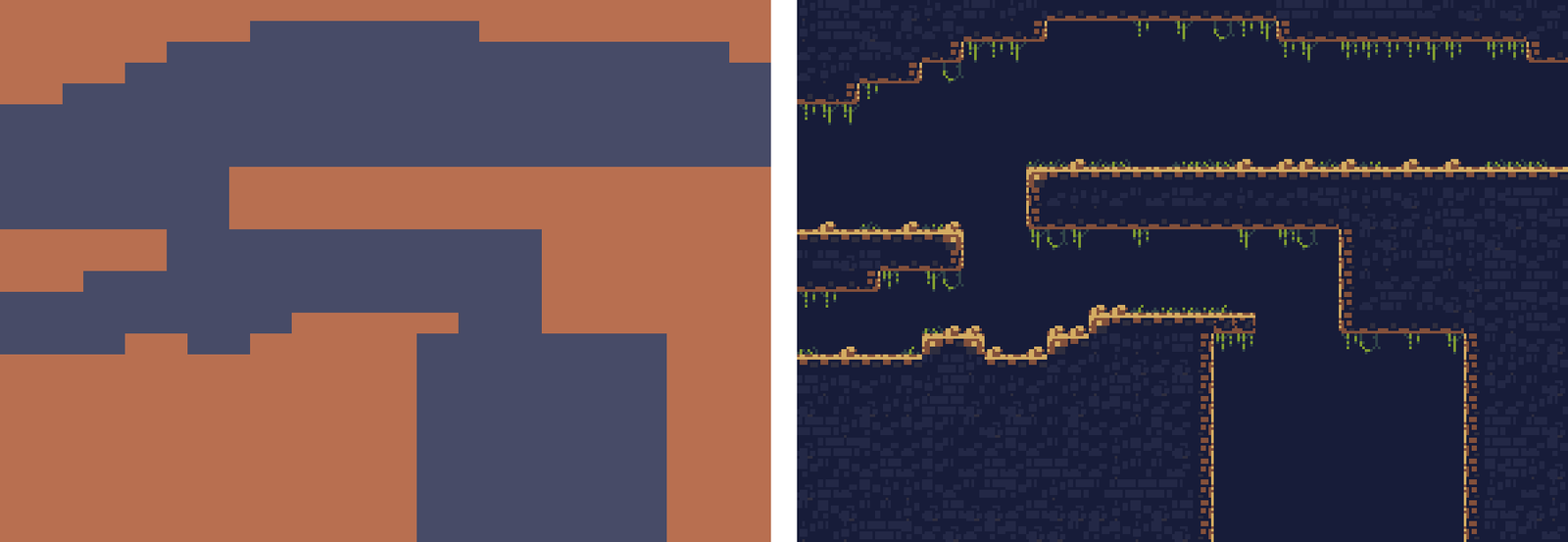
In LDtk’s basic sample (AutoLayers_1_basic.ldtk in the 1.5.3 files), the left side is all I would paint by hand: flat blocks of one colour, 484 of the 962 cells. Eleven rules then place 984 tiles. Every grass tuft, edge and shadow on the right came from those rules. That tileset is Cavernas by Adam Saltsman.
That is the reason people switch to LDtk. You change the shape of a cave, and the walls re-skin themselves. In a hand-tiled map, you would redraw every edge.
LDtk also gives each game object, like a door or an enemy, typed fields (values with a fixed kind, such as a number, a colour or a link to another object). It can lay levels out as a free world, a linear chain, or a grid-based “metroidvania” map, which the site calls Grid-vania. It is made by the director of Dead Cells, and it is MIT licensed, so you can use it in games you sell.
What Does Tiled Do That LDtk Cannot?
Tiled draws maps LDtk cannot draw at all, and it reaches more engines out of the box.
The biggest difference is shape. LDtk only does square grids. Its own site says it focuses on platformers and top-down games, and “no isometric 3D here.” Tiled does square, isometric (the tilted diamond view used in many strategy and farming games) and hexagonal maps.
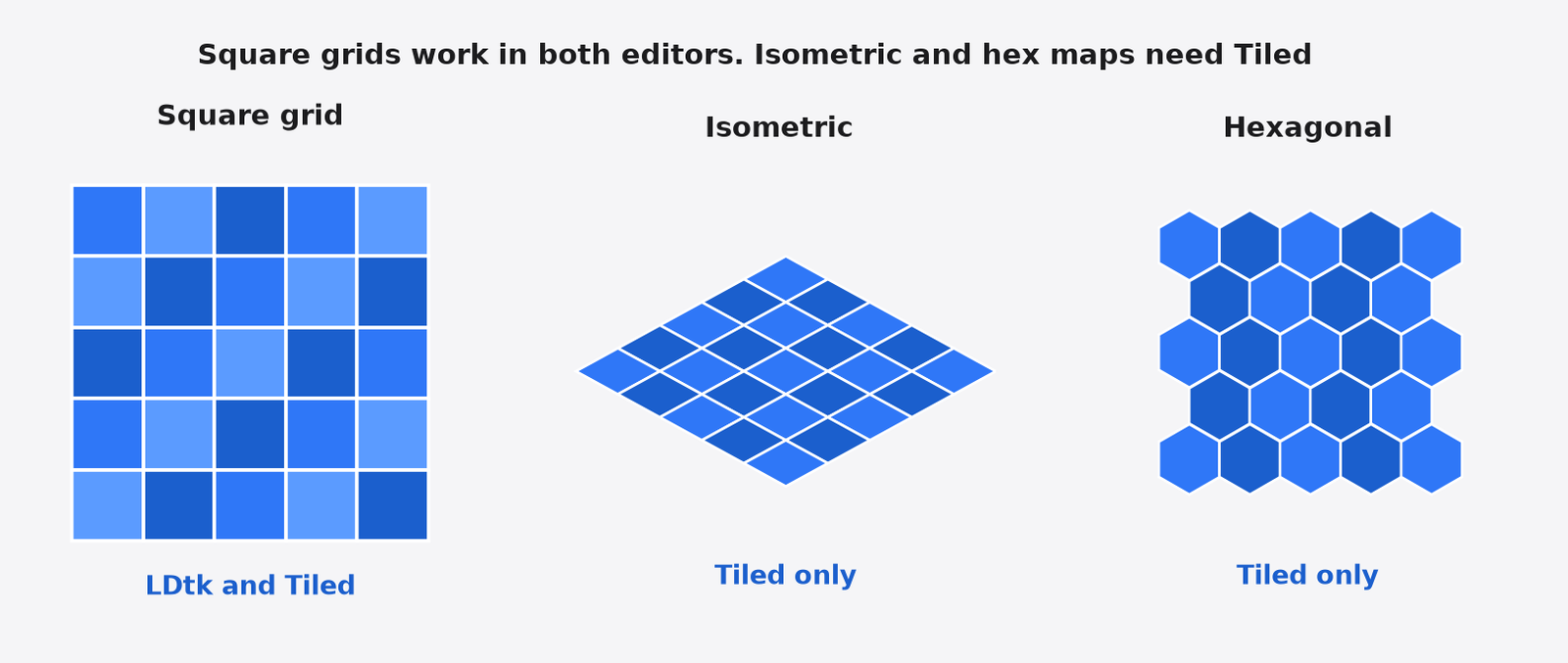
If your game is isometric, you can stop here. Use Tiled.
Tiled also exports straight into several engines’ own formats. The homepage lists exports to image, JSON, Lua, GameMaker, and Defold. Since Tiled 1.10, the official docs also describe a built-in Godot 4 scene export. That Godot 4 export was left unrun on 1.8.2. It is a docs fact, and it applies to current Tiled 1.12.2. LDtk has one official loader (for Haxe) and community loaders listed on ldtk.io/api for Unity, Godot 4, Bevy, MonoGame, Game Maker Studio, and LÖVE.
It is not missing the auto-painting idea either. Tiled has terrain sets (a brush that picks matching edge tiles as you paint) and automapping (rule-based tile and object placement). The difference is how they feel. In LDtk the rules are the main way you work. In Tiled they are a power tool you set up when you need it.
And Tiled can be extended with JavaScript, so you can add your own tools and file formats inside the editor. LDtk takes a lighter route: it can run outside commands when a project loads or saves (AfterLoad, BeforeSave, and AfterSave in the JSON schema).
Can I Move a Level from LDtk to Tiled Later?
Yes, and it is easier than it sounds, because LDtk saves the finished tiles in the file.
This is the part I wanted to prove, since it decides how scary the choice is.
I wrote a small script that reads LDtk’s typical 2D platformer sample and draws it. It is 16 lines of Python with no LDtk library. That works because the file does not just store your paint. It also stores every tile the rules placed, already sorted in draw order. The official schema says the autoLayerTiles array is already sorted in display order.
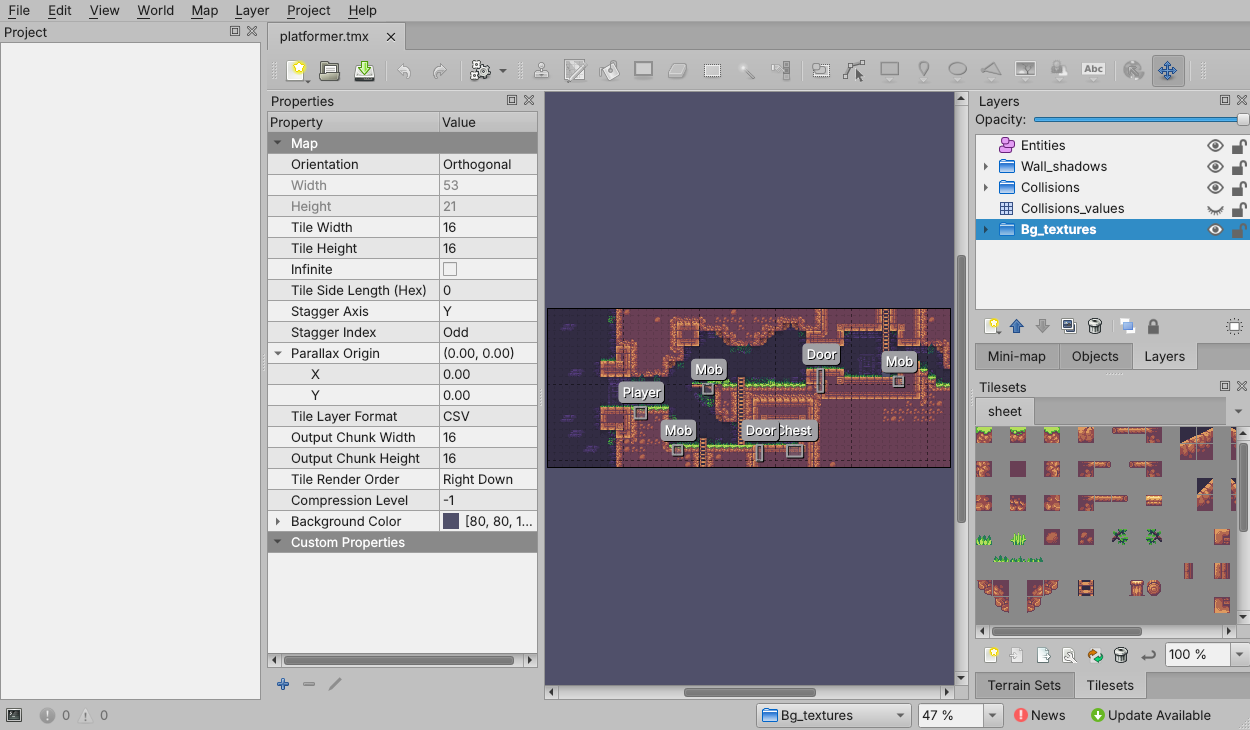
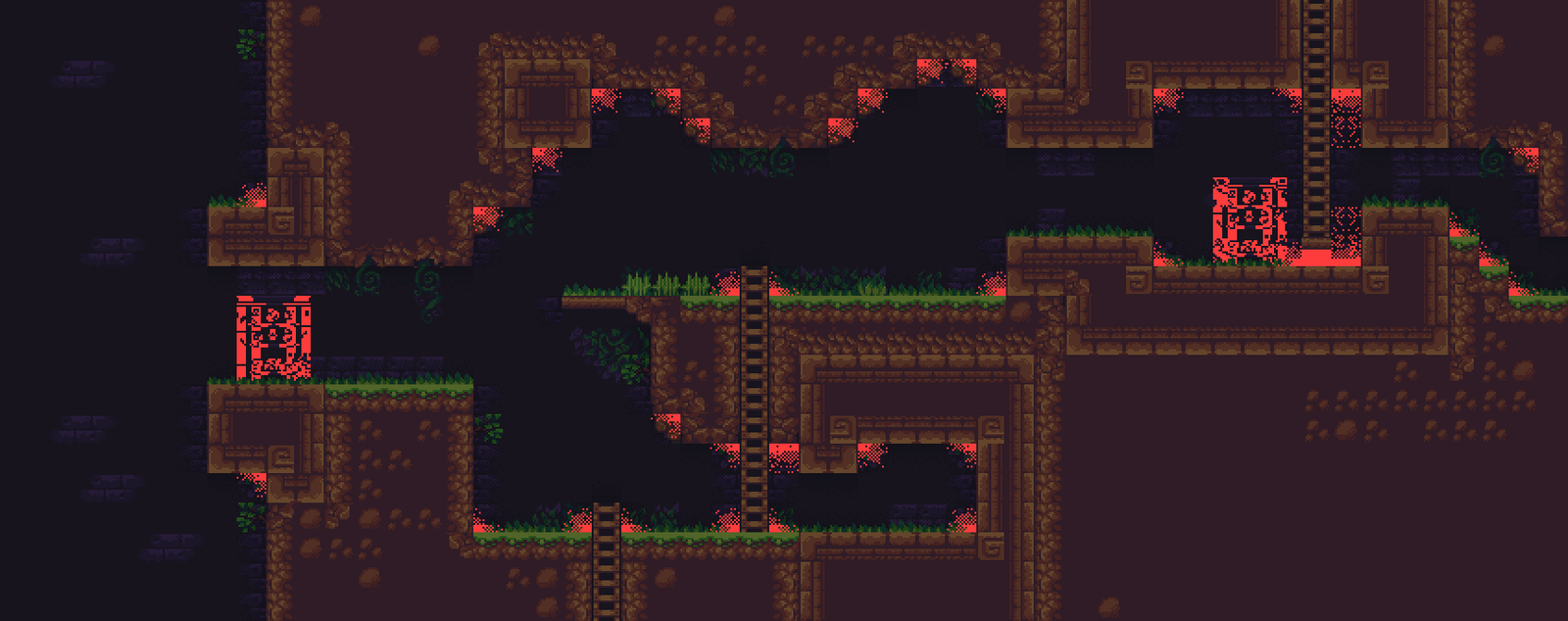
Then I wrote a 40-line converter that turns the same level, Your_typical_2D_platformer (848×336 pixels, a 53×21 grid of 16-pixel tiles), into a Tiled map and let Tiled 1.8.2’s own command-line renderer draw it. Here is what came back:
- 98.5% of pixels matched between the LDtk drawing and the Tiled drawing (4,381 of 284,928 pixels differed, which is a 1,696×168 render).
- 6 extra layers were needed in Tiled. LDtk can stack two or three tiles in one cell of one layer. Tiled holds one tile per cell per layer, so stacked tiles spill into extra layers.
- The rest of the mismatch came from two things. Shadow tiles stacked on top of each other came out a little darker in Tiled, and 12 decoration tiles that sit off the grid had no clean place on a Tiled tile layer.
So the door is open one way. LDtk even has a built-in option to write a Tiled file for every level each time you save, with the same stacked-layer trick. The changelog is blunt about it: “multiple Tiled layers might be generated per single LDtk layer.” Going the other way, from Tiled to LDtk, neither editor has a built-in path. LDtk’s own importer list covers Ogmo 3 projects, not Tiled maps.
Which One Makes Bigger Files?
LDtk files are about two to three times larger, because they write out every tile as its own small record.
The compact JSON for that one level object was 103 KB (103,016 bytes). As a Tiled TMX file it was 30 KB, and as Tiled JSON it was 48 KB.
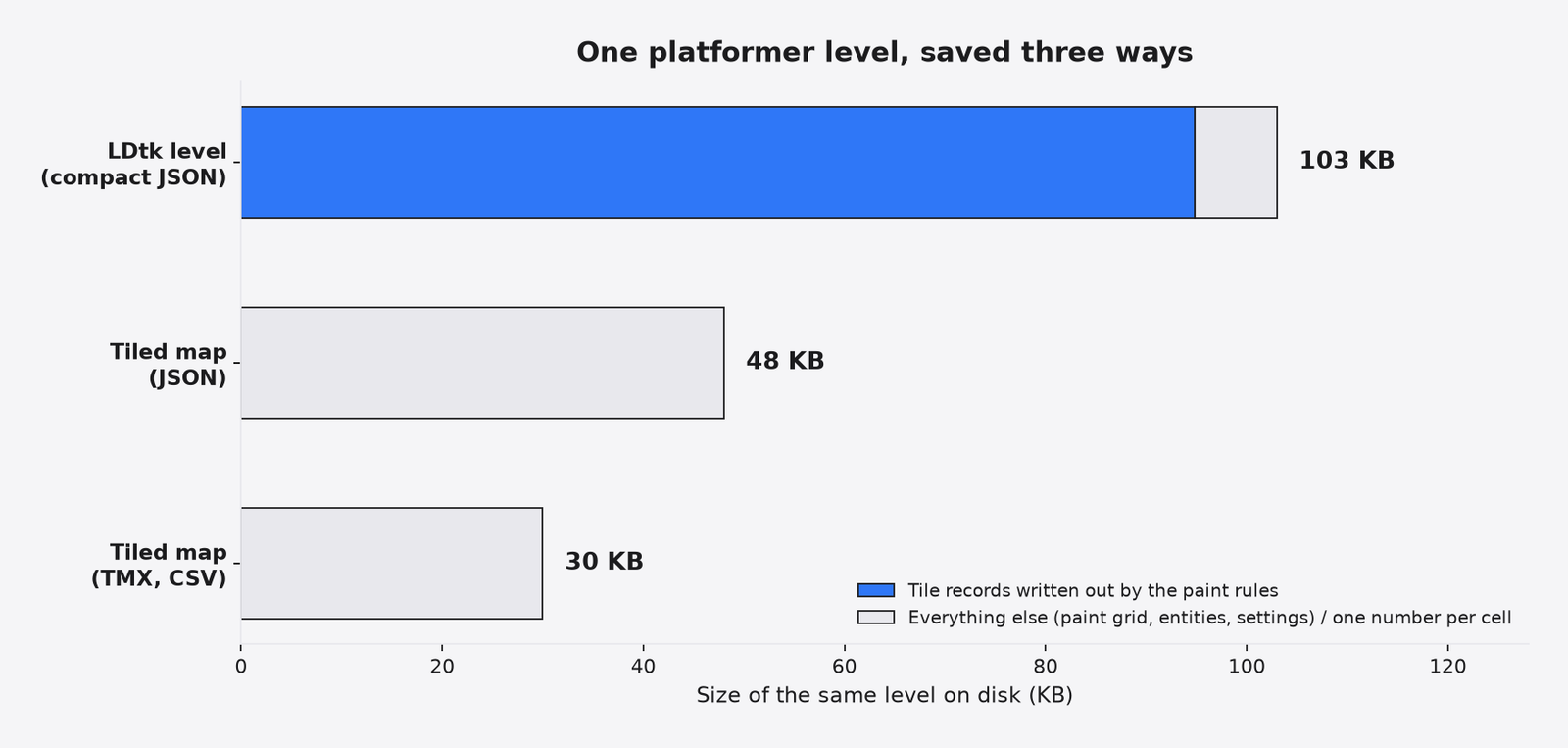
Most of that LDtk weight, about 92%, is the tile list the rules produced. Each tile carries its position, its spot in the tileset and its flip flags. Tiled writes one number per cell and lets the grid position speak for itself.
Does this matter? For a small game, no. Your sounds will be bigger, and so will your sprite art. It starts to matter if you keep levels in Git and review changes, because a small edit in LDtk can rewrite a lot of lines.
Can an AI Coding Agent Edit These Level Files?
Yes, both work, but neither file runs the paint rules for you.
If you build games with Claude Code or a similar tool, this is the question that matters. So I gave Claude the same job on both files: add a 6-cell dirt platform in an empty cave, make it solid for collision, and make it visible when the game draws the file. No editor allowed.
I ran it 10 times: 3 runs per format with the cheapest model (Haiku) and 2 per format with a mid model (Sonnet). Every run passed. The six cells became solid, and the platform showed up in the drawing.
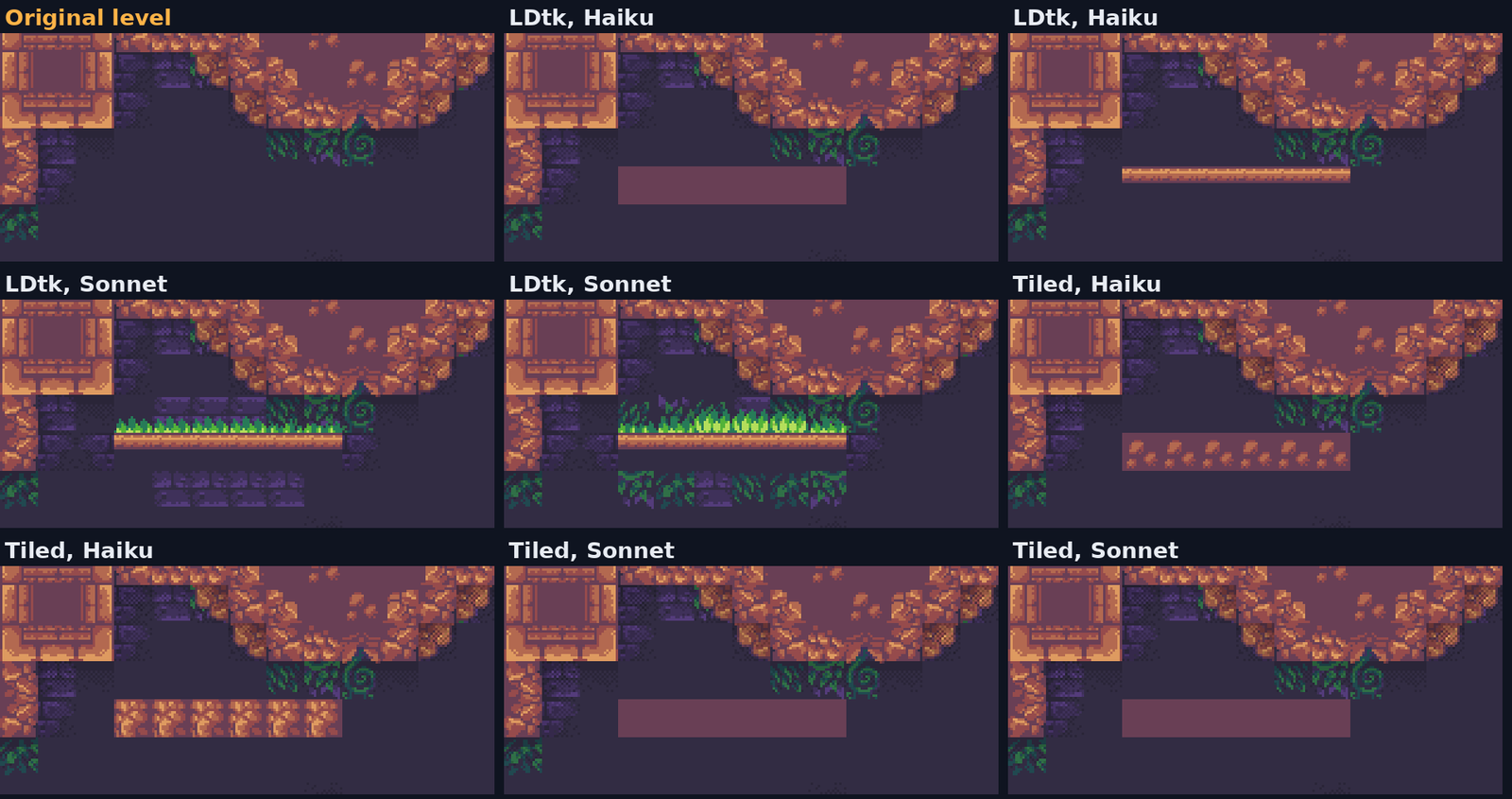
Passing is not the same as looking right, though. Look at the picture. Most platforms are flat blocks with no grass and no edges, nothing like the hand-made level around them.
That is not the agent being lazy. In LDtk, the rules that add grass and edges live in the app, and the file only stores what they produced. One Haiku run said it plainly: setting the collision value alone would show nothing, so it placed the tiles by hand. A Tiled map has the same limit, because it only holds tile numbers.
Then the surprise. Both Sonnet runs on the LDtk file added grass on top and shadows at the ends, close to the real art style. The LDtk file holds the painted grid and the finished tiles side by side, so a careful model can study how the rules skinned similar spots and copy them. On the Tiled file, Sonnet drew flat blocks.
That polish had a price. A Haiku run cost one to four cents. A Sonnet run on the LDtk file cost about 49 cents, mostly spent reading the big tile list.
So if an agent will build your levels, plan for it. Let the cheap model handle shape and collision, then touch up the look in LDtk, where the rules skin walls as you paint. Or describe your tile rules to the agent in everyday language, so it picks edge and grass tiles on purpose.
Which Level Editor Should You Pick?
Pick by the shape of your map first, your engine second, and how you like to work third.
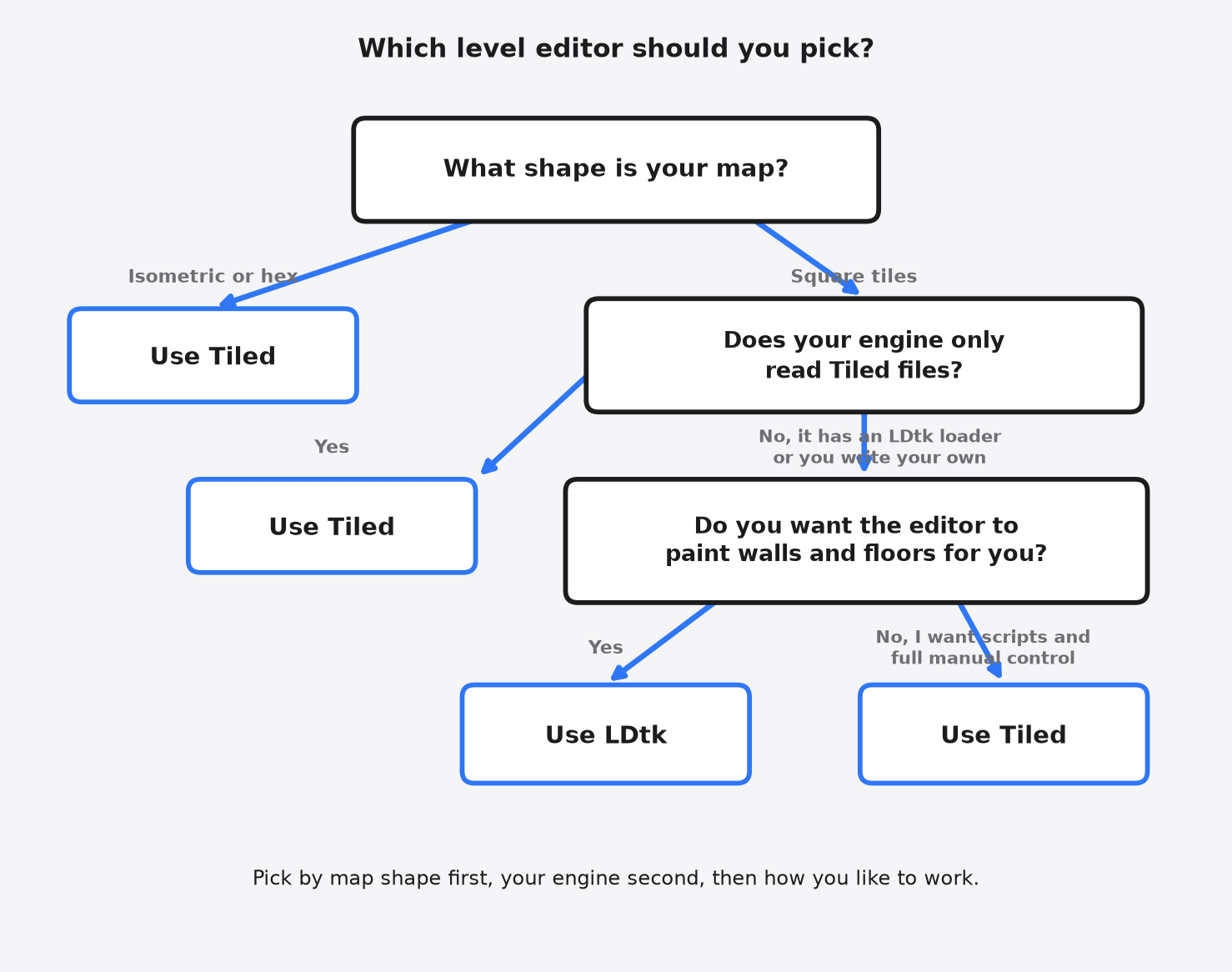
Here is the whole decision side by side:
| LDtk | Tiled | |
|---|---|---|
| Map shapes | Square only | Square, isometric, hexagonal |
| Auto-painting | Central, visual rules on a value grid | Terrain brush and rule maps |
| Game objects | Typed fields | Custom properties and classes |
| Engine support | Official Haxe, community loaders for many engines | Built-in exports to JSON, Lua, GameMaker, Defold, and Godot 4 since 1.10 |
| Extending the editor | Run commands on load or save | JavaScript scripting |
| Moving away later | Can write Tiled files on every save | No built-in LDtk export |
| License | MIT | GPL-2 (the editor) |
There is a fair case for Tiled even on a square-tile platformer. It has been around far longer, and many 2D frameworks read its files directly. If you hate setting up rules, you lose nothing.
Still, for a square-tile game where you will reshape levels a lot, LDtk saves the most time. Painting “wall here, air there” and watching the edges fix themselves is the part you will feel every day. And if you ever outgrow it, the finished tiles are already in the file.
LDtk paints. Tiled draws anything. Paint one test room in each before you build the real ones.
Common questions about LDtk vs Tiled
Is LDtk Better Than Tiled?
LDtk is faster for square-tile platformers and top-down games because its rules paint walls and edges for you. Tiled is better for isometric or hexagonal maps and for engines that only read Tiled files.
Is LDtk Free for Commercial Games?
Yes. LDtk is open source under the MIT license and free to use without limits, including in games you sell. Tiled is also free and open source. The Tiled editor itself is GPL-2. The maps you make with it are yours.
Does Godot Support LDtk and Tiled?
Since Tiled 1.10, Tiled can export a Godot 4 scene directly. That is in the official Tiled docs, not something I re-ran on 1.8.2. LDtk works in Godot 4 through community import plugins listed on ldtk.io/api.
Can LDtk Do Isometric Maps?
No. LDtk only supports square grids and is built for platformers and top-down games. For isometric or hexagonal maps, use Tiled.
LDtk paints. Tiled draws anything.