
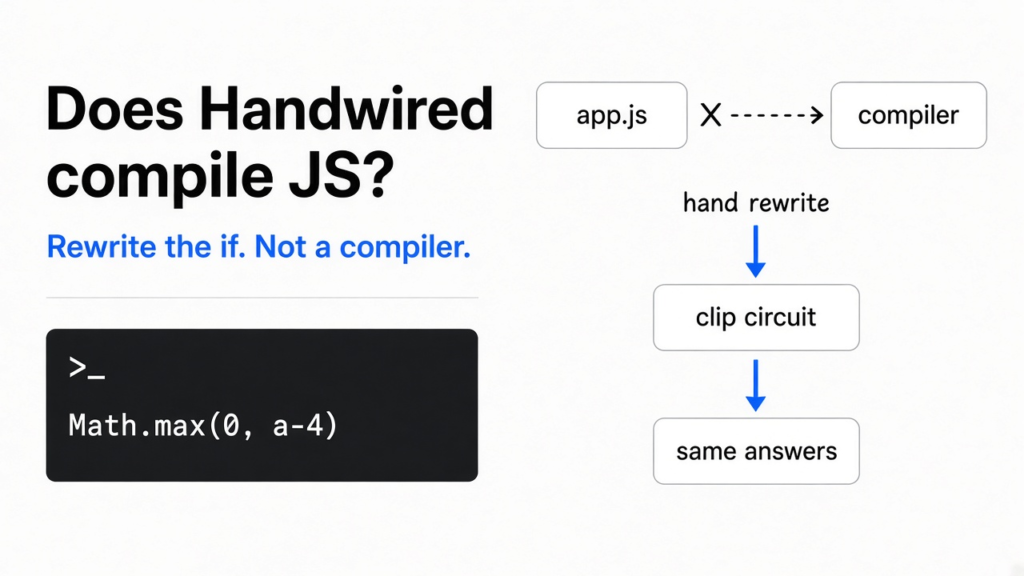
I had a one-line decision in JavaScript, the kind you write without thinking: if the number is above 4, return 10, otherwise return 12. Handwired is a small open source project that says this kind of program can also be a neural net, with no training, and the answers will match. A neural net, in this project, is not a chat box. It is a list of adds, multiplies, and a clip that turns every negative into zero. Does handwired compile javascript? No. It does not read a file you already wrote and emit a net. You rewrite the decision as that arithmetic, and the match I measured holds for whole numbers, then breaks inside the gap between 4 and 5.
What is a neural net here
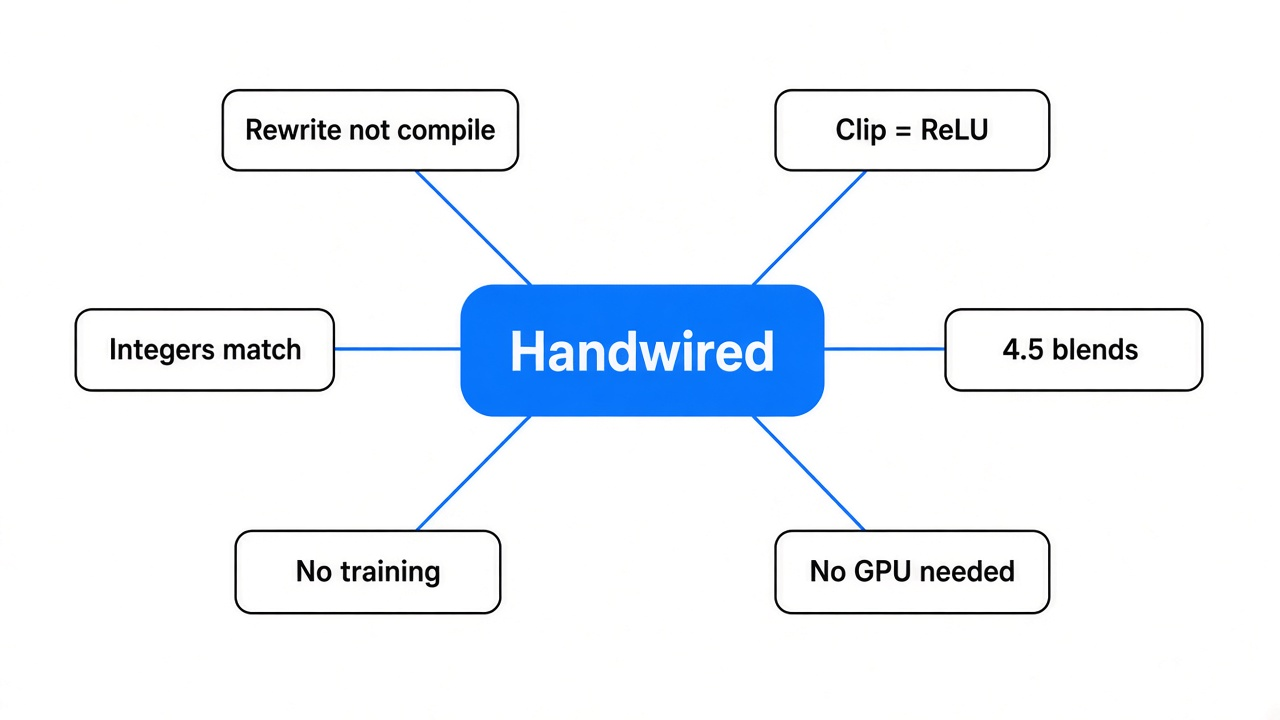
A neural net is a recipe of multiplies and adds, then a clip. The clip is the part people name ReLU, and in JavaScript it is Math.max(0, x). Negative in, zero out. Positive in, the same number out. A weight is just the number you multiply by. Training is the slow job of nudging those numbers until the outputs look like your examples. Handwired skips that job. You write the numbers so the recipe is the program.
That is why the home page can say “no training” and still be exact, on the cases the trick was built for. There is no separate model guessing. The program and the net are the same list of steps. If you have ever tried to run a model on a CPU because you had no graphics chip, this check is even smaller. It is three lines of JavaScript, and the chip does not matter.
Does handwired compile javascript
No. The home page shows an if rewritten by hand, and that picture is the idea. It is not a compiler you point at a folder. Does handwired compile javascript? The sentence people walk away with is “yes, if and else become a net.” The sentence that survives a check is “you rewrite one decision, and you keep the rest of the program as ordinary JavaScript around it.”
The project’s own docs say no tool converts existing JavaScript source into a program. You write builder code. Builder code is ordinary JavaScript that runs once and appends steps to a circuit. A circuit is the list of those adds, multiplies, and clips. The runtime then evaluates that list. Your old file is not an input to that step.
Does handwired compile my existing javascript
No. There is a template for a new switch. There is no importer for the file you already have.
I want that split to be boring and clear, because the home page line is easy to over-read. “Turn your regular JavaScript code into a neural net” sounds like a tool that ingests app.js. One folder down, the docs refuse that reading. If a coding agent copies the home page and skips the docs, it will tell you the compiler is done. It will then invent a build step you do not have. Stop it there. Open the docs and look for the sentence about existing source. Then run the three-line check below, which does not need the repo at all.
The host is the JavaScript you still write by hand around the circuit. It writes inputs into cells, runs the list, and paints the page. The circuit does not know about the page. That split is the whole shape of the project: a numeric program in the middle, normal JavaScript on the outside. Compiling your existing file would erase the split. The project does not do that.
How an if becomes arithmetic
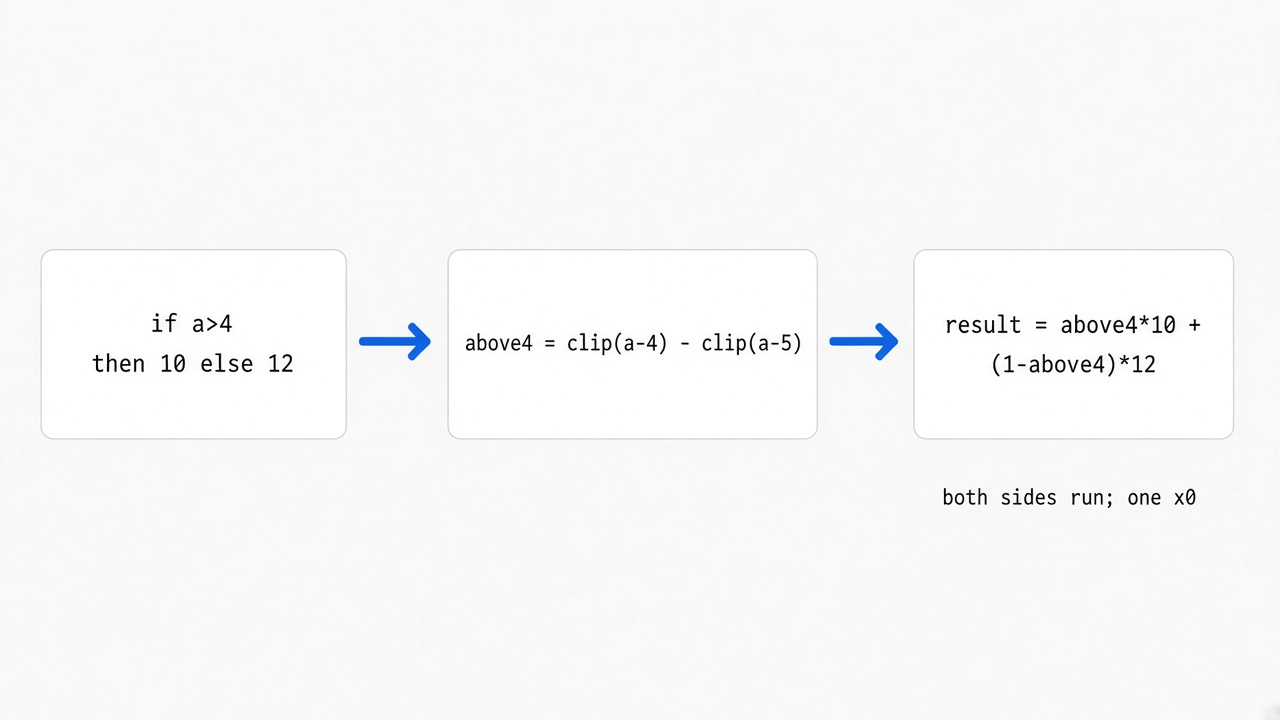
An if picks one path and skips the other. The net cannot skip. It has to do every step, then blend. For a whole number a, this line is 1 when a is greater than 4, and 0 when a is 4 or less:
const above4 = Math.max(0, a - 4) - Math.max(0, a - 5)
const result = above4 * 10 + (1 - above4) * 12
Both answers are computed. above4 picks one. When above4 is 1, the 12 is multiplied by zero and disappears. When above4 is 0, the 10 disappears. Nothing is skipped. Both sides are always done, and one side is multiplied by zero.
I ran that beside the real if, in Node, on the same numbers. At 0, 3, 4, 5, 6, and 10 they printed the same value. At 4 the if returns 12, and the arithmetic returns 12. At 5 the if returns 10, and the arithmetic returns 10. You can do the 4 and the 5 by hand before you trust me. For 5, the first clip is max(0, 1) which is 1, the second clip is max(0, 0) which is 0, so above4 is 1, and the result is 10. For 4, both clips are 0, above4 is 0, and the result is 12. For 6, the first clip is 2 and the second clip is 1, so above4 is still 1. The extra 1 cancels. That cancel is why every whole number above 4 still returns 10, not 20.
| a | if a > 4 then 10 else 12 | the clip arithmetic | same? |
|---|---|---|---|
| 0 | 12 | 12 | yes |
| 3 | 12 | 12 | yes |
| 4 | 12 | 12 | yes |
| 5 | 10 | 10 | yes |
| 6 | 10 | 10 | yes |
| 10 | 10 | 10 | yes |
What happens when the number is not a whole number
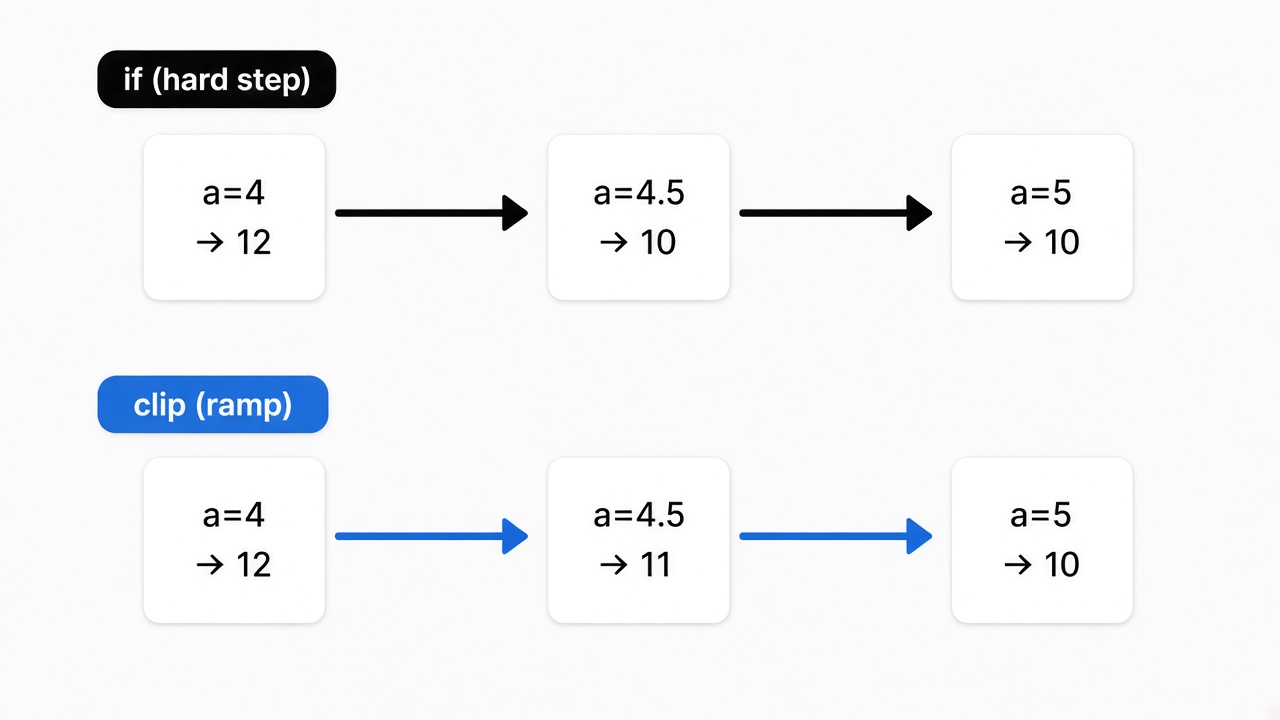
I expected the same match at 4.2, 4.5, and 4.9. The if says each of those is above 4, so each should return 10. What came back from the arithmetic was a ramp, not a switch.
| a | if | clip arithmetic | same? |
|---|---|---|---|
| 4.2 | 10 | 11.6 | no |
| 4.5 | 10 | 11 | no |
| 4.9 | 10 | 10.2 | no |
| 5.7 | 10 | 10 | yes |
The window from 4 to 5 is one unit wide on purpose. Inside it, the clip is a slope. At 4.5, above4 is 0.5, so the result is halfway between 12 and 10, which is 11. At 4.2, above4 is 0.2, so you get 0.2 times 10 plus 0.8 times 12, which is 11.6. At 4.9, above4 is 0.9, and the result is 10.2, almost the if, but not the if. At 5.7 the slope is finished, above4 is 1 again, and the match returns. The home page says the trick is for an integer a. An integer is a whole number: 4, 5, 6, not 4.5. If you drop those words, 4.5 looks like a bug. It is the shape of the clip.
How to use handwired
Run the three-line check first. You do not need the repo for that. Paste the if and the two clips into Node, print a few whole numbers, then print 4.5. If 4 and 5 match and 4.5 does not, you have the whole idea. That is the test I ran. It took longer to write the table than to run the loop.
The repo is the next step, and it wants Bun, a JavaScript runner, the way Node is a JavaScript runner. From a clone the commands are bun install, then bun start. bun start opens the demos in the browser: a tiny desktop, a gallery whose numbers you can unfreeze, and a search over a large pile of JSON. bun run start:template opens a toggle switch. That switch is one numeric program checked against the same switch written as plain JavaScript. Copy the template when you want a second switch. Do not copy it because you hoped it would swallow an old file.
bun install
bun start
bun run start:template
After the template, the work is cells and ranges. A cell is one stored number. You declare what values it is allowed to hold before any frame runs. The host writes this frame’s inputs into those cells, evaluates the circuit, then copies the next state back. If you want a second control, you add cells and builder steps. You do not paste a React component in and wait.
Most of that runtime is ordinary JavaScript on the CPU. The JSON search demo is the one that moves the same kind of steps onto the graphics chip in the browser, so a large search can run many pieces at once. You do not need that chip for the integer check, and you do not need it for the template switch.
Handwired vs training a neural net
Training starts with random weights and nudges them until the misses get smaller. You bring examples. You do not bring the rule. Handwired starts from the rule, and the weights are the rule, written by hand. Use training when you have examples and no rule, the way a coding tool calls a huge trained model and loops around it. Use handwired when you already have the rule and you want that rule to sit inside a net, so a later training step can see through it.
See through it means this: if every step is an add, a multiply, or a clip, you can ask how a tiny nudge to an input changes the output, and get a slope. A hard if does not give you that slope. It jumps. The ramp between 4 and 5 is the slope. That is the trade. You gain a slope. You lose the hard jump, in that one-unit window.
The gallery demo is the second case. You unfreeze the numbers and let them move while you watch. That is optional. The default is zero training, and the output matches the program on the whole numbers the trick was built for. I would not unfreeze anything until the integer check matches. If the frozen numbers are already wrong on 4 and 5, moving them will not explain the bug. It will hide it.
When not to use handwired
Do not use it to compile the app you already have. Do not use it when the decision depends on a fraction inside that one-unit window and you needed a hard if. A price, a threshold, a score of 4.5: if the business rule is “above 4 means 10, no blend,” the if is the honest code. The clip will blend, and the blend will look like a rounding bug to anyone who did not read the integer line.
Do not use it for a loop that runs until some condition. The net has to do a fixed amount of work. It cannot stop early, and it cannot decide the trip count while it is running. A loop whose count you only learn in the middle has to be rewritten as a fixed pattern, such as a running total over a length you chose ahead of time. Numbers are stored as ordinary 32-bit decimals, so a value you forgot to bound can drift. You declare the range before you start. A normal if is still the right tool when you need to skip work.
Does handwired need a gpu
No. The three-line check runs in Node. The project’s runtime evaluates the circuit in JavaScript on the CPU. A graphics chip shows up only in the JSON search demo, which turns the same kind of steps into browser graphics work so a large search can run in parallel. If you do not have that chip, you still have the integer check, and you still have the CPU runtime. The tiny desktop demo is painted to a normal page. It does not ask you for a card.
Common questions about Handwired
Why did 4.5 not match the if
Because the clip is a ramp between 4 and 5, and the if is a hard step. Whole numbers land on 0 or 1. 4.5 lands in the middle and blends 10 with 12, so you get 11.
Do I have to train it
No. Training is what you add later if you unfreeze the numbers on purpose, as in the gallery demo. The match on whole numbers does not need it. If someone tells you to start a training run before the integer check passes, they have the order backwards.
Can I point it at a file I already wrote
No. You rewrite the decision as builder code, starting from the template switch. The docs are explicit that no tool converts existing JavaScript source into a program. The home page example is a rewrite you can read, not a command you can run on a repo.
Is the match exact
On the whole numbers I printed, yes: 0, 3, 4, 5, 6, and 10. On 4.2, 4.5, and 4.9, no. Exact, in this example, means exact for an integer, not exact for every decimal. I also checked a negative, -2, and it matched the if at 12, because both clips stay at zero. The miss is the open gap just above 4, not “any number that is not nice.”
I would paste those three lines before I believed a headline that says the compiler is finished. The match on whole numbers is real. The miss on 4.5 is the part worth sending to a coworker. If your rule is a hard if on messy decimals, keep the if. The project and the demos are at handwired on GitHub and on the live demo page. The sentence about existing source is in the docs readme.