
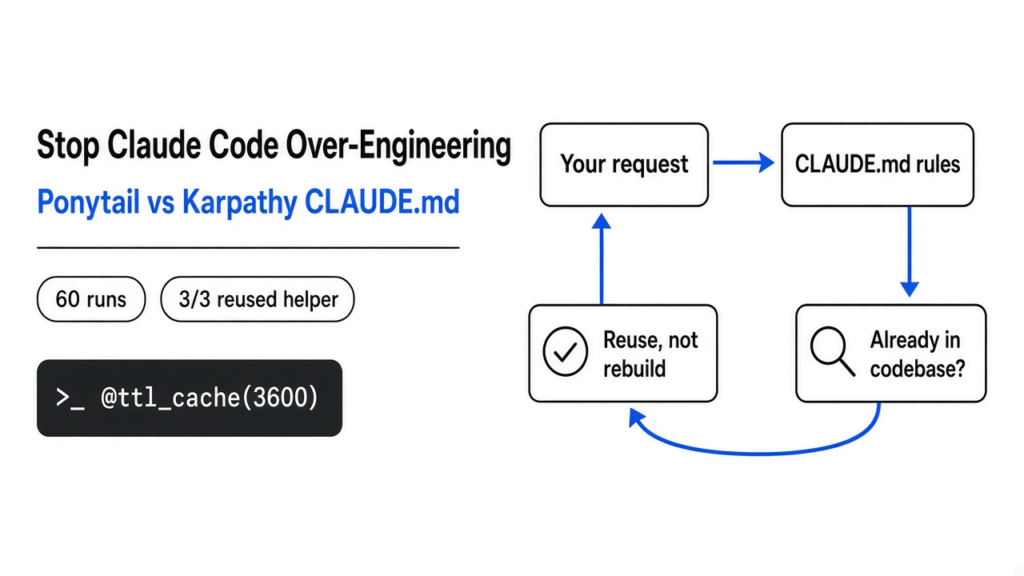
Short answer: yes, Ponytail does help stop Claude Code over-engineering, but not the way its numbers suggest. In my test, Ponytail cut the code Claude Code wrote by about a third, and it was the only setup that reused a helper already sitting in the project. It also cost more per task, not less. A one-line “YAGNI” rule wrote even less code, but it quietly cut corners.
You ask Claude Code for a small change. It hands back a new helper, a config option nobody asked for, and forty lines where five would do. That extra code is not free. You read it, you review it, and you maintain it forever.
Two popular fixes promise to stop that extra code. One is Ponytail, an open-source “lazy senior developer” rule set. The other is the Karpathy-style CLAUDE.md, a single rules file built from Andrej Karpathy’s notes on how AI models over-complicate code.
So I ran both on the same tasks, side by side, 60 runs in total. The thread of this post is simple: fewer lines is the wrong scoreboard. The real win is code Claude never writes because it already exists.
What does “over-engineering” mean when an AI writes code?
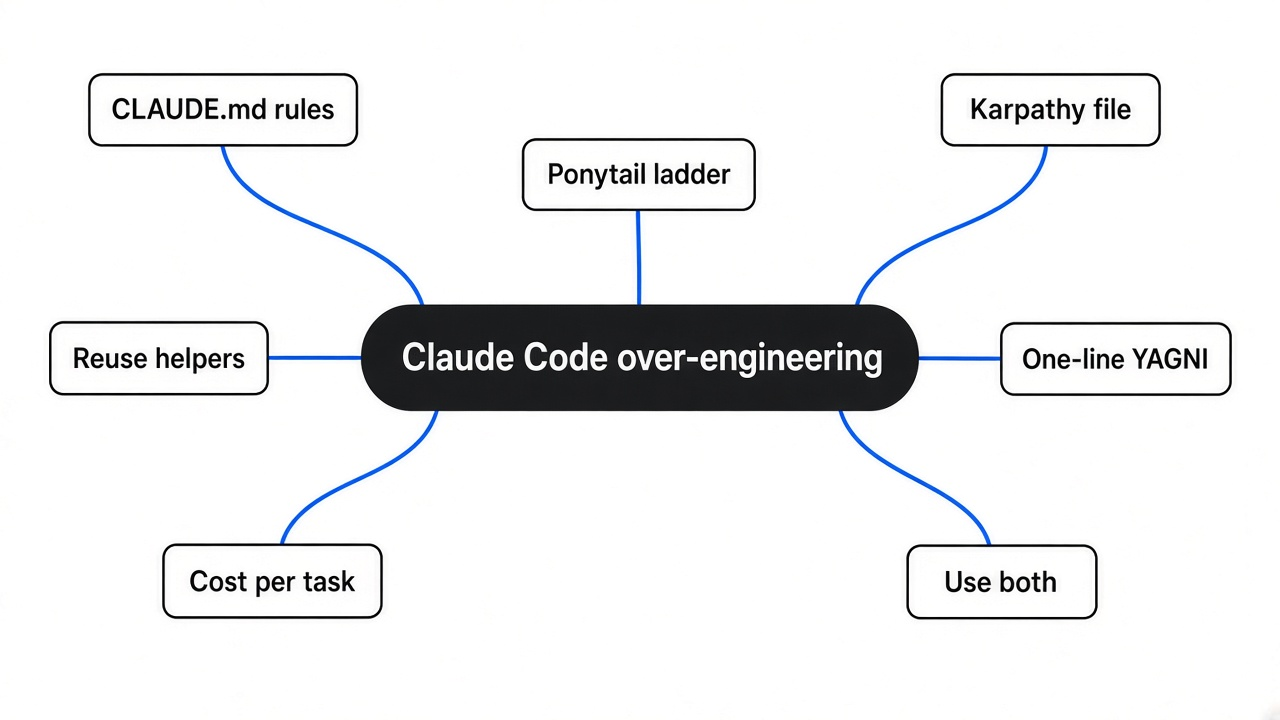
It means building more than the task needs, and it costs you review time on every change.
So think of asking a carpenter to fix a squeaky door. One oils the hinge. Another replaces the door, the frame, and adds a smart lock. Both fixed the squeak. Only one left you with a bill and a new thing to look after.
AI coding agents (programs that read your files and edit them for you, like Claude Code) lean toward the second carpenter. They add abstractions (extra layers, like a class wrapping one function), install packages for things the browser already does, and rewrite helpers your project already has.
That’s why the usual fix is a rules file. Claude Code reads a file called CLAUDE.md (a plain text file of instructions it loads at the start of every session) before it touches your code. Whatever you write there shapes every change it makes.
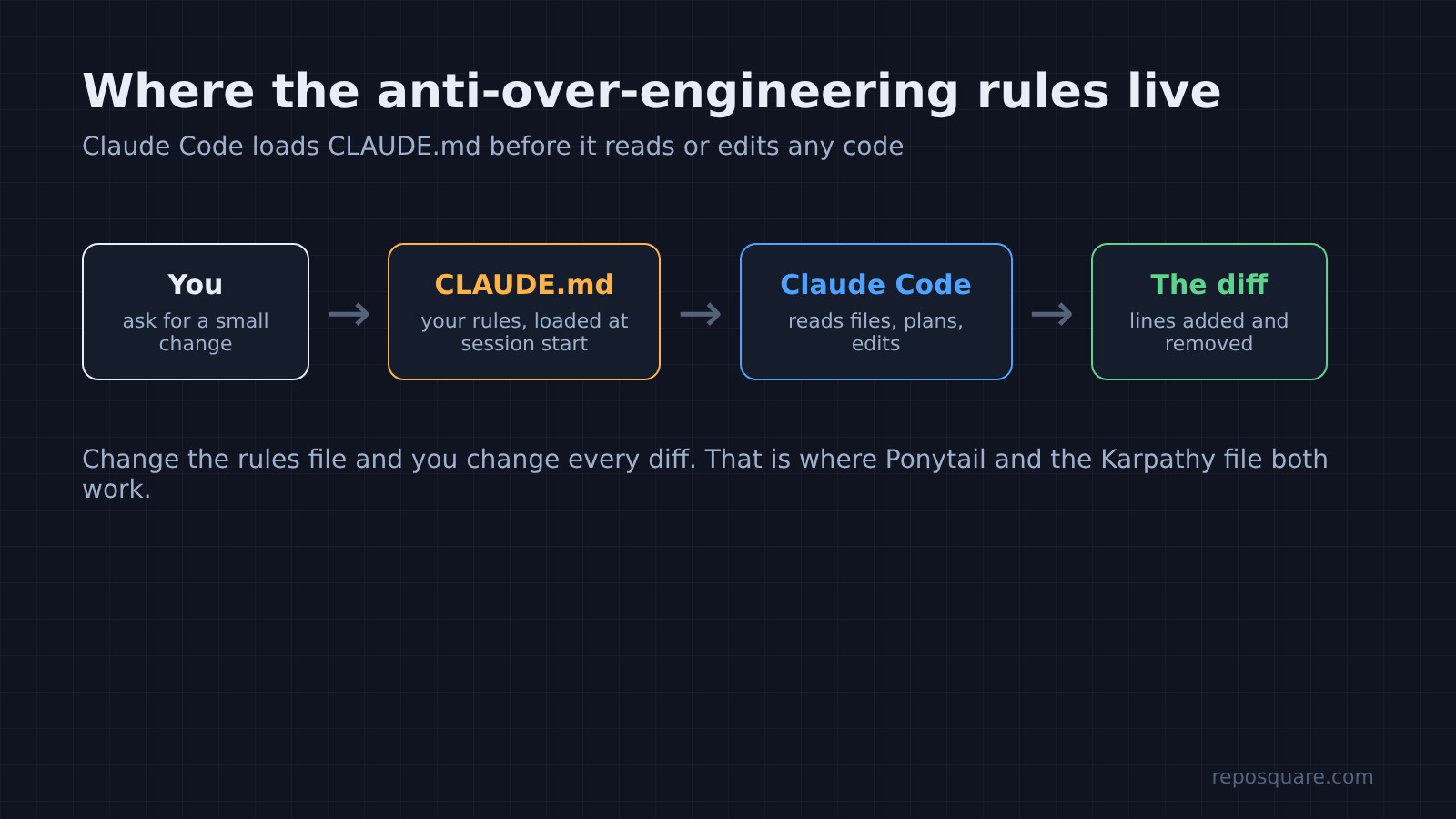
That one file is where both contenders live. The difference is what they tell Claude.
What is Ponytail and how does it work?
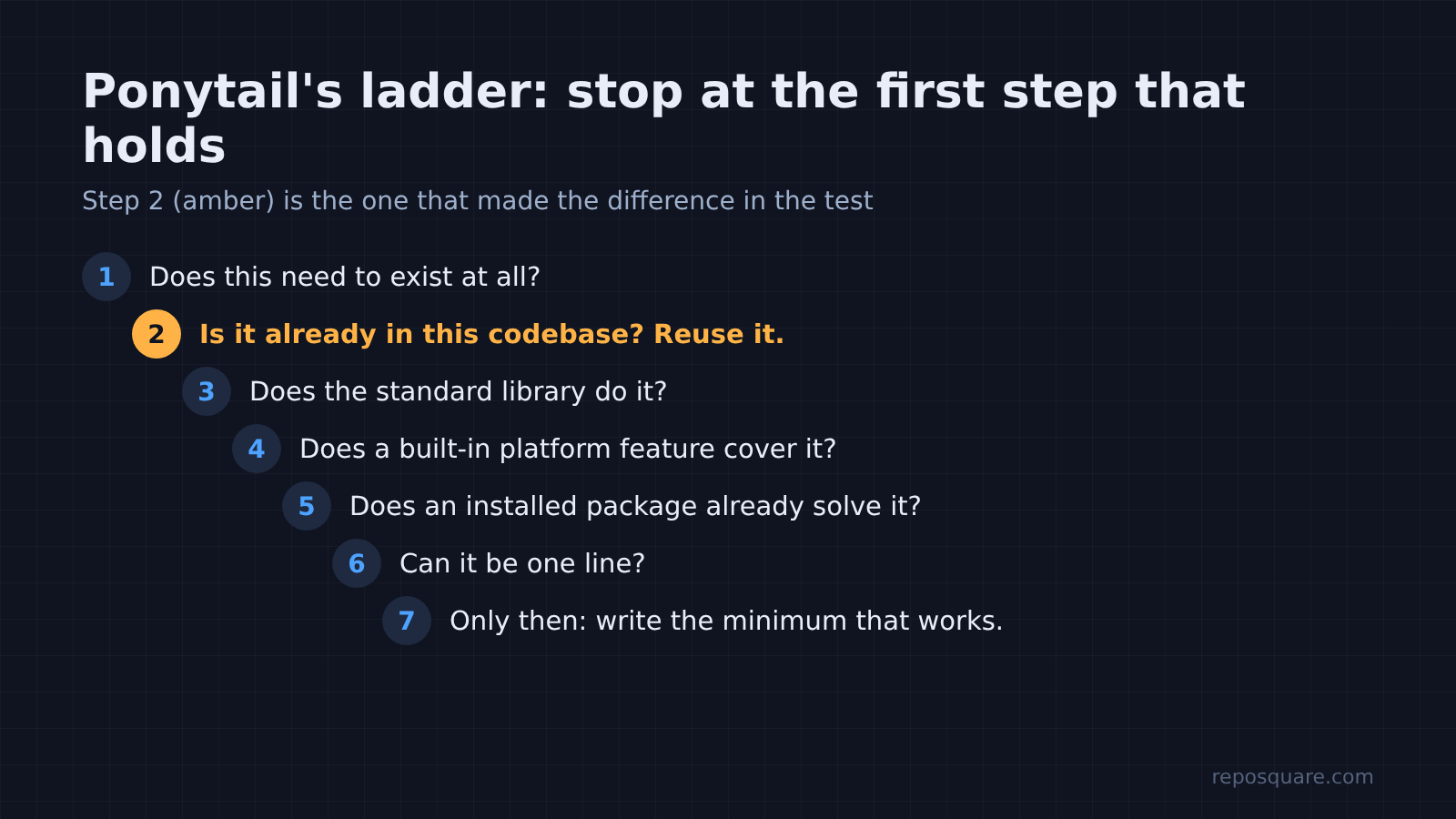
Ponytail is one prompt that makes the agent climb a seven-step ladder before writing any code.
The idea is the old developer with the long ponytail who looks at your fifty lines and replaces them with one. Before writing anything, the agent stops at the first step that answers the task:
- Does this need to exist at all?
- Is it already in this codebase? Reuse it.
- Does the standard library do it?
- Does a built-in platform feature cover it?
- Does an installed package already solve it?
- Can it be one line?
- Only then, write the minimum that works.
It also lists what it must never cut: input checks at trust boundaries (places where outside data enters your code), error handling that prevents data loss, security, and accessibility. Lazy about the solution, never about safety.
In Claude Code you install it as a plugin with two commands, /plugin marketplace add DietrichGebert/ponytail and then /plugin install ponytail@ponytail. The plugin adds hooks (small scripts that run on Claude Code events) and slash commands like /ponytail-review. The core is still the same prompt, and the repo also ships a short AGENTS.md version you can paste into any rules file.
Ponytail’s own benchmark claims about 54% less code and about 20% lower cost. That test used a smaller, cheaper model. I wanted to see what happens on the model most people use day to day.
What is the Karpathy CLAUDE.md?
It is a short rules file with four rules: think first, keep it simple, change only what you must, and verify.
So where Ponytail is a ladder, this file is a set of habits. “Simplicity First” bans features nobody asked for and abstractions for single-use code. “Surgical Changes” says every changed line should trace back to your request. The other two push Claude to state assumptions and to define how it will check its work.
Now notice what these habits leave out. It never says “look for code that already exists in the project.” Keep that in mind, because it decided the most interesting result.
How I tested Ponytail against Karpathy’s CLAUDE.md
Same tiny project, same four requests, five rule setups, three runs each.
The project was a small Python currency and signup app with no outside packages. It already had two helpers in utils.py: a ttl_cache decorator (a wrapper that remembers a function’s results for a set time) and a retry decorator. Those helpers are traps. A careless agent rewrites them instead of using them.
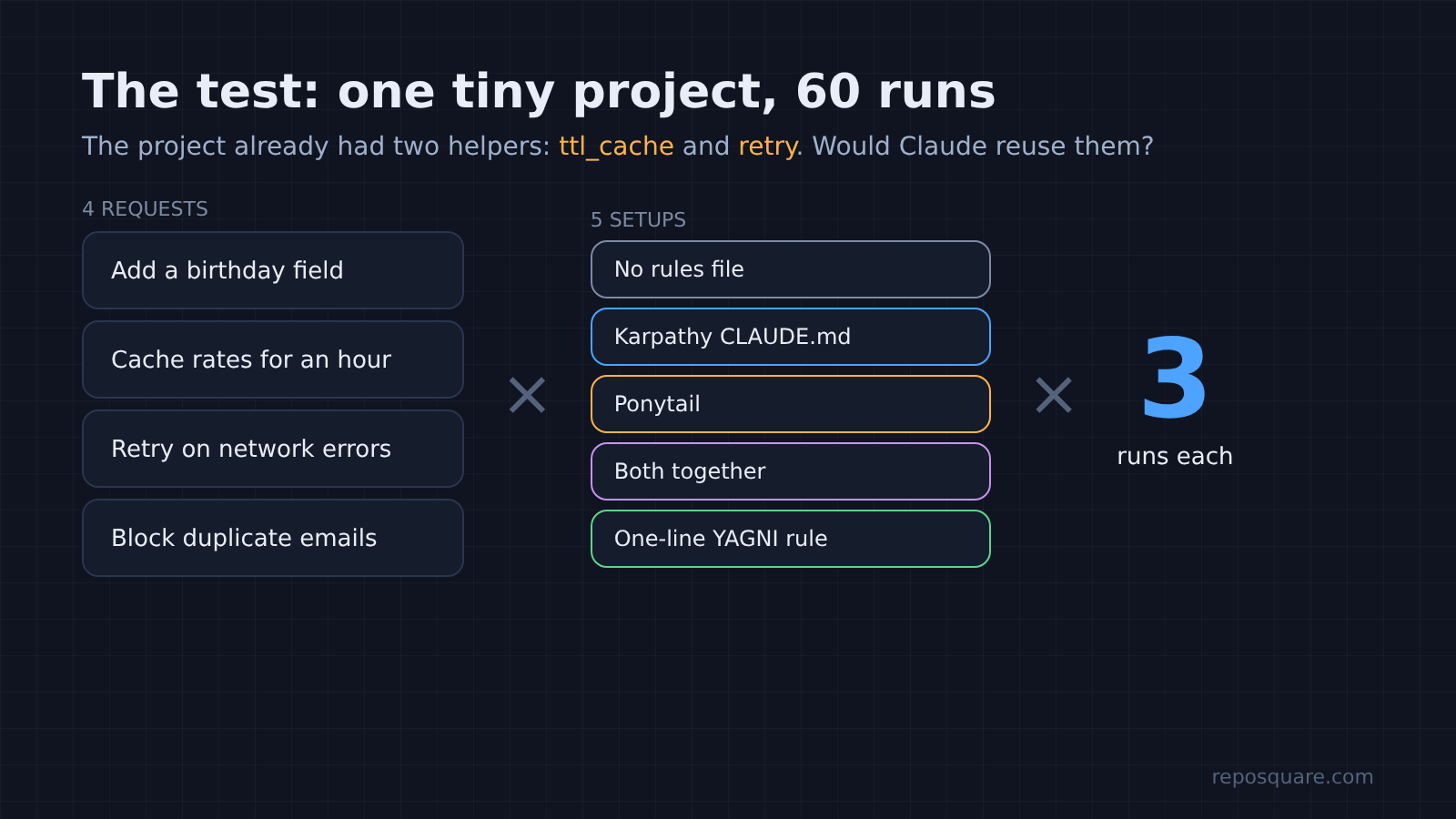
I gave Claude Code (Sonnet model, headless mode, the same permissions every time) four plain requests:
- Add a birthday field to the signup form.
- Cache exchange rates so the API is called at most once an hour.
- Make
fetch_jsonretry a few times on network errors. - Stop the same email from signing up twice.
Each request ran under five setups. The first had no rules file. Then came the Karpathy CLAUDE.md, Ponytail’s AGENTS.md copied in as CLAUDE.md, and both files together. The last was a single line: “Follow YAGNI principles, and one-liner solutions.” (YAGNI means “You Aren’t Gonna Need It”: don’t build what nobody asked for.)
Then I measured the diff (the list of lines added and removed) and the cost Claude Code reported, and I ran a correctness check on every result. Sixty runs in all.
Does Ponytail actually make Claude Code write less code?
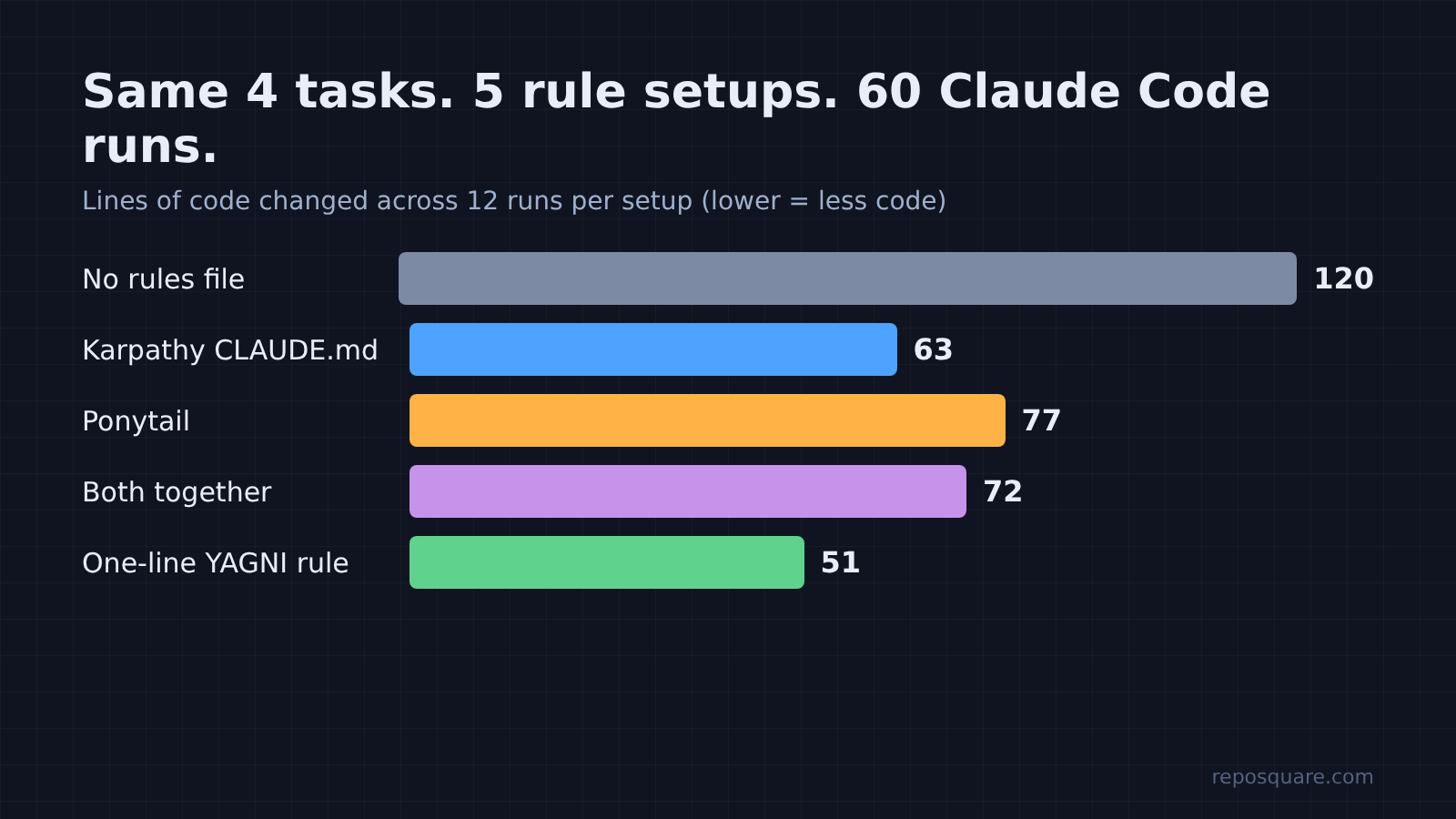
Yes. Across all twelve runs, Ponytail changed 36% fewer lines than no rules at all.
| Setup | Lines changed (12 runs) | vs no rules | Avg cost per task | Reused the cache helper |
|---|---|---|---|---|
| No rules file | 120 | baseline | $0.098 | 0 of 3 |
Karpathy CLAUDE.md | 63 | -48% | $0.110 | 0 of 3 |
| Ponytail | 77 | -36% | $0.126 | 3 of 3 |
| Both together | 72 | -40% | $0.117 | 3 of 3 |
| One-line YAGNI rule | 51 | -58% | $0.093 | 0 of 3 |
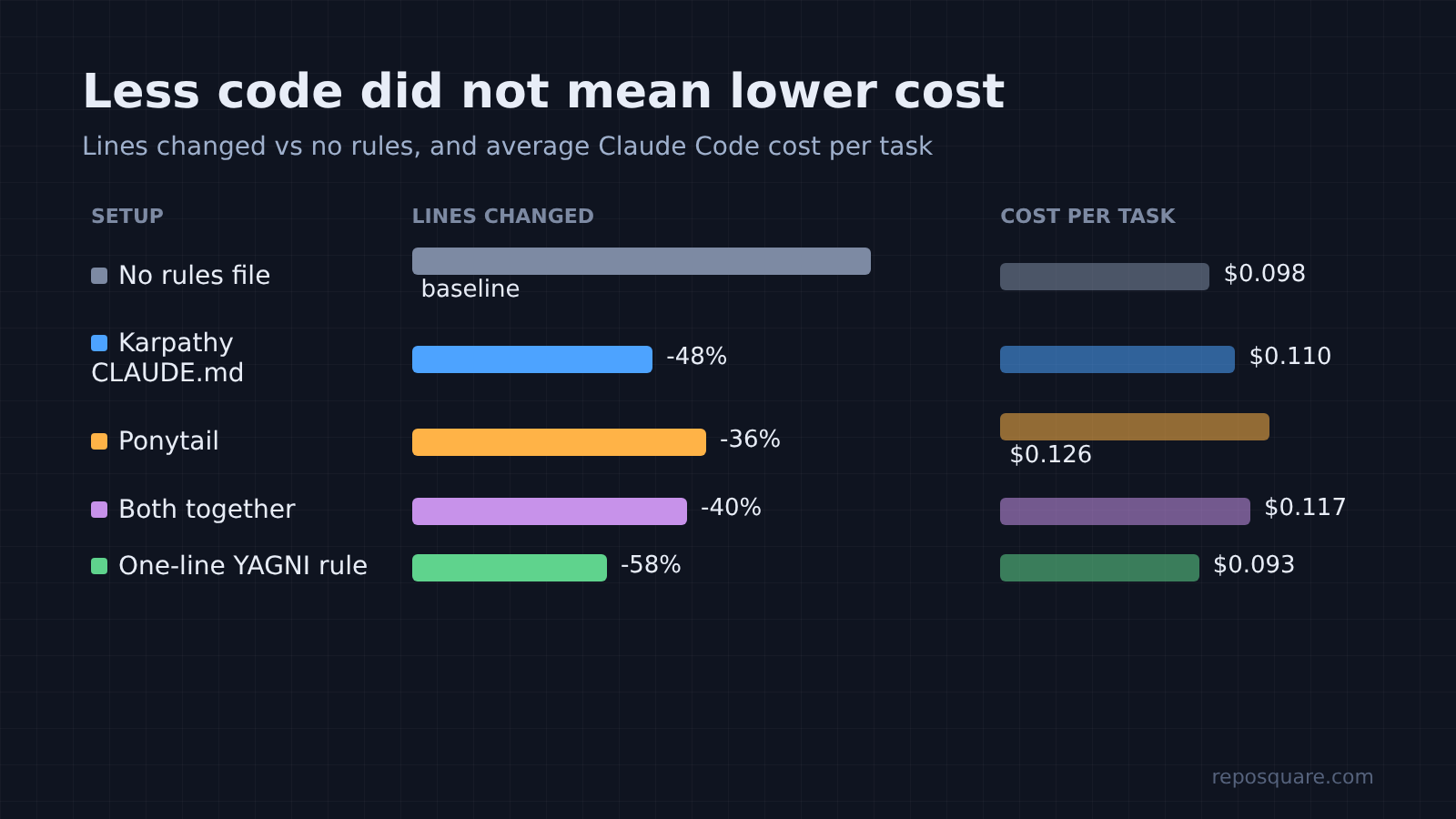
Here is the surprise. Karpathy’s file wrote even less code than Ponytail. And Ponytail cost about 29% more per task than using no rules, not 20% less.
So why the extra cost? Ponytail tells Claude to read the code a change touches and trace the real flow before picking a step. That reading takes extra turns (rounds of reading and editing). Ponytail used 90 turns across its twelve runs, against 74 with no rules. On a tiny project, the reading cost more than the shorter code saved.
So if lines were the only scoreboard, Karpathy wins and Ponytail looks overpriced. Lines are not the only scoreboard.
Where Ponytail clearly won
Ponytail was the only rule set that found and reused the cache helper the project already had.
Ask for “cache the rates for an hour” and every setup produced working code. But no rules, Karpathy, and the one-liner all hand-built a new cache: a dictionary, a timestamp, an expiry check, about ten to twenty changed lines each time.
Ponytail did this in all three runs:
from utils import fetch_json, ttl_cache

@ttl_cache(3600)
def _fetch_rates(base):
    return fetch_json(RATES_URL.format(base=base))["rates"]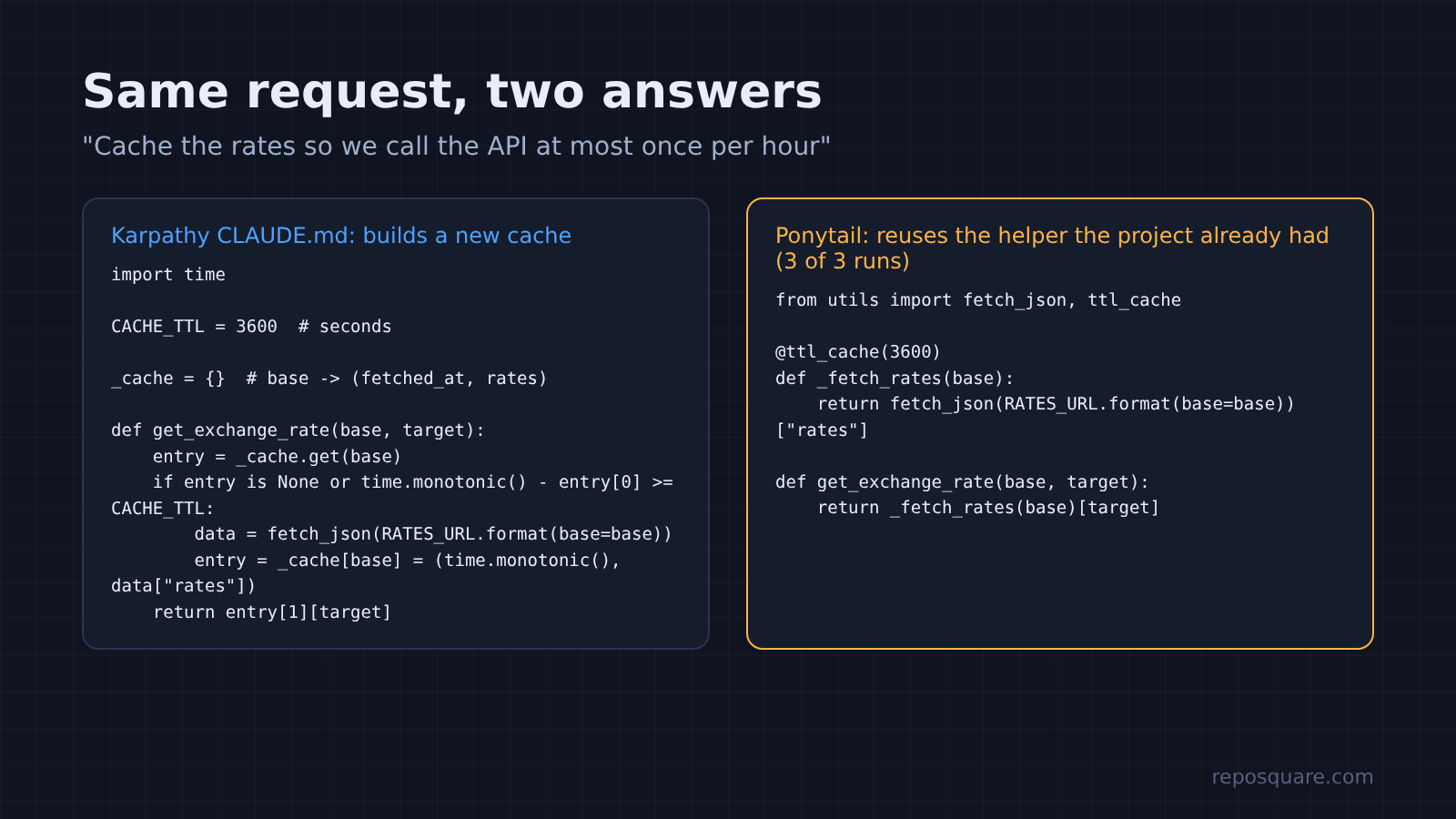
That is step 2 of the ladder doing its job. It matters more than the line count suggests. A second hand-built cache is a second place for bugs, and the next person has to wonder why two caching styles exist.
And in a real codebase, this is the over-engineering that hurts most. Nobody installs a date picker library twice. But rewriting a helper that already exists happens all the time, and only the setup that says “check the codebase first” caught it.
Running both files together kept that win (3 of 3 reused the helper) at a slightly lower cost than Ponytail alone.
Does a one-line YAGNI prompt work just as well?
It wrote the least code and was the cheapest, but it cut real corners in 6 of its 12 runs.
On paper the one-line rule beats everything: 58% fewer lines, lowest cost, fastest runs. Then I checked the code.
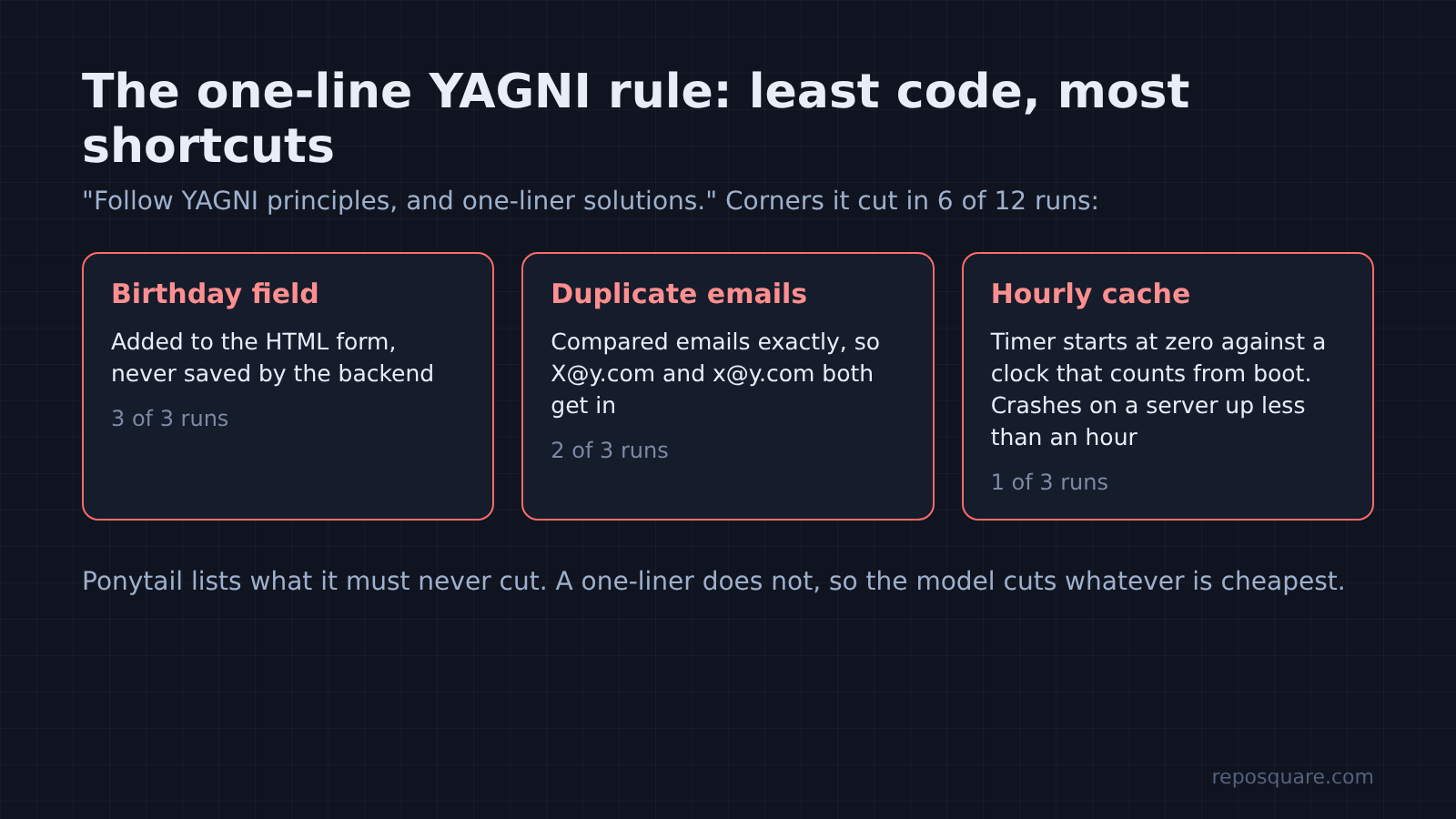
First, the birthday field went into the HTML form all three times, but the backend never saved it. (Karpathy and the combined setup skipped that step once each too. Ponytail and no rules saved it every time.) Two of three duplicate-email checks compared emails exactly, so X@y.com and x@y.com could both sign up. Every other setup lowercased the email first.
But the worst corner it cut was quiet. One cache it wrote starts its timer at zero and compares against time.monotonic(), a clock that on Linux counts from when the machine booted. On a server that has been up less than an hour, the first call returns nothing and the function crashes. It passes every test on your laptop. It breaks on a fresh server.
That is the difference between lazy and careless. Ponytail spells out what it must never cut. A one-liner does not, so the model cuts whatever is cheapest to cut.
Did any setup fall for the classic traps?
No. The date picker trap did not fire for any setup, even with no rules at all.
Ponytail’s favorite example is the date picker: ask for one, and an agent installs a library plus a wrapper component. In my runs every setup, including no rules, used the browser’s built-in <input type="date">. Retry was the same story. All five setups reused the existing retry decorator in one or two lines.
So newer models already avoid the obvious traps. The over-engineering that remains is subtler: rewriting what your project already has, and adding small “helpful” extras like date limits and docstrings. That is exactly where the “check the codebase first” rule earns its place.
Should you use Ponytail, Karpathy’s CLAUDE.md, or both?
Use both if your project has helpers worth reusing. Use Karpathy alone if cost matters most.
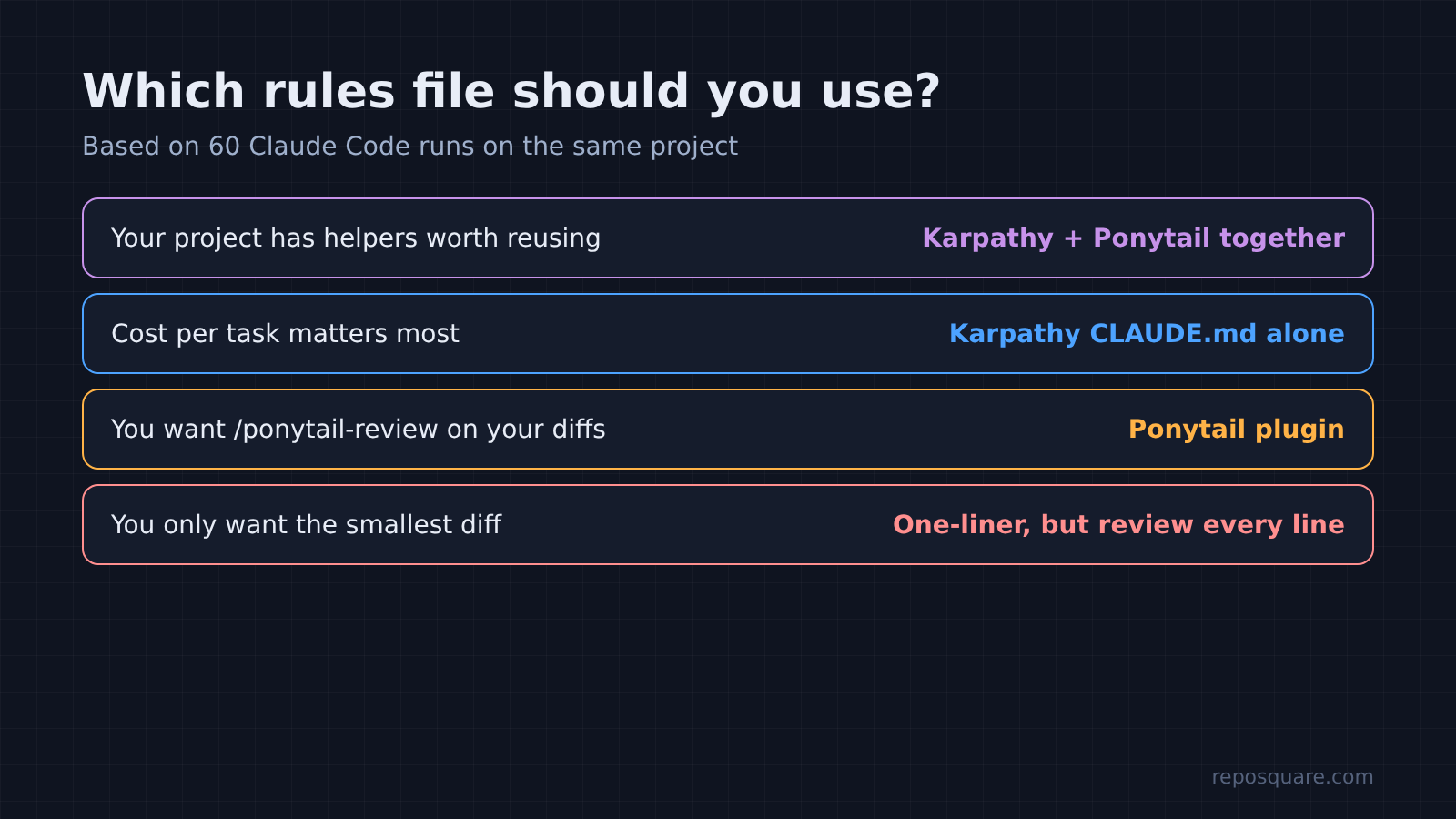
Still, to be fair to the one-liner, it is cheap and very short. If you review every diff carefully anyway, it gives you small changes to read. But you become the safety check, and a crash that only shows up on a fresh server is easy to miss in review.
Here is the setup I would use on a real project:
- Copy Karpathy’s
CLAUDE.mdinto your project root. - Paste Ponytail’s
AGENTS.mdtext below it in the same file. - Run one task you know well and read the diff.
Then mind one detail. When a project has a CLAUDE.md, Claude Code reads that file and skips any AGENTS.md beside it (more on Claude Code not reading AGENTS.md). So paste Ponytail’s text into CLAUDE.md, or add the line @AGENTS.md to CLAUDE.md to pull the file in. If you want the /ponytail-review command, install the plugin instead. The rules are the same.
There is one honest limit to all of this. This was a tiny project with four tasks. On a large codebase, Ponytail’s careful reading should pay off more, because there are more helpers to find and more ways to duplicate them. Your numbers will differ. The pattern held in every run here, though.
So skip the line counts. Open your next diff and look for one thing: did Claude rebuild something you already had?
Common questions about Ponytail and Claude Code
Does Ponytail work with Claude Code?
Yes. Install it with /plugin marketplace add DietrichGebert/ponytail and then /plugin install ponytail@ponytail, or paste its AGENTS.md text into your CLAUDE.md.
Is Ponytail better than Karpathy’s CLAUDE.md?
Not on line count. Karpathy’s file wrote less code in my test. Ponytail was better at reusing code your project already has.
Does Ponytail make Claude Code cheaper?
Not in my test. It cost about 29% more per task than no rules on a small project, because it reads more code before acting.
Can I use Ponytail and Karpathy’s CLAUDE.md together?
Yes. Paste both into one CLAUDE.md. Together they wrote 40% fewer lines than no rules and still reused the existing helper every time.