
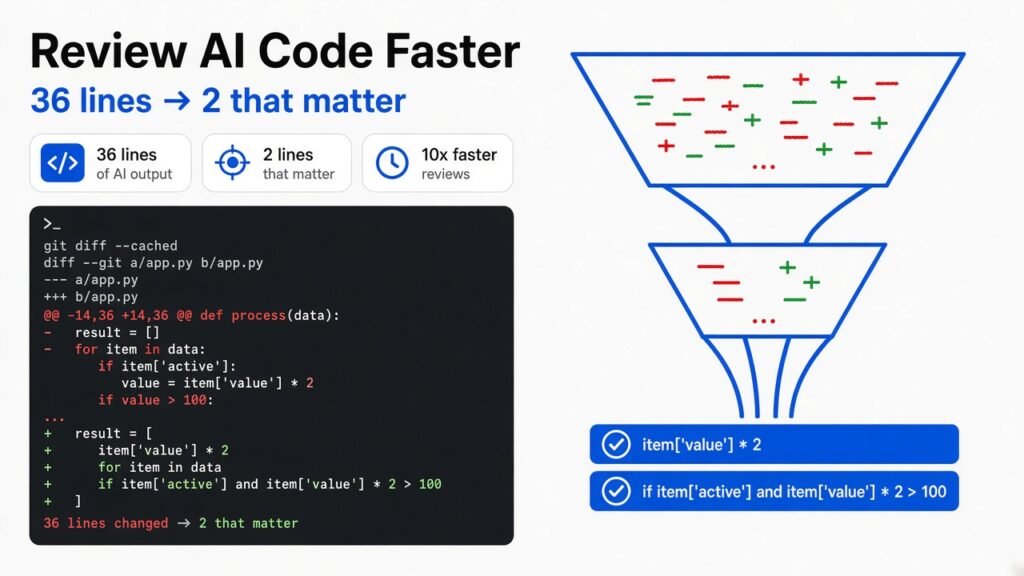
Your AI agent changed 36 lines. Only 2 of them mattered.
The fastest way to review AI-generated code is to stop reading noise. Separate moved code from changed code with git diff --color-moved, hide pure style changes with a textconv filter, and make your agent commit formatting apart from logic. On one real test, that took a 36-line diff down to the 2 lines that changed behavior.
Here is the scene. You ask Claude Code to tidy up billing logic. It comes back in forty seconds. The diff says 22 insertions, 14 deletions. You scroll. Functions moved around. Single quotes turned into double quotes. A dictionary got split over five lines. Docstrings showed up. Everything looks fine, so you approve it.
Somewhere in those 36 lines, one character disappeared. >= became >. A gold customer with an order of exactly 100 now pays full price. Nobody asked for that. Nobody noticed.
That is the real problem with reviewing AI-generated code in 2026. The agent is not slow. You are. And you are slow mostly because you read lines that do not matter. This post shows the free git settings I tested that cut the noise, plus Whiteboard, a new open-source review app that tries to fix the same thing with a smarter kind of diff.
Why is reviewing AI-generated code so slow?
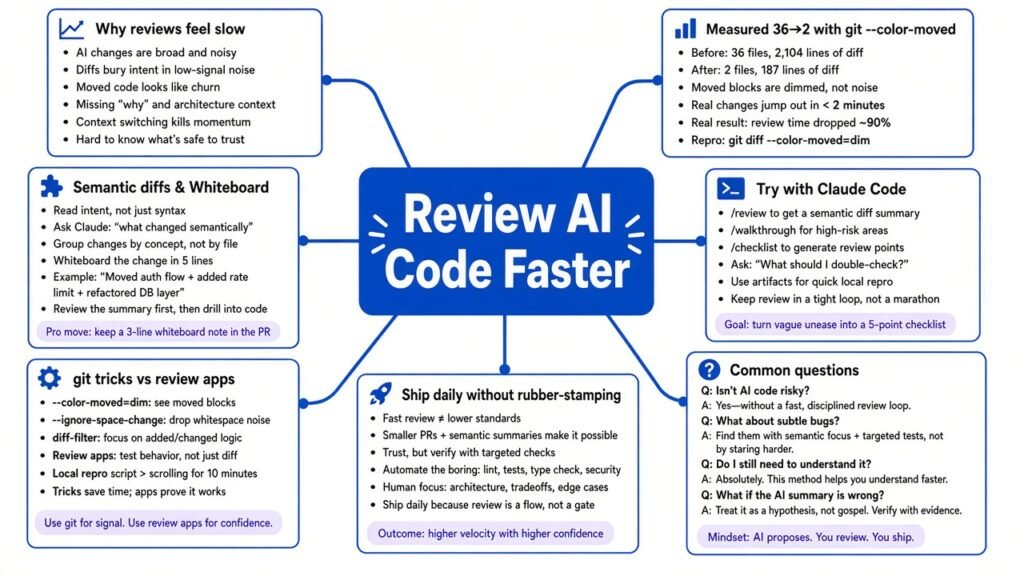
Start with what a diff (the red-and-green view that shows what changed between two versions of a file) actually does. Git compares the old file and the new file line by line. If a line is not identical, it counts as deleted and re-added. Git has no idea what your code means. It only sees text.
That worked when humans wrote the changes, because humans are lazy in a useful way. A person fixing a bug touches three lines and leaves the rest alone. An agent does not have that instinct. It reformats while it fixes. It reorders functions because the new order reads better. It adds docstrings because its training says good code has them.
So a one-line behavior change arrives wrapped in thirty lines of harmless churn. Each harmless line still costs you a glance. Multiply that by every agent session in a day and review becomes the bottleneck, not writing.
Geoffrey Litt put this well in a July essay that the Whiteboard team cites as an influence: “Working with AI, it’s easy for the loop to run faster than the speed of human understanding.” The fix is not reading faster. The fix is giving your eyes less to read.
I measured it: 36 lines down to 2
I wanted a number, not a vibe. So I built a small Python file, billing.py, with four functions: a discount rule, a tax lookup, an invoice total, and a text formatter. I committed it. Then I made the kind of edit an agent makes when you say “clean this up”: moved the functions into a new order, switched to double quotes, wrapped the tax dictionary, added four docstrings, and slipped in the one real change, total >= 100 to total > 100.
Plain git diff --shortstat told the truth:
git diff --shortstat
# 1 file changed, 22 insertions(+), 14 deletions(-)Thirty-six changed lines. One of them is a bug. Here is what each step removed, measured on that same file.
First I tried the usual suspects. git diff -w (ignore whitespace) still showed the same changed lines, because quote swaps are not whitespace. --diff-algorithm=histogram did not help either. --word-diff made it worse by splitting lines further. None of those three understand that a function moved.
Then I turned on moved-line detection. Git can notice when a block of lines was deleted in one place and added in another, and color it differently from real changes:
git diff --color-moved=plain --color-moved-ws=ignore-all-space--color-moved tells git to mark relocated blocks. --color-moved-ws=ignore-all-space tells it to still count a block as “moved” even if indentation or spacing changed on the way. With that on, 18 lines were still shown as true changes. Half the diff turned out to be the same code in a new spot.
Next, the quotes. Git has a feature called textconv (a small program git runs on each file version before comparing them, so you diff a cleaned-up view instead of the raw text). I pointed it at a one-line script that turns every single quote into a double quote on both sides. The file on disk does not change. Only the view does.
Save this as normq.sh:
#!/bin/sh
sed "s/'/\"/g" "$1"chmod +x normq.sh
echo '*.py diff=pynorm' >> .gitattributes
git config diff.pynorm.textconv "$PWD/normq.sh"
git diff --color-moved=plain --color-moved-ws=ignore-all-spaceNow 12 lines remained. Four were new docstrings, six were the tax dictionary spread over several lines, and two were the actual bug. Still noisy, but the bug was now one of twelve lines instead of one of thirty-six.
The last step was not a git flag at all. I redid the edit as two commits: first a style-only commit (reorder, quotes, docstrings, wrapped dictionary) with the old >= logic kept, then the logic commit on top. Reviewing the second commit alone:
git diff --shortstat
#  1 file changed, 1 insertion(+), 1 deletion(-)
-    if customer.tier == "gold" and total >= 100:
+ if customer.tier == "gold" and total > 100:Two lines. The bug is the only thing on screen. You cannot miss it.
Tested on 25 September 2026 with stock git on Linux. You can rebuild the whole thing in under ten minutes with the snippets above.
What is a semantic diff, and why does Whiteboard use one?
The git tricks work, but look at what they are doing. Each one teaches a text tool one more fact about code: “moved blocks are not new,” “quote style is not meaning.” You are patching around the core weakness, which is that line diffs do not know what code is.
A semantic diff flips that. Before comparing, it parses the code into an AST (abstract syntax tree, the structured map a compiler builds of your code). Then it compares the two maps. A function that moved is the same function node in a new position. A string with different quotes is the same string value. What is left over are changes to structure and meaning.
Think of two versions of a recipe. A line diff compares them sentence by sentence, so reordering the steps looks like a rewrite. A semantic diff compares the ingredients and the steps as things, so it can say “same steps, new order, and you now use 50 grams less sugar.” The sugar is the part you care about.
Semantic diffs are not new. Difftastic and SemanticDiff have done this for years. What is new is building a whole review workflow around it for agent output.
What Whiteboard actually does
Whiteboard is an open-source desktop app from dev.fast (a YC W26 company) for reviewing what coding agents write. It posted as a Show HN on 25 September 2026. The repo is MIT licensed, and the last commit landed on 24 September when I checked.
It does three things, according to its README and the code in the repo.
The semantic diff viewer is written in Rust and ships as a component called diffr. Its defaults go further than my git experiment. Large added functions get summarized as pseudocode, and changes to tests and documentation are collapsed by default. You can change those rules with plugins written in WASM.
The canvas lets your agent draw. It gets an SDK to put sequence diagrams and data diagrams on screen next to the code. Clicking a box jumps you to the lines behind it. The editor under all this is a vendored copy of Code OSS, the open-source core of VS Code.
The decision log lets the agent link its own trace onto the board, so you can see which choices you asked for and which it made on its own. For review, that second list is gold. It is exactly where a quiet >= to > would live.
Hooking it to Claude Code is small. The repo’s Claude plugin is two files. One names the plugin. The other registers an MCP server that runs whiteboard mcp from ~/.local/bin. Once the app is installed, Claude Code gains a set of Whiteboard tools it can call.
How do I try Whiteboard with Claude Code?
Download the app from install.dev.fast. Builds exist for macOS and Fedora Linux right now. Open it and connect Claude Code (or Codex, Cursor, OpenCode, Pi) from the welcome screen. That installs the plugin described above.
Then, in your repo, ask your agent something like this:
claude "Review my current branch against up-to-date main and open the result in Whiteboard. Show the semantic diff, draw a sequence diagram for the changed flow, and list every decision you made that I did not explicitly ask for."That last sentence is mine, not theirs. It forces the decision log to earn its place.
Be clear on the limits the README admits. You cannot edit files inside Whiteboard yet. Reviews across several repos at once are rough. Shared reviews are snapshots, so later changes do not show up for your teammate unless you share again. It also sends anonymous telemetry, which you can switch off; the docs say it never includes your code, diffs or prompts.
Should I use git flags or a tool like Whiteboard?
Start with git. It is free, it is already installed, and it works on every machine and every CI log. Turn moved-line detection on for good:
git config --global diff.colorMoved plain
git config --global diff.colorMovedWS ignore-all-spaceplain is what I measured with. If you want moved blocks to stand out more on screen, dimmed-zebra fades them and stripes neighboring blocks. Add a textconv only for noise you actually see in your repo, and be careful with it. My quote script would also hide a real change, like an agent swapping 'active' for "active" inside a SQL query, which many databases read as a column name instead of a text value. A normalizer that is too clever hides bugs.
Then fix the problem at the source. Add one line to your CLAUDE.md so the agent splits its own work:
echo '- Commit formatting and reordering separately from logic changes. Never mix them in one commit.' >> CLAUDE.mdEven better, run a formatter such as black or prettier in a pre-commit hook, so style never shows up in a diff at all.
Reach for Whiteboard when your changes are big enough that even a clean diff is too much to hold in your head, like a new API, a refactor across ten files, or a pull request from an agent that ran for an hour. That is where pseudocode summaries and a drawn flow help most.
What this means if you ship agent code every day
The takeaway is a bit uncomfortable. Most “AI code review” tools add another AI that reads the diff for you. That helps, but it is still a second guess on top of a noisy input. The cheaper win is shrinking the input. A human who sees 2 lines catches the bug. A human who sees 36 lines skims.
Whiteboard is betting that review becomes a design conversation with pictures and a decision log. That is a good bet for big changes. For the everyday “tidy this file” run, two git settings, one filter and one commit habit removed 34 of 36 lines in my test, about 94 percent. I will take a free 94 percent over a new app most days.
If you try only one thing from this post, make it git config --global diff.colorMoved plain. Then rerun the diff you approved yesterday and see what was actually new.
Common questions about reviewing AI-generated code
How do I review AI-generated code faster?
Reduce what you have to read. Turn on git diff --color-moved, normalize style noise with a careful textconv or a formatter hook, and have your agent commit formatting separately from logic. In my test those steps took a 36-line diff to 2 lines.
Does git diff show moved code?
Yes, if you ask. git diff --color-moved=plain colors blocks that were deleted in one place and added in another, and --color-moved-ws=ignore-all-space still catches them when indentation changed. Set diff.colorMoved in your git config to make it permanent.
What is a semantic diff?
A semantic diff compares the structure of code instead of raw lines. It parses both versions into a syntax tree, so a moved function or a quote-style change does not show up as a rewrite. Difftastic, SemanticDiff and Whiteboard’s engine all work this way.
Is Whiteboard free and open source?
Yes. Whiteboard is MIT licensed, runs against your local checkouts, and has builds for macOS and Fedora. A hosted team version is planned, and the team says it will always stay self-hostable. It collects anonymous telemetry that you can turn off.
Can Claude Code use Whiteboard?
Yes. Whiteboard ships a Claude Code plugin that registers an MCP server running whiteboard mcp. Once connected from the app’s welcome screen, you can ask Claude Code to open a branch review in Whiteboard and draw diagrams of the change.