
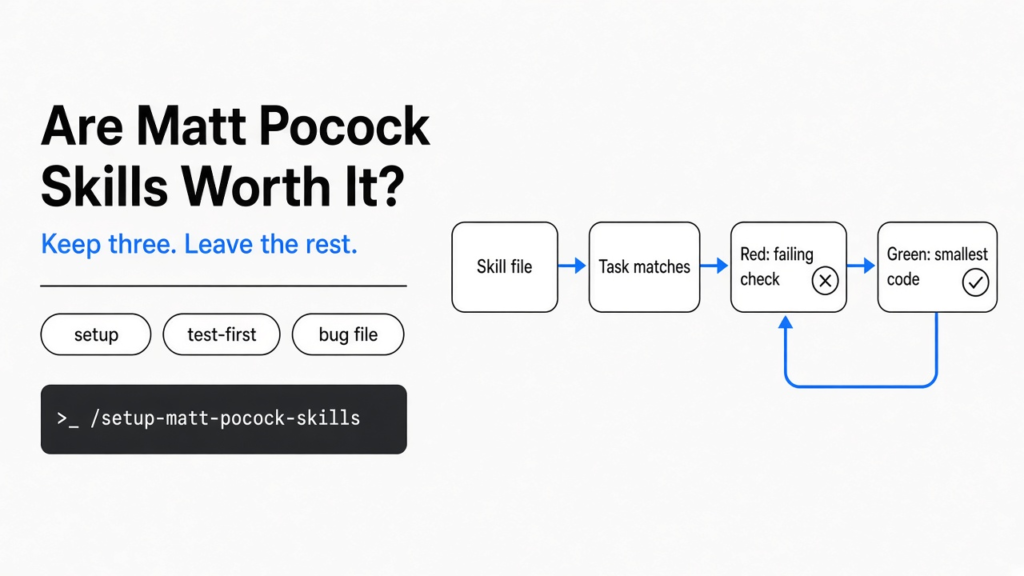
I asked a coding tool to add a 10 percent coupon. It wrote the function and the tests in the same breath. The tests passed, and they passed because they were a copy of the function. A skill, here, is a markdown file the tool reads only when the task matches, instead of a rule pasted into every chat. Matt Pocock’s pack is a folder of those files, one habit each. Are Matt Pocock skills worth it? Yes, if you keep three and leave the rest. No, if you install the whole pack and hope it will run the project for you.
The three that earned a place on my machine are the setup file, the test-first file, and the bug file. Setup writes down where issues live so the other files stop guessing. The test-first file forces one failing check, then the smallest code that makes that check pass. The bug file refuses to guess a cause until a command can show the failure. I followed the test-first file on a coupon function. A cheat that only worked for the price 80 passed. The next price, 50, failed with 50 != 45. That is the whole reason to bother.
What are Matt Pocock skills?
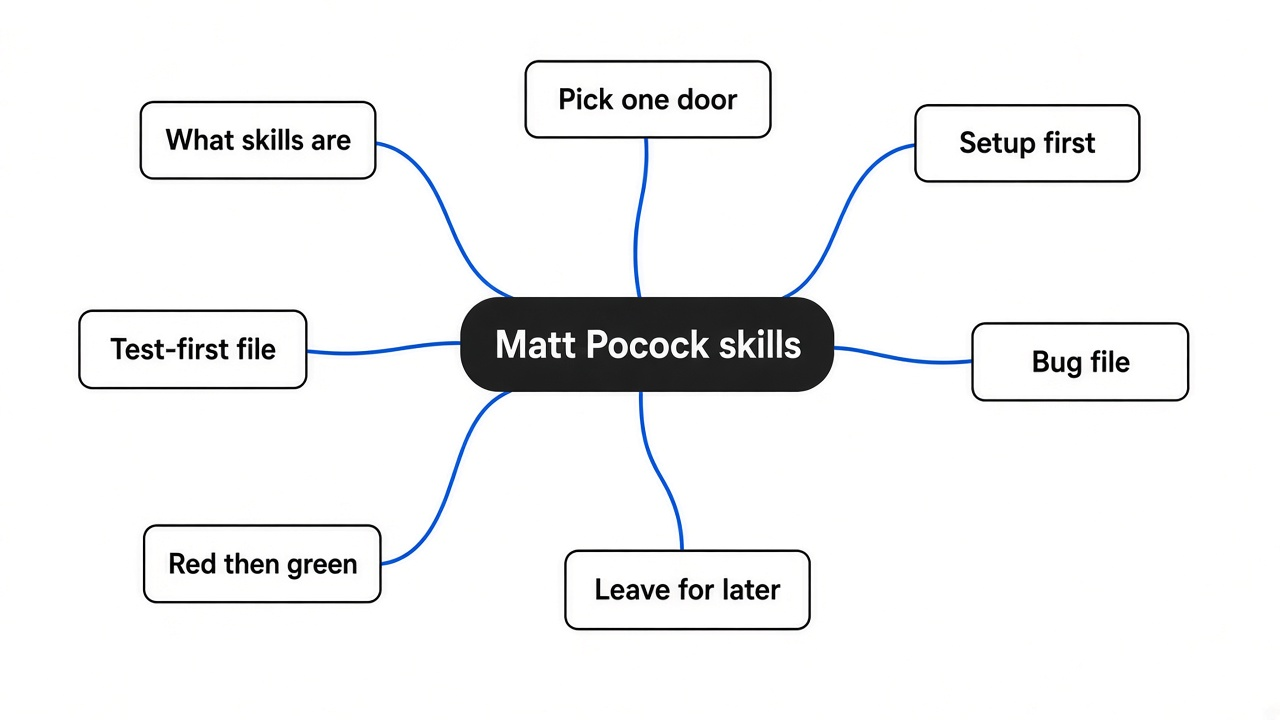
They are short instruction files for a coding tool, not an app you open. Each file has a name, a one-line description, and the steps the tool should follow. The tool sees the description all the time. It loads the rest of the file only when your request matches. That is the same idea as the on-demand skill loading in how Claude Code is built: the long text stays off the first screen until the task needs it.
The pack splits into habits you type, and habits the tool may pick up on its own. You type setup, a grilling interview, a handoff note, or “turn this chat into tickets.” The tool may pull in the test-first file, the bug file, or the code-review file when your words match. One file, implement-spec, is the opposite of small. It wants helper sessions, each on its own copy of the project, merging back onto one branch. That file is a project manager. The others are habits.
| Keep | Leave for later | Why |
|---|---|---|
| setup | implement-spec | Setup writes three notes. implement-spec wants many helper sessions. |
| test-first file | improve-codebase-architecture | The test file changes the order of one change. The architecture file scans the whole tree and writes an HTML report. |
| diagnosing-bugs | teach, to-questionnaire | The bug file demands a failing command. The other two are for lessons and forms, not for today’s bug. |
How to install Matt Pocock skills
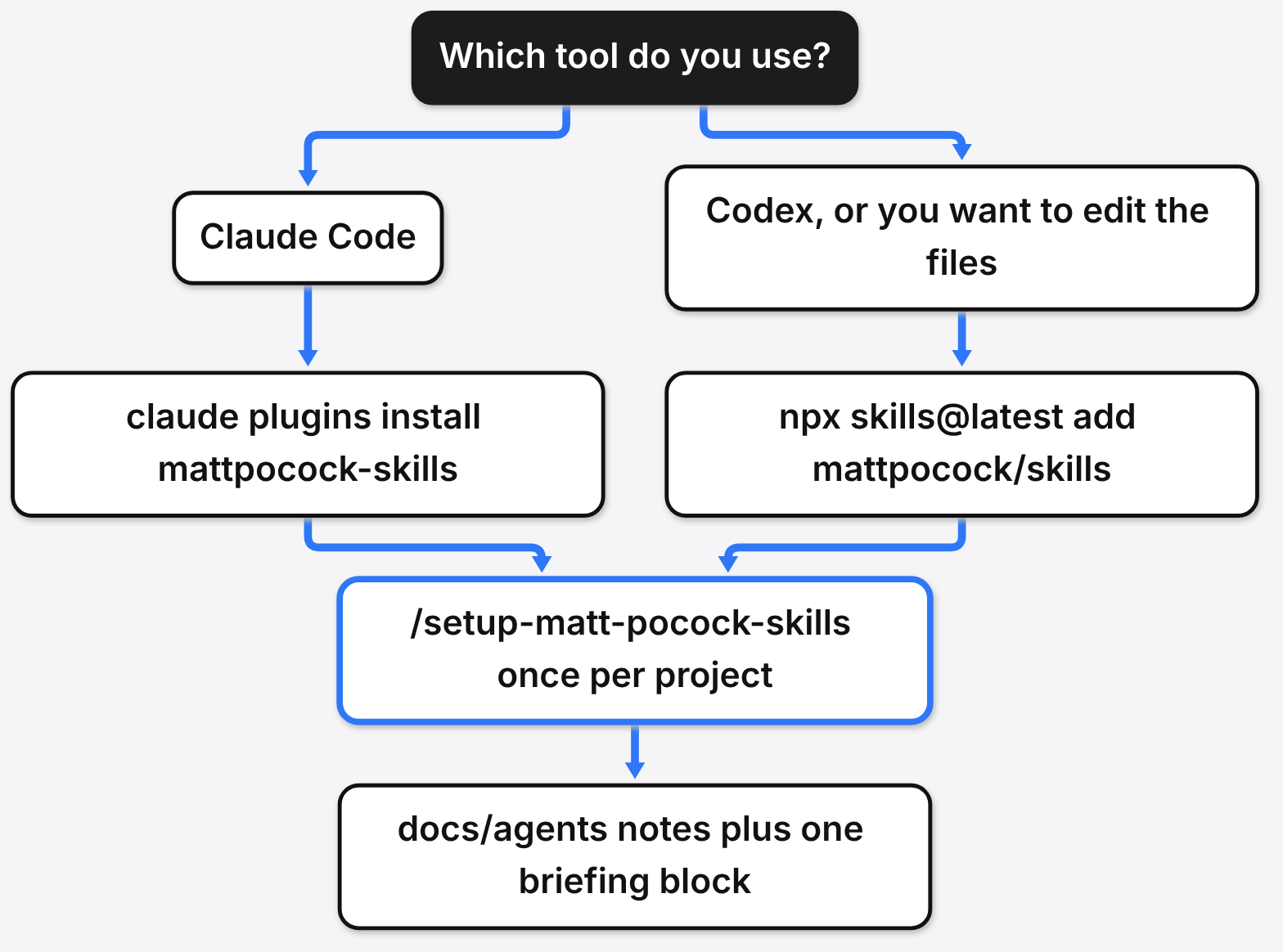
Pick one door. Two doors install every file twice.
If you live in Claude Code, the managed door is claude plugins install mattpocock-skills, or /plugin install mattpocock-skills from inside a session. The pack is already in the official marketplace, so you do not add a marketplace first. If the name is missing, run claude plugins marketplace update and try again. This copy is read-only. It moves when the marketplace moves its pin, which can lag the files on GitHub.
claude plugins install mattpocock-skills
# if the name is missing:
claude plugins marketplace updateIf you live in Codex, or you want to edit the files, run npx skills@latest add mattpocock/skills. The installer asks which files and which tools. Tick setup-matt-pocock-skills or the rest have nowhere to write. This copy is yours. Nothing updates until you run npx skills update.
npx skills@latest add mattpocock/skills
# later, to pull new versions:
npx skills updateThen, once per project, run /setup-matt-pocock-skills. It is not a script that guesses. It looks at your git remote, at CLAUDE.md or AGENTS.md, and at whether a glossary already exists. It asks where issues live: GitHub, GitLab, local markdown under .scratch/, or some other tracker you describe. It writes docs/agents/issue-tracker.md and docs/agents/domain.md, and it adds an ## Agent skills block to the briefing file you already have. If both CLAUDE.md and AGENTS.md are missing, it stops and asks which one to create. It will not invent both. That matters if you have been fighting a briefing file that the tool ignores, which is the mess in the CLAUDE.md writeup.
Which Matt Pocock skill should I install first?
Setup first, and only setup, on a project you already care about. The other engineering files read those notes. If the notes are missing, implement-spec tells you to go run setup. I would not run setup on a scratch folder. It wants to edit your briefing file and add a docs/agents/ folder. Read the draft it shows you before you let it write.
Second, add the test-first file if the change has a public function you can call. The file calls that boundary a seam: the place a caller stands, not a private helper inside the function. It tells the tool to name the seam before any test, and to say what that test catches and what it misses. A coupon’s seam is apply_coupon(price, code), not the line that does the arithmetic.
Third, add the bug file the next time something is wrong and you do not know why. Its first phase is a feedback loop: one command you have already run, that goes red on this exact bug, that is fast, and that the tool can run without you clicking. A failing test is the first choice. A curl against a dev server is the second. Staring at the code and inventing a theory is the failure the file exists to stop.
Leave implement-spec off until you have a spec, tickets with blockers, and a tool that can open helper sessions. Leave the HTML architecture report until you are willing to read a report. Leave teach until you actually want a lesson.
Does the Matt Pocock TDD skill change the order of work?
Yes. The file forbids writing the code and the tests in one dump. Red before green means the check fails first, for a real reason, and only then do you write the smallest code that makes that one check pass. One slice at a time. Refactoring is not part of that loop. It points refactoring at the code-review file, later.
I followed that order on a coupon. The public function is apply_coupon(price, code). SAVE10 means 10 percent off. Any other code leaves the price alone. The expected numbers were written as literals, 72 and 45, not as price * 0.9 copied into the assertion. The file calls that second kind tautological: the test can never disagree with the code, because it uses the same sum.
The first run had no coupon.py at all. The test failed before it could assert anything:
ModuleNotFoundError: No module named 'coupon'
FAILED (errors=1)The smallest code that satisfied the first check, “80 becomes 72,” was a special case:
def apply_coupon(price, code):
    if code == "SAVE10":
        return price - 8 if price == 80 else price
return priceThat passed. One test, OK. It is also a cheat. It does not know what 10 percent is. It knows the number 80. The file allows this. “Only enough code for this test” means exactly this kind of shortcut if you stop after one example.
The next slice was a different known price: 50 should leave 45. Against the cheat, the run was:
AssertionError: 50 != 45
FAILED (failures=1)The cheat returned 50, because 50 is not 80. Then the smallest general rule that satisfies both literals:
def apply_coupon(price, code):
    if code == "SAVE10":
        return price * 9 // 10
return priceBoth tests passed. Whole numbers only. 81 would become 72, not 72.9, because // drops the remainder. I left a rounding test out on purpose. The file says not to anticipate the next check. The limit is real: this slice is honest for whole prices that divide cleanly, and wrong for cents.
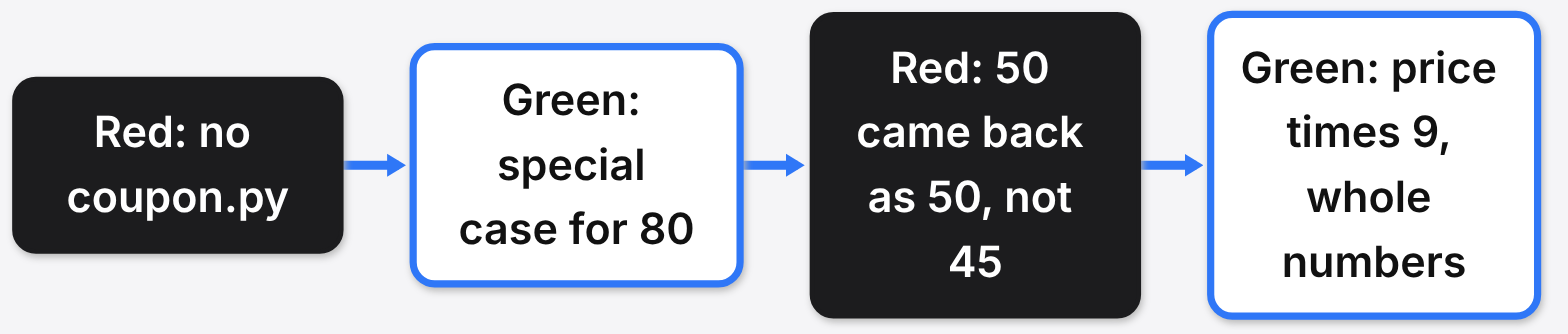
What changed is the order, not the cleverness. Without the file, the tool writes the “real” formula and a test that repeats it, and both go green while hiding a cheat or a copy. With the file, the first green is allowed to be dumb, and the second example is what exposes it. If your tool still writes every test, then all the code, it is not following the file. The file names that horizontal slicing and tells it to stop.
Common questions about Matt Pocock skills
Are Matt Pocock skills worth installing?
Yes, if you keep three: setup, the test-first file, and the bug file. Installing the whole pack and hoping it runs the project for you is where it stops paying off.
How do I install Matt Pocock skills in Claude Code?
Run claude plugins install mattpocock-skills, or /plugin install mattpocock-skills inside a session. Then run /setup-matt-pocock-skills once per project.
Can I use Matt Pocock skills with Codex?
Yes. Run npx skills@latest add mattpocock/skills, tick setup-matt-pocock-skills, and pull updates later with npx skills update.
Should I install implement-spec right away?
No. Leave it off until you have a spec, tickets with blockers, and a tool that can open helper sessions.