
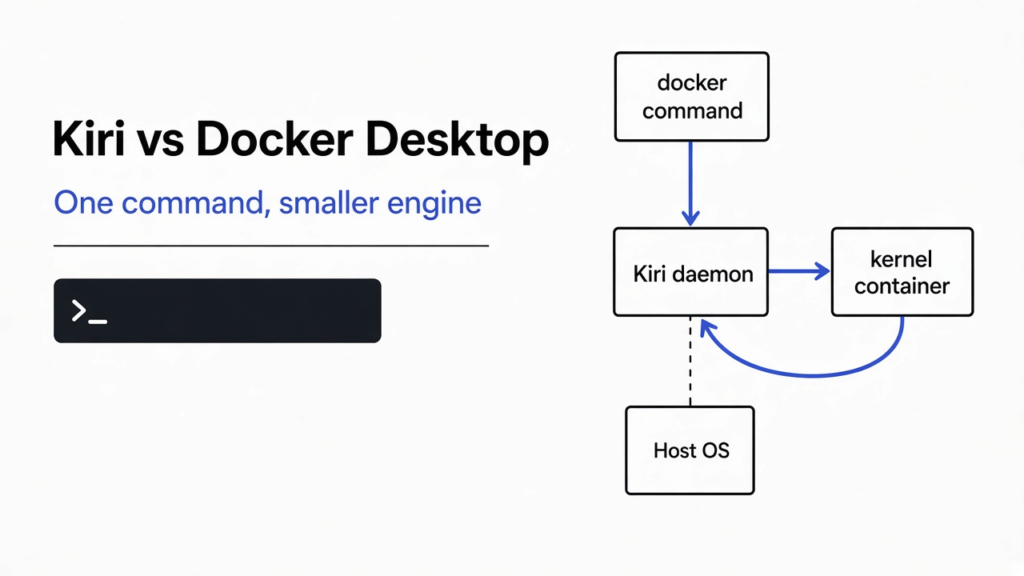

The fan was already loud, and nothing in the terminal was running. Docker Desktop had been sitting open so that one docker command would feel ready, and the cost of that readiness was a second computer kept awake inside the laptop. In the Kiri vs Docker Desktop question, Kiri is another engine for that same command. Use it when you want ordinary Linux containers without keeping that second computer warm, and stay on Docker Desktop when you still need Windows containers, Docker’s own engine, or the admin tools a company already runs.
Kiri vs Docker Desktop
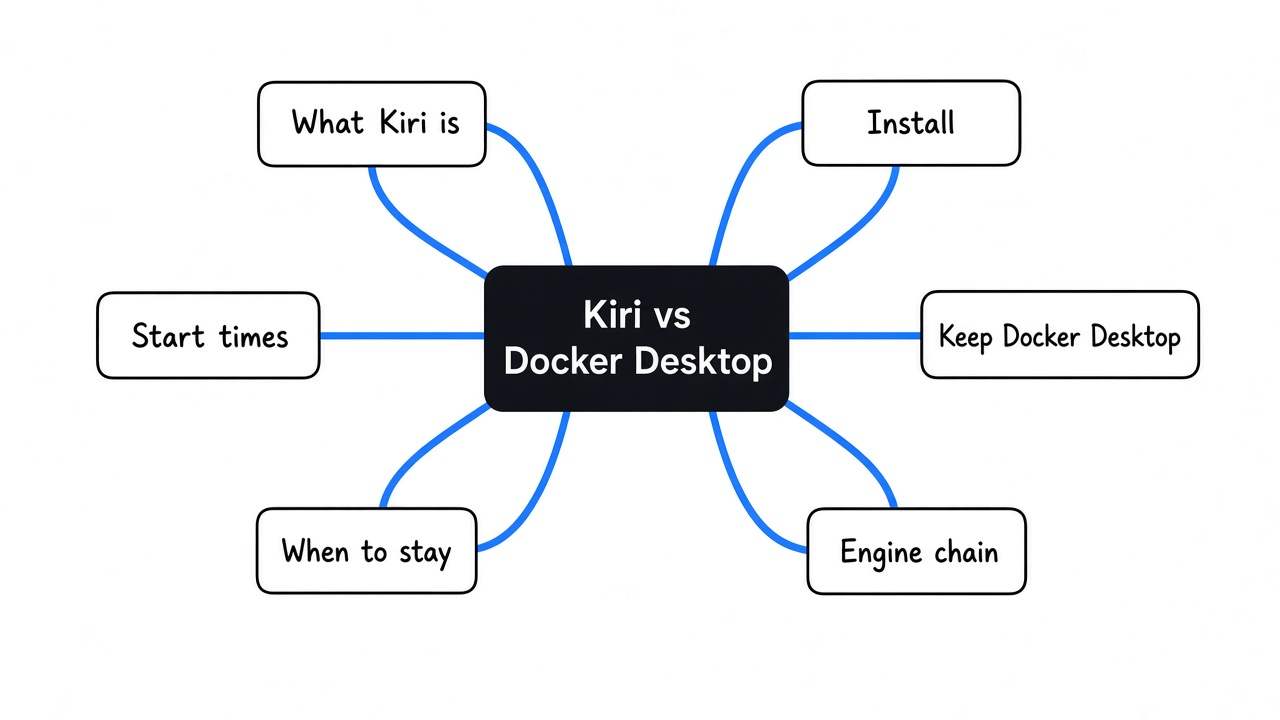
Kiri and Docker Desktop both run the docker command you already type, and they both start a Linux container from it. Your Dockerfile, your Compose file, and the flags on the command stay. What changes is how many programs stand between that command and the container.
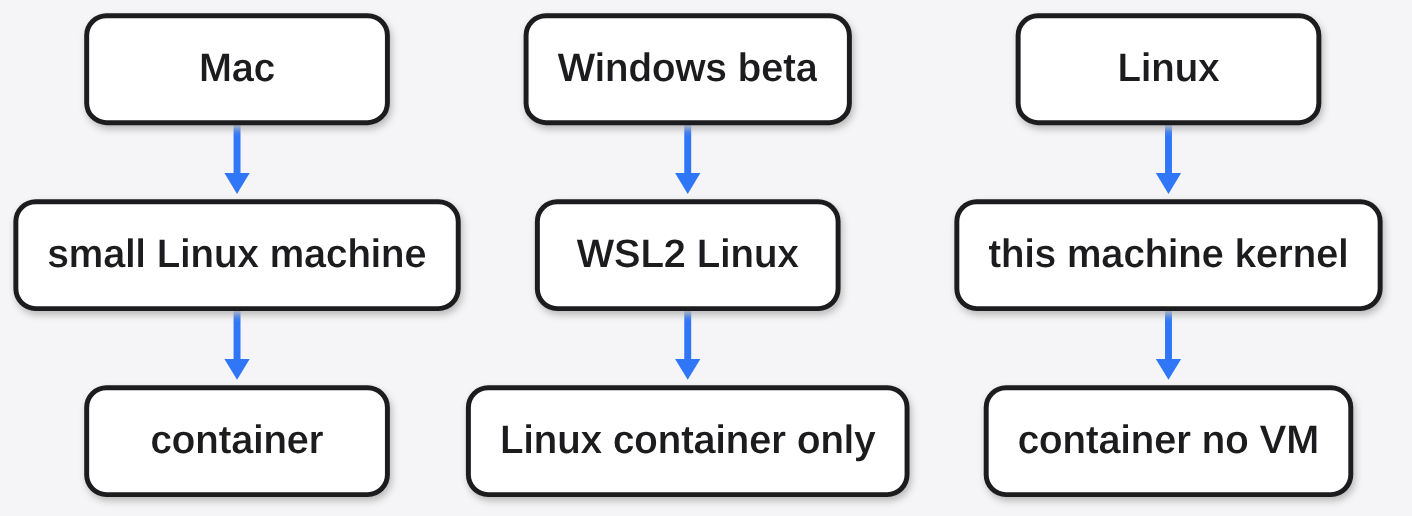
A container is a program packed with the libraries it needs, started so it does not see your whole disk. On a Mac, Docker Desktop does not start that program on the Mac. It boots a small Linux machine, then hands the request to dockerd, then containerd, then a helper that stays running for every container, then runc. Kiri keeps the command and drops that chain. One daemon takes the request. On a Mac it passes the request into its own small Linux machine, and one kernel call starts the container. On Linux there is no second computer. The container starts on the kernel you already have.
Same command. Fewer programs in the middle. That is the comparison, and the rest of this page is when that trade is worth making.

What is Kiri?
Kiri is a container runtime that speaks the Docker Engine API, so the docker command, Compose, and buildx can point at it instead of at Docker Desktop. The full install adds a window and a docker context named kiri. The engine-only install is the runtime and nothing else.
I installed the engine-only package. The download was 2.6 MB. The program it placed at /usr/bin/kiri was 6.1 MB. Asking it for a version, with no docker command on the machine, printed kiri: no docker CLI found; open Kiri once to set it up. The small package assumes the docker command is already there. The full package brings that command with it.
On a Mac the small Linux machine is meant to power off after a minute with nothing running, and the daemon left on the Mac is described as about 9 MB, with no leftover helper per container. On Linux that nap does not exist, because there is no machine to nap. People in the kiri group can start containers as root. Treat that group the way you treat the docker group.
The project is pre-release. The license on the engine is Apache-2.0. The little Linux kernel it ships for Mac and Windows is GPL-2.0, which matters only if you are shipping that kernel, not if you are running containers.
Why does Docker Desktop stay heavy when nothing is running?
Docker Desktop stays heavy because the small Linux machine is awake on purpose, so the next command does not pay for a boot, and because each running container keeps a helper process beside it. Ten containers means ten helpers, plus the engine, plus the machine they live in.
Kiri’s Mac answer is to give memory back while containers run, and to shut that machine off when they do not. The next command is supposed to wake it in about a tenth of a second. I could not time that wake here. This box is Linux, so there is no guest machine to sleep. The weight question on Linux is plainer. Do you want Docker’s engine, with dockerd and containerd, or one program that makes the container itself?
If the thing you actually fear is an untrusted coding agent touching your keys, swapping the engine does not answer it. A container packs a program so it runs the same way elsewhere. It does not, by itself, stop that program from being handed your whole home folder. That lock is a different tool, and it is the one in Microsoft Execution Containers is not Docker.
How do I install Kiri?
Install the full package unless you already have a docker command. On Debian or Ubuntu that is the deb. On Fedora or RHEL that is the rpm. There is also a one-line installer on the Kiri site that picks the package. The engine-only deb is the one I used, and it is the wrong first install if docker is not already on your PATH.
On a Mac, open Kiri once. It creates a context named kiri and leaves Docker Desktop’s context alone. On Linux with the engine-only package, create the context yourself and point it at Kiri’s socket:
docker context create kiri --docker host=unix:///run/kiri/docker.sock
docker context use kiriOn a Mac the socket is ~/.kiri/run/docker.sock. If Docker Desktop is installed, Kiri does not take /var/run/docker.sock. A program that only knows that one socket still talks to Docker Desktop until you set DOCKER_HOST.
kiri bench is the command that reruns the project’s timing. Here it printed the usage text and exited 1, because there was no docker command for it to drive. Install order, if you are on the engine-only package: docker command first, then Kiri, then the context, then a run.
Is Kiri faster than Docker Desktop?
Kiri is faster at the narrow test its own table measures, and that test is not your build. The row is an alpine container that runs true and is removed, median of 30 runs, the same docker command, the default bridge network. Through the Engine API the numbers are 2.55 ms on Kiri, 213 ms on Docker Desktop, and 380 ms on OrbStack. Through the docker command you type, they are 14.2 ms, 243 ms, and 442 ms.
The “80 times” line is 2.55 against 213. That is the API, not the command. The command path on that same table is closer to 17 times, and most of Kiri’s 14.2 ms is the docker command starting up. A later run, with every engine held to 2 CPUs and 8 GB, puts docker run --rm alpine true at 22 ms on Kiri and 178 ms on Docker Desktop. Read the caveat before you quote the first OrbStack cell. During that run OrbStack already had a large set of containers and a Kubernetes cluster up. The page calls those numbers pessimistic. I would not drop OrbStack because of them.
I never got a millisecond of my own. kiri raw pull alpine worked: one layer, 3.9 MB, on disk in 0.22 seconds. kiri raw run --rm alpine echo hello-from-kiri never printed hello. Its own help says that raw path is like docker run --network none, only loopback, no bridge. It still tried to turn on IP forwarding, and the kernel answered operation not permitted. The unpack then stopped on the image’s /etc/shadow. Exit code 1.
So the speed line I can stand behind is smaller than the headline. If your pain is the pause before a short-lived container, Kiri’s table says the command is quicker, and the 80 times figure is the API. If your pain is a build, a big pull, or a bind mount, use those rows, not the alpine true row. On their capped run, a bind-mount read is a place another engine wins. And if the kernel will not let the runtime touch IP forwarding, you do not get a container at all, so you do not get the speed.
| What you time | Kiri | Docker Desktop | OrbStack |
|---|---|---|---|
| Engine API, alpine true, their first table | 2.55 ms | 213 ms | 380 ms |
| docker command, same table | 14.2 ms | 243 ms | 442 ms |
| docker run, later run capped at 2 CPU and 8 GB | 22 ms | 178 ms | 279 ms |
| My raw run on this Linux box | did not start | not installed | not installed |
Can I keep Docker Desktop and use Kiri?
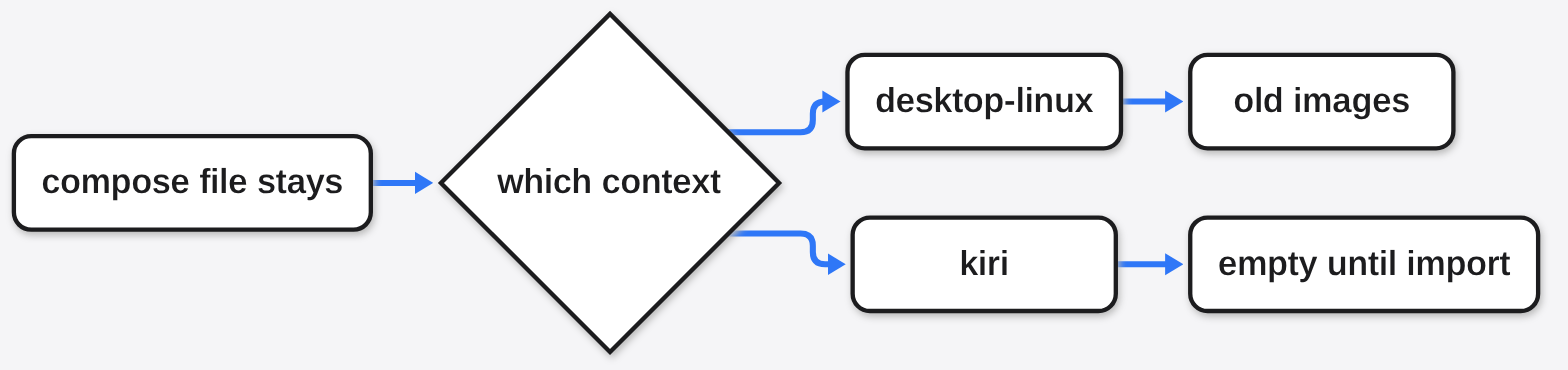
Yes. The Compose file, the Dockerfile, and the scripts do not care which engine you point at. Images, named volumes, and containers do not come along until you copy them. kiri import desktop-linux copies those three from Docker Desktop and only reads the old side. kiri import orbstack does the same from OrbStack.
Until that copy, a context switch looks like an empty engine. The file is right, docker ps is empty, and the image name is missing because it still lives in the other engine. Run docker context ls before you decide Kiri cannot see the app. Switch back with docker context use desktop-linux.
Getting an image onto a server, with no registry in between, is a different page. That job is how do i push a docker image without a registry.
When should I stay on Docker Desktop?
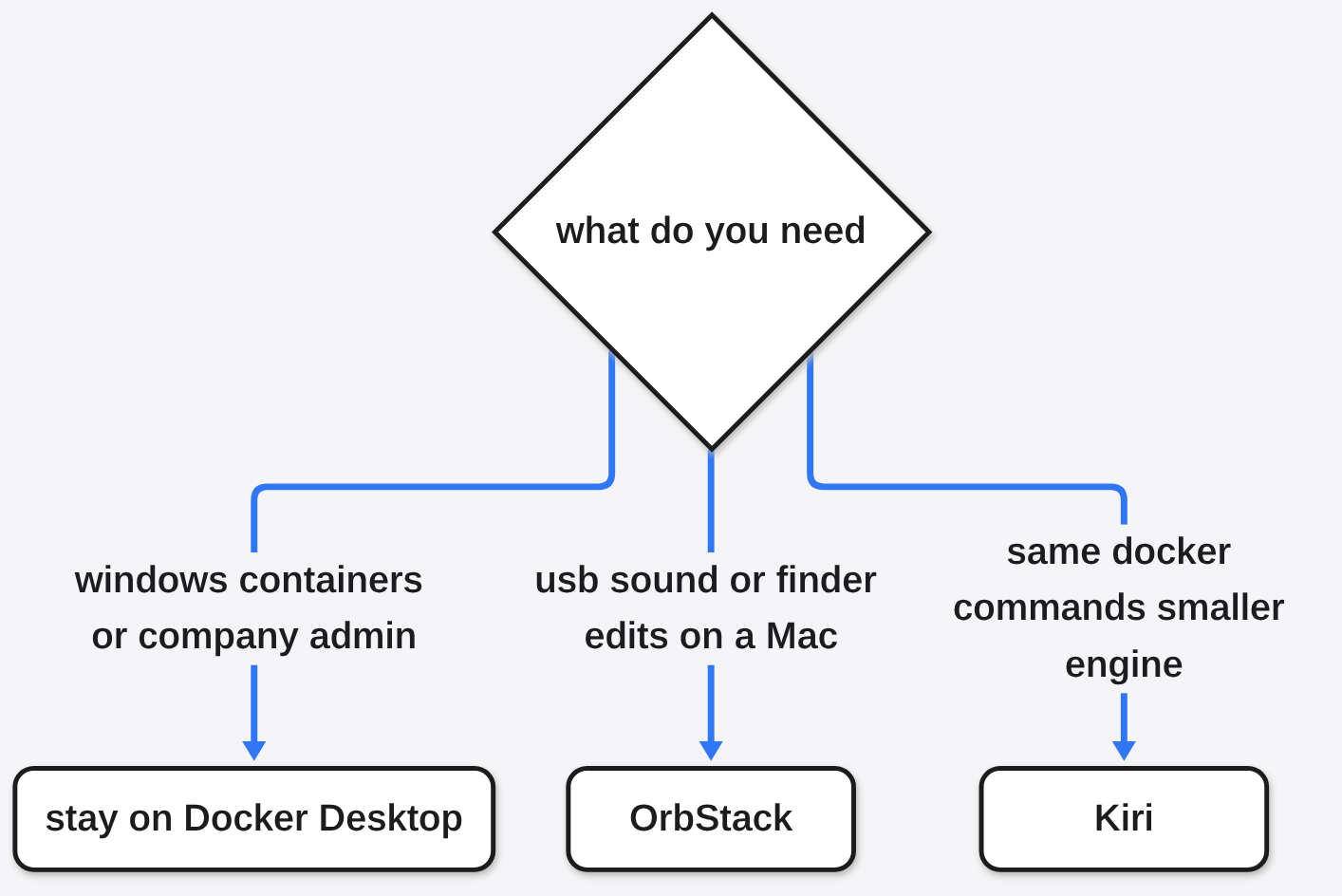
Stay on Docker Desktop when you need Windows containers, Docker’s own dockerd, the extension list, or the controls a company uses to manage many installs. Kiri on Windows is a beta that runs Linux containers inside WSL2. It does not run Windows containers. A dockerd feature Kiri has not built comes back as an error that says so. If a script depends on that feature, the script breaks, and no start-time table fixes it.
On a Mac, pick OrbStack instead when you need USB devices, sound, a debug shell inside an image that has no shell, or edits to container files in Finder. Kiri can show those files under ~/Kiri, and they are read-only. Kiri’s kiri machine is a long-lived container that shares your user and your /Users. It is not a separate machine you cloud-init. You also cannot reach a Kiri container by its IP from the Mac. You publish a port, use a name, or use localhost.
I would put Kiri on a personal laptop beside Docker Desktop. I would not make it the only engine on a shared build machine until the commands that machine actually runs have succeeded once.
If the question is a coding agent that must not touch the host, do not answer it by changing Docker engines. Put the agent in its own machine. That is coop.
How do I try Kiri in ten minutes?
Install the full package, open it once, and run a container that has no history on either engine.
docker context use kiri
docker run --rm alpine echo hello
docker context use desktop-linuxThe hello is the only pass mark. If the image is missing, you are on the new engine and you have not imported. Get the hello from a fresh pull before you run kiri import, so a copy problem and an engine problem do not land in the same minute.
Then run a Compose file you already trust. If one flag returns not implemented, that flag is the reason to stay, and the way back is the other context. The file does not have to change.
I wanted a hello and a number I had timed. I got a 6 MB program, a pull that finished in a fifth of a second, and a kernel that would not let the container exist. On a machine that will let it exist, I would still leave Docker Desktop installed. One context leaves. The same command comes back.
Common questions about Kiri vs Docker Desktop
Does Kiri work on Linux?
Yes. On Linux the container runs on this machine’s kernel, with no virtual machine in front of it. The runtime still has to be allowed to set up a network namespace. On this box it tried to write IP forwarding even for the loopback-only path, the kernel refused, and the container never started.
Is Kiri faster than Orbstack?
On Kiri’s alpine true table, the start is faster, and that table was taken while OrbStack was already busy. I would not leave OrbStack over USB, sound, or Finder edits because of that one row.
Do I have to uninstall Docker Desktop?
No. docker context use is the switch. Import only when you want the old images on the new engine.
Can Kiri run Windows containers?
No. On Windows it runs Linux containers in WSL2, and that support is still a beta.