
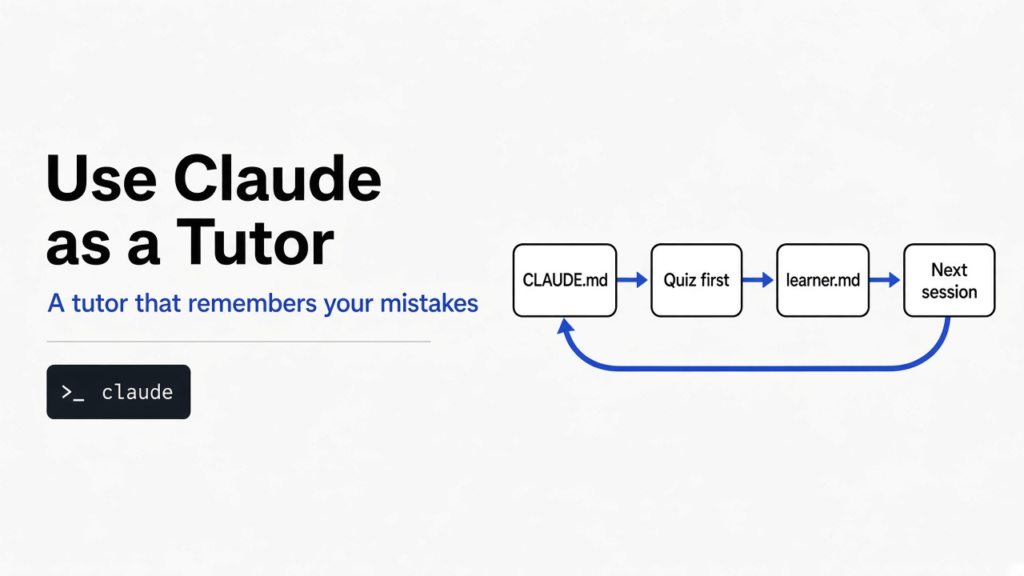

Short answer: Put two files in a folder and open Claude Code there. CLAUDE.md tells Claude to quiz you before it explains, and learner.md is a running record of what you got right, what you got wrong, and the question it asked last.
Tell Claude to update that record before every reply, not after. In my tests, that one ordering rule took a fresh session from picking up the lesson 6 times out of 15 to 6 out of 6.
You ask Claude to teach you something hard. It writes a beautiful 600-word lesson, you nod along, and you close the window. Tomorrow you open a fresh session, and it has no idea who you are.
That is two problems, not one. The lesson was a lecture, so you never found out what you had wrong. And even if it had found out, nothing carried that over to the next day.
This post fixes both with plain files, and shows the exact rule that made the difference in my test runs.
Why does Claude forget what you learned?
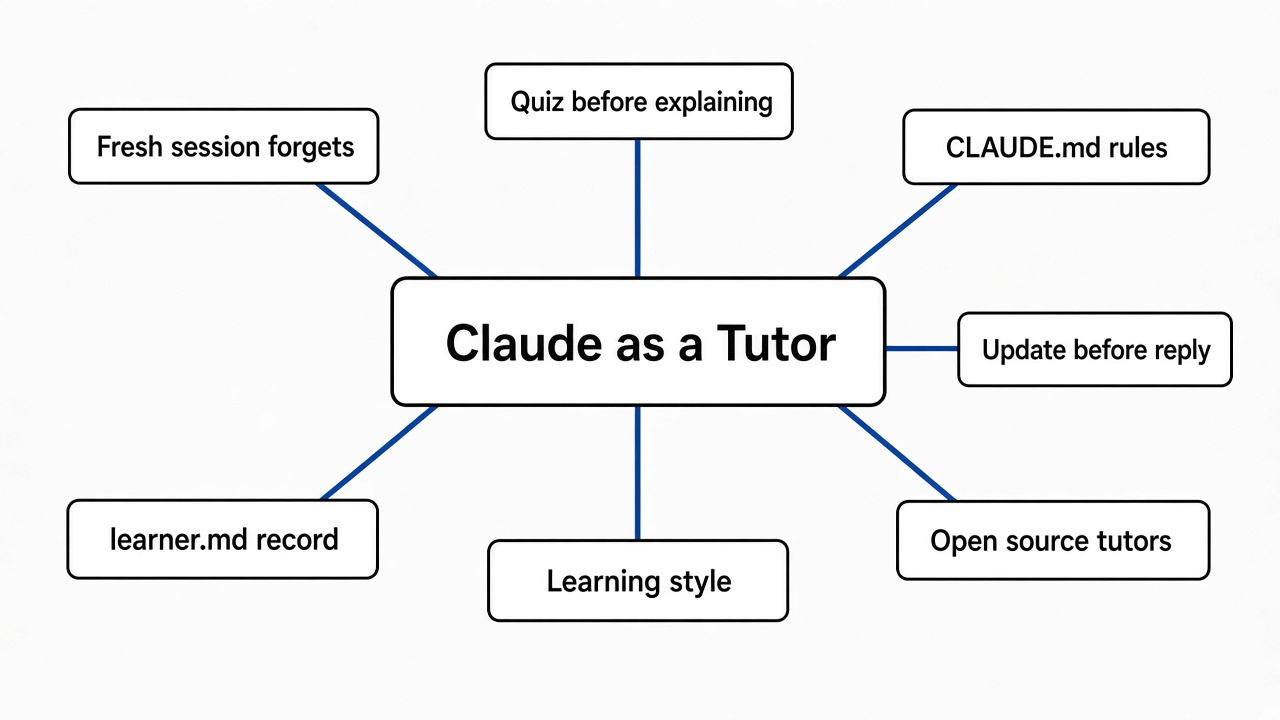
Every Claude Code session starts with an empty whiteboard, so a lesson only survives if it is written down somewhere Claude reads.
Start with how the model sees a conversation. It can only “see” a fixed amount of text at once, called the context window (the working memory an AI model reads before each reply). Each Claude Code session begins with a fresh one. (Here is what does carry over between Claude Code sessions by default.)
Think of a teacher who wipes the whiteboard after every class and keeps no gradebook. Next week, she starts from page one, and your mistake from last week is gone.
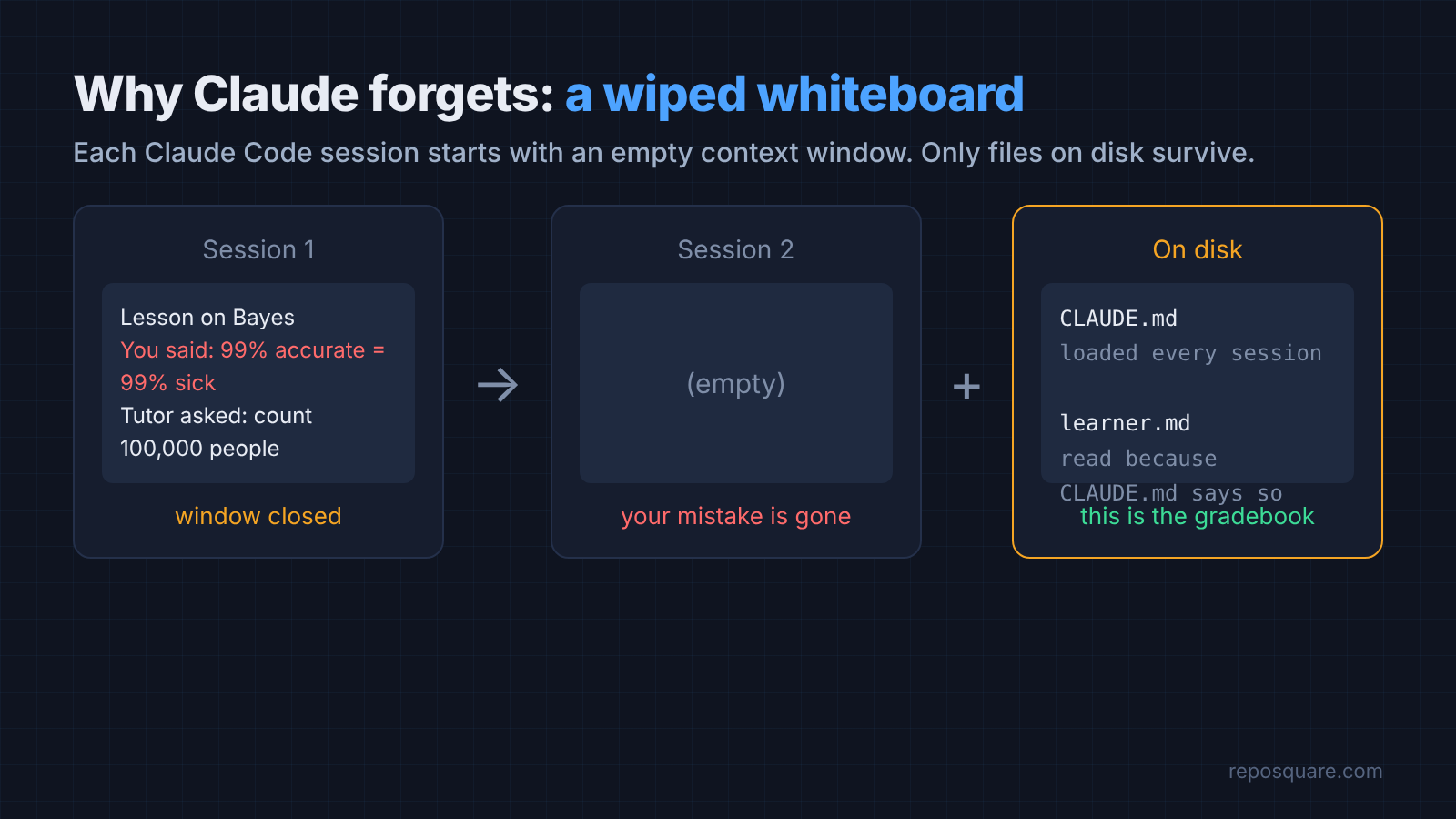
So the fix is a gradebook. Claude Code reads a file on its own at the start of every session: CLAUDE.md (a plain text file of instructions that Claude Code loads into every session in that folder). It will also read any other file you tell it to.
Those two facts are the whole trick, and they are the same idea behind the CLAUDE.md file that fixes AI coding.
What should a Claude tutor do differently from a chatbot?
A good tutor asks before it explains, finds the exact wrong idea, and makes you do the next step yourself.
Here is the gap in practice. I asked Claude Code to teach me Bayes’ theorem three times with no setup at all. Bayes’ theorem is the rule for updating a belief when you see new evidence, like “I tested positive, so how likely am I to be sick?”
Every time, the first reply was a full lecture of 507 to 623 words, with the formula on top. Then I gave a classic wrong answer: “if a medical test is 99% accurate and I test positive, there’s about a 99% chance I have the disease.”
All three replies caught the mistake. All three also handed me the final answer straight away, so I never had to work it out.
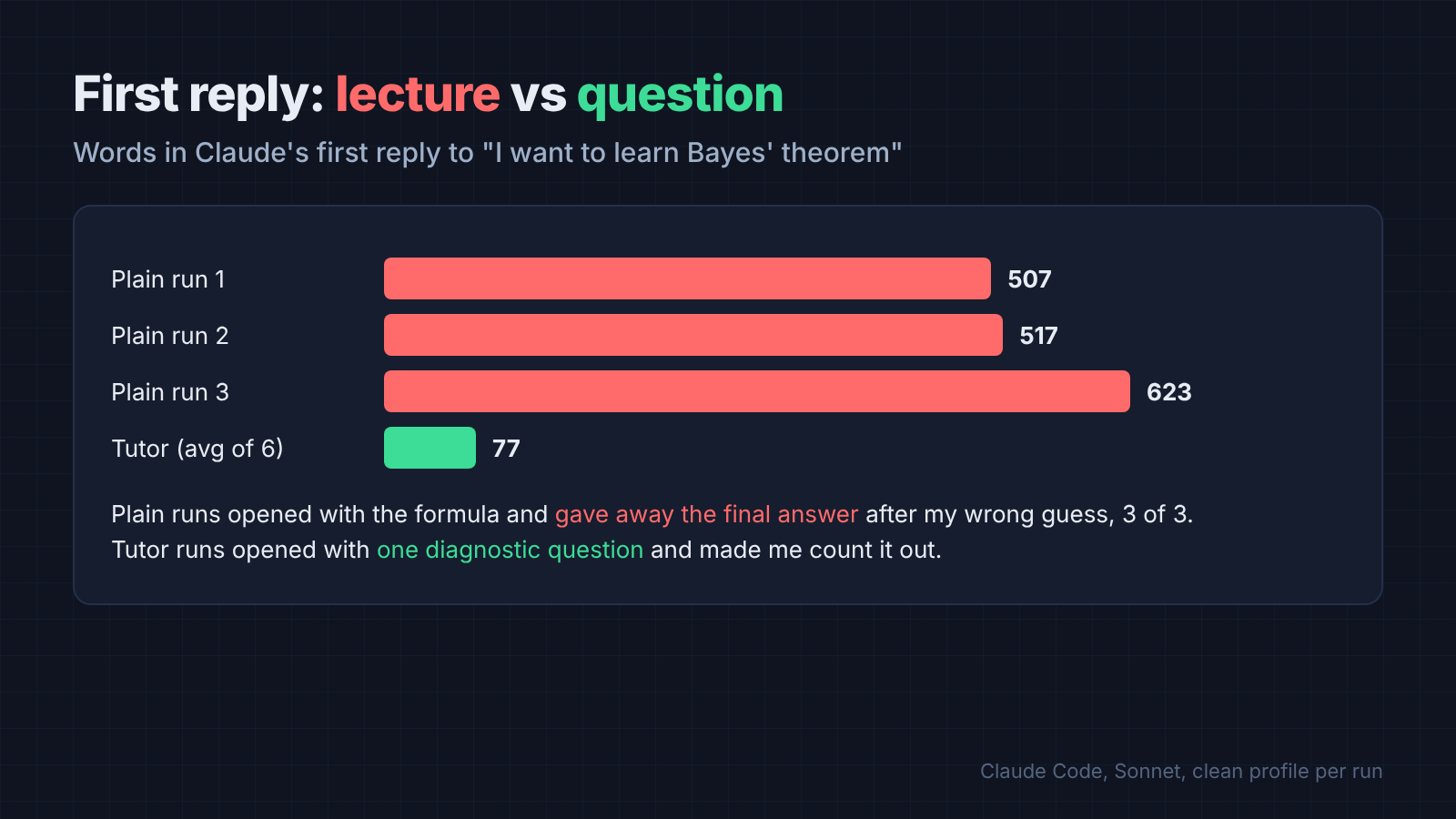
That is the chatbot habit: explain everything, answer everything. A tutor does the opposite. It asks a diagnostic question (a short question that shows what you already believe) first, names the wrong idea behind your answer, and hands you a small problem to solve.
How do you set up Claude Code as a tutor?
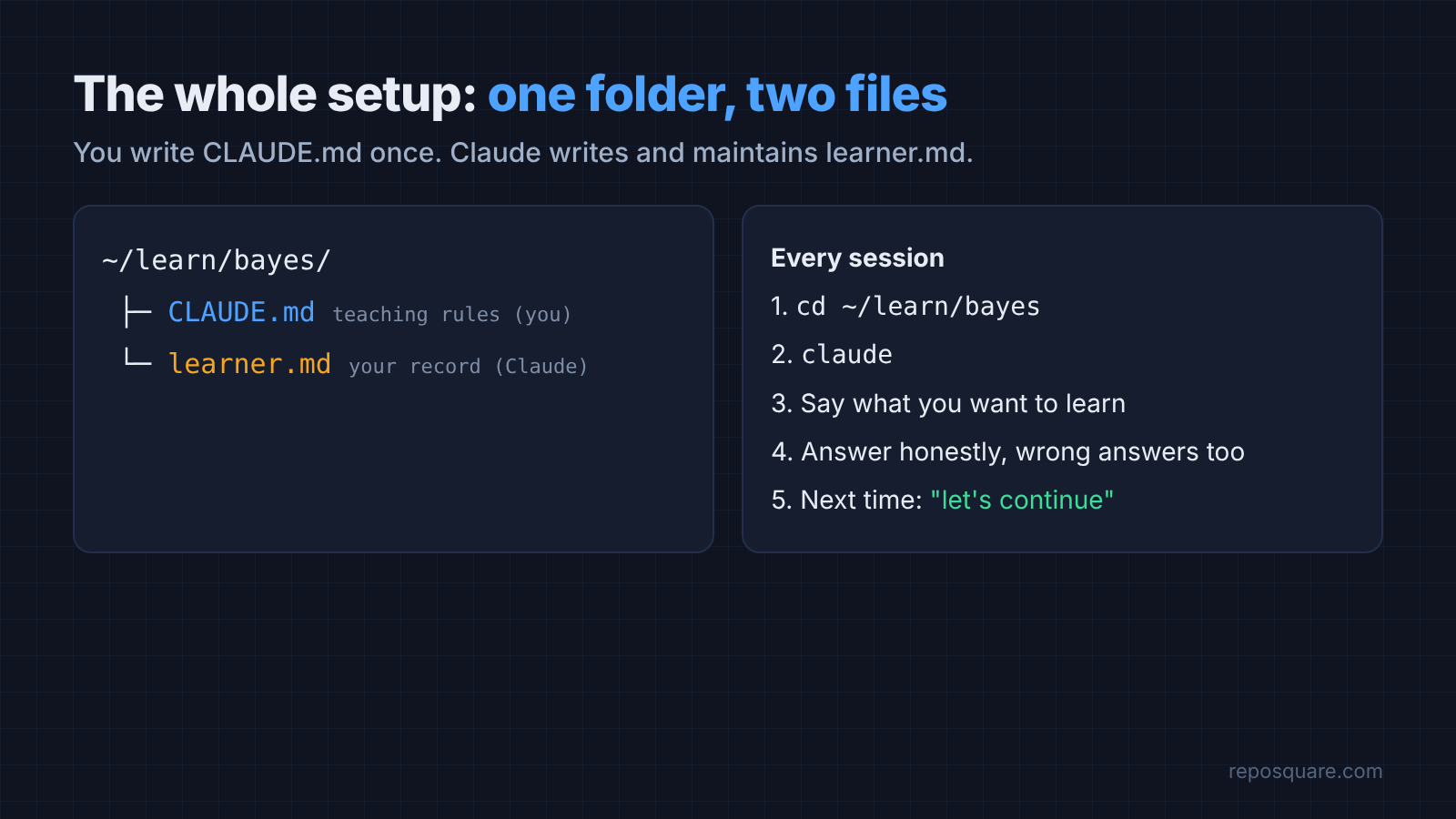
Two files in one folder: CLAUDE.md holds the teaching rules, learner.md holds your record.
Make a folder for one subject, for example ~/learn/bayes. Then add this CLAUDE.md. It is the final version from my tests, so every line in it earned its place.
# You are my tutor, not my answer machine

Subject files live in this folder. learner.md is my learning record.

At the start of every session:
1. Read learner.md if it exists. Start from what it says I got wrong or have not covered yet.
2. Never re-teach something learner.md marks as solid.
3. Open your first reply with one line on what I got wrong last time, then repeat the open question in full. I cannot see the old session.

How to teach:
- Ask one diagnostic question before explaining anything new.
- Teach one small step at a time, then ask me to explain it back or solve a short problem.
- If my answer is wrong, find the exact wrong idea behind it. Do not just give the right answer.
- Keep each reply under 200 words.

Update learner.md BEFORE you write your reply, never after. Then reply. Every reply ends with one question for me.

learner.md holds:
- Solid: ideas I explained back correctly
- Shaky: the exact misconception, in my own words if possible
- Next: the one thing to do next session
- Open question: the exact question you just asked me, word for word, so a new session can repeat it
You do not write learner.md yourself. Claude creates it in the first session and keeps it current.
Then the routine is short:
- Open a terminal in the subject folder.
- Run
claude. - Say what you want to learn, and how much you already know.
- Answer its questions honestly, wrong answers included.
- Close it whenever you like. Next time, type “let’s continue where we left off.”
Why the honest wrong answers? Because the record is only useful if it holds your real mistakes. A tutor that only ever sees right answers has nothing to fix.
What does learner.md look like after one lesson?
A short, readable note: what you got wrong, in your own words, plus the exact question waiting for you.
This is a real file Claude wrote after my first session, unedited:
# Learner record

Topic: Bayes' theorem. Background: developer, knows basic probability.

## Solid
- (none yet)

## Shaky
- Treats "99% accurate" as meaning P(disease | positive test) = 99%. In their words: "if a medical test is 99% accurate and I test positive, there's about a 99% chance I have the disease. That's what accurate means, right?" Confuses P(positive | disease) with P(disease | positive). Also ignored the base rate (1 in 1000) and the false-positive rate, and gave no calculation.

## Next
- Have them count with a concrete population (100,000 commits) so they see the base rate matters. Then name the two directions of conditional probability.

## Open question
Imagine 100,000 commits. How many of them contain a bug, and of those, how many does the linter flag?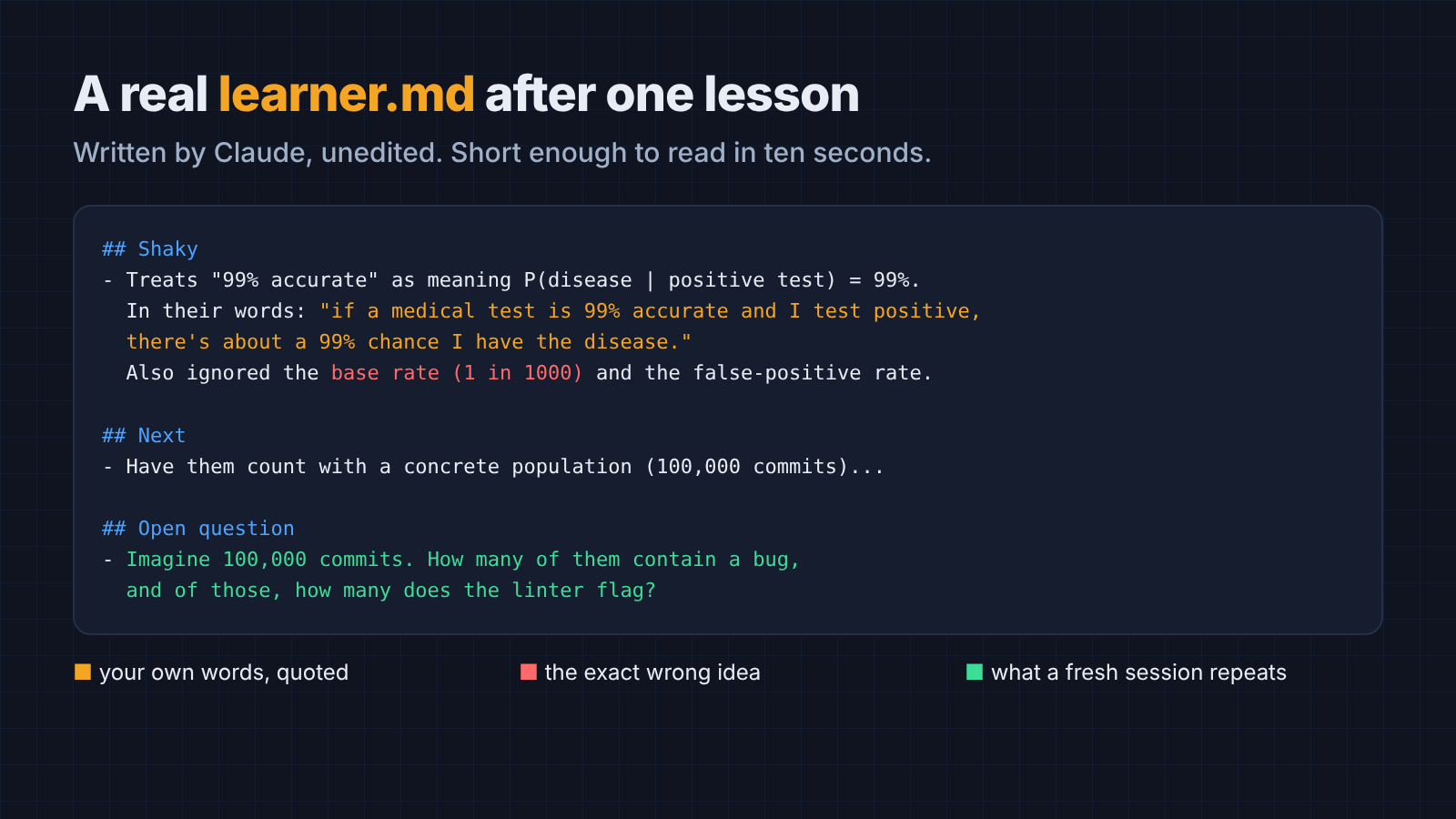
Notice the Shaky line. It names the base rate (how common the thing is before any test, here 1 in 1,000) as the piece I ignored. That is a better diagnosis than “got it wrong,” and it is exactly what a fresh session needs.
Then I opened a fresh session. I typed only “let’s continue where we left off.” The reply opened with my exact mistake. “Last time you treated ‘99% accurate’ as meaning a positive test gives a 99% chance of disease.” It then repeated the open question word for word.
Does the tutor really pick up where you left off?
With the record, yes. Without it, never. But the order of one rule decided whether it worked reliably.
I ran the same three-step script many times. Ask to learn Bayes. Give the wrong 99% answer. Then start a fresh session and say “let’s continue.” Each run used a clean, empty Claude Code profile, so nothing else could leak in.
- No tutor files (3 runs): the fresh session picked up the lesson 0 times. Each one said it had no record of what we were doing. Claude Code’s own auto memory had saved nothing about the lesson either.
- Tutor files, “update
learner.mdat the end of every reply” (15 runs, three wordings): the fresh session recalled my mistake and repeated the open question 6 times. - Tutor files, “update
learner.mdbefore you reply” (6 runs): 6 out of 6.
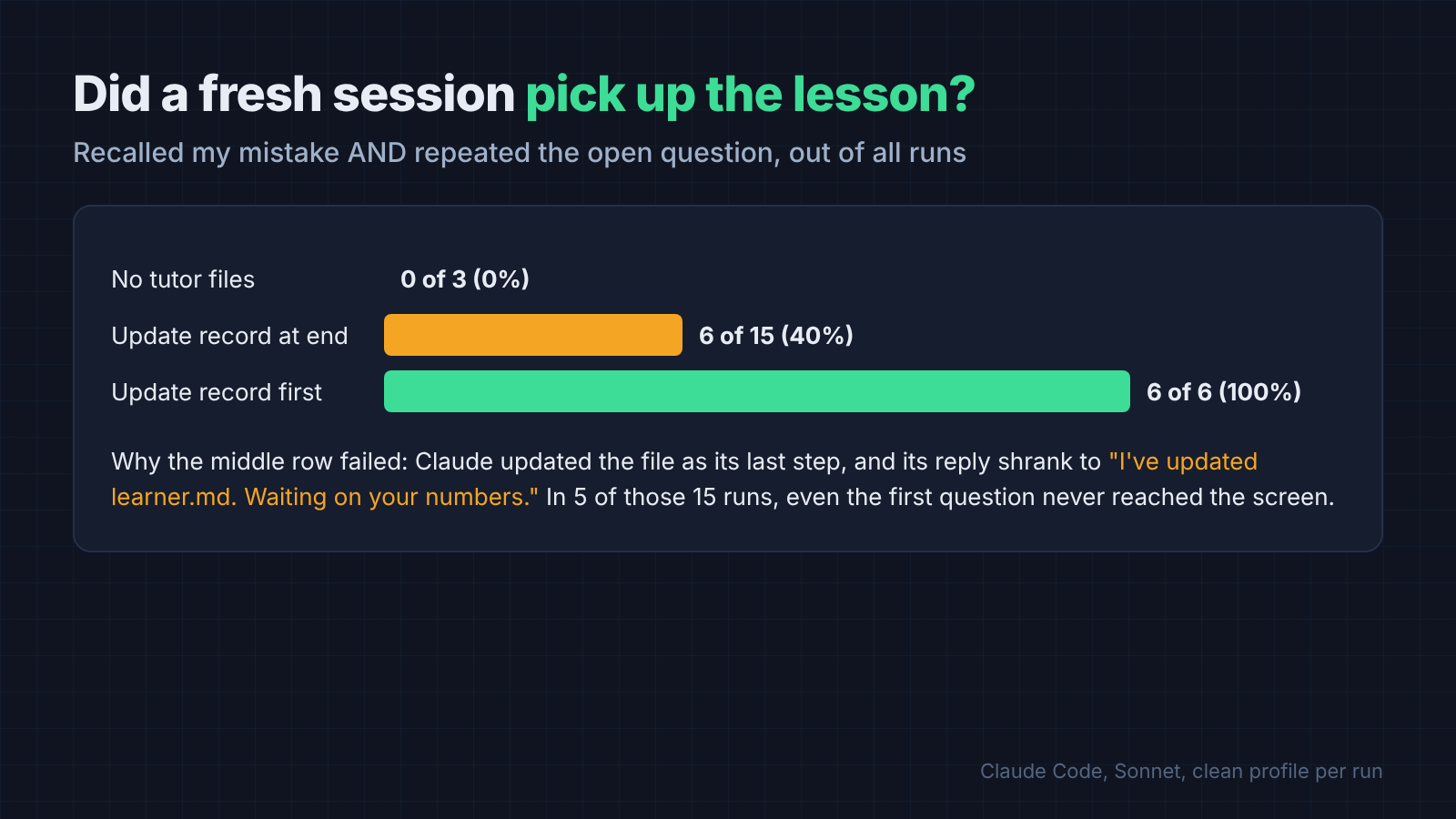
What went wrong in the failed runs surprised me. Claude would ask its question, then update the file as its last action, and its final message shrank to a status line like “I’ve updated learner.md. Waiting on your numbers.”
The question it was waiting on never reached me. In 5 of the 15 “end of reply” runs, even the very first diagnostic question went into the file instead of onto the screen.
Flipping the order fixed it. When Claude writes the record first, the last thing it produces is the teaching, which is the part you need to see.
The catch is the sample. Six clean runs is a strong sign, not a guarantee, and Claude Code’s own docs say instructions in CLAUDE.md are context Claude follows, not enforced settings. Read learner.md every few sessions; in one early run Claude wrote a wrong count into it, and the next session caught and fixed it.
What about Claude Code’s built-in Learning style?
Learning style is for coding practice, not for learning a subject.
Claude Code ships with an output style (a preset that changes how Claude responds for a whole session) called Learning. Switch to it with /output-style learning (docs).
In that style, Claude explains its choices and leaves small pieces of code for you to write, marked with a TODO(human) comment. That is great when you want hands-on practice while a coding task still gets done.
It does not keep a record of your mistakes across sessions, and it is built around writing code. For Bayes, history, or a foreign language, the two-file setup fits better. You can use both: Learning style for the code, learner.md for the concepts.
Are there open source AI tutors that remember you?
Yes. Two good ones keep a learning record on your own machine, but both need your own model API key.
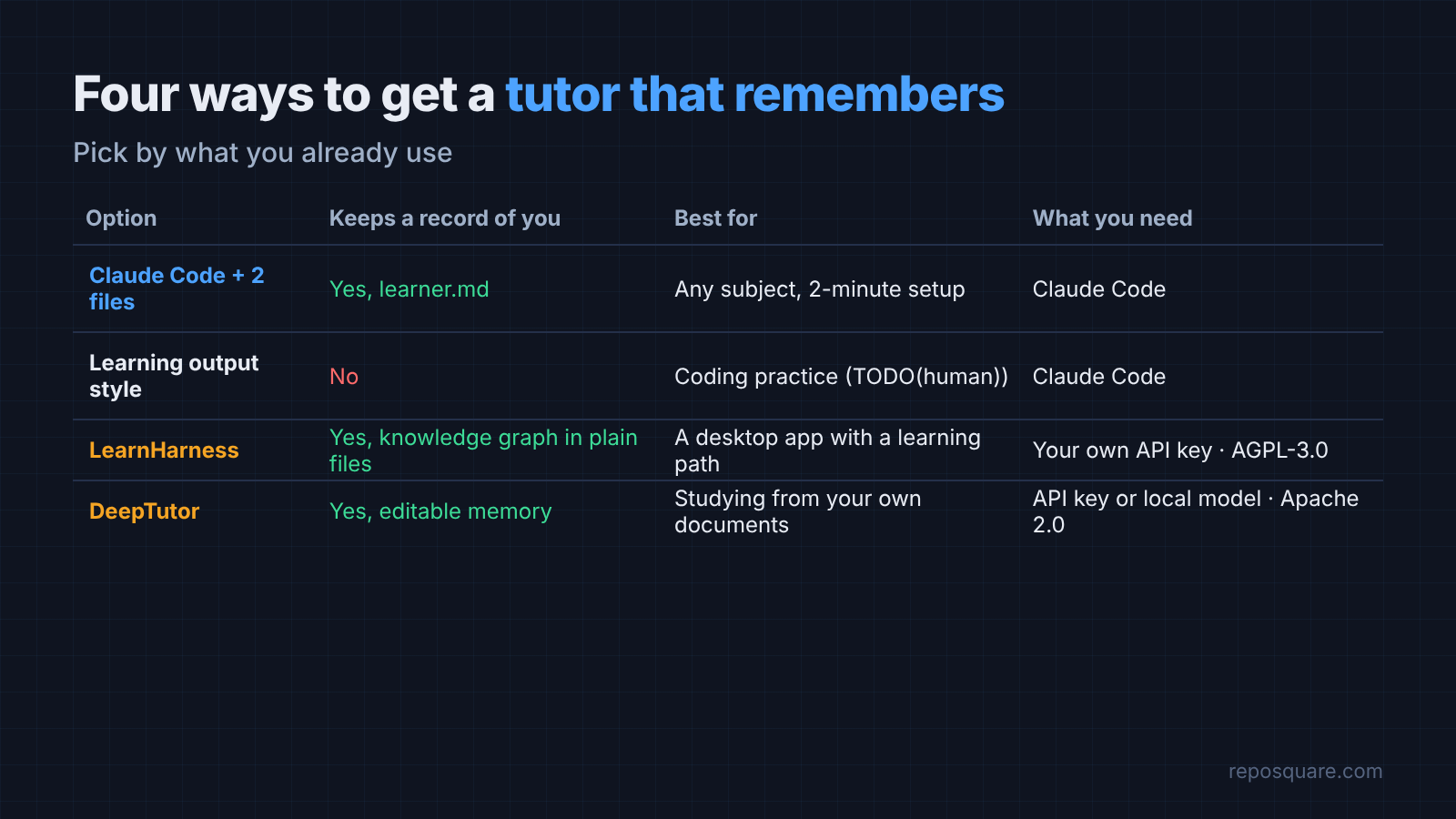
LearnHarness is a desktop app for Mac, Windows and Linux that teaches hard subjects in four stages. It finds where your understanding ends, maps a path to your goal, teaches step by step, then runs practice.
It keeps a knowledge graph (a map of ideas and the links between them) of what you learned, stored as plain files you can open. It is free under the AGPL-3.0 license and works with Anthropic, OpenAI, Google, DeepSeek and others.
DeepTutor is a bigger learning workspace: tutoring, quiz generation, research, and a memory you can read and edit. It can also answer from your own documents using RAG (looking up the right passages in your files before answering). It runs from Python, Docker, or a command-line tool, under the Apache 2.0 license, and it can connect to local models through tools like Ollama.
So which one? If you already use Claude Code, the two files above cost nothing extra and take two minutes.
Pick LearnHarness if you want a proper app with a learning path, and DeepTutor if you want to study from your own PDFs and notes. If your source is one textbook, you can also turn a PDF into a Claude skill and keep the two-file tutor on top.
The one rule worth copying
If you copy one line, copy the ordering rule: update the record first, then reply.
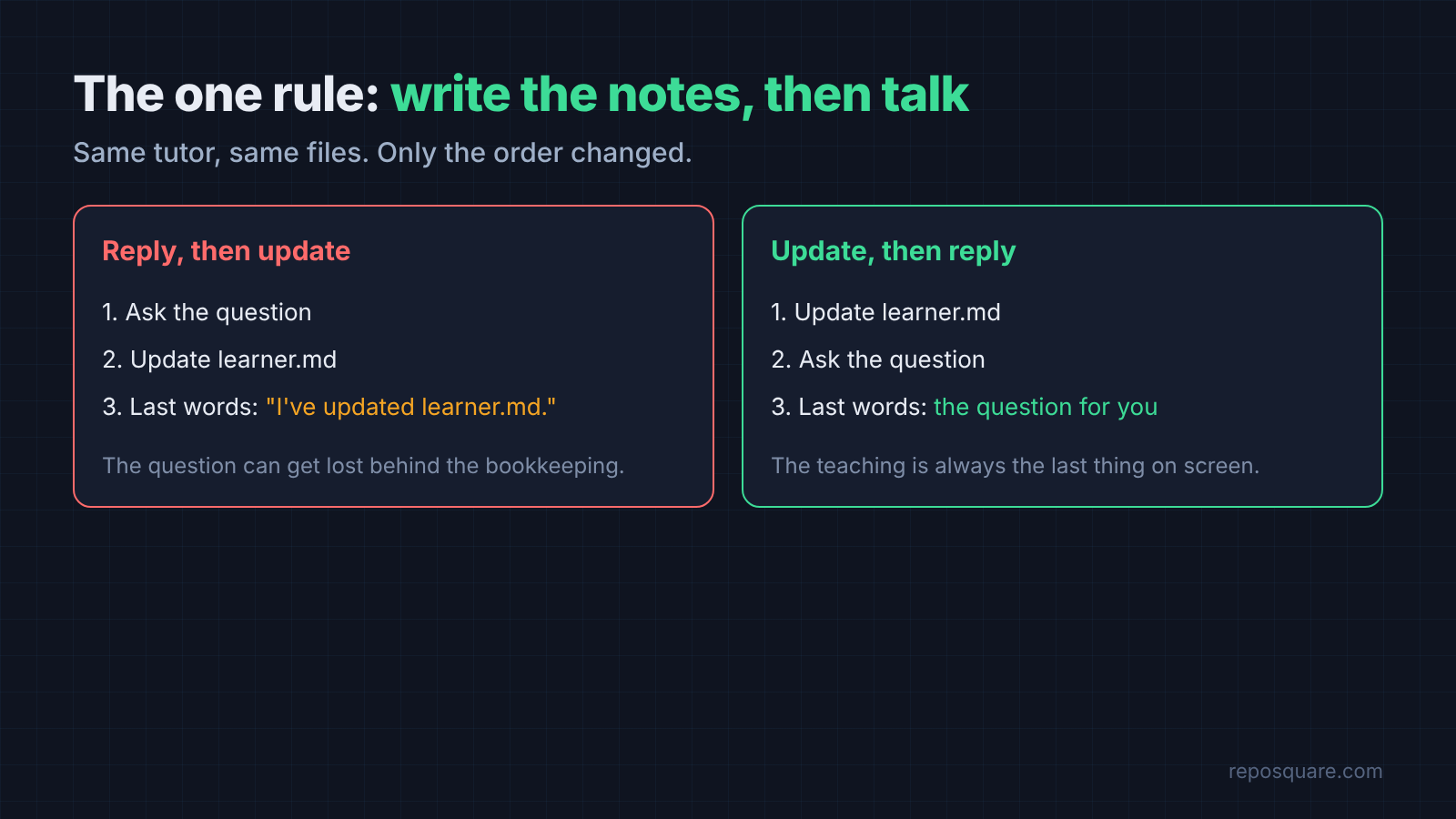
The teaching rules make Claude ask instead of lecture. The record lets it remember. But the record only helps if Claude’s last word is the question, not the bookkeeping.
A real tutor finishes her notes before she turns back to you. Ask Claude to do the same.
Common questions about Claude as a Tutor
Can Claude remember what I learned between sessions?
Not on its own in Claude Code, since every session starts with a fresh context window. Give it a learner.md file and a CLAUDE.md rule to read it first, and it will pick up your mistakes from last time.
Is there a learning mode in Claude Code?
Yes, the Learning output style, switched on with /output-style learning. It explains its choices and leaves small bits of code for you to write, but it does not keep a record of your progress.
What is the best way to use Claude as a tutor?
Make it ask a diagnostic question before explaining. Have it name the exact wrong idea behind your answers, and keep a record file it updates before every reply.
Is there a free open source AI tutor?
LearnHarness and DeepTutor are both free and open source, and both keep a learning record you can read. You still pay for the AI model you connect, unless you run one locally.