
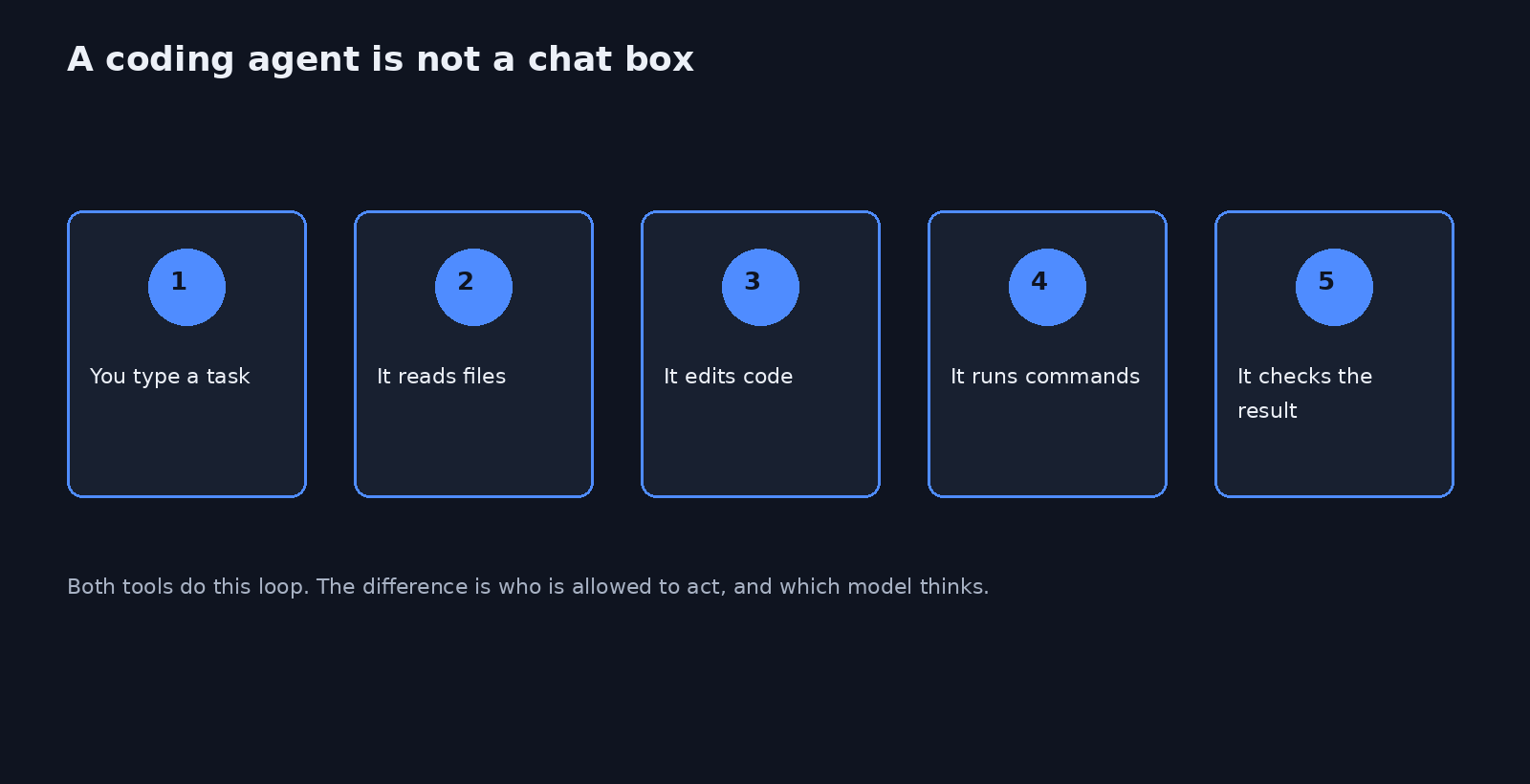
You already have a terminal that edits your repo for you. A coding agent (a program that reads files, changes them, and runs commands) is that program. Claude Code is Anthropic’s coding agent. It uses Claude, and it asks before most edits. Step Code is an open coding agent from StepFun. It uses Step models after you sign in, and it can load the same project notes and many of the same plugins (extra instruction packs you add to the agent).
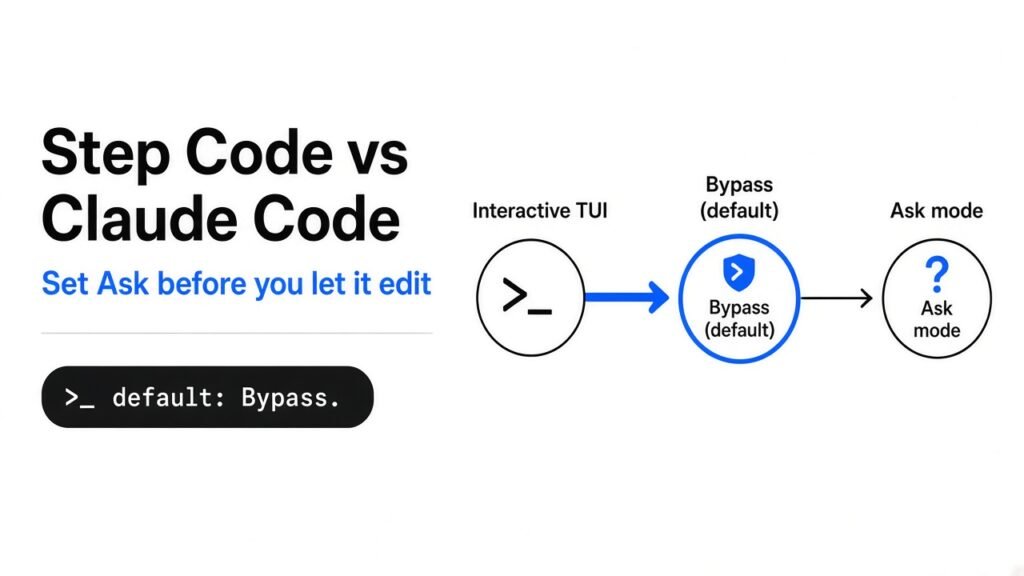
Step Code vs Claude Code comes down to one default. Use Step Code instead of Claude Code only after you set Ask mode, because the interactive default runs ordinary edits and shell commands without asking you first.
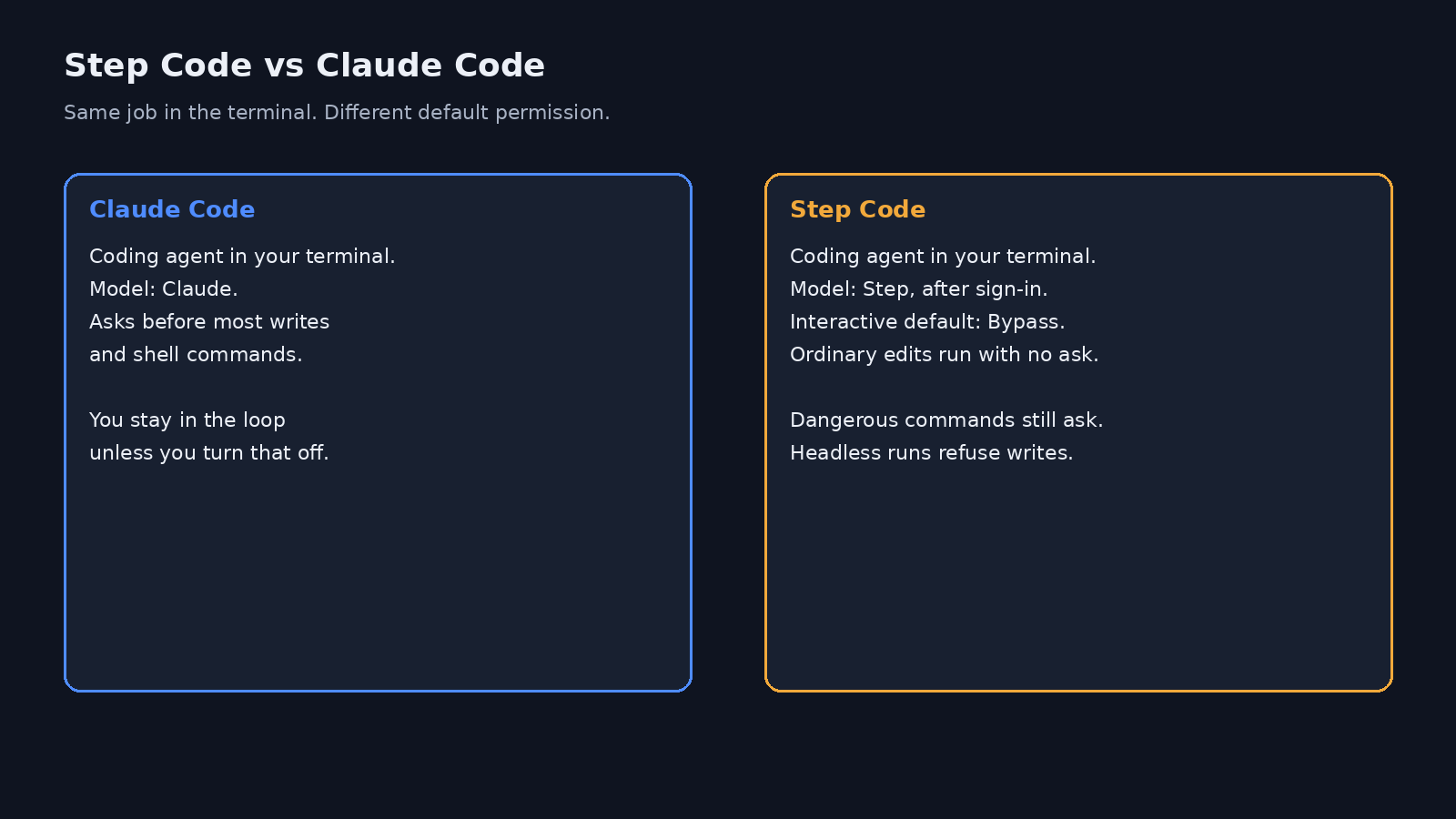
I checked the permission resolver in the Step Code source, with an empty environment and no saved choice. It returns preset bypass and marks that choice as only a default. The interactive test lets a write or a shell command through and does not call confirm. The same call with no screen is blocked, and the run stops, unless you set a preset on purpose. I did not send a model prompt. A login needs a Step account, so token claims in the README stay untested here.
What is the difference between Step Code and Claude Code
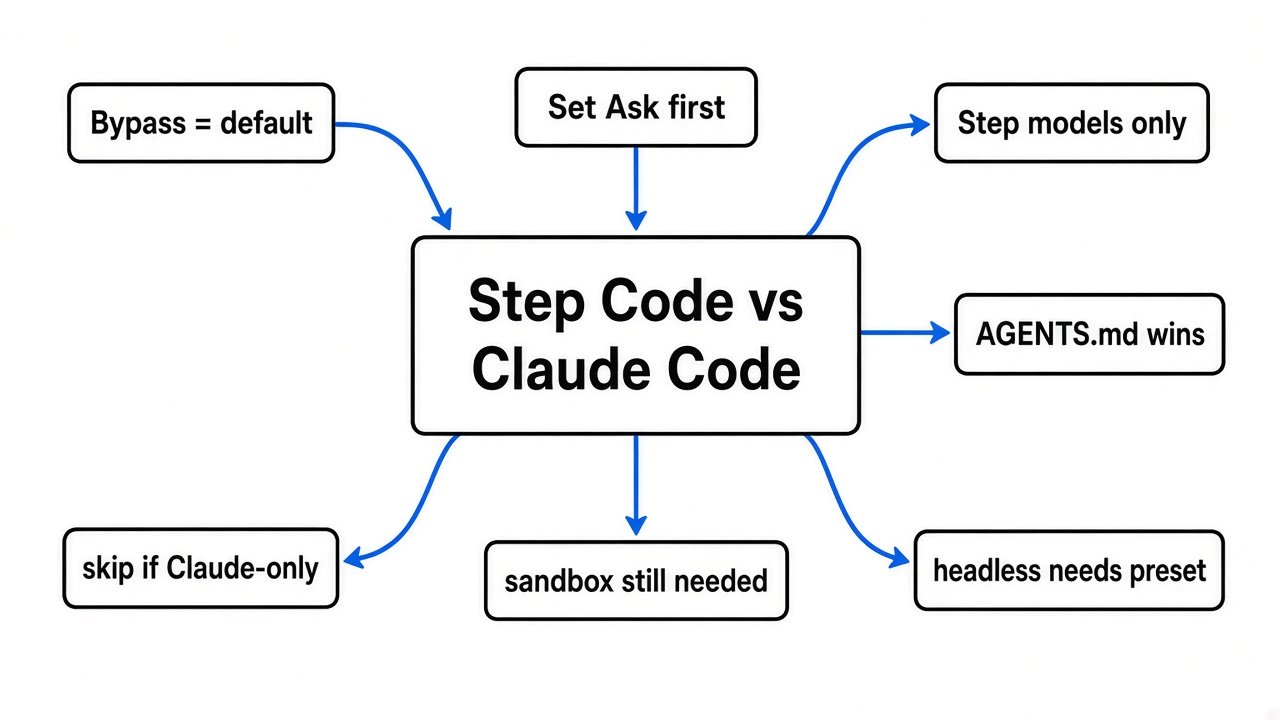
Both are terminal coding agents. Claude Code is closed and talks to Claude. Step Code is MIT-licensed source you can read, and it talks to Step models after step login or a Step API key.
That split matters more than the feature list. A plugin and a project file can move. The model and the default permission do not move with them.
Here is the comparison I would use before installing.
| Question | Claude Code | Step Code |
|---|---|---|
| What it is | Terminal coding agent | Terminal coding agent |
| Model | Claude | Step models after sign-in |
| Source you can read | No | Yes, MIT |
| Interactive default | Asks before most writes and commands | Bypass: ordinary writes and commands run |
One-shot with no screen (-p) | Your own permission flags | Refuses writes until a preset is set |
| Project rules in one folder | CLAUDE.md hides AGENTS.md | AGENTS.md hides CLAUDE.md |
| Claude plugins | Native | Most work through /plugin |
| A real sandbox (a locked room for commands) | Not by default. Add one if the repo is untrusted | Not at all. Bypass is not a jail |
If you only wanted a cheaper Claude, this is the wrong switch. You also change which model answers.
Step Code vs Claude Code for day to day edits
For a normal edit in the text screen (the TUI, the app drawn in your terminal), Step Code will change files without a prompt. Claude Code will stop and ask, unless you already turned asking off.
Why: Step Code’s unset policy is Bypass. The preset text says ordinary tools run without approval. Dangerous commands still ask. A fresh footer should show Bypass.
The step: press Shift+Tab until the footer says Ask, or start with STEP_PERMISSION_PRESET=ask. Do that in a throwaway folder first, not in the repo you care about.
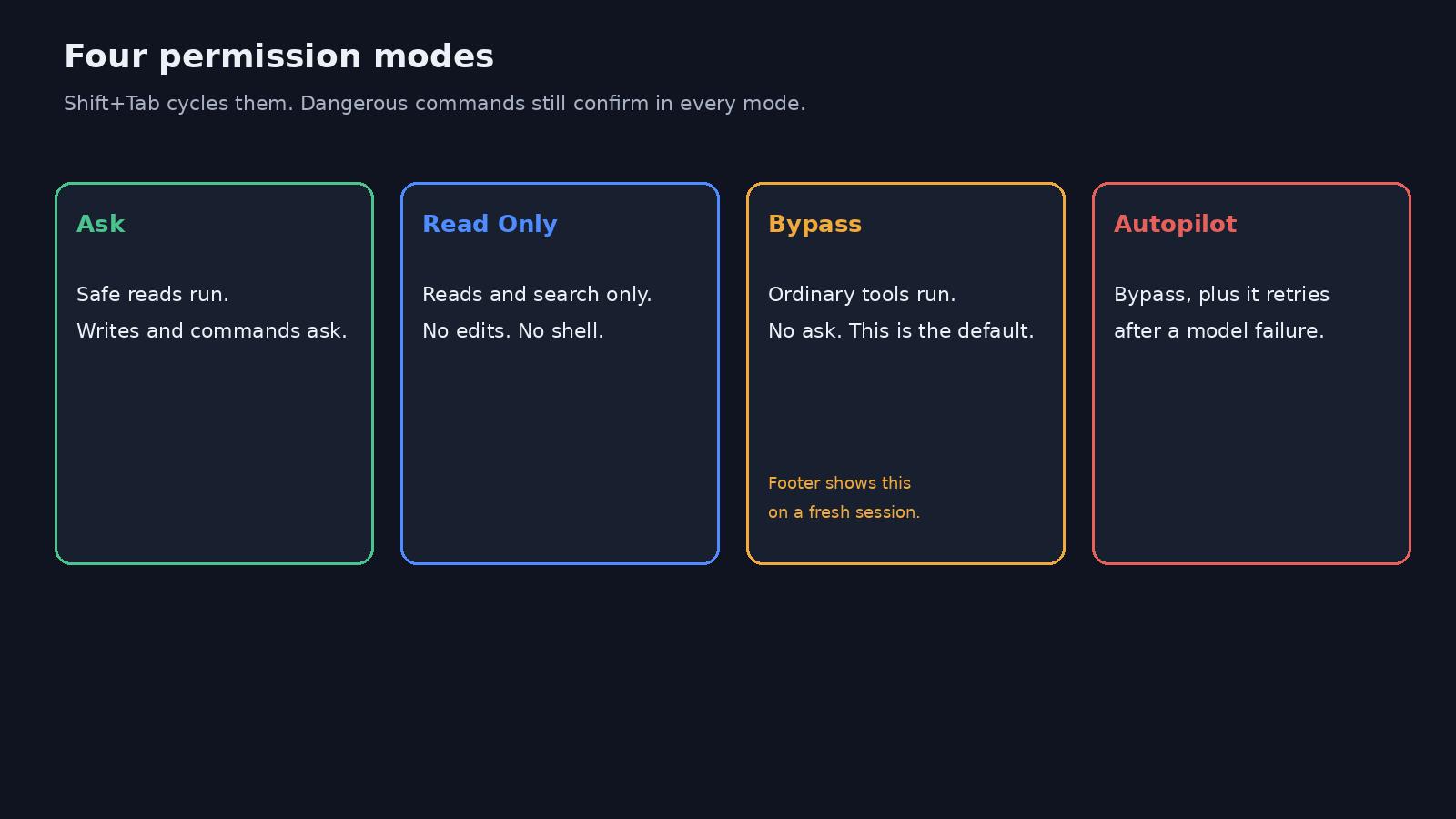
The four modes:
- Ask: reads can run. Writes and shell commands ask first.
- Read Only: search and read only. No edits. No shell.
- Bypass: ordinary tools run. No ask. This is the interactive default.
- Autopilot: Bypass, and it also retries after a short model failure.
Dangerous still means a confirm in every mode. The rules I read include recursive force-remove (rm -rf), reboot and shutdown, mkfs, dd onto a device, git reset --hard, git clean with force, git push --force, drop database, and truncate table. A command the parser cannot fully read is also held for a confirm. An ordinary mkdir, an edit, or a test command is not on that list.
Bypass is not a sandbox. A command that is merely unwise still runs. If the repo is untrusted, use an isolated machine the way the coop Claude Code sandbox writeup does, then point the agent at that room.
Can I use Step Code instead of Claude Code
Yes, for the loop of read, edit, and test, if you accept a Step model and you set Ask yourself. No, if the point was to keep Claude’s model and only change the shell.
Why the no is firm: after sign-in, /model lists models from the Step account. There is no switch that says “use my Claude subscription inside step.” Plugins can come along. The model does not.
What does carry over on a first launch:
- MCP config (a small server that lets the agent call an outside tool) is copied from Claude Code or Codex. Your original files are not edited, and secrets are not pasted into the copy.
- Most Claude Code plugins load with
/plugin. - A project guide is loaded. The order is the trap in the next section.
What does not carry over:
- Your Claude login.
- Claude’s ask-first habit.
- A measured token bill. A token (a chunk of a word the model reads or writes) is how these tools charge. The Step Code README says it uses fewer tokens. I did not run a paid task, so I will not repeat that as a result. Measure it the way the Claude Code MCP token cost post measures a session before you trust a slogan.
If you are also trying MiniMax’s terminal agent, the same question is already tested in MiniMax Code CLI vs Claude Code. Step Code is a third shell, not a patch on that test.
Why does Step Code change files without asking
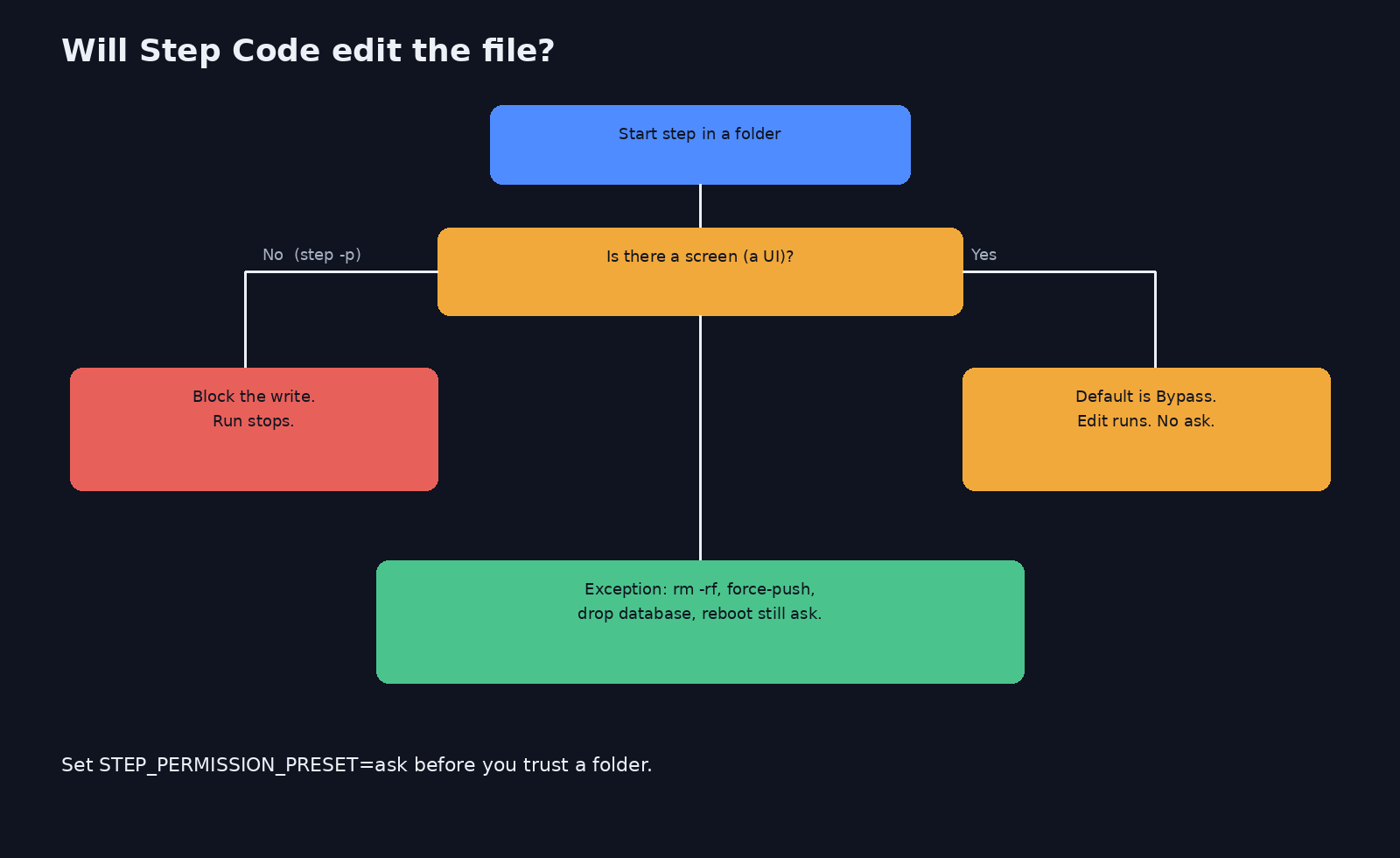
Because an interactive session with no saved permission uses Bypass, and Bypass does not call confirm for an ordinary write or an ordinary command.
Why that is easy to miss: the README lists four modes and says dangerous commands still ask. It does not shout that the starting mode is the loose one. The resolver says it in a comment: default to bypass, tools run without approval prompts. Flags, STEP_* variables, and a saved preset override that. A run with no screen must not inherit it.
I checked two cases in the permission tests:
- A UI exists, environment empty, command is
mkdir build. Result: allowed. Confirm is not called. - No UI, environment empty, same command. Result: blocked, and the run is told to stop. The reason says no permission preset is configured.
So the scary default is the one you see when you type step and get a screen. The script form step -p "..." is stricter until you opt in.
Headless allow is explicit. Any one of these counts as “you meant it”:
STEP_PERMISSION_PRESET=bypass- a trusted-project preset already saved for that folder
--non-interactive-approval allow
--non-interactive-approval deny still blocks, even under the bypass default. Ask mode’s unattended fallback is deny. Read Only denies writes. Do not expect step -p to behave like the footer you saw in the TUI.
Does Step Code read CLAUDE.md or AGENTS.md
It reads one project file per folder. In that folder the first file that exists wins, in this order: AGENTS.override.md, then AGENTS.md, then CLAUDE.md.
Why this bites Claude Code users: the README says an existing CLAUDE.md is used as-is. That is true only when AGENTS.md and AGENTS.override.md are not sitting in the same folder. If both exist, CLAUDE.md is skipped there.
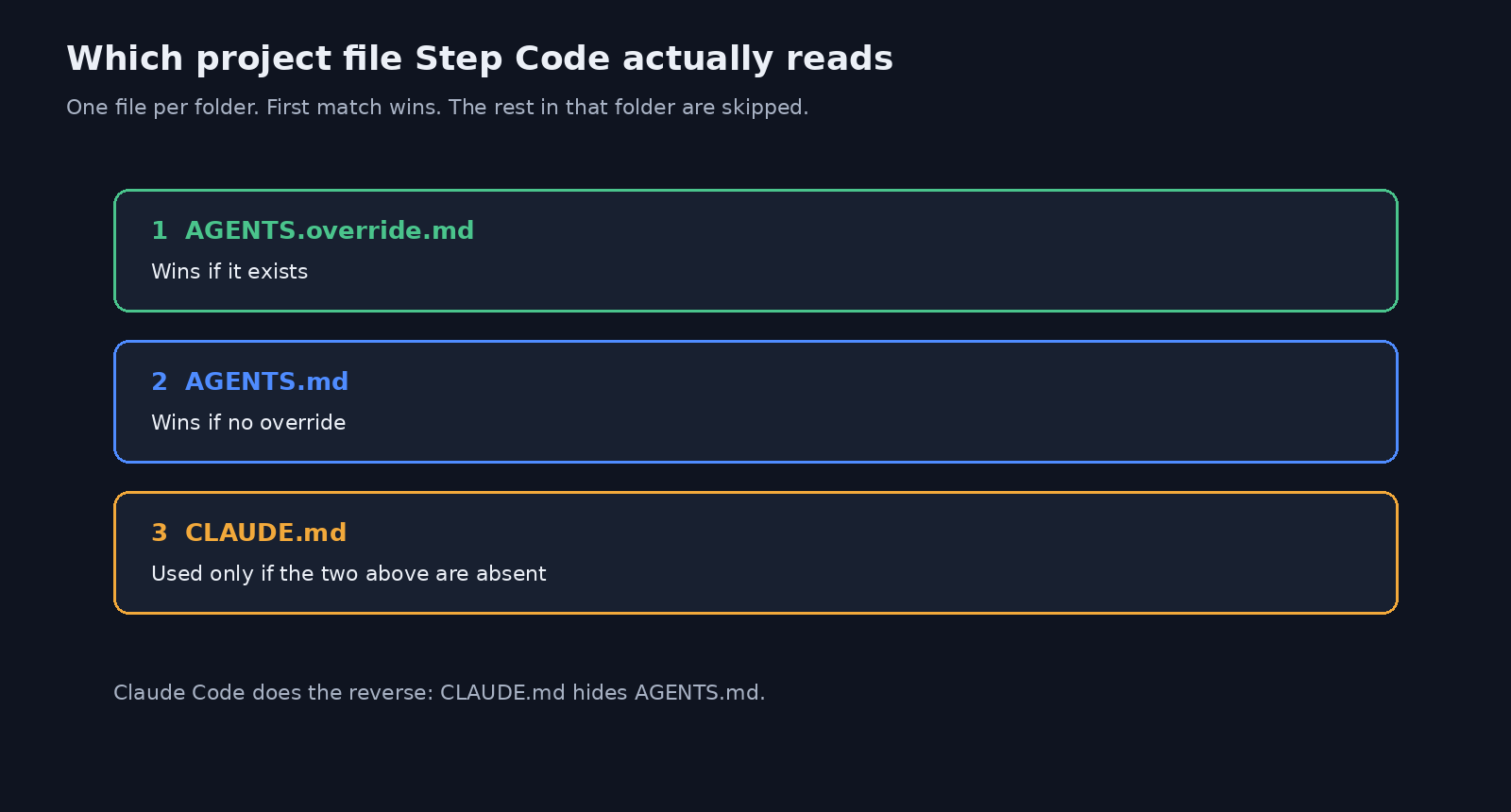
Claude Code does the reverse. It reads AGENTS.md only when no CLAUDE.md is in the way. That trap is written up in Claude Code not reading AGENTS.md.
Step Code also walks parent folders and loads one file from each, plus a global file from the agent directory (~/.stepcode side, the user-level guide). A nested worktree does not double-load the main repo’s copy of the same guide. /init can write an AGENTS.md. Read it before you trust it. --no-context-files turns discovery off.
If your CLAUDE.md is still a long manifesto, shorten it before either tool loads it. The Opus 5.5 prompt audit is the pass to run on that file. A huge guide is reread, and you pay those tokens every session.
How to run Step Code without it editing files
Start in Read Only, or in Ask, inside a folder you can throw away. Do not start in the repo you ship.
Why: the interactive default is Bypass, so “just looking” is not the start state.
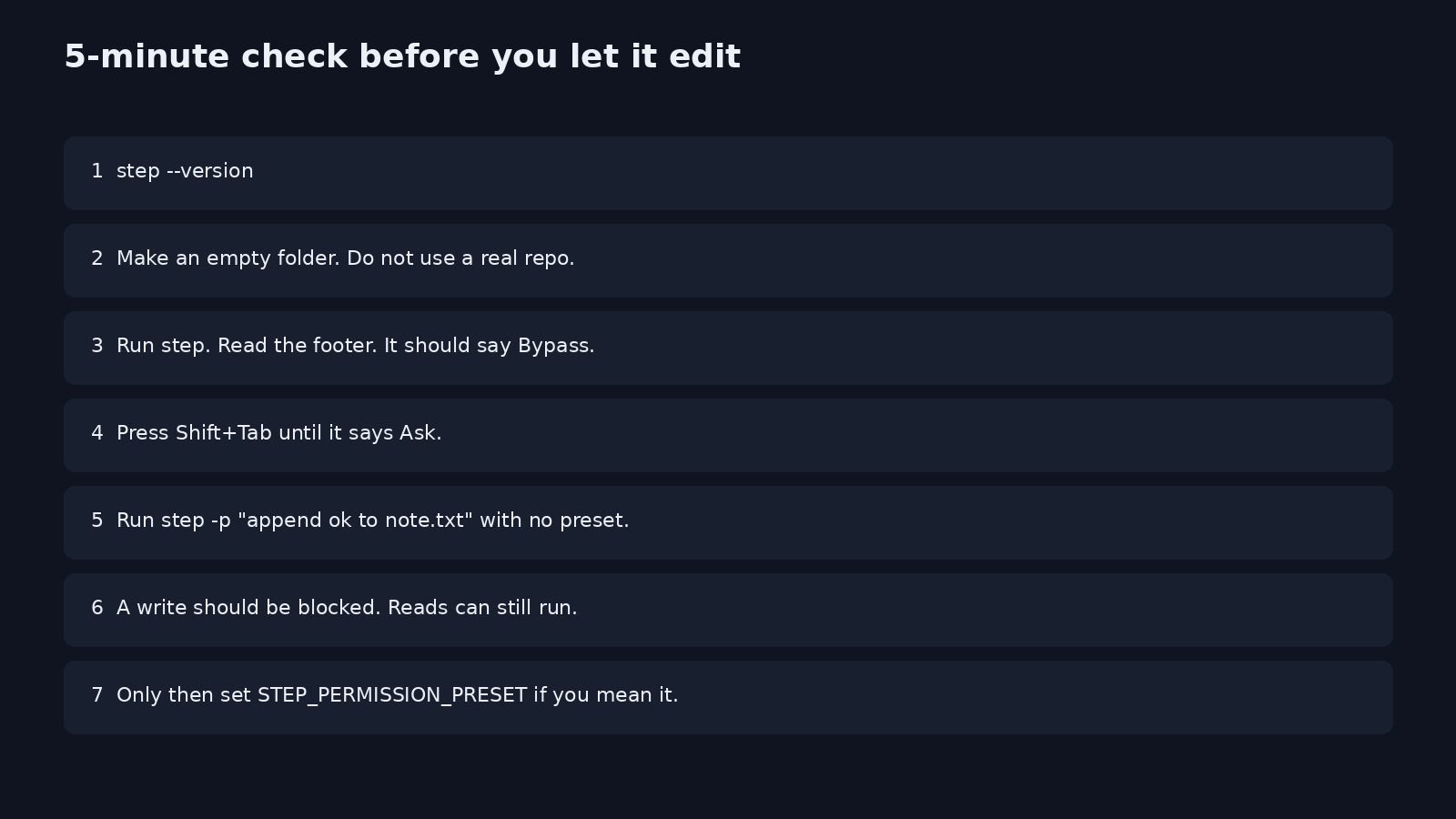
The 5-minute check:
- Install with the official script, then open a new terminal.
- Run
step --versionandstep --help. You do not need a model call for this. - Make a scratch folder and
cdinto it. Add a filenote.txtwith one line. - Run
step. Read the footer. ExpectBypass. - Press Shift+Tab until it says
AskorRead Only. - In another terminal, same folder, run
step -p "append ok to note.txt"with no preset. - The write should be blocked. A read can still succeed.
- Only if you meant a loose script, set
STEP_PERMISSION_PRESETand rerun.
Sign-in is separate from permission. step login or /login opens the Step account flow. STEP_API_KEY or --api-key stores a key in ~/.stepcode/auth.json with mode 0600 (only your user can read it). step login status shows whether that credential is valid. None of that changes Bypass.
curl -fsSL https://static-openapi.stepfun.com/stepcode/install.sh | bash
step --versionWindows PowerShell has a beta installer. The project tells you to prefer WSL there. I did not run the installer in this check. I read the resolver and the tests that lock the two outcomes above.
When not to use Step Code
Do not switch if you need Claude’s model, if you will forget to leave Bypass, or if the folder is untrusted.
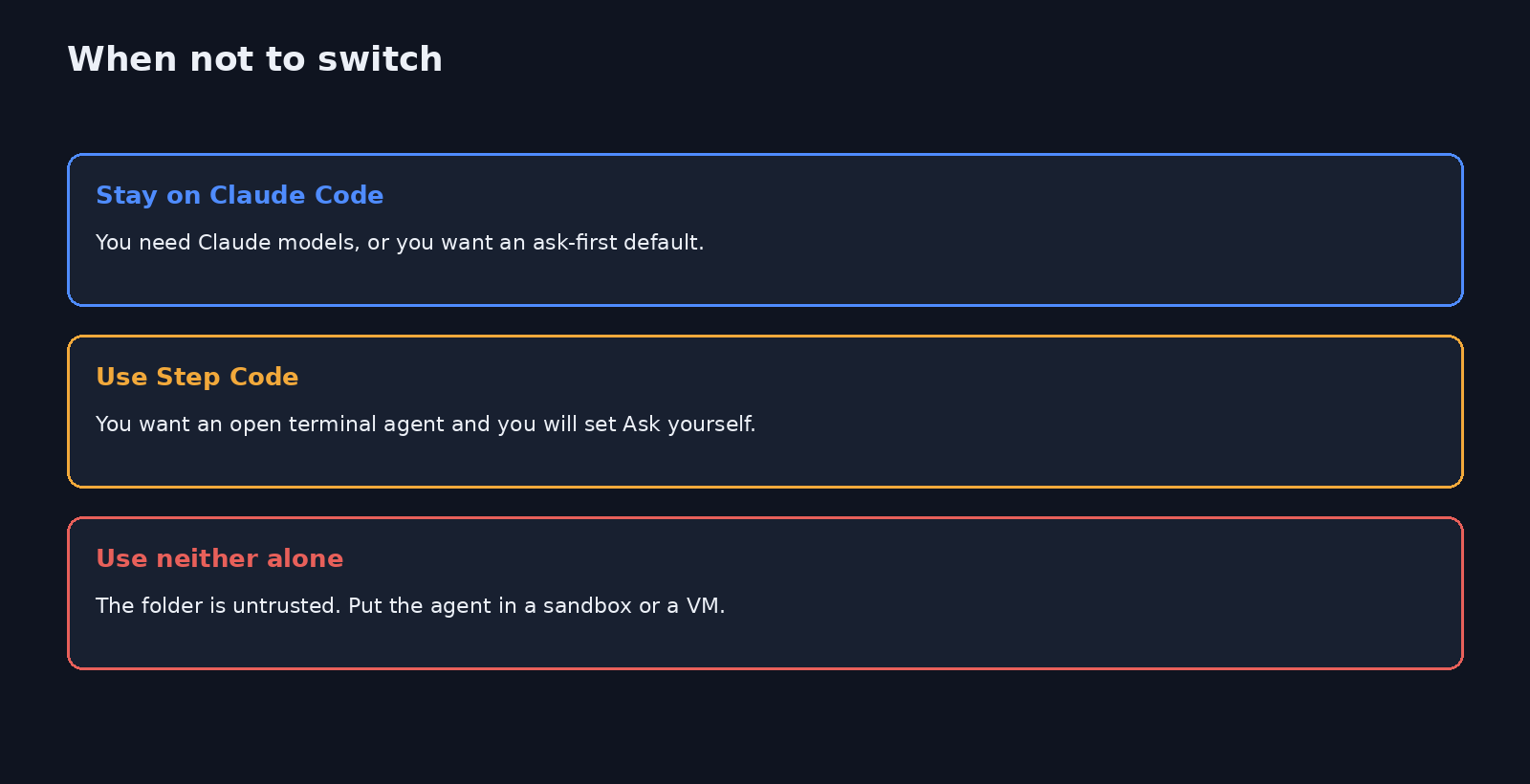
Stay on Claude Code when the ask-first habit is the feature you actually wanted, or when the task depends on a Claude-only workflow you already pay for.
Use Step Code when you want a terminal agent you can read, you have a Step account, and you will set Ask or Read Only before the first real task.
Use a sandbox either way when the repo is not yours. Permission modes are a prompt policy. They are not an operating-system jail.
Also skip it for a headless CI job until the preset is in the job on purpose. A defaulted step -p will stop on the first write and look like a flaky agent.
Is Step Code worth it
Worth a scratch-folder trial if you want an open terminal agent and you will change the default. Not worth it as a silent drop-in for Claude Code.
Why: the edit loop is familiar, the model is different, and the first screen is looser than the Claude habit you already have. I would not move a work repo until the 5-minute check matches what you expect, and until you have one real task’s token bill in front of you.
Common questions about Step Code vs Claude Code
Can I use Step Code instead of Claude Code and keep the same model?
No. Step Code uses Step models after you sign in. Claude Code uses Claude. Plugins and MCP config can copy over. The model does not.
Why does Step Code change files without asking?
The interactive default is Bypass. Ordinary edits and shell commands run without confirm. Dangerous commands still ask. A headless step -p does not inherit that loose default.
Does Step Code read my CLAUDE.md?
Only if that folder has no AGENTS.override.md and no AGENTS.md. Otherwise the earlier file wins and CLAUDE.md in that folder is skipped.
Is Step Code worth it if Claude Code already works?
Only if you want readable source and a Step model, and you set Ask yourself. If you wanted the same Claude model in a different program, stay where you are.
Source: stepfun-ai/Step-Code. Official quick start: Step Code quick start.
2 comments