
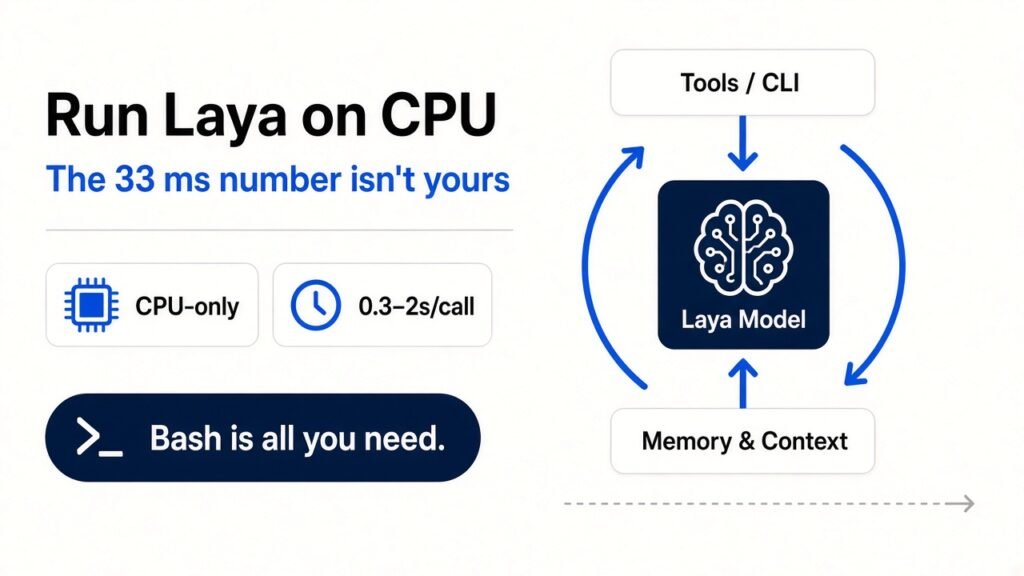
Yes, Laya runs on a plain CPU, and it gives the same answers it gives on a GPU. It just doesn’t give them in 33 milliseconds. Public CPU benchmarks put a realistic call at 0.3 to 2 seconds, and a default pip install laya pulls about 5.6 GB of NVIDIA libraries you’ll never use. Both problems are fixable in about ten minutes.
I found the second number the boring way. I made a fresh virtual environment on a 2-vCPU cloud box with no GPU, typed pip install laya, and watched it download sixteen packages whose names start with nvidia-. When it finished, the environment weighed 5.6 GB. The Laya package itself is a few hundred kilobytes of Python. Everything else was CUDA (NVIDIA’s software layer for running math on their graphics cards), installed on a machine that has no graphics card at all.
That’s the gap this post is about. Laya picked up roughly 20,000 GitHub stars in its first six days, and PyPI shows 26 releases since the first upload on 18 September. Almost every writeup repeats the same headline speed: 32.8 ms for one question. Almost nobody says that figure came from an NVIDIA T4 GPU. If you plan to run this on a laptop, a $6 VPS, or a CI runner, you need different numbers.
What is Laya, and why does the GPU matter?
Laya is an open-source decision model that answers typed questions about a piece of text (pick a label, give a score, or say how likely a statement is true) in a single pass, without writing any words back.
To see why hardware changes everything, start with how a normal chatbot answers. A large language model, or LLM (the kind of model behind ChatGPT and Claude), writes one token at a time. A token is a chunk of text, roughly three quarters of a word. Every new token means running the whole model again, so a 200-token answer is 200 trips through the network.
Laya skips that. It’s built on ModernBERT-large, an encoder (a model that reads text and turns it into numbers, but never writes text). You hand it the text plus a question with a fixed set of answers, and it runs once. One trip, then a probability for each allowed answer. The project calls this “non-autoregressive”, which just means it doesn’t feed its own output back in to produce the next piece.
That design is why Laya is compared with Jev, TypeSafe AI’s hosted decision model that launched on 18 September. If you missed that fight, the Jev vs Laya breakdown covers accuracy. This post only cares about one thing: what happens to speed when you take the GPU away.
Here’s the catch with “one trip”. That trip still involves 421 million parameters (the learned numbers inside the model). Pushing text through 421 million numbers is a huge pile of multiplication. A GPU does thousands of those multiplications at the same moment. A CPU has a handful of cores, maybe 4 or 8 on a laptop, and does far fewer at once. Same recipe, much smaller kitchen.
Why does pip install laya download 5.6 GB?
Because Laya depends on PyTorch (the Python library that actually runs the model’s math), and the default PyTorch package on Linux assumes you might have an NVIDIA GPU.
Pip (Python’s package installer) grabs whatever version PyPI serves by default. For Linux, that’s the CUDA build of PyTorch. So along with torch you get nvidia-cublas, nvidia-cudnn-cu13, nvidia-nccl-cu13 and thirteen more. Here’s what my fresh environment contained after one command on 24 September 2026:
laya 0.3.18torch 2.14.0triton 3.8.0nvidia-cublas 13.1.1.3nvidia-cudnn-cu13 9.24.0.43nvidia-nccl-cu13 2.30.7... 13 more nvidia-* packagessite-packages total: 5.6GOn a laptop, 5.6 GB is annoying. On a small VPS with a 25 GB disk, or inside a Docker image you rebuild on every deploy, it’s a real cost. You pay for that space, and every build waits for it to download.
The fix is to install the CPU-only PyTorch build first, from PyTorch’s own package index, and then install Laya. Pip sees that torch is already satisfied and doesn’t fetch the CUDA version:
python3 -m venv .venvsource .venv/bin/activatepip install torch --index-url https://download.pytorch.org/whl/cpupip install layaThe CPU wheel (a wheel is a pre-built Python package file) has no nvidia-* dependencies at all. Order matters here. If you run pip install laya first, you’ve already downloaded the heavy version, and you’ll have to uninstall it.
A quick note on my own test. My sandbox couldn’t reach PyTorch’s CPU index or Hugging Face (the site that hosts Laya’s model weights), because of network rules I don’t control. So I measured the default install myself, and I’m giving you the CPU-index fix from PyTorch’s standard install instructions, not from a timed run of my own. The latency numbers below come from two public benchmarks that publish their hardware and method.
How fast is Laya on CPU, really?
On a strong desktop CPU, expect about 300 ms for one question and about 2 seconds for ten questions on the same text. On a small VPS, one public test measured far worse.
The clearest data comes from the laya-cpu-benchmark repo. The author ran Laya 0.3.5 with CPU-only PyTorch on an Intel i9-14900HX (24 cores, 32 GB of RAM) and used a 261-token input. Steady state (after the model was already loaded and warmed up), one question took 307 ms. Ten questions took 2,150 ms. Fifty took 9,103 ms.
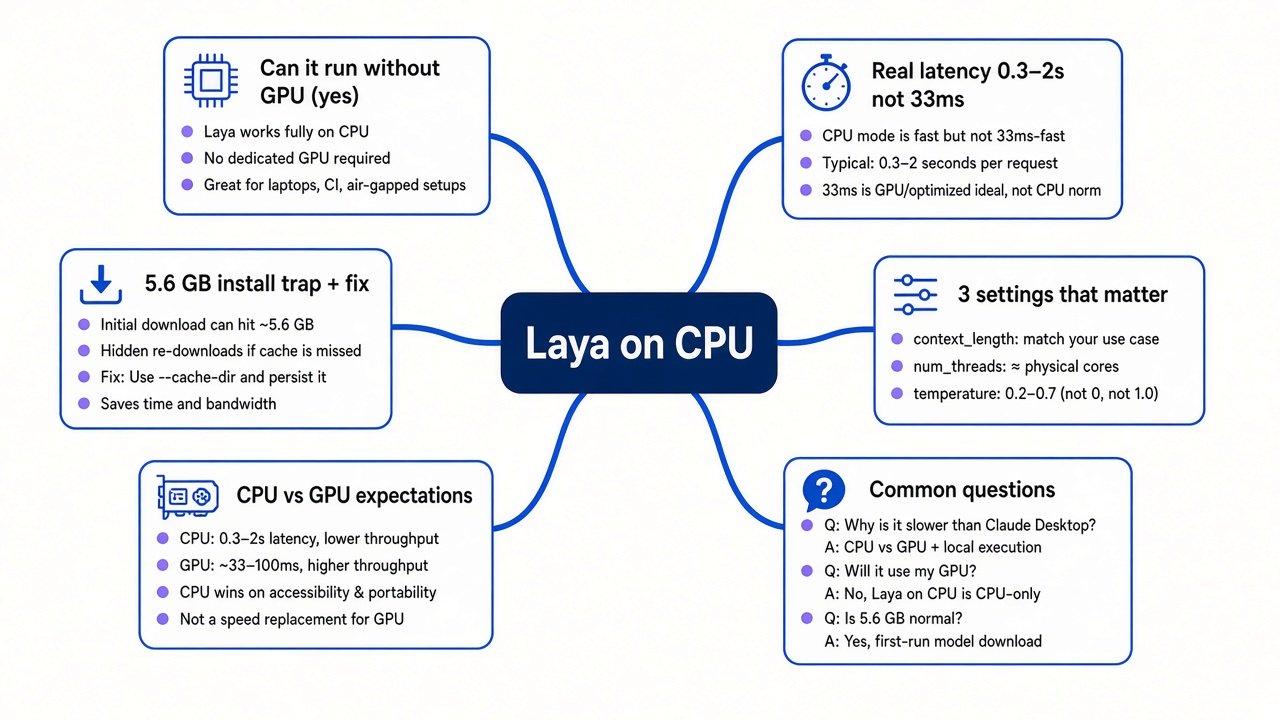
Put that next to the GPU. The project’s own page lists 32.8 ms for one question and 7.2 ms per question when you batch ten on a T4. So on CPU, one question is roughly 9 times slower than the GPU headline. Ten questions come out around 30 times slower (215 ms each against 7.2 ms each).
Then there’s the low end. Flowtivity ran Laya 0.3.4 on a 4-vCPU VPS with 7 GB of RAM and no GPU, and reported a median warm predict of 49.4 seconds. Their writeup doesn’t isolate why it was that slow, so I won’t guess. What it does tell you is that “runs on CPU” covers everything from usable to unusable, and your box decides which one you get.
If you’d rather skip PyTorch completely, there’s an independent port called laya-mnn. It runs Laya on MNN (Alibaba’s lightweight inference engine, a program that only runs trained models and does nothing else). It ships an int8 checkpoint at 581 MB and an fp16 one at 846 MB. Int8 means each number inside the model is stored in 8 bits instead of 32, which shrinks the file and speeds up CPU math at a small cost in precision. The author reports about 1.3 seconds for a 512-token pass on an Apple Silicon CPU. It isn’t affiliated with Laya’s creators, so treat it as a community project.
Why batching barely helps on a CPU
On a GPU, batching is free money. On a CPU, it mostly isn’t.
Go back to the kitchen. A GPU has thousands of burners. Cooking one dish uses a few of them, so adding nine more dishes costs almost nothing extra. That’s why ten batched questions on a T4 cost 7.2 ms each instead of 32.8 ms.
A CPU has a few burners, and one question already keeps them busy. Add nine more and you mostly just wait in line. The i9 benchmark says it plainly: batching buys roughly 20 to 30 percent going from 1 to 10 questions, and nothing after that. The per-question cost drops from 307 ms to 215 ms and then to 182 ms at fifty. That’s a slow slide, not a cliff.
So the GPU habit of “send everything in one big request” won’t rescue you here. Two other levers will.
Three settings that matter on a CPU
The first is input length, and it’s the biggest one. Laya reads your whole text on every call, so the cost grows with the number of tokens. The same benchmark found that cutting the input from 927 tokens to 261 made calls 4.7 times faster with the same questions. Strip email signatures, quoted replies, HTML, and log noise before you send anything. Laya even ships a helper for this, laya.clean_email_body, which I found while reading the package source. If you’re triaging email, use it.
The second is thread count. A thread is one stream of work a CPU core runs. More threads sounds better, but look at the scaling table from the i9: one thread took 6,606 ms for the ten-question test, four threads took 2,159 ms, eight took 1,701 ms, and twenty-four took 1,675 ms. After eight, you’re paying for cores that don’t help. The benchmark author’s advice is to run three 8-thread processes on a 24-core box instead of one giant one, which serves about three times the traffic. In Python you set it like this:
import torchtorch.set_num_threads(8) # match your physical cores, cap around 8The third is picking the right checkpoint. Laya ships three: the English one (ModernBERT-large, 421M parameters), a multilingual one (mmBERT-base, 322M), and a typed-decisions fine-tune (421M). Smaller means less math per call, and the project describes the multilingual model as about twice as fast. There’s a free trick here too. Laya’s router, which picks a checkpoint by detecting the script and language of your text, is plain Python and never touches the model. I ran it on my 2-vCPU box: import laya took 34 ms, and routing five sentences in English, Hindi, Tamil, French and Japanese took between 0.10 and 0.20 ms each. It correctly sent the French line to the multilingual model because the words weren’t English, even though the alphabet was Latin. You can call it on every request without worrying about cost.
When a CPU-only Laya is the right call
Laya on CPU works when the decision doesn’t have a person waiting on it. Think overnight ticket tagging, labeling a backlog of GitHub issues, scoring commit messages in CI, or filtering a scraped dataset. A second per item is fine when nobody’s watching the clock, and your text never leaves your machine.
It’s the wrong call inside a live request path. If a user clicks a button and waits for Laya to route their message, 300 ms to 2 seconds per decision stacks on top of everything else. That’s where Jev’s hosted API (published at roughly 236 to 276 ms) or a single rented GPU earns its price. It’s also the wrong call inside an agent loop that makes dozens of small decisions per task. If you’re building on Claude Code and trying to cut costs, you’ll usually win more by tightening instructions first, which is what the Opus 5.5 prompt audit walks through, and by keeping your CLAUDE.md short and specific.
There’s a middle path worth knowing. Run Laya locally on CPU as a first pass, and only send the low-confidence cases to a hosted model. Laya returns a calibrated confidence with every answer (calibrated means a 0.9 should be right about 90 percent of the time), so you can set a threshold. The easy cases stay local and free. The hard ones go somewhere faster and smarter. That’s the same logic an orchestrator uses when it hands different jobs to different agents, which is the pattern in the Google AX hands-on guide.
Test it yourself in ten minutes
Pick one real job you’d hand to Laya. Grab 20 real examples from your own logs, not toy sentences. Then run this on the machine you’ll actually deploy to, because a benchmark from someone’s i9 won’t tell you what your $6 VPS does.
import time, torch, layatorch.set_num_threads(8)agent = laya.load("convaiinnovations/laya", device="cpu")questions = laya.triage_questions() # 5 built-in support-ticket questionsexamples = [{"message": m} for m in open("samples.txt").read().splitlines()]agent.predict(examples[0], questions) # warm-up, never time the first calltimes = []for ex in examples: t = time.perf_counter() agent.predict(ex, questions) times.append((time.perf_counter() - t) * 1000)times.sort()print(f"median {times[len(times)//2]:.0f} ms, worst {times[-1]:.0f} ms")The model download is about 808 MB for the English checkpoint, so the first laya.load takes a while. The warm-up line matters because the first call is always slow, and timing it will make Laya look worse than it is. If your median lands under a second and your job isn’t live, you’ve got a free, private decision engine. If it lands at 20 seconds, shorten your inputs and check your thread count before you give up.
Common questions about running Laya on CPU
Can Laya run without a GPU?
Yes. Pass device="cpu" to laya.load and it works, with the same answers you’d get on a GPU. The difference is speed. Public CPU tests show about 0.3 to 2 seconds per call on a strong desktop chip, compared with 32.8 ms for one question on a T4 GPU. Install CPU-only PyTorch first so you don’t download 5.6 GB of CUDA libraries.
How much disk space does Laya need?
In my test, a default install in a fresh virtual environment took 5.6 GB, almost all of it NVIDIA GPU libraries. Installing CPU-only PyTorch first skips every one of those packages. On top of that, the model weights download separately: about 808 MB for the English checkpoint and 647 MB for the multilingual one. The int8 build in the community laya-mnn port is 581 MB.
Is Laya faster than Jev on CPU?
Usually not for a single question. Jev’s hosted API has been measured at roughly 236 to 276 ms, while Laya on a fast desktop CPU takes about 307 ms for one question and climbs from there. Laya only clearly wins on speed when it has a GPU. On CPU its real advantages are privacy, zero per-call cost, and no dependency on someone else’s API.
Does Laya work on a Mac?
Yes. It runs on Apple Silicon through PyTorch, and there’s a separate MLX port for Macs plus the laya-mnn port, which reports about 1.3 seconds for a 512-token pass on an Apple Silicon CPU. For a full comparison of the local options and how their accuracy holds up, the Jev vs Laya bake-off lines up the public scorecards.
If you remember one thing from this page, make it this: the 33 ms number describes a GPU, not the model. Measure on the box you’ll deploy to, trim your inputs, and cap your threads. Then decide.