
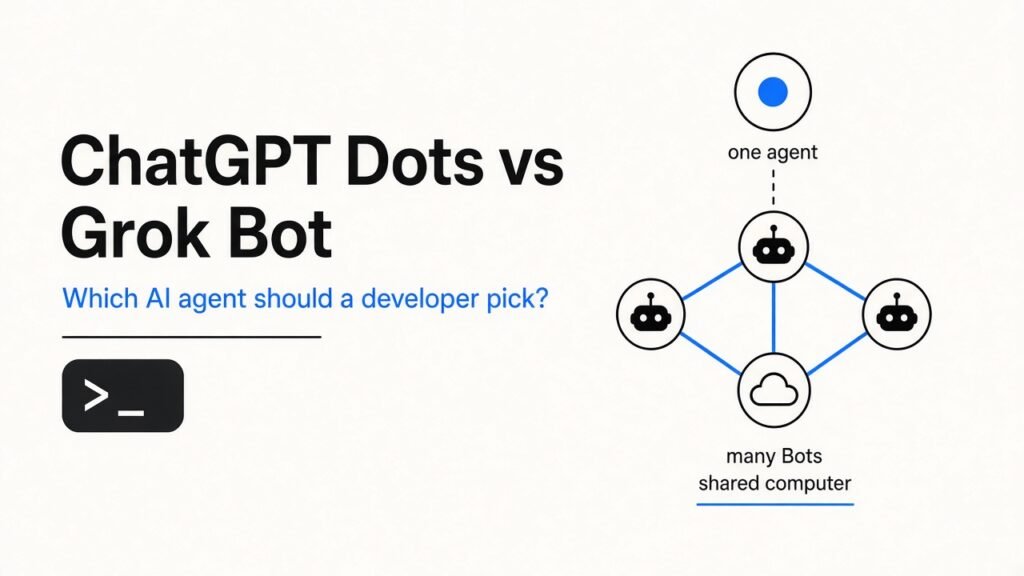
Pick Grok Bot if you want the cheapest start and several agents that each own one job, such as reproducing bugs or checking dashboards. Pick a ChatGPT dot if you already pay for ChatGPT Pro and do most of your coding through Codex.
You already use AI to write code. The problem is that it stops the moment you close the chat, so the boring follow-up work still lands on you.
Two products now try to fix that: OpenAI’s dots and SpaceXAI’s Grok Bot. This post shows the differences that actually matter to a developer, what each costs, and a quick test you can run yourself.
What is an always-on AI agent, in plain words?
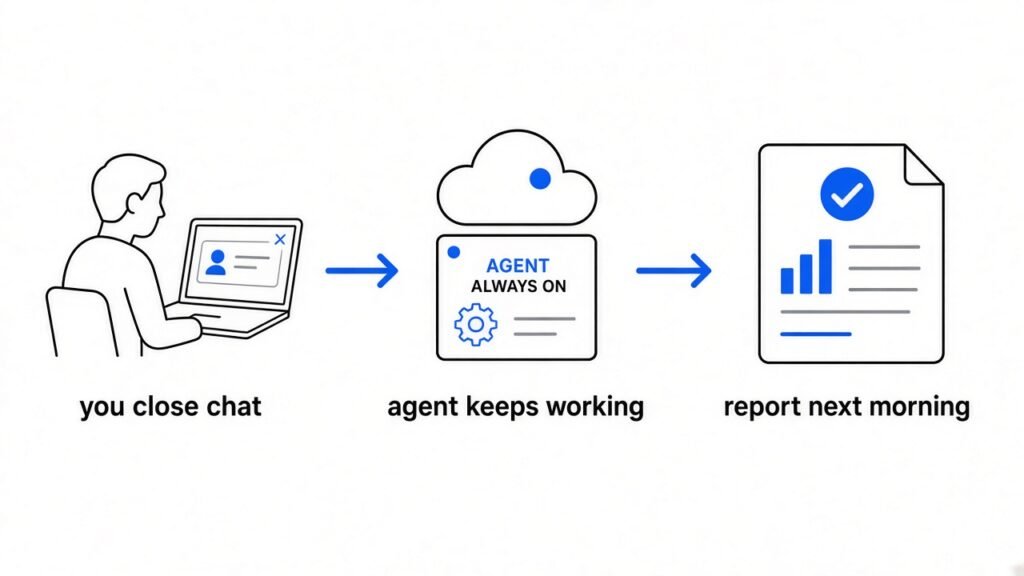
It is an AI that keeps working after you close the chat, on a computer of its own.
A normal chatbot only works while you are typing to it. You ask, it answers, it waits.
An agent (an AI that takes actions, like clicking, typing and running commands, instead of only replying) goes one step further. An always-on agent adds a cloud computer (a computer in a data center that stays switched on), so it keeps working while your laptop sleeps.
Think of it like the difference between a calculator and an intern. You tell the intern “reproduce the newest bug report by morning,” then you go to bed.
A dot is OpenAI’s always-on agent. It lives inside ChatGPT and runs on OpenAI’s GPT-6 Astra model.
Grok Bot is the always-on agent from SpaceXAI (the company formerly called xAI). You get it through a Cursor plan (Cursor is an AI code editor) or a SuperGrok plan (Grok’s paid chatbot plan).
ChatGPT Dots vs Grok Bot: the quick comparison
Same idea, different shape: one assistant that juggles everything versus a small team with separate jobs.
| What matters | ChatGPT dot | Grok Bot |
|---|---|---|
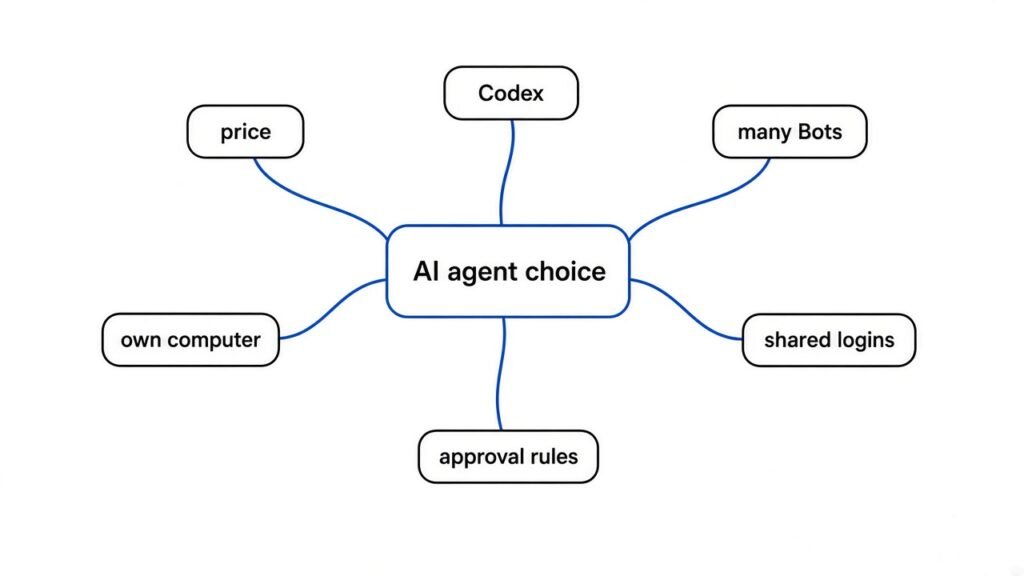
| Cheapest way in | ChatGPT Pro, from $100 a month | Cursor Pro, $20 a month |
| How many agents | One primary dot for now | Many Bots at once |
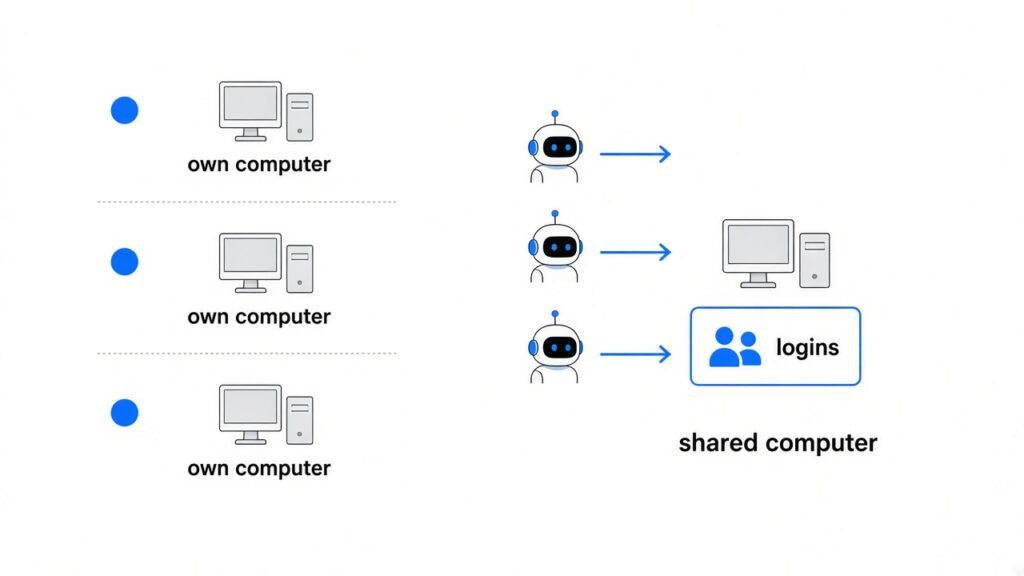
| Computer | Each dot gets its own cloud computer | All your Bots share one cloud computer |
| Where you talk to it | ChatGPT (desktop, web, mobile), Slack, Teams | Desktop app (macOS, Windows) and iOS |
| Coding hook | Can start tasks in Codex cloud environments | Cloud computer with browser, files and terminal |
| Approvals | Built-in rules plus your own Custom Rules | Auto Review for sensitive actions |
| Usage | Chatting with your dot does not use your ChatGPT limits | Has its own usage, separate from your Cursor or Grok limits |
The rest of this post explains the rows that change your day-to-day work.
Why does one dot vs many Bots matter?
Separate agents for separate jobs are easier to check and easier to blame when something breaks.
A dot works like one senior assistant. It can run one project while working on several others, and you keep feeding it new tasks in the same place.
Grok Bot works like a small team. You can create a researcher, a bug reproduction Bot and a chief of staff, then put them in one group chat so they pass work between themselves.
For developers, the team model is cleaner. If the Bot that triages bugs makes a mess, you know exactly which one to fix, and your other Bots keep going.
The trade-off: more Bots means more setup and more usage to watch. OpenAI says it plans to let you add more dots later, but at launch you start with one primary dot.
Do these agents get their own computer?
Both do, but all your Grok Bots share one computer, and that changes your risk.
Here “blast radius” means how far one mistake can spread. On a shared computer, one confused agent can reach everything the others can reach.
Each dot works on its own cloud computer. Your own laptop stays separate unless you choose to connect it, and that option starts turned off.
Every Grok Bot shares one persistent cloud computer (one that keeps its files and logins between tasks), including its files, browser and logins. Isolation is per user, not per Bot.
So if you sign your coding Bot into GitHub, your email Bot is sitting on the same machine. Only put logins on that shared computer that you would trust every Bot with.
Which one is better for coding work?
Dots plug straight into Codex, while Grok Bot gives you a terminal-ready computer and routines you teach by showing.
A dot can create tasks in Codex cloud environments (OpenAI’s hosted setup for running coding tasks), as long as you create the environment in Codex first. If you connect your laptop, it can also start Codex tasks there and use your local skills (saved instruction packs for the agent).
OpenAI’s own developer example: the dot watches customer feedback, builds and tests small fixes, and hands you finished PRs (pull requests, proposed code changes for you to review) with videos of the change.
A Grok Bot works on a cloud computer with a browser, a filesystem and a terminal. It uses connectors and MCP (Model Context Protocol, a standard plug that lets an AI use outside tools) where available, and plain computer use everywhere else.
Grok Bot also has routines. You do a workflow once while a Bot watches, it saves the steps, and it runs them on its own next time. Bug Reproduction is one of its ready-made Bot roles.
Verdict for coding: if Codex is already your main coding agent, the dot fits your stack. If you want agents that handle the messy browser and terminal chores around code, Grok Bot fits better.
How much do ChatGPT Dots and Grok Bot cost?
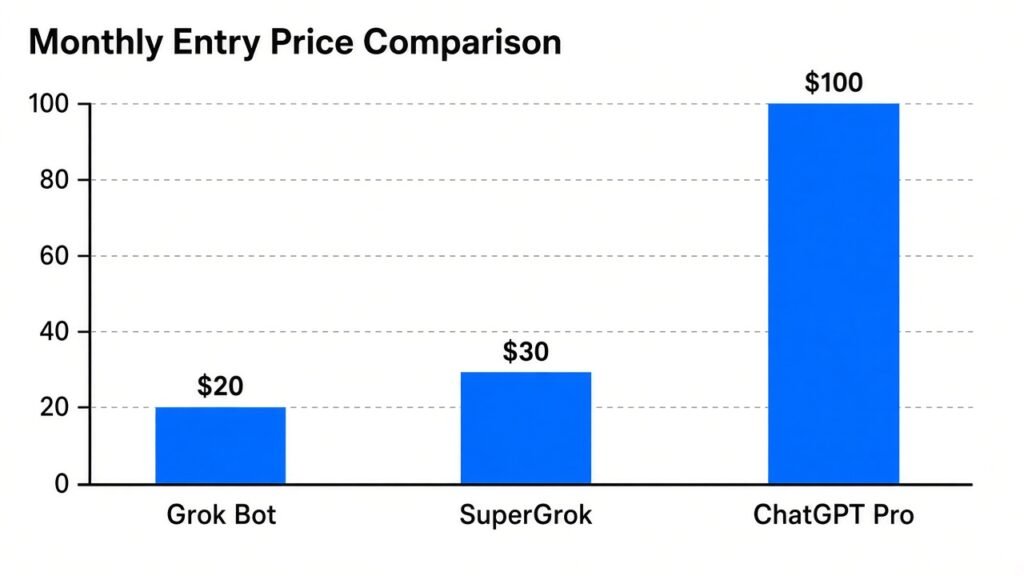
Grok Bot is five times cheaper to start: $20 a month versus $100.
Your first dot is included at no extra cost with ChatGPT Pro or Business Premium. ChatGPT Pro comes in three monthly tiers: $100, $200 and $500.
Each plan includes an allowance for deeper work. Talking to your dot does not count toward your ChatGPT usage limits, but tasks it starts in Codex or ChatGPT Work do count.
Grok Bot is included with Cursor Pro at $20 a month, SuperGrok at $30 a month, Cursor Teams from $40 per seat per month, and the higher Cursor and SuperGrok tiers.
Every Grok Bot plan comes with weekly usage included. Extra usage is billed by token cost (a token is a small chunk of text the AI reads or writes), and it is separate from your normal Cursor or Grok limits.
In plain numbers: the cheapest dot costs $80 more per month than the cheapest Grok Bot. If you do not already need ChatGPT Pro for other work, that gap decides it for most people.
What safety controls do you get?
Both ask before risky actions, but dots give you finer rules out of the box.
When you are not talking to it, a dot does “proactive research” (looking through your connected apps for ways to help). In that mode it only uses read-only tools, so it cannot send messages, change app content, or control a browser or computer.
Dots also let you write Custom Rules. For a given action you choose one of four behaviors: act without asking, act if you pre-approved it, ask first, or hand it off to you. Some tasks, like changing a password, always stay with you.
Grok Bot can send sensitive actions through Auto Review before they run. It uses your Cursor sign-in and privacy settings, encrypts its cloud computer in transit and at rest, and lets you opt out of training.
One detail to know before you connect apps to a dot: disconnecting an app does not delete what your dot already learned from it. Only a full reset of the dot deletes that.
Try this 10-minute test yourself
You can check one strange fact right now, then run a fair test on whichever agent you have.
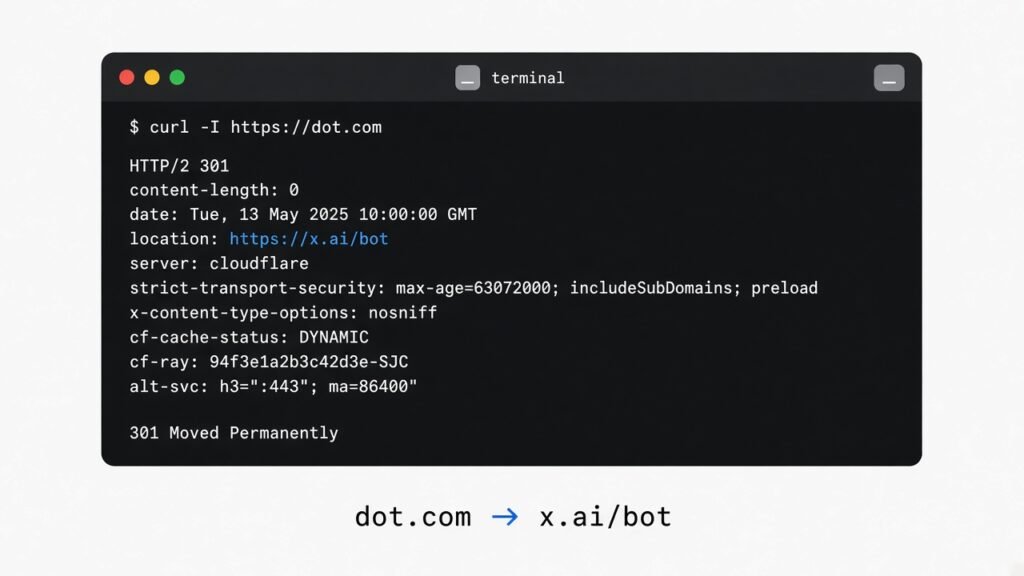
First, the fun part. Type this into your terminal. It uses curl (a command-line tool that fetches web addresses) to see where dot.com sends you:
curl -sIL https://dot.com | grep -iE "^(HTTP|location)"When we ran it, this is what came back:
HTTP/2 301
location: https://x.ai/botA 301 is a permanent redirect. In plain words, typing dot.com lands you on Grok Bot’s page, not OpenAI’s.
Now the useful part. Give whichever agent you have this exact task:
“Every morning, check the open issues in my repo, pick the newest bug report, try to reproduce it, and send me a short note with the steps and the result. Ask me before you post anything.”
Then score it on three things: did it ask before acting, did it finish without you stepping in, and how much of your usage did one run take? Those three answers tell you more than any feature table.
So which should you pick?
Most developers should start with Grok Bot. Codex-heavy ChatGPT Pro users should just use the dot they already have.
Pick Grok Bot if you want the lowest price, several agents with clear jobs, and a terminal-ready computer. Keep the shared computer’s logins to a minimum.
Pick a dot if you already pay for ChatGPT Pro, run your coding through Codex, and want separate computers plus detailed approval rules from day one.
Know the limits of both. A dot cannot have its own standalone email address or call you at launch, and texting is a limited beta. Grok Bots share one machine. And both can make mistakes, so review anything that touches money, customers or production.
If you are setting up agents for coding, the CLAUDE.md setup that stops AI coding agents from drifting works the same way here: clear written rules beat clever prompts. For another head-to-head on agent tools, see Paperclip vs Orca for coding agents.
Common questions about Dot vs Grok
What is the difference between ChatGPT Dots and Grok Bot?
Both are always-on AI agents with a cloud computer that keep working after you close the chat. A dot is one primary agent inside ChatGPT with its own computer. Grok Bot lets you run many Bots that share one computer and hand work to each other.
Is Grok Bot cheaper than ChatGPT Dots?
Yes. Grok Bot is included with Cursor Pro at $20 a month. Your first dot is included with ChatGPT Pro, which starts at $100 a month.
Can I use ChatGPT Dots on the Plus plan?
Not at launch. Dots are rolling out to Pro and Business Premium users in eligible markets, with an Enterprise beta, and OpenAI says it plans to expand to more users.
Why does dot.com open Grok Bot?
The dot.com address redirects to Grok Bot’s page on x.ai. You can check it yourself with the curl command in the test section above.