
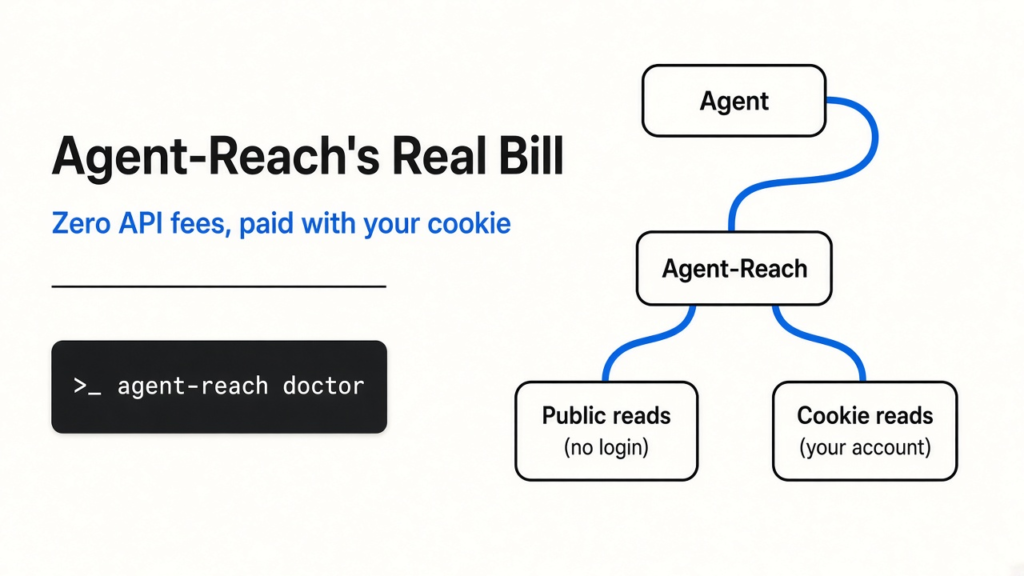
Short answer: Agent-Reach (a command-line kit that lets a coding agent read websites) is trending because it says you can read X, YouTube, GitHub and the rest with zero API fees (no bill from those sites). The part with no login is real for a few public reads. The part people actually want, search on X or Reddit, is paid for with your cookie (a login ticket the site already gave your browser). The project’s own README says use a spare account, because that ticket can get the account banned.
On October 5, 2026 the GitHub page Panniantong/Agent-Reach showed about 91,000 stars (bookmarks other people click) and an MIT license (a short open-source permission). It was near the top of the October 4 trending lists. People on X were posting the install line the same weekend.
What is a coding agent, before Agent-Reach means anything?
A coding agent is a program that can run commands on your computer, not only answer in chat.
Claude Code, Codex, Cursor and OpenClaw are coding agents. You type a goal. The agent (the loop of model plus tools) picks a command, runs it, reads the output, and tries again. A CLI (command-line interface: you type a line, the program prints a result) is the shape of those commands.
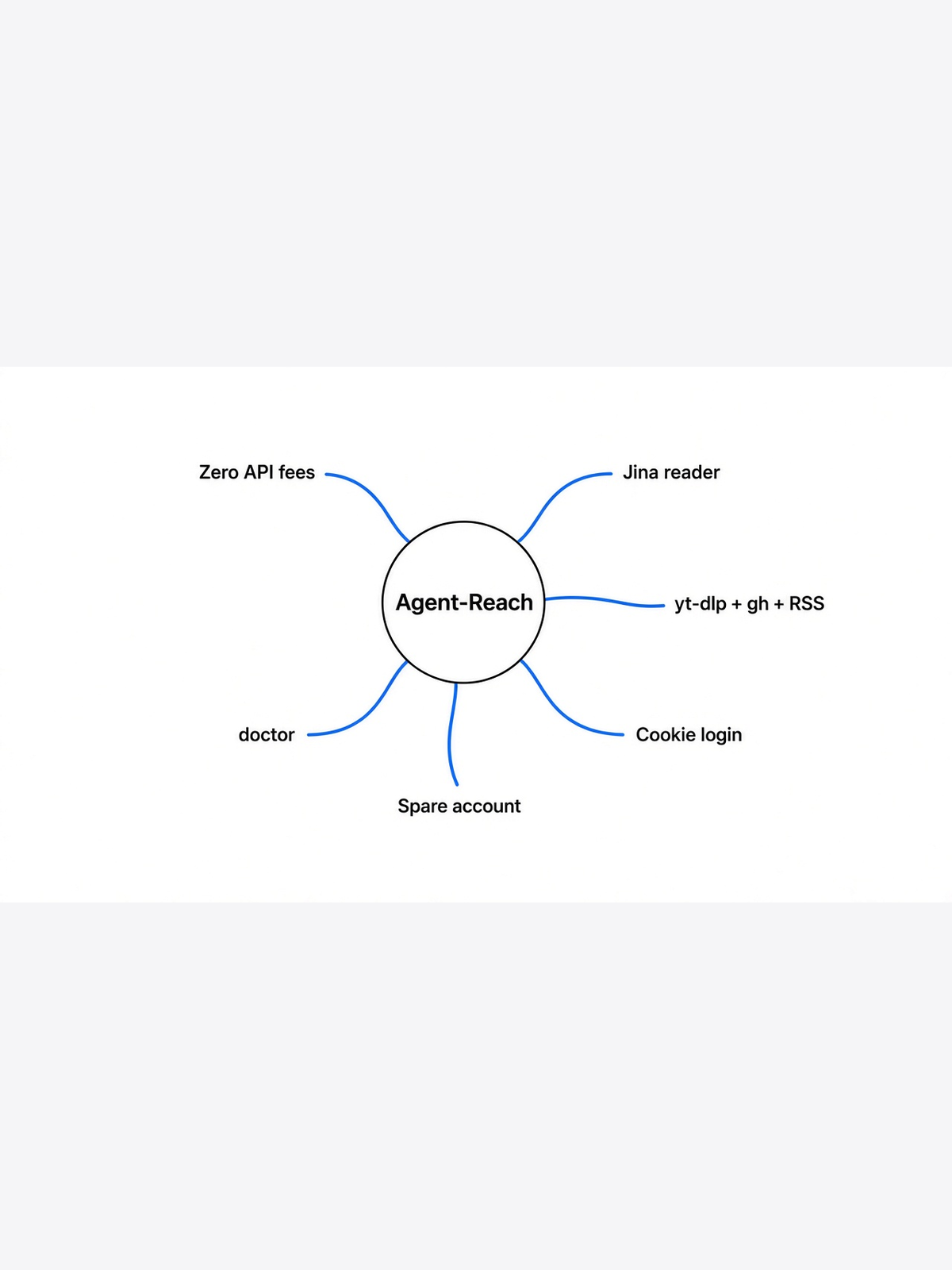
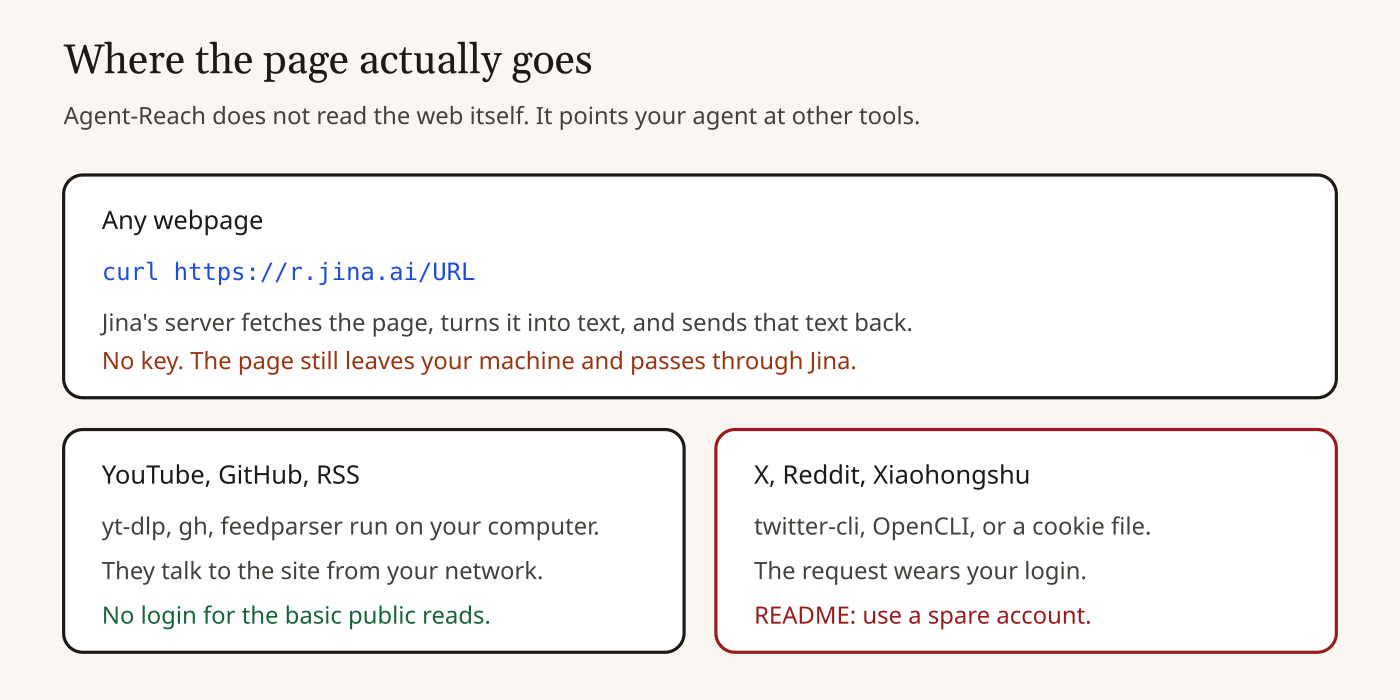
Agent-Reach is one CLI plus a skill file (a markdown note that tells the agent which command to run for which site). It does not contain X or YouTube. The README is explicit: it picks, installs, and health-checks other tools. The actual read is done by those tools. That is why the slogan can be true and still surprise you. The fee depends on which tool it pointed at.
What does “zero API fees” mean, from the ground up?
It means the README’s chosen tools do not ask you to buy a key. It does not mean the read stays on your machine, or that every site lets a stranger in.
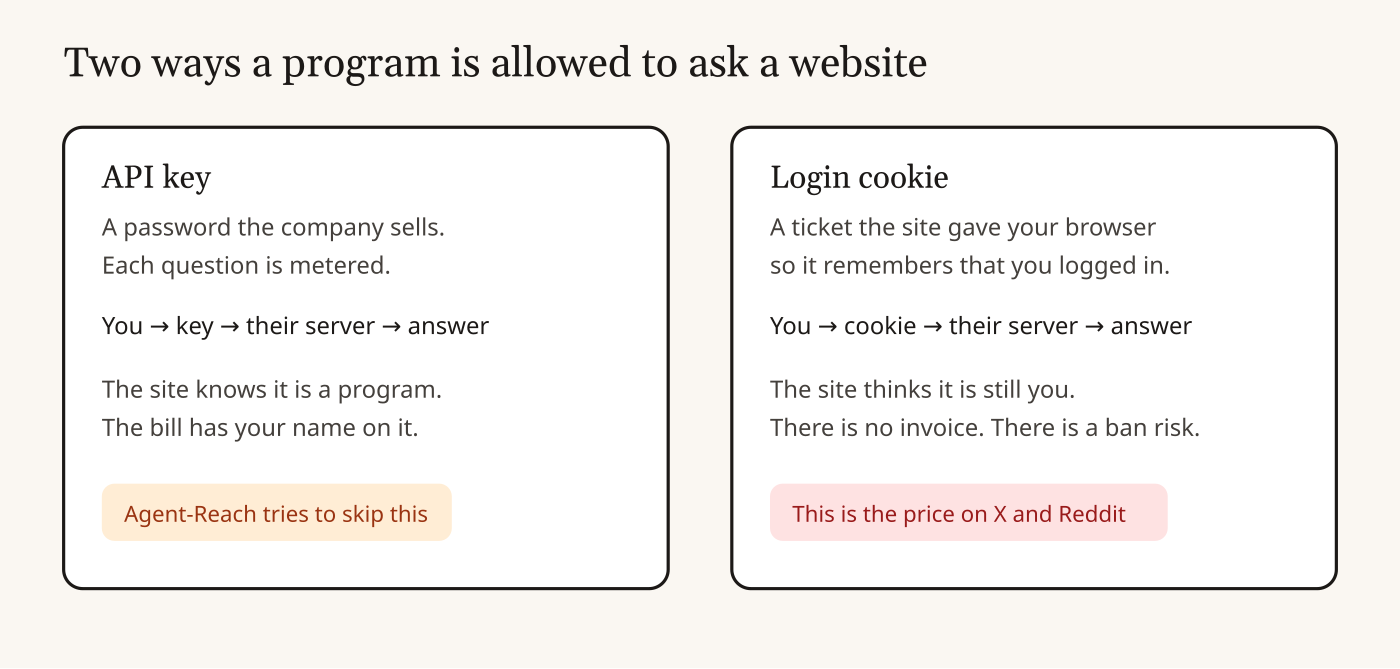
An API (application programming interface: a door a program knocks on, instead of a page a person clicks) usually wants an API key (a password the company sells, so it can meter you and cut you off). X’s official door, YouTube’s official door, and Reddit’s official door all work that way. Agent-Reach’s pitch is to skip those doors.
The README, in the row it labels “completely free,” says every tool is open source and every API it uses is free, and the only cash cost it names is a server proxy (another computer that fetches the page for you) at about one dollar a month, and only if you run this on a server. A laptop, it says, does not need the proxy. That sentence is the project’s claim.
Here is the part the slogan skips. For a normal link, the README’s own example is:
curl https://r.jina.ai/URL
Jina Reader (a free service from Jina that fetches a URL and returns the words) does not ask for a key, which is why the table says “free, no API key.” Your agent does not download the page itself. It asks Jina’s server to download the page, and Jina sends the text back. No invoice. The page still left your network and sat on someone else’s server for that request. If the link was private, or was a draft, that is a copy you did not mean to make.
YouTube subtitles go through yt-dlp (a widely used open-source downloader) running on your machine. Public GitHub goes through gh (GitHub’s official command-line tool). RSS (a feed of a blog’s new posts, already meant to be read by programs) goes through feedparser. Those three really are “a program on your computer asks the public site.”
Full-web search is Exa (a search company) reached through mcporter (a small bridge that speaks MCP, a standard plug shape for agent tools). The README says that path needs no key. Again: that is the project’s claim, as of the October 5 README.
What is a cookie, and why is it the real price?
A cookie is the ticket a website hands your browser after you log in, so the next request is still you.
Start one step earlier. You type a name and a password. The site checks them. It does not want to check them on every click, so it hands back a cookie (a short string stored by the browser). Next request, the browser shows the cookie. The site says “this is account A” and lets you in. No second password prompt.
A token (here: another kind of secret string that proves a login, not the text-chunks an AI model bills you for) is the same idea in a different envelope. Either one, shown to the site, is the account.
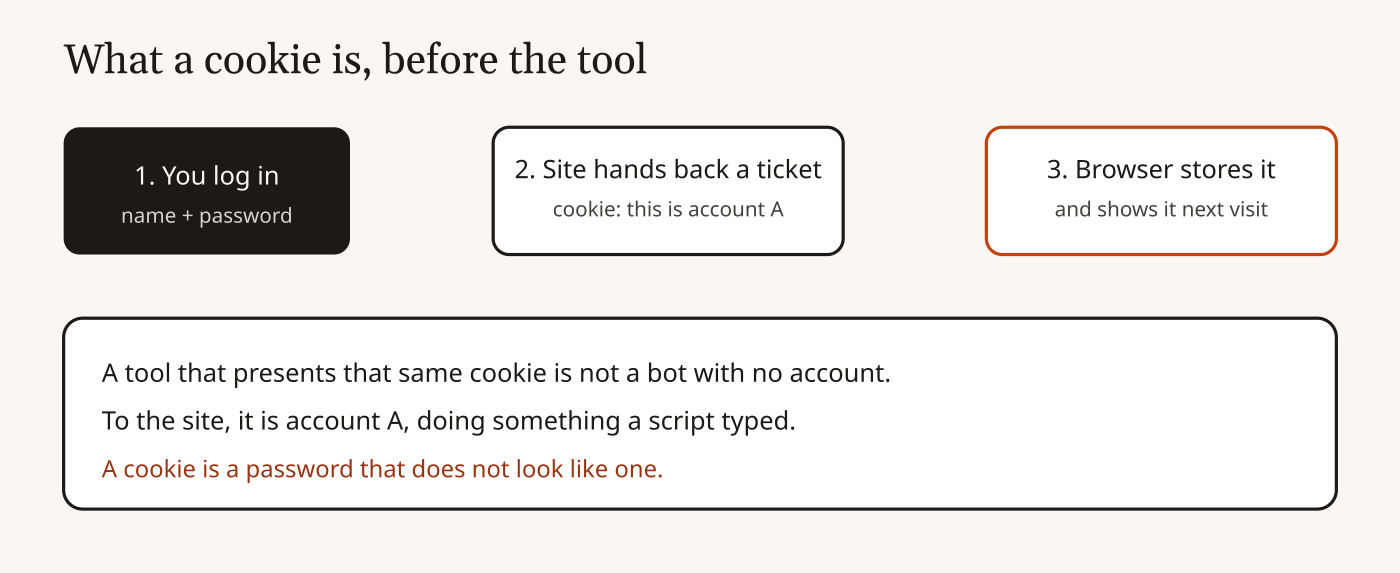
Agent-Reach needs that ticket for the sites that closed their public doors. The README’s security table says cookies and tokens stay only on your machine, in ~/.agent-reach/config.yaml, with file mode 600 (on Unix, only your user can read or write the file), and are not uploaded by the project. The install guide’s file table instead names ~/.agent-reach/config.json. After any install, open ~/.agent-reach/ and look. Do not take my sentence over the file on disk.
The same README then says the quiet part out loud. Platforms that use a cookie login, it names Twitter and Xiaohongshu, can detect a script and ban the account. Use a dedicated spare account. Do not use your main one. Two reasons it gives: a ban, and a leak. A leaked cookie is a leaked login. A spare account limits the damage.
That is the whole price of “zero API fees” on those sites. You did not pay X. You lent X your identity.
Which reads are actually free of a login?
The README’s no-setup examples are a link, a public GitHub repo, a YouTube video, a Bilibili search, a web search, and an RSS feed. Search on X or Reddit is not in that list.
The install section says the default setup turns on six zero-config channels (channels that work before you log in). It then asks you, one by one, about Xiaohongshu, Twitter, Reddit, Facebook and Instagram, because those need a logged-in session (the cookie, or a browser that is already signed in). You name one, it installs that one.
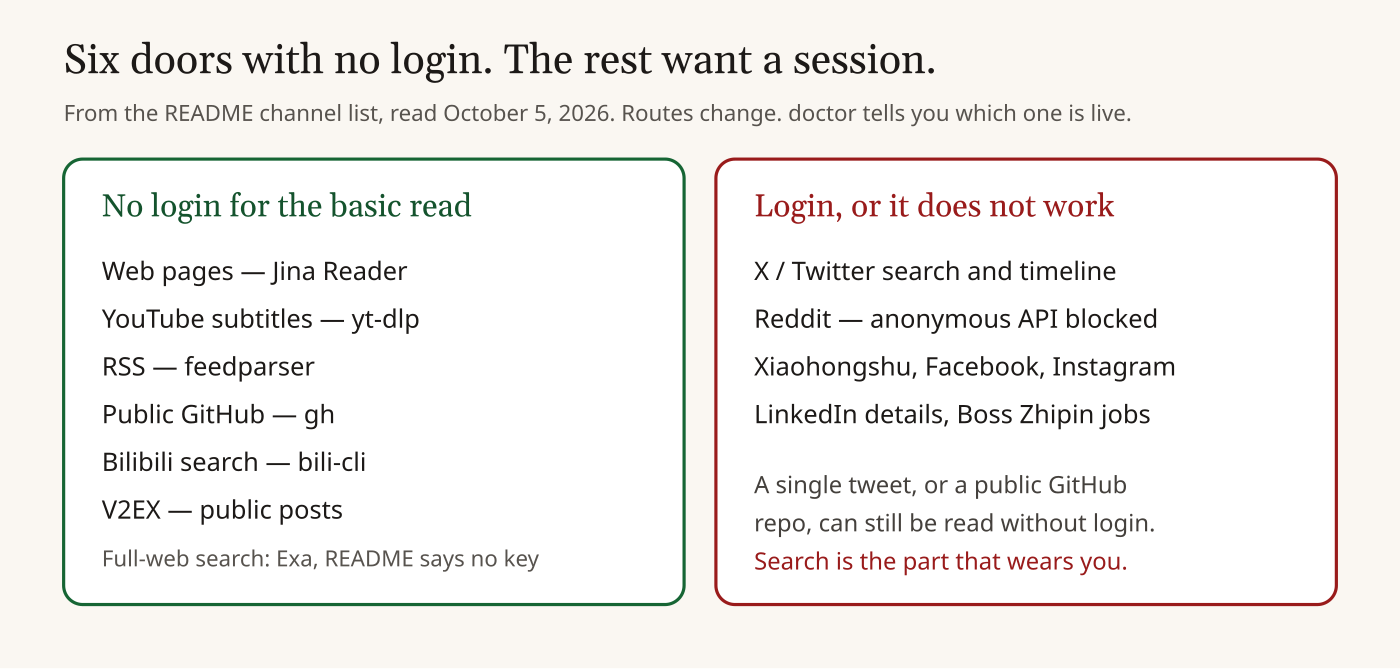
agent-reach doctor is how you see today’s route.From the channel table in that README:
| You wanted | Tool it points at | Login? |
|---|---|---|
| Any webpage | Jina Reader | No key. Page goes through Jina. |
| YouTube subtitles and search | yt-dlp | No, for the basic read |
| RSS | feedparser | No |
| Public GitHub | gh | No. Private repos, issues, and PRs need gh logged in. |
| Bilibili search and video details | bili-cli | No. Subtitles need the browser path. |
| Full-web search | Exa via mcporter | README says no key |
| One tweet | twitter-cli | README says a single tweet can be read without setup |
| X search, timeline, long posts | twitter-cli, then OpenCLI | Yes. Cookie or a logged-in browser. |
| OpenCLI, then rdt-cli | Yes. README: anonymous API is blocked, official API is an approval process. | |
| Xiaohongshu, Facebook, Instagram | OpenCLI (your desktop browser’s existing login) | Yes |
OpenCLI (a tool that drives a real browser session you already signed in) is the fallback the README prefers when a site has killed the anonymous door. “Reuse Chrome” means the agent is looking through the browser where you are logged in. That is still your account.
Two open issues say the “no login” YouTube path is already wobbling:
- Issue 742, opened October 2, 2026: YouTube subtitles can come back as YouTube’s machine translation instead of the speaker’s words.
- Issue 774, opened October 4, 2026: on a server, yt-dlp gets bot-challenged, and someone is asking for a hosted transcript fallback.
“No login” is not “works every time this week.”
Why does the README keep a spare door for every site?
Because the sites close doors, and the project treats that as the normal case.
A backend (one specific tool that knows how to talk to one site) dies. The README’s design line is: each platform is an ordered list, first choice then backup, and swapping the list is not a rewrite. agent-reach doctor (one command that prints which backend is alive) is how you see the current pick.
The Bilibili row is the concrete version. The README says yt-dlp was retired there after Bilibili’s risk checks answered HTTP 412 (a status that means “I am refusing this client”), measured by the project in June 2026, and bili-cli is now the no-login search path. YouTube still uses yt-dlp. Same tool, two different fates, because two different sites.
Reddit’s row says the anonymous door is gone and the official API is approval-only, so only a logged-in path remains. If a blog post from last month told you Reddit was free with no account, that post is stale. Read doctor, not the memory.
This is the useful idea in the repo, more than the star count. Access methods rot. A router with a health check is the honest shape. A promise of “zero config forever” is not.
What happens if you paste the install sentence into Claude?
Your agent fetches a markdown file from GitHub and follows it. The default step only looks. The install of today’s main branch happens if it gets that far.
The README’s first instruction is to paste one sentence into your agent, pointing at https://raw.githubusercontent.com/Panniantong/agent-reach/main/docs/install.md. There is a safer variant that says “safely check and install,” and it tells the agent to get your OK before --system.
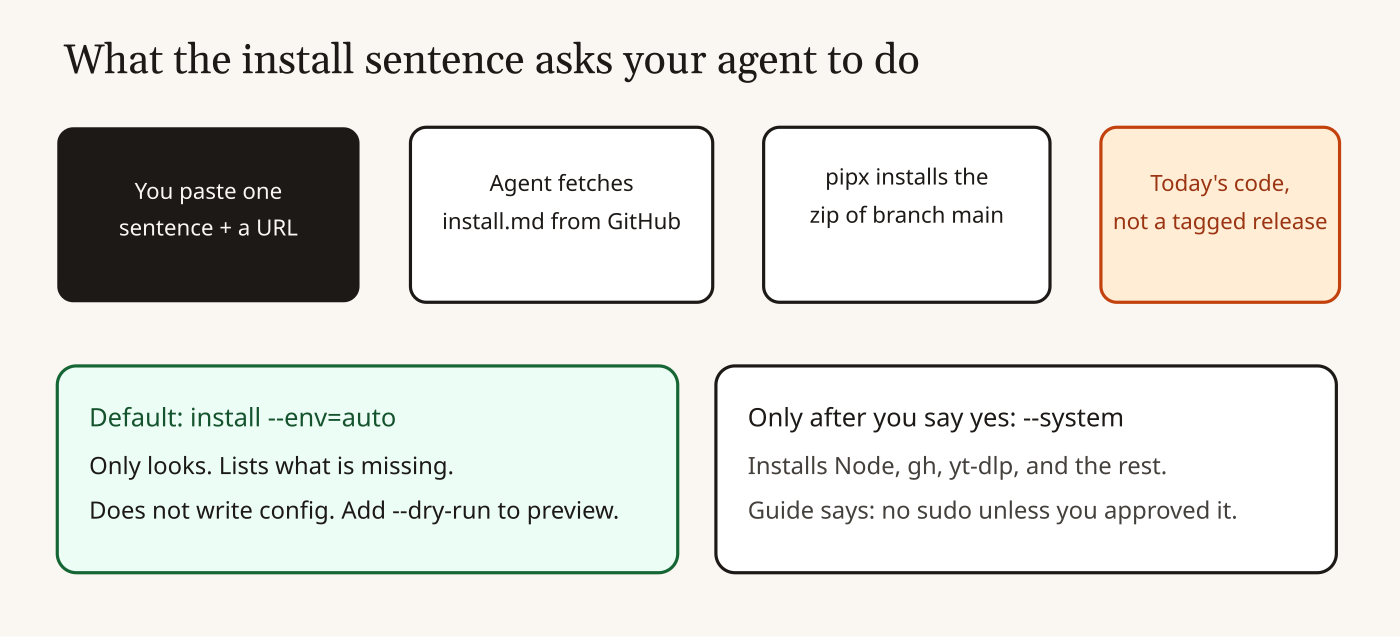
main is today.The install doc, as of October 5, tells the agent to do this:
pipx install https://github.com/Panniantong/agent-reach/archive/main.zip
agent-reach install --env=auto
pipx (a Python installer that puts a command in its own little environment, so it does not fight your system Python) installs a zip of the main branch (the moving latest code, not a numbered release). Then agent-reach install --env=auto is the read-only check: it lists what is missing and does not write config. --dry-run previews the rest and changes nothing. --system is the one that installs Node.js, the GitHub CLI, yt-dlp and the other tools, and it is supposed to wait for you to say yes.
The same doc says: do not use sudo (the “run as the machine’s administrator” switch) unless you approved it, do not touch files outside ~/.agent-reach/, do not install packages that are not on the list, and do not turn off a firewall. That is better than a curl | bash one-liner (a pattern where you pipe a downloaded script straight into a shell with no chance to read it). It is still “please install whatever is on main today.” If you want a fixed version, read a tagged release and install that zip yourself. Do not let the agent pick main while you are in another tab.
One more trap, from the README itself: do not pip install agent-reach from PyPI (the public Python package index). The README says the package under that name there is not this project. Install from this GitHub repo.
What should you do before you let it read X?
Dry-run, run doctor, and never hand it the cookie for an account you cannot lose.
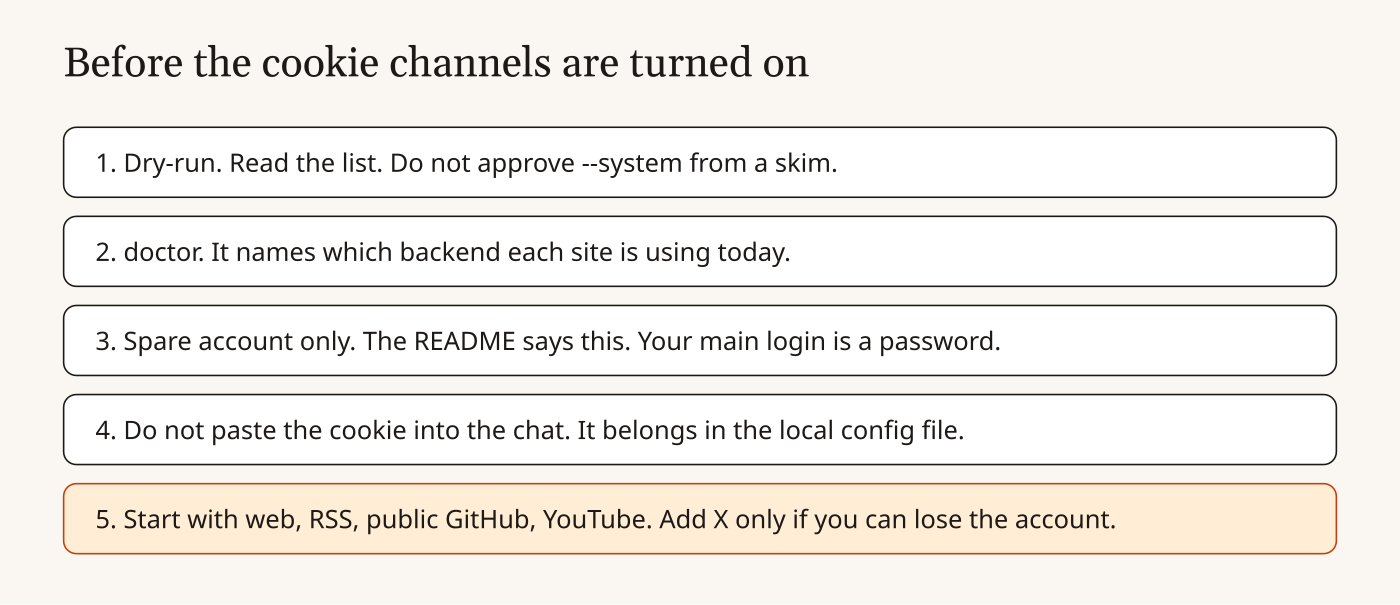
- Run
agent-reach install --env=auto --dry-runand read every line before you approve--system. - Run
agent-reach doctor. Believe the backend it names today, not a screenshot from June. - Use a spare account for X, Reddit, Xiaohongshu, Facebook and Instagram. That is the README’s rule, not mine.
- Do not paste a cookie into the chat. The configure commands (
agent-reach configure twitter-cookies, and the browser ones) exist so the secret lands in the local file. An agent that can read your home directory can still open that file later. Mode 600 stops other users on the machine. It does not stop the agent you just gave a shell. - Start with the six no-login examples: a link, public GitHub, YouTube, Bilibili search, RSS, and the Exa search if you accept that Exa sees the query. Add a cookie channel only when the account is disposable.
If you only wanted “read this one public page,” you do not need Agent-Reach at all. curl https://r.jina.ai/URL is the whole trick, and you can see exactly one request. The kit earns its place when you want many sites, and you want doctor to tell you which door died. It does not earn its place as a way to quietly drive your real X account.
Common questions about Agent-Reach
Is Agent-Reach actually free?
The README says the tools are open source and the APIs it uses do not charge, and that a laptop does not need the one-dollar proxy. You still pay your model bill for the agent that calls it. Cookie channels cost an account, not an invoice.
Does it upload my cookies?
The README says no: they stay in ~/.agent-reach/ and are not uploaded by the project. The install guide names config.json; the security table names config.yaml. Check the file the installer wrote.
Can I pip install agent-reach?
Not from PyPI. The README says that name there is a different package. Install the GitHub zip, or let the documented pipx line do it after you have read it.
Why not just give the agent the official APIs?
Official APIs are the clean door: a key, a meter, a way to revoke. Agent-Reach exists because those doors are paid, slow to approve, or closed. You are trading the meter for a login ticket and for whatever the current backend does when the site changes its mind.